How to Connect Salesforce Pro with Accelo (With or Without an AI Agent)
Connect Salesforce closed-won opportunities to Accelo so every new engagement gets a client record, contacts, and kickoff tasks, with an AI agent that runs the handoff automatically and pauses for a human before the client-facing kickoff email goes out.
How do you connect Salesforce Pro to Accelo?
You connect Salesforce Pro to Accelo by having a scheduled workflow run Find Records by Query for opportunities that reached closed won, then drive Accelo actions: List Companies checks for an existing client, Create Company and Create Contact stand up the record, Create Task builds the kickoff checklist, and Log Activity writes the handoff note. FlowRunner is a visual AI-agent orchestration platform where automations run autonomously and pause for human judgment on the steps that carry real consequence. The same connection can run as an AI agent that executes the whole handoff on its own, drafts the client kickoff email, and pauses for a named human before Send Email puts that message in the client’s inbox.
The problem it solves
Right now the distance between “closed won” and “work started” is measured in Slack messages. The opportunity closes in Salesforce, the account executive posts the news, and someone in operations starts assembling the engagement by hand: create the client in Accelo, retype the contacts, rebuild the kickoff checklist, dig through the opportunity for what was actually promised, and draft a welcome email to the client. Each step is small. Together they are a day of lag per engagement, multiplied by every deal you win.
Two failure modes do lasting damage. The first is the duplicate client record: “Meridian Partners” already exists in Accelo from an old engagement, a rushed setup creates it again, and the client’s job history and billing split across two records. The second is the first email. A kickoff message with the wrong contact, a misstated scope, or a promised start date delivery cannot meet is the client’s first data point about your operation, and it arrives before the work does. Both failures happen precisely because everything is manual and the pressure is highest right after a win.
How it works: the connection
The connection polls Salesforce and writes to Accelo. Here is the plain version, grounded in the real connector actions.
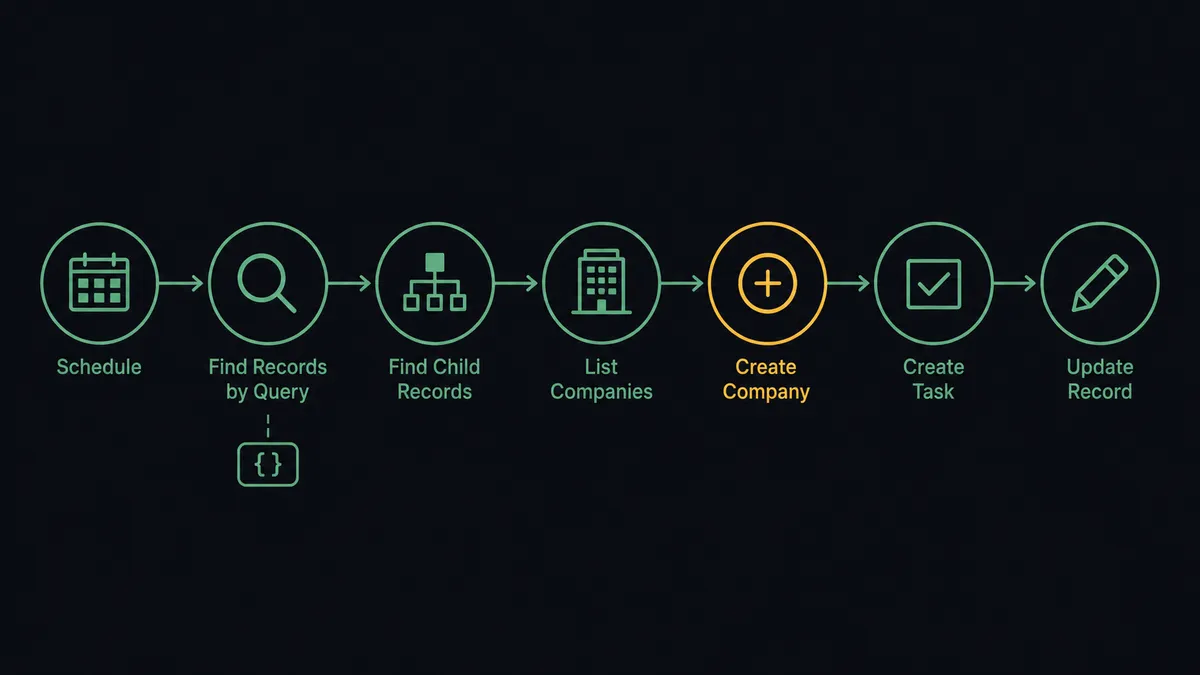
- Trigger: On a schedule, the workflow runs Find Records by Query with a SOQL query for opportunities that moved to closed won since the last check.
- Read: It calls Find Record to load the account, then Find Child Records to pull the opportunity’s contact roles and related records.
- Check Accelo: It calls List Companies to search for an existing client record by name.
- Create the client: If no match exists, it calls Create Company, then Create Contact for each person on the deal.
- Stand up the work: It calls Create Task to build the kickoff checklist and Log Activity to record the handoff, with the opportunity context attached.
- Write back: It calls Update Record to mark the opportunity as handed off and Create Enhanced Note to file the handoff summary on the account.
- Notify: It calls Send Email from Salesforce to tell the client their engagement is underway and who to expect.
That is the “just connect them” answer. Won opportunities become working engagements the same day, and Salesforce keeps a record of the handoff instead of a channel keeping a memory of it.
Can an AI agent run it? (and why a human stays in the loop)
Yes, and the agent’s judgment shows in two places a script cannot reach. First, matching: it reads List Companies results the way an account manager would, treating “Meridian Partners” and “Meridian Partners LLC” as the same client unless the evidence says otherwise, and pausing for a person when it is genuinely unclear. Second, translation: it reads what the opportunity actually says, via Find Record and the notes on the account, and turns it into kickoff tasks that reflect the specific engagement rather than a generic checklist.
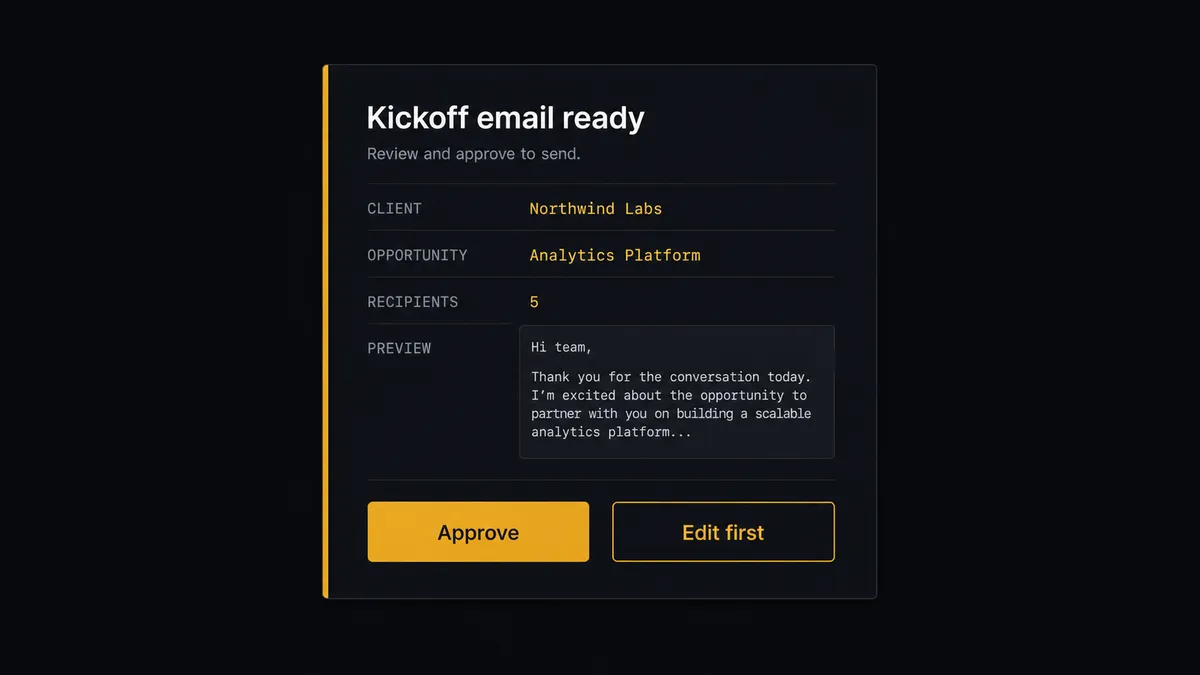
The consequential step is Send Email. The kickoff message is the client’s first contact with delivery, sent from your Salesforce org under your name, and it commits the business to people, scope, and timing in writing. So the agent drafts it but never sends it alone. It invokes a human-in-loop flow it holds as a callable tool. The workflow pauses and posts to the ops channel: “Kickoff email drafted for [client] on [opportunity name]. Recipients: [contacts]. The draft names the delivery lead and proposed start. Approve to send?” The engagement lead reads it, edits if needed, and approves. Only then does Send Email run, followed by Update Record and Create Enhanced Note so Salesforce carries the final version of what was sent and by whose approval.
Prospects call this pattern a digital andon cord: like Toyota’s quality control pull cord, the workflow stops the line at the moment of client contact, and a person restarts it with one click. Everything mechanical runs at machine speed. The one message a human should read gets read, every time, with a name attached in the audit trail.
FlowRunner vs n8n
Teams with engineering capacity look at n8n for this connection, and fairly. Its node library is deep, its community publishes plenty of Salesforce patterns, and its fair-code self-hosting model is genuinely strong for teams that want the runtime inside their own infrastructure. For a developer who wants to own every node, n8n delivers real control.
The handoff, though, is an operations process with a client-facing step in the middle of it. Here is the honest side-by-side.
| What matters for this pair | FlowRunner | n8n |
|---|---|---|
| Human-in-the-loop on the kickoff Send Email | Native. The agent invokes an approval flow as a callable tool, multi-channel, decision recorded | Buildable with wait and approval wiring you assemble and maintain yourself |
| Who runs the flow | An AI agent reads the opportunity, reasons, and picks actions as tools | A node graph you design; AI agent nodes exist but the builder is developer-oriented |
| Users included | Unlimited users on every tier | Plan-dependent; full RBAC and SSO sit in higher tiers |
| Bring your own AI keys | Yes, BYOK | Yes, n8n also supports your own model keys |
| Self-hosted option | Yes, cloud-hosted or self-hosted | Yes, self-hosting is a core strength |
| Pricing model | Transparent workflow-based tiers; compliance features from the $299/mo Professional tier | Execution-based cloud tiers; full cloud compliance suite is custom-priced Enterprise |
If your engineers want to hand-build the graph and you are comfortable owning the approval and audit layer, n8n is a credible choice. If operations owns the handoff and the requirement is a working approval on the client email plus an audit trail from day one, that is where FlowRunner is the better fit.
Before and after
| Category | Before | After |
|---|---|---|
| Finding won deals | Someone watches Salesforce or waits for the announcement | Find Records by Query surfaces every closed-won opportunity on schedule |
| Client setup | Company, contacts, and tasks retyped into Accelo by hand | Create Company, Create Contact, and Create Task stand up the engagement automatically |
| What was promised | The delivery team reconstructs scope from the account executive’s memory | Log Activity and Create Enhanced Note carry the opportunity context into both systems |
| The kickoff email | Written from scratch under time pressure, sometimes with the wrong details | Drafted by the agent from record data, sent only after a named approver signs off |
| Cross-system truth | Salesforce says won, Accelo says nothing, and status lives in a channel | Update Record marks the handoff, and both systems agree the same day |
What you can build
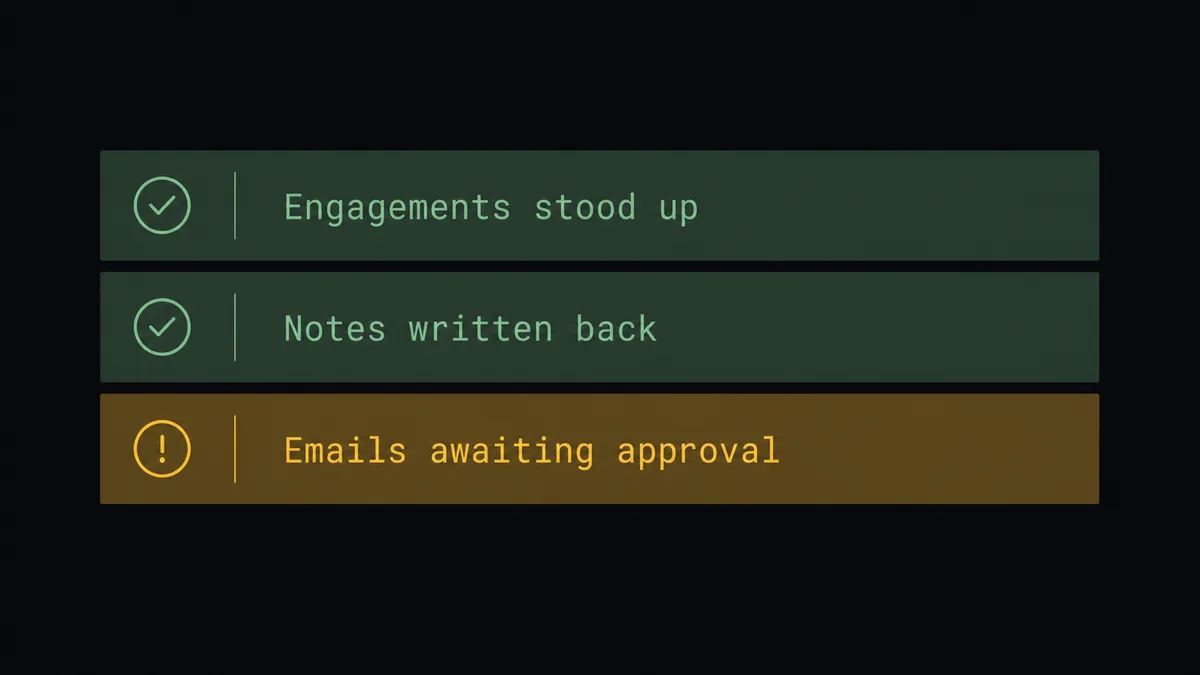
Closed-won to running engagement. Find Records by Query finds the win, the agent pulls the account and contacts with Find Record and Find Child Records, and Accelo gets the company, contacts, and kickoff checklist before the celebration ends.
Kickoff email with a named approver. The agent drafts the client welcome from real record data, routes it through approval, and Send Email fires only after the engagement lead signs off. The approved text lands in Create Enhanced Note for the record.
Duplicate-safe client matching. List Companies runs before every Create Company. Confident matches reuse the existing client and attach new work to it; uncertain ones pause with both records in front of a person.
Renewal and expansion handoffs. For a won opportunity on an existing client, the agent checks current work with List Jobs and Get Job, adds the new engagement’s tasks alongside, and notes the expansion with Log Activity instead of creating anything twice.
Handoff evidence trail. Every completed handoff writes Update Record on the opportunity and Create Enhanced Note on the account, so a quarter-end review of “what happened after we won” is a query, not an archaeology project.
Common questions
Is it free to connect Salesforce Pro and Accelo on FlowRunner? You can build and run the connection on FlowRunner’s free plan, which includes 100 executions a month and every integration with no credit card required, and new accounts also get 14 days of Professional. Both connectors are available on every FlowRunner tier, and every tier includes unlimited users and unlimited workflows.
Can I self-host the Salesforce to Accelo workflow? Yes. FlowRunner offers a cloud-hosted option and a self-hosted option, so the connection can run inside your own environment.
Does the AI agent need my own OpenAI or Claude key? FlowRunner uses a bring-your-own-keys model, so you connect the AI provider key you already have. You are not locked to one model, and you control which provider runs the agent.
Does the client-facing kickoff email go out automatically? No. The agent drafts it from the opportunity and account data, but Send Email is held behind a human-in-loop approval. A named person reviews the message and the recipient list before anything reaches the client, and the approval is captured in the audit trail.
Neither Salesforce Pro nor Accelo has a trigger in FlowRunner. How does the workflow start? On a schedule. The workflow runs Find Records by Query with a SOQL query for opportunities that reached closed won since the last check, so nothing depends on a person remembering to forward the news.
What gets created in Accelo when an opportunity closes? The client record with Create Company, the client’s people with Create Contact, kickoff tasks with Create Task, and a handoff note with Log Activity. The workflow then writes Update Record and Create Enhanced Note back to Salesforce so both systems tell the same story.
Getting started
Start on the free plan: 100 executions a month, every integration included, no credit card required, plus 14 days of Professional for new accounts. Both connectors are available on every tier, and every tier includes unlimited users and unlimited workflows, so revenue operations and delivery work from the same workspace from day one.
Explore the integration details:
- Salesforce Pro integration (26 actions covering records, SOQL queries, leads, contacts, files, and email)
- Accelo integration (10 actions covering companies, contacts, jobs, tasks, and activity logging)
Start building free at flowrunner.ai or book a demo to see a live Salesforce to Accelo workflow, kickoff-email approval and all.
Frequently asked questions
Is it free to connect Salesforce Pro and Accelo on FlowRunner?
You can build and run the connection on FlowRunner's free plan, which includes 100 executions a month and every integration with no credit card required, and new accounts also get 14 days of Professional. Both connectors are available on every FlowRunner tier, and every tier includes unlimited users and unlimited workflows.
Can I self-host the Salesforce to Accelo workflow?
Yes. FlowRunner offers a cloud-hosted option and a self-hosted option, so the connection can run inside your own environment.
Does the AI agent need my own OpenAI or Claude key?
FlowRunner uses a bring-your-own-keys model, so you connect the AI provider key you already have. You are not locked to one model, and you control which provider runs the agent.
Does the client-facing kickoff email go out automatically?
No. The agent drafts it from the opportunity and account data, but Send Email is held behind a human-in-loop approval. A named person reviews the message and the recipient list before anything reaches the client, and the approval is captured in the audit trail.
Neither Salesforce Pro nor Accelo has a trigger in FlowRunner. How does the workflow start?
On a schedule. The workflow runs Find Records by Query with a SOQL query for opportunities that reached closed won since the last check, so nothing depends on a person remembering to forward the news.
What gets created in Accelo when an opportunity closes?
The client record with Create Company, the client's people with Create Contact, kickoff tasks with Create Task, and a handoff note with Log Activity. The workflow then writes Update Record and Create Enhanced Note back to Salesforce so both systems tell the same story.