How to Connect Mailchimp with Delighted (With or Without an AI Agent)
Segment Mailchimp by real NPS sentiment from Delighted, with an AI agent that tags promoters and detractors automatically and pauses for a human before Send Campaign puts a referral ask in front of anyone.
How do you connect Mailchimp to Delighted?
You connect Mailchimp to Delighted by polling List Survey Responses on a schedule, finding each respondent’s subscriber record with Search Member, and writing sentiment onto it with Add Member Tag and Add Member Note, so your email segments know who loves you and who is one bad message from leaving. FlowRunner is a visual AI-agent orchestration platform where automations run autonomously and pause for human judgment on the steps that carry real consequence. Run as an AI agent, the same connection reads verbatims rather than just scores, and pauses for a named human before Send Campaign puts a referral ask or a promotion in front of anyone.
The problem it solves
Your NPS data and your email list describe the same people and never meet. Delighted knows who scored a nine and wrote a paragraph of praise; Mailchimp sends that person the identical newsletter it sends the customer who scored a two and threatened to churn. The referral campaign goes to everyone, including the furious. The win-back offer goes to nobody in particular. Someone occasionally exports promoters to a CSV for a testimonial hunt, and the file is stale before it is opened, because scores keep arriving while the spreadsheet sits still.
The edges are where real damage happens. A detractor mid-complaint receives a cheerful upsell, and their next verbatim mentions it. A customer who unsubscribed from marketing keeps getting surveys, because the two suppression lists have never been synchronized. A promoter writes that they would happily refer a colleague, and the referral program never hears about it, because the verbatim feed and the campaign calendar live in different tools owned by different people. Sentiment data ages fast, and hand-carried segments cannot keep up with it. By the time the quarterly export lands, the promoter has cooled and the detractor has churned.
How it works: the connection
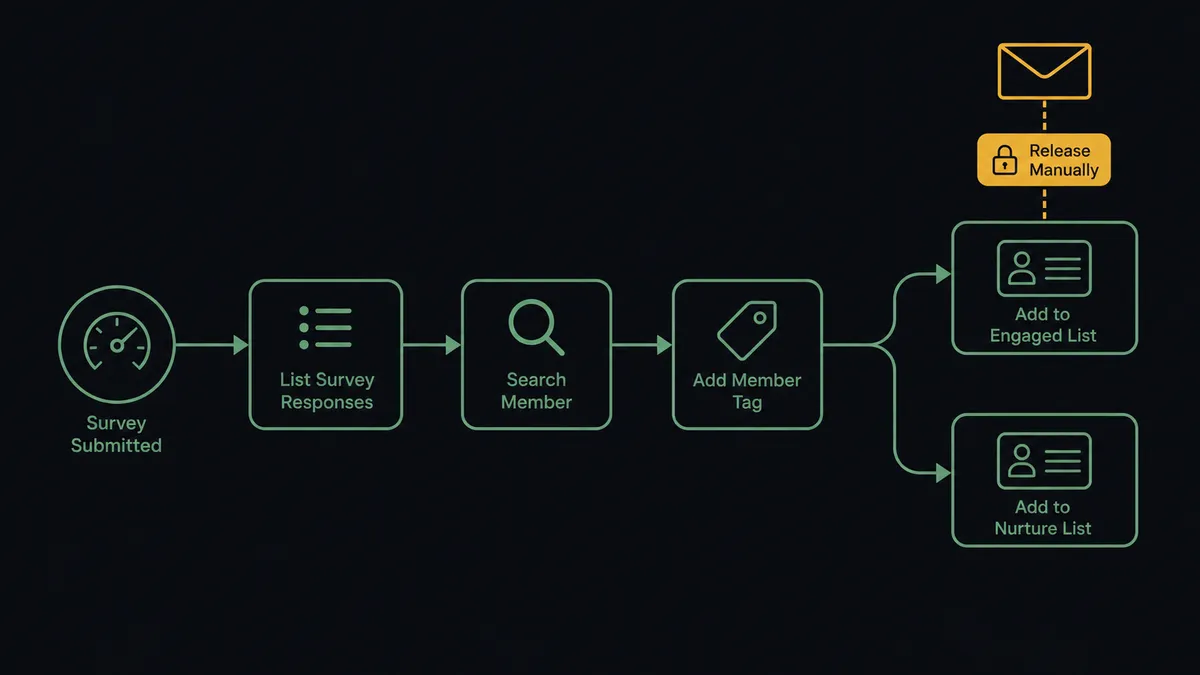
The connection reads Delighted on a schedule and writes to Mailchimp. Here is the plain version, grounded in the real connector actions.
- Trigger: On a schedule, the workflow calls List Survey Responses and collects every response since the last run.
- Match: Search Member finds each respondent’s Mailchimp record by email; Get Person supplies history for context.
- Tag: Add Member Tag places the subscriber in the promoter, passive, or detractor segment, replacing any stale sentiment tag via Remove Member Tag.
- Annotate: Add Member Note writes the score and verbatim onto the member record, so anyone opening it sees the customer’s actual words.
- Sync the audience: In the other direction, new subscribers flow into the survey rotation with Create or Update Person.
- Mirror suppressions: Mailchimp unsubscribes are mirrored with Unsubscribe Person, so nobody who left keeps getting surveyed.
That is the “just connect them” answer. Sentiment becomes a live axis in your email tool, refreshed every cycle, and the survey audience stays consistent with the mailing list without anyone reconciling CSVs. Get Metrics rounds out the loop with the score trend itself, so the same workflow that maintains the segments can post the weekly movement to your channel.
Can an AI agent run it? (and why a human stays in the loop)
Yes, and the agent’s contribution is reading people, not just scores. A score-band rule tags a nine as a promoter even when the verbatim says “9 because your support rep saved me after your product lost my data.” An AI agent reads score and verbatim together, catches the sarcastic ten and the constructive three, and holds the ambiguous ones out for a person instead of mislabeling them. Its toolbox is the real action set: List Survey Responses, Get Person, Search Member, Add Member Tag, Remove Member Tag, Add Member Note, Add Campaign, Send Campaign, Create or Update Person, Unsubscribe Person.
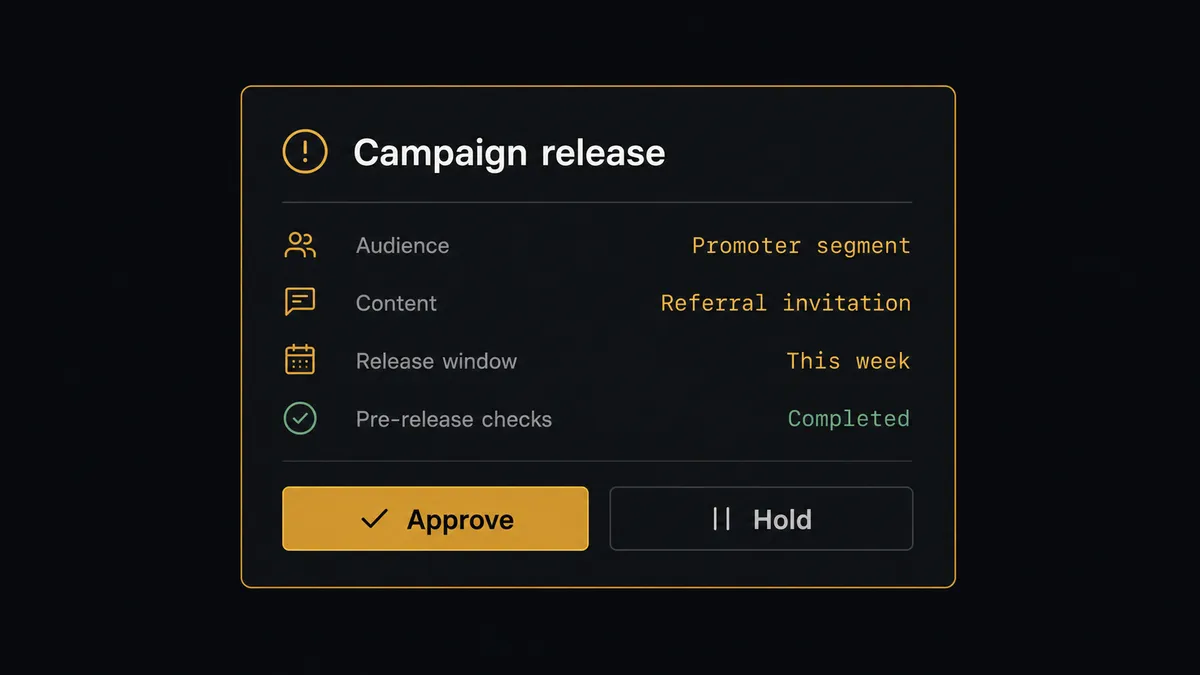
The consequential step is marketing touching sentiment. A referral ask sent to the wrong segment is not a typo; it is a relationship error with the exact customers whose opinion moves your score. So when the agent assembles a promoter campaign with Add Campaign, it does not release it. It invokes a human-in-loop flow it holds as a callable tool, and the workflow pauses and posts: “Referral campaign staged for the promoter segment. Audience: subscribers tagged promoter this quarter with referral-ready verbatims. Content: referral invitation. Approve to send?” Only after a named person approves does Send Campaign run. The same gate covers Unsubscribe Or Delete List Member, so no one’s subscription is ended by an inference alone.
Tags, notes, and audience syncs flow silently; sends and removals wait for a person. Prospects call this a digital andon cord: the workflow stops the line the moment it hits uncertainty, and your team pulls it back into motion.
FlowRunner vs Zapier
Zapier is the obvious first tool for this pair, and honestly a good one for the basics. Its catalog covers both apps, its editor is friendly, and a Zap that tags a Mailchimp subscriber when a Delighted score arrives is a template away. If all you need is score-band tagging, Zapier does it with minimal fuss.
The difference is what happens between the tag and the send. FlowRunner runs the connection as an agent that reads verbatims, resolves the contradictory cases, and holds campaign release behind a native human approval.
| What matters for this pair | FlowRunner | Zapier |
|---|---|---|
| Human-in-the-loop on Send Campaign to sentiment segments | Native. The agent invokes an approval flow as a callable tool and pauses before release | Available via added approval steps, not tied to who is in the audience |
| Who runs the flow | An AI agent reads score and verbatim, reasons, picks actions as tools | Predefined step sequence keyed on score bands |
| Users included | Unlimited users on every tier | Priced by task volume; seats vary by plan |
| Bring your own AI keys | Yes, BYOK | AI features tied to Zapier’s own AI offering |
| Self-hosted option | Yes, cloud-hosted or self-hosted | Cloud only |
| Pricing model | Transparent workflow-based tiers | Per-task pricing that grows with survey volume |
If score-band tagging covers your program, Zapier is a reasonable choice. If sentiment drives real campaigns with real relationship stakes, and you want a named person releasing every send, that is the FlowRunner version of this pair.
Before and after
| Category | Before | After |
|---|---|---|
| Segmentation | Every subscriber gets the same newsletter regardless of sentiment | Add Member Tag keeps promoter, passive, and detractor segments current each cycle |
| Referral asks | Blasted to the whole list, including the unhappy | Staged for the promoter segment only, released after a named approver signs off |
| Detractor handling | Promotions land mid-complaint | Detractor tags suppress promotional sends while the account team follows up |
| Context on the record | Scores live in Delighted where marketing never looks | Add Member Note puts the verbatim on the member record everyone opens |
| Suppression sync | Unsubscribed customers keep receiving surveys | Mailchimp opt-outs mirror to Delighted via Unsubscribe Person automatically |
What you can build
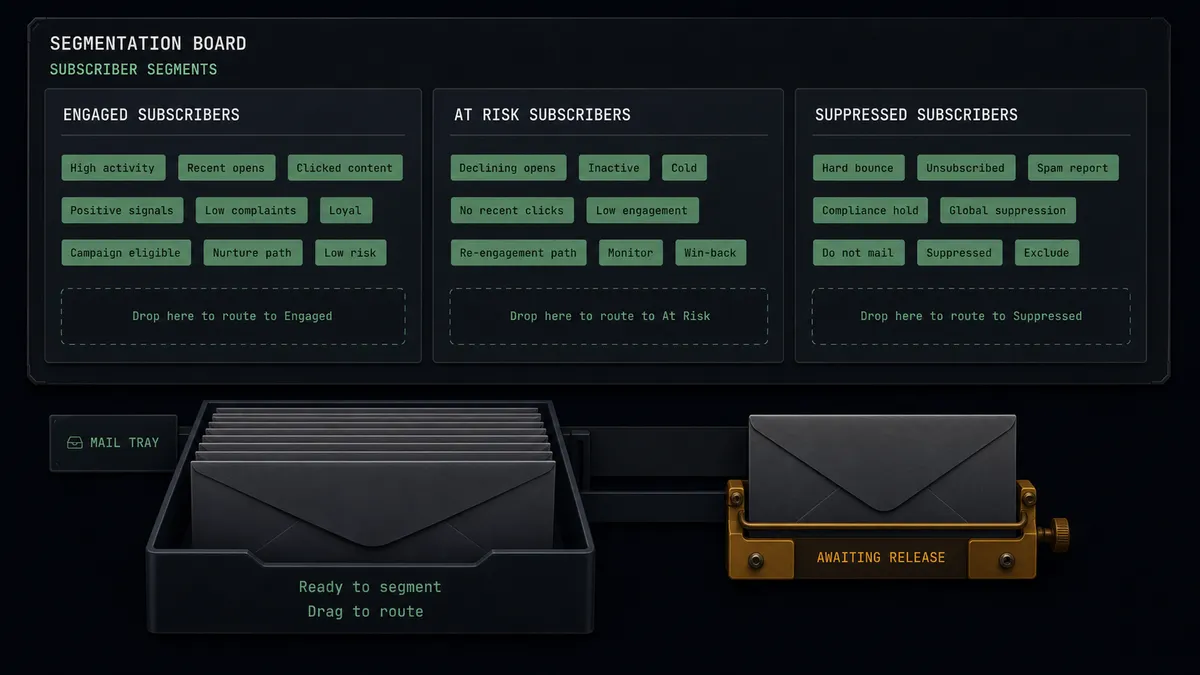
Live sentiment segments. List Survey Responses feeds Search Member and Add Member Tag every cycle, so promoter, passive, and detractor segments in Mailchimp reflect this week’s reality, not last quarter’s export, and every campaign you build starts from an audience that is actually current.
Gated referral engine. The agent assembles a referral campaign with Add Campaign from promoters whose verbatims read as genuinely enthusiastic, and a named person releases it with Send Campaign. Asks only reach people who just said they would say yes.
Detractor cooling-off. Fresh detractor tags suppress promotional audiences automatically, and Add Member Note gives the account team the verbatim, so the next touch a frustrated customer gets is a human one.
Survey audience mirroring. New Mailchimp subscribers enter the rotation via Create or Update Person, and unsubscribes mirror through Unsubscribe Person, keeping the two tools’ audiences honest with each other in both directions.
Campaign sentiment readout. After a major send, the agent pairs Get Campaign Report engagement with the following weeks’ Get Metrics movement and posts a readout of how the campaign landed by sentiment segment, giving marketing feedback in customers’ own words.
Getting started
Start on the free plan: 100 executions a month, every integration included, no credit card required, plus 14 days of Professional for new accounts. Both connectors are available on every tier, and every tier includes unlimited users and unlimited workflows.
Explore the integration details:
- Mailchimp integration (20 actions covering members, tags, segments, and campaigns)
- Delighted integration (9 actions covering responses, people, metrics, and unsubscribes)
Start building free at flowrunner.ai or book a demo to see a live Mailchimp to Delighted workflow, campaign release gate and all.
Frequently asked questions
Is it free to connect Mailchimp and Delighted on FlowRunner?
You can build and run the connection on FlowRunner's free plan, which includes 100 executions a month and every integration with no credit card required, and new accounts also get 14 days of Professional. Both connectors are available on every FlowRunner tier, and every tier includes unlimited users and unlimited workflows.
Can I self-host the Mailchimp to Delighted workflow?
Yes. FlowRunner offers a cloud-hosted option and a self-hosted option, so the connection can run inside your own environment.
Does the AI agent need my own OpenAI or Claude key?
FlowRunner uses a bring-your-own-keys model, so you connect the AI provider key you already have. You are not locked to one model.
What happens when the agent is unsure how to read a response?
It holds the subscriber out of both segments and asks. A high score with an angry verbatim, or a low score complaining about the survey rather than the product, goes to a person on an approval card with the verbatim quoted. The tag is applied after a human confirms the reading.
Which actions drive the sync if neither connector has triggers?
Both connectors are action-based, so the workflow runs on a schedule. Each run calls List Survey Responses in Delighted, matches each respondent in Mailchimp with Search Member, and applies Add Member Tag and Add Member Note with the score and verbatim.
Can the workflow also keep the survey audience current?
Yes. In the other direction, new Mailchimp subscribers flow into Delighted with Create or Update Person so they enter the survey rotation, and anyone who unsubscribes from Mailchimp is mirrored with Unsubscribe Person so you never survey someone who left.