How to Connect Calendly with Clio Manage (With or Without an AI Agent)
Connect Calendly consultation bookings to Clio Manage contacts, matters, and time entries, with an AI agent that runs the intake automatically and pauses for an attorney's conflict check before a matter is opened.
How do you connect Calendly to Clio Manage?
You connect Calendly to Clio Manage by wiring consultations into intake: Calendly’s On Invitee Created trigger fires when a prospective client books, the workflow searches for them with List Contacts, writes the record with Create Contact, sweeps for related parties with List Matters, and opens the file with Create Matter once a person signs off. FlowRunner is a visual AI-agent orchestration platform where automations run autonomously and pause for human judgment on the steps that carry real consequence. Run the same connection as an AI agent and intake gains a paralegal’s diligence: the agent assembles the conflict-check picture for every booking and pauses for an attorney before any matter is opened or any billable minute is logged.
The problem it solves
A consultation booking arrives with everything intake needs: name, email, and whatever the booking form asked. Then a person retypes it. Someone checks whether the prospect already exists in Clio Manage, creates the contact, skims for conflicts if time allows, opens the matter, and remembers, or does not, to log the consultation time. Every step is small; together they are why the file gets opened days after the meeting, why consultations quietly go unbilled, and why intake quality depends on who was at the desk that week.
The conflict check is the step that cannot be skipped and often gets thinned. A proper sweep means searching existing contacts and matters for the prospect, related parties, and opposing names, and actually reading what comes back. Done by hand under time pressure, it becomes a single quick search of one spelling of one name. The risk is asymmetric: a missed conflict discovered after work has begun means withdrawal, awkward client conversations, and exposure the firm did not price. Meanwhile cancellations and no-shows leave phantom bookings in the intake pipeline, and nobody reconciles what was booked against what was actually consulted and billed.
How it works: the connection
The connection listens to Calendly and writes to Clio Manage. Here is the plain version, grounded in the real connector actions.
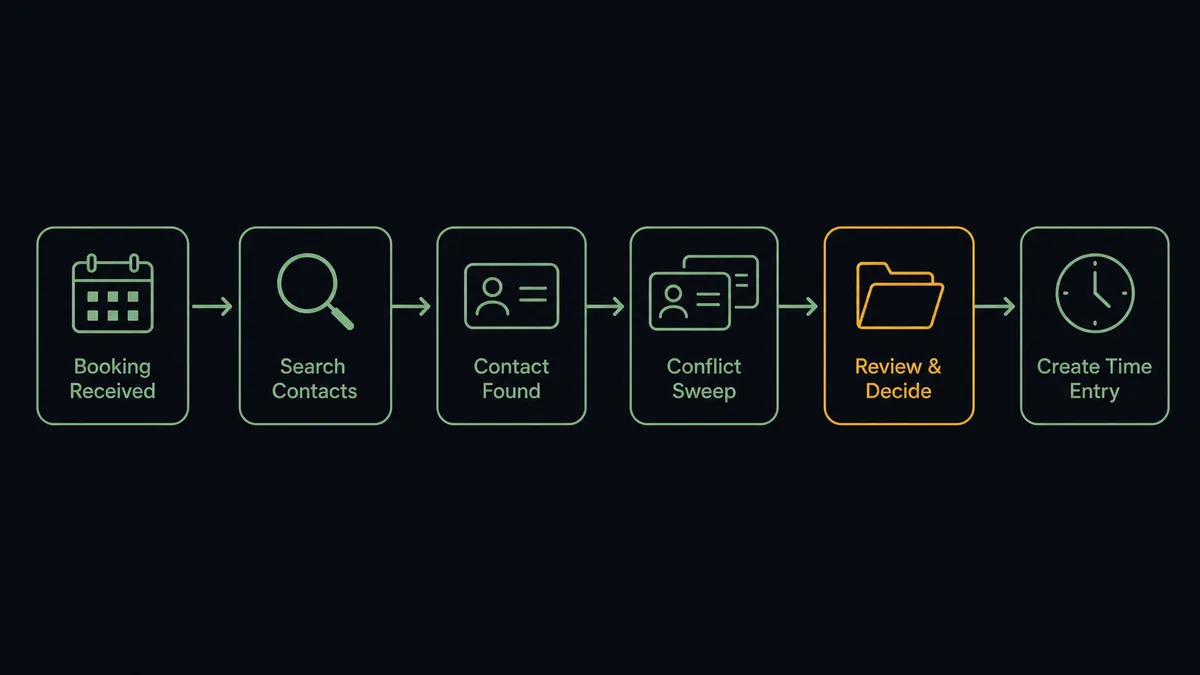
- Trigger: Calendly fires On Invitee Created the moment a prospective client books a consultation slot.
- Match: The workflow calls List Contacts with the Query parameter to search Clio Manage for the invitee by name and email.
- Write the record: If the prospect is new, it calls Create Contact with the name and details from the booking form.
- Sweep for conflicts: It calls List Matters and List Contacts again for related names from the booking answers, assembling anything that overlaps: same parties, prior representations, opposing sides.
- Open the file: After sign-off, it calls Create Matter with the client contact ID, a description built from the booking answers, and an initial status.
- Log the time: Once the consultation has happened, it calls Create Time Entry against the matter with the duration in seconds, for example 3600 for a one-hour consult, dated and noted.
That is the “just connect them” answer. Bookings become contacts, files, and billable entries with the paper trail intact. The exits stay clean too: On Invitee Canceled clears the staged intake, and On Mark Invitee as No-Show suppresses the time entry so nothing gets billed for a meeting that never happened.
Can an AI agent run it? (and why a human stays in the loop)
Yes, and the agent’s job is to do the diligence a rushed human skips, then hand the judgment to the person licensed to make it. The agent holds the real actions as tools: List Contacts, Get Contact, Create Contact, List Matters, Get Matter, Create Matter, Create Time Entry, List Activities, and List Tasks on the Clio Manage side; Create Single-Use Scheduling Link, Create One-Off Meeting, and Cancel Scheduled Event on the Calendly side. For each booking it searches the way a careful paralegal would: multiple spellings, the company as well as the person, the other names mentioned in the booking answers. It reads what comes back with Get Matter and Get Contact, not just whether something came back.
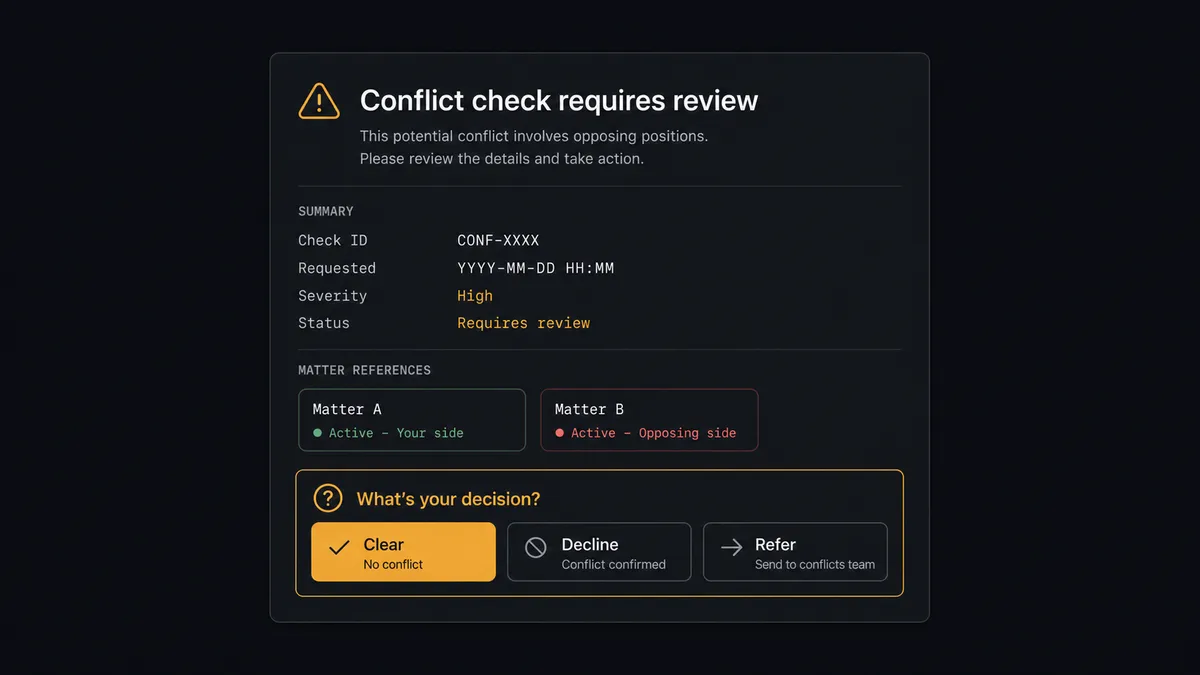
The consequential step is Create Matter, because opening a file is a professional commitment with conflict exposure attached, and no automation should make it. The agent never decides that a conflict does not exist. It assembles the evidence and invokes a human-in-loop flow it holds as a callable tool: “Consultation booked by a prospective client whose surname appears in two existing matters, one closed, one active, on the opposing side of the active one. Summary and matter references attached. Clear to open, decline, or refer out?” The reviewing attorney decides, and only then does Create Matter run, with the booking reference, the decision, the approver, and the timestamp on the record. Create Time Entry sits behind its own discipline: entries are staged from the actual consultation, suppressed on no-shows, and reviewed before they post, because a billing record built by silent automation is a billing record nobody can defend later.
Prospects call this the digital andon cord: the intake line runs at machine speed and stops itself at the exact step where judgment is legally required. The firm gets same-day intake without ever delegating the decision that carries the license.
FlowRunner vs n8n
For a technically minded firm administrator, n8n is a genuine alternative. It is fair-code software you can self-host, its node library covers an enormous range of services, and its community publishes workflow patterns for almost anything, including legal-adjacent intake flows. If your firm has a developer who enjoys owning automation infrastructure, n8n gives them real power.
The difference is who can safely run this workflow, and how the pause is built. FlowRunner treats the human gate as a first-class tool the agent invokes, not a pattern someone assembles.
| What matters for this pair | FlowRunner | n8n |
|---|---|---|
| Human-in-the-loop on the conflict check before Create Matter | Native. The agent invokes an approval flow as a callable tool, over Slack, email, or WhatsApp, with an audit trail | Wait and approval patterns can be built into workflows; the assembly and upkeep are yours |
| Who runs the flow | An AI agent searches, reasons, and packages evidence, in a visual flow the office manager can read | Node graphs that reward developer fluency |
| Users included | Unlimited users on every tier | Seat and plan structure varies by edition |
| Bring your own AI keys | Yes, BYOK. Connect the provider key you already have | Yes, credentials configurable per node |
| Self-hosted option | Yes, cloud-hosted or self-hosted | Yes, self-hosting is a core strength |
| Pricing model | Transparent workflow-based tiers with clear execution limits | Execution-based plans; self-hosting shifts cost to your own infrastructure and upkeep |
If your firm has engineering capacity and wants to own every layer, n8n is a credible build. If you want intake running this week, with the conflict gate auditable and the whole flow legible to the people who actually run the office, this pairing is built for exactly that.
Before and after
| Category | Before | After |
|---|---|---|
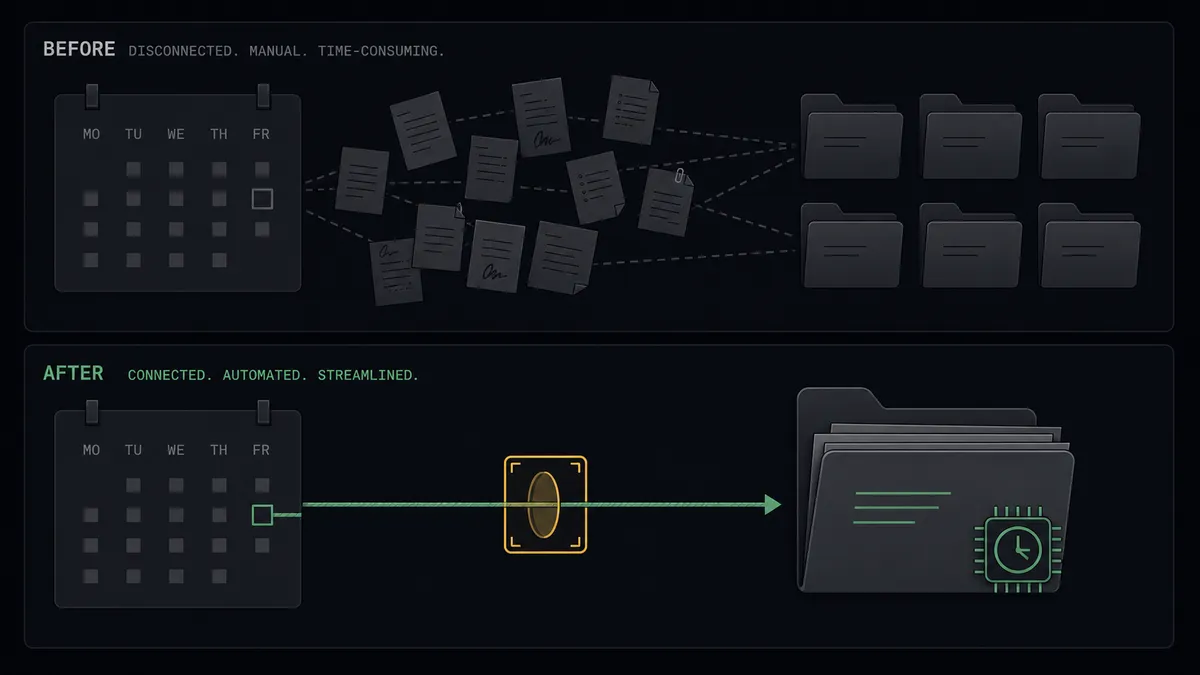
| Intake entry | Booking details are retyped into Clio Manage when someone gets to it | Create Contact runs the moment the consultation is booked |
| Conflict checking | One quick search of one spelling, under time pressure | A systematic sweep of List Contacts and List Matters, packaged for attorney review |
| Matter opening | Files open days after the consult, or before the conflict check finishes | Create Matter runs same-day, always after a named attorney signs off |
| Consultation billing | Consult time gets logged from memory, or not at all | Create Time Entry is staged from the actual meeting and suppressed on no-shows |
| Pipeline hygiene | Cancellations leave phantom intakes nobody clears | On Invitee Canceled and the no-show triggers reconcile the pipeline automatically |
What you can build
Consultation intake, gated at the file. On Invitee Created fires, the agent matches with List Contacts, writes Create Contact, sweeps List Matters for conflicts, and an attorney clears the opening before Create Matter runs. Intake happens the day of the booking, not the week after.
No-show handling that protects the record. On Mark Invitee as No-Show fires and the agent suppresses the staged time entry, then offers the prospect one Create Single-Use Scheduling Link to rebook. On Unmark Invitee as No-Show restores the staged entry when the flag was a mistake.
Returning-client fast lane. When List Contacts finds an existing client in good standing, the agent links the booking to their record with Get Contact, checks open work with List Matters, and stages the new matter with the prior relationship summarized for a quicker review.
Consultation billing sweep. On a schedule the agent compares recent bookings against List Activities, finds consultations with no matching time entry, and stages the missing Create Time Entry records for review, so consult hours stop leaking out of the billing record.
Workload-aware scheduling. Before a partner’s calendar opens for intake consults, the agent reviews their open matters with List Matters and pending items with List Tasks, and routes new bookings toward capacity using Create One-Off Meeting for the exceptions worth hand-placing.
Getting started
Start on the free plan: 100 executions a month, every integration included, no credit card required, plus 14 days of Professional for new accounts. Both connectors are available on every tier, and every tier includes unlimited users and unlimited workflows.
Explore the integration details:
- Calendly integration (5 triggers and 3 actions for scheduling automation)
- Clio Manage integration (9 actions covering matters, contacts, time, and tasks)
Start building free at flowrunner.ai or book a demo to see a live Calendly to Clio Manage workflow, conflict check and all.
Frequently asked questions
Is it free to connect Calendly and Clio Manage on FlowRunner?
You can build and run the connection on FlowRunner's free plan, which includes 100 executions a month and every integration with no credit card required, and new accounts also get 14 days of Professional. Both connectors are available on every FlowRunner tier, and every tier includes unlimited users and unlimited workflows.
Can I self-host the Calendly to Clio Manage workflow?
Yes. FlowRunner offers a cloud-hosted option and a self-hosted option, so the connection can run inside your own environment.
Does the AI agent need my own OpenAI or Claude key?
FlowRunner uses a bring-your-own-keys model, so you connect the AI provider key you already have. You are not locked to one model.
What happens when the agent finds a possible conflict of interest?
The agent stops and invokes a human-in-loop step. It posts the prospective client, the related contacts and matters it found through List Contacts and List Matters, and the nature of the overlap, then waits. An attorney reviews and decides, and Create Matter only runs after that sign-off. Nothing about the decision is left to the automation.
Which Calendly events can trigger a Clio Manage action?
Calendly offers five triggers: On Invitee Created, On Invitee Canceled, On Mark Invitee as No-Show, On Unmark Invitee as No-Show, and On New Routing Form Submitted. On Invitee Created drives intake, and the cancellation and no-show triggers keep the pipeline honest.
Does the workflow log billable time automatically?
It logs the consultation as a time entry only after the meeting actually happened. The agent stages Create Time Entry with the duration in seconds against the matter, and if the invitee was marked a no-show, no entry is created. Attorneys review staged entries before they post, so the billing record stays defensible.