Connect Aircall to Zendesk: Every Complaint Call Becomes a Ticket
Connect Aircall and Zendesk so a flagged call opens a ticket automatically, or run it as an AI agent that escalates repeat complaints to a support lead before priority changes.
How do you connect Aircall to Zendesk?
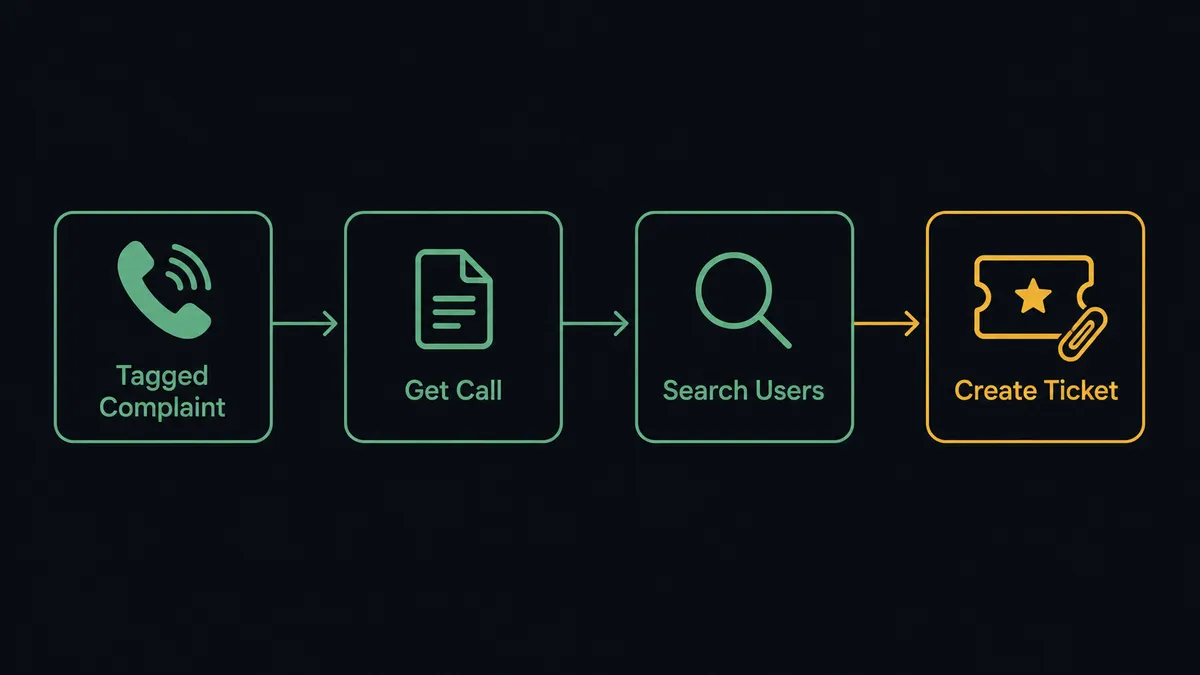
You connect Aircall to Zendesk by triggering on a flagged Aircall call, in this case a call tagged complaint or review, and running Zendesk’s Create Ticket action with the caller, the recording link, and the call summary pulled from Aircall’s Get Call. FlowRunner is a visual AI-agent orchestration platform where automations run autonomously and pause for human judgment on the steps that carry real consequence. The same connection can run as a plain sync, or as an AI agent that reads the caller’s ticket history and pauses for a support lead before it raises priority or reassigns a batch of tickets.
The problem it solves
A complaint call ends and the information about it lives in exactly one place: the rep’s memory. If they’re fast, they open a ticket by hand, retype the caller’s name, dig up the recording, and paste in a summary before the details go stale. If they’re not, the call gets logged as a tag and nothing else happens until the customer calls back, angrier, and the support lead is starting from zero on a conversation that already happened. Multiply that by every flagged call in a queue and you get a support team that spends the first ten minutes of every shift reconstructing yesterday instead of working today.
The manual version of this also breaks the connection between the call and the ticket. A billing manager or support lead can see the ticket, or they can see the call, but stitching the two together, who called, what they said, whether this is the third time this month, takes someone opening two systems and cross-referencing by hand. That’s exactly the kind of work that falls through the cracks when the queue gets busy, and it’s the work a team should be getting time back from, not doing more carefully.
How it works: the connection
The flow starts when a call in Aircall gets tagged complaint or review, the tagging behavior the Aircall connector already supports through Add Tags to Call. FlowRunner calls Get Call to resolve the caller’s number, the recording URL, the call duration, and the tags that were applied after wrap-up. On the Zendesk side, Search Users matches the caller by phone or email so the ticket opens against the right customer record instead of a bare phone number.
With the caller resolved, Create Ticket opens a Zendesk ticket with the subject, requester, priority, and tags set from the call data, and Add Comment To Ticket attaches the call summary and the recording link as an internal note, so the first person to open the ticket has the conversation without listening to the recording cold. If the customer already has open tickets, List Ticket Comments pulls the existing thread so the new ticket doesn’t duplicate a conversation already in progress. The result: a flagged call becomes a fully populated ticket, with context, before the support lead ever looks at the queue.
Can an AI agent run it? (and why a human stays in the loop)
A sync tool stops at “call tagged, ticket created.” An AI agent goes further: it reads the caller’s ticket history before it decides what the new ticket should look like, and it knows when the situation is bigger than one ticket. This is not a sync tool. The agent knows when to stop and ask.
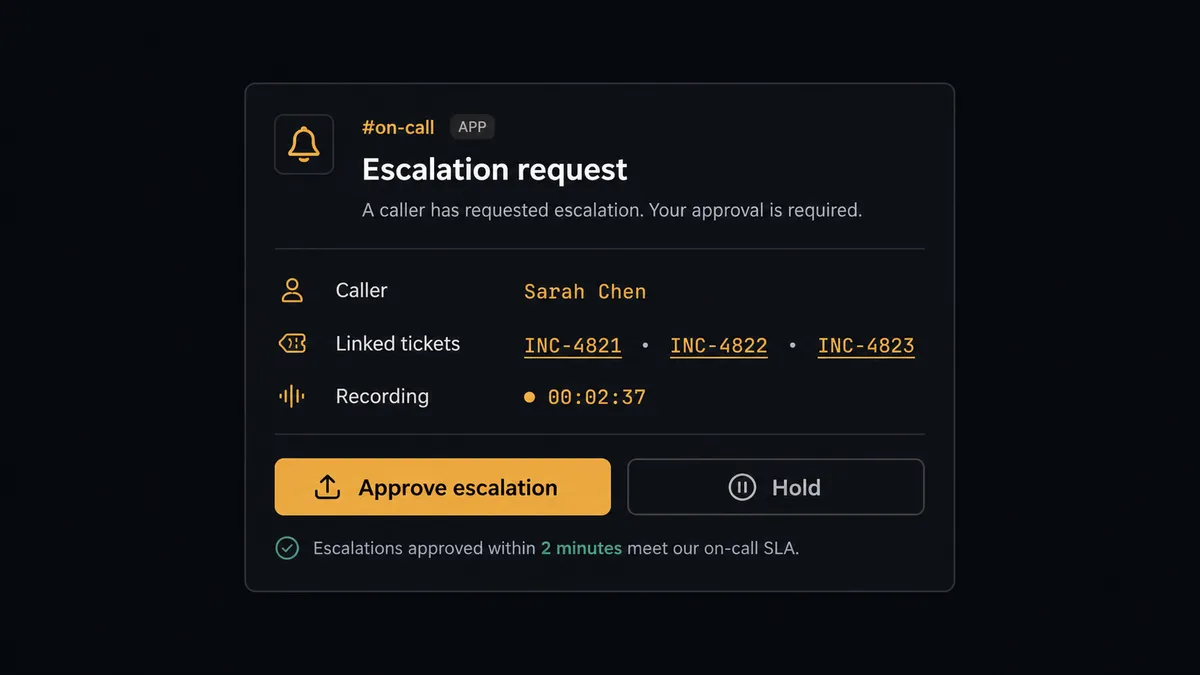
Here’s the decision moment. The agent creates the ticket, then checks List Tickets for this customer’s account and finds this is the third flagged call from the same caller in the past month, all logged as separate tickets with no priority change and no one assigned above the standard queue. A single flagged call is routine, the agent handles it end to end. A third complaint in a month from the same customer is a pattern, and raising priority or merging tickets touches more than the one ticket in front of it, so the agent invokes a human-in-the-loop flow as a tool rather than making the call itself.
The agent packages what it found: the caller’s name and account, links to all three related tickets, the current recording and summary for each, and the proposed change, raise this batch to urgent priority and assign to the senior support group. It posts that package to the on-call channel in Slack, the same escalation path the Zendesk connector already uses for urgent tickets. The support lead sees the full pattern in one message, not three separate ticket notifications days apart, and approves or holds. On approval, the agent runs Update Ticket against each affected ticket and logs the outcome back onto the original call with Comment on Call. On hold, nothing changes and the tickets stay exactly as they are until a person revisits them. Prospects call this a digital andon cord, the agent stops the line the moment the pattern crosses from routine to consequential.
FlowRunner vs Zapier
Zapier is a legitimate starting point for a small team connecting Aircall to Zendesk with a single trigger and a single action, and its editor is genuinely easy to pick up without training. Where it runs out of road is the exact moment this pair gets useful: recognizing that three flagged calls from one customer is a different situation than one, and routing that judgment to a person instead of firing the same zap three separate times.
| Capability | Zapier | FlowRunner |
|---|---|---|
| Human-in-the-loop | No native pause-and-resume; approvals require a separate app or manual step | Built in as a callable tool the agent invokes mid-workflow |
| Decision-making | Executes the same trigger-to-action path every time | The agent reads ticket history and decides whether to escalate |
| Users included | Paid per user on most plans | Unlimited users on every tier |
| AI provider access | Limited native AI steps | BYOK, connect the AI provider you already use |
| Pricing model | Per-task pricing that scales unpredictably with call volume | Transparent workflow-based tiers with a fixed execution limit |
| Self-hosting | Not available | Available on the Enterprise tier |
Before and after
| Metric | Before | After |
|---|---|---|
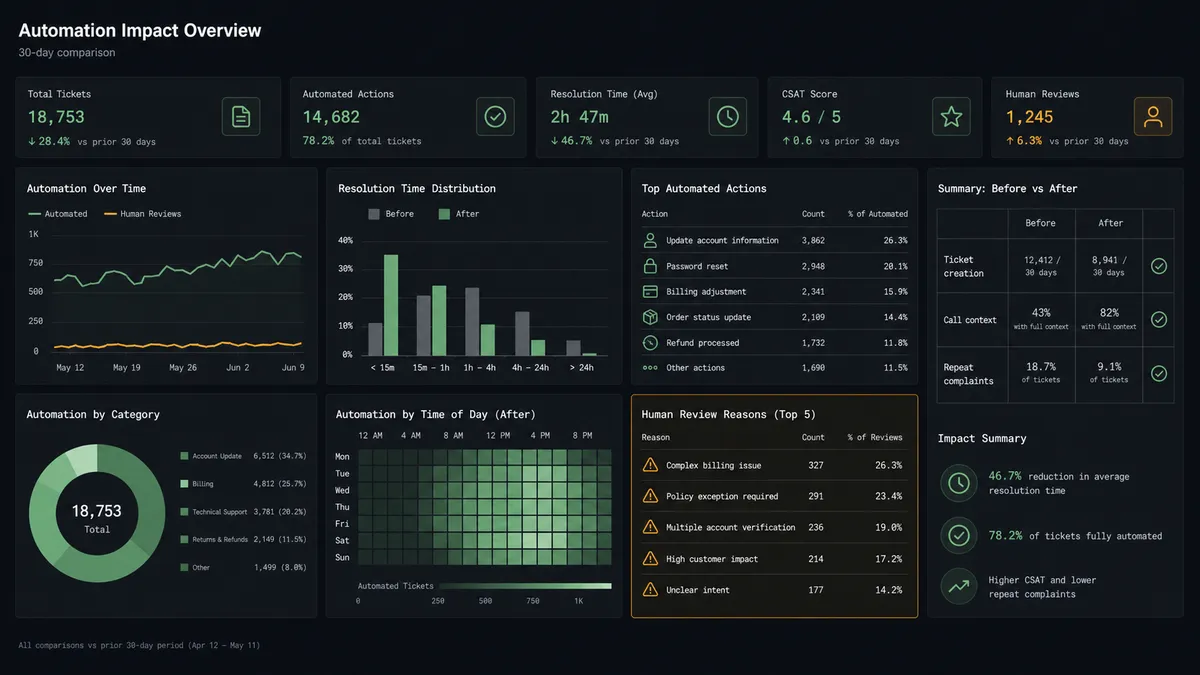
| Ticket creation | A rep opens Zendesk by hand and retypes the caller’s details after wrap-up | Create Ticket opens the ticket automatically with the caller and recording link attached |
| Call context | The recording exists but the ticket has no link to it | Add Comment To Ticket attaches the recording and call summary the moment the ticket opens |
| Repeat complaints | Three flagged calls from one customer sit as three unrelated tickets | The agent surfaces the pattern and proposes one coordinated escalation |
| Escalation review | Priority changes happen with no second set of eyes | A support lead approves the escalation before priority or assignment changes |
| Morning queue | The support lead reconstructs yesterday’s flagged calls from memory | The queue already reflects every flagged call as a ticket with context attached |
What you can build
Complaint calls become tickets on their own. Every call tagged complaint or review triggers Get Call and Create Ticket, so the support queue fills with context instead of bare phone numbers.
Repeat callers get one coordinated response. The agent checks List Tickets before opening a new one, and when it finds a pattern, it proposes a single escalation instead of three disconnected updates.
Urgent tickets page the on-call channel with the call attached. When a ticket opens at urgent priority from a flagged call, the agent posts to Slack with the recording link and the ticket, so the response starts before the ticket ages against the SLA.
Ticket resolutions get logged back onto the original call. After a ticket closes, Comment on Call writes the resolution back onto the Aircall record, so the next rep who pulls up that caller sees how it ended.
Daily reporting ties calls and tickets together. List Calls and List Tickets run on a schedule to build a report that shows which flagged calls became tickets and which are still open, replacing a manual cross-reference with a standing view.
Common questions
Is it free to connect Aircall and Zendesk on FlowRunner? Yes. FlowRunner has a free plan with 100 executions a month, every integration included, and no credit card required, and new accounts get 14 days of Professional on top.
Do I need to write code to connect Aircall to Zendesk? No. Both connectors are built into FlowRunner’s Agent Factory, so you pick the Aircall trigger, map the Zendesk action, and turn the flow on without writing integration code.
Can the agent decide when to escalate a call instead of following a fixed rule? Yes. The agent reads the call outcome and the customer’s ticket history, then decides whether this is a routine complaint or a pattern worth a person’s attention, rather than firing on a hardcoded tag count.
Does the AI agent need my own OpenAI key? FlowRunner uses a bring-your-own-key model for AI providers, so you connect the provider you already use rather than routing your data through a FlowRunner-owned model account.
What happens when the agent isn’t sure whether to escalate a ticket? It pauses the flow, sends a support lead the call recording link, the ticket history, and the proposed change, and waits for a decision before it touches priority or assignment.
Can I self-host the Aircall to Zendesk connection? Yes. FlowRunner offers a self-hosted Enterprise option in addition to the cloud tiers, for teams that need the flow running inside their own infrastructure.
Getting started
FlowRunner has a free plan with 100 executions a month, every integration included, and no credit card required, and new accounts get 14 days of Professional on top. Add the human-in-loop step when you’re ready for the agent to handle the judgment calls, not just the ticket creation. Start at flowrunner.ai or book a walkthrough at calendly.com/flowrunner/intro.
Frequently asked questions
Is it free to connect Aircall and Zendesk on FlowRunner?
Yes. FlowRunner has a free plan with 100 executions a month, every integration included, and no credit card required, and new accounts get 14 days of Professional on top.
Do I need to write code to connect Aircall to Zendesk?
No. Both connectors are built into FlowRunner's Agent Factory, so you pick the Aircall trigger, map the Zendesk action, and turn the flow on without writing integration code.
Can the agent decide when to escalate a call instead of following a fixed rule?
Yes. The agent reads the call outcome and the customer's ticket history, then decides whether this is a routine complaint or a pattern worth a person's attention, rather than firing on a hardcoded tag count.
Does the AI agent need my own OpenAI key?
FlowRunner uses a bring-your-own-key model for AI providers, so you connect the provider you already use rather than routing your data through a FlowRunner-owned model account.
What happens when the agent isn't sure whether to escalate a ticket?
It pauses the flow, sends a support lead the call recording link, the ticket history, and the proposed change, and waits for a decision before it touches priority or assignment.
Can I self-host the Aircall to Zendesk connection?
Yes. FlowRunner offers a self-hosted Enterprise option in addition to the cloud tiers, for teams that need the flow running inside their own infrastructure.