Can an AI Agent Route Escalated Aircall Calls to Slack?
Connect Aircall and Slack so tagged calls post to your team automatically, or run it as an AI agent that decides which calls need a human and pauses for a decision in Slack.
How do you connect Aircall to Slack?
Connect Aircall to Slack by registering a webhook with Create Webhook so every finished call reaches FlowRunner, then using Get Call to pull the recording, caller, and tags, and Send Message to Channel to post flagged calls into a Slack channel with Approve and Escalate buttons. FlowRunner is a visual AI-agent orchestration platform where automations run autonomously and pause for human judgment on the steps that carry real consequence. The same connection can run as an AI agent that reads each call’s tags and account context, decides which calls actually need a person, and invokes a human-in-loop Slack message only on the ones that do.
The problem it solves
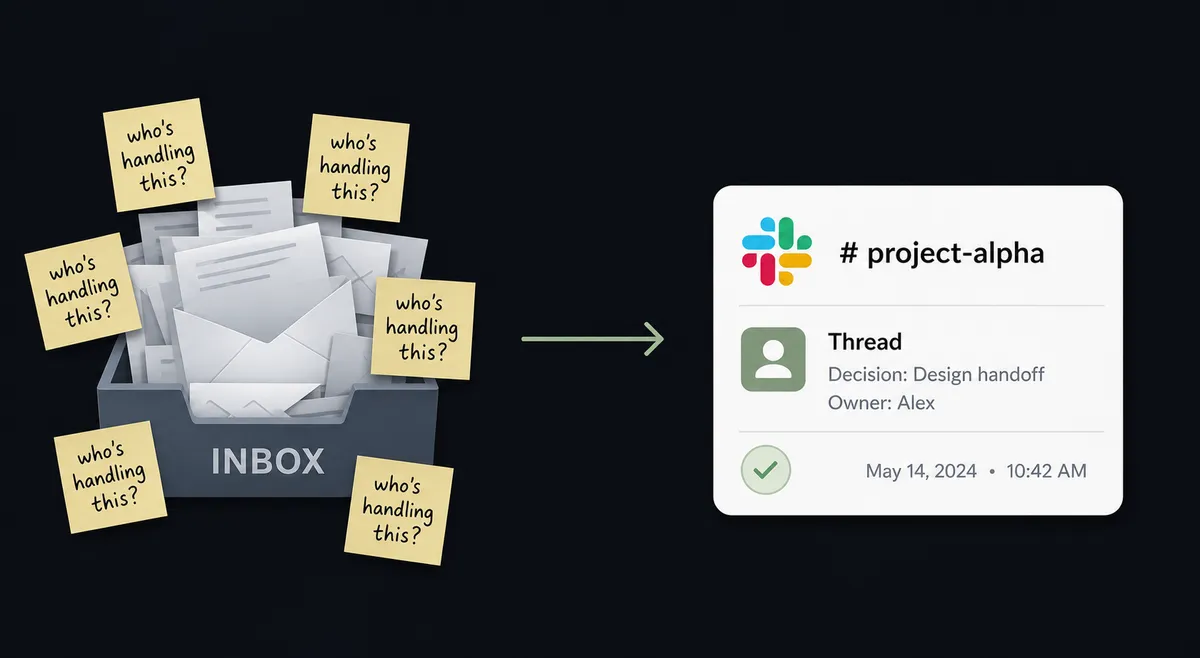
A call ends, and what happened on it lives in the rep’s head until someone remembers to write it down. Support leads scan yesterday’s calls at the start of the day, hunting for the ones tagged complaint or escalation, then manually copy a recording link into Slack and ask who’s picking it up. Some days that happens. Other days the tagged call sits in the Aircall dashboard, nobody notices, and the customer calls back angrier than the first time. There’s no record of who was supposed to own the follow-up, and no timestamp showing when, or whether, anyone did.
The spreadsheet version of this is worse: a shared tracker someone updates by hand from memory, exceptions living in a support lead’s inbox instead of a workflow, and time back for the team locked up in busywork that a person shouldn’t have to do twice. None of this is a skills problem. It’s a plumbing problem: two systems that don’t talk to each other, and a manual bridge standing in for what should be automatic.
How it works: the connection
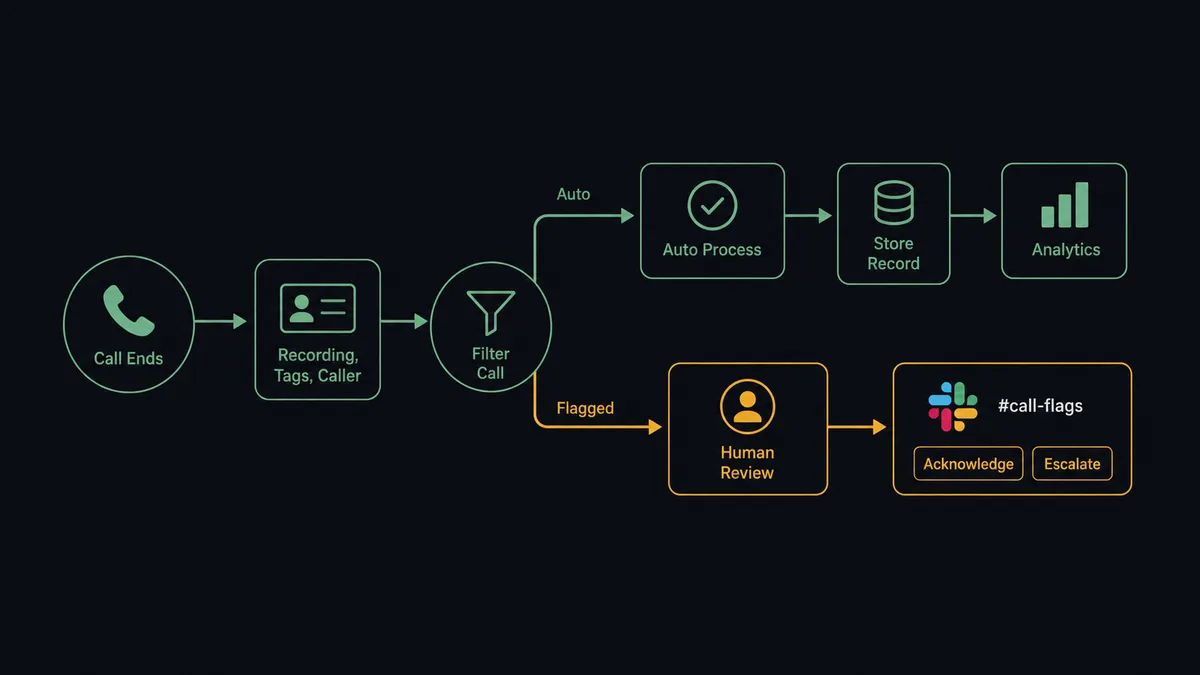
The flow starts with a webhook. Create Webhook subscribes FlowRunner to Aircall’s call.ended event, so the moment a call wraps up, the event lands in FlowRunner without anyone checking a dashboard. Get Call resolves the full record: caller, line, duration, recording URL, and the tags a rep applied during wrap-up. Comment on Call and Add Tags to Call capture the outcome in Aircall itself, so the call record stays accurate whether or not the call needs anyone’s attention.
From there, the workflow filters on tags. A routine call closes out with nothing further. A call tagged escalation, complaint, or VIP continues to Slack: Send Message to Channel posts a structured summary, the recording link, and Approve and Escalate buttons into a channel like #support. When a person clicks a button, On Block Action fires and resumes the workflow with their decision. Comment on Call then writes the assigned owner back onto the original Aircall record, so the next person who opens that call sees exactly what happened and who’s handling it, without a separate spreadsheet.
Can an AI agent run it? (and why a human stays in the loop)
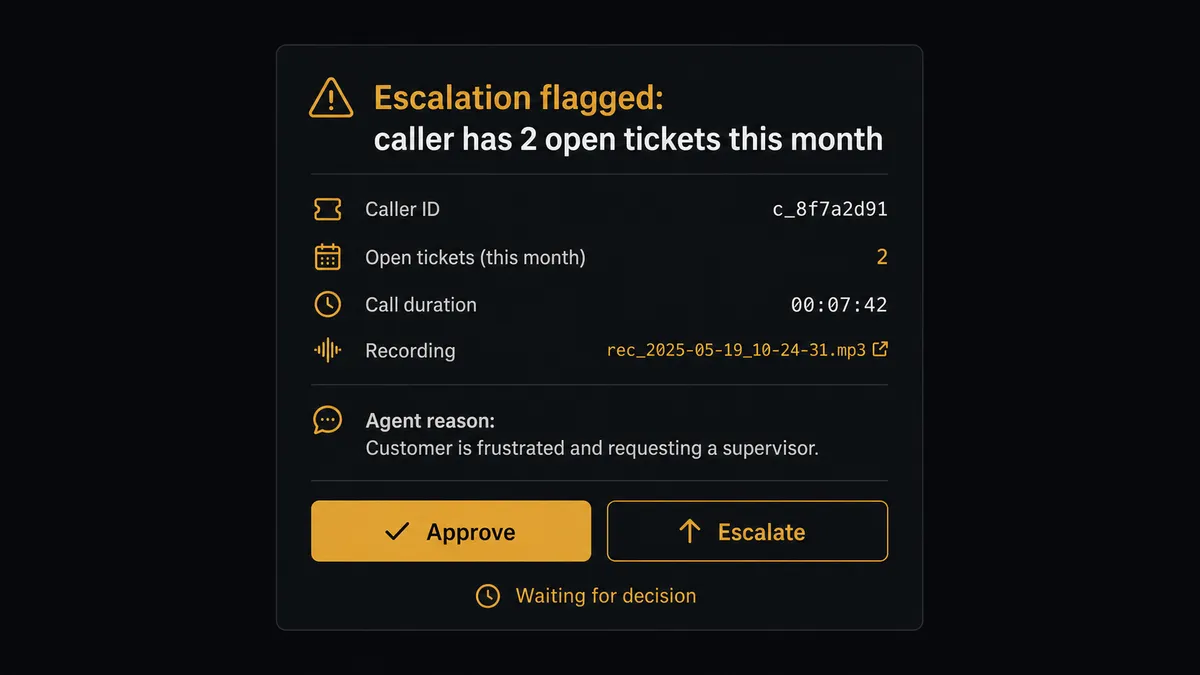
A hardcoded rule like “if tagged escalation, post to Slack” treats every tagged call the same. An AI agent doesn’t. It reads the tag set, the caller’s account status, and whether that account has open tickets, and it decides case by case whether a call needs a person or can close out with a routine note. A call tagged escalation from a first-time caller with no history might get a templated acknowledgment. A call tagged escalation from an account with two other open tickets this month gets escalated immediately, because the agent recognizes the pattern, not because a rule fired on the tag alone.
When the agent decides a call needs a person, it invokes a human-in-loop step as a tool, the same way it would call any other Aircall or Slack action. It packages the context: who called, what the recording shows, how many prior tickets are open, and why it’s flagging this one now. That message lands in Slack with Approve and Escalate buttons through Send Message to Channel. The support lead reads the context, not just a tag, and decides. On Block Action captures the click, the workflow resumes, and Comment on Call logs the decision, the decider, and the timestamp on the original call. This is not a sync tool quietly moving data. The agent knows when to stop and ask, and it can only ask because a human-in-loop flow exists as something it’s allowed to call.
The same judgment applies on the Aircall side of the connector. The webhook feeding this entire workflow is itself a sensitive object: deleting the wrong one with Delete Webhook silently cuts off call events with no error anywhere downstream. When a hygiene sweep finds two webhooks that look redundant, the agent doesn’t guess which one is safe to remove. It posts both to the ops owner in Slack and waits for confirmation before anything gets deleted.
FlowRunner vs Zapier
Zapier is genuinely fast for this exact shape of automation. A team that just wants “when a call gets a tag, post it to Slack” can build that Zap in minutes, and for a simple one-way notification, that’s a real strength worth acknowledging. Where it runs out of road is the decision layer: Zapier can post a message, but deciding whether this particular call actually warrants a human, packaging the reasoning, and resuming the exact workflow step from a button click is not what a Zap does natively.
| Capability | Zapier | FlowRunner |
|---|---|---|
| Human-in-loop decisions | Notifications are simple triggers; approval flows require separate add-ons | Native tool the agent invokes mid-workflow; the decision resumes the exact step |
| Who decides to escalate | A hardcoded tag or field match | The agent reasons about tags, account history, and context, then decides |
| Users included | Paid tiers gate how many people can build and edit workflows | Unlimited users on every tier, cloud or self-hosted |
| AI provider | Uses Zapier’s own AI credits | BYOK: bring your own Claude or OpenAI key |
| Self-hosting | Cloud only | Enterprise tier includes a self-hosted option |
| Pricing model | Per-task pricing that’s easy to misjudge at scale | Transparent workflow-based execution tiers |
Before and after
| Category | Before | After |
|---|---|---|
| Call outcomes | What happened on a call lives in the rep’s head until someone remembers to log it | Every call carries tags, comments, and links the moment it ends |
| Escalation handling | Calls end, recordings pile up, and follow-ups depend on whoever felt responsible | Escalation-tagged calls post to the team channel with the recording link attached automatically |
| Decision speed | Exceptions require a meeting or email chain before resolution | A tagged call gets an Approve or Escalate decision in Slack in minutes, from a phone |
| Audit trail | Managers ask team members directly to get a status on open items | Every decision is captured automatically with the approver’s identity and timestamp |
What you can build
Escalation routing from call tags. Add Tags to Call flags a call as a complaint, the agent posts it to Slack with the recording link and Approve/Escalate buttons, and On Block Action assigns an owner.
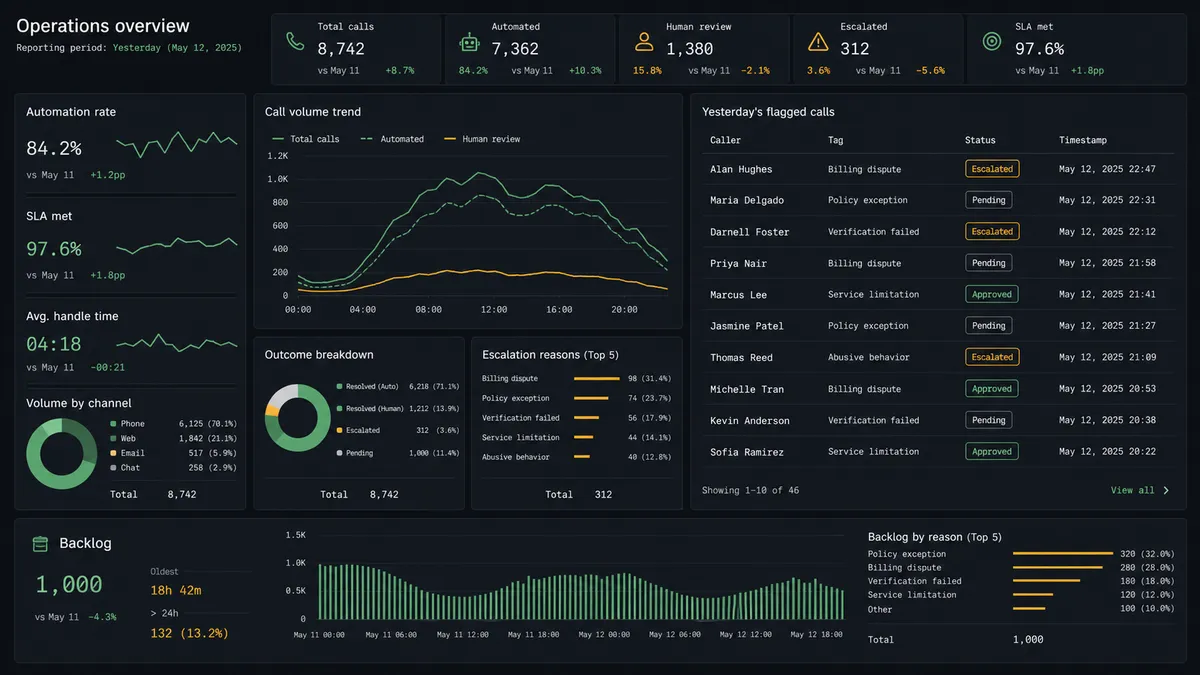
Daily call digest. Each evening, List Calls compiles the day’s tags, durations, and users, and the agent posts a Block Kit summary to #operations with Send Message to Channel.
Contact hygiene confirmation. When a sweep finds duplicate shared contacts (candidates for Delete Contact), the agent sends a Send Direct Message to the ops owner before anything merges or deletes.
Webhook change approval. Before Delete Webhook or Update Webhook touches the call.ended stream feeding this workflow, the agent posts the candidate webhooks to Slack and waits for On Block Action to confirm.
VIP call alert. When Add Insight Cards surfaces a VIP account mid-call, the agent uses Send Direct Message to notify the account owner immediately so they can join or follow up.
Common questions
Is it free to connect Aircall and Slack on FlowRunner? FlowRunner has a free plan with 100 executions a month, every integration included, and no credit card required, and new accounts get 14 days of Professional on top.
Can I self-host this Aircall-to-Slack workflow? Yes. The Enterprise tier includes a self-hosted option with multi-instance clustering, in addition to the cloud-hosted tiers most teams start on.
Does the agent need my own OpenAI key? FlowRunner runs on a bring-your-own-key model for AI providers, so you connect your own Claude or OpenAI key rather than paying FlowRunner’s markup on model usage.
What happens when the agent isn’t sure whether a call needs a person? It posts the call to Slack with the recording link and its reasoning, then waits for a decision. It does not guess, and it does not silently skip the call.
Do I need to write code to connect Aircall and Slack? No. Both connections are built visually: pick the trigger, map the fields, add the human-in-loop step, and turn it on.
Can the agent message a specific person instead of a whole channel? Yes. Send Direct Message routes a call to one person, which the agent uses when a specific account owner needs to know rather than the whole team.
Getting started
FlowRunner has a free plan with 100 executions a month, every integration included, and no credit card required, and new accounts get 14 days of Professional on top. Connect Aircall and Slack, build the escalation flow above in the visual editor, and add the human-in-loop step where your team actually needs it.
Start free at flowrunner.ai, or book time to walk through your call escalation workflow at calendly.com/flowrunner/intro.
Frequently asked questions
Is it free to connect Aircall and Slack on FlowRunner?
FlowRunner has a free plan with 100 executions a month, every integration included, and no credit card required, and new accounts get 14 days of Professional on top.
Can I self-host this Aircall-to-Slack workflow?
Yes. The Enterprise tier includes a self-hosted option with multi-instance clustering, in addition to the cloud-hosted tiers most teams start on.
Does the agent need my own OpenAI key?
FlowRunner runs on a bring-your-own-key model for AI providers, so you connect your own Claude or OpenAI key rather than paying FlowRunner's markup on model usage.
What happens when the agent isn't sure whether a call needs a person?
It posts the call to Slack with the recording link and its reasoning, then waits for a decision. It does not guess, and it does not silently skip the call.
Do I need to write code to connect Aircall and Slack?
No. Both connections are built visually: pick the trigger, map the fields, add the human-in-loop step, and turn it on.
Can the agent message a specific person instead of a whole channel?
Yes. Send Direct Message routes a call to one person, which the agent uses when a specific account owner needs to know rather than the whole team.