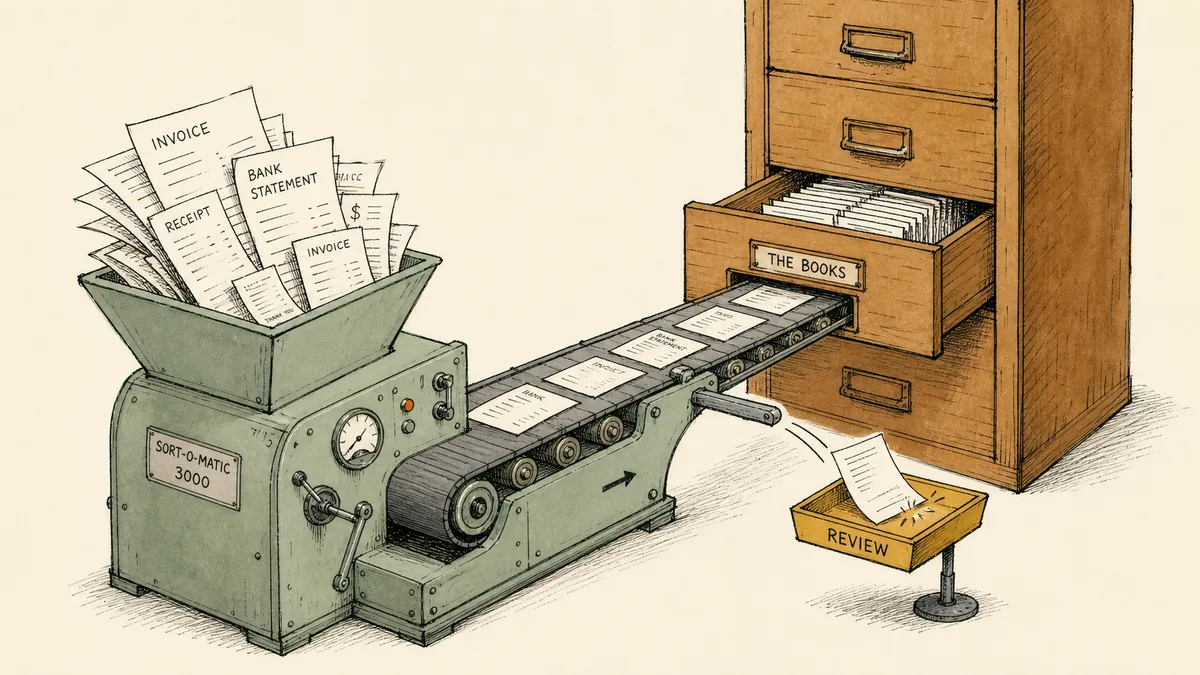
Automated bookkeeping software is the wrong phrase for what finance leaders are actually shopping for, and the wrong phrase costs them the evaluation. “Software” implies one product you buy, install, and finish. What growing finance teams need is a set of capabilities that handle the flow of work into and out of the books, and almost none of that flow happens inside the book itself. The ledger was never the bottleneck. The bottleneck is everything that has to happen before a clean number lands in it.
That distinction is the whole game when you evaluate this category. Most of the roundups that rank for “automated bookkeeping software” hand you a ranked list of products and call the work done. They are selling you a ledger, or a point tool that bolts onto one, and calling it automation. The honest read, which the roundups will not give you, is that picking the product is the easy decision. The hard decision is figuring out where senior finance time actually leaks, and matching a capability to each leak.
What automated bookkeeping software actually automates in 2026
The category is not one thing. It spans three layers that get marketed under the same banner, and conflating them is how finance teams buy the wrong tool.
- Dedicated bookkeeping platforms (Zeni, Digits, Pilot and similar) bundle categorization, reporting, and in some cases a human bookkeeping service into a single product. They aim to be the system you log into.
- Ledger-native automation is the rules and AI features already inside QuickBooks, Xero, NetSuite, and Sage Intacct: bank feed rules, recurring transactions, anomaly surfacing. You already pay for these.
- Connective automation layers sit around whatever ledger you run and move work between it and the other systems that feed it: inboxes, payment processors, ERPs, expense tools, distributor portals.
Underneath the marketing, every tool in all three layers is really claiming to automate some subset of five distinct capabilities. Evaluate them separately, because no single product is equally strong at all five.
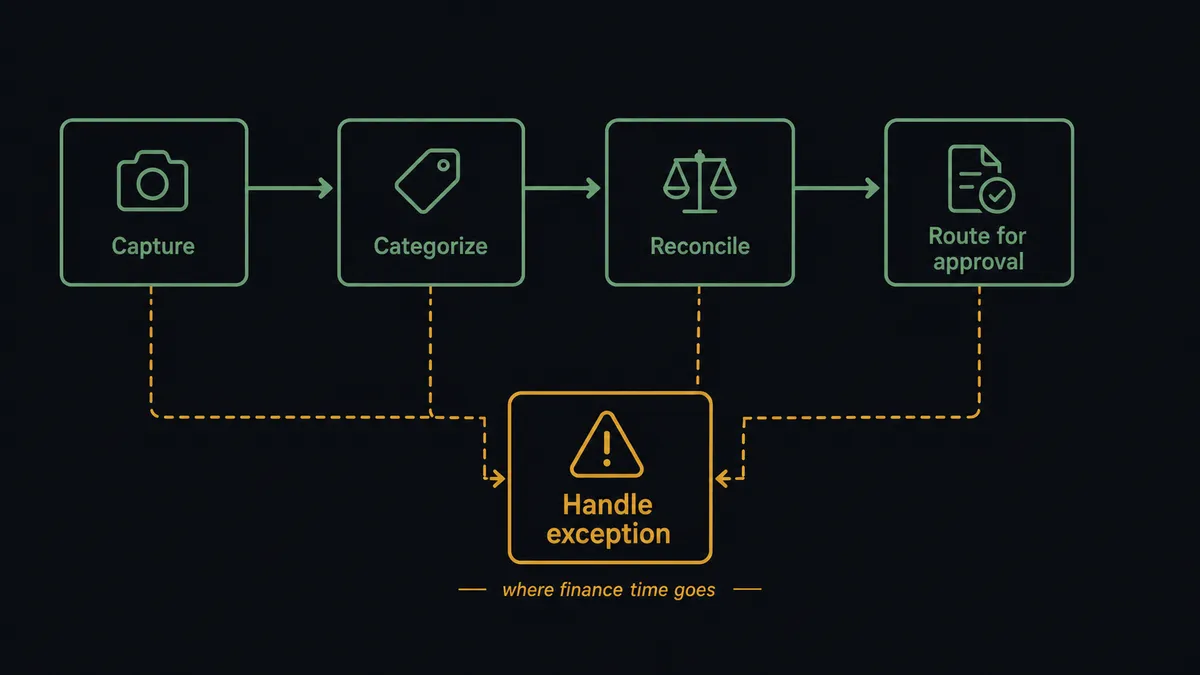
| Capability | What it does | Where the exceptions land |
|---|---|---|
| Document capture | Pulls bills, receipts, and statements out of email, PDFs, and portals into structured data | A line item the parser misreads; a vendor format it has never seen |
| Transaction categorization | Assigns the right account and class to each transaction | A transaction that fits two categories; a new vendor with no history |
| Reconciliation | Matches transactions across the ledger, the bank, and the processor | The payment short by a fee; the payout that does not propagate; the billback that does not match |
| Approval routing | Sends transactions to the right person to sign off | The approver who rubber-stamps without context; the threshold nobody enforces |
| Exception handling | Routes the cases that do not fit the rule to a human with the context to resolve them | This is the capability the others fall back on, and the one most tools treat as an afterthought |
Look down the right-hand column. “Automated” in practice means the tool handles the matched, repetitive cases and leaves the exceptions for a person. That is fine. It is correct, even, because the exceptions are the cases that need judgment. The trap is buying a tool on the strength of the first four columns and discovering that the fifth, the one where your senior finance time actually goes, is a notification with no context attached.
Evaluate against your chores, not the vendor’s feature list
Start the evaluation from the wrong end on purpose. Not “what can this tool do,” but “where in my close do senior finance people still touch transactions by hand.” Those touch points are your chores, and they map cleanly onto the five capabilities above.
The patterns are consistent enough across finance leaders to predict, and they show up in conversations with finance teams scaling without proportional hiring:
- Manual reconciliation between systems that should agree but do not. The canonical version is exporting from an operations or distributor system, pivoting it in Excel, then loading it into the ledger. It is a reconciliation problem dressed up as a data-entry chore.
- Duplicate payment risk on distributor billbacks. When a company and its distributor can both issue payment against the same charge, a double pay is easy and nobody catches it for weeks. This is an exception-handling problem, not an edge case to wave off. A tool that cannot flag a probable duplicate before it posts is not solving the chore that keeps the CFO up at night.
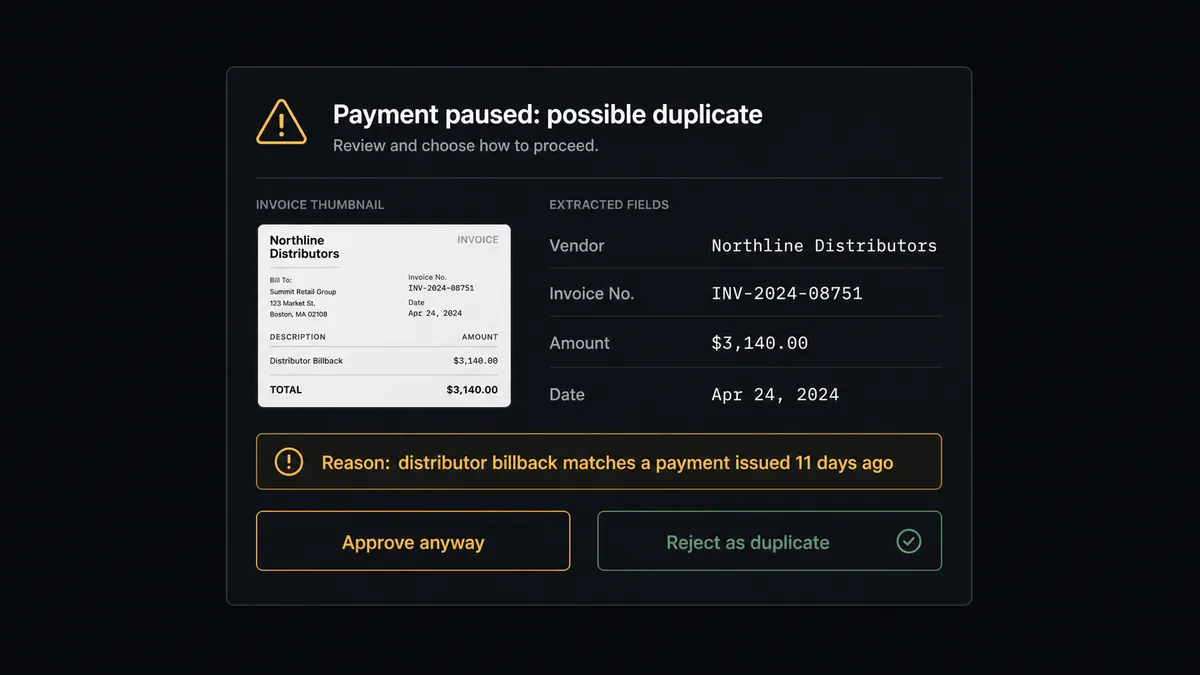
- Freight and allocation entries done in pivot tables. A stable rule, rebuilt by hand every month, then uploaded to the ledger. A categorization-and-journal problem where the rule almost never changes once documented.
- AP approvals that get rubber-stamped. Approvers sign off because the bill is just paperwork they want off their desk, not because they validated it. An approval-routing problem that fails quietly: it looks like governance and functions like a chore.
Write down your three worst versions of these. Then take that list to every vendor and ask three questions the feature page will not answer for you:
- How do exceptions surface, and to whom? Is it a notification with a dollar amount, or a request with the purchase order, the vendor history, and the budget code attached? The difference decides whether your controller resolves the exception in thirty seconds or chases context across four tabs.
- Who owns the audit trail? Can you see and export which steps ran, which data they used, and who approved each paused step? Or does that record live in a vendor’s logs, or worse, in a consultant’s black box you cannot see into?
- What happens when a source system changes a field? Real finance stacks shift. If the answer is “the integration breaks silently,” you have bought a maintenance liability, not an automation.
Why dedicated bookkeeping platforms rarely finish the job alone
Dedicated platforms are good at what they are built for. The high-volume matched flow, the categorization, the clean monthly reporting: a modern bookkeeping platform handles that core well, and for a company whose finance complexity stops at the edge of one tool’s data model, a dedicated platform may be the whole answer.
Most growing companies are not that company. Real bookkeeping work crosses systems the platform does not own. Bank feeds, payment processors, the ERP running alongside the books at mid-size companies, expense tools, document inboxes, distributor portals. A dedicated platform automates the matched transactions inside its own data model with confidence, and that confidence ends precisely at the boundary of what it can see. The cross-system exception, the approval that needs context from somewhere else, the reconciliation against a source the platform does not connect to: those fall back to a human, because the platform was never designed to reach across the boundary.
So the honest baseline most finance teams actually live with is not one tool. It is a primary ledger, plus a couple of point tools, plus a residue of manual reconciliation stitching them together. The residue is the work. And the residue is exactly what no single bookkeeping platform was built to own, because owning it means operating in the space between systems rather than inside one.
Where connective automation fits alongside your ledger
This is the seam most category roundups skip, because it does not fit on a product-comparison grid. There is a layer of work that lives in the space between the books and everything that updates them. Document arrives in an inbox and has to become a bill in the ledger. A Stripe payout has to be matched against open invoices in a second system. A vendor document has to land in NetSuite or Acumatica without anyone retyping it. None of that work happens inside any one product. It happens between them, and the systems on either side of the gap do not know the other exists.
That gap is a category, not a missing feature. We call this category Orchestration as a Service: a platform category that coordinates, governs, and supervises multi-agent environments while keeping humans in control of the decisions that require judgment. An orchestration layer is what owns the gap in finance specifically. It sits above the systems of record and listens for what they emit. It gathers the context none of them share on their own. It routes the automation exception to a named person at the moment judgment is required, and it writes a structured record of who decided what across the whole flow. The ledger holds the books. The orchestration layer runs the work around the books. FlowRunner is built for that layer, which is why it sits alongside QuickBooks, NetSuite, Acumatica, and Sage Intacct rather than competing with any of them at the ledger.
Concrete is better than abstract here, so the patterns finance teams run today:
- Invoice email parsed into a QuickBooks bill with duplicate detection before it posts.
- Stripe payouts reconciled against open QuickBooks invoices, with mismatches paused for a reviewer.
- Vendor documents pulled into NetSuite without manual entry.
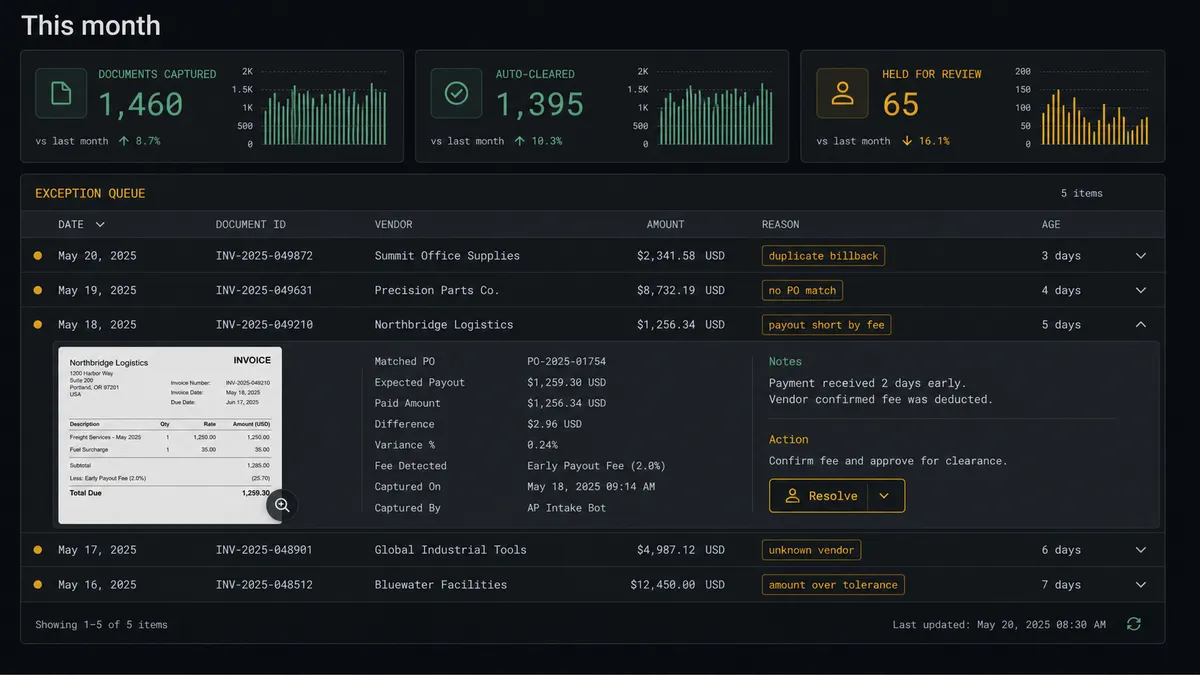
The shape is the same in every case. Automation handles the matched flow. The human reviews the flagged exceptions. The audit trail stays intact across both. That is what human-in-the-loop means in finance: not an approval button bolted onto an automation, but the system knowing when to stop the line and ask a named person for help, then resuming with the answer recorded. For the deeper read on which workflows around the ledger pay off and where the human stays in the loop, see the breakdown of QuickBooks automation, and for the end-to-end picture across the finance stack, the accounting automation overview.
To be clear about the boundary, because the category’s marketing blurs it constantly: an orchestration layer is not a bookkeeping platform and it does not replace your ledger. It also does not replace your controller. It changes what your controller spends the day on, from sorting transactions to resolving the exceptions that actually need a person. Anyone selling you software that eliminates the controller is misrepresenting how the work is structured.
A short checklist before you buy
Five checks, in order. Each one maps back to a chore or a capability above.
- Map your three biggest recurring manual tasks and confirm the tool handles them end to end, not just the happy path. A demo that sails through the matched case tells you nothing about the exception, which is the case you are buying for.
- Confirm how exceptions surface and who can see them. The resolution context should travel with the exception. And it should not be a black box owned by a consultant you have to call to understand your own books.
- Confirm the audit trail is visible and exportable, not buried in vendor logs. Finance automation lives or dies on the trail from trigger to decision to approver.
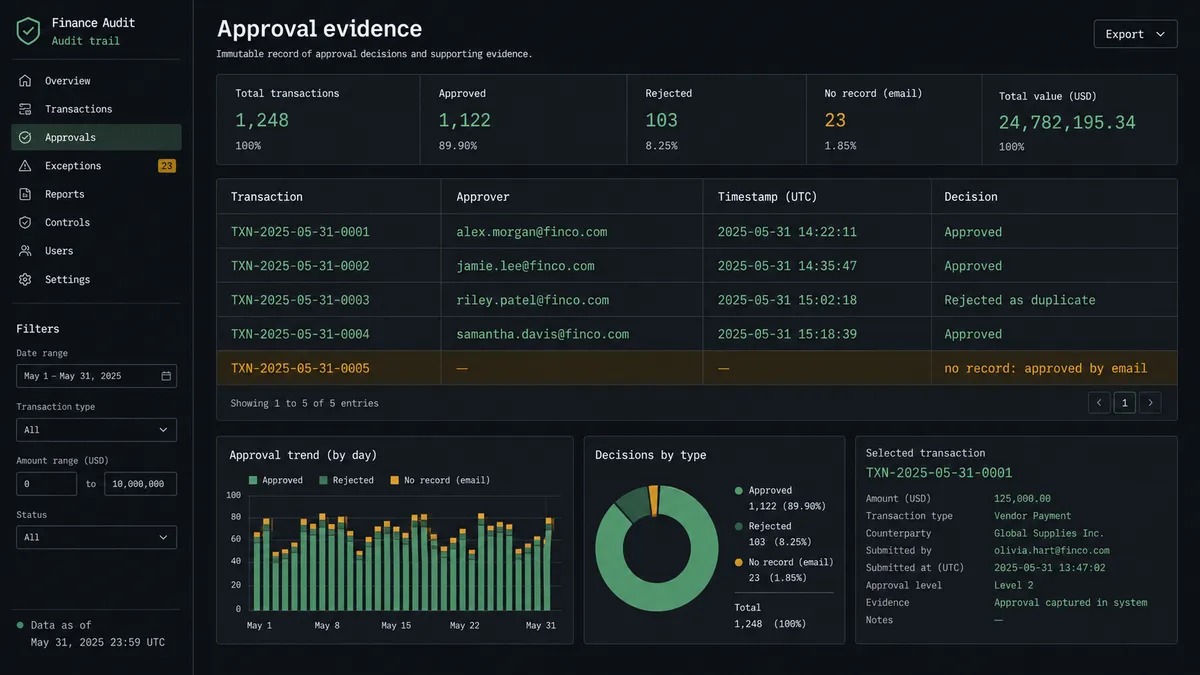
- Confirm the tool works with the systems you already run rather than asking you to migrate to its world. The orchestration layer should not care which ledger you use.
- Pilot on one painful workflow before committing to a platform decision. Prove the exception handling and the audit trail in one real month-end, then expand. For a fuller prioritization framework, see how to decide what is worth automating.
The teams who get automated bookkeeping right are not the ones who bought the most-featured platform. They are the ones who wrote down where their senior finance time actually leaked, then matched a capability to each leak and refused to buy on the happy-path demo. Pull up your last close and find the three places a person still had to touch a transaction by hand. That short list, not the vendor’s feature grid, is the evaluation.
Frequently asked questions
What does automated bookkeeping software actually automate?
Five capability areas worth evaluating separately: document capture, transaction categorization, reconciliation, approval routing, and exception handling. Most tools automate the matched cases inside their own data model and leave cross-system exceptions for a human, which is where finance time still goes.
Is automated bookkeeping software the same as QuickBooks or Xero?
No. QuickBooks, Xero, NetSuite, and Sage Intacct are the ledger, the system of record. Dedicated platforms like Zeni, Digits, and Pilot, plus connective automation layers, sit around the ledger to capture documents, reconcile across systems, and route exceptions. The ledger holds the books; the rest is the flow into and out of them.
Can automated bookkeeping software replace a bookkeeper or controller?
No, and any vendor claiming it does is misrepresenting how the category works. Automation handles the matched, repetitive cases. The exceptions, the cross-system mismatches, and the approvals that need judgment still require a person. The realistic outcome is a controller who reviews exceptions instead of sorting transactions.