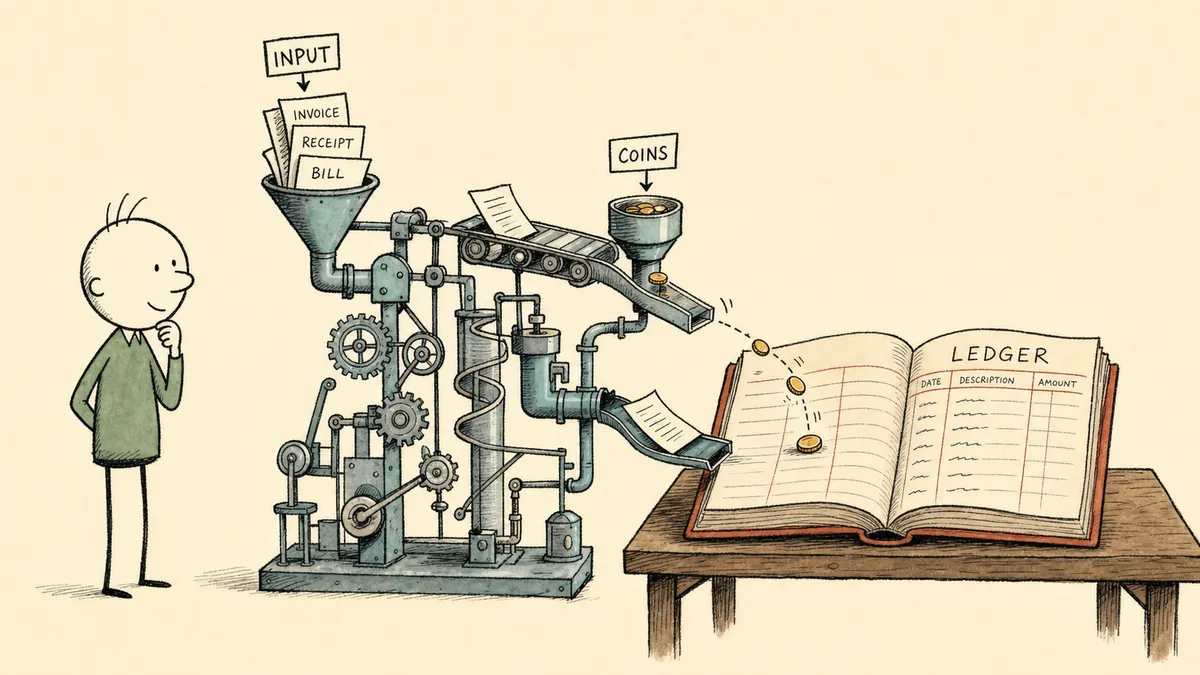
QuickBooks automation pays off only where it eliminates the repetitive processing that still needs just enough judgment to keep the finance leader in the loop, and almost none of that work happens inside QuickBooks itself. The leverage is in the orchestration layer around QuickBooks: between the bookkeeping system, the inboxes that feed it bills, the processors that fund it, and the people who have to sign off before money moves.
What CFOs actually mean by QuickBooks automation
The phrase “QuickBooks automation” gets used two completely different ways and the confusion costs finance leaders months of misallocated effort.
The first way is bookkeeping shortcuts inside Intuit: bank feed rules, recurring transactions, memorized journal entries, and the new AI features Intuit ships into QuickBooks Online. These work well for what they are. Categorization, recurring entries, and surfacing anomalies are real wins inside the four walls of the app.
The second way, and the one CFOs of growing companies actually need, is the orchestration around QuickBooks. The work between systems. Bills come in by email and from vendor portals. Payments land in Stripe, the bank, sometimes both. Approvals live in Slack or someone’s head. Source systems (ERPs, fulfillment platforms, distributor portals) hold the source of truth for transactions that have to end up reconciled in the general ledger. QuickBooks is one node in a five-node graph. The native QuickBooks rules engine cannot see the other four.
Finance leaders consistently point at four workflows when asked what’s worth automating in this layer:
- Accounts payable intake and bill approval
- Customer invoice intake and AR-side reconciliation
- Bank and payment processor reconciliation against the GL
- Recurring journal entries (freight, prepaid, intercompany)
These are the four. The honest read that most QuickBooks automation guides won’t say is that automation exceptions in these workflows are not the failure case. Exceptions are the work. The repetitive core moves itself once the rules are set. What consumes senior finance time, week after week, is the bill that doesn’t match a PO, the Stripe payout that doesn’t reconcile cleanly, the new vendor who needs approval, the freight allocation that hits the wrong cost center. Automation that only handles the easy core, and silently fails on exceptions, is what makes finance leaders distrust automation in the first place.
Accounts payable automation in QuickBooks without the rubber stamp problem
The honest baseline for AP in most mid-market finance teams running QuickBooks: a mix of Bill.com or similar, PDFs forwarded to a shared inbox, and manual entry when someone is out. Approvals get routed by email or pulled into a tool, and the approver signs off without much context because the context is sitting in three other places. Finance leaders describe still entering bills manually when staff are out, which is a signal that the AP process isn’t fully automated even at companies that already pay for an AP tool.
The deeper failure mode is the rubber-stamp problem. When the approver gets a notification that says “Approve this $4,200 bill from Vendor X?” without seeing the PO, the prior history with that vendor, or the budget the line item should hit, the approval is procedural. Sales leaders and operators across finance call out the same pattern in their own world: it’s just paperwork, and people want to get it off their desk. Approvals that look like governance and feel like a chore stop catching the exceptions that matter.
What automation should actually do in AP:
- Ingest the bill from email, vendor portal, or upload
- Extract line items and match against the PO or prior history with the vendor
- Route to the right approver with the full context attached (PO, vendor history, budget code, line-item detail)
- Post to QuickBooks on approval, with a record of who saw what and when
Where the human stays in the loop is the part that matters more than the automation itself:
- A new vendor with no payment history
- A duplicate that looks like the same bill paid twice (duplicate payment risk is a recurring concern in vendor and distributor billing relationships, where both parties can issue payments against the same charge)
- An amount above a defined threshold for that vendor
- A bill without a matching PO when one is expected
- Anything touching a compliance-sensitive account
In those cases the workflow pauses and asks. It does not auto-post. The point isn’t that the automation can’t handle them. The point is that finance owns the exception list, the system enforces the pause, and the audit trail records the decision. For a concrete pattern, see how FlowRunner is configured to automate invoice processing from email into QuickBooks with approval gates before the bill is posted.
Invoice automation and the AR side of QuickBooks
The phrase “invoice automation in QuickBooks” gets read as vendor-bill intake, which is half the picture. The other half is the AR side: customer invoices going out, and payments coming back in that have to be matched against open invoices and reconciled in the GL.
On the AR side, the high-leverage workflow at most mid-market companies is matching Stripe (or another processor) payouts against open QuickBooks invoices, flagging mismatches, and writing the reconciliation entry. The structure of the work is identical to AP at the level that matters: a stable rule for the matched cases, a defined escalation for the unmatched. FlowRunner can reconcile Stripe payments against QuickBooks invoices and escalate mismatches to a human reviewer with the full context attached. The QuickBooks and Stripe reconciliation with human-in-the-loop pattern is one of the most common requests finance leaders make once they see the AP side working.
The technical point worth naming here, because it shapes every buying decision in this category: anything outside the QuickBooks native UI requires API-level access. Intuit publishes a developer API that lets third-party orchestration read and write transactions, bills, and journal entries programmatically. AI bolt-ons that only read screens or scrape exports hit a ceiling fast. An orchestration layer working against the QuickBooks API doesn’t.
Bank reconciliation and journal entry automation
Manual reconciliation between source systems and the GL is the canonical CSV-dump-into-Excel chore. The pattern most finance leaders describe: export from a source system (a distributor portal, a fulfillment platform, an ERP running alongside QuickBooks at mid-size companies), dump it into a CSV or Excel table, then upload or paste into QuickBooks for matching. Multiply that by month-end, by line of business, by entity. The aggregate of small recurring chores is what consumes senior finance time, not any single big task.
The automation pattern is structural and stable:
- Pull source transactions from the system of record on its own schedule
- Normalize the data into a shape that maps to QuickBooks accounts
- Match against QuickBooks entries on stable keys (invoice number, transaction ID, date plus amount)
- Flag the unmatched, with the context attached
- Draft the journal entry for human review before posting
Recurring journal entries (freight allocation, prepaid amortization, intercompany transfers) are particularly good automation candidates because the rule is stable and the exceptions are rare but material. Freight cost allocation done manually in a pivot table and uploaded to the GL is a workflow finance leaders explicitly call out as ripe for automation, and one where the rule almost never changes once it’s documented.
Here is where the line has to be drawn cleanly: drafting and proposing journal entries is acceptable. Posting to the GL without human review is not, for entries that hit compliance-sensitive accounts. The pattern is a draft + approve + post sequence, not a fire-and-forget. AI agents that post to QuickBooks without visibility are exactly the kind of black-box system finance leaders flag as a deal-breaker. The same orchestration pattern shows up on adjacent ERPs; see how AP automation works on Acumatica for a parallel structure.
Where compliance and human-in-the-loop actually matter
Finance automation lives or dies on the audit trail. Every automated action against QuickBooks needs to be traceable to a trigger, a decision, and an approver. Orchestration around QuickBooks can be designed to produce a per-action audit trail covering exactly that: what fired the workflow, what the system decided, who approved at each checkpoint, what was written to QuickBooks. This is a design property of the orchestration layer, not a bolt-on report.
Human-in-the-loop is the design principle, not a feature. Defining the checkpoints up front is the work that actually de-risks the automation:
- Dollar thresholds above which any post requires approval
- New vendors (first-time-seen)
- Duplicate-payment heuristics (same vendor, similar amount, close date)
- Anything touching compliance-sensitive accounts (payroll, tax, intercompany)
- Anything where the source-system data and the QuickBooks data disagree
The category-level point this article is making is the one most QuickBooks automation guides skip: native rules and standalone AI features handle low-judgment categorization well, and they fall over on cross-system exception handling because that’s not the problem they were designed to solve. The work between QuickBooks, the inboxes that feed it, the processors that fund it, and the approvers who have to sign off lives in a layer above any single system. We call this category Orchestration as a Service: a platform category that coordinates, governs, and supervises multi-agent environments while keeping humans in control of the decisions that require judgment. An orchestration layer is what owns that seam: a system above the systems of record that listens for what they emit, gathers the context the native rules don’t have, and pulls a human in at the moments that need judgment, in the human-in-the-loop pattern that pauses, assembles context, routes to the right person, and resumes with the answer recorded. FlowRunner is built for that layer.
For approval routing specifically, the most common pattern at mid-market companies is to route QuickBooks approvals through Slack, because that’s where the approver already lives and the context can be attached to the message instead of asking the approver to chase it across tabs.
How to decide what to automate first in QuickBooks
The prioritization filter that holds up across every CFO conversation: high volume, repetitive, judgment-light on the core path, judgment-heavy on the exceptions. AP and reconciliation win on this filter at almost every company that has grown past a single bookkeeper. Customer invoicing wins for companies with a clean processor (Stripe to QuickBooks is the canonical case). Journal entries win only after the rule is documented and the controller is comfortable with a draft-and-approve flow.
Anti-patterns to avoid in the first 90 days:
- Trying to automate month-end close end-to-end on day one. Pick one workflow, prove the audit trail, then expand
- Replacing the controller’s review step entirely. The review is what makes the automation safe to grow
- Layering AI on top of a process nobody has documented. Document the rules and the exception list first, then automate the rules and route the exceptions
- Treating compliance posture as a checkbox. The audit trail is the deliverable; certifications belong on a Trust page, not in a workflow description
The pragmatic sequence is one workflow at a time. Start with invoice intake or Stripe-to-QuickBooks reconciliation. Prove the audit trail in a real month-end. Expand to adjacent surfaces (the bills the first workflow doesn’t cover, the journal entries that draft from the same source data). For a deeper framework on prioritization, see the guide on deciding what’s worth automating.
The CFOs who succeed with QuickBooks automation aren’t the ones who automated the most. They’re the ones who defined the exception list before they shipped anything, and they own that list as it evolves. The automation is the easy part. The exception list is the asset.
Frequently asked questions
What does QuickBooks automation actually cover for a finance team?
Four high-leverage workflows: accounts payable intake and approval, customer invoice and payment reconciliation, bank and payment processor reconciliation, and recurring journal entries. Anything outside categorization lives between QuickBooks and another system.
Can AI post journal entries to QuickBooks automatically?
AI can draft and propose journal entries based on stable rules like freight allocation or prepaid amortization. Posting to the GL without human review is not advisable for entries that affect compliance-sensitive accounts. Drafting and proposing is the safe pattern.
Why are QuickBooks native rules not enough for AP and reconciliation?
Native rules handle categorization well inside QuickBooks. They do not coordinate intake from email and bank feeds, route approvals to the right person with context, or compare QuickBooks data against an outside source system. That orchestration work is what mid-market finance teams actually need automated.