How to Connect ShipBob with Egnyte (With or Without an AI Agent)
Connect ShipBob fulfillment events to Egnyte so every shipment, return, and receiving order builds its own document trail, with an AI agent that pauses for a human before a shared link exposes fulfillment records outside the company.
How do you connect ShipBob to Egnyte?
You connect ShipBob to Egnyte by having ShipBob’s fulfillment triggers drive Egnyte actions: On Order Shipped fires and the workflow pulls the shipment with Get Order and Get Shipment, builds the order’s folder with Create Folder, and files the records with Upload File, so every shipment, exception, and return grows its own document trail as it happens. FlowRunner is a visual AI-agent orchestration platform where automations run autonomously and pause for human judgment on the steps that carry real consequence. Run as an AI agent, the same connection decides what evidence each event deserves, files it without being asked, and stops for a named human before Create Shared Link lets anyone outside the company see inside your fulfillment records.
The problem it solves
Fulfillment produces paperwork constantly, and almost nobody files it. Shipment confirmations live in the 3PL dashboard, carrier claims live in email threads, receiving paperwork lives wherever the warehouse contact last sent it. The day-to-day cost is friction: anyone who needs the story of an order reconstructs it from three systems. The real cost arrives with a dispute. A carrier claim, a chargeback, a supplier disagreement about what arrived at the fulfillment center, and suddenly someone spends days assembling evidence that existed, momentarily, at event time.
The sharing side is its own quiet risk. When a carrier asks for shipment documentation or an auditor requests receiving records, someone exports files and emails them, or creates a share link with whatever permissions the dialog defaulted to. Nobody tracks which fulfillment documents are exposed outside the company, to whom, or why. Six months later, the answer to “who can see our receiving records?” is a shrug.
How it works: the connection
The connection listens to ShipBob and files into Egnyte. Here is the plain version, grounded in the real connector actions.
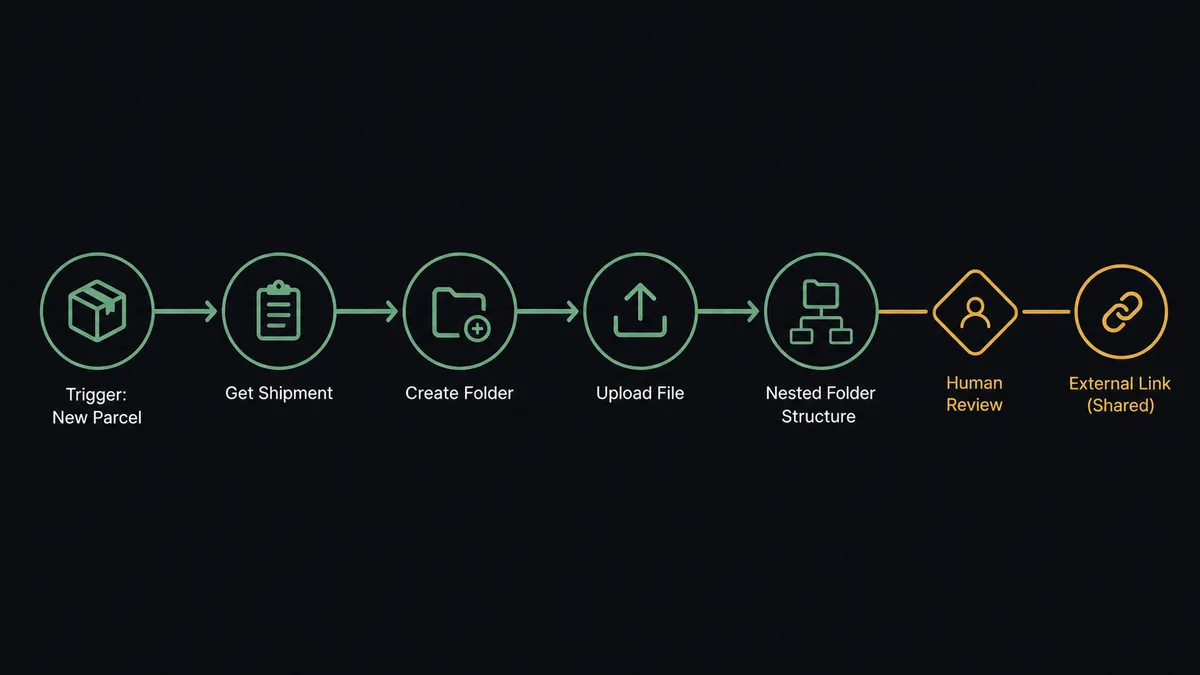
- Trigger: ShipBob fires On Order Shipped when the warehouse ships an order.
- Read: The workflow calls Get Order and Get Shipment to pull the items, quantities, carrier, and tracking state.
- Build the structure: It calls Get Metadata to verify the archive path, then Create Folder to create the order’s folder named by reference and date.
- File the records: It calls Upload File to write the shipment record into the folder, so the order’s story starts accumulating immediately.
- Extend on events: On Shipment Delivered and On Return Completed file their own documents into the same folder, and On Shipment Exception adds the exception detail the moment it fires.
- Cover receiving: For inbound stock, the workflow pulls receiving paperwork with Get WRO and Get WRO Box Labels and files it under the supplier’s path with Upload File.
- Serve it back: When someone needs a document, List Folder and Download File retrieve it by order reference instead of a dashboard dig.
That is the “just connect them” answer. Every order builds its own file as events happen, receiving paperwork lands where finance and ops can both find it, and dispute evidence exists before anyone knows there will be a dispute.
Can an AI agent run it? (and why a human stays in the loop)
Yes, and the agent turns a filing cabinet into a records clerk with judgment. A fixed pipeline files the same document for every event. An AI agent holds Get Order, Get Shipment, Create Folder, Upload File, Create Shared Link, Delete Shared Link, and List Shared Links as tools and reasons about what each event warrants. A clean delivery gets a single confirmation filed. An On Shipment Exception on a high-value order gets a full evidence pack: shipment record, order detail, exception timeline, assembled while the event is fresh, because the agent knows this is the folder someone will need in a claim.
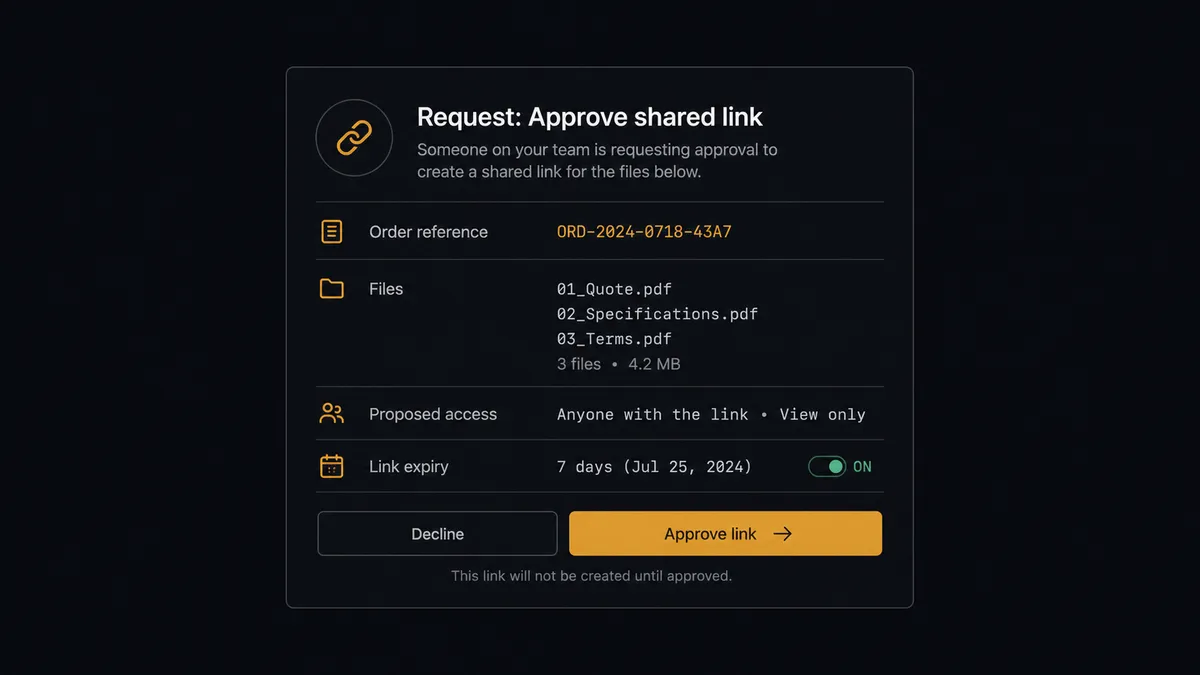
The consequential step is Create Shared Link, because that action moves a document across the company boundary. Everything before it is internal housekeeping; the link is exposure. So the agent never issues one on its own. When a carrier claim needs documentation or a supplier disputes a receiving count, the agent gathers the relevant files, proposes the access settings, and invokes a human-in-loop flow it holds as a callable tool. The workflow pauses and posts to your channel: “Carrier claim on order [reference]. Evidence pack is filed and ready. Proposed: a shared link to the dispute folder, download allowed, expiry set. Approve the link or keep it internal?” A person approves or denies, and either way the decision lands in the audit trail with a name and timestamp. Deletions work the same way: Delete File or Folder sits behind the gate, because an archive you can silently prune is not an archive.
This is the digital andon cord for document governance: like Toyota’s production line pull cord, the workflow stops the line the moment it hits uncertainty. Filing runs at machine speed, unattended. Exposure waits for a named human, every single time.
FlowRunner vs Fivetran
Fivetran is the standard answer when the question is analytics, and it is a good one. Its managed ELT pipelines move application data into a warehouse with impressive reliability, schema changes are handled for you, and if the goal is ShipBob fulfillment data feeding dashboards in Snowflake or BigQuery, Fivetran is a mature, credible way to get it there.
But look at what this pair actually needs: files created, folders structured, links governed, decisions made at event time. That is operational work on documents, not replication of tables. Fivetran lands rows in a warehouse for analysts to query later; it does not build a dispute folder, decide what evidence an exception deserves, or pause for an approver before a record leaves the company. FlowRunner runs the workflow itself, with a human gate where the risk lives.
| What matters for this pair | FlowRunner | Fivetran |
|---|---|---|
| Human-in-the-loop before Create Shared Link exposes a document | Native. The agent invokes an approval flow as a callable tool and waits for a named approver | Not applicable; moves data to a warehouse, does not run document workflows |
| Who runs the flow | An AI agent reads events, files evidence, picks actions as tools | Managed ELT pipelines on a sync schedule |
| Users included | Unlimited users on every tier | Consumption pricing; seats are not the model |
| Bring your own AI keys | Yes, BYOK. Connect the AI provider key you already have | Not an AI orchestration product |
| Self-hosted option | Yes, cloud-hosted or self-hosted | Cloud service with hybrid deployment options for data pipelines |
| Pricing model | Transparent workflow-based tiers | Consumption-based pricing that scales with rows synced |
If you want ShipBob data in a warehouse for BI, use Fivetran for that, genuinely. If you want fulfillment events producing governed, shareable, audit-ready document trails as they happen, that is a workflow, and this pairing is built for it.
Before and after
| Category | Before | After |
|---|---|---|
| Document trail | Shipment records live in the 3PL dashboard and email threads, found by digging | Every order builds its own Egnyte folder as events fire, named by reference and date |
| Dispute evidence | Assembled retroactively over days, after the claim arrives | The evidence pack is filed the moment On Shipment Exception fires |
| Receiving paperwork | WRO documents scattered across inboxes and desktops | Get WRO and Get WRO Box Labels output filed under the supplier’s path automatically |
| External sharing | Ad hoc links and email attachments with default permissions, untracked | Create Shared Link runs only after a named approval, and List Shared Links audits exposure on demand |
| Retrieval | The story of an order reconstructed from three systems | List Folder and Download File return the full history by order reference |
What you can build
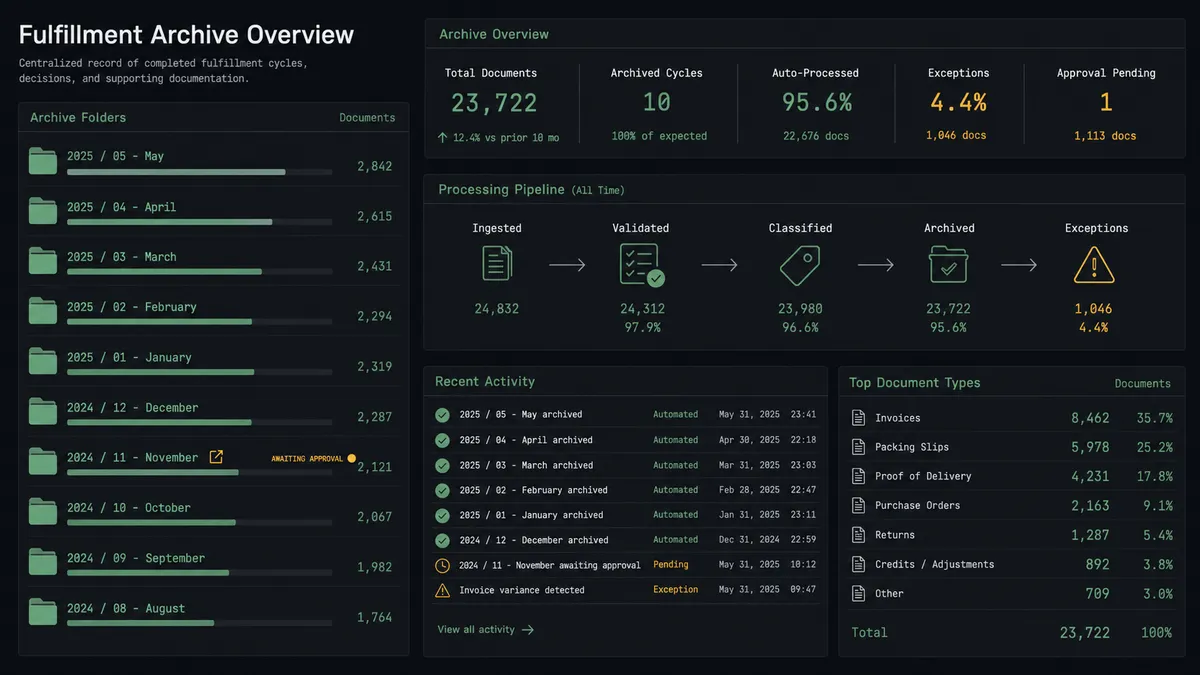
Order archive on autopilot. On Order Shipped fires. The agent pulls the record with Get Order and Get Shipment, builds the folder with Create Folder, and files the confirmation with Upload File. Delivered and return events append to the same folder.
Exception evidence packs. On Shipment Exception fires. The agent assembles the shipment record, order detail, and exception timeline into a dispute folder while the event is fresh, so the claim response starts from a complete file instead of a dashboard dig.
Governed carrier claims. When a claim needs documentation, the agent proposes a link to the dispute folder with expiry and access settings, holds at the human gate, and issues Create Shared Link only after approval, logging who authorized the exposure.
Receiving paperwork filed by supplier. When inbound stock moves, the agent pulls Get WROs, Get WRO, and Get WRO Box Labels, files the paperwork under the supplier’s path, and posts the folder link to your ops channel for the receiving team.
Quarterly exposure audit. On a schedule, the agent calls List Shared Links, compares active links against their approval records, and proposes Delete Shared Link for anything expired or orphaned, with each removal confirmed by a person before it runs.
Getting started
Start on the free plan: 100 executions a month, every integration included, no credit card required, plus 14 days of Professional for new accounts. Both connectors are available on every tier, and every tier includes unlimited users and unlimited workflows.
Explore the integration details:
- ShipBob integration (5 triggers and 20 actions covering fulfillment, inventory, and receiving)
- Egnyte integration (12 actions covering files, folders, and shared links)
Start building free at flowrunner.ai or book a demo to see a live ShipBob to Egnyte workflow, shared-link approval and all.
Frequently asked questions
Is it free to connect ShipBob and Egnyte on FlowRunner?
You can build and run the connection on FlowRunner's free plan, which includes 100 executions a month and every integration with no credit card required, and new accounts also get 14 days of Professional. Both connectors are available on every FlowRunner tier, and every tier includes unlimited users and unlimited workflows.
Can I self-host the ShipBob to Egnyte workflow?
Yes. FlowRunner offers a cloud-hosted option and a self-hosted option, so the connection can run inside your own environment.
Does the AI agent need my own OpenAI or Claude key?
FlowRunner uses a bring-your-own-keys model, so you connect the AI provider key you already have. You are not locked to one model.
What happens when the agent is unsure whether a document should be shared externally?
The link does not get created. The agent posts the file path, the requester context, and the proposed access settings to your channel, then waits for a person to approve or deny before Create Shared Link runs. Denials are logged the same as approvals, so the audit trail shows both.
Which ShipBob events can start an Egnyte workflow?
ShipBob offers five triggers: On Order Shipped, On Shipment Delivered, On Shipment Exception, On Shipment On Hold, and On Return Completed. The archive flow files documents on all five, and On Shipment Exception additionally drives the evidence-pack path.
How does the folder structure stay consistent?
The workflow calls Create Folder with a naming convention built from the order reference and event date, and Get Metadata verifies the parent path exists before any Upload File runs. Nobody hand-creates folders, so the structure never drifts.