How to Connect ShipBob with Cloudinary (With or Without an AI Agent)
Connect ShipBob shipments and returns to Cloudinary asset storage, optionally as an AI agent that files fulfillment evidence automatically and pauses for a human before Create Return sets reverse logistics moving.
How do you connect ShipBob to Cloudinary?
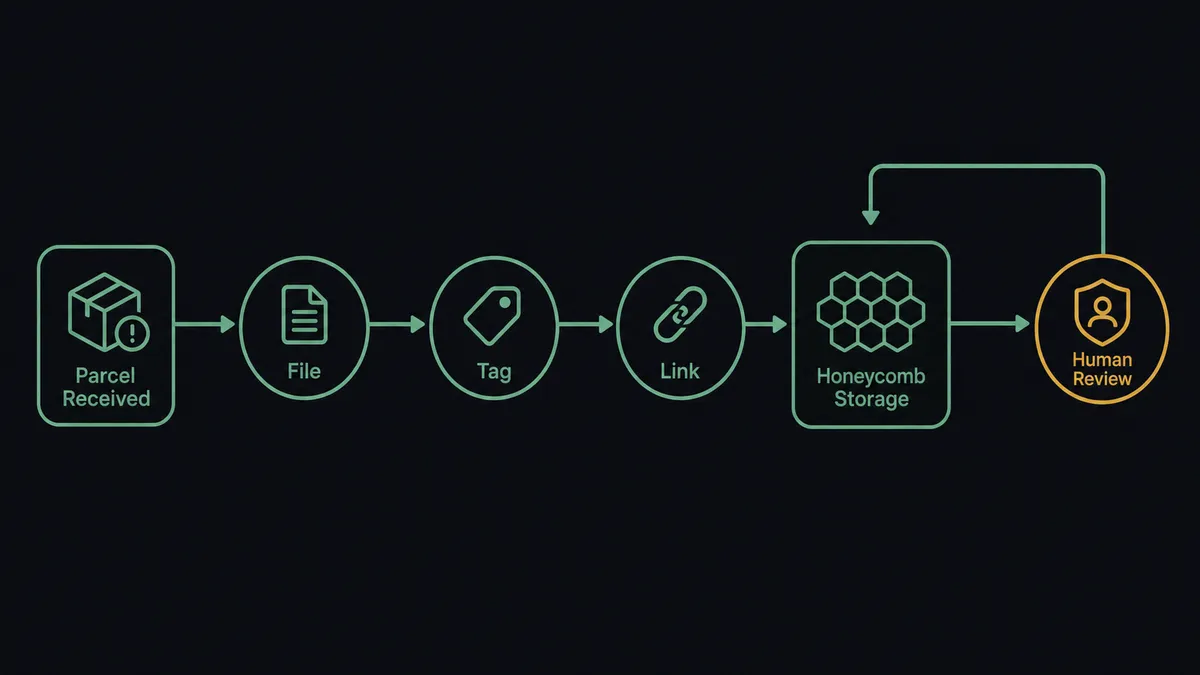
You connect ShipBob to Cloudinary by having ShipBob’s shipment and return triggers drive Cloudinary’s storage actions: On Shipment Exception fires, the workflow calls Get Shipment and Get Order for the items and tracking, then Upload Asset files the exception documentation into a per-order evidence folder, Manage Tags labels it by SKU and exception type, and Generate Delivery URL produces the link that goes into the carrier claim or the support thread. FlowRunner is a visual AI-agent orchestration platform where automations run autonomously and pause for human judgment on the steps that carry real consequence. Run as an agent, the same connection reads the evidence, compares it against the SKU’s reference imagery, and pauses for a named approver before Create Return sets reverse logistics moving.
The problem it solves
Fulfillment disputes are decided by evidence, and right now the evidence lives nowhere in particular. A customer reports a crushed box; the photos sit in a support ticket. The carrier disputes a damage claim; the packing documentation is in someone’s email. A SKU keeps arriving broken and nobody notices the pattern because each incident was filed, if at all, in a different place under a different name. When the claim window closes or the quarterly review asks which products fail in transit, the answer is a shrug backed by anecdotes.
Product imagery has the same disease from the other side. ShipBob knows every SKU you fulfill, but the reference images that prove what a unit looks like when it leaves the warehouse are scattered across supplier emails and a shared drive. So when a return arrives and the question is “did we ship it like this?”, there is no baseline to compare against, and the return gets accepted by default. Reverse logistics is expensive, and defaulting into it because the evidence was never organized is a cost nobody itemizes.
How it works: the connection
The connection listens to ShipBob and writes to Cloudinary. Here is the plain version, grounded in the real connector actions.
- Trigger: ShipBob fires On Shipment Exception the moment a carrier reports a problem with a shipment.
- Read: The workflow calls Get Shipment and Get Order to pull the affected items, tracking history, and destination.
- Open the folder: It calls Create Folder to open a per-order evidence folder under the affected SKU.
- File: It calls Upload Asset to store the exception documentation, and Upload from URL for anything your support intake collects as links.
- Label: It calls Manage Tags to apply SKU, exception type, and carrier, so the incident joins the SKU’s searchable history.
- Share: It calls Generate Delivery URL to produce the claim-ready link for the carrier dispute or the support thread.
- Close the loop: When On Return Completed fires, the return’s final documentation lands in the same folder, so the incident record runs from first report to final disposition.
That is the “just connect them” answer. Every exception gets a folder, every folder gets tags, and Search Assets turns “what happened with that order?” into a query. A parallel sweep keeps the baseline current: working from Get Products, the workflow checks that every active SKU has reference imagery on file and pulls in what is missing with Upload from URL.
Can an AI agent run it? (and why a human stays in the loop)
Yes, and the agent is what turns filed evidence into decisions. It holds the real actions as tools: Get Shipment, Get Order, Get Products, Search Assets, Upload Asset, Manage Tags, Create Return. When an exception lands, it does what your best operations person would do with an open claim: pulls the SKU’s reference imagery with Search Assets, sets the incident photos beside the baseline, checks the SKU’s incident history for a pattern, and forms a recommendation: replace, return for inspection, or dispute the claim.
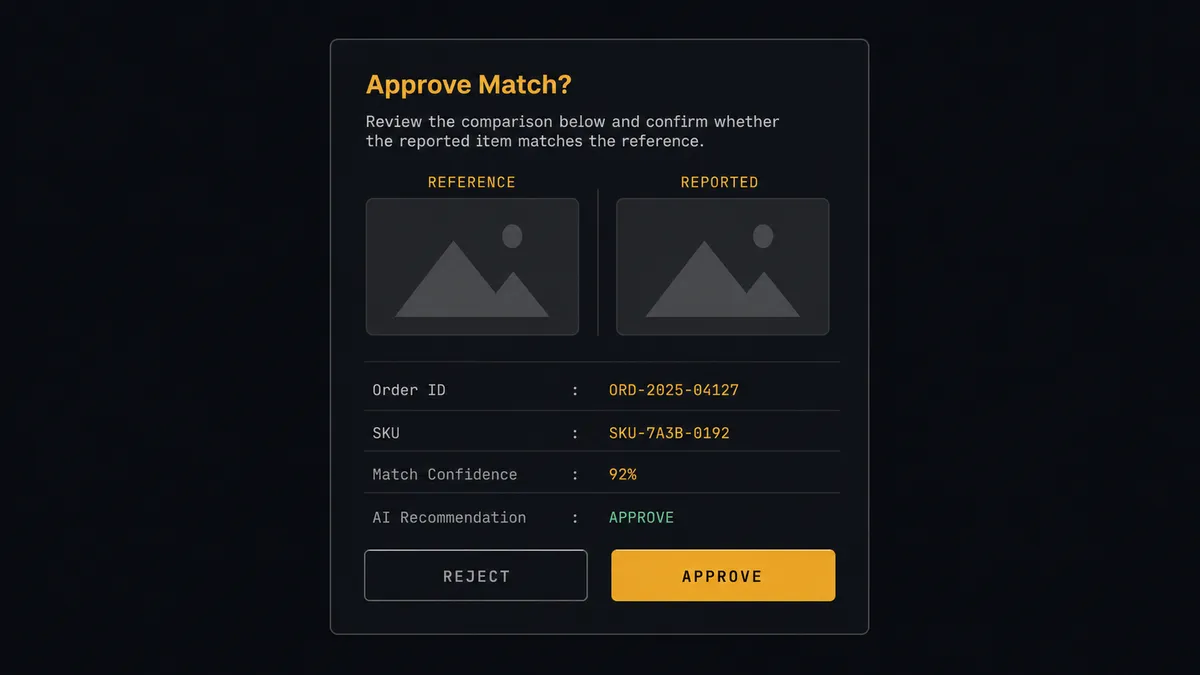
The consequential step is Create Return. Authorizing a return starts reverse logistics: a label, warehouse handling, inspection time, and a unit pulled back through the network. Done reflexively, it is a cost center on autopilot. So the agent never fires it alone. It invokes a human-in-loop flow it holds as a callable tool, and the workflow pauses and posts to the operations channel: “Exception on order [number], SKU [sku]. Evidence folder attached, reference imagery beside incident photos. This SKU has a repeat pattern of transit damage. Recommend return for inspection. Approve?” A named person decides with one click, the agent executes exactly that, and the approver, timestamp, and evidence link are recorded together.
This is the digital andon cord, FlowRunner’s core thesis: like Toyota’s andon cord, the workflow stops the line the moment the next step carries real cost. Evidence files itself at machine speed; the return decision waits for a person with the full picture in front of them.
FlowRunner vs Fivetran
Fivetran’s strength is real and worth naming. It is the default choice for managed data replication: a large library of maintained connectors that land application data in your warehouse on schedule, with schema drift handled for you and almost nothing to operate. If you want ShipBob order and inventory data in Snowflake so analysts can model fulfillment performance, Fivetran is built for precisely that and does it well.
This pair asks for something Fivetran does not do. Filing evidence into an asset library, tagging it for retrieval, comparing incident photos to a baseline, and pausing for an approver before a return is authorized are operational actions, not table syncs. Fivetran copies data so people can analyze it later; this workflow acts while the claim window is still open.
| What matters for this pair | FlowRunner | Fivetran |
|---|---|---|
| Human-in-the-loop before Create Return | Native. The agent invokes an approval flow as a callable tool and waits for a named approver | Not applicable; it replicates data, it does not take business actions |
| Who runs the flow | An AI agent reads the evidence, reasons, picks ShipBob and Cloudinary actions as tools | Scheduled sync jobs into a warehouse |
| Users included | Unlimited users on every tier | Priced by consumption, not built around business approvers |
| Bring your own AI keys | Yes, BYOK | Not an agent platform |
| Self-hosted option | Yes, cloud-hosted or self-hosted | Cloud-first managed service |
| Pricing model | Transparent workflow-based tiers | Consumption-based pricing that scales with rows moved |
If the goal is analytics on fulfillment data, Fivetran is genuinely the better fit. If the goal is evidence that files itself and returns that start only after a named person approves them, this pairing on FlowRunner is.
Before and after
| Category | Before | After |
|---|---|---|
| Exception evidence | Photos and documentation scattered across tickets, inboxes, and memory | Every exception opens a tagged Cloudinary folder the moment the carrier reports it |
| Carrier claims | Claims assembled late, sometimes after the filing window | Generate Delivery URL produces a claim-ready evidence link at exception time |
| Return decisions | Returns accepted by default because there is no baseline to compare | The agent sets incident photos beside reference imagery and a named approver decides |
| Damage patterns | Repeat-failure SKUs surface only through anecdote | Search Assets pulls any SKU’s full incident history in one query |
| Reference imagery | Supplier photos scattered across emails and drives | A scheduled sweep keeps every active SKU’s baseline imagery filed and tagged |
What you can build
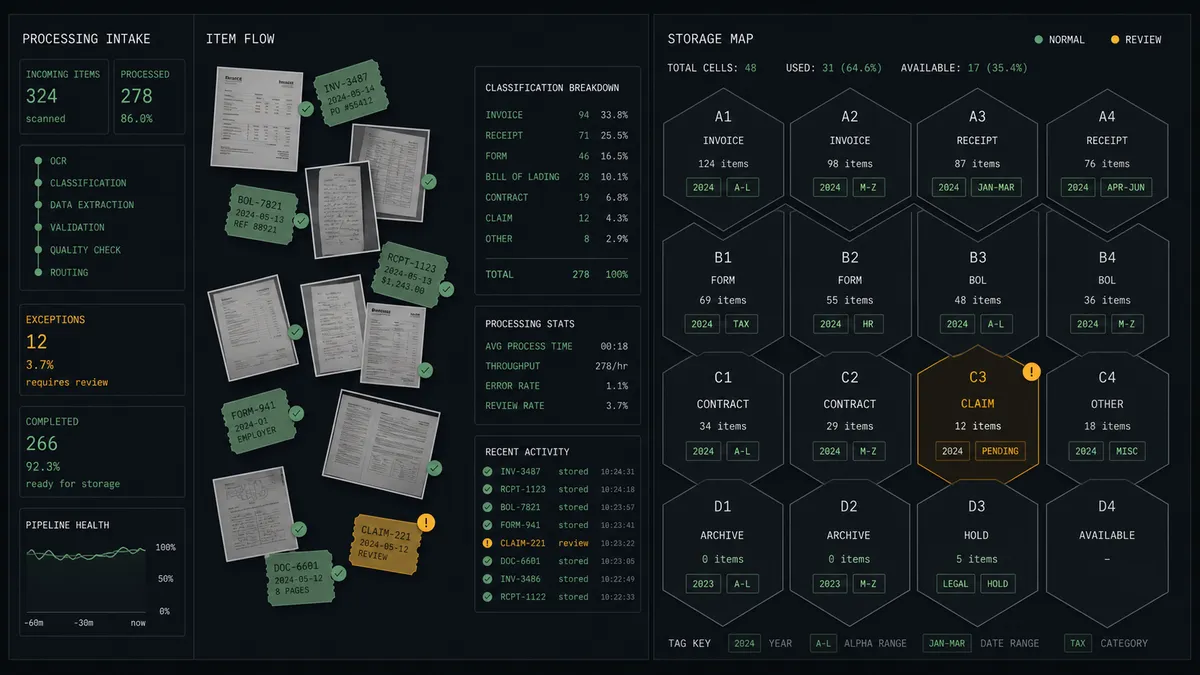
Exception evidence folders. On Shipment Exception fires, Get Shipment and Get Order pull the context, Create Folder and Upload Asset open and fill the per-order evidence folder, and Manage Tags files the incident under its SKU.
Return authorization with a baseline. The agent compares incident photos against the SKU’s reference imagery via Search Assets, forms a recommendation, and holds at the human-in-loop step until an approver releases Create Return.
SKU reference library sweep. On a schedule, the agent walks Get Products, checks each active SKU for reference imagery with Search Assets, and pulls missing baselines in with Upload from URL, so every product has a documented “as shipped” standard.
Claim packet links. For a disputed carrier claim, the agent gathers the order’s full folder and returns a single Generate Delivery URL link, so whoever argues the claim sends one URL instead of a zip of screenshots.
Receiving-condition records. When inbound inventory arrives, the agent files the receiving documentation from your intake against Get WROs records, so a vendor dispute over arrival condition has photos filed on day one.
Getting started
Start on the free plan: 100 executions a month, every integration included, no credit card required, plus 14 days of Professional for new accounts. Both connectors are available on every tier, and every tier includes unlimited users and unlimited workflows.
Explore the integration details:
- ShipBob integration (5 triggers and 20 actions covering orders, shipments, returns, and inventory)
- Cloudinary integration (20 actions covering upload, folders, tags, search, and delivery)
Start building free at flowrunner.ai or book a demo to see a live ShipBob to Cloudinary workflow, return approval gate and all.
Frequently asked questions
Is it free to connect ShipBob and Cloudinary on FlowRunner?
You can build and run the connection on FlowRunner's free plan, which includes 100 executions a month and every integration with no credit card required, and new accounts also get 14 days of Professional. Both connectors are available on every FlowRunner tier, and every tier includes unlimited users and unlimited workflows.
Can I self-host the ShipBob to Cloudinary workflow?
Yes. FlowRunner offers a cloud-hosted option and a self-hosted option, so the connection can run inside your own environment.
Does the AI agent need my own OpenAI or Claude key?
FlowRunner uses a bring-your-own-keys model, so you connect the AI provider key you already have. You are not locked to one model.
What happens when the agent is not sure a damage report justifies a return?
The agent stops and invokes a human-in-loop step. It posts the order, the exception details from Get Shipment, the evidence folder link from Generate Delivery URL, and its recommendation, then waits for an approve or reject decision before Create Return runs.
Which ShipBob events can start the Cloudinary workflow?
ShipBob offers five triggers: On Order Shipped, On Shipment Delivered, On Shipment Exception, On Shipment On Hold, and On Return Completed. On Shipment Exception drives the evidence path, and On Return Completed closes each return's folder with its final documentation.
Can the workflow start from Cloudinary instead?
No. Cloudinary has twenty actions and no triggers, so the flow always starts from a ShipBob event or a schedule. A scheduled sweep can still walk the library with List Resources and Search Assets to catch SKUs missing reference imagery.