How to Connect Salesforce Pro with Adobe Acrobat Sign (With or Without an AI Agent)
Connect Salesforce opportunities to Adobe Acrobat Sign so contracts go out when a deal reaches the contract stage and the signed PDF files itself back onto the record, with an AI agent that pauses for a human before any binding document reaches the customer.
How do you connect Salesforce Pro to Adobe Acrobat Sign?
You connect Salesforce Pro to Adobe Acrobat Sign by having a scheduled workflow run Find Records by Query for opportunities that reached the contract stage, then drive Adobe Acrobat Sign actions: Upload Transient Document stages the contract file, Create Draft Agreement attaches the signers pulled from Find Child Records, and Send Agreement delivers the signing request, with Add File to Record and Update Record filing the executed contract back onto the opportunity. FlowRunner is a visual AI-agent orchestration platform where automations run autonomously and pause for human judgment on the steps that carry real consequence. The same connection can run as an AI agent that prepares and tracks every agreement on its own and pauses for a named human before Send Agreement makes the document binding.
The problem it solves
Right now your contract process has a gap at each end. At the front, an opportunity reaches the contract stage and waits while someone builds the agreement by hand: pull the entity name from the account, the amount from the opportunity, the signers from a thread, upload to Adobe Acrobat Sign, send, and hope nothing was stale. At the back, the signed PDF arrives in one person’s email, and the opportunity record, the thing your forecasts, commissions, and renewals all read from, never carries the actual contract.
Both gaps bite. A contract prepared from a stale quote is a binding offer at the wrong price. An agreement sent to a champion who lacks signing authority stalls for a week in forwarding purgatory. And months later, when finance needs the executed terms for revenue recognition or a renewal, someone searches inboxes for a PDF that should have been on the record all along. The most legally significant artifact in the sales cycle is handled with the least system discipline.
How it works: the connection
The connection polls Salesforce and writes to Adobe Acrobat Sign, then writes back. Here is the plain version, grounded in the real connector actions.
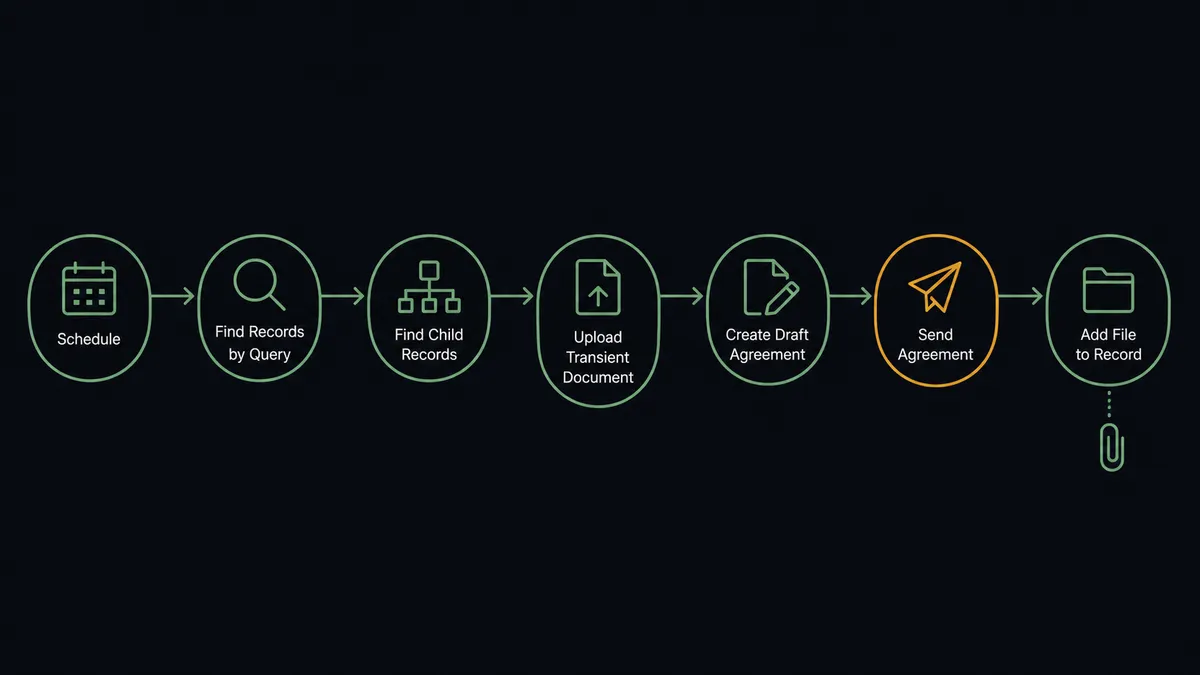
- Trigger: On a schedule, the workflow runs Find Records by Query with a SOQL query for opportunities that reached the contract stage since the last run.
- Read: It calls Find Record for the account’s legal entity and Find Child Records for the opportunity’s contact roles.
- Stage the document: It calls Upload Transient Document to load the contract file into Adobe Acrobat Sign.
- Prepare the agreement: It calls Create Draft Agreement with the document, the signer list, and the signing order.
- Send: It calls Send Agreement, and the customer receives the signing request.
- Track: It calls Get Agreement Events to follow progress and Send Reminder when a signer stalls.
- File the evidence: On completion, it calls Download Agreement PDF and Download Audit Trail, attaches them with Add File to Record, summarizes with Create Enhanced Note, and moves the stage with Update Record.
That is the “just connect them” answer. Contracts go out the day the stage changes, signatures get chased automatically, and the executed document lives on the opportunity where every downstream process can find it.
Can an AI agent run it? (and why a human stays in the loop)
Yes, and the agent’s job is to be the person who reads everything twice, at machine speed. It holds the actions as tools, Find Record, Find Child Records, Upload Transient Document, Create Draft Agreement, Send Agreement, Send Reminder, Cancel Agreement, Add File to Record, and reasons about the package before anything moves: is the legal entity on the document the account’s actual entity, does the amount match the opportunity, do the contact roles include someone with signing authority, is the signing order right for this buyer.
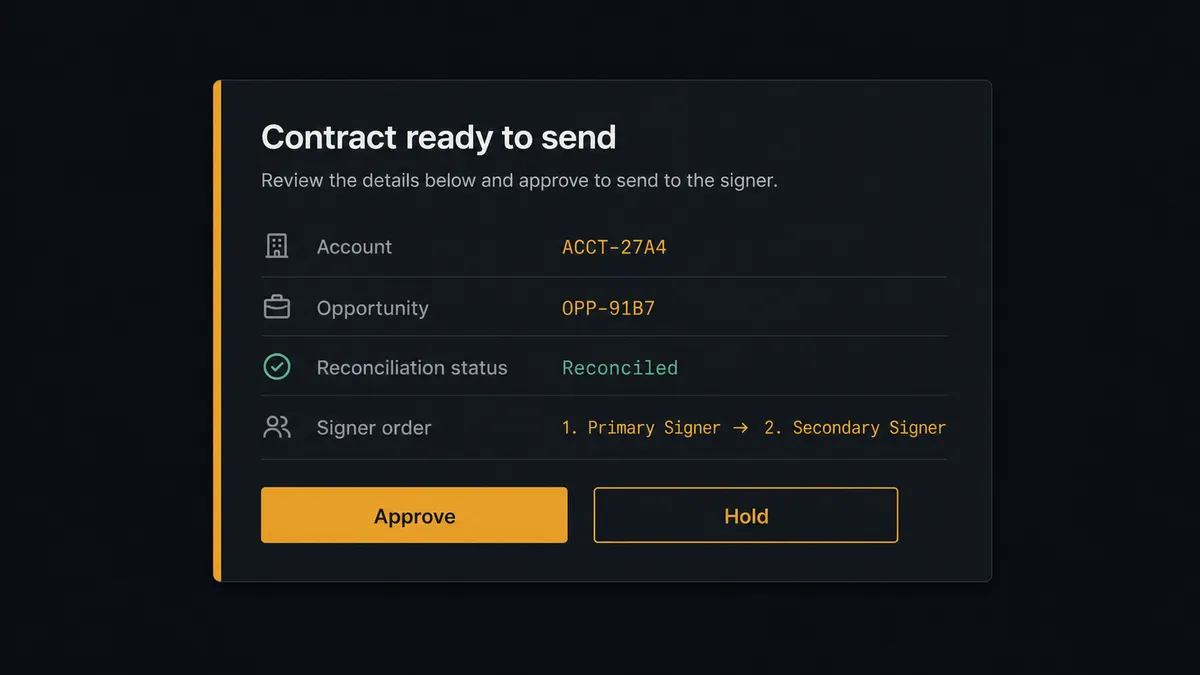
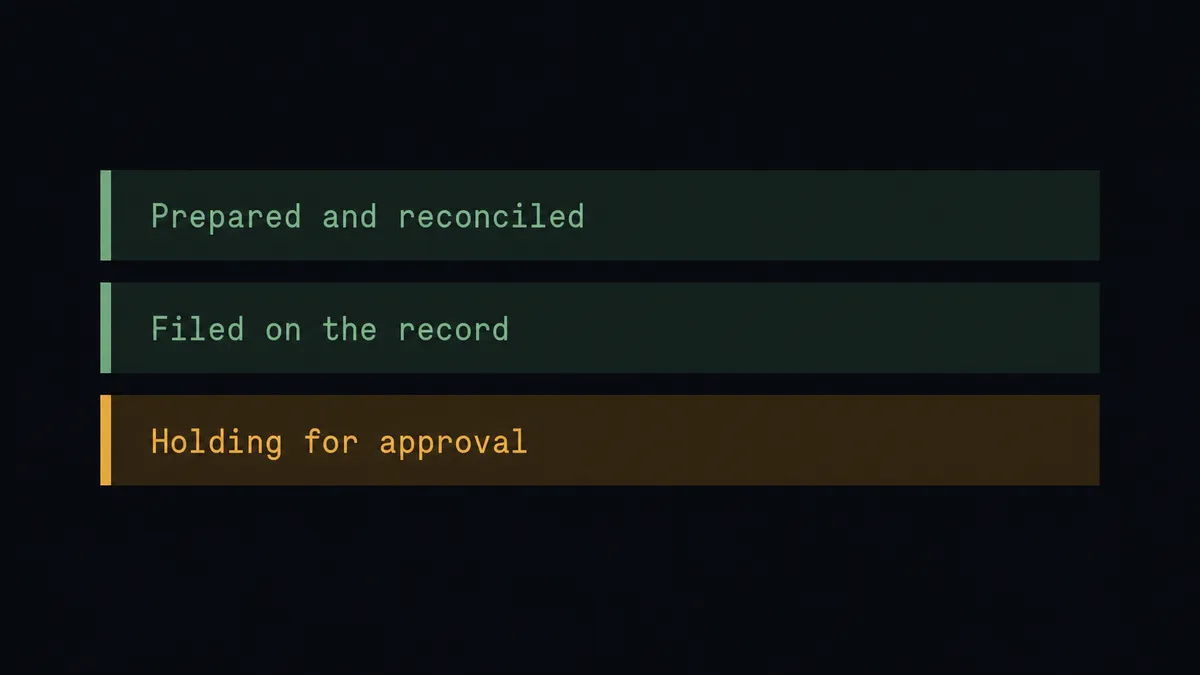
The consequential step is Send Agreement. A sent contract is an offer, and offers with wrong numbers do not come back quietly. So the agent never sends alone. It invokes a human-in-loop flow it holds as a callable tool. The workflow pauses and posts to the deal desk channel: “Agreement prepared for [account] on [opportunity name]. Entity and amount reconcile with the record. Signers: [list]. Approve to send?” When reconciliation fails, the message says so and the line holds until a person resolves it. Either way, Send Agreement runs only on a named approval, and that approval sits in FlowRunner’s audit trail next to the signing history the workflow later captures with Download Audit Trail.
Prospects call this a digital andon cord: like Toyota’s quality control pull cord, the workflow stops the line when the document and the record disagree, and a person restarts it deliberately. Preparation, chasing, and filing run autonomously. The one moment that binds the company waits for a human, every time.
FlowRunner vs n8n
Teams with engineers evaluate n8n here, and it deserves the look. The node library is deep, the community publishes solid Salesforce patterns, and the fair-code self-hosting model is genuinely strong for teams that want the runtime inside their own perimeter. Builders who want to own every node get real control.
But a contract pipeline is judged by its worst send and audited by its best record. Here is the honest side-by-side.
| What matters for this pair | FlowRunner | n8n |
|---|---|---|
| Human-in-the-loop on Send Agreement | Native. The agent invokes an approval flow as a callable tool, multi-channel, decision recorded | Buildable with wait and approval wiring you assemble and maintain yourself |
| Who runs the flow | An AI agent reconciles record against document, reasons, and picks actions as tools | A node graph you design; AI agent nodes exist but the builder is developer-oriented |
| Users included | Unlimited users on every tier | Plan-dependent; full RBAC and SSO sit in higher tiers |
| Bring your own AI keys | Yes, BYOK | Yes, n8n also supports your own model keys |
| Self-hosted option | Yes, cloud-hosted or self-hosted | Yes, self-hosting is a core strength |
| Pricing model | Transparent workflow-based tiers; compliance features from the $299/mo Professional tier | Execution-based cloud tiers; full cloud compliance suite is custom-priced Enterprise |
If your engineering team wants to hand-build the pipeline and maintain the approval and audit layer to your legal standard, n8n can get there. If revenue operations needs the send gate, the reconciliation, and the executed contract filed on the record from day one, that is where FlowRunner is the better fit.
Before and after
| Category | Before | After |
|---|---|---|
| Contract prep | Entity, amount, and signers assembled by hand from three places | Find Record and Find Child Records feed the package, staged by Upload Transient Document |
| Error surface | Stale quotes and wrong entities discovered by the buyer | The agent reconciles document against opportunity, and mismatches hold for a person |
| The send decision | Whoever prepared it sends it | Send Agreement runs only on a named approval, recorded in the audit trail |
| Signature chasing | Manual follow-ups when someone remembers | Get Agreement Events tracks progress and Send Reminder nudges stalled signers |
| Where the contract lives | A PDF in one person’s inbox | Add File to Record and Create Enhanced Note put the executed contract on the opportunity |
What you can build
Contract stage to signing request. Find Records by Query surfaces the opportunity, the agent gathers entity and signers with Find Record and Find Child Records, stages the file, prepares the draft, and queues the gated Send Agreement.
Reconciliation as a habit. Every package is checked against the record before the send: amount, entity, signer authority. Clean packages wait only for a click; dirty ones arrive with the discrepancy already diagnosed.
Signature chase and escalation. The agent watches Get Agreement Events, sends Send Reminder on your cadence, and pings the opportunity owner when a signer stalls past your threshold, so deals stop dying of silence.
Self-filing executed contracts. On completion, Download Agreement PDF and Download Audit Trail flow into Add File to Record, Create Enhanced Note summarizes the terms, and Update Record moves the stage. Finance finds the contract where the record is.
Amendment cycle with a witness. When terms change mid-signature, the agent proposes Cancel Agreement with the reason, waits for approval, re-stages the corrected document, and the whole sequence, cancel included, stays in the audit trail.
Getting started
Start on the free plan: 100 executions a month, every integration included, no credit card required, plus 14 days of Professional for new accounts. Both connectors are available on every tier, and every tier includes unlimited users and unlimited workflows, so the deal desk, revenue operations, and legal review share one workspace from day one.
Explore the integration details:
- Salesforce Pro integration (26 actions covering records, SOQL queries, leads, contacts, files, and email)
- Adobe Acrobat Sign integration (21 actions covering agreements, signing, reminders, and audit trails)
Start building free at flowrunner.ai or book a demo to see a live Salesforce to Adobe Acrobat Sign workflow, send approval and all.
Frequently asked questions
Is it free to connect Salesforce Pro and Adobe Acrobat Sign on FlowRunner?
You can build and run the connection on FlowRunner's free plan, which includes 100 executions a month and every integration with no credit card required, and new accounts also get 14 days of Professional. Both connectors are available on every FlowRunner tier, and every tier includes unlimited users and unlimited workflows.
Can I self-host the Salesforce to Adobe Acrobat Sign workflow?
Yes. FlowRunner offers a cloud-hosted option and a self-hosted option, so the connection can run inside your own environment.
Does the AI agent need my own OpenAI or Claude key?
FlowRunner uses a bring-your-own-keys model, so you connect the AI provider key you already have. You are not locked to one model, and you control which provider runs the agent.
What stops the agent from sending a contract with the wrong terms?
The send is gated. Before Send Agreement runs, the agent reconciles the document's entity, amount, and signers against the opportunity pulled with Find Record, and posts the package to your team's channel. A mismatch holds the line until a named person resolves it, and a clean package still requires their approval to go out.
Neither Salesforce Pro nor Adobe Acrobat Sign has a trigger in FlowRunner. How does the workflow start?
On a schedule. The workflow runs Find Records by Query with a SOQL query for opportunities that reached the contract stage since the last check, so agreements are prepared within the polling interval you choose.
Where does the signed contract end up?
On the opportunity itself. When signing completes, the workflow pulls Download Agreement PDF and Download Audit Trail, attaches the executed contract with Add File to Record, summarizes it with Create Enhanced Note, and moves the stage with Update Record.