How to Connect QuickBooks Online with Adobe Acrobat Sign (With or Without an AI Agent)
Connect QuickBooks Online estimates to Adobe Acrobat Sign so every engagement gets signed before it gets billed, with an AI agent that turns estimates into signature requests automatically and pauses for a human before binding terms reach the client.
How do you connect QuickBooks Online to Adobe Acrobat Sign?
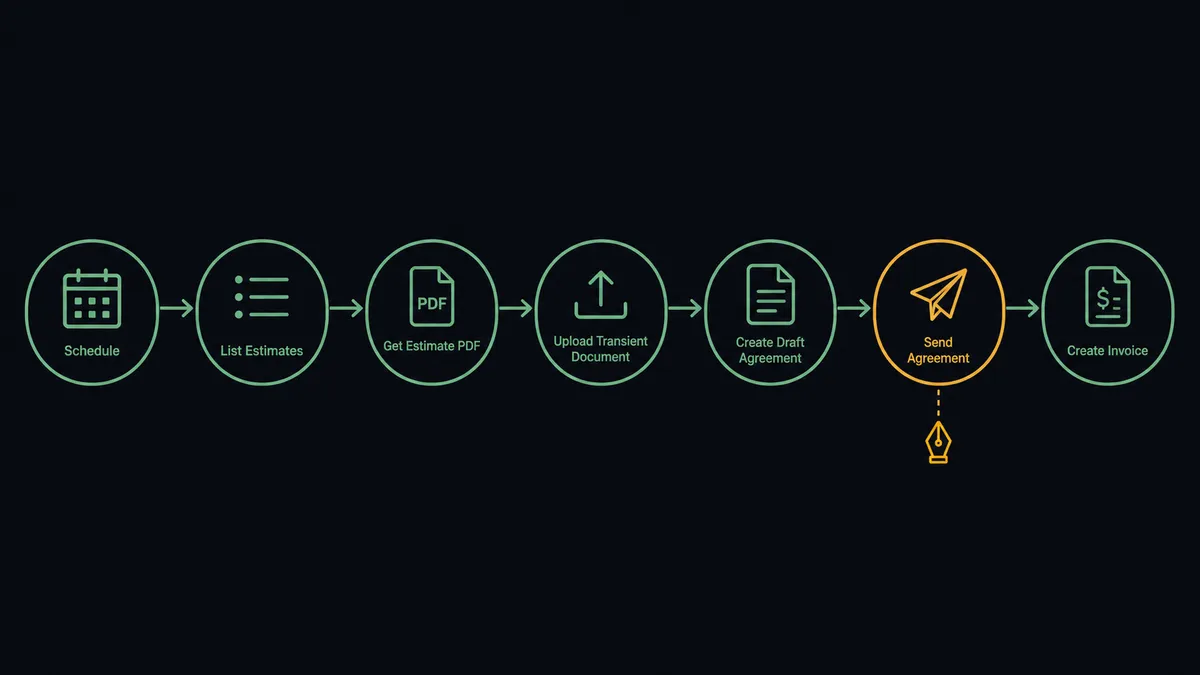
You connect QuickBooks Online to Adobe Acrobat Sign by having a scheduled workflow watch QuickBooks Online with List Estimates for estimates that need an engagement signature, then drive Adobe Acrobat Sign actions: Get Estimate PDF exports the terms, Upload Transient Document stages the file, Create Draft Agreement attaches the client signer, and Send Agreement delivers the signing request, with Create Invoice raised once the signature completes. FlowRunner is a visual AI-agent orchestration platform where automations run autonomously and pause for human judgment on the steps that carry real consequence. The same connection can run as an AI agent that enforces a simple rule, no signature, no invoice, and pauses for a named human before Send Agreement makes the terms binding.
The problem it solves
Right now there is a gap between “the client said yes” and “the client signed,” and your firm works inside that gap at its own risk. An estimate goes out from QuickBooks Online, the client agrees by email, and work starts while the engagement letter sits in a to-do list. Weeks later the first invoice lands, the client questions the scope, and the one document that would settle it was never executed. Every services firm knows this story, and most have eaten at least one invoice because of it.
The manual version fails at both ends. Getting a signature means exporting the estimate PDF, uploading it to Adobe Acrobat Sign, typing the signer’s details, and sending, which is exactly the kind of clerical step that gets deferred when the team is busy, and the team is always busy when work is starting. Then, once the signature does arrive, nothing connects it back to billing: the signed PDF sits in an inbox while invoices are raised on memory and goodwill. The signature and the money live in different systems, and neither one checks the other.
How it works: the connection
The connection polls QuickBooks Online and writes to Adobe Acrobat Sign, then comes back to raise the invoice. Here is the plain version, grounded in the real connector actions.
- Trigger: On a schedule, the workflow calls List Estimates and picks out estimates that need an engagement signature since the last run.
- Read: It calls Get Estimate for the terms and Get Customer for the client’s name and email.
- Export: It calls Get Estimate PDF to produce the document the client will sign.
- Stage: It calls Upload Transient Document to load the PDF into Adobe Acrobat Sign.
- Prepare: It calls Create Draft Agreement with the client as signer and the estimate number in the agreement name.
- Send and track: It calls Send Agreement, then follows progress with Get Agreement Events and nudges stalled signers with Send Reminder.
- Bill on signature: When the agreement completes, it calls Download Agreement PDF and Download Audit Trail for the record, then Create Invoice and Send Invoice against the same customer and terms.
That is the “just connect them” answer. Every engagement gets signed before it gets billed, signatures get chased without anyone nagging, and each invoice traces to an executed document.
Can an AI agent run it? (and why a human stays in the loop)
Yes, and the agent is what makes the rule enforceable instead of aspirational. It holds both sides as tools: List Estimates, Get Estimate, Get Customer, Get Estimate PDF, Create Invoice, Send Invoice on the QuickBooks Online side, and Upload Transient Document, Create Draft Agreement, Send Agreement, Send Reminder, Cancel Agreement, Get Agreement Events on the Adobe Acrobat Sign side. It reads each estimate, confirms the customer record matches, prepares the signature request, and after signing, raises the invoice against the exact signed terms.
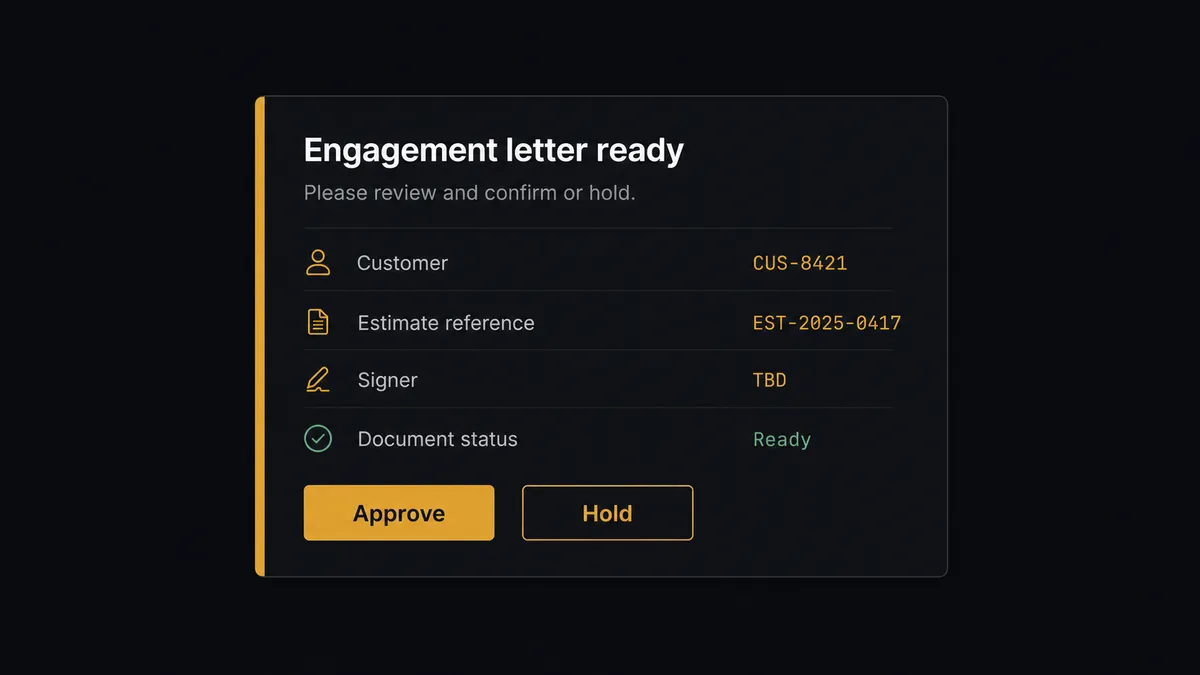
The consequential step is Send Agreement, because the moment it runs, your terms are in front of the client as a document they can execute. A stale amount, the wrong customer contact, or an estimate the partner meant to revise becomes binding paper. So the agent never sends alone. It invokes a human-in-loop flow it holds as a callable tool. The workflow pauses and posts to the firm’s channel: “Engagement letter prepared for [customer] from estimate [number], amount [total]. Signer: [name]. Approve to send?” The partner or ops lead approves, and only then does Send Agreement run. The approval is recorded with name and timestamp, and once the client signs, Download Audit Trail adds the signing evidence beside it.
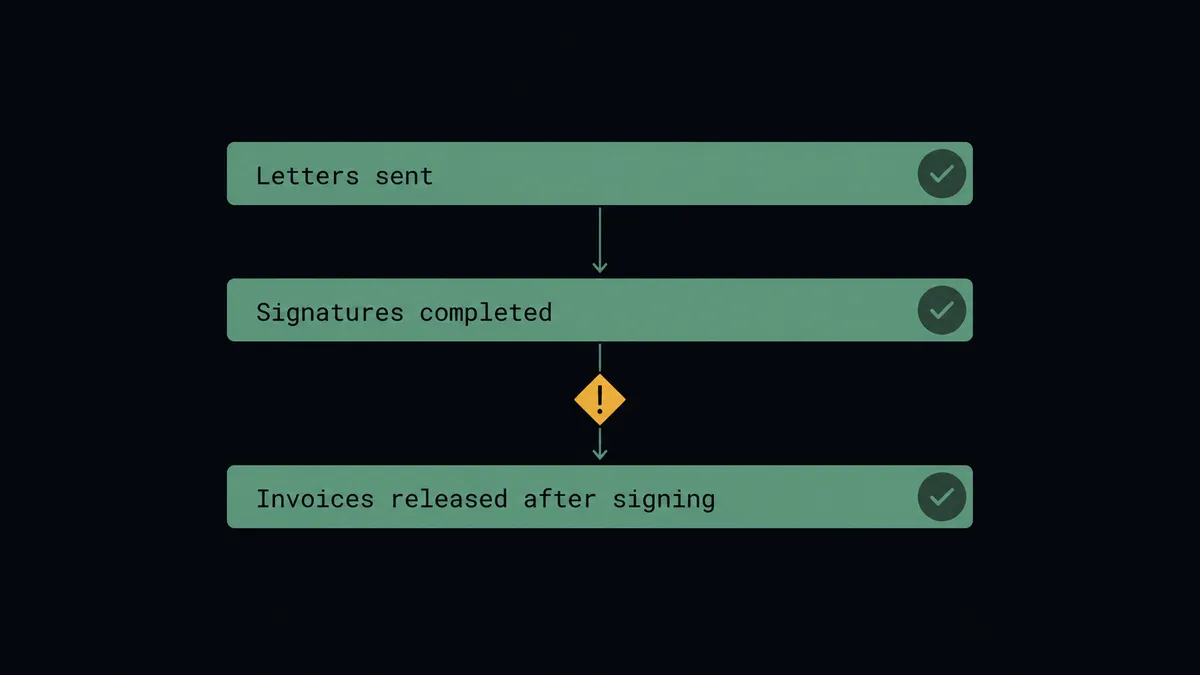
The invoice side inherits the discipline automatically: Create Invoice fires only on a completed agreement, so an unsigned engagement structurally cannot be billed. Prospects call this a digital andon cord: like Toyota’s quality control pull cord, the workflow stops the line before terms go out, and it keeps the line stopped between signature and invoice until the evidence exists. That is a control, not a convenience.
FlowRunner vs n8n
Technical teams weigh n8n for this connection, and it has real merits. The node library is broad, the community shares plenty of accounting and document patterns, and the fair-code self-hosting model is genuinely strong for firms that want the runtime on their own infrastructure. Engineers who want full control of the graph will find it.
The question is whether your firm wants to build a billing control or buy one working. Here is the honest side-by-side.
| What matters for this pair | FlowRunner | n8n |
|---|---|---|
| Human-in-the-loop on Send Agreement | Native. The agent invokes an approval flow as a callable tool, multi-channel, decision recorded | Buildable with wait and approval wiring you assemble and maintain yourself |
| Who runs the flow | An AI agent reads the estimate, reasons, and picks actions as tools | A node graph you design; AI agent nodes exist but the builder is developer-oriented |
| Users included | Unlimited users on every tier | Plan-dependent; full RBAC and SSO sit in higher tiers |
| Bring your own AI keys | Yes, BYOK | Yes, n8n also supports your own model keys |
| Self-hosted option | Yes, cloud-hosted or self-hosted | Yes, self-hosting is a core strength |
| Pricing model | Transparent workflow-based tiers; compliance features from the $299/mo Professional tier | Execution-based cloud tiers; full cloud compliance suite is custom-priced Enterprise |
If you have engineers eager to own the pipeline and build the approval, evidence, and audit layers themselves, n8n can do the job. If the firm’s operations lead needs signature-before-billing running as a governed control with an audit trail from day one, that is where FlowRunner is the better fit.
Before and after
| Category | Before | After |
|---|---|---|
| Engagement letters | Exported, uploaded, and sent by hand, usually late | Get Estimate PDF through Send Agreement runs the moment the estimate is ready |
| Work authorization | Work starts on a verbal yes while the letter sits unsigned | The agreement goes out same-day and Get Agreement Events shows exactly where it stands |
| Signature chasing | A partner remembers to follow up, or does not | Send Reminder nudges signers on a cadence, with escalation when they stall |
| Billing discipline | Invoices raised on memory, disputed on scope | Create Invoice fires only on a completed agreement, tied to the signed terms |
| Evidence | Signed PDFs scattered across inboxes | Download Agreement PDF and Download Audit Trail are captured with the approval history |
What you can build
Estimate to signed engagement. The scheduled run finds the estimate, the agent verifies the client with Get Customer, stages the PDF with Upload Transient Document, prepares Create Draft Agreement, and queues the gated Send Agreement.
No signature, no invoice. Create Invoice is chained to agreement completion. Until Get Agreement Events reports the signature, billing structurally cannot start, and nobody has to police the rule by hand.
Signature chase for busy season. The agent watches every open agreement, sends Send Reminder on your cadence, and escalates to the engagement partner when a client stalls, so letters stop dying in inboxes exactly when the firm is busiest.
Re-engagement on revised terms. When a client negotiates after the letter goes out, the agent proposes Cancel Agreement with the reason, waits for approval, updates the estimate with Update Estimate, and re-runs the cycle with the corrected terms.
Evidence pack per engagement. For every completed engagement, the agent assembles the signed PDF from Download Agreement PDF, the signing history from Download Audit Trail, and the invoice reference, so a dispute or a review is answered with one folder, not one archaeology dig.
Getting started
Start on the free plan: 100 executions a month, every integration included, no credit card required, plus 14 days of Professional for new accounts. Both connectors are available on every tier, and every tier includes unlimited users and unlimited workflows, so partners, operations, and bookkeeping share one workspace from day one.
Explore the integration details:
- QuickBooks Online integration (write access across customers, estimates, invoices, bills, payments, and P&L reports)
- Adobe Acrobat Sign integration (21 actions covering agreements, signing, reminders, and audit trails)
Start building free at flowrunner.ai or book a demo to see a live QuickBooks Online to Adobe Acrobat Sign workflow, send approval and all.
Frequently asked questions
Is it free to connect QuickBooks Online and Adobe Acrobat Sign on FlowRunner?
You can build and run the connection on FlowRunner's free plan, which includes 100 executions a month and every integration with no credit card required, and new accounts also get 14 days of Professional. Both connectors are available on every FlowRunner tier, and every tier includes unlimited users and unlimited workflows.
Can I self-host the QuickBooks Online to Adobe Acrobat Sign workflow?
Yes. FlowRunner offers a cloud-hosted option and a self-hosted option, so the connection can run inside your own environment.
Does the AI agent need my own OpenAI or Claude key?
FlowRunner uses a bring-your-own-keys model, so you connect the AI provider key you already have. You are not locked to one model, and you control which provider runs the agent.
What happens when the estimate and the signature request do not line up?
Nothing goes out. When the agent finds a mismatch between the estimate's amount or customer and the agreement it prepared, it pauses and posts both to your team's channel. A named person resolves the discrepancy before Send Agreement runs, and the resolution is recorded in the audit trail.
Neither QuickBooks Online nor Adobe Acrobat Sign has a trigger in FlowRunner. How does the workflow start?
On a schedule. The workflow calls List Estimates in QuickBooks Online, compares results against its last run, and processes new estimates that need an engagement signature. Requests go out within the polling interval you choose.
Can the workflow invoice automatically after signature?
Yes, and only after. When Get Agreement Events shows the agreement completed, the agent captures the signed contract with Download Agreement PDF and Download Audit Trail, then raises Create Invoice against the same customer and terms, so every invoice traces back to a signed engagement.