How to Connect QuickBooks Online with Base64.ai (With or Without an AI Agent)
Connect Base64.ai invoice extraction to QuickBooks Online so vendor invoices become bills without re-keying, with a human approving any low-confidence or unusual payable before Create Bill posts it to the books.
How do you connect QuickBooks Online to Base64.ai?
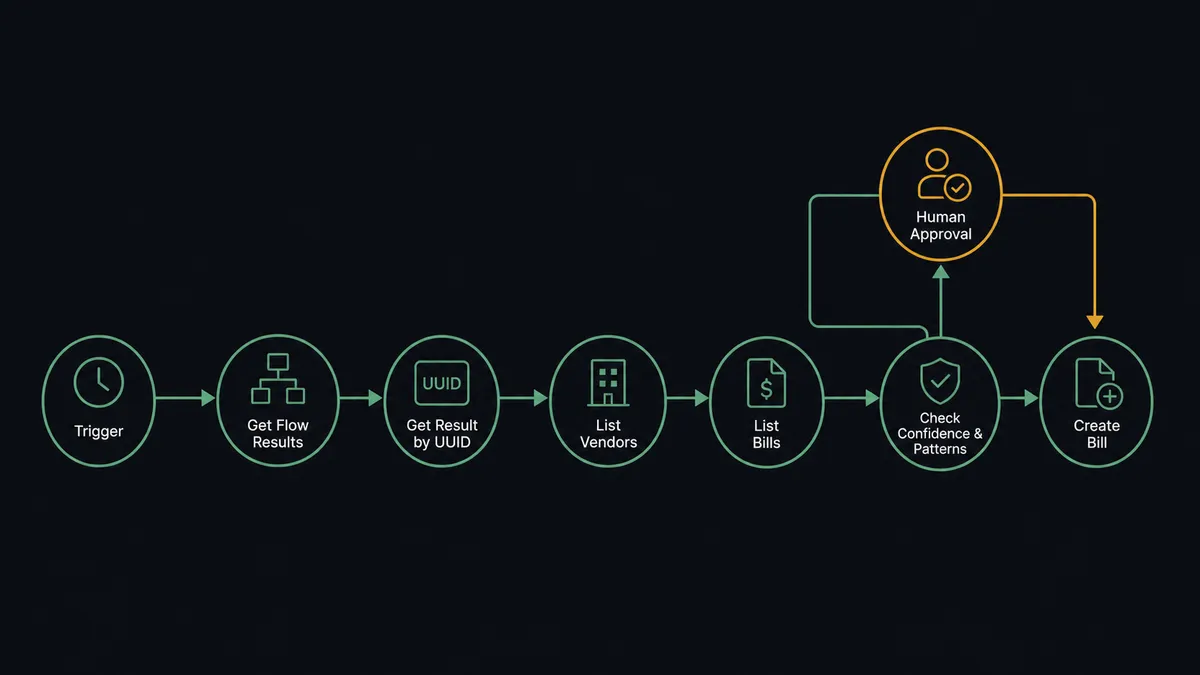
You connect QuickBooks Online to Base64.ai with a scheduled workflow: each run calls Get Flow Results to collect the invoices Base64.ai has scanned, pulls each extraction with Get Result by UUID, matches the biller with List Vendors and Get Vendor, and posts the payable with Create Bill. FlowRunner is a visual AI-agent orchestration platform where automations run autonomously and pause for human judgment on the steps that carry real consequence. The same connection can run as an AI agent that posts clean, well-known invoices to the books on its own and pauses for a named human before a low-confidence total or a first-time vendor becomes a bill your company is now committed to paying.
The problem it solves
Right now accounts payable starts with someone re-typing paper. Vendor invoices arrive as PDFs and phone-photo scans. A bookkeeper opens each one, reads the vendor name, invoice number, date, and total, finds or creates the vendor in QuickBooks Online, keys the line items against the right expense accounts, and files the PDF somewhere they hope to find again. It is the least valuable hour of a skilled person’s day, repeated daily, and every keystroke is a chance to turn 1,275.00 into 12,750.00.
The edges are worse than the volume. The same invoice arrives twice, by email and by mail, and gets paid twice because nobody checked the invoice number. A fraudulent invoice from a look-alike vendor name slides through because it looked routine. A smudged scan gets its total guessed at. And when the accountant asks why a bill was posted to the wrong account, the answer lives in nobody’s memory. AP does not need more speed applied to bad reads; it needs speed on the clean ones and a person on the questionable ones.
How it works: the connection
The connection reads from Base64.ai and writes to QuickBooks Online. Here is the plain version, grounded in the real connector actions.
- Trigger: On a schedule, the workflow calls Get Flow Results in Base64.ai to collect invoices and receipts scanned since the last run.
- Read: Get Result by UUID pulls each extraction: vendor, invoice number, dates, line items, total, and per-field confidence scores.
- Match the vendor: List Vendors searches QuickBooks Online for the extracted biller, and Get Vendor pulls the full record when a match exists.
- Check for duplicates: List Bills looks for the same invoice number against the same vendor so nothing posts twice.
- Create when new: Create Vendor adds a first-time biller with the extracted details.
- Post the payable: Create Bill writes the invoice into QuickBooks Online with line items mapped to the right expense accounts.
- Handle volume: For large batches, Start Async Scan submits documents without waiting and Get Async Scan Result collects each extraction when it finishes.
That is the “just connect them” answer. Paper in, structured payables out, duplicates caught by invoice number instead of by luck. Since neither connector exposes an event trigger, the schedule is the heartbeat: every run drains the scan queue and leaves the books current.
Can an AI agent run it? (and why a human stays in the loop)
Yes, and AP is where the agent model earns its keep. Instead of a mapping that posts whatever the OCR returned, an AI agent reads each extraction and reasons about it. Its toolbox is the real actions: Scan Document, Get Result by UUID, Start Async Scan on the Base64.ai side; List Vendors, Get Vendor, Create Vendor, List Bills, Create Bill, Update Bill on the QuickBooks Online side. It decides, invoice by invoice, which tools the situation needs.
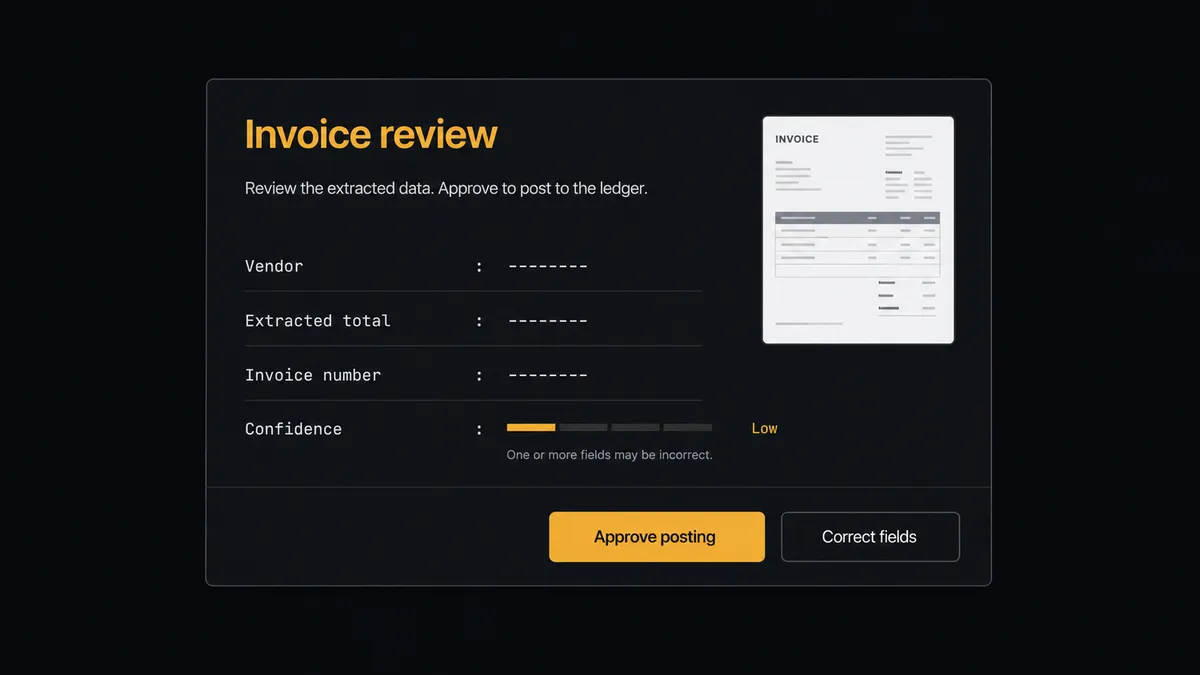
The consequential step is Create Bill. A posted bill is a commitment: it flows into cash planning, it gets paid, and unwinding a wrong one means Delete Bill plus an awkward conversation. So the agent holds three questions before it posts. Did every field clear the confidence bar? Is this vendor known, matched through List Vendors rather than assumed? Does the amount fit the vendor’s pattern, or is this “utility company” invoice suddenly several times its usual size? A clean yes on all three posts automatically with the source attached. Anything else stops the line. The agent invokes a human-in-loop flow it holds as a callable tool and posts to your AP channel: “New invoice from [vendor], total [amount], invoice number [number]. Confidence low on the total field, source image attached. Approve posting?” A person confirms or corrects it, and only then does Create Bill run. The approver’s name and timestamp land in the audit trail next to the extraction scores.
Prospects call this the digital andon cord, and the metaphor is exact: like Toyota’s line-stop cord, the workflow halts the moment it hits uncertainty, and a person clears it. The bookkeeper stops being a typist and becomes the judgment layer, which is the job they were hired for.
FlowRunner vs n8n
Technical teams evaluating this pair will look at n8n, and there is real substance there. Its community edition self-hosts at no license cost, which appeals when financial documents need to stay inside your network, and a developer can wire both the Base64.ai and QuickBooks Online APIs into exactly the pipeline they want, with a large community of examples to draw on.
The difference is where the judgment lives. In n8n, the duplicate check, the confidence threshold, and the approval hold are IF nodes and wait states a developer designs, wires, and maintains. In FlowRunner, the agent reasons about each invoice and holds human approval as a native, callable tool. Here is the honest side-by-side.
| What matters for this pair | FlowRunner | n8n |
|---|---|---|
| Human-in-the-loop on posting bills | Native. The agent invokes an approval flow as a callable tool and pauses before Create Bill | Wait and approval mechanisms exist, but the builder wires them per workflow; not an agent decision |
| Who runs the flow | An AI agent reads extractions and vendor history, reasons, picks actions as tools | A node graph a developer wires and maintains; AI agent nodes exist but the graph stays fixed |
| Users included | Unlimited users on every tier | Cloud plans meter workflows and executions; self-host capacity is yours to manage |
| Bring your own AI keys | Yes, BYOK | Yes, n8n also supports your own model keys |
| Self-hosted option | Yes, cloud-hosted or self-hosted | Yes, self-hosting is a core n8n strength |
| Pricing model | Transparent workflow-based tiers | Execution-based cloud pricing; full cloud compliance features sit on custom-priced Enterprise |
If you have developers who want a free self-hosted graph and are happy owning AP logic in nodes, n8n is a fair choice. If AP is run by a bookkeeper and an ops lead who need invoices posting themselves with a person on every questionable payable, and an audit trail the accountant will accept, this pairing on FlowRunner is the better fit.
Before and after
| Category | Before | After |
|---|---|---|
| Invoice entry | Each PDF opened, read, and re-keyed into QuickBooks Online by hand | Extractions post as bills on the next scheduled run, line items and all |
| Duplicate payments | Caught at month-end reconciliation, sometimes after the money left | List Bills checks the invoice number before anything posts |
| New vendors | Created on the fly mid-entry, with whatever spelling the invoice used | Matched through List Vendors first; genuinely new vendors go through human approval |
| Questionable reads | A guess, typed with confidence | Low-confidence fields held for review with the source image attached |
| Accountability | Who posted what, and from which document, lives in memory | Every bill carries its source scan, confidence scores, approver, and timestamp |
What you can build
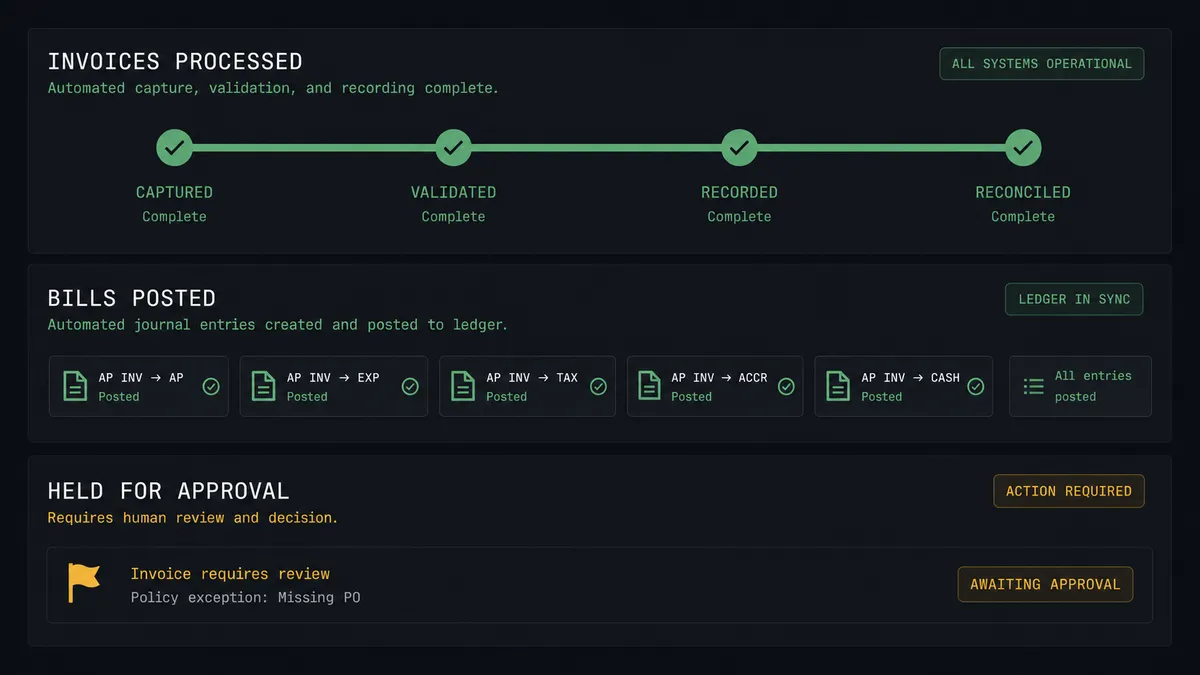
Invoice to posted bill, hands off. The scheduled run calls Get Flow Results, extracts each invoice with Get Result by UUID, matches the biller with List Vendors, and posts clean payables with Create Bill. The bookkeeper reviews exceptions, not everything.
First-time vendor gate. When no match comes back from List Vendors, the agent packages the extracted vendor details and the source invoice, gets a human sign-off, then runs Create Vendor and Create Bill in order. Look-alike vendor fraud loses its easiest door.
Duplicate-proof AP. Every extraction is checked against List Bills by vendor and invoice number before posting. The twice-emailed invoice becomes a log line instead of a double payment.
Receipt capture for expense cleanup. Phone photos of receipts flow through Scan Document, and the agent posts each as a bill against the right expense account, asking a human only when the category is ambiguous.
High-volume batch processing. For a backlog, Start Async Scan submits the whole folder, Get Async Scan Result collects extractions as they finish, and the agent works the queue down, routing only the exceptions to a single human review pass.
Getting started
Start on the free plan: 100 executions a month, every integration included, no credit card required, plus 14 days of Professional for new accounts. Both connectors are available on every tier, and every tier includes unlimited users and unlimited workflows, so the bookkeeper who works the queue and the controller who approves exceptions share one workspace from day one.
Explore the integration details:
- QuickBooks Online integration (56 actions covering vendors, bills, invoices, payments, and P&L reports)
- Base64.ai integration (11 actions covering document scans, faces, signatures, and stored flow results)
Start building free at flowrunner.ai or book a demo to see a live QuickBooks Online to Base64.ai workflow, invoice approval gate and all.
Frequently asked questions
Is it free to connect QuickBooks Online and Base64.ai on FlowRunner?
You can build and run the connection on FlowRunner's free plan, which includes 100 executions a month and every integration with no credit card required, and new accounts also get 14 days of Professional. Both connectors are available on every FlowRunner tier, and every tier includes unlimited users and unlimited workflows.
Can I self-host the QuickBooks Online to Base64.ai workflow?
Yes. FlowRunner offers a cloud-hosted option and a self-hosted option, so the connection can run inside your own environment.
Does the AI agent need my own OpenAI or Claude key?
FlowRunner uses a bring-your-own-keys model, so you connect the AI provider key you already have. You are not locked to one model.
What happens when the agent is unsure about an extracted invoice?
The bill does not post. The agent invokes a human-in-loop step, sends the extracted vendor, total, and line items with their confidence scores and the source image to your approval channel, and waits for a person to confirm or correct the data before Create Bill runs.
Which triggers does this connection use?
Neither connector exposes an event trigger, so the workflow runs on a schedule. It calls Get Flow Results in Base64.ai to pick up newly scanned invoices and receipts, then writes to QuickBooks Online with actions like Get Vendor, Create Vendor, and Create Bill.
Does the workflow create vendors that do not exist yet in QuickBooks Online?
Yes, with a check first. The workflow calls List Vendors to match the extracted vendor name, and when no match exists the agent proposes Create Vendor. A first-time vendor is exactly the kind of payable most teams route through the human approval step before the bill posts.