How to Connect QuickBooks Online with Aircall (With or Without an AI Agent)
Turn overdue QuickBooks Online invoices into a prepared Aircall collections queue and log every call outcome against the books, optionally as an AI agent that pauses for the controller before Void Invoice erases a receivable.
How do you connect QuickBooks Online to Aircall?
You connect QuickBooks Online to Aircall by having a scheduled workflow pull the day’s receivables work with List Invoices, filtered to open invoices past due, enrich each with Get Customer and Get Invoice, and stage the collections queue in your phone system: Create Contact and Update Contact make every debtor a recognizable Aircall contact with labeled numbers, and as calls complete, Comment on Call, Add Tags to Call, and Add Link to Call write the outcome back with the invoice context attached. FlowRunner is a visual AI-agent orchestration platform where automations run autonomously and pause for human judgment on the steps that carry real consequence. The same connection can run as an AI agent that prioritizes the queue, handles re-sends with Send Invoice on its own, and pauses for the controller before Void Invoice erases a receivable, because a disputed charge is a judgment call about money.
The problem it solves
Collections calling at most small and mid-size companies runs on a printed aging report. Someone in finance exports overdue invoices from QuickBooks Online, sorts by amount, and starts dialing from a bare list: no call history, no note about the last promise to pay, no idea the customer already disputed this charge with a colleague two weeks ago. Each call’s outcome lands wherever the caller keeps notes, which means the next caller starts from zero, and customers get the collections call they already resolved, which is the fastest way to sour a paying relationship.
The edges are where the money actually leaks. A customer promises payment by Friday and nobody follows up when Friday passes. Another says the invoice never arrived, and the re-send request enters a to-do list where it ages a week. A third disputes a line item on the call, the rep says “I’ll look into it,” and the invoice sits in limbo, too contested to chase and too alive to write off, until quarter-end forces a rushed decision with no record of what was actually said on that call.
How it works: the connection
The connection reads QuickBooks Online and works both sides of the phone system. Here is the plain version, grounded in the real connector actions.
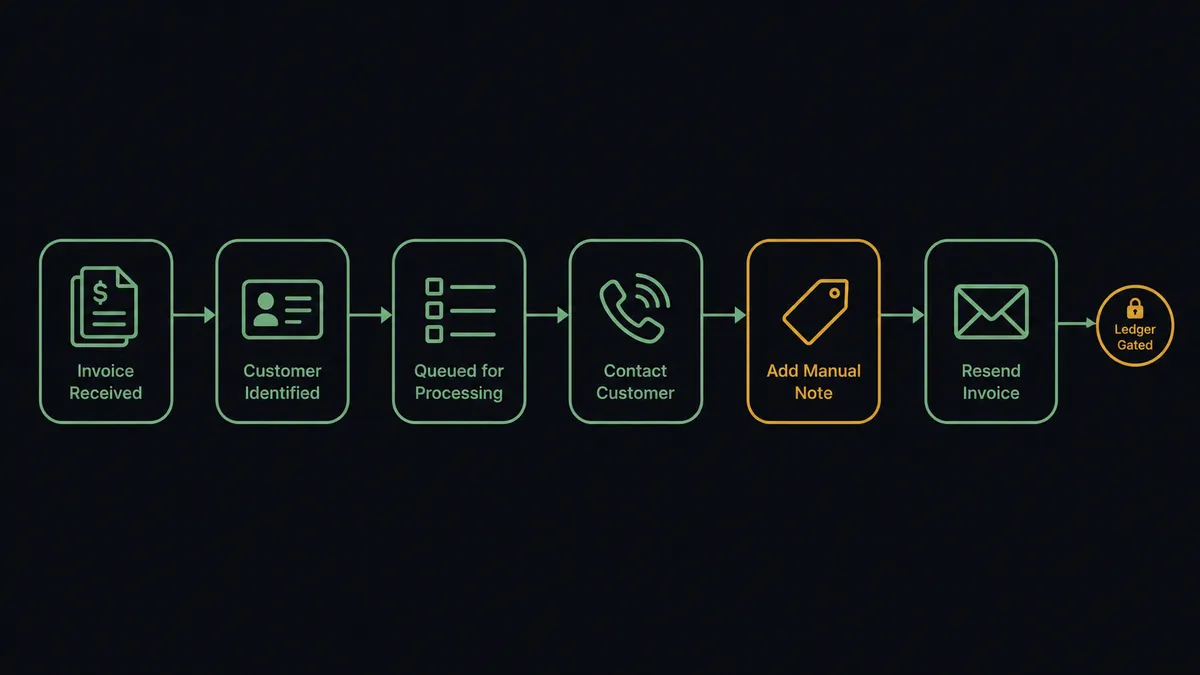
- Trigger: Each morning on a schedule, the workflow calls List Invoices filtered to open invoices past their due date.
- Read: It calls Get Customer for each debtor’s contact details and Get Invoice for the balance, line items, and terms, plus List Payments to catch partial payments that change the conversation.
- Stage the queue: It calls Create Contact or Update Contact in Aircall so every debtor appears with a name and labeled numbers, ready to dial.
- Log the outcomes: As calls complete, the workflow picks them up via List Calls and Get Call, then writes Comment on Call with the invoice number, balance, and outcome, and applies the collections tag with Add Tags to Call.
- Act on the easy ones: A “never received it” outcome gets a fresh copy delivered through Send Invoice; a promise to pay gets a follow-up date noted for the next sweep.
- Link the trail: Add Link to Call attaches the invoice reference to the call record, so books and phone history point at each other.
That is the “just connect them” answer. The aging report becomes a prepared, prioritized call queue, and every conversation becomes part of the receivable’s record.
Can an AI agent run it? (and why a human stays in the loop)
Yes, and prioritization plus follow-through is where the agent beats the printed report. It holds List Invoices, Get Invoice, Get Customer, List Payments, Send Invoice, Update Invoice, Void Invoice, Create Contact, Update Contact, List Calls, Get Call, Comment on Call, Add Tags to Call, and Add Link to Call as tools. It builds the morning queue the way a good AR clerk would: the large, long-overdue balances first, but with judgment, deprioritizing the customer who made a partial payment yesterday (visible via List Payments) and flagging the one whose promise-to-pay date just slipped for the second time. After each call it reads the outcome and acts: re-send through Send Invoice immediately, schedule the follow-up, or escalate.
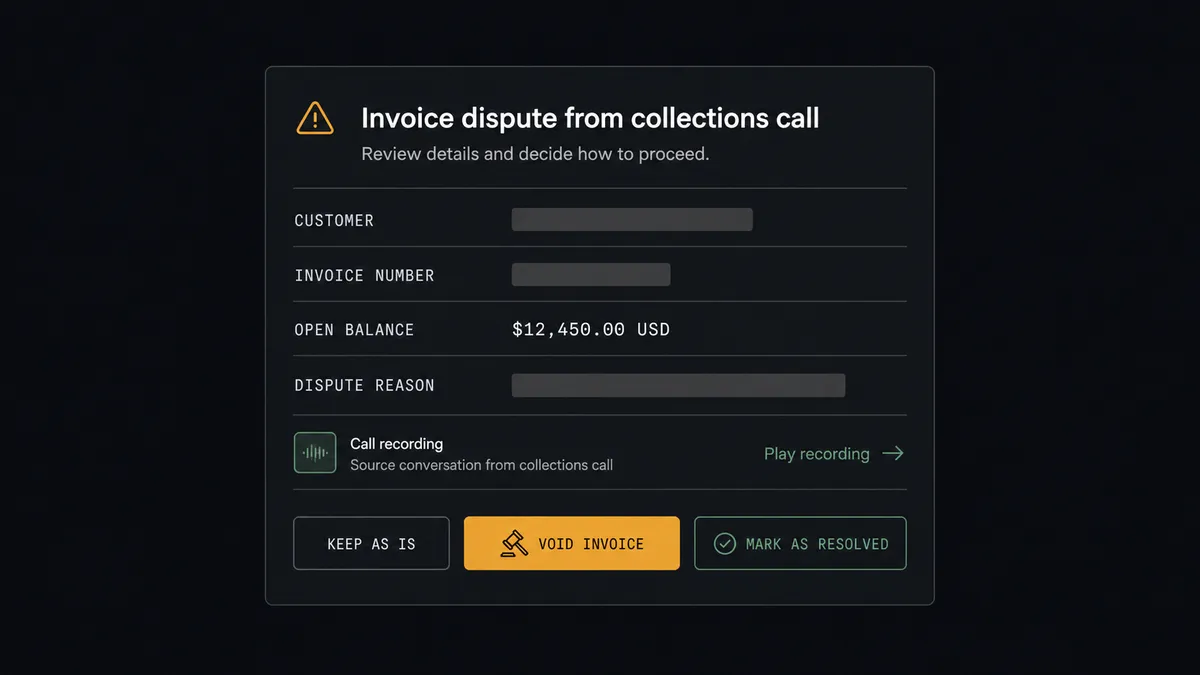
The consequential step is Void Invoice. Voiding is the ledger equivalent of shredding the receivable, and the pressure to do it often arrives mid-call, when a customer disputes a charge and the rep wants the friction gone. The agent never resolves that alone. It assembles the case: the invoice detail from Get Invoice, the customer’s payment record from Get Customer and List Payments, and the exact dispute from the call note. Then it invokes a human-in-loop flow it holds as a callable tool and the workflow pauses. The controller sees: “Customer [name] disputes invoice [number] for [balance], citing [reason from the call]. Payment history: [summary]. Approve void, offer partial credit, or hold and escalate?” Only after a named person decides does the ledger move, and the decision is recorded in the audit trail with a link to the call that prompted it.
That is the digital andon cord for your receivables: like Toyota’s line, the workflow stops the line the moment money is about to be erased, and the person accountable for the books makes the call.
FlowRunner vs Zapier
Zapier gets honest credit here. It has the largest connector catalog in the category, both QuickBooks Online and Aircall are well covered, and its template gallery makes a simple bridge, log a call, update a record, achievable in an afternoon by anyone. For lightweight glue between the two systems, it is a proven choice.
Collections is not lightweight glue. It is a daily prioritized queue, an interpretation of every call outcome, and occasionally a decision about erasing money. That is the architectural difference.
| What matters for this pair | FlowRunner | Zapier |
|---|---|---|
| Human-in-the-loop on Void Invoice | Native. The agent invokes an approval flow as a callable tool before the ledger moves | Available via added approval steps you insert into a Zap, not an agent’s own decision |
| Who runs the flow | An AI agent prioritizes the queue, reads outcomes, picks actions as tools | Predefined step sequence you configure per Zap |
| Users included | Unlimited users on every tier | Priced by task volume; seats vary by plan |
| Bring your own AI keys | Yes, BYOK | AI features tied to Zapier’s own AI offering |
| Self-hosted option | Yes, cloud-hosted or self-hosted, which matters for financial data | Cloud only |
| Pricing model | Transparent workflow-based tiers with clear execution limits | Per-task pricing, and daily queue-building across every invoice consumes tasks fast |
If you need one simple bridge, a call logged when it ends, Zapier does that with minimal setup. If you want the whole collections motion orchestrated, with judgment applied per call and a controller’s approval guarding the ledger, this pairing is the better fit.
Before and after
| Category | Before | After |
|---|---|---|
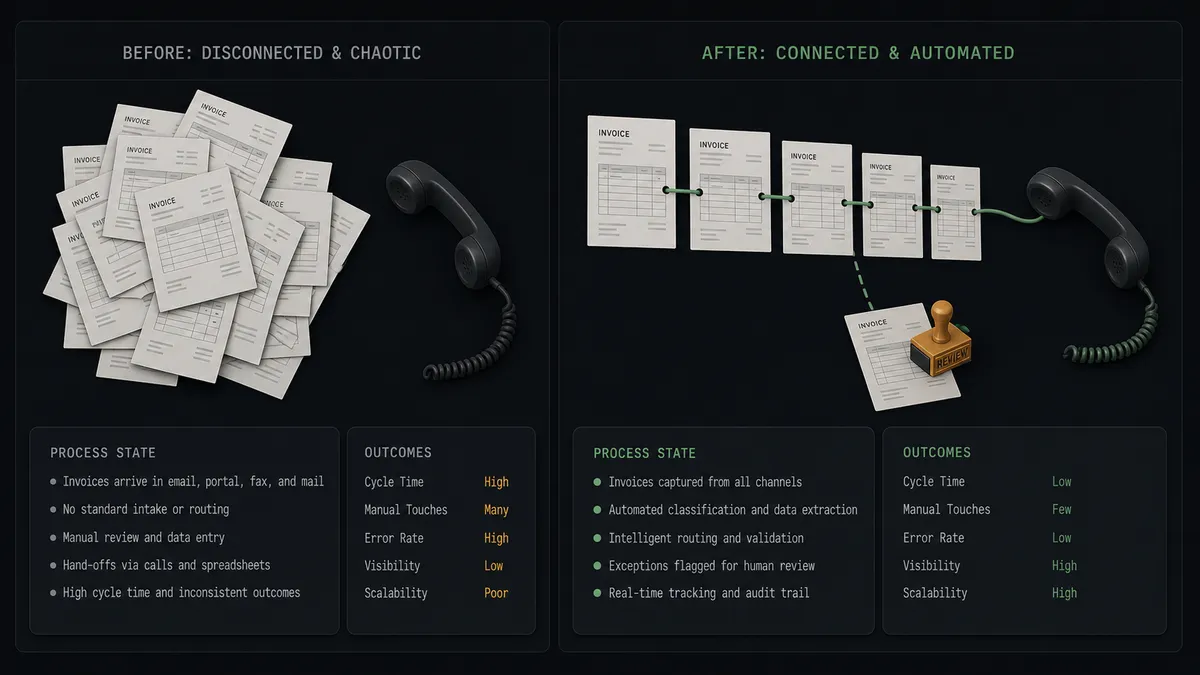
| The call queue | A printed aging report sorted by amount, re-exported every morning | A prioritized Aircall queue staged automatically, weighted by amount, age, and payment history |
| Call context | Callers dial from a bare list with no history of prior conversations | Every debtor is a named contact, and prior outcomes ride on the call record |
| Promise tracking | Promised payments live in personal notes and lapse silently | Promises are logged with dates and resurface in the next sweep when they slip |
| Re-sends | ”Never got the invoice” enters a to-do list and ages | Send Invoice delivers a fresh copy during or right after the call |
| Disputes | Contested invoices sit in limbo until quarter-end forces a blind decision | Disputes reach the controller as documented cases, and every void is approved and attributed |
What you can build
Aging report to prepared queue, hands off. List Invoices pulls the overdue set each morning, the agent enriches with Get Customer and List Payments, prioritizes, and stages the day’s calls via Create Contact and Update Contact in Aircall.
Outcome-logged receivables. Every completed call flows back through List Calls and Get Call, and the agent writes the outcome against the books’ context with Comment on Call, Add Tags to Call, and Add Link to Call.
On-call re-send. When the customer says the invoice never arrived, the agent pulls it with Get Invoice and fires Send Invoice while the conversation is still warm, noting the delivery on the call.
Controller-gated disputes. Disputed charges become documented cases routed to the controller; Void Invoice runs only after approval, and the audit trail ties the decision to the exact call.
Promise-to-pay follow-through. The agent tracks promised dates from call notes, checks List Payments as dates arrive, quietly closes the loop on kept promises, and re-queues the broken ones with their history attached.
Common questions
Is it free to connect QuickBooks Online and Aircall on FlowRunner? You can build and run the connection on FlowRunner’s free plan, which includes 100 executions a month and every integration with no credit card required, and new accounts also get 14 days of Professional. Both connectors are available on every FlowRunner tier, and every tier includes unlimited users and unlimited workflows.
Can I self-host the QuickBooks Online to Aircall workflow? Yes. FlowRunner offers a cloud-hosted option and a self-hosted option, so the connection can run inside your own environment.
Does the AI agent need my own OpenAI or Claude key? FlowRunner uses a bring-your-own-keys model, so you connect the AI provider key you already have. You are not locked to one model.
What happens when a customer disputes an invoice during a collections call? The agent packages the dispute: the invoice from Get Invoice, the customer’s history from Get Customer, and the call note. It posts the case to the controller and waits. Void Invoice or any credit only runs after a named person approves, and the decision is recorded with the call that prompted it.
Which events start the QuickBooks Online to Aircall workflow? Neither connector publishes a catalog trigger, so the workflow runs on a schedule. Each morning it calls List Invoices filtered to open and overdue invoices, and through the day it polls List Calls to pick up completed collections calls and log their outcomes.
Can the workflow re-send an invoice while the customer is on the phone? Yes. When the caller says they never received it, the agent pulls the record with Get Invoice and delivers a fresh copy by email through Send Invoice, then notes the re-send on the call with Comment on Call. No spreadsheet, no callback promise.
Getting started
Start on the free plan: 100 executions a month, every integration included, no credit card required, plus 14 days of Professional for new accounts. Both connectors are available on every tier, and every tier includes unlimited users and unlimited workflows.
Explore the integration details:
- QuickBooks Online integration (56 actions covering customers, invoices, payments, vendors, bills, and P&L reports)
- Aircall integration (33 actions covering calls, contacts, tags, teams, and webhooks)
Start building free at flowrunner.ai or book a demo to see a live QuickBooks Online to Aircall workflow, controller’s void gate and all.
Frequently asked questions
Is it free to connect QuickBooks Online and Aircall on FlowRunner?
You can build and run the connection on FlowRunner's free plan, which includes 100 executions a month and every integration with no credit card required, and new accounts also get 14 days of Professional. Both connectors are available on every FlowRunner tier, and every tier includes unlimited users and unlimited workflows.
Can I self-host the QuickBooks Online to Aircall workflow?
Yes. FlowRunner offers a cloud-hosted option and a self-hosted option, so the connection can run inside your own environment.
Does the AI agent need my own OpenAI or Claude key?
FlowRunner uses a bring-your-own-keys model, so you connect the AI provider key you already have. You are not locked to one model.
What happens when a customer disputes an invoice during a collections call?
The agent packages the dispute: the invoice from Get Invoice, the customer's history from Get Customer, and the call note. It posts the case to the controller and waits. Void Invoice or any credit only runs after a named person approves, and the decision is recorded with the call that prompted it.
Which events start the QuickBooks Online to Aircall workflow?
Neither connector publishes a catalog trigger, so the workflow runs on a schedule. Each morning it calls List Invoices filtered to open and overdue invoices, and through the day it polls List Calls to pick up completed collections calls and log their outcomes.
Can the workflow re-send an invoice while the customer is on the phone?
Yes. When the caller says they never received it, the agent pulls the record with Get Invoice and delivers a fresh copy by email through Send Invoice, then notes the re-send on the call with Comment on Call. No spreadsheet, no callback promise.