PandaDoc + HubSpot: Closed-Won Deals Become Signed Contracts
Connect PandaDoc and HubSpot so a closed-won deal builds its own contract from the record, with an AI agent that pauses for a human before the document ever reaches the client.

How do you connect PandaDoc to HubSpot?
Connect PandaDoc to HubSpot by triggering on a HubSpot deal moving to Closed Won, then having the agent call Get Template Details and Create Document from Template in PandaDoc to build the contract straight from the deal’s own data, before Send Document routes it for signature. FlowRunner is a visual AI-agent orchestration platform where automations run autonomously and pause for human judgment on the steps that carry real consequence. The same connection can run as an AI agent that reasons over the deal and the pricing table, then pauses for a human before the one step that reaches the client: sending the document.
The problem it solves
Right now, a closed-won deal in HubSpot triggers a manual scramble. A rep opens PandaDoc, picks a template, and retypes the client’s name, the products, and the pricing straight from the deal record into document fields by hand. Every retype is a chance for a pricing error to ship to the customer, and it does not fail quietly in a spreadsheet somewhere. It fails in the client’s inbox, with your company’s name on it. Meanwhile the deal desk or sales ops asks “did they sign yet” in a Slack channel several times a day, then goes and checks PandaDoc manually, because nothing pushes status back automatically.
The paperwork and the CRM drift apart from there. HubSpot says the deal is Closed Won, but nothing on the deal record shows whether a contract even went out, let alone whether it came back signed. The executed PDF lives in one rep’s inbox. Finding it during renewal season is archaeology. None of this is a judgment problem: nobody is deciding wrong, they are just retyping, polling, and filing by hand, and that is exactly the kind of exception-prone, manual work that falls through the cracks when the team is busy closing the next deal.
How it works: the connection
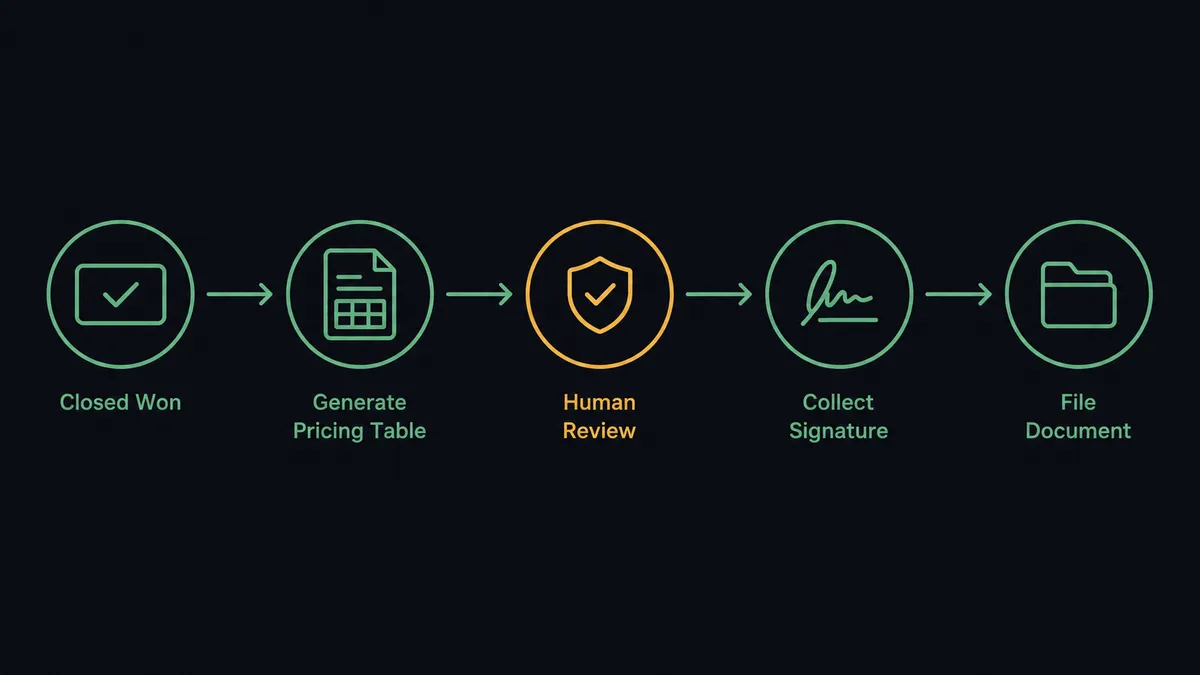
The trigger is a HubSpot deal stage change to Closed Won. From there, the agent runs the assembly and delivery sequence:
- Get Template Details pulls the contract template’s roles, tokens, and pricing table structure from PandaDoc.
- Create Document from Template builds the contract, assigning the client to the signer role and pre-filling every token and pricing line from the HubSpot deal record.
- Download Document PDF renders the exact draft the client would receive, before anyone outside the company sees it.
- Send Document routes the approved contract for signature, polling automatically until the draft state clears.
- Get Document Details confirms each recipient’s completion status as signatures come in, and returns the filled-in field values as structured data.
- Update Deal and Associate Objects write the signed status back to HubSpot, so the deal record and the paperwork agree.
Nobody opens a document editor and nobody retypes pricing. The contract matches the CRM because it was generated from the CRM.
Can an AI agent run it? (and why a human stays in the loop)
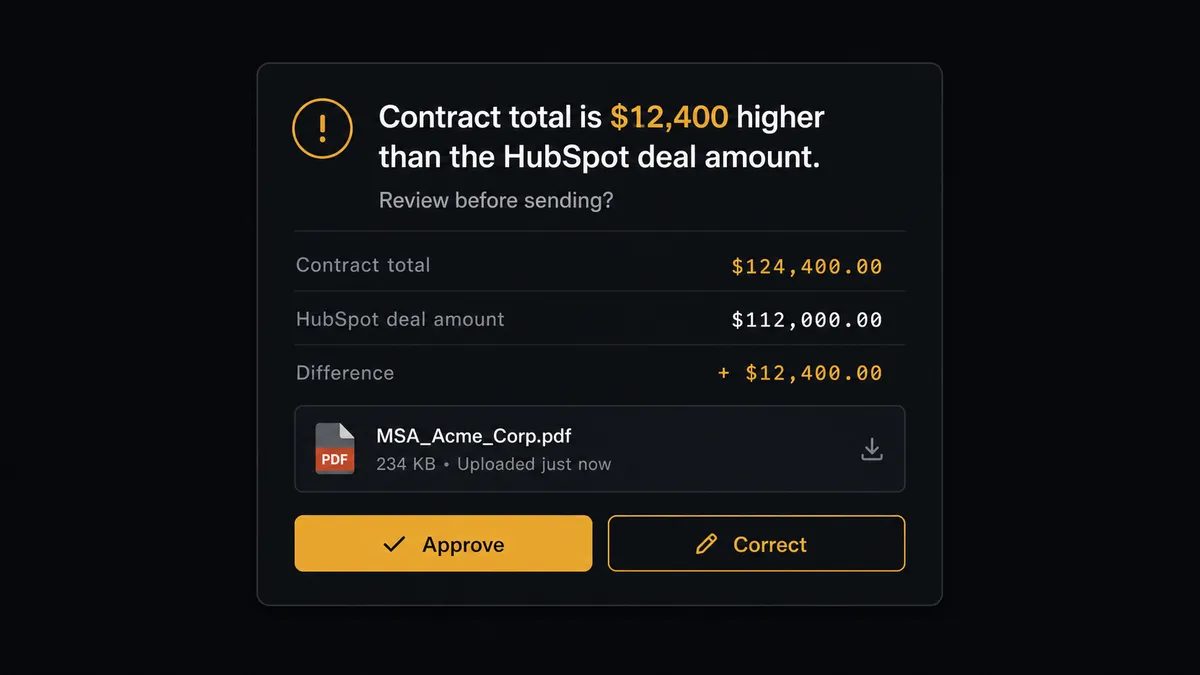
Yes, and this is where FlowRunner stops being a sync tool. A plain integration would fire Send Document the instant the document is built. FlowRunner’s agent reads the data first: it compares the pricing table’s grand total, pulled from Get Document Details, against the deal amount recorded in HubSpot. If they match and the template is a standard one, the agent still stops, because sending is the write that reaches a customer and it cannot be taken back once the client’s inbox has it.
Say the pricing table totals $12,400 more than the HubSpot deal amount, because a rep added a line item after the deal was marked won. The agent does not silently resolve that. It packages the mismatch, the deal record, and the rendered draft PDF, and sends the account owner a Slack message: “Contract total is $12,400 higher than the HubSpot deal amount. Review before sending?” The account owner opens the draft next to the deal, approves it, corrects it, or kicks it back. Only then does Send Document fire. This is not a hardcoded threshold checking “if amount changed, ask.” The agent is evaluating the specific mismatch it found and deciding that this one carries enough weight to stop for a person. Think of it as a digital andon cord: the agent pulls it the moment something looks off, not on a fixed rule written months ago.
The same discipline shows up on the HubSpot side. When the agent finds two contacts that could match the signer’s email, it does not silently pick one and attach the contract to the wrong record. It pauses and asks a CRM admin which contact is correct, the same way it pauses the account owner before a document goes out. Every pause, every response, and every decider’s identity lands in the audit trail.
FlowRunner vs Zapier
Sales teams already living in HubSpot often reach for Zapier first, and it earns that. Zapier’s app catalog is enormous, its point-and-click setup is genuinely fast for a two-step zap, and most reps already have some familiarity with it from other tools. For a simple “new deal creates a document” trigger, Zapier gets something running in minutes.
Where the two diverge is what happens at the moment that matters: sending the contract. Zapier fires the next step the instant the trigger condition is met. It has no native concept of pausing mid-workflow for a person to look at the actual document before it goes out.
| FlowRunner | Zapier | |
|---|---|---|
| Human review before send | Native: the agent pauses and routes the draft to a person as a callable step | Not built in; requires a separate manual check outside the zap |
| Reasoning over the data | Agent compares deal amount to pricing table total and decides whether to escalate | Rule-based triggers only; no judgment over the content |
| Pricing model | Transparent workflow-based tiers with clear execution limits | Per-task pricing that gets harder to predict as volume grows |
| Team access | Unlimited users and workflows on every tier | User and zap limits scale with plan tier |
| AI provider | BYOK: bring the AI provider you already use | Requires separate AI app connections per workflow |
Before and after
| Before | After | |
|---|---|---|
| Contract assembly | Deal data retyped by hand into PandaDoc, and pricing errors ship to the client | Contract builds itself from the closed-won deal through templates, tokens, and pricing tables |
| Signature status | Someone asks “did they sign yet” in Slack several times a day | Webhook subscriptions announce sent, viewed, and completed the moment they happen |
| Signed contract location | Executed PDF lives in one rep’s inbox, and finding it at renewal is archaeology | Completed PDF downloads automatically to storage, filed and watermarked |
| CRM accuracy | HubSpot deal says Closed Won, but nothing shows whether the contract went out or came back signed | Update Deal and Associate Objects log the signed contract against the deal the moment it completes |
| Lead-to-deal setup | Reps create contacts, companies, and deals by hand from every inbound signal | Contact created, associated, and deal opened automatically, in under 30 seconds |
What you can build
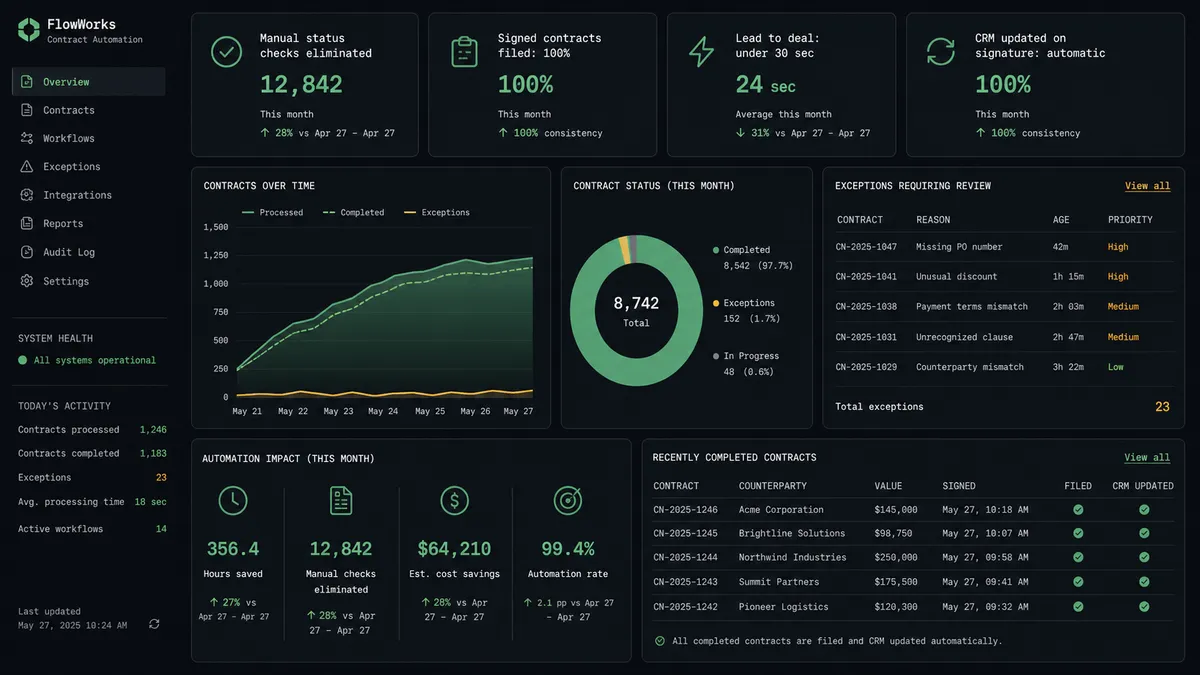
Closed-won to signed contract. The moment a HubSpot deal hits Closed Won, the agent builds the contract from the template, holds for the account owner’s review, and sends it. No rep touches PandaDoc.
Silent send through your own channel. The agent calls Send Document with Silent enabled so PandaDoc emails nobody, then Create Document Link mints a signing session that posts to the deal’s Slack channel instead, so the account team delivers it personally.
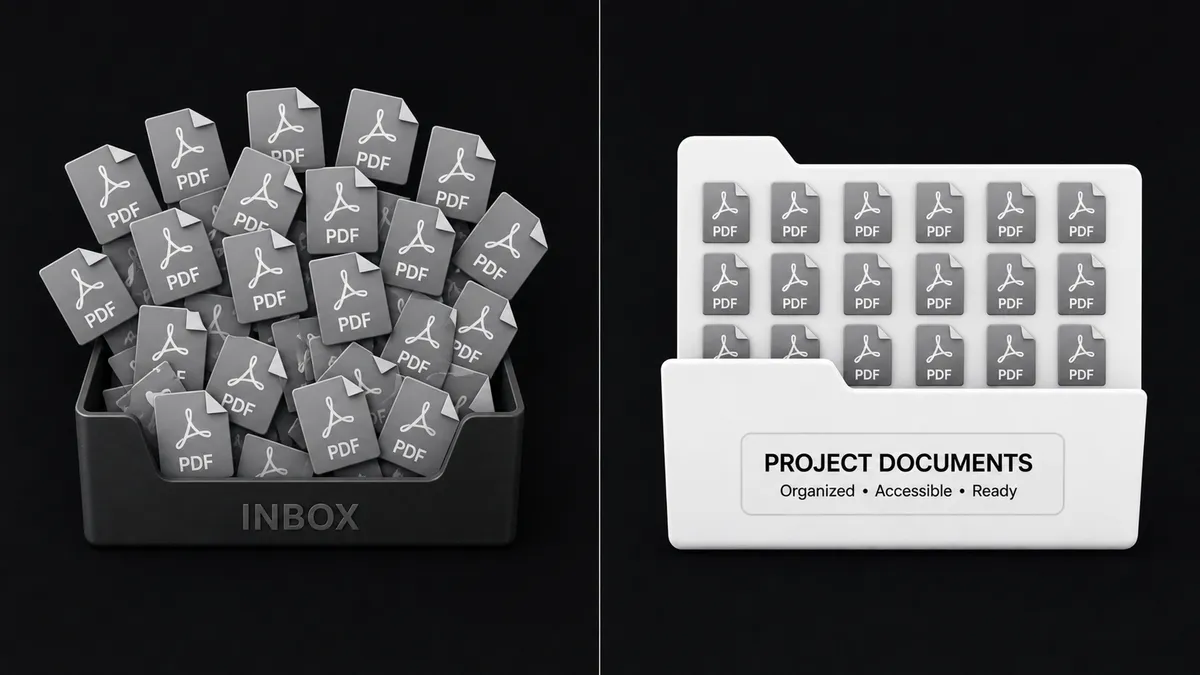
Renewal-ready archive. A webhook subscription fires on document completion. The agent downloads the signed PDF, files it to storage, and updates the HubSpot deal, so renewal season starts with a searchable archive instead of an inbox hunt.
Duplicate-safe intake before any contract goes out. On every inbound lead, the agent calls Get Contact by Email before creating a new contact, so a contract never gets generated against a record that turns out to be a duplicate.
Stalled-deal nudge before the signing link expires. Every Friday, the agent queries HubSpot for deals sitting in Negotiation past 14 days and messages the owner in Slack, catching contracts that are sent but going stale before the Create Document Link expiry runs out.
Common questions
Is it free to connect PandaDoc and HubSpot on FlowRunner? FlowRunner has a free plan with 100 executions a month, every integration included, and no credit card required, and new accounts get 14 days of Professional on top. Beyond the free plan, Growth starts at $45/mo for 12,000 executions.
Can I self-host the PandaDoc and HubSpot connection? Yes. The Community Edition is free for a single self-hosted instance, and the self-hosted Enterprise tier adds multi-instance clustering and the full compliance suite for teams that need the deal and document data to stay on their own infrastructure.
Does the agent need my own OpenAI key? FlowRunner uses a bring-your-own-key model, so you connect the AI provider you already use and the agent runs on your key rather than a shared pool.
What happens when the agent isn’t sure a contract is ready to send? The agent does not send. It renders the draft with Download Document PDF, flags what looks off (a pricing table total that doesn’t match the HubSpot deal amount, for example), and routes the draft to the account owner for a decision before Send Document ever fires.
Does this replace the templates and pricing tables I already built in PandaDoc? No. The agent calls Get Template Details to read your existing templates, roles, and pricing tables exactly as you built them; it fills them from the HubSpot deal instead of a rep retyping the fields.
Can the flow run in reverse, from PandaDoc into HubSpot? Yes. A completed-document webhook can trigger the agent to call Update Deal and Associate Objects in HubSpot, logging the signed contract against the deal the moment PandaDoc reports it complete.
Getting started
FlowRunner has a free plan with 100 executions a month, every integration included, and no credit card required, and new accounts get 14 days of Professional on top. Connect PandaDoc and HubSpot, pick the Closed Won trigger, and let the agent build the first contract while a human still signs off on what gets sent.
Start free at flowrunner.ai, or book time to walk through your own deal-to-contract flow at calendly.com/flowrunner/intro.
Frequently asked questions
Is it free to connect PandaDoc and HubSpot on FlowRunner?
FlowRunner has a free plan with 100 executions a month, every integration included, and no credit card required, and new accounts get 14 days of Professional on top. Beyond the free plan, Growth starts at $45/mo for 12,000 executions.
Can I self-host the PandaDoc and HubSpot connection?
Yes. The Community Edition is free for a single self-hosted instance, and the self-hosted Enterprise tier adds multi-instance clustering and the full compliance suite for teams that need the deal and document data to stay on their own infrastructure.
Does the agent need my own OpenAI key?
FlowRunner uses a bring-your-own-key model, so you connect the AI provider you already use and the agent runs on your key rather than a shared pool.
What happens when the agent isn't sure a contract is ready to send?
The agent does not send. It renders the draft with Download Document PDF, flags what looks off (a pricing table total that doesn't match the HubSpot deal amount, for example), and routes the draft to the account owner for a decision before Send Document ever fires.
Does this replace the templates and pricing tables I already built in PandaDoc?
No. The agent calls Get Template Details to read your existing templates, roles, and pricing tables exactly as you built them; it fills them from the HubSpot deal instead of a rep retyping the fields.
Can the flow run in reverse, from PandaDoc into HubSpot?
Yes. A completed-document webhook can trigger the agent to call Update Deal and Associate Objects in HubSpot, logging the signed contract against the deal the moment PandaDoc reports it complete.