How to Connect Outlook with Tally (With or Without an AI Agent)
Connect Tally form submissions to Outlook so every inquiry gets a contact record, a drafted reply, and a calendar slot, with an AI agent that answers routine requests automatically and pauses for a human before a reply that commits the business goes out.

How do you connect Outlook to Tally?
You connect Outlook to Tally by having Tally’s On New Submission trigger drive Outlook actions: the workflow pulls the respondent’s answers with Get Submission, files them with Create Contact, writes a personalized reply with Create Draft Email, and releases it with Send Draft Email, so a form inquiry becomes an answered email and a booked calendar slot instead of an unread notification. FlowRunner is a visual AI-agent orchestration platform where automations run autonomously and pause for human judgment on the steps that carry real consequence. The same connection can run as an AI agent that answers routine requests on its own and pauses for a named human before any reply that quotes, promises, or schedules leaves the drafts folder.
The problem it solves
Right now the person behind your inquiry form is your inbox. A consultation request or booking inquiry lands in Tally, a notification email arrives in Outlook, and it waits there with everything else. Someone reads it, retypes the respondent’s details into a contact, writes a reply from scratch, checks the calendar in another window, and proposes a time. Do this well and it takes minutes per inquiry. Do it at volume and inquiries from Tuesday get answered Thursday.
The edges are what cost you. The urgent request phrased politely sits in the queue behind routine ones. Two people answer the same inquiry with different meeting times. A reply quotes a price from an outdated sheet because the person answering was moving fast. And every unanswered day teaches the prospect something about how you operate. Speed of response is an operations metric wearing a sales costume, and a form feeding an unmanaged inbox loses it by default.
How it works: the connection
The connection listens to Tally and writes to Outlook. Here is the plain version, grounded in the real connector actions.
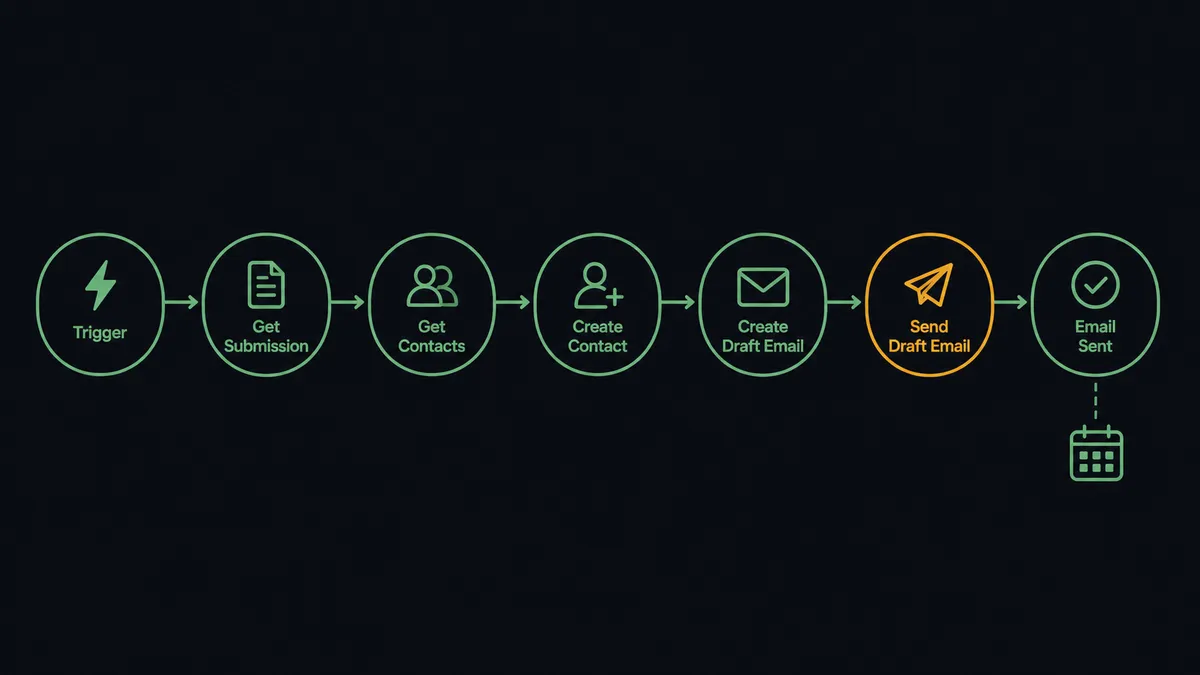
- Trigger: Tally fires On New Submission the moment a respondent submits the form.
- Read: The workflow calls Get Submission to pull the full set of answers, and List Form Questions when it needs the field labels to interpret them.
- Check for history: It calls Get Contacts to see whether this respondent already exists, so a returning inquirer is recognized.
- File the contact: It calls Create Contact for new respondents, or Update Contact to refresh an existing record.
- Draft the reply: It calls Create Draft Email with a response built from the actual answers: their question acknowledged, the relevant information included, a meeting slot proposed.
- Check the calendar: For meeting requests, it calls Get Calendar Events to find open time before proposing a slot.
- Send and book: It calls Send Draft Email to release the reply and Create Calendar Event to put the meeting on the calendar.
That is the “just connect them” answer. Inquiries get answered while they are fresh, contacts file themselves, and the calendar and the correspondence stop disagreeing.
Can an AI agent run it? (and why a human stays in the loop)
Yes, and this pair gives the human gate an unusually natural shape. An AI agent reads each submission and holds the Outlook actions as tools: Create Contact, Create Draft Email, Send Email, Send Draft Email, Get Calendar Events, Create Calendar Event. It reasons about what the respondent is asking, drafts a reply grounded in their actual words, and decides how the reply should leave.
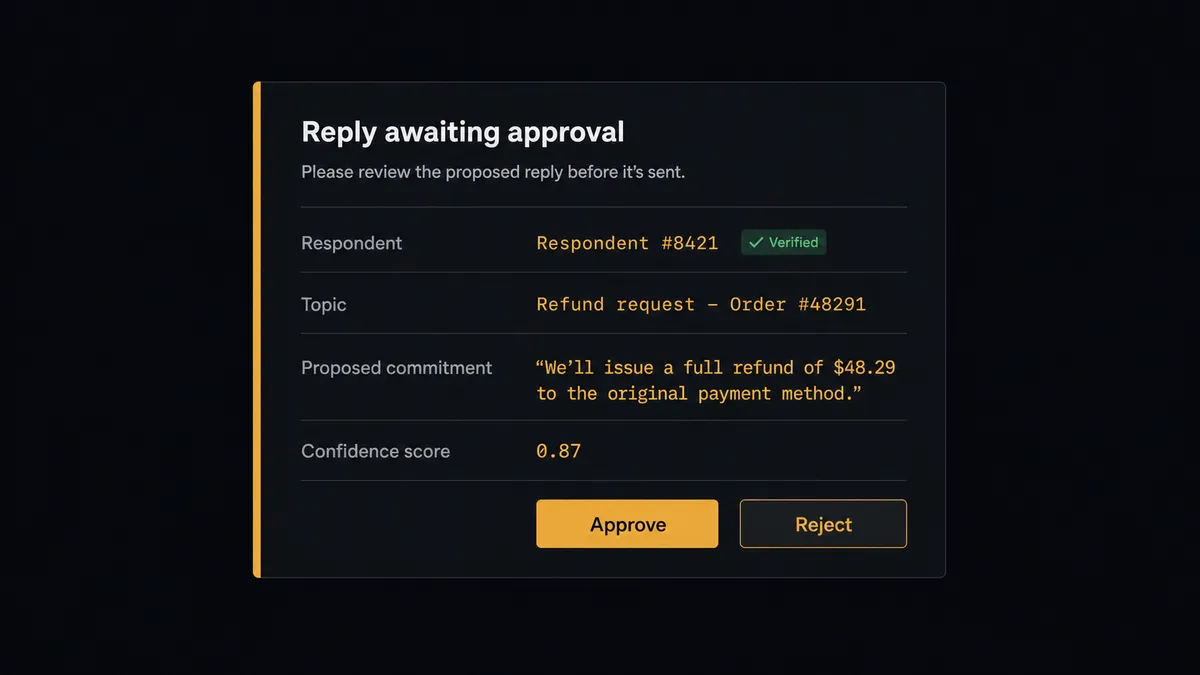
The consequential step is the send. An email from your business mailbox is your business speaking, and a reply that quotes a price, promises a delivery date, or confirms a meeting is a commitment. So the agent splits the traffic. A routine acknowledgment goes out directly with Send Email. Anything that commits the business becomes a Create Draft Email, and the agent invokes a human-in-loop flow it holds as a callable tool. The workflow pauses and posts to the team channel: “Reply drafted for [name], who asked about [topic]. The draft proposes [commitment]. Approve to send?” A person reads the draft, edits it in place if needed, and approves. Only then does Send Draft Email run, followed by Create Calendar Event so the booking matches the words that went out. The approver and timestamp land in the audit trail.
Notice what the drafts folder becomes here: a review queue that Outlook already understands. Nothing waits in a proprietary limbo; the pending reply sits where any teammate can read it. Prospects call this pattern a digital andon cord: like Toyota’s quality control pull cord, the workflow stops the line the moment the words start to carry weight, and a person restarts it with one click.
FlowRunner vs Zapier
Zapier is the natural first reach for a Tally to Outlook connection, and it deserves the reputation. The template gallery covers form-notification recipes well, setup is genuinely quick, and a Zap that emails you each new submission works on the first try. Credit where it is due.
The difference is what happens after the notification. A Zap forwards the submission; it does not read it, draft a considered reply, check the calendar, or know that some sends deserve a witness. Here is the honest side-by-side.
| What matters for this pair | FlowRunner | Zapier |
|---|---|---|
| Human-in-the-loop on outbound replies | Native. The agent drafts with Create Draft Email and pauses until a named approver releases Send Draft Email | Available via added approval steps or paths, not a native agent decision |
| Who runs the flow | An AI agent reads the inquiry, reasons, and picks actions as tools | Predefined step sequence you configure per Zap |
| Users included | Unlimited users on every tier | Priced by task volume; seats vary by plan |
| Bring your own AI keys | Yes, BYOK. Connect the AI provider key you already have | AI features tied to Zapier’s own AI offering |
| Self-hosted option | Yes, cloud-hosted or self-hosted | Cloud only |
| Pricing model | Transparent workflow-based tiers with clear execution limits | Per-task pricing that can be hard to predict as volume grows |
If all you need is a notification when someone fills the form, Zapier does that simply and well. If you want each inquiry answered with a real reply, a synced calendar, and a human on every send that commits the business, that is where FlowRunner is the better fit.
Before and after
| Category | Before | After |
|---|---|---|
| Response time | Inquiries wait in the inbox until someone works the queue | The agent drafts the reply the moment On New Submission fires |
| Contact records | Respondent details get retyped into contacts, or never filed at all | Create Contact files every respondent automatically, deduplicated against Get Contacts |
| Reply quality | Answers vary by who wrote them and how rushed the day was | Every draft is grounded in the respondent’s actual answers, and committing replies pass a named reviewer |
| Scheduling | The reply proposes times from memory, then the calendar disagrees | Get Calendar Events checks availability first, and Create Calendar Event books the approved slot |
| Accountability | Nobody can say who promised what to which prospect | Every approved send carries the approver’s name and timestamp in the audit trail |
What you can build
Inquiry desk with a review queue. On New Submission fires. The agent files the respondent with Create Contact, drafts a grounded reply with Create Draft Email, and routes committing replies through approval before Send Draft Email releases them.
Booking flow that keeps its promises. A booking form feeds the agent. It checks Get Calendar Events for real availability, proposes a slot in the reply, and books with Create Calendar Event only after the approved confirmation goes out.
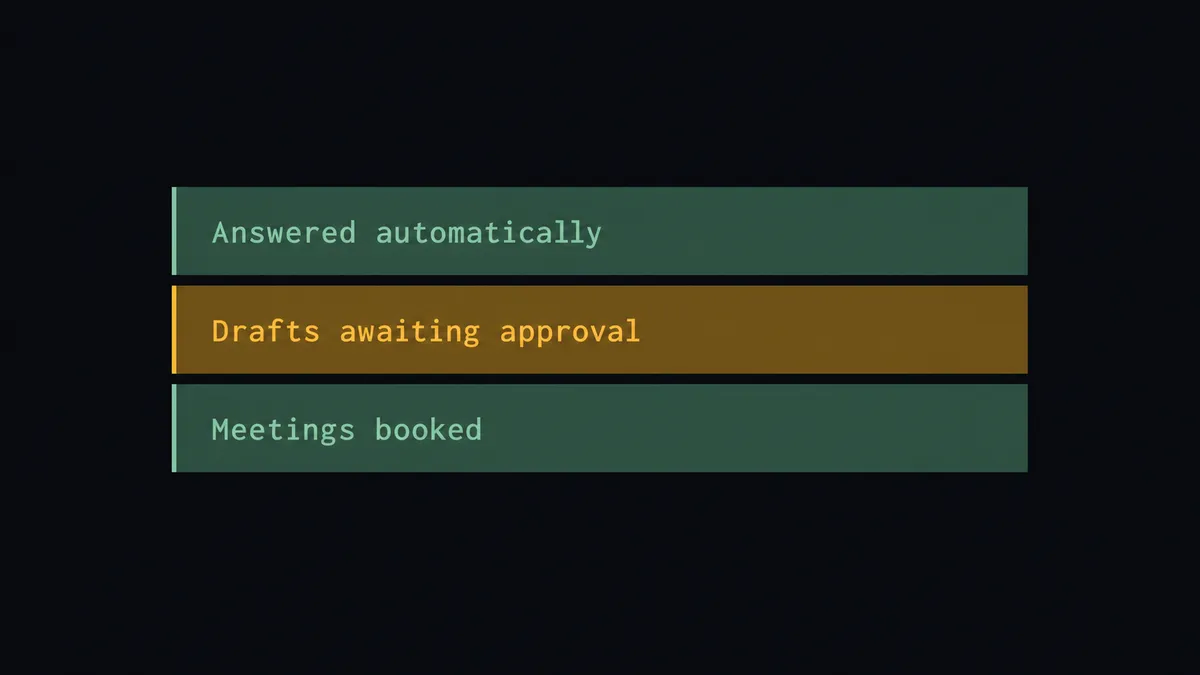
Triage by urgency, not arrival order. The agent reads every submission and answers routine ones directly with Send Email, while urgent or high-stakes inquiries jump the queue to a human with the draft already written.
Returning-contact recognition. Get Contacts identifies a respondent who has written before. The agent pulls the prior thread context with Get Emails, references it in the draft, and updates the record with Update Contact, so nobody is greeted like a stranger twice.
Follow-up that does not slip. After a booked meeting, the agent drafts the recap with Create Draft Email and schedules the next touch with Create Calendar Event, keeping the thread alive without anyone maintaining a reminder list.
Getting started
Start on the free plan: 100 executions a month, every integration included, no credit card required, plus 14 days of Professional for new accounts. Both connectors are available on every tier, and every tier includes unlimited users and unlimited workflows, so the person who owns the form and the people who approve replies share one workspace from day one.
Explore the integration details:
- Outlook integration (21 actions covering email, drafts, contacts, and calendar across Microsoft 365)
- Tally integration (1 real-time trigger and 15 actions covering forms, submissions, and webhooks)
Start building free at flowrunner.ai or book a demo to see a live Tally to Outlook workflow, send approval and all.
Frequently asked questions
Is it free to connect Outlook and Tally on FlowRunner?
You can build and run the connection on FlowRunner's free plan, which includes 100 executions a month and every integration with no credit card required, and new accounts also get 14 days of Professional. Both connectors are available on every FlowRunner tier, and every tier includes unlimited users and unlimited workflows.
Can I self-host the Tally to Outlook workflow?
Yes. FlowRunner offers a cloud-hosted option and a self-hosted option, so the connection can run inside your own environment.
Does the AI agent need my own OpenAI or Claude key?
FlowRunner uses a bring-your-own-keys model, so you connect the AI provider key you already have. You are not locked to one model, and you control which provider runs the agent.
What happens when a submission asks something the agent cannot answer confidently?
It does not improvise in your name. The agent writes what it can as a draft with Create Draft Email, flags the open question, and posts the case to your team's channel. The reply leaves the drafts folder only after a person edits or approves it, and Send Draft Email runs with their name on the approval.
Which Tally trigger starts the Outlook workflow?
On New Submission, Tally's real-time trigger. It fires the moment a respondent submits the form, and the workflow calls Get Submission to pull the full set of answers before any Outlook action runs.
Can the workflow schedule meetings from form submissions?
Yes. When a submission requests a meeting, the agent checks availability with Get Calendar Events, proposes a slot in the reply, and books it with Create Calendar Event once the human-approved reply goes out, so the confirmation and the calendar never disagree.