How to Connect Outlook with Braintree (With or Without an AI Agent)
Turn refund requests in a shared Outlook inbox into verified Braintree refunds or voids, with an AI agent that checks the transaction first and pauses for a finance owner before any money moves.
How do you connect Outlook to Braintree?
Neither service exposes a trigger, so you connect Outlook to Braintree with a polling workflow: Get Emails reads the billing inbox every 15 minutes, each refund request is verified against the gateway with Search Transactions and Get Transaction, and the charge is reversed with Refund Transaction if it has settled or Void Transaction if it has not. FlowRunner is a visual AI-agent orchestration platform where automations run autonomously and pause for human judgment on the steps that carry real consequence. Run as an AI agent, the same connection reads each request, verifies the claim before anyone spends attention on it, and pauses for a named finance owner before any money moves.
The problem it solves
Today a refund request is an email that waits for two people. It lands in the billing inbox and sits until someone triages it. Then it waits again, because the person who triaged it is not the person with Braintree access. That person opens the gateway, hunts for the transaction by date and amount, checks whether it settled, checks whether it was already refunded once, and finally clicks the button. A routine refund takes days not because the work is hard but because it crosses an inbox, a login, and two calendars.
The edges are where it costs real money. An unsettled authorization gets refunded instead of voided, holding the customer’s funds longer than anyone intended. A second refund goes out on a charge that was already reversed, because the first one lived in someone’s sent mail rather than a system. An amount gets fat-fingered. And when a customer disputes the handling later, the decision trail is a DM thread and a memory. The gateway is precise about every transaction; the process wrapped around it is an inbox.
How it works: the connection
The connection reads from Outlook, verifies against Braintree, and closes the loop in both. Here is the plain version, grounded in the real connector actions.
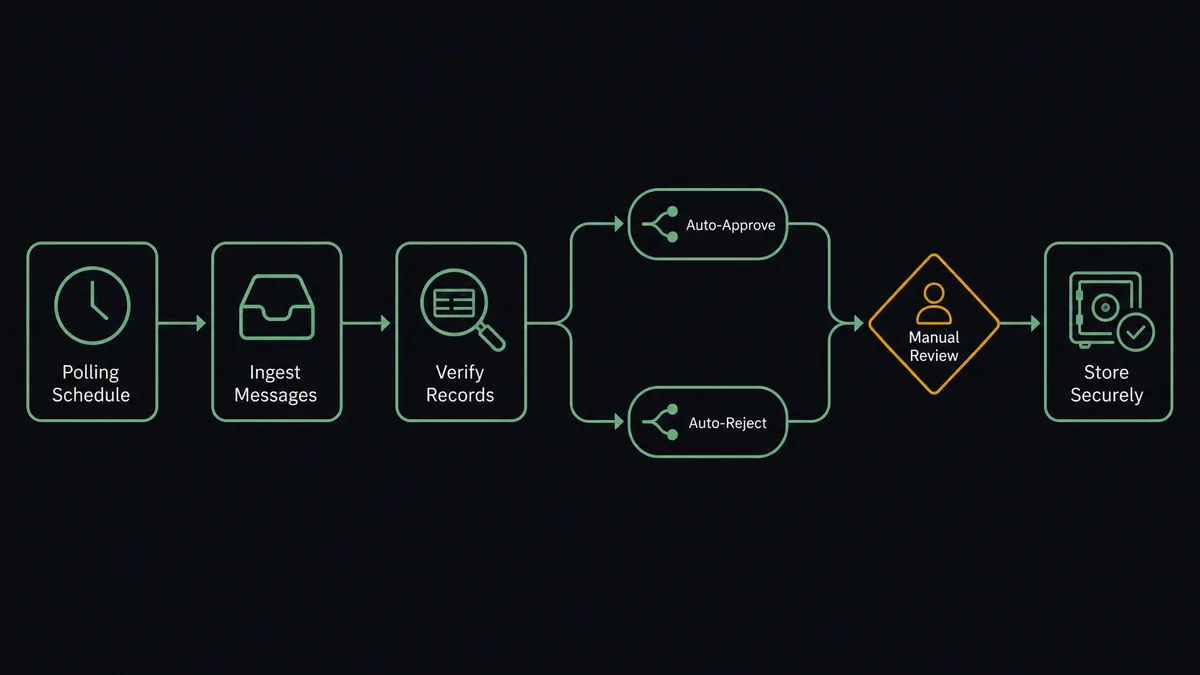
- Trigger: On a schedule, Get Emails polls the billing inbox every 15 minutes for new messages.
- Read: The workflow pulls each new message with Get Email and classifies it: refund request, billing question, receipt request, or noise.
- Extract: For refund requests, it extracts the order reference, customer email, and requested amount from the message.
- Verify: It calls Search Transactions to find the charge, then Get Transaction to confirm the amount, the settlement state, and whether a prior refund exists.
- Route by state: Settled charges go down the Refund Transaction path; unsettled authorizations go to Void Transaction, which releases the funds faster.
- Reply: It stages the customer response with Create Draft Email, quoting the verified transaction, and releases it with Send Draft Email once the reversal executes.
- File: Handled threads are moved out of the active queue, and billing questions that are not refunds get forwarded to the right owner with Forward Email.
That is the “just connect them” answer. Every request arrives at a decision point already verified, and the void-versus-refund call is made by the settlement state instead of by whoever remembered the difference.
Can an AI agent run it? (and why a human stays in the loop)
Yes, and this is where the connection earns its keep. Instead of a fixed pipeline that turns every email containing the word refund into a task, an AI agent reads the request and reasons about it. It holds the real actions as tools: Get Emails, Create Draft Email, Send Draft Email, Reply to Email, Forward Email on the mail side; Search Transactions, Get Transaction, Refund Transaction, Void Transaction, Capture Transaction on the gateway side. A vague complaint gets a clarifying draft asking for the order reference. A clean request gets verified end to end before a person ever sees it. A message that is actually a receipt request never enters the refund path at all.
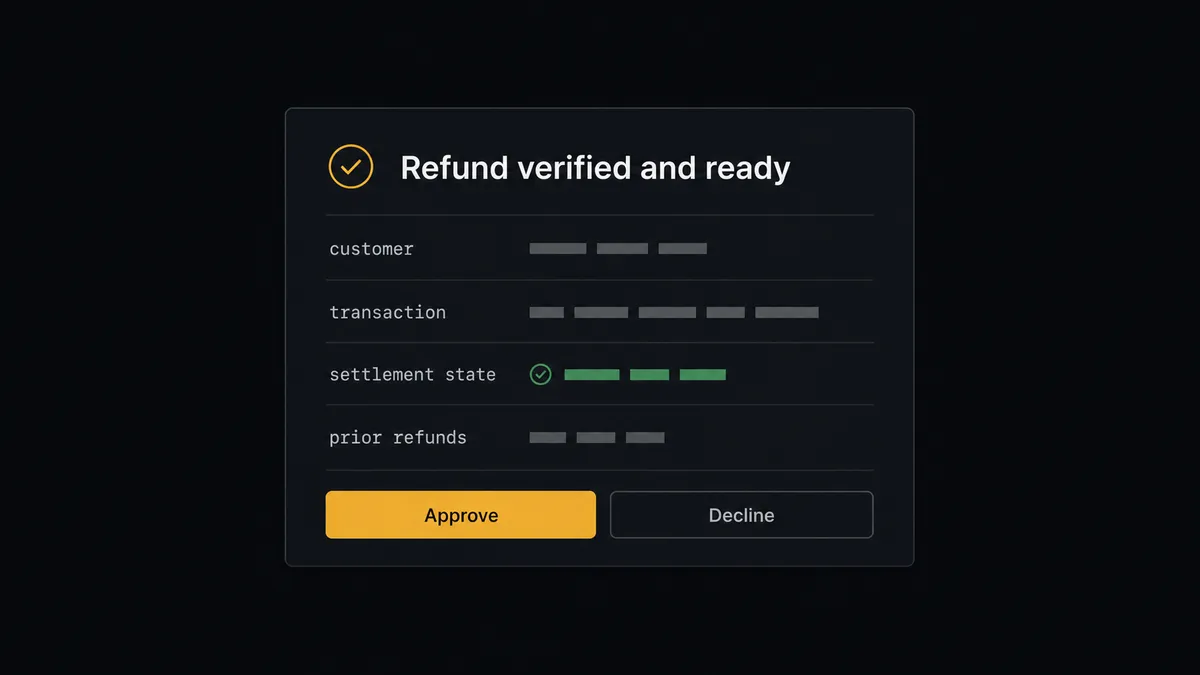
The consequential step is money leaving through the gateway. Refund Transaction is not undoable: once it executes, the funds move. So the agent never fires it on its own judgment. It packages what a finance owner needs to decide in one glance: the customer, the verified transaction ID, the original amount, the requested amount, the settlement state, and the customer’s history of prior refunds. Then it invokes a human-in-loop flow it holds as a callable tool. The workflow pauses and posts to the finance channel: “Refund request from [customer] against transaction [ID]. Original charge [amount], requested [amount], settled, no prior refund. Approve to execute?” One click, and only then does Refund Transaction run. The approver’s name and the timestamp land in the audit trail next to the transaction ID.
The agent also escalates on pattern, not just size. A second refund request from the same customer inside a short window gets flagged even when each amount is small. An amount that exceeds the original charge stops the line immediately. Prospects call this a digital andon cord: like Toyota’s quality control pull cord, the workflow stops the line the moment it hits uncertainty, and your team pulls it back into motion.
FlowRunner vs Zapier
Most operations teams connecting an inbox to a payment gateway look at Zapier first, and the instinct is sound. Zapier has an enormous connector library, a template gallery that covers email parsing patterns, and a setup experience a non-technical person can finish in an afternoon. For simple notification flows, like posting to a channel when a billing email arrives, it is quick and it works.
The difference is what happens at the step where money moves. FlowRunner is built around native human-in-the-loop and AI-agent orchestration, where the agent verifies the claim and a named person clears the execution. Here is the honest side-by-side.
| What matters for this pair | FlowRunner | Zapier |
|---|---|---|
| Human-in-the-loop on refunds and voids | Native. The agent invokes an approval flow as a callable tool and pauses before Refund Transaction or Void Transaction | Approval-style steps can be added to a Zap; the gate is a configured step, not an agent’s judgment about the specific claim |
| Who runs the flow | An AI agent reads the request, verifies the transaction, and picks actions as tools | A predefined step sequence you configure per Zap |
| Users included | Unlimited users on every tier | Priced by task volume; seats vary by plan |
| Bring your own AI keys | Yes, BYOK | AI features tied to Zapier’s own AI offering |
| Self-hosted option | Yes, cloud-hosted or self-hosted | Cloud only |
| Pricing model | Transparent workflow-based tiers with clear execution limits | Per-task pricing that gets harder to predict as email volume grows |
If you need a light notification when billing email arrives, Zapier will do it well. If you want requests verified against the gateway, the void-versus-refund call made correctly every time, and a named approver on every dollar that leaves, that is where FlowRunner is the better fit.
Before and after
The shift is qualitative: the refund path stops depending on who has gateway access and when.
| Category | Before | After |
|---|---|---|
| Request intake | Refund emails sit in the billing inbox until someone triages the pile | Every message is classified within the 15-minute polling cycle and refund requests enter a verified queue |
| Verification | Someone hunts the gateway by date and amount, hoping the match is right | Search Transactions and Get Transaction confirm amount, settlement state, and prior refunds before any decision |
| Void vs refund | Depends on whether the person remembered the difference | The settlement state picks the path automatically, every time |
| Approval record | A DM saying “go ahead” that nobody can find later | A named approver, transaction ID, and timestamp in the audit trail for every reversal |
| Customer communication | The confirmation email happens if someone remembers to send it | Send Draft Email confirms with the transaction reference the moment the reversal executes |
What you can build
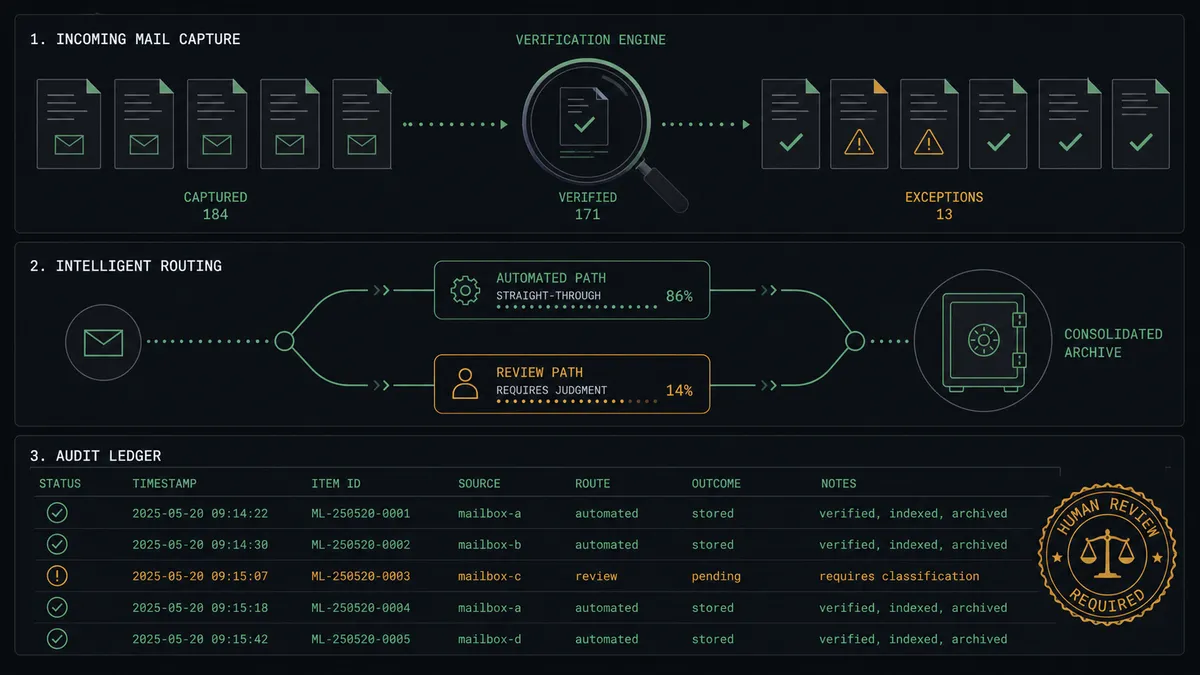
The verified refund queue. Get Emails classifies the inbox, Search Transactions and Get Transaction verify each claim, and the finance owner sees only decisions, never detective work. Approval executes Refund Transaction or Void Transaction and the customer gets the confirmation in-thread.
The two-step checkout completer. For authorize-first sales confirmed over email, the agent matches the confirmation to the open authorization with Get Transaction and executes Capture Transaction, holding above-threshold captures for approval so nothing large settles unseen.
The billing question router. Messages that are questions rather than refund claims get answered from the transaction record: the agent pulls the charge with Search Transactions and stages a reply quoting date, amount, and status with Reply to Email, so customers get answers without anyone opening the gateway.
The daily reconciliation digest. Each morning the agent runs Search Transactions over the prior day, matches results against the refunds and voids it executed, and emails the summary to finance with Send Email, so close reads a report instead of rebuilding one.
The repeat-claim sentinel. The agent keeps a memory of refund history per customer via Search Transactions. A second claim inside the window stops the line and routes to the finance owner with both transactions attached, even when each amount alone would have passed under policy.
Getting started
Start on the free plan: 100 executions a month, every integration included, no credit card required, plus 14 days of Professional for new accounts. Both connectors are available on every tier, and every tier includes unlimited users and unlimited workflows, so the finance owner who approves refunds is not an extra seat.
Explore the integration details:
- Outlook integration (21 actions covering email, drafts, folders, contacts, and calendar)
- Braintree integration (8 actions covering charges, captures, refunds, voids, and transaction search)
Start building free at flowrunner.ai or book a demo to see a live Outlook to Braintree workflow, refund approval and all.
Frequently asked questions
Is it free to connect Outlook and Braintree on FlowRunner?
You can build and run the connection on FlowRunner's free plan, which includes 100 executions a month and every integration with no credit card required, and new accounts also get 14 days of Professional. Both connectors are available on every FlowRunner tier, and every tier includes unlimited users and unlimited workflows.
Can I self-host the Outlook to Braintree workflow?
Yes. FlowRunner offers a cloud-hosted option and a self-hosted option, so the connection can run inside your own environment.
Does the AI agent need my own OpenAI or Claude key?
FlowRunner uses a bring-your-own-keys model, so you connect the AI provider key you already have. You are not locked to one model.
What happens when the agent cannot match a refund request to a transaction?
Nothing moves. When Search Transactions returns no clean match, or the requested amount exceeds the original charge, the agent stages a clarifying reply with Create Draft Email and routes the case to the finance owner with everything it found attached. Money only moves against a verified transaction record.
Neither Outlook nor Braintree has a trigger, so what starts the workflow?
A schedule. The workflow polls the billing inbox with Get Emails every 15 minutes and classifies each new message. Refund requests then flow through Search Transactions and Get Transaction for verification before any decision is made.
How does the workflow decide between Refund Transaction and Void Transaction?
Settlement state picks the path. A settled charge is refunded with Refund Transaction; an authorization that has not settled is voided with Void Transaction, which releases the customer's funds faster. The agent reads the state from Get Transaction so the right operation runs every time.