How to Connect NetSuite with Aircall (With or Without an AI Agent)
Put live NetSuite order and invoice context on screen during Aircall collections and support calls, with an AI agent that preps every call on its own and pauses for finance before a phone dispute changes an invoice.
How do you connect NetSuite to Aircall?
You connect NetSuite to Aircall by matching each caller to their NetSuite account and putting the financial picture on the rep’s screen: the workflow polls List Calls on a schedule, resolves the caller with List Customers and Get Customer, pulls open items with List Invoices and List Sales Orders, and stages the summary with Add Insight Cards before the rep says hello. FlowRunner is a visual AI-agent orchestration platform where automations run autonomously and pause for human judgment on the steps that carry real consequence. Run the same connection as an AI agent and it preps every call on its own, reads what happened on the call afterward, and pauses for finance before Update Invoice turns a phone-call promise into a changed ledger.
The problem it solves
Every collections or order-status call has an information race, and the rep usually loses it. The customer knows exactly which invoice they are disputing and what the last person told them. The rep has a ringing phone and a NetSuite session three tabs away. So the call runs on apology time: “let me pull that up,” the keyboard clatter, the hold. By the time the rep sees the account, the customer has repeated a story they resent repeating, and the conversation starts from irritation instead of facts.
The after-call side is worse because it touches the books. The customer disputes a line item, the rep agrees something sounds wrong and promises a correction, and that promise now lives in one person’s memory. Either it dies there, and the customer calls back angrier, or the rep edits the invoice directly to keep the promise, and finance discovers ledger changes with no approval and no paper trail behind them. An ERP where invoice edits originate from phone calls, undocumented, is exactly the situation controllers build processes to prevent.
How it works: the connection
The connection reads both systems and writes carefully. Here is the plain version, grounded in the real connector actions.
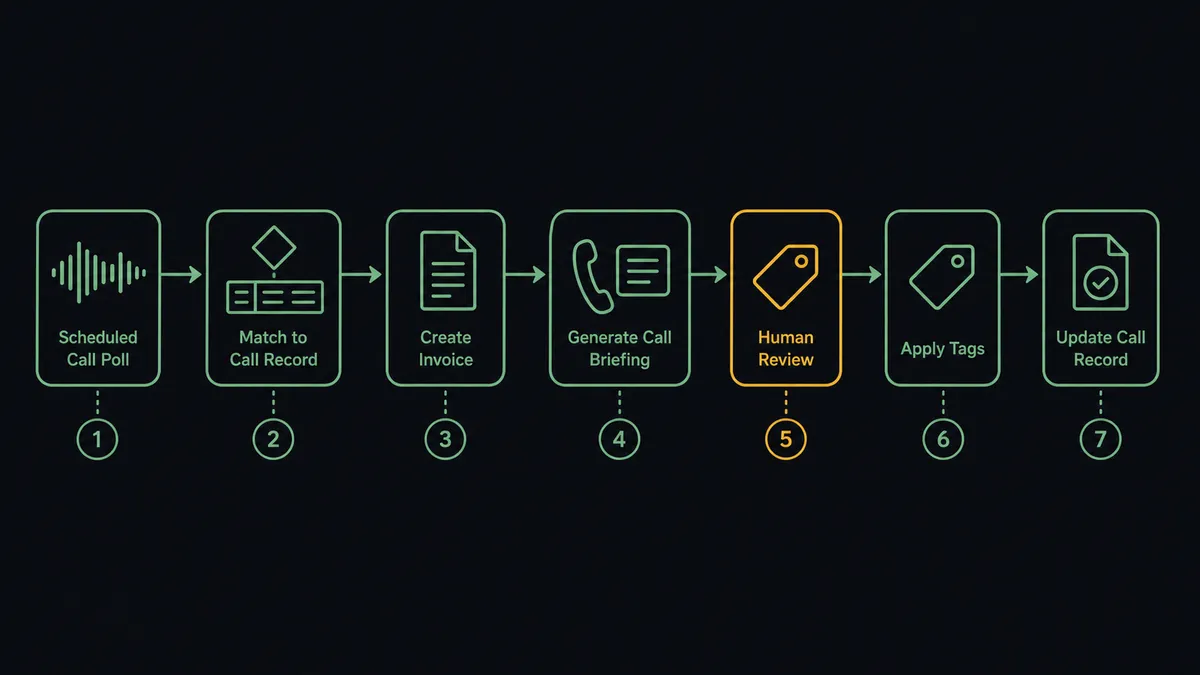
- Trigger: On a schedule, the workflow calls List Calls to catch new and just-finished calls.
- Match the caller: List Customers finds the NetSuite account by the caller’s number; Get Customer pulls the account detail.
- Read the money: List Invoices returns open invoices with amounts and due dates; List Sales Orders returns in-flight orders and their status.
- Stage the context: Add Insight Cards puts the balance, the open items, and the last payment from List Payments on the rep’s screen.
- Tag the call: Add Tags to Call labels the conversation by type, so collections, disputes, and order-status calls are separable later.
- Record the outcome: Comment on Call captures the disposition and any promise made, against the call record.
- Answer the hard questions: For anything the standard reads do not cover, Run SuiteQL Query pulls the precise answer from NetSuite mid-call.
That is the “just connect them” answer. The rep sees the account before speaking, the customer never repeats their story, and every call leaves a record of what was said about the money.
Can an AI agent run it? (and why a human stays in the loop)
Yes, and the agent changes both halves of the call. Before it: instead of dumping the whole account onto a card, the agent reads the situation and stages what this call needs. An overdue account gets the aging picture and the last payment. A caller with an open order gets the order status from Get Sales Order. A customer whose history shows a recent dispute gets that context up front. It holds the actions as tools: List Customers, Get Customer, List Invoices, Get Invoice, List Sales Orders, List Payments, Run SuiteQL Query, Add Insight Cards, Add Tags to Call, Comment on Call, Update Invoice, Update Sales Order.
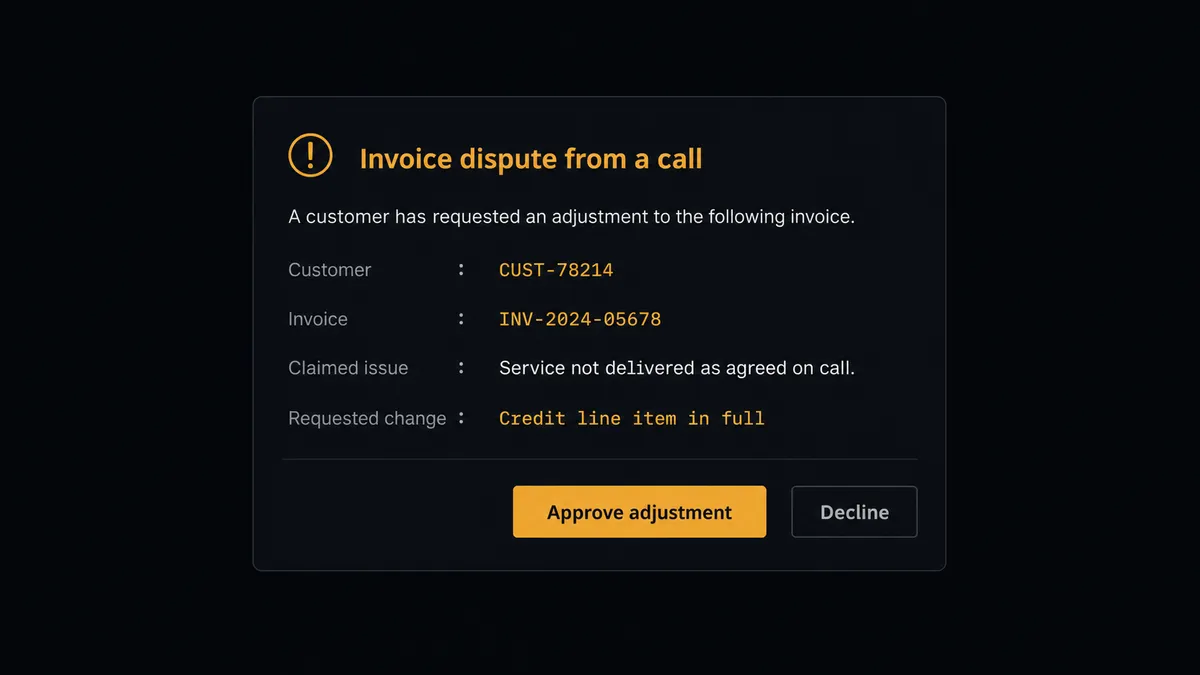
After the call is where the gate matters. When the outcome is “the customer disputes this charge” or “we agreed to correct the quantity,” the consequential step is Update Invoice, the moment a conversation becomes a ledger change. The agent does not take that step. It assembles the case: the call reference, the invoice from Get Invoice with the disputed lines, what the customer claims, what the rep noted, and what the correction would change. Then it invokes a human-in-loop flow it holds as a callable tool. The workflow pauses and posts to finance: “Dispute on invoice [number] from [customer] call: [summary]. Requested change: [detail]. Approve the adjustment?” Only after a named approver signs off does the agent run Update Invoice, write the outcome back with Comment on Call, and leave the approver and timestamp in the audit trail. The same gate guards Update Sales Order when a call asks to change an order already in fulfillment.
Prospects call this the digital andon cord: like Toyota’s production line pull cord, the workflow stops the line where the phone meets the ledger, and finance decides what the books absorb.
FlowRunner vs Celigo
In the NetSuite world, Celigo is the serious incumbent, and the respect is earned. Its integrator.io platform has deep NetSuite expertise, prebuilt integration apps that encode years of ERP edge cases, and a real track record syncing NetSuite with the rest of the stack at scale. For heavyweight, IT-owned data synchronization between NetSuite and other systems of record, Celigo is a strong choice.
This pair is a different problem. It is not batch data sync; it is a live conversation needing judgment in the moment and a governed pause before the books change. Here is the honest side-by-side.
| What matters for this pair | FlowRunner | Celigo |
|---|---|---|
| Human-in-the-loop on Update Invoice | Native. The agent invokes an approval flow as a callable tool before a phone dispute changes the ledger | Flows are built for data sync; approval orchestration is not the platform’s center of gravity |
| Who runs the flow | An AI agent reads each call’s context, reasons, and picks actions as tools | Prebuilt and custom integration flows, configured and maintained by an integration team |
| Users included | Unlimited users on every tier | Priced as an enterprise iPaaS; access follows the platform license |
| Bring your own AI keys | Yes, BYOK. Connect the AI provider key you already have | AI capabilities are Celigo’s own platform features |
| Self-hosted option | Yes, cloud-hosted or self-hosted | Cloud iPaaS |
| Pricing model | Transparent workflow-based tiers starting at $45/mo | Enterprise pricing, typically scoped and quoted per deployment |
If your need is high-volume NetSuite data synchronization run by an integration team, Celigo is a credible, proven choice. If the need is live call context for the people on the phone and a finance-approved gate between conversations and the ledger, this pairing on FlowRunner is the better fit.
Before and after
| Category | Before | After |
|---|---|---|
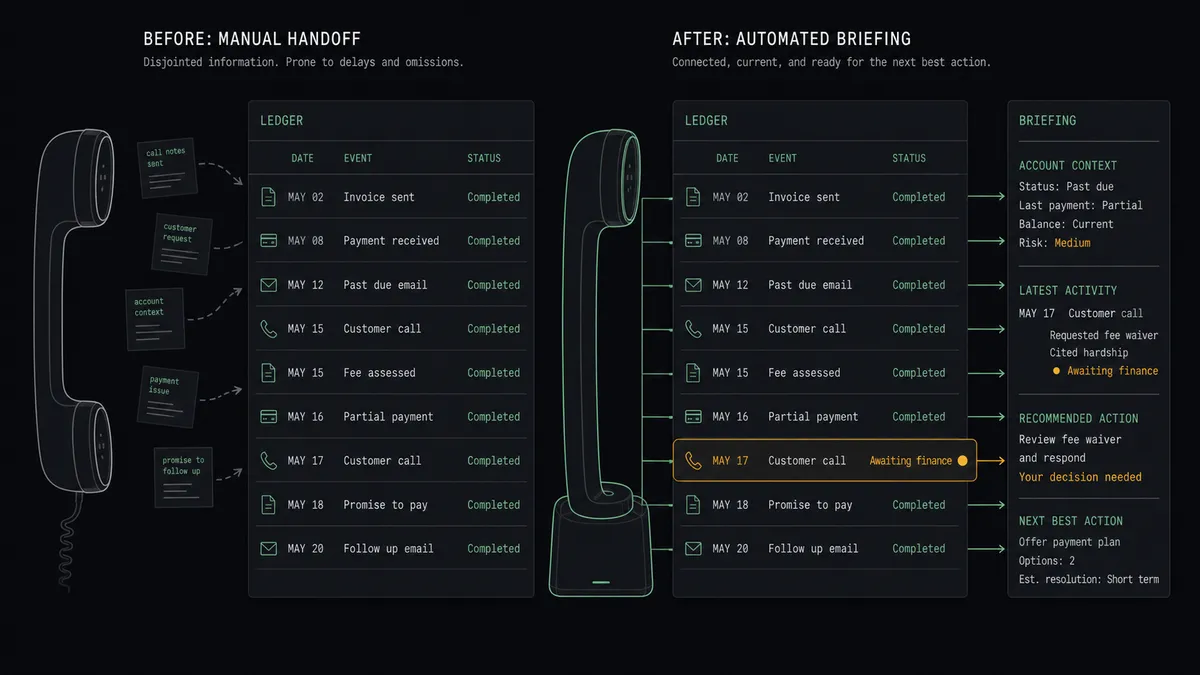
| Call preparation | The rep opens NetSuite after answering and makes the customer wait | The account picture is on screen via Add Insight Cards before the first word |
| Customer experience | Callers repeat their story to every rep who answers | Every rep sees the balance, orders, and history the caller is talking about |
| Dispute handling | Phone promises live in one rep’s memory or become undocumented edits | Disputes route to finance with the call and invoice attached, then post once approved |
| Ledger integrity | Invoice changes appear in NetSuite with no trail to the conversation behind them | Every adjustment carries the call reference, the approver, and the timestamp |
| Follow-up | Call outcomes stay in the phone system, invisible to finance | Comment on Call and the gated NetSuite writes keep both systems telling one story |
What you can build
Warm-answer collections calls. The schedule fires List Calls, the agent matches the caller with List Customers, pulls aging from List Invoices and the last payment from List Payments, and stages Add Insight Cards. The rep opens with facts instead of hold music.
Dispute-to-adjustment gate. A caller disputes a charge. The agent packages the call, the invoice, and the requested change, invokes the human-in-loop tool, and only runs Update Invoice after finance approves. The ledger never changes on a rep’s memory.
Order-change control. A customer calls to change an order already in fulfillment. The agent pulls Get Sales Order, checks item availability with Get Item, and holds Update Sales Order behind the same named approval, so fulfillment never chases an unauthorized change.
Promise-to-pay tracker. When a caller commits to a payment date, the agent records it with Comment on Call, then checks List Payments after the date passes and posts the broken promises to the collections queue, so follow-up is driven by facts.
Daily receivables call list. Each morning the agent runs Run SuiteQL Query for overdue balances, ranks accounts by amount and age, and publishes the day’s call queue with the context cards already staged, so the team dials the right accounts first.
Common questions
Is it free to connect NetSuite and Aircall on FlowRunner? You can build and run the connection on FlowRunner’s free plan, which includes 100 executions a month and every integration with no credit card required, and new accounts also get 14 days of Professional. Both connectors are available on every FlowRunner tier, and every tier includes unlimited users and unlimited workflows.
Can I self-host the NetSuite to Aircall workflow? Yes. FlowRunner offers a cloud-hosted option and a self-hosted option, so the connection can run inside your own environment.
Does the AI agent need my own OpenAI or Claude key? FlowRunner uses a bring-your-own-keys model, so you connect the AI provider key you already have. You are not locked to one model.
What happens when a customer disputes an invoice on a call? The rep’s promise does not touch the books. The agent packages the call, the disputed invoice from Get Invoice, and the requested change, then posts it to finance. Update Invoice only runs after a named approver signs off, and the adjustment carries the call reference with it.
Which actions put NetSuite data on the rep’s screen? The workflow matches the caller with List Customers and Get Customer, pulls open invoices with List Invoices and recent orders with List Sales Orders, and stages the summary on the call with Add Insight Cards. Deeper questions during the call can be answered with Run SuiteQL Query.
Does the call outcome get back into NetSuite? Yes. After the call, the outcome is written both ways: Comment on Call records the disposition in Aircall, and approved changes land in NetSuite through the gated actions, so the ledger and the call log tell the same story.
Getting started
Start on the free plan: 100 executions a month, every integration included, no credit card required, plus 14 days of Professional for new accounts. Both connectors are available on every tier, and every tier includes unlimited users and unlimited workflows.
Explore the integration details:
- NetSuite integration (27 actions covering customers, vendors, invoices, orders, payments, and SuiteQL)
- Aircall integration (33 actions covering calls, contacts, tags, teams, and webhooks)
Start building free at flowrunner.ai or book a demo to see a live NetSuite to Aircall workflow, finance approval gate and all.
Frequently asked questions
Is it free to connect NetSuite and Aircall on FlowRunner?
You can build and run the connection on FlowRunner's free plan, which includes 100 executions a month and every integration with no credit card required, and new accounts also get 14 days of Professional. Both connectors are available on every FlowRunner tier, and every tier includes unlimited users and unlimited workflows.
Can I self-host the NetSuite to Aircall workflow?
Yes. FlowRunner offers a cloud-hosted option and a self-hosted option, so the connection can run inside your own environment.
Does the AI agent need my own OpenAI or Claude key?
FlowRunner uses a bring-your-own-keys model, so you connect the AI provider key you already have. You are not locked to one model.
What happens when a customer disputes an invoice on a call?
The rep's promise does not touch the books. The agent packages the call, the disputed invoice from Get Invoice, and the requested change, then posts it to finance. Update Invoice only runs after a named approver signs off, and the adjustment carries the call reference with it.
Which actions put NetSuite data on the rep's screen?
The workflow matches the caller with List Customers and Get Customer, pulls open invoices with List Invoices and recent orders with List Sales Orders, and stages the summary on the call with Add Insight Cards. Deeper questions during the call can be answered with Run SuiteQL Query.
Does the call outcome get back into NetSuite?
Yes. After the call, the outcome is written both ways: Comment on Call records the disposition in Aircall, and approved changes land in NetSuite through the gated actions, so the ledger and the call log tell the same story.