How to Connect Mailchimp Marketing with Tally (With or Without an AI Agent)
Connect Tally form submissions to Mailchimp so every signup lands in the right audience with the right tags, with an AI agent that segments contacts automatically and pauses for a human before a campaign is sent or a member is removed.

How do you connect Mailchimp Marketing to Tally?
You connect Mailchimp Marketing to Tally by having Tally’s On New Submission trigger drive Mailchimp actions: the workflow pulls the respondent’s answers with Get Submission, writes the contact into the audience with Add Or Update List Member, and segments them with Add Member Tag, so a form signup becomes a properly filed audience member the moment it happens. FlowRunner is a visual AI-agent orchestration platform where automations run autonomously and pause for human judgment on the steps that carry real consequence. The same connection can run as an AI agent that reads each submission, segments contacts on its own, and pauses for a named human before Send Campaign reaches inboxes or Unsubscribe Or Delete List Member removes anyone from the list.
The problem it solves
Right now the path from form to audience runs through a spreadsheet export. Signups collect in Tally, and once a week someone downloads the CSV, cleans the obvious typos, imports it into Mailchimp, and applies tags from memory. Between imports, new subscribers get nothing. The welcome email a contact receives ten days after signing up performs like what it is: late.
The edges do the real damage. A respondent picks three interest checkboxes and gets filed under one tag, so every future segment they should be in misses them. A typo’d email bounces forever because nobody validated it at the door. Someone processing an unsubscribe request deletes the member instead of unsubscribing them, and the suppression history goes with it, which means the same address gets re-imported next month and the complaint that follows is deserved. List quality is not a growth problem. It is an operations problem wearing a marketing costume.
How it works: the connection
The connection listens to Tally and writes to Mailchimp. Here is the plain version, grounded in the real connector actions.
- Trigger: Tally fires On New Submission the moment a respondent submits the form.
- Read: The workflow calls Get Submission to pull the full set of answers, and List Form Questions when it needs the field labels to interpret them.
- Check the audience: It calls Search Member to see whether the email already exists in the audience.
- Write the contact: It calls Add Or Update List Member, so new signups are created and returning ones are updated instead of duplicated.
- Segment: It calls Add Member Tag for each interest the respondent selected, creating tags first with Create Tag where needed.
- Capture context: It calls Add Member Note with the free-text answers, so the profile carries what the person actually wrote.
- Report back: On a schedule, Get Campaign Report and Get Clicks Report pull engagement so the team sees how form-sourced contacts perform.
That is the “just connect them” answer. Signups land tagged and current, the weekly CSV ritual disappears, and the welcome sequence starts while the signup is still warm.
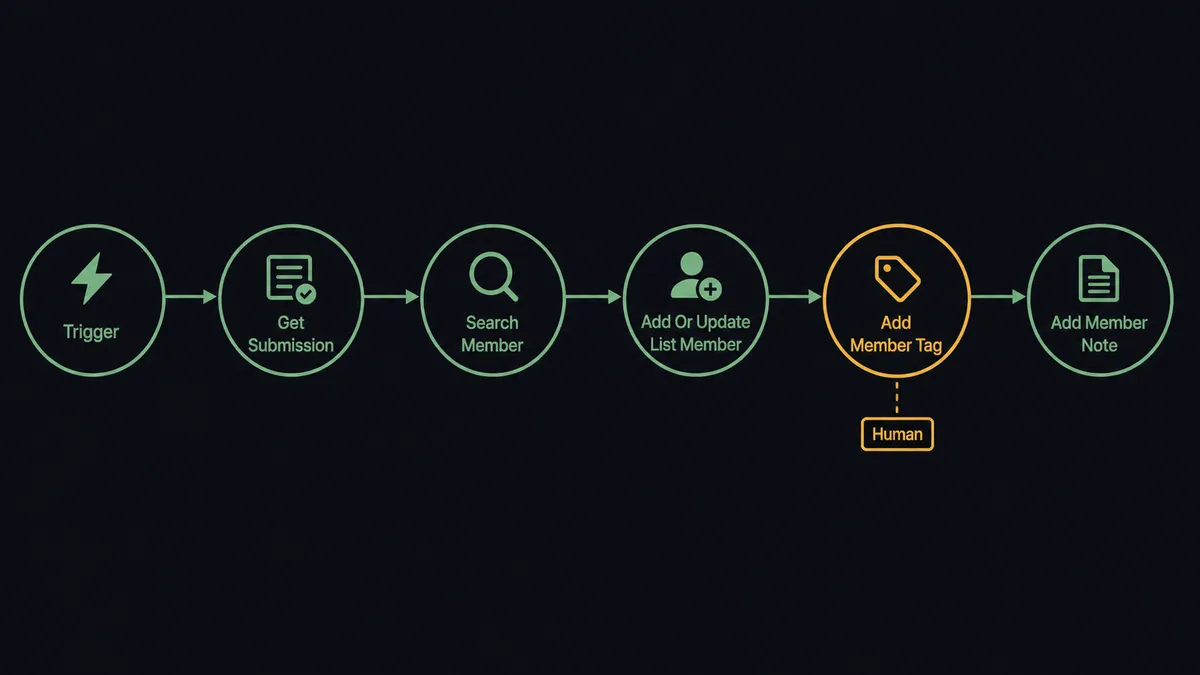
Can an AI agent run it? (and why a human stays in the loop)
Yes, and the upgrade is judgment at the point of entry. A static mapping applies the same tags to every submission. An AI agent reads the actual answers, reasons about what the person signed up for, and picks Mailchimp actions as tools: Add Or Update List Member, Add Member Tag, Add Member Note, Archive List Member, Add Campaign. A respondent who wrote “only interested in the monthly digest” in a free-text field gets exactly that segmentation, even though no checkbox said so.
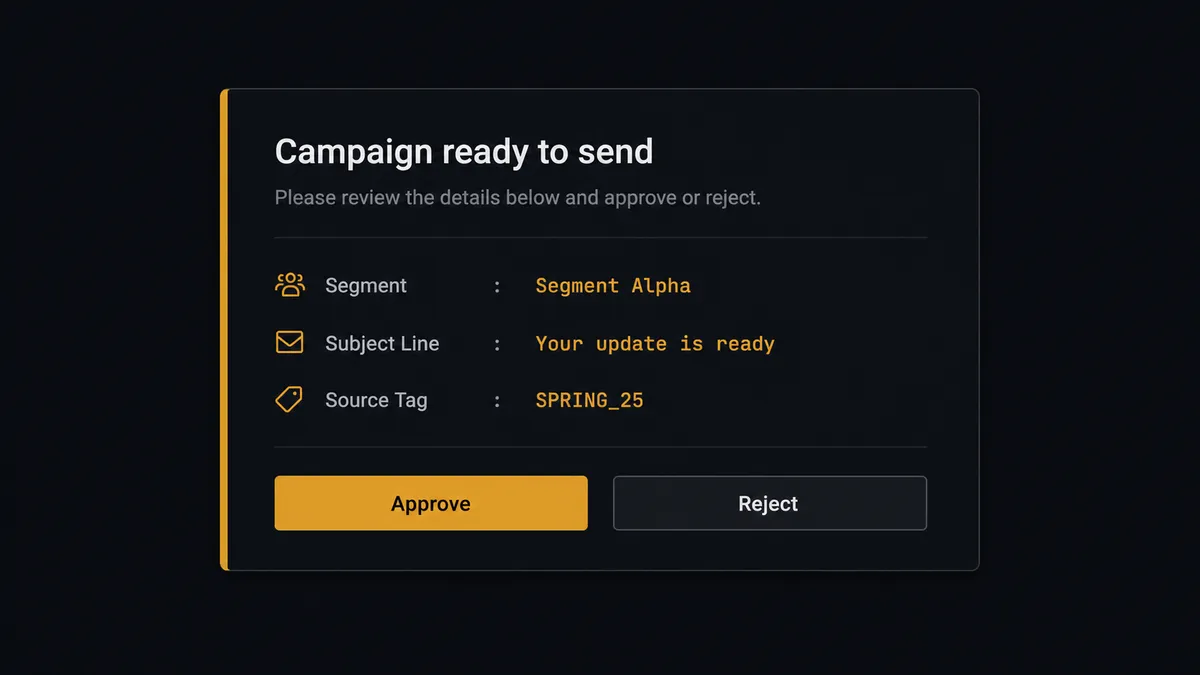
The consequential steps are the ones that reach real people. Send Campaign puts words in front of your entire segment at once, and Unsubscribe Or Delete List Member permanently removes a person and their history. The agent holds both, and takes neither alone. When a new segment is ready for its first campaign, the agent drafts with Add Campaign, then invokes a human-in-loop flow it holds as a callable tool. The workflow pauses and posts to the marketing channel: “Campaign draft ready for segment [name]. Subject: [subject]. Built from form signups tagged [tag]. Approve to send?” Only after a named person approves does Send Campaign run, and the approval lands in the audit trail with the approver and timestamp.
Removal requests get the same respect in the other direction. When a form submission asks to be removed, the agent verifies the match with Search Member, proposes unsubscribe rather than delete so suppression history survives, and waits for sign-off before Unsubscribe Or Delete List Member runs. Prospects call this a digital andon cord: like Toyota’s quality control pull cord, the workflow stops the line the moment it reaches a step that touches real people, and your team pulls it back into motion with one click.
FlowRunner vs Zapier
Zapier is the obvious first stop for a Tally to Mailchimp connection, and it earns the position. The template gallery has this exact recipe ready to click, the editor is friendly, and a simple “new submission adds a subscriber” Zap is live in minutes. Credit where it is due.
The gap opens where the list meets judgment: interpreting messy answers, keeping segments honest, and putting a person in front of the send button. Here is the honest side-by-side.
| What matters for this pair | FlowRunner | Zapier |
|---|---|---|
| Human-in-the-loop on Send Campaign and list removals | Native. The agent invokes an approval flow as a callable tool and pauses until a named approver signs off | Available via added approval steps or paths, not a native agent decision |
| Who runs the flow | An AI agent reads the answers, reasons, and picks actions as tools | Predefined step sequence you configure per Zap |
| Users included | Unlimited users on every tier | Priced by task volume; seats vary by plan |
| Bring your own AI keys | Yes, BYOK. Connect the AI provider key you already have | AI features tied to Zapier’s own AI offering |
| Self-hosted option | Yes, cloud-hosted or self-hosted | Cloud only |
| Pricing model | Transparent workflow-based tiers with clear execution limits | Per-task pricing that can be hard to predict as volume grows |
If all you need is signups flowing onto a list, Zapier will do it quickly and well. If you want each signup read and segmented with judgment, and a named human between the agent and the send button, that is where FlowRunner is the better fit.
Before and after
| Category | Before | After |
|---|---|---|
| Getting signups onto the list | Weekly CSV export, cleanup, and import by hand | Add Or Update List Member files each contact the moment On New Submission fires |
| Segmentation | One tag applied from memory, or none | Add Member Tag applies every interest the respondent actually selected or wrote |
| Duplicate contacts | Re-imports create parallel profiles with conflicting tags | Search Member runs first, and returning contacts are updated instead of duplicated |
| Campaign sends | Anyone with Mailchimp access sends to a fresh segment unreviewed | Send Campaign runs only after a named approver reviews the draft and segment |
| Removal requests | Members get deleted by hand, taking suppression history with them | The agent proposes the removal, a person approves, and the action is recorded |
What you can build
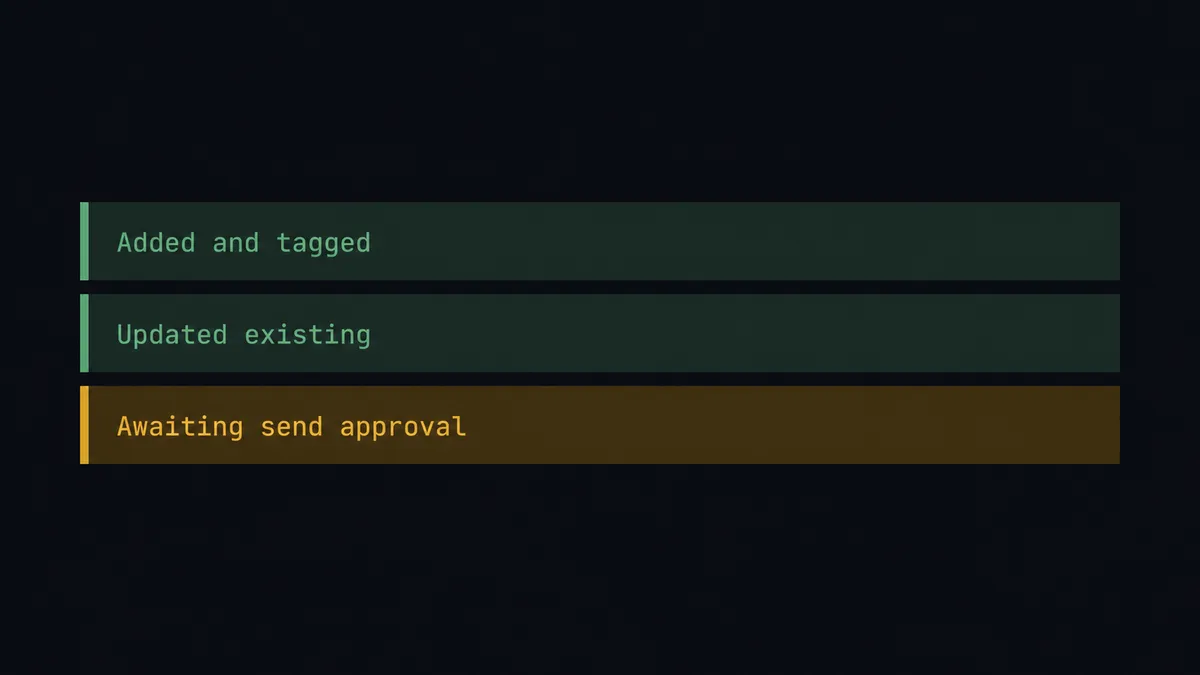
Signup to segmented subscriber. On New Submission fires. The agent calls Get Submission, checks Search Member, writes the contact with Add Or Update List Member, and applies Add Member Tag for every interest selected. The audience stays current without a weekly import.
Preference center that actually works. A Tally preferences form lets subscribers change interests. The agent reads the changes, removes stale tags with Remove Member Tag, adds new ones, and notes the change with Add Member Note, so segments reflect what people asked for.
Event registration to follow-up audience. Registrations flow into a tagged segment. After the event, the agent drafts the follow-up with Add Campaign and queues Send Campaign behind approval, so the recap reaches exactly the people who registered.
Governed removal handling. A removal request arrives through the form. The agent verifies the member with Search Member, proposes unsubscribe over delete to preserve suppression history, and executes Unsubscribe Or Delete List Member only after a named person approves.
Engagement report for ops. On a schedule, the agent pulls Get Campaign Report and Get Clicks Report for form-sourced segments and posts a plain-language summary to your team’s channel, so the loop from form to list to results stays visible.
Getting started
Start on the free plan: 100 executions a month, every integration included, no credit card required, plus 14 days of Professional for new accounts. Both connectors are available on every tier, and every tier includes unlimited users and unlimited workflows, so marketing, ops, and whoever owns the send button all work in the same workspace from day one.
Explore the integration details:
- Mailchimp Marketing integration (20 actions covering audiences, members, tags, campaigns, and reports)
- Tally integration (1 real-time trigger and 15 actions covering forms, submissions, and webhooks)
Start building free at flowrunner.ai or book a demo to see a live Tally to Mailchimp workflow, send approval and all.
Frequently asked questions
Is it free to connect Mailchimp Marketing and Tally on FlowRunner?
You can build and run the connection on FlowRunner's free plan, which includes 100 executions a month and every integration with no credit card required, and new accounts also get 14 days of Professional. Both connectors are available on every FlowRunner tier, and every tier includes unlimited users and unlimited workflows.
Can I self-host the Tally to Mailchimp workflow?
Yes. FlowRunner offers a cloud-hosted option and a self-hosted option, so the connection can run inside your own environment.
Does the AI agent need my own OpenAI or Claude key?
FlowRunner uses a bring-your-own-keys model, so you connect the AI provider key you already have. You are not locked to one model, and you control which provider runs the agent.
What happens when the agent is unsure how to segment a new contact?
It adds the contact with Add Or Update List Member so nothing is lost, attaches the open question as a member note with Add Member Note, and posts the case to your team's channel instead of guessing at tags. Segmentation errors compound quietly, so ambiguity goes to a person.
Which Tally trigger starts the Mailchimp workflow?
On New Submission, Tally's real-time trigger. It fires the moment a respondent submits the form, and the workflow calls Get Submission to pull the full set of answers before any Mailchimp action runs.
Can the agent send a Mailchimp campaign on its own?
No. The agent drafts with Add Campaign and prepares the segment, but Send Campaign is held behind a human-in-loop approval. A named person reviews the draft and the audience before anything reaches an inbox, and that approval is captured in the audit trail.