How to Connect Jira with iAuditor (With or Without an AI Agent)
Turn failed iAuditor inspection items into tracked Jira issues with the inspection PDF attached, and let an AI agent triage severity while a person confirms every safety finding before it is closed.
How do you connect Jira to iAuditor?
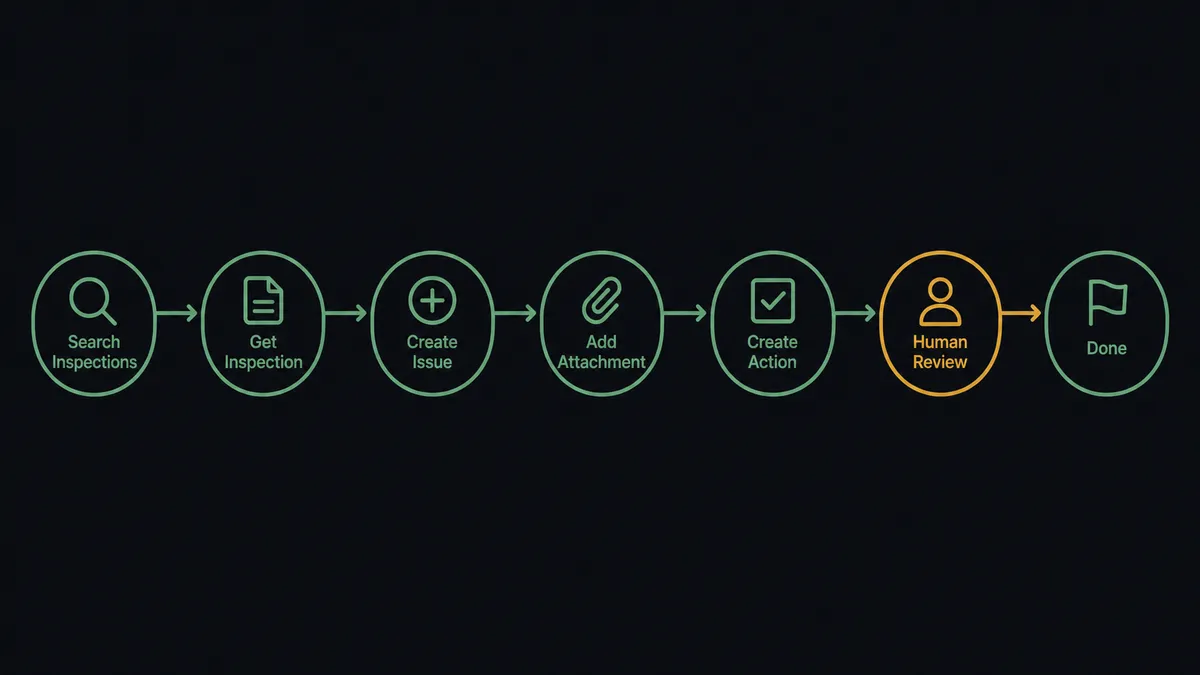
You connect Jira to iAuditor with a scheduled workflow that calls Search Inspections to find newly completed inspections, pulls the detail with Get Inspection, and files one Jira issue per failed item with Create Issue, attaching the evidence from Export Inspection PDF via Add Attachment. Neither connector exposes an event trigger, so the workflow runs on a schedule, typically hourly, which keeps findings moving without waiting for someone to forward a report. FlowRunner is a visual AI-agent orchestration platform where automations run autonomously and pause for human judgment on the steps that carry real consequence. Run as an agent, the connection also reads each failed item, decides whether it is routine wear or a safety-critical finding, and refuses to close any safety issue until a named person confirms the fix.
The problem it solves
Right now the distance between a failed inspection and a fixed problem is a chain of humans forwarding things. A site walk happens in iAuditor. The completed inspection lands as a PDF in someone’s inbox. An ops manager reads it, decides which failures matter, writes up tickets by hand, and chases the site lead to confirm the work got done. Every step in that chain is a place where a finding can stall, and findings that stall in safety work are not clerical errors, they are exposure.
The edges are worse than the average case. The same guard rail fails inspection three months running because each month’s finding died in a different inbox. A critical electrical fault gets logged with the same urgency as a scuffed floor sign because the PDF format flattens everything. And when the auditor or the insurer asks who verified the fix on a specific finding, the answer is a shrug and a search through email. The inspection program produces data; what it needs to produce is closed, verified corrective work.
How it works: the connection
The connection reads iAuditor and writes to Jira. Here is the plain version, grounded in the real connector actions.
- Trigger: On a schedule, the hourly run opens the pass.
- Read: Search Inspections finds inspections completed since the last run, and Get Inspection pulls each one’s items, responses, and notes.
- Extract the failures: Every failed item, with its question text, response, and inspector note, becomes a candidate finding.
- File the issues: Create Issue writes one Jira issue per failed item, routed to the right project via Get Project, with the site and template named in the summary.
- Attach the evidence: Export Inspection PDF produces the full inspection record, and Add Attachment pins it to the issue so nobody hunts for context later.
- Route the work: Assign Issue hands the finding to the responsible owner, and Create Action pushes a corrective action back into iAuditor for the site team.
- Track to closure: Add Comment logs progress, and Transition Issue moves the finding through the board as the fix advances.
That is the “just connect them” answer. Inspection findings become tracked work items with evidence attached, instead of PDF attachments aging in inboxes.
Can an AI agent run it? (and why a human stays in the loop)
Yes, and triage is where the agent earns its place. A fixed pipeline files every failed item identically, which buries the one finding that matters under twenty that do not. An AI agent holds Search Inspections, Get Inspection, Export Inspection PDF, Create Issue, Add Attachment, Assign Issue, Transition Issue, Add Comment, and Create Action as tools, and it reads each failure before deciding what to do with it. A scuffed sign becomes a routine maintenance issue. A blocked fire exit becomes a critical issue assigned to the site lead with the evidence attached, and the safety channel hears about it in the same minute.
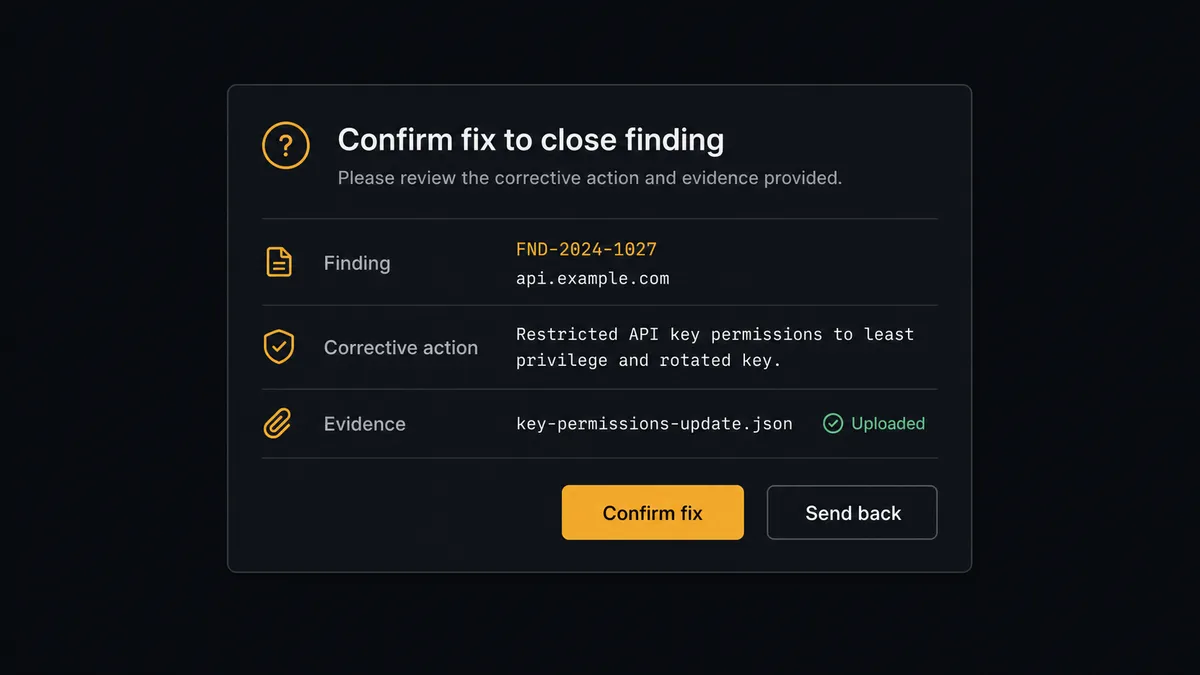
The consequential step in this pair is closing a finding. Marking a safety issue Done is a statement that the hazard is gone, and if the automation makes that statement wrongly, the paper trail says the problem was handled while the hazard stays on the floor. So the agent never calls Transition Issue to Done on a safety finding by itself. When the corrective action comes back complete, it packages the finding, the original inspection evidence, the fix notes, and any reinspection result, then invokes a human-in-loop flow it holds as a callable tool. The workflow pauses and posts to the safety owner: “Finding [issue key] at [site]: corrective action reported complete. Original failure: [item]. Confirm the fix is verified to close, or send it back.” Only after that confirmation does the issue close, with the verifier’s name and timestamp on it.
This is the digital andon cord, the phrase FlowRunner prospects reach for on their own. Like Toyota’s line-stop cord, the workflow halts at the moment that carries real weight, the declaration that a hazard is resolved, and puts that declaration in a person’s hands.
FlowRunner vs Zapier
Zapier deserves its position as the default first tool here: the connector library is enormous, setup is genuinely approachable for non-technical teams, and its template gallery covers common inspection-to-ticket patterns. If you want “completed inspection creates a ticket” and nothing more, Zapier stands that up quickly.
The difference is what happens between the ticket being created and the finding being closed. FlowRunner runs the whole corrective-work loop as an agent with a native human gate on closure.
| What matters for this pair | FlowRunner | Zapier |
|---|---|---|
| Human-in-the-loop on closing safety findings | Native. The agent pauses before Transition Issue to Done and waits for the safety owner | Available via added approval steps, not a native agent decision |
| Who runs the flow | An AI agent triages severity, routes, and picks actions as tools | Predefined step sequence you configure per Zap |
| Users included | Unlimited users on every tier | Priced by task volume; seats vary by plan |
| Bring your own AI keys | Yes, BYOK | AI features tied to Zapier’s own AI offering |
| Self-hosted option | Yes, cloud-hosted or self-hosted | Cloud only |
| Pricing model | Transparent workflow-based tiers | Per-task pricing; multi-step evidence handling consumes tasks fast |
If your inspection program is small and every finding gets the same treatment, Zapier covers it. If findings need severity triage, attached evidence, and a named human verifying every safety closure for the audit trail, this pairing is the better fit.
Before and after
| Category | Before | After |
|---|---|---|
| Finding capture | Failed items live inside PDF exports that someone has to read and re-type | Every failed item becomes a Jira issue with the inspection PDF attached |
| Severity handling | A blocked exit and a scuffed sign get the same inbox treatment | The agent triages each failure and escalates safety-critical items immediately |
| Ownership | Findings belong to whoever happened to receive the report | Assign Issue routes each finding to a named owner the hour it is filed |
| Repeat failures | The same item fails month after month with no memory between reports | Open findings persist on the board until verified, so repeats are visible |
| Verification | Closure means someone said it was handled | Closure means a named safety owner confirmed the fix, recorded in the trail |
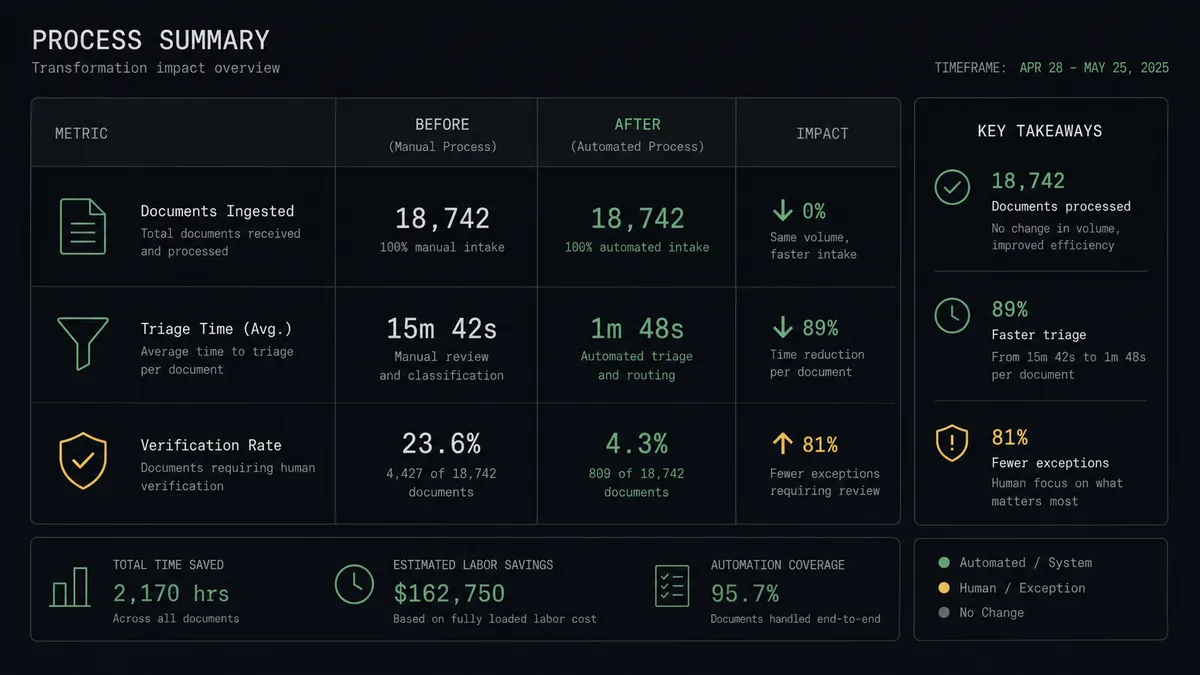
What you can build
Failed item to tracked finding. The hourly run calls Search Inspections and Get Inspection, files each failed item with Create Issue, attaches the Export Inspection PDF output with Add Attachment, and routes it with Assign Issue. No finding waits for a forwarded email.
Safety-critical fast lane. The agent reads each failure and, when it judges an item safety-critical, files it at top priority, posts it to the safety channel, and pushes a corrective action to the site team with Create Action in the same pass.
Verified closure loop. When corrective work is reported done, the agent assembles the evidence and asks the safety owner to confirm before Transition Issue closes the finding. Every closure traces to a person.
Repeat-offender report. Weekly, the agent cross-references new failures against still-open and recently closed findings by site and template via Search Actions, and posts the sites where the same item keeps failing, with the issue history attached.
Audit-ready evidence pack. For any finding, the thread is complete in one place: the inspection PDF, the corrective action, the comments from Add Comment, and the named verifier. When the auditor asks, the answer is a link, not a search.
Getting started
Start on the free plan: 100 executions a month, every integration included, no credit card required, plus 14 days of Professional for new accounts. Both connectors are available on every tier, and every tier includes unlimited users and unlimited workflows.
Explore the integration details:
- Jira integration (13 actions covering issues, attachments, comments, and transitions)
- iAuditor integration (8 actions covering inspections, templates, and corrective actions)
Start building free at flowrunner.ai or book a demo to see a live Jira to iAuditor workflow, closure confirmation and all.
Frequently asked questions
Is it free to connect Jira and iAuditor on FlowRunner?
You can build and run the connection on FlowRunner's free plan, which includes 100 executions a month and every integration with no credit card required, and new accounts also get 14 days of Professional. Both connectors are available on every FlowRunner tier, and every tier includes unlimited users and unlimited workflows.
Can I self-host the Jira to iAuditor workflow?
Yes. FlowRunner offers a cloud-hosted option and a self-hosted option, so the connection can run inside your own environment.
Does the AI agent need my own OpenAI or Claude key?
FlowRunner uses a bring-your-own-keys model, so you connect the AI provider key you already have. You are not locked to one model.
What happens when the agent cannot tell how severe a failed inspection item is?
It treats uncertainty as severity. The agent posts the inspection name, the failed item text, and the site to the safety channel and asks the safety owner to classify it before any issue is filed as routine. An unclear finding is never quietly downgraded.
Which Jira and iAuditor actions does this workflow use?
Both connectors are action-based, so the workflow runs on a schedule. It reads iAuditor with Search Inspections, Get Inspection, and Export Inspection PDF, writes to Jira with Create Issue, Add Attachment, Add Comment, and Assign Issue, and pushes corrective work back with iAuditor's Create Action.
Can a safety finding be closed automatically once the site fixes it?
No, and that is deliberate. The agent tracks the fix, but Transition Issue to Done only runs after the designated safety owner confirms the correction, so every closed finding traces to a person who verified it rather than to an automation that assumed it.