How to Connect HubSpot with AWeber (With or Without an AI Agent)
Keep AWeber lists in step with HubSpot lifecycle stages automatically, with an agent that segments subscribers by CRM context and pauses for a marketer before Create Broadcast sends anything to a list.
How do you connect HubSpot to AWeber?
You connect HubSpot to AWeber with a scheduled FlowRunner workflow: Search Contacts pulls the contacts whose lifecycle stage changed, Get Contact By ID reads their properties, List Lists and Get Subscriber find the right AWeber list and check membership, and Add Subscriber enrolls each contact with the tags that keep segments honest. Neither connector exposes a trigger, so a nightly sweep is the honest starting point. FlowRunner is a visual AI-agent orchestration platform where automations run autonomously and pause for human judgment on the steps that carry real consequence. Run as an agent, the connection also decides which list each contact truly belongs on, and it never lets Create Broadcast reach a list without a marketer’s approval.
The problem it solves
Without this connection, the CRM and the email platform drift apart within weeks. Sales works lifecycle stages in HubSpot; marketing sends from AWeber lists that were exported once and updated never. New customers keep getting prospect nurture emails. Churned accounts get the customer newsletter. Someone eventually exports a CSV, deduplicates it in a spreadsheet, and re-imports, and the drift starts again the next morning. The list is always a snapshot of a month ago.
The edges are what make it embarrassing rather than just inefficient. A contact mid-negotiation gets a discount promotion that undercuts the quote their rep just sent. A prospect who became a customer yesterday receives “still thinking it over?” today. And because anyone with AWeber access can send to any list, a broadcast occasionally goes to the wrong segment entirely, and the first person to find out is a customer. Segmentation errors are not data problems, they are relationship problems wearing a data costume.
How it works: the connection
Here is the deterministic version, grounded in the real connector actions.
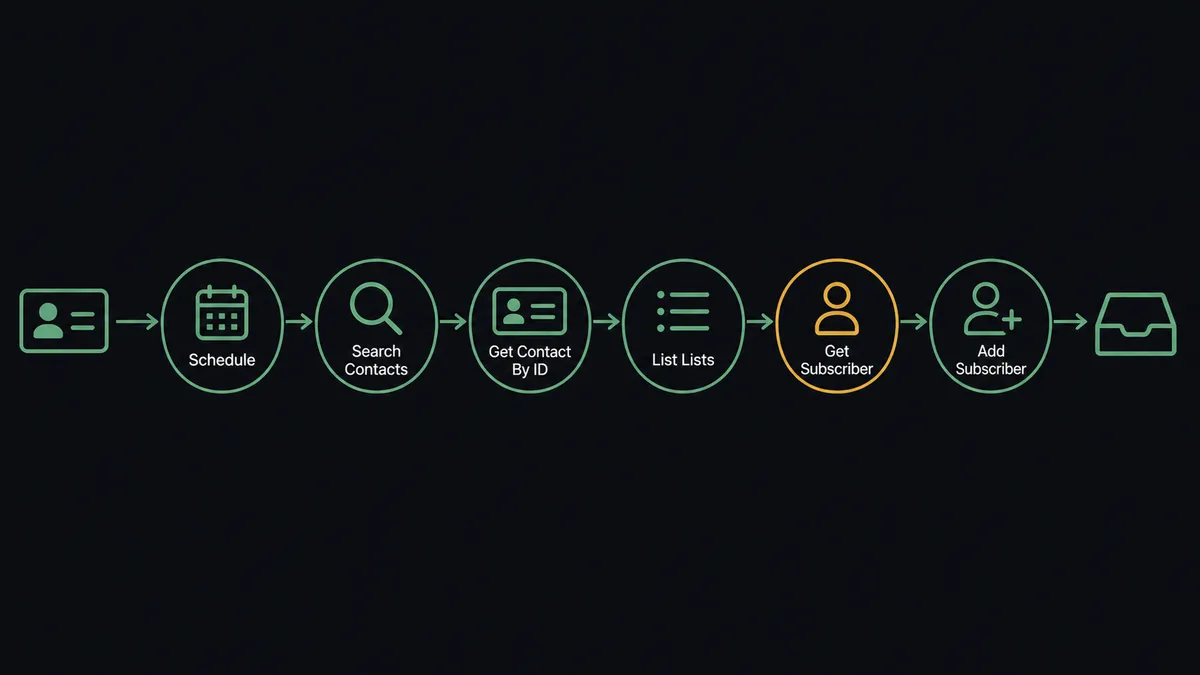
- Trigger: Nightly at 10 PM, the workflow calls Search Contacts in HubSpot for contacts whose lifecycle stage changed that day.
- Read: For each, it calls Get Contact By ID to pull email, name, and current stage.
- Select: It calls List Lists in AWeber and picks the list mapped to that stage.
- Check: It calls Get Subscriber to confirm the contact is not already on the list, preventing re-adds.
- Enroll: It calls Add Subscriber with the contact’s email, name, and segment tags.
- Stamp: It calls Update Contact in HubSpot to record the sync date and list name on the contact.
That is the “just connect them” answer. Lifecycle changes in the CRM show up in the email platform overnight, and the CSV export ritual ends. The stamp in step six matters more than it looks: because each contact carries its sync date and list name in HubSpot, anyone on the revenue team can open a record and see exactly which AWeber list that person is on, without logging into the email platform at all. The two systems stop being two versions of the truth.
Can an AI agent run it? (and why a human stays in the loop)
Yes, and the agent is what turns list sync into segmentation. It holds the actions as tools: Search Contacts, Get Contact By ID, Get Deal By ID, and Update Contact on the HubSpot side; List Lists, Get List, Get Subscriber, Add Subscriber, List Broadcasts, and Create Broadcast on the AWeber side. A static mapping can only translate “stage equals customer” into “customer list.” The agent reads more: a customer with an open expansion deal is not a fit for the discount list, and a prospect whose deal just went dormant belongs in win-back nurture, not active-evaluation drip. It calls Get Deal By ID, weighs the context, and picks the list a thoughtful marketer would pick.
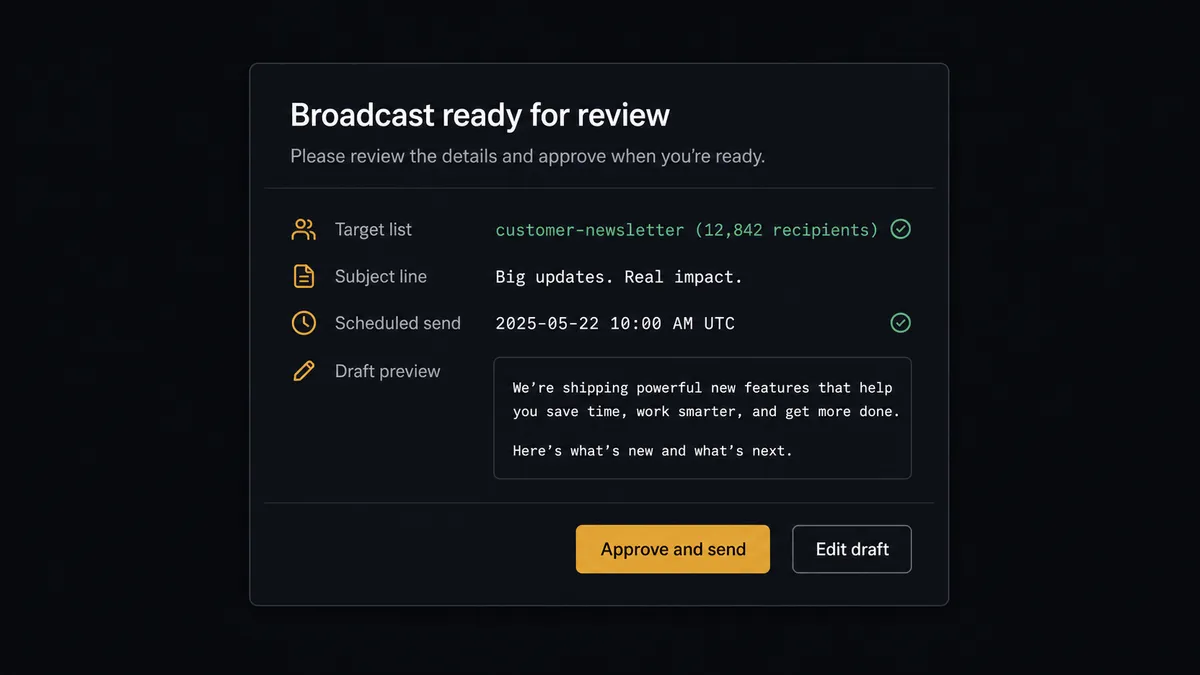
The consequential step is Create Broadcast, because that action reaches every subscriber on a list at once. A wrong record is a cleanup task; a wrong broadcast is a public event. So the agent treats every send as a proposal. When it drafts a broadcast, it invokes a human-review flow it holds as a callable tool and the workflow pauses: “Broadcast drafted for [list name]. Audience: subscribers tagged [segment]. Subject: [subject line]. Draft below. Approve to queue?” The marketer reads the draft, checks the audience, and approves or edits. Only then does Create Broadcast run, and the audit trail records who approved the send and when. Ambiguous list assignments get the same treatment: a contact who fits two segments goes to a person, not to both lists.
This is the digital andon cord for email: the workflow stops the line before anything irreversible reaches an inbox, and one click from the person accountable for the list sets it moving again.
FlowRunner vs Zapier
Zapier is the obvious first stop for a HubSpot to AWeber connection, and its strengths here are real: a huge connector library, mature HubSpot and AWeber apps, and templates that push new contacts onto a list in a few clicks. For a single-list newsletter where every new contact belongs on it, Zapier is quick and reliable.
The gap shows when segmentation logic and send risk enter the picture.
| What matters for this pair | FlowRunner | Zapier |
|---|---|---|
| Human-in-the-loop on Create Broadcast | Native. The agent invokes an approval flow as a callable tool and pauses before any send | Available by inserting approval steps, not a native agent decision |
| Who runs the flow | An AI agent reads lifecycle and deal context, then picks the list as a reasoned choice | A predefined step sequence with static field mapping |
| Users included | Unlimited users on every tier | Priced by task volume; seats vary by plan |
| Bring your own AI keys | Yes, BYOK | AI features tied to Zapier’s own AI offering |
| Self-hosted option | Yes, cloud-hosted or self-hosted | Cloud only |
| Pricing model | Transparent workflow-based tiers | Per-task pricing that grows with every synced contact |
If you run one list and want new signups on it, use Zapier and be done. If your lists encode relationships your revenue depends on, and a wrong broadcast has a cost, the agent with a send gate is the better fit. The question to ask is simple: when the wrong email goes to the wrong segment, who explains it to the customer? If that person is you, the approval step is not overhead, it is the point.
Before and after
| Category | Before | After |
|---|---|---|
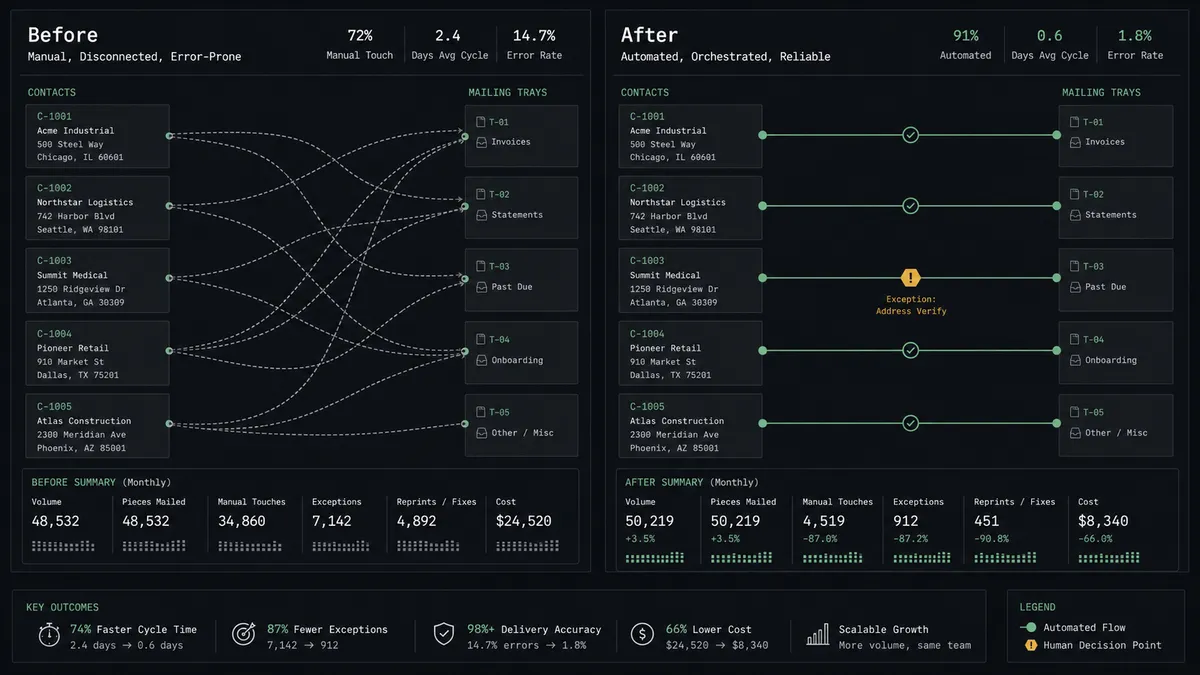
| List freshness | Lists reflect the last manual CSV import, weeks stale | Lifecycle changes reach AWeber overnight via the scheduled sweep |
| Segmentation | Stage-to-list mapping ignores deal context and misfiles edge cases | The agent weighs lifecycle and open deals before choosing a list |
| Send safety | Anyone with AWeber access can broadcast to any list | Create Broadcast runs only after a named marketer approves draft and audience |
| Duplicate adds | Re-imports create duplicate and conflicting subscriber entries | Get Subscriber checks membership before every Add Subscriber |
| Traceability | Nobody can reconstruct why a contact got an email | Sync stamps in HubSpot plus an audit trail with approver and timestamp |
What you can build
Lifecycle-true lists. The nightly sweep moves contacts between AWeber lists as their HubSpot stage changes, using Search Contacts, Get Subscriber, and Add Subscriber, so prospects stop getting customer mail and customers stop getting prospect mail.
Gated announcements. The agent drafts a product-update broadcast for the customer list, and Create Broadcast runs only after marketing approves the draft and audience. Every send has a named owner.
Win-back segment. When Get Deal By ID shows a deal gone dormant, the agent adds the contact to the win-back list with the right tags, and proposes a re-engagement broadcast for approval once the segment reaches a size worth sending to.
Quiet-period protection. For contacts attached to open deals in negotiation, the agent holds them out of promotional lists entirely, and posts the exceptions to the sales channel so reps know marketing will not step on their quote.
Sync health report. On a weekly schedule, the agent compares List Subscribers against Search Contacts results, posts the mismatches, and proposes fixes, so the two systems converge instead of drifting.
Getting started
Start on the free plan: 100 executions a month, every integration included, no credit card required, plus 14 days of Professional for new accounts. Both connectors are available on every tier, and every tier includes unlimited users and unlimited workflows.
Explore the integration details:
- HubSpot integration (21 actions covering contacts, companies, deals, and associations)
- AWeber integration (9 actions covering lists, subscribers, and broadcasts)
Start building free at flowrunner.ai or book a demo to see a live HubSpot to AWeber workflow, broadcast approval and all.
Frequently asked questions
Is it free to connect HubSpot and AWeber on FlowRunner?
You can build and run the connection on FlowRunner's free plan, which includes 100 executions a month and every integration with no credit card required, and new accounts also get 14 days of Professional. Both connectors are available on every FlowRunner tier, and every tier includes unlimited users and unlimited workflows.
Can I self-host the HubSpot to AWeber workflow?
Yes. FlowRunner offers a cloud-hosted option and a self-hosted option, so the connection can run inside your own environment.
Does the AI agent need my own OpenAI or Claude key?
FlowRunner uses a bring-your-own-keys model, so you connect the AI provider key you already have. You are not locked to one model.
What happens when the agent is not sure which AWeber list a contact belongs on?
It does not guess. A contact whose lifecycle stage and deal context point at different lists, such as a customer who also matches a prospect segment, gets posted to your team's channel with the agent's reasoning, and a person picks the list before Add Subscriber runs.
Which triggers and actions does this pair use?
Neither connector exposes a trigger, so the workflow runs on a schedule. It calls Search Contacts, Get Contact By ID, and Get Deal By ID in HubSpot, and List Lists, Get Subscriber, Add Subscriber, and Create Broadcast in AWeber.
Can a broadcast go out without human approval?
No. The agent drafts the broadcast and names the target list, but Create Broadcast only runs after a marketer approves the draft and the audience. The approval is captured with a name and timestamp in the audit trail.