How to Connect Google Forms with beehiiv (With or Without an AI Agent)
Connect Google Forms signups to your beehiiv newsletter so clean responses become subscribers automatically, with a human approving any reactivation of a reader who previously unsubscribed.
How do you connect Google Forms to beehiiv?
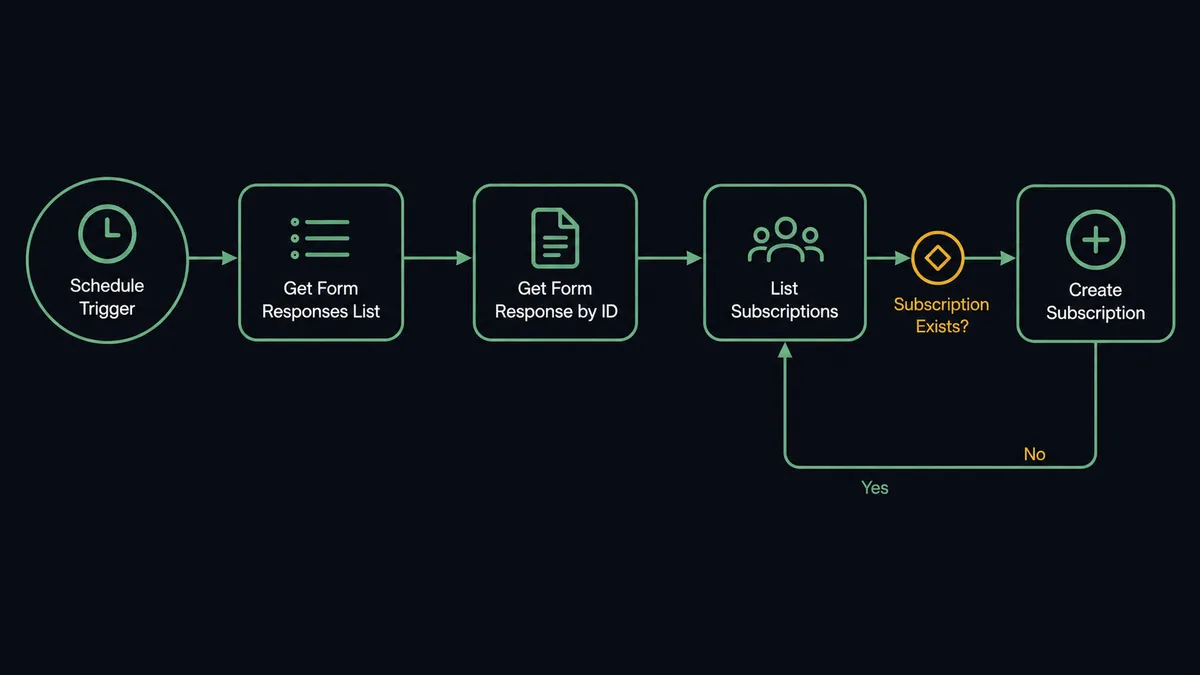
You connect Google Forms to beehiiv with a scheduled workflow: each run calls Get Form Responses List to collect new submissions, pulls each one with Get Form Response by ID, checks the publication with List Subscriptions, and adds new readers with Create Subscription, carrying the form’s answers along as custom fields and UTM attribution. FlowRunner is a visual AI-agent orchestration platform where automations run autonomously and pause for human judgment on the steps that carry real consequence. The same connection can run as an AI agent that screens every signup before it becomes a subscriber, and pauses for a named human before it reactivates a reader who once chose to leave.
The problem it solves
Google Forms is where signups happen: the conference booth QR code, the webinar registration, the “join our newsletter” link in a partner’s post. And then the responses sit in a spreadsheet. Someone on the team periodically opens it, copies the new emails, pastes them into beehiiv, and deletes the obvious junk by eye. Signups from Saturday get welcomed on Wednesday, which is long enough for a warm lead to forget they asked.
The edges are what quietly damage the list. Typo emails and gibberish entries get imported along with the real ones and start bouncing, which is how a sender reputation erodes. The same person signs up at two events and gets two welcomes. Worst of all, an address that unsubscribed months ago shows up on a new form, gets pasted in with the batch, and starts receiving email again with no record of whether they actually asked to return. That is the exact scenario consent rules and spam complaints are made of, handled today by whoever is pasting fastest.
How it works: the connection
The connection reads from Google Forms and writes to beehiiv. Here is the plain version, grounded in the real connector actions.
- Trigger: On a schedule, the workflow calls Get Form Responses List in Google Forms and keeps the submissions newer than the last processed response.
- Read: Get Form Response by ID pulls each submission’s full answers: the email, the interest questions, and the consent checkbox.
- Check the list: List Subscriptions searches the publication for the address with an exact, case-insensitive email match.
- Create: Create Subscription adds new readers, recording UTM attribution for the sourcing form and setting custom field values from the form’s answers.
- Welcome: Create Subscription’s welcome email option greets the reader, or Enroll In Automation starts a fuller onboarding journey via an automation with an active “Add by API” trigger.
- Keep current: Update Subscription refreshes custom fields when an existing reader submits the form again with new answers.
That is the “just connect them” answer. Signups become subscribers within a scheduled run instead of a spreadsheet cycle, attribution included. Since neither connector exposes an event trigger, the schedule is the heartbeat, and a short polling interval keeps the welcome close to the signup.
Can an AI agent run it? (and why a human stays in the loop)
Yes, and screening is where the agent earns its place. A plain connector subscribes everything in the responses list, junk included. The agent reads each submission first. Its toolbox is the real actions: Get Form Responses List, Get Form Response by ID, Get Form Details on the Google Forms side; List Subscriptions, Get Subscription, Create Subscription, Update Subscription, Enroll In Automation on the beehiiv side. It validates the address, spots gibberish and disposable domains, recognizes a duplicate from a second event, and reads the consent answer rather than assuming it.
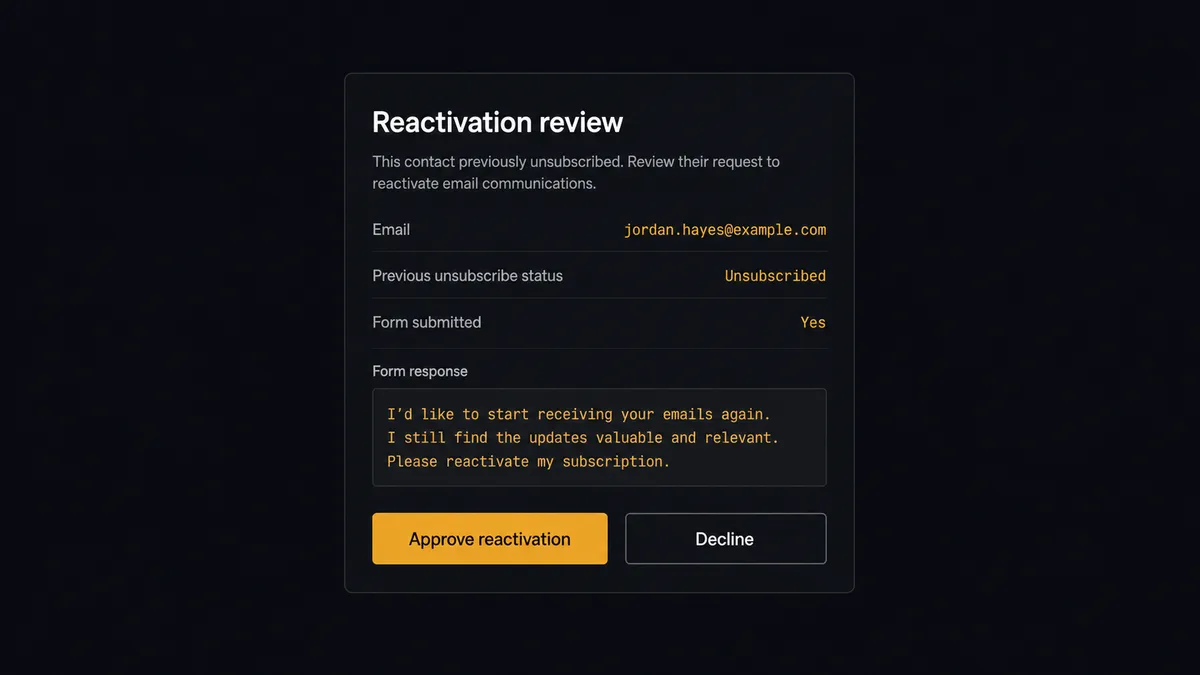
The consequential step hides inside Create Subscription itself: the action can reactivate an existing unsubscribed reader. Reactivation is not a routine insert. This is a person who told you to stop emailing them, and resuming wrongly is a consent violation with a spam-complaint button attached. So the agent separates the cases. A fresh, clean signup is created and welcomed automatically. An address with an unsubscribe in its history stops the line. The agent invokes a human-in-loop flow it holds as a callable tool and posts to your channel: “Returning reader: [email] unsubscribed previously, now submitted the signup form. Response and timestamp attached. Approve reactivation?” A named approver checks that the submission is genuine, and only then does Create Subscription run with reactivation enabled, followed by Enroll In Automation for the welcome journey. The evidence, the decision, and the approver are all in the audit trail if anyone ever asks.
Prospects call this the digital andon cord: like Toyota’s line-stop cord, the workflow halts the moment consent is in question, and a person clears it. Growth stays automatic. Consent stays human.
FlowRunner vs Zapier
For a Google Forms to beehiiv connection, Zapier is the obvious first stop, and credit where due: it is genuinely easy, the connector library is enormous, and its template gallery has this exact pairing ready to switch on. A marketer with no technical background can have form responses creating subscribers in minutes.
The difference is what happens to the signups that should not go straight in, and what the meter reads at volume. In Zapier, every response is a task, junk included, and a reactivation looks exactly like a signup unless someone builds elaborate filter logic by hand. Here is the honest side-by-side.
| What matters for this pair | FlowRunner | Zapier |
|---|---|---|
| Human-in-the-loop on reactivating unsubscribed readers | Native. The agent invokes an approval flow as a callable tool and pauses before Create Subscription reactivates anyone | Available via added approval steps and filters you wire yourself, not a native agent decision |
| Who runs the flow | An AI agent screens each response, reasons, picks create, update, or escalate | Predefined step sequence you configure per Zap |
| Users included | Unlimited users on every tier | Priced by task volume; seats vary by plan |
| Bring your own AI keys | Yes, BYOK | AI features tied to Zapier’s own AI offering |
| Self-hosted option | Yes, cloud-hosted or self-hosted | Cloud only |
| Pricing model | Transparent workflow-based tiers | Per-task pricing that counts every response, junk included |
If your form gets a trickle of signups and you just need them on the list, Zapier is a fine start. If your forms feed a list you protect, screened signups, consent-checked reactivations, attribution that survives, this pairing on FlowRunner is the better fit.
Before and after
| Category | Before | After |
|---|---|---|
| Signup latency | Responses wait in a sheet until someone runs the paste ritual | New submissions become subscribers on the next scheduled run |
| List quality | Typos and gibberish imported alongside real readers, then they bounce | The agent screens every address before Create Subscription runs |
| Reactivations | Unsubscribed readers re-added by accident with no consent record | Each reactivation approved by a named person with the signup evidence attached |
| Attribution | Nobody knows which form or event a reader came from | UTM attribution stamped on every subscriber at creation |
| Welcomes | A generic blast, days late, sometimes twice | Welcome email or journey starts the day the reader signed up, once |
What you can build
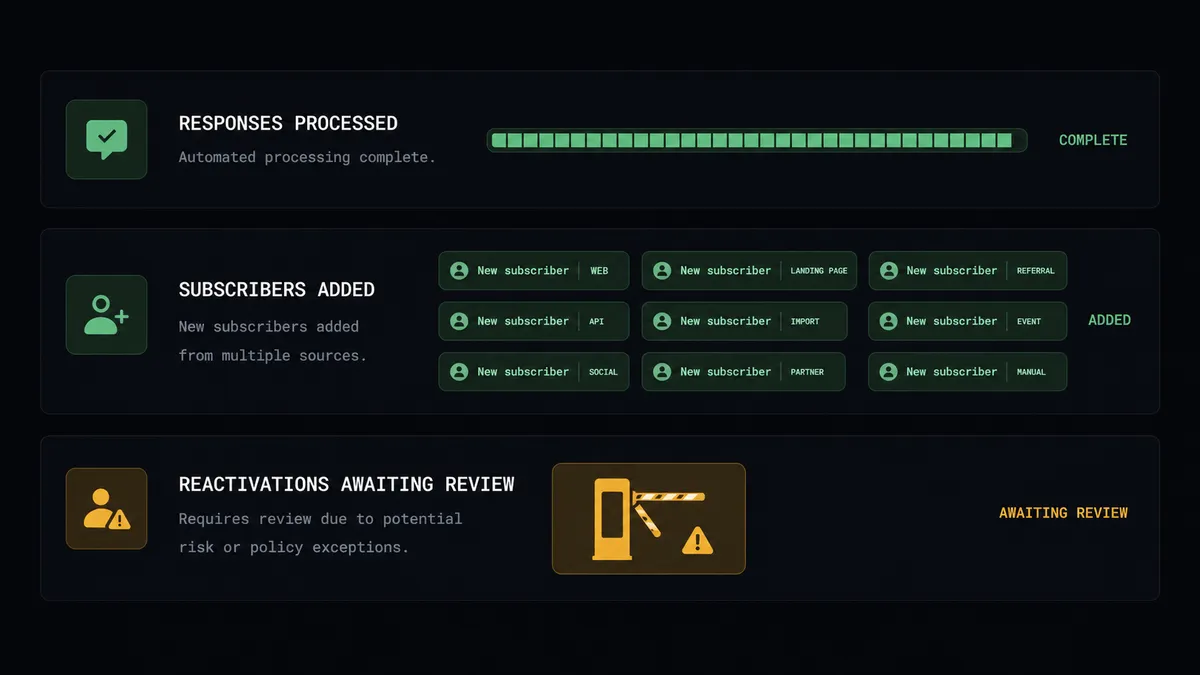
Event signup to welcomed reader. Get Form Responses List picks up the booth form’s submissions, the agent screens them, and Create Subscription adds each real person with the event stamped as attribution and the welcome email on.
Interest-based onboarding. The form asks what the reader cares about; the agent writes the answers into custom fields via Create Subscription and starts the matching journey with Enroll In Automation, so the first email already fits.
Consent-checked reactivation. Returning readers with an unsubscribe in their history route through the approval gate with the form response attached, so every resumed subscription has a person and a paper trail behind it.
Multi-form funnel with one list. Get Forms List enumerates your active signup forms, the workflow polls each one’s responses, and every subscriber lands in the same publication with per-form attribution intact.
Form hygiene from the same workflow. When a campaign ends, the agent uses Get Form Details to confirm which form is which and flags retired forms for cleanup, keeping the signup surface as tidy as the list, with Delete Form reserved for a human decision.
Getting started
Start on the free plan: 100 executions a month, every integration included, no credit card required, plus 14 days of Professional for new accounts. Both connectors are available on every tier, and every tier includes unlimited users and unlimited workflows, so the marketer who owns the forms and the operator who approves reactivations share one workspace from day one.
Explore the integration details:
- Google Forms integration (9 actions covering forms, fields, and response retrieval)
- beehiiv integration (12 actions covering subscribers, tiers, automations, posts, and segments)
Start building free at flowrunner.ai or book a demo to see a live Google Forms to beehiiv workflow, reactivation gate and all.
Frequently asked questions
Is it free to connect Google Forms and beehiiv on FlowRunner?
You can build and run the connection on FlowRunner's free plan, which includes 100 executions a month and every integration with no credit card required, and new accounts also get 14 days of Professional. Both connectors are available on every FlowRunner tier, and every tier includes unlimited users and unlimited workflows.
Can I self-host the Google Forms to beehiiv workflow?
Yes. FlowRunner offers a cloud-hosted option and a self-hosted option, so the connection can run inside your own environment.
Does the AI agent need my own OpenAI or Claude key?
FlowRunner uses a bring-your-own-keys model, so you connect the AI provider key you already have. You are not locked to one model.
What happens when a signup comes from someone who previously unsubscribed?
The agent does not silently reactivate them. Create Subscription can reactivate an unsubscribed reader, so the agent pauses, posts the form response, its timestamp, and the reader's history to your channel, and waits for a named approver to confirm the signup is genuine before the reactivation runs.
Which triggers does this connection use?
Neither connector exposes an event trigger, so the workflow runs on a schedule. Each run calls Get Form Responses List in Google Forms to collect new submissions, checks them with List Subscriptions, and adds clean signups with Create Subscription.
Can the workflow tell which form or campaign a subscriber came from?
Yes. Create Subscription records UTM attribution and the referring site, so the workflow stamps each subscriber with the form and campaign that sourced them. Use one form per campaign or a source question on the form, and the attribution follows the reader into beehiiv.