How to Connect Typeform with beehiiv (With or Without an AI Agent)
Turn Typeform signups into beehiiv subscribers with UTM attribution and automation enrollment, run by an AI agent that adds clean opt-ins automatically and pauses for a human before reactivating anyone who previously unsubscribed.
How do you connect Typeform to beehiiv?
You connect Typeform to beehiiv with a scheduled workflow that calls Get Form Responses to pull new signups, checks each email against the publication with List Subscriptions, and adds new readers with Create Subscription, carrying UTM attribution, custom field values, and the welcome email, then drops them into your onboarding journey with Enroll In Automation. Typeform has no trigger in FlowRunner, so a schedule sweeps for new responses at the cadence you choose. FlowRunner is a visual AI-agent orchestration platform where automations run autonomously and pause for human judgment on the steps that carry real consequence. Run as an AI agent, the same connection adds clean opt-ins on its own and stops for a named approver before the step most syncs never even notice: reactivating a reader who once unsubscribed.
The problem it solves
Newsletter operators run Typeforms everywhere: the lead magnet quiz, the event registration, the reader survey with a subscribe checkbox at the end. Each form quietly accumulates people who asked for the newsletter, and someone has to move them: export the responses, trim the columns, import into beehiiv, and hope the custom fields line up. Signups from Tuesday reach the welcome sequence on Friday, after the moment that made someone subscribe has fully evaporated.
The edges are where growth becomes liability. The CSV import loses the UTM data, so next quarter nobody can say which form actually grows the list, and attribution reporting becomes folklore. Duplicates pile up. And the sharpest edge: a reader who unsubscribed months ago fills out your quiz, lands in the import, and gets reactivated without anyone deciding that should happen. To the operator it is a data row; to the reader it is a newsletter they explicitly left showing up again, and the spam report that follows costs deliverability across the whole list.
How it works: the connection
The connection reads from Typeform on a schedule and writes to beehiiv. Here is the plain version, grounded in the real connector actions.
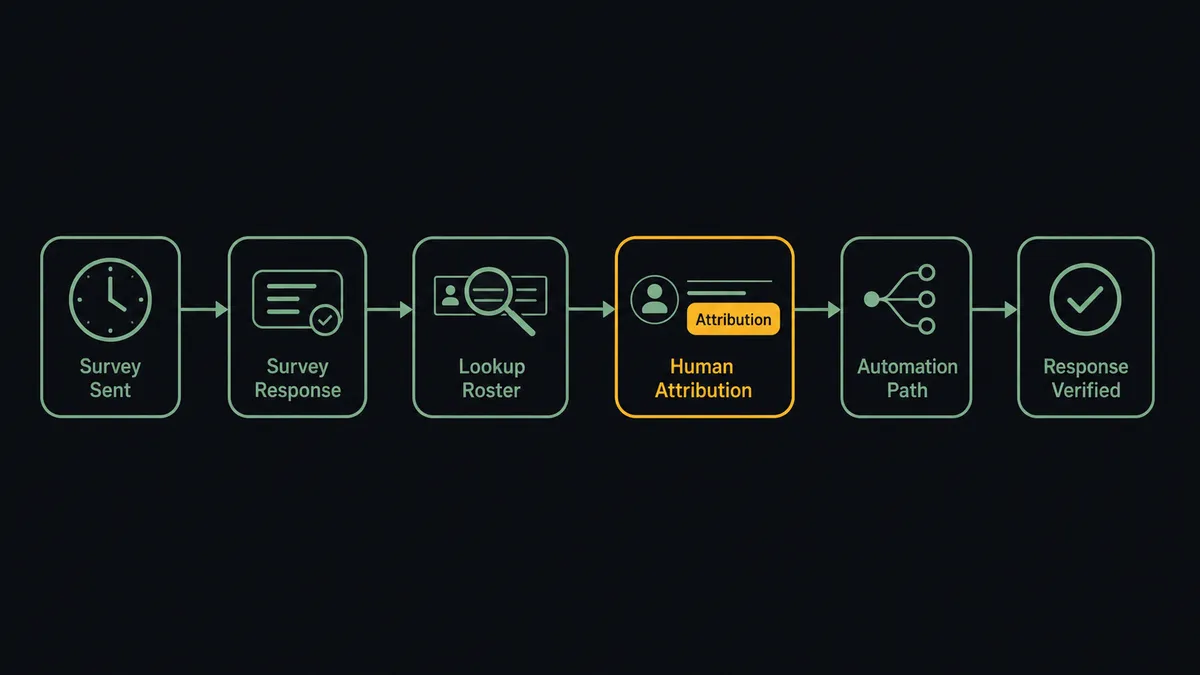
- Trigger: On a schedule, the workflow calls Get Form Responses to pull every signup received since the last run.
- Read: It calls Get Form once for the form definition, so answers map to named fields, including the hidden UTM fields your form carries.
- Resolve the publication: It calls List Publications to target the right publication when you run more than one.
- Check for an existing reader: It calls List Subscriptions filtered by the exact email to see whether this person already has a record and what status it holds.
- Add the subscriber: For genuinely new readers it calls Create Subscription with the email, UTM source, referring site, and custom field values mapped from the answers, with the welcome email enabled.
- Enroll: It calls Enroll In Automation to drop the new reader into the onboarding journey with an active Add by API trigger.
- Verify: It calls Get Subscription to confirm the record landed with the right tier and fields.
That is the “just connect them” answer. Every form becomes a growth channel with attribution intact, and the welcome email lands while the signup still remembers signing up.
Can an AI agent run it? (and why a human stays in the loop)
Yes, and the agent is what keeps list growth from becoming list damage. It holds the actions as tools: Get Form Responses, Get Form, List Subscriptions, Get Subscription, Create Subscription, Update Subscription, Enroll In Automation, List Automations. On each signup it reasons like a careful list owner: is the email real, did this person actually opt in or just complete a quiz, do they already exist, and if they exist, what is their status?
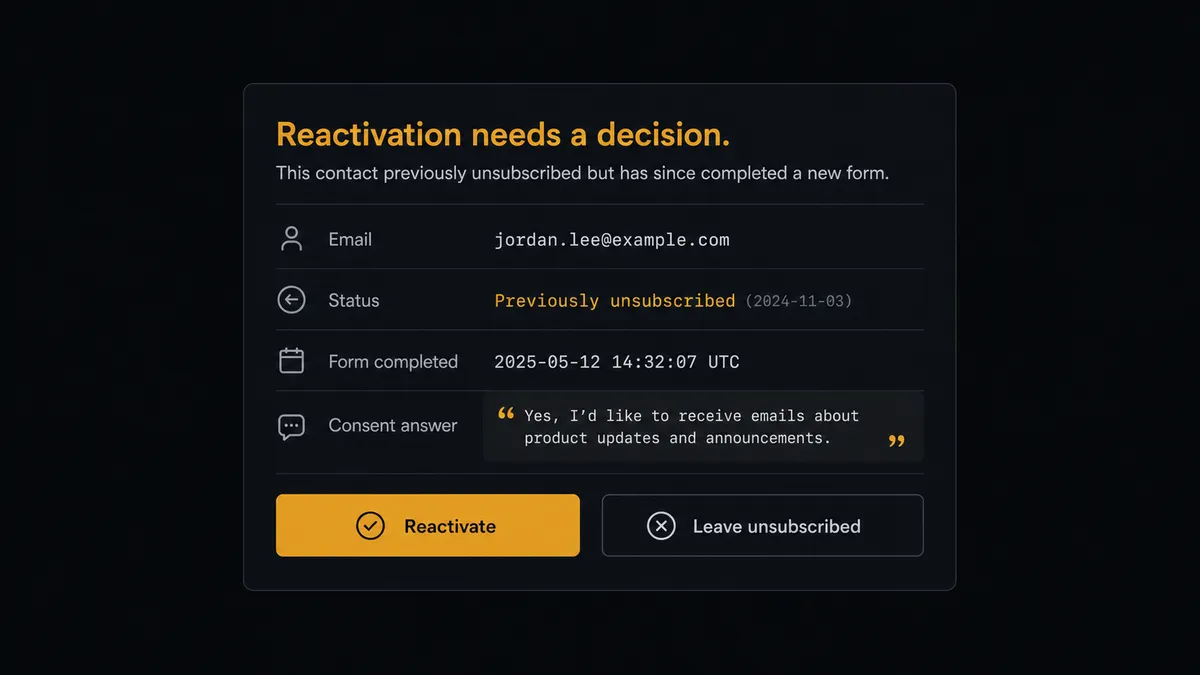
The consequential step is reactivation. beehiiv’s Create Subscription can reactivate an existing unsubscribed reader, which is exactly right when the person genuinely re-opted in, and exactly wrong when a quiz completion gets mistaken for consent. So when List Subscriptions shows a previous unsubscribe, the agent does not decide alone. It invokes a human-in-loop flow it holds as a callable tool, and the workflow pauses and posts to your channel: “Signup from [email] matches a reader who unsubscribed. Their consent answer on the form: [exact text]. Reactivate and send the welcome email, or leave them unsubscribed?” A named approver makes the call with the evidence in front of them. Only on approval does Create Subscription run with reactivation, followed by Enroll In Automation, and the consent answer, decision, approver, and timestamp all land in the audit trail. The same gate guards Delete Subscription, which permanently removes a reader and cannot be undone.
That is the digital andon cord for audience growth: like Toyota’s andon cord, the workflow stops the line the moment consent is in question. Clean signups flow at machine speed; the judgment calls wait for judgment.
FlowRunner vs Zapier
Zapier is the default first stop for connecting a form to a newsletter tool, and it earns that position: the connector catalog is vast, the setup is genuinely quick, and a template for pushing form entries into an email platform is never more than a search away. For a straight submission-to-subscriber pipe, it works.
The difference is that a pipe moves everything it is fed, including the reader who unsubscribed. FlowRunner is built around native human-in-the-loop and AI-agent orchestration, where the agent checks status first and treats reactivation as a decision that belongs to a person.
| What matters for this pair | FlowRunner | Zapier |
|---|---|---|
| Human-in-the-loop on reactivating unsubscribed readers | Native. The agent checks List Subscriptions and holds the add for a named approver | Available via added approval steps you place in advance, not an agent decision |
| Who runs the flow | An AI agent reads each signup, reasons about consent, and picks actions as tools | Predefined step sequence you configure per Zap |
| Users included | Unlimited users on every tier | Priced by task volume; seats vary by plan |
| Bring your own AI keys | Yes, BYOK. Connect the AI provider key you already have | AI features tied to Zapier’s own AI offering |
| Self-hosted option | Yes, cloud-hosted or self-hosted | Cloud only |
| Pricing model | Transparent workflow-based tiers | Per-task pricing that grows with your signup volume |
If you want every submission on the list today with minimum setup, Zapier gets you there. If your list is the business and you want attribution preserved, duplicates caught, and every reactivation carrying a named approval, that is where FlowRunner is the better fit.
Before and after
| Category | Before | After |
|---|---|---|
| Signup lag | Responses wait for the weekly export and import | New readers get the welcome email minutes after submitting |
| Attribution | UTM data dies in the CSV, so channel reporting is folklore | Create Subscription records UTM source and referring site on every add |
| Duplicates | Repeat signups pile into the import untouched | List Subscriptions is checked by exact email before every add |
| Unsubscribed readers | Reactivated silently by the import, spam reports follow | Every reactivation waits for a named approver with the consent answer shown |
| Segmentation | Custom fields get filled in later, by hand, if ever | Form answers map to publication custom fields at the moment of signup |
What you can build
Quiz-to-subscriber pipeline with attribution. Get Form Responses pulls completions, the agent validates the opt-in answer, and Create Subscription adds the reader with the form’s hidden UTM fields recorded, so quarterly channel reporting reads from the subscription data itself.
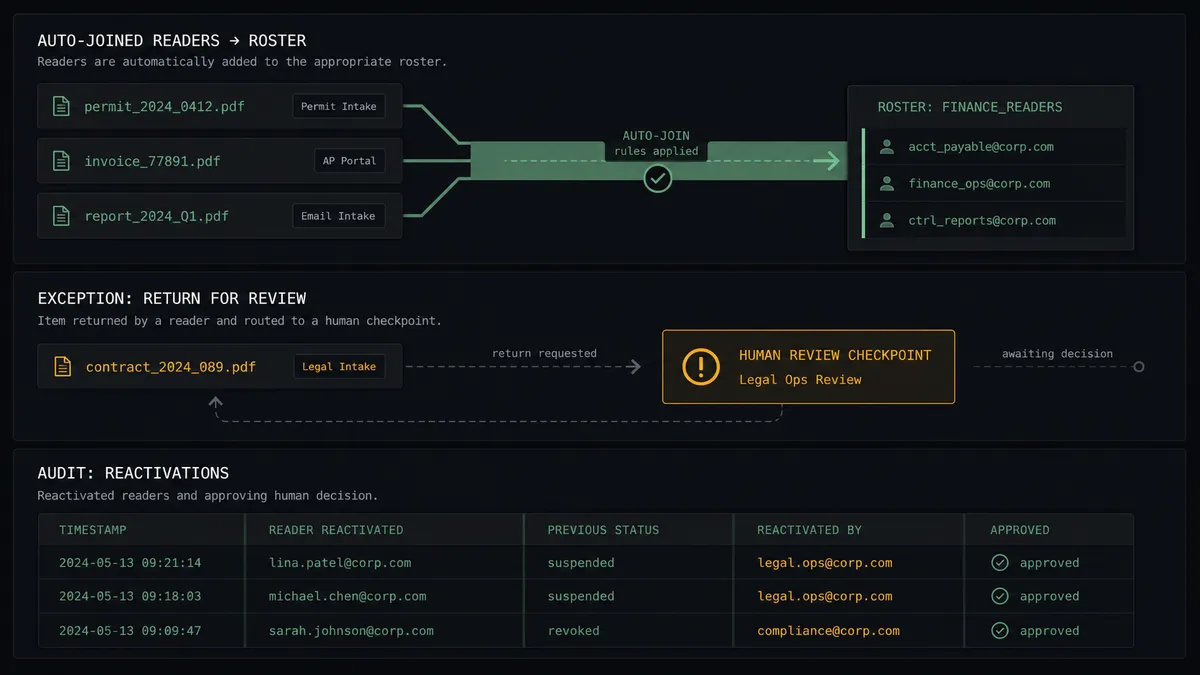
Consent-checked reactivation queue. Every signup is checked against List Subscriptions. Previously unsubscribed readers route through the human gate with their exact consent answer quoted, and the decision is logged either way.
Tiered onboarding from one form. The agent reads the interest answers, sets custom fields through Create Subscription, and uses List Automations plus Enroll In Automation to route founders and marketers into different welcome journeys from the same Typeform.
Survey-driven field enrichment. When existing subscribers complete your reader survey, the agent matches them via List Subscriptions and writes their answers onto the record with Update Subscription, so segments defined in List Segments stay grounded in fresh data.
Guarded list hygiene. When a survey response asks to be removed entirely, the agent stages Delete Subscription, posts the request for confirmation because deletion is permanent, and executes only after a named approval.
Getting started
Start on the free plan: 100 executions a month, every integration included, no credit card required, plus 14 days of Professional for new accounts. Both connectors are available on every tier, and every tier includes unlimited users and unlimited workflows.
Explore the integration details:
- Typeform integration (36 actions covering forms, responses, themes, and insights)
- beehiiv integration (12 actions covering subscribers, posts, and automations)
Start building free at flowrunner.ai or book a demo to see a live Typeform to beehiiv workflow, reactivation gate and all.
Frequently asked questions
Is it free to connect Typeform and beehiiv on FlowRunner?
You can build and run the connection on FlowRunner's free plan, which includes 100 executions a month and every integration with no credit card required, and new accounts also get 14 days of Professional. Both connectors are available on every FlowRunner tier, and every tier includes unlimited users and unlimited workflows.
Can I self-host the Typeform to beehiiv workflow?
Yes. FlowRunner offers a cloud-hosted option and a self-hosted option, so the connection can run inside your own environment.
Does the AI agent need my own OpenAI or Claude key?
FlowRunner uses a bring-your-own-keys model, so you connect the AI provider key you already have. You are not locked to one model.
What happens when a signup matches someone who previously unsubscribed?
The agent does not quietly reactivate them. It posts the email, their previous status from List Subscriptions, and the exact answer they gave on the form to your channel, and waits. Create Subscription runs with reactivation only after a named approver agrees the new opt-in is genuine, and that decision is logged.
Typeform has no trigger in FlowRunner, so what starts the workflow?
A schedule. Each run calls Get Form Responses to pull signups received since the last check, and Get Form maps every answer to a named field. Cadence is yours, from every few minutes to hourly.
Which beehiiv actions does this pair actually use?
List Subscriptions checks for an existing reader by email, Create Subscription adds the subscriber with UTM attribution, custom fields, and the welcome email, Update Subscription adjusts tier and custom fields later, and Enroll In Automation drops the reader into a journey with an active Add by API trigger.