How to Connect Calendly with Shortcut (With or Without an AI Agent)
Connect Calendly bookings and routing forms to Shortcut (formerly Clubhouse) stories, optionally as an AI agent that files and updates work automatically and pauses for a human before anything lands in the active iteration.
How do you connect Calendly to Shortcut?
You connect Calendly to Shortcut (formerly Clubhouse) by having Calendly’s On Invitee Created trigger drive Shortcut actions: the workflow checks for duplicates with Search Stories, finds the right home with List Projects and List Workflows, and files the request with Create Story, so a booked customer call becomes a tracked piece of work before the meeting even happens. FlowRunner is a visual AI-agent orchestration platform where automations run autonomously and pause for human judgment on the steps that carry real consequence. The same connection can run as an AI agent that reads each booking, files the story on its own, and pauses for a named human before it pulls anything into the active iteration with Update Story or commits roadmap space with Create Epic.
The problem it solves
Today the bridge between your calendar and your tracker is memory. A customer books a feedback session or a bug triage call through Calendly. The call happens, someone promises to look into it, and then the request lives in one person’s notes until they remember to open Shortcut and write it up. Half the time the story gets created days later with a title like “follow up from call” and none of the routing form answers that qualified the request in the first place. The engineer who eventually picks it up starts by asking who the customer was.
The edges are worse than the happy path. A customer cancels the call and the story that was created for it sits in the backlog as if the conversation still happened. A no-show gets marked in Calendly and nobody downgrades the request. A well-meaning ops person files a duplicate story because Search Stories was never run, and now two engineers are quietly working the same issue. And the requests that sound urgent on a call get dropped straight into the current sprint by whoever took the meeting, with no one deciding whether they actually beat the work already committed.
How it works: the connection
The connection listens to Calendly and writes to Shortcut. Here is the plain version, grounded in the real connector actions.
- Trigger: Calendly fires On Invitee Created when a customer books, or On New Routing Form Submitted when they complete the qualifying form.
- Dedupe: The workflow calls Search Stories in Shortcut to check whether a story for this request already exists.
- Locate: It calls List Projects and List Workflows to find the right project and the correct starting workflow state.
- File: It calls Create Story with the invitee name, event type, meeting time, and every routing form answer in the description.
- Assign context: It calls List Members so the story lands with the right owner or follower attached.
- Handle changes: On Invitee Canceled or On Mark Invitee as No-Show, it calls Update Story so the tracker reflects that the conversation never happened.
That is the “just connect them” answer. Booked calls become qualified stories, cancellations clean up after themselves, and nobody transcribes form answers by hand.
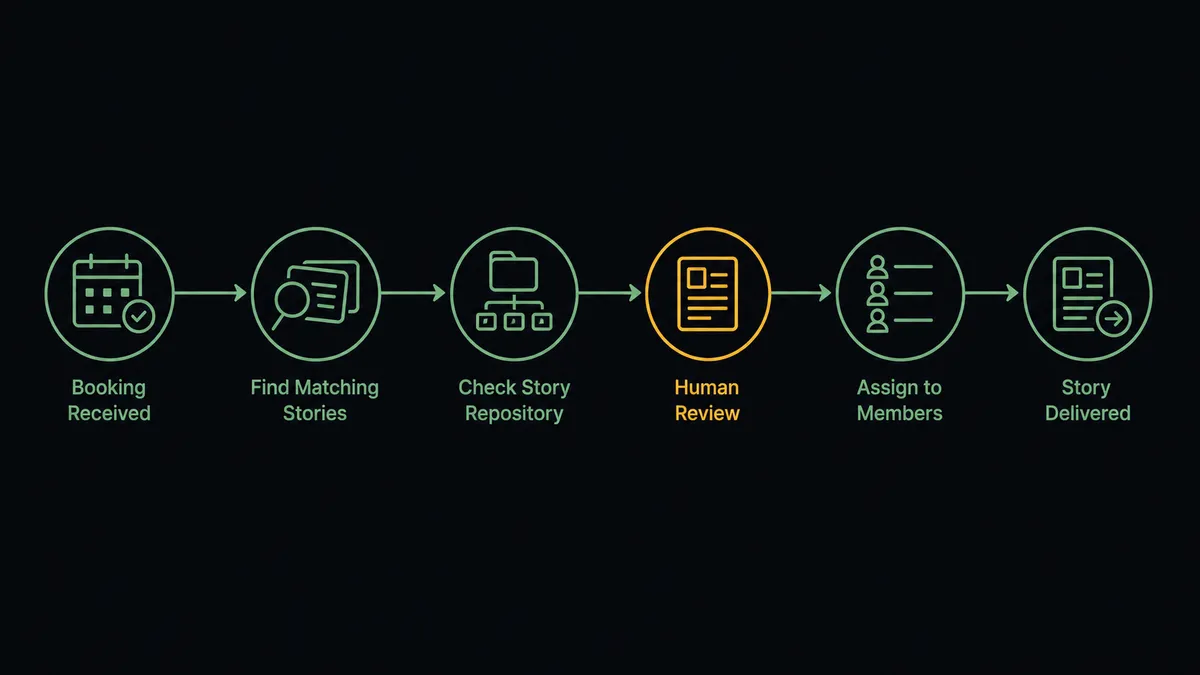
Can an AI agent run it? (and why a human stays in the loop)
Yes, and this is where the connection stops being a filing clerk and starts being a triager. Instead of a fixed script that creates one story per booking no matter what, an AI agent reads the routing form answers and reasons about the request. Search Stories, Get Story, Create Story, Update Story, List Epics, Create Epic, List Iterations: these are the agent’s toolbox, and it picks the ones the situation calls for. A duplicate report gets attached to the existing story instead of cloned. A vague form answer gets filed to the backlog with a note. A request that maps to an epic already in flight gets linked there.
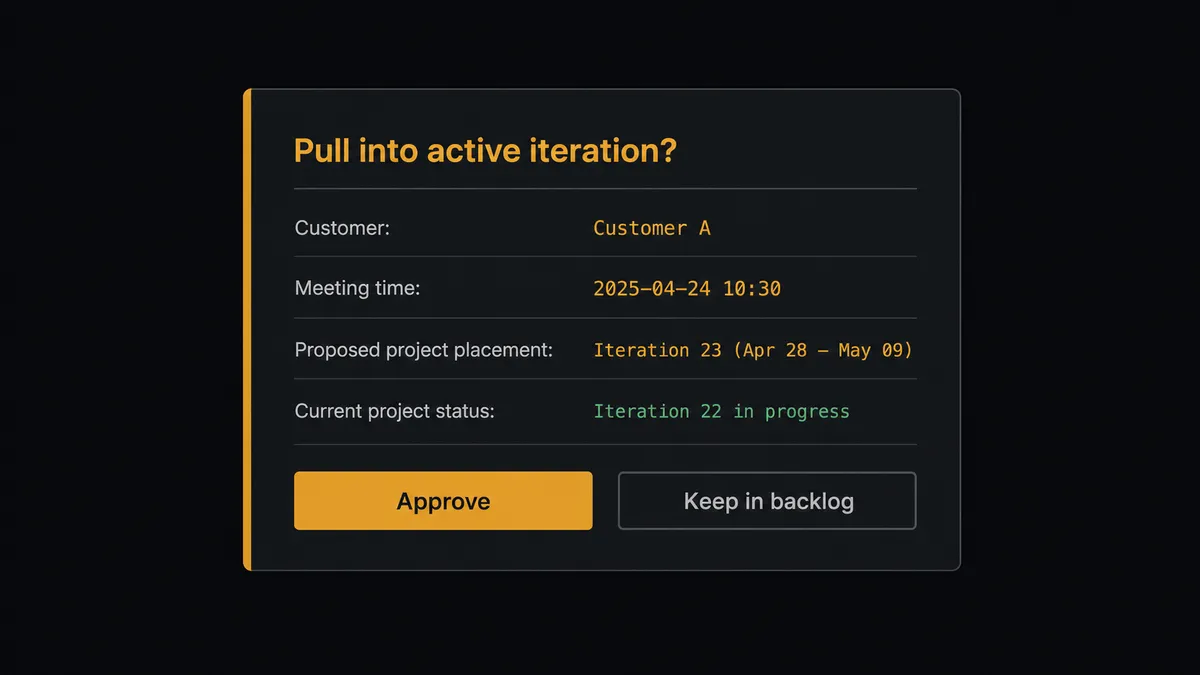
The consequential step is committing engineering time. When a request looks urgent enough to jump the queue, the agent does not silently call Update Story and drop it into the active iteration. It calls List Iterations to see what the team has already committed, then invokes a human-in-loop flow it holds as a callable tool. The workflow pauses and posts to the team channel: “New request from [customer], booked for [meeting time]. Form answers suggest it blocks their rollout. Proposed placement: current iteration in [project]. Approve to pull it in, or reject to keep it in the backlog.” The team lead clicks once. Only then does the agent move the story. The same gate sits in front of Create Epic, because a new epic is a claim on roadmap space that a form submission should never make on its own.
Prospects call this pattern a digital andon cord: like Toyota’s quality control pull cord, the workflow stops the line the moment it hits uncertainty, and your team pulls it back into motion. The backlog fills itself. The sprint stays something a human chose.
FlowRunner vs n8n
Developer-heavy teams connecting Calendly to Shortcut often reach for n8n first, and there are real reasons for that. n8n has nodes for both services, a large template community, a free self-hosted community edition, and code steps that let an engineer shape the payload any way they want. If your team is comfortable maintaining workflow JSON and wants full code-level control, n8n is a capable tool.
The difference shows up in who can run it and what happens at the judgment calls. FlowRunner is built for the ops lead who owns this process but does not write JavaScript, and for the moment when a story is about to jump into the sprint.
| What matters for this pair | FlowRunner | n8n |
|---|---|---|
| Human-in-the-loop before Update Story pulls work into the sprint | Native. The agent invokes an approval flow as a callable tool and pauses until a named person decides | Possible to assemble with Wait and form nodes, but it is plumbing you build and maintain, not an agent decision |
| Who runs the flow | An AI agent reads the booking, reasons, and picks actions as tools | A node graph you wire and debug yourself, with agent nodes configured per workflow |
| Users included | Unlimited users on every tier | Cloud plans are priced by executions and active workflows, and collaboration features vary by plan |
| Bring your own AI keys | Yes, BYOK on every tier | Yes, via AI nodes you configure yourself |
| Self-hosted option | Yes, cloud-hosted or self-hosted | Yes, fair-code self-host; full compliance features sit on the enterprise tier |
| Pricing model | Transparent workflow-based tiers with clear execution limits | Execution-based cloud pricing that takes work to predict as volume grows |
If your engineers want a code-first canvas and are happy to own the infrastructure, n8n is a fair choice. If the person running call triage is an ops lead, and you want a human decision recorded every time work enters the sprint, that is where FlowRunner is the better fit.
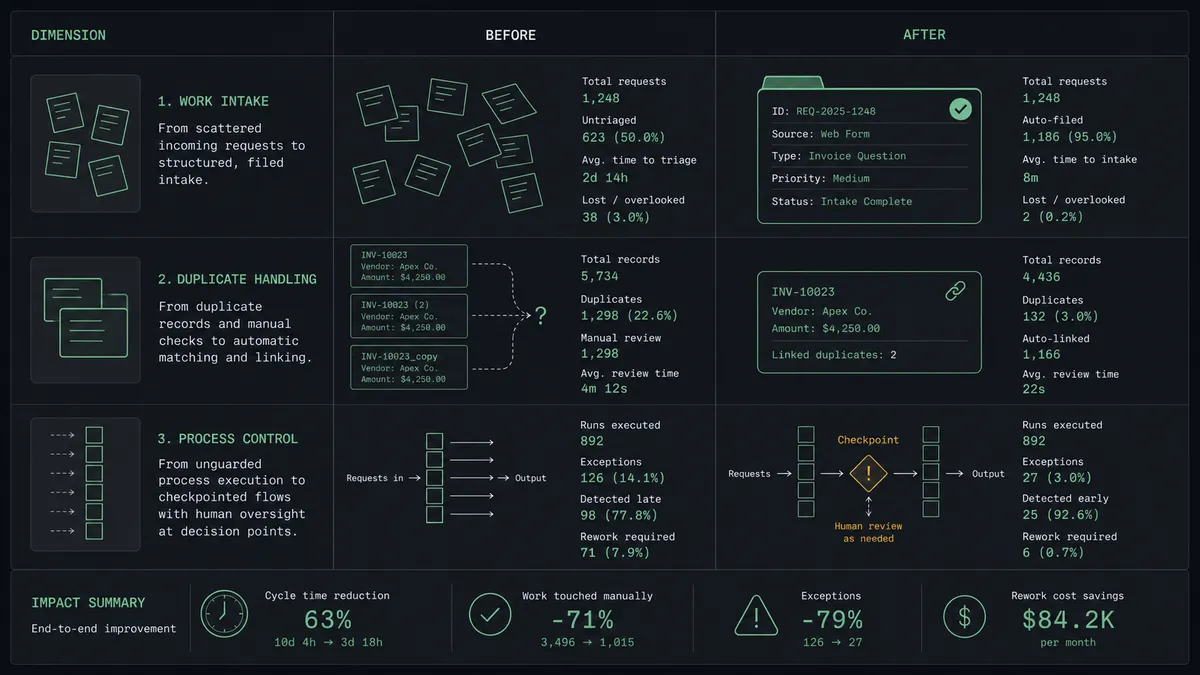
Before and after
| Category | Before | After |
|---|---|---|
| Request capture | Call notes live in one person’s head until they remember to write the story | Every booking becomes a Shortcut story with the routing form answers attached, before the call happens |
| Duplicates | Two engineers discover mid-sprint they are working the same customer issue | Search Stories runs before every Create Story, and repeat reports attach to the existing story |
| Cancellations and no-shows | Stories for meetings that never happened sit in the backlog as live work | On Invitee Canceled and On Mark Invitee as No-Show update the story automatically |
| Sprint discipline | Whoever took the call drops the request into the current iteration | Nothing enters the active iteration without a named approver signing off |
| Context for engineers | The story says “follow up from call” and the engineer goes hunting | The story carries the customer, the meeting time, and every form answer from day one |
What you can build
Booked call to qualified story. On Invitee Created fires. The agent runs Search Stories, files the request with Create Story into the right project via List Projects and List Workflows, and the engineer walks into the call with the story already open.
Routing form triage. On New Routing Form Submitted fires before the meeting is even booked. The agent reads the answers, links the request to an existing epic via List Epics, and files a story that reflects what the customer actually asked for.
Cancellation cleanup. On Invitee Canceled fires. The agent calls Get Story on the linked story and Update Story to move it back to an unscheduled state, so the backlog never claims a conversation that did not happen.
No-show follow-up. On Mark Invitee as No-Show fires. The agent updates the story with the missed meeting, and if the customer rebooks, On Unmark Invitee as No-Show restores it, keeping the tracker honest without anyone touching it.
Epic proposal with a gate. When several bookings cluster around the same theme, the agent drafts an epic, packages the related stories and form answers, and invokes the human-in-loop tool. Create Epic runs only after a product owner approves the claim on the roadmap.
Getting started
Start on the free plan: 100 executions a month, every integration included, no credit card required, plus 14 days of Professional for new accounts. Both connectors are available on every tier, and every tier includes unlimited users and unlimited workflows.
Explore the integration details:
- Calendly integration (5 triggers and 3 actions covering bookings, cancellations, no-shows, and routing forms)
- Shortcut integration (10 actions covering stories, epics, projects, workflows, and iterations)
Start building free at flowrunner.ai or book a demo to see a live Calendly to Shortcut workflow, iteration approval gate and all.
Frequently asked questions
Is it free to connect Calendly and Shortcut on FlowRunner?
You can build and run the connection on FlowRunner's free plan, which includes 100 executions a month and every integration with no credit card required, and new accounts also get 14 days of Professional. Both connectors are available on every FlowRunner tier, and every tier includes unlimited users and unlimited workflows.
Can I self-host the Calendly to Shortcut workflow?
Yes. FlowRunner offers a cloud-hosted option and a self-hosted option, so the connection can run inside your own environment.
Does the AI agent need my own OpenAI or Claude key?
FlowRunner uses a bring-your-own-keys model, so you connect the AI provider key you already have. You are not locked to one model.
What happens when the agent is not sure where a request belongs?
The agent stops and invokes a human-in-loop step. It posts the booking details, the routing form answers, and its proposed project and workflow state to your team channel, then waits for a decision before it calls Create Story or Update Story.
Which Calendly events can trigger a Shortcut action?
Calendly offers five triggers: On Invitee Created, On Invitee Canceled, On New Routing Form Submitted, On Mark Invitee as No-Show, and On Unmark Invitee as No-Show. On Invitee Created and On New Routing Form Submitted are the two most teams start with for filing work.
Does every new story need human approval?
No. The agent files backlog stories on its own. It escalates only the moves that carry weight: pulling a story into the active iteration with Update Story, or creating a new epic with Create Epic. Those wait for a named approver, and the approval lands in the audit trail.