How to Connect Calendly with CloudTalk (With or Without an AI Agent)
Connect Calendly bookings to CloudTalk SMS and calls, optionally as an AI agent that confirms and rebooks meetings automatically and pauses for a human before it contacts a no-show or cancels a booking.
How do you connect Calendly to CloudTalk?
You connect Calendly to CloudTalk by having Calendly’s On Invitee Created trigger drive CloudTalk’s communication actions: someone books a meeting, the workflow files them with Add Contact, confirms by Send SMS, and reminds them ahead of the slot; when On Invitee Canceled fires, it mints a fresh link with Create Single-Use Scheduling Link and texts it while the cancellation is still warm. FlowRunner is a visual AI-agent orchestration platform where automations run autonomously and pause for human judgment on the steps that carry real consequence. Run as an agent, the same connection also handles the awkward cases, and it pauses for the meeting owner before any message reaches a no-show or Cancel Scheduled Event touches someone’s booking.
The problem it solves
Booked meetings look like a solved problem until you watch what happens after the booking. Confirmations go out by email, which is where reminders go to be ignored. The morning of the meeting, nobody has nudged the invitee on a channel they read, so the no-show rate stays stubborn. When someone cancels, the rebooking depends on a human noticing the cancellation email and writing “no problem, here’s my link” fast enough to catch the person while rescheduling is still on their mind. Usually nobody notices for hours, and the slot, and often the deal, quietly evaporates.
No-shows are the tender spot. The person who missed a sales call is embarrassed or busy or having a bad week, and the difference between “rebooked next Tuesday” and “never heard from again” is the tone and timing of one message. A generic automated “you missed our meeting” text at the wrong moment reads as a rebuke. Teams know this, so no-show follow-up stays manual, inconsistent, and mostly undone. The result: an expensive calendar full of holes nobody is systematically refilling.
How it works: the connection
The connection listens to Calendly and communicates through CloudTalk. Here is the plain version, grounded in the real connector actions.
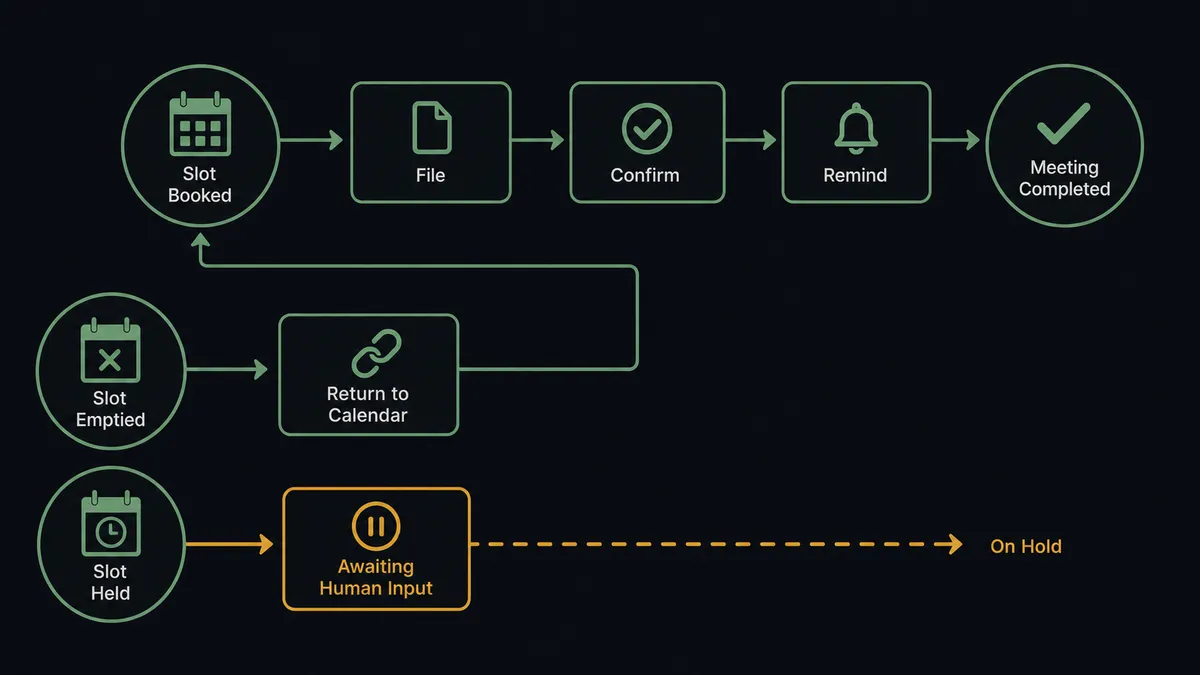
- Trigger: Calendly fires On Invitee Created the moment someone books.
- File: The workflow calls Add Contact in CloudTalk so the invitee exists in the calling system with the booking context on their record.
- Confirm: It calls Send SMS with a short confirmation carrying the event name, date, and time.
- Remind: Ahead of the meeting, a scheduled step calls Send SMS again with the reminder, on the one channel that gets read in the hallway.
- Rebook cancellations: When On Invitee Canceled fires, the workflow calls Create Single-Use Scheduling Link and delivers it with Send SMS in the same minute, while rescheduling is still the invitee’s idea.
- Route new leads: When On New Routing Form Submitted fires, the form’s answers file into the contact record, so the person who eventually calls knows what the invitee asked for.
- Record: List Calls keeps the conversation history complete next to the booking.
That is the “just connect them” answer. Bookings confirm themselves, reminders land where people look, and cancellations get a rebooking link before the invitee has closed the tab.
Can an AI agent run it? (and why a human stays in the loop)
Yes, and the agent supplies the judgment that keeps scheduling automation from feeling like a machine gun. It holds the real actions as tools: Add Contact, Send SMS, Make Call (Click to Call), List Calls, Create Single-Use Scheduling Link, Create One-Off Meeting, Cancel Scheduled Event. Before it messages anyone, it reads the context. List Calls shows the invitee spoke with your team an hour ago, so the reminder would be redundant noise. The routing form shows this booking is a support escalation, not a sales call, so the confirmation tone changes. A double-booking surfaces, and instead of silently killing one slot, the agent proposes which to keep.
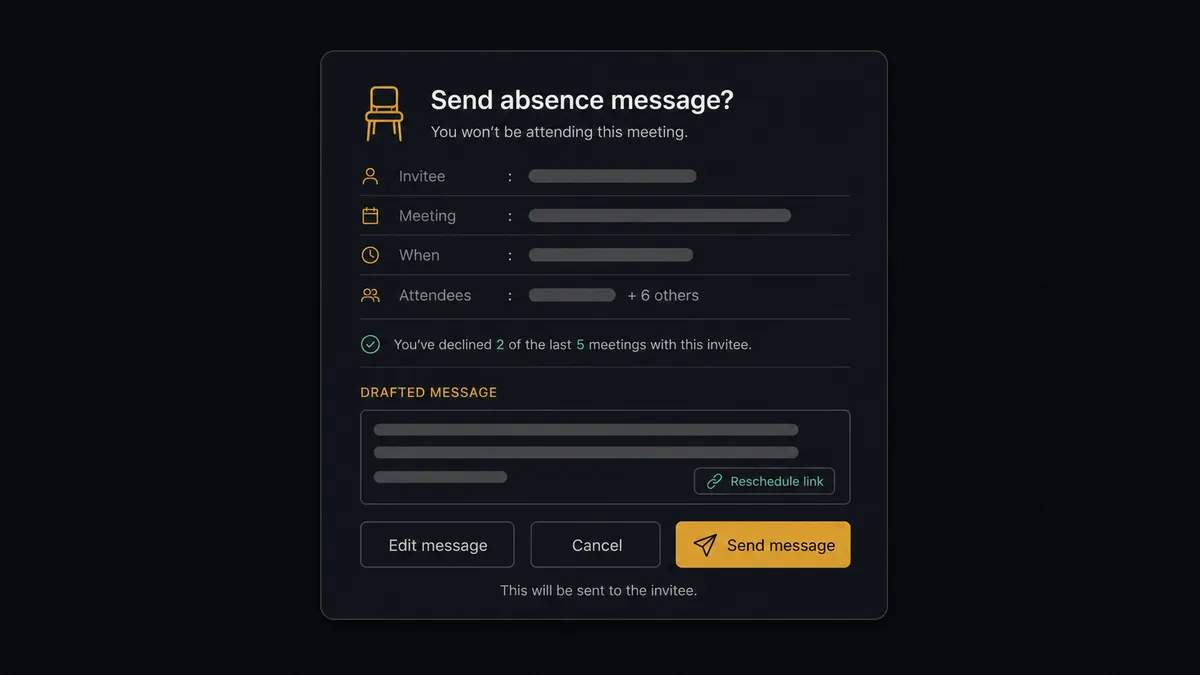
The consequential steps are two. First, contacting a no-show: when On Mark Invitee as No-Show fires, the agent drafts the re-engagement, warm, specific, carrying a fresh Create Single-Use Scheduling Link, and then invokes a human-in-loop flow it holds as a callable tool. The workflow pauses and posts to the meeting owner: “No-show marked for [invitee], [event]. They rebooked once before and attended. Draft attached with a single-use rebooking link. Send, edit, or let it go?” Second, canceling a booking: Cancel Scheduled Event removes time from a customer’s calendar, so it never fires without the same gate. On approval the message sends or the slot is canceled, and the approver, the approved text, and the timestamp land in the audit trail. On Unmark Invitee as No-Show cleanly retracts the sequence when the marking was a mistake.
This is the digital andon cord, FlowRunner’s core thesis: like Toyota’s andon cord, the workflow stops the line the moment a message carries relationship weight. Confirmations and rebooks flow on their own; the note to the person who did not show waits for the person who owns that relationship.
FlowRunner vs Zapier
Zapier deserves its position as the default glue for scheduling tools. Its connector library is vast, Calendly templates are plentiful, and a “new booking adds a row and sends a text” Zap is a quick, reliable build. For a solo calendar with light volume, that is honestly enough.
The gap appears when the calendar is a revenue pipeline. Rebooks that fire in the same minute as the cancellation, reminder logic that checks call history first, no-show messages a human signs off on, and a hard gate before anyone’s booking is canceled: that is a stateful system with judgment at its center, not a chain of steps.
| What matters for this pair | FlowRunner | Zapier |
|---|---|---|
| Human-in-the-loop before contacting a no-show or canceling a booking | Native. The agent invokes an approval flow as a callable tool and waits for the meeting owner | Available via approval steps added to a Zap, not the agent’s own read of the relationship |
| Who runs the flow | An AI agent reads booking context and call history, picks actions as tools | A predefined step sequence you configure per Zap |
| Users included | Unlimited users on every tier | Priced by task volume; seat limits vary by plan |
| Bring your own AI keys | Yes, BYOK | AI features center on Zapier’s own AI offering |
| Self-hosted option | Yes, cloud-hosted or self-hosted | Cloud only |
| Pricing model | Transparent workflow-based tiers | Per-task pricing; confirmations, reminders, and rebooks each consume tasks |
If you need one calendar wired to one spreadsheet, Zapier is genuinely the faster path. If booked meetings are how revenue enters the building, and no-shows and cancellations deserve judgment plus an audit trail, this pairing on FlowRunner is.
Before and after
| Category | Before | After |
|---|---|---|
| Confirmations | An email that lands beside the newsletters | Send SMS confirms on the channel people actually read |
| Cancellations | Rebooking depends on someone noticing the email in time | Create Single-Use Scheduling Link goes out by text in the same minute |
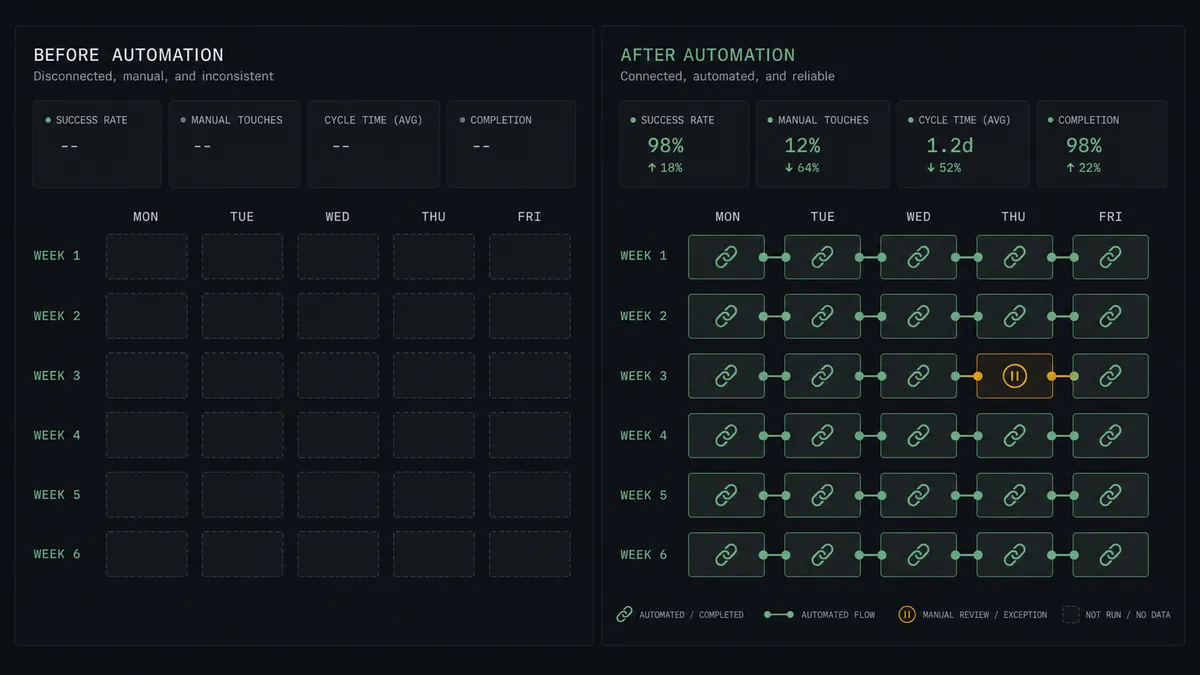
| No-shows | Follow-up is manual, inconsistent, and mostly skipped | Every no-show gets a drafted, owner-approved re-engagement with a fresh link |
| Double contact | An invitee mid-call with your team gets an automated text anyway | The agent checks List Calls before any message sends |
| Canceling bookings | Whoever spots the conflict cancels, and nobody records why | Cancel Scheduled Event runs only after the owner approves, with the reason on file |
What you can build
Booking confirmation and reminder rail. On Invitee Created fires, Add Contact files the invitee, and Send SMS confirms immediately and reminds ahead of the slot, timed against the event, not a generic schedule.
Same-minute rebooking. On Invitee Canceled fires and the agent mints a Create Single-Use Scheduling Link and texts it instantly, catching the invitee while rescheduling is still their own idea.
Owner-approved no-show recovery. On Mark Invitee as No-Show fires, the agent drafts a warm re-engagement with a fresh link, and the meeting owner approves, edits, or drops it before Send SMS runs.
Routing-form triage. On New Routing Form Submitted fires and the agent files the answers into the CloudTalk contact, queues Make Call (Click to Call) for the hot cases, and lets the rest ride the standard confirmation rail.
Calendar health digest. On a schedule, the agent combines Get Statistics from CloudTalk with the week’s booking, cancellation, and no-show events and posts a short digest, so the team sees whether the calendar is filling or leaking without opening either tool.
Getting started
Start on the free plan: 100 executions a month, every integration included, no credit card required, plus 14 days of Professional for new accounts. Both connectors are available on every tier, and every tier includes unlimited users and unlimited workflows.
Explore the integration details:
- Calendly integration (5 triggers and 3 actions covering invitee events and scheduling links)
- CloudTalk integration (15 actions covering calls, SMS, contacts, and statistics)
Start building free at flowrunner.ai or book a demo to see a live Calendly to CloudTalk workflow, no-show approval gate and all.
Frequently asked questions
Is it free to connect Calendly and CloudTalk on FlowRunner?
You can build and run the connection on FlowRunner's free plan, which includes 100 executions a month and every integration with no credit card required, and new accounts also get 14 days of Professional. Both connectors are available on every FlowRunner tier, and every tier includes unlimited users and unlimited workflows.
Can I self-host the Calendly to CloudTalk workflow?
Yes. FlowRunner offers a cloud-hosted option and a self-hosted option, so the connection can run inside your own environment.
Does the AI agent need my own OpenAI or Claude key?
FlowRunner uses a bring-your-own-keys model, so you connect the AI provider key you already have. You are not locked to one model.
What happens when an invitee is marked as a no-show?
The agent stops and invokes a human-in-loop step. It posts the invitee, the meeting context, their contact history from List Calls, and a drafted re-engagement message with a fresh scheduling link, then waits for the meeting owner to approve, edit, or drop it before Send SMS runs.
Which Calendly events can start the CloudTalk workflow?
Calendly offers five triggers: On Invitee Created, On Invitee Canceled, On Mark Invitee as No-Show, On Unmark Invitee as No-Show, and On New Routing Form Submitted. On Invitee Created starts the confirmation path and On Invitee Canceled starts the rebooking path.
How does the rebooking link work after a cancellation?
When On Invitee Canceled fires, the workflow calls Create Single-Use Scheduling Link to mint a fresh link for that invitee and delivers it with Send SMS. The link works once, so it rebooks the person who canceled without opening your calendar to forwarding.