How to Connect Calendly with Canny (With or Without an AI Agent)
Connect Calendly feedback calls to Canny's roadmap board, with an AI agent that matches each customer request to existing posts and pauses for a human before Create Post publishes anything to the public board.
How do you connect Calendly to Canny?
You connect Calendly to Canny by having Calendly’s On New Routing Form Submitted trigger fire when a customer books a feedback call, searching the board for a matching request with List Posts, and recording the customer’s voice with Create Vote, Create Comment, or a new Create Post, so the feedback a customer typed while booking actually lands on the roadmap board instead of dying in a calendar invite. FlowRunner is a visual AI-agent orchestration platform where automations run autonomously and pause for human judgment on the steps that carry real consequence. The same connection can run as an AI agent that dedupes each request against the existing board and pauses for a product person before anything is published where every customer can see it.
The problem it solves
Right now, the feedback from customer calls evaporates on contact. A customer books time specifically to talk about what they need, often typing a summary into the routing form before the call even happens. That request lives in a Calendly notification email, then in the host’s memory, then nowhere. The Canny board, the system built to capture exactly this, gets updated only when someone remembers after the call, which in practice means the loudest requests get logged and the rest vanish. Product ends up prioritizing based on which account manager writes the most diligent notes.
The edges cut both ways. When call feedback does reach the board, it arrives as near-duplicates: the same integration request phrased four ways across four posts, splitting votes that should have accumulated on one. And when logging is automated naively, the board fills with support complaints dressed as feature requests, published publicly under your product’s name. A messy public board is worse than none, because customers browsing it conclude nobody is reading it.
How it works: the connection
The connection listens to Calendly and writes to Canny. Here is the plain version, grounded in the real connector actions.
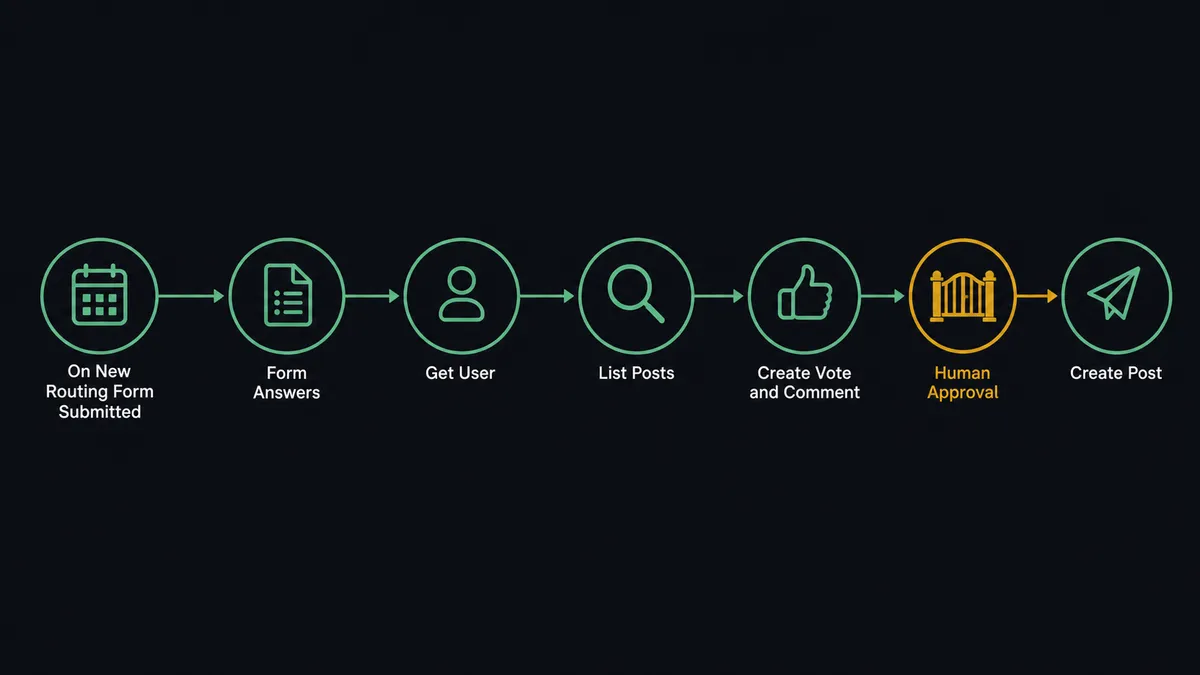
- Trigger: Calendly fires On New Routing Form Submitted when a customer books a feedback call and describes what they need.
- Read: The workflow pulls the form answers, the event type, and the invitee’s identity.
- Match the person: It calls List Users and Get User to link the invitee to their Canny identity, so the feedback is attributed to a real customer.
- Search the board: It calls List Posts against the right board from List Boards, and inspects candidates with Get Post.
- Record the weight: For an existing theme, it calls Create Vote for the customer and Create Comment quoting their specific framing under the matched post.
- Publish new ideas: For a genuinely new request, it drafts a post and, after review, publishes it with Create Post in the customer’s own words.
That is the “just connect them” answer. Every booked feedback call leaves a mark on the board, and votes accumulate where they belong.
Can an AI agent run it? (and why a human stays in the loop)
Yes, and matching is the hard part that makes this an agent’s job. The agent holds the pair’s real actions as tools: List Posts, Get Post, List Comments, Create Vote, Create Comment, Create Post, List Boards, List Categories, List Users, Get User. For each booking it reads the customer’s words the way a product manager would: “export to spreadsheet” and “download my data as CSV” are the same request wearing different clothes, while “the export is broken” is a support ticket that has no business on a roadmap board. The agent merges the first pair onto one post with Create Vote and Create Comment, and routes the third to support instead.
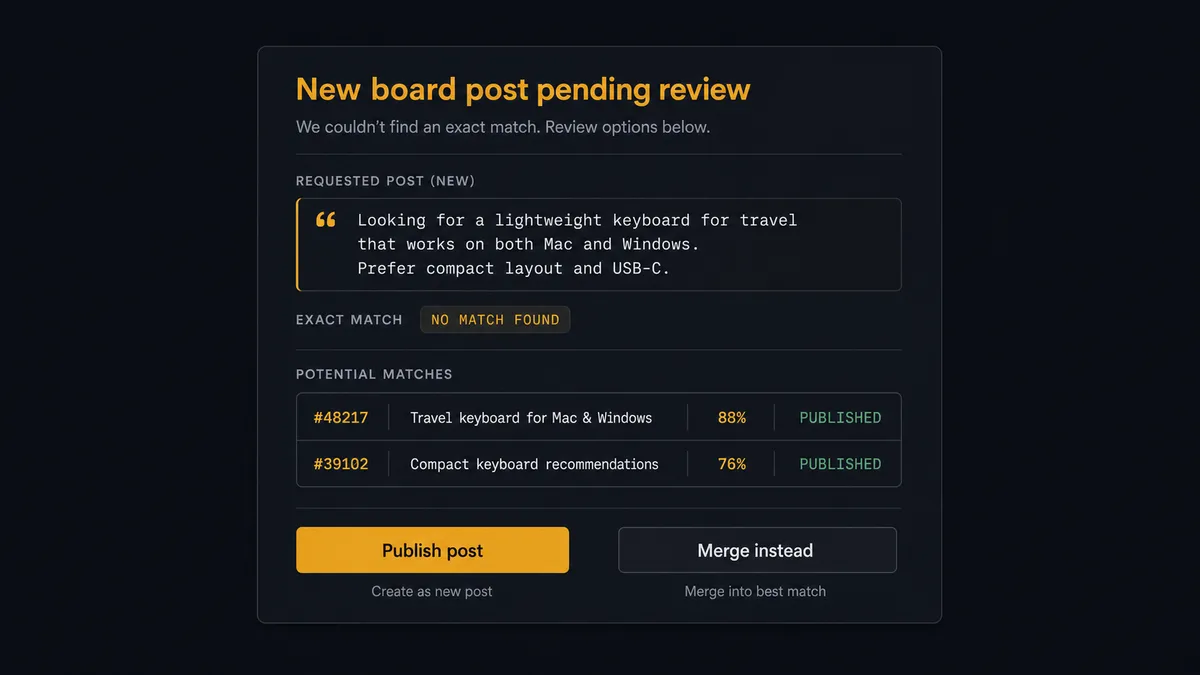
The consequential step is Create Post, because a Canny board is public. A new post published under your product’s banner is a statement to every customer who browses it, and a sloppy or duplicate one erodes the board’s authority. So the agent never publishes on its own. It invokes a human-in-loop flow it holds as a callable tool, and the workflow pauses and posts to the product channel: “New request from today’s feedback booking: [customer’s words], no matching post found, closest candidates attached. Publish as a new post, or merge?” The product person makes the call in seconds, with the search already done. Approver and decision land in the audit trail with the source booking.
Ambiguity stops the line the same way. A request that half-matches two existing posts, or a form answer too vague to classify, goes to a person rather than into a guess. Prospects call this the digital andon cord: like Toyota’s production line, the workflow halts the moment it hits uncertainty, because a public roadmap board is not the place to publish uncertainty.
FlowRunner vs n8n
n8n is a strong tool, and its strengths are concrete: a very large node library, an active community with thousands of shared templates, and a fair-code model that lets developers self-host it without a license fee. A developer comfortable in n8n can wire Calendly webhooks to Canny’s API and get a working sync, and they will find community examples to start from.
The difference is who can run it and what happens at the judgment steps. The matching decision and the publish decision are where this workflow lives, and those are agent-plus-human moments, not node-graph moments.
| What matters for this pair | FlowRunner | n8n |
|---|---|---|
| Human-in-the-loop before Create Post goes public | Native. The agent invokes an approval flow as a callable tool and waits for product | Wait and approval patterns you assemble yourself from nodes |
| Who runs the flow | An AI agent matches requests, reasons, picks actions as tools; ops can read the flow | A node graph a developer builds and maintains; AI available as added nodes |
| Users included | Unlimited users on every tier | Seat and plan limits vary on cloud; self-host is yours to manage |
| Bring your own AI keys | Yes, BYOK | Yes, n8n also supports your own provider keys |
| Self-hosted option | Yes, cloud-hosted or self-hosted | Yes, fair-code self-hosting is a genuine n8n strength |
| Pricing model | Transparent workflow-based tiers | Execution-based cloud pricing that takes work to predict at volume |
If you have developers who want node-level control and are happy owning the workflow as code-adjacent infrastructure, n8n is a credible choice. If you want the ops or product team to own feedback triage themselves, with dedupe judgment built in and a review gate before anything goes public, this pairing is built for that.
Before and after
| Category | Before | After |
|---|---|---|
| Feedback capture | Call feedback survives only if the host writes it up afterward | Every routing form answer lands in Canny as a vote, comment, or reviewed post |
| Vote integrity | The same request scattered across near-duplicate posts, splitting votes | The agent matches against List Posts first, so weight accumulates on one post |
| Board quality | Support complaints and vague notes published alongside real requests | Only classified, reviewed requests reach the public board |
| Attribution | Feedback logged anonymously or under a teammate’s name | Get User ties each vote and comment to the actual customer who said it |
| Product’s view | Priorities inferred from whoever wrote the loudest internal notes | The board reflects every feedback call, weighted by real customer votes |
What you can build
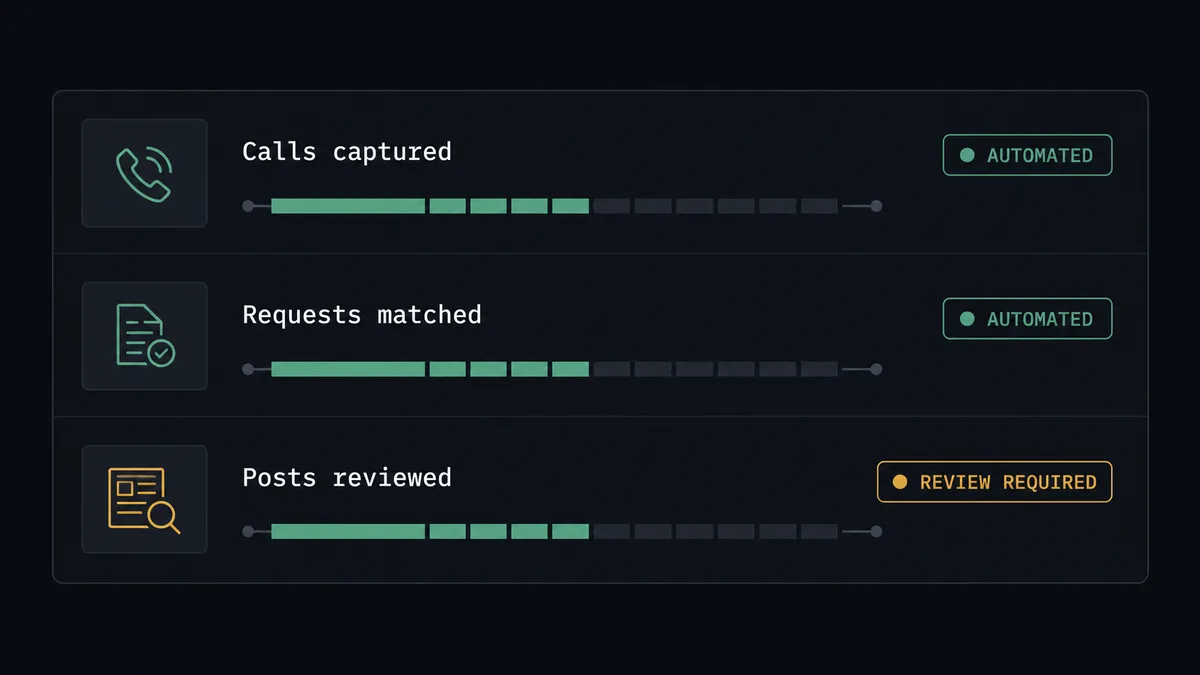
Feedback call to board, deduped. On New Routing Form Submitted fires, the agent classifies the request, searches with List Posts, records Create Vote and Create Comment on the match, and routes new ideas through review to Create Post. No feedback call leaves zero trace again.
Vote-weighted call prep. Before a feedback call, the agent pulls the customer’s existing votes and comments via List Votes and List Comments, and briefs the host on what this customer has already asked for, so the call starts where the relationship actually is.
Cancellation follow-up capture. On Invitee Canceled fires for a feedback booking. The agent still has the routing form answers, so it proposes logging the written request through the same match-and-review path, capturing the feedback even though the call never happened.
Support-versus-feature triage. The agent separates “this is broken” from “I wish it did this” in the form answers, sends the first to your support queue, and only walks genuine requests through the Canny path, keeping the public board a roadmap rather than a complaints thread.
Theme digest for product reviews. On a schedule, the agent compiles which posts gained votes and comments from booked calls that week, using List Posts and List Votes, and posts a digest so product sees the movement without living in the board.
Getting started
Start on the free plan: 100 executions a month, every integration included, no credit card required, plus 14 days of Professional for new accounts. Both connectors are available on every tier, and every tier includes unlimited users and unlimited workflows.
Explore the integration details:
- Calendly integration (5 triggers and 3 actions covering bookings, no-shows, and scheduling links)
- Canny integration (11 actions covering posts, votes, comments, and boards)
Start building free at flowrunner.ai or book a demo to see a live Calendly to Canny workflow, publish review and all.
Frequently asked questions
Is it free to connect Calendly and Canny on FlowRunner?
You can build and run the connection on FlowRunner's free plan, which includes 100 executions a month and every integration with no credit card required, and new accounts also get 14 days of Professional. Both connectors are available on every FlowRunner tier, and every tier includes unlimited users and unlimited workflows.
Can I self-host the Calendly to Canny workflow?
Yes. FlowRunner offers a cloud-hosted option and a self-hosted option, so the connection can run inside your own environment. Self-hosting is available for teams that need the workflow to run on their own infrastructure.
Does the AI agent need my own OpenAI or Claude key?
FlowRunner uses a bring-your-own-keys model, so you connect the AI provider key you already have. You are not locked to one model, and you control which provider runs the agent.
What happens when the agent cannot tell if a request matches an existing Canny post?
It does not guess in public. Borderline matches are packaged with the customer's words next to the candidate posts from List Posts and sent to the product team to decide: merge it as a Create Vote and Create Comment, or approve a new post. The board never receives an automated judgment call.
Which triggers and actions does the Calendly to Canny workflow use?
Calendly provides the triggers, primarily On New Routing Form Submitted and On Invitee Created for feedback-type events. On the Canny side the workflow searches with List Posts and Get Post, records weight with Create Vote and Create Comment, and publishes approved new requests with Create Post. Canny has no triggers, so Calendly always starts the flow.
Does every feedback call end up on the public board?
No. The agent filters out support issues in disguise and duplicate requests. Existing themes get votes and comments on the matching post, which keeps the board clean, and only genuinely new requests that a product person approves are published with Create Post.