How to Connect Calendly with Bigin by Zoho (With or Without an AI Agent)
Connect Calendly bookings to Bigin deals, optionally as an AI agent that builds pipeline from every meeting, chases no-shows with a fresh link, and pauses for a human before a deal is marked lost.
How do you connect Calendly to Bigin by Zoho?
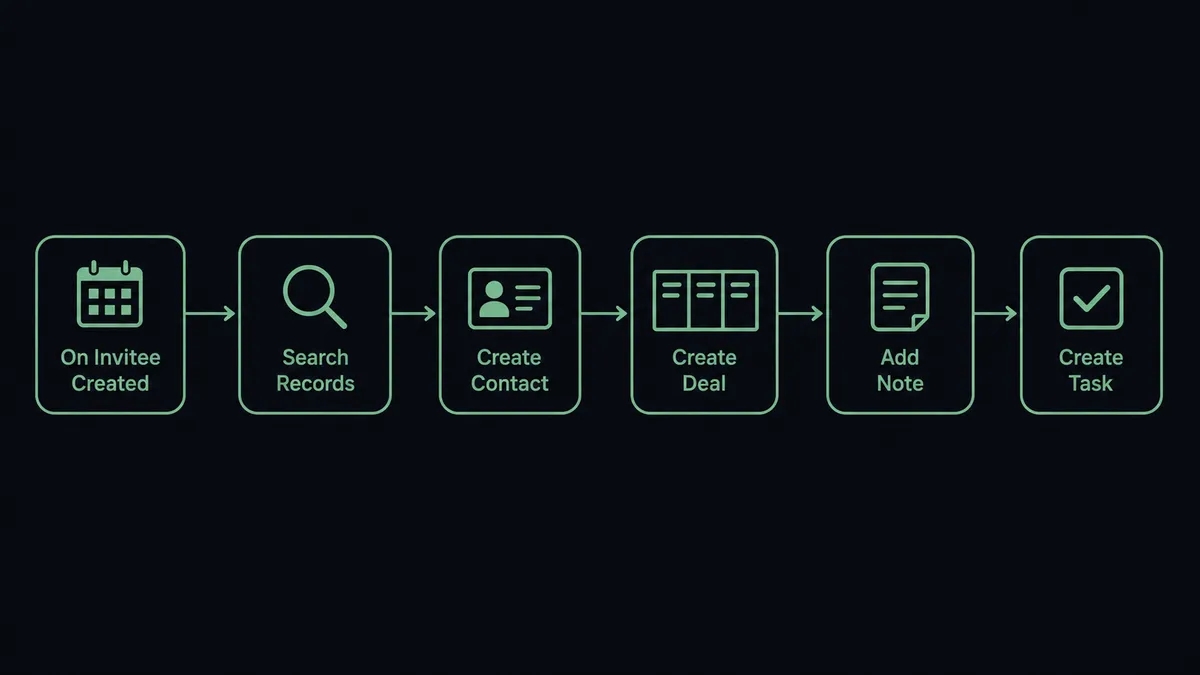
You connect Calendly to Bigin by having Calendly’s On Invitee Created trigger drive Bigin actions: the workflow checks for the invitee with Search Records, builds the record with Create Contact and Create Deal, logs the meeting with Add Note, and assigns prep with Create Task, so a booked meeting becomes a live pipeline entry before the call happens. Bigin has no triggers of its own, so the workflow always starts from the Calendly side, where the buying signal actually fires. FlowRunner is a visual AI-agent orchestration platform where automations run autonomously and pause for human judgment on the steps that carry real consequence. The same connection can run as an AI agent that treats cancellations and no-shows as pipeline signals, rebooks the recoverable ones on its own, and pauses for a named human before any deal is marked lost.
The problem it solves
Right now the gap between your calendar and your pipeline is filled by memory. A prospect books a demo through Calendly. The meeting happens, or it does not, and somewhere in between someone is supposed to create the contact in Bigin, open a deal, and log what the routing form said. In practice the CRM entry happens after the call, if the call went well, from whatever the account owner remembers. Deals that never got a record never get follow-up, and the pipeline undercounts the demand your scheduling page is actually generating.
The fall-through is worse. A prospect cancels and nobody rebooks. A no-show gets marked in Calendly and simply evaporates: no task, no note, no second link, no decision about whether the deal is dead. Weeks later someone scrubs the pipeline, finds a stale deal, and quietly marks it lost without knowing there was only one attempt to reschedule. The pipeline ends up shaped by who remembered to follow up, not by who was actually worth pursuing.
How it works: the connection
The connection listens to Calendly and writes to Bigin. Here is the plain version, grounded in the real connector actions.
- Trigger: Calendly fires On Invitee Created when a prospect books a meeting.
- Check for the invitee: The workflow calls Search Records in Bigin to see whether the contact already exists in the pipeline.
- Create the record: For a new prospect, it calls Create Contact, then Create Deal for the opportunity the meeting represents.
- Log the detail: It calls Add Note with the event type, meeting time, and the routing form answers, so the context travels with the deal.
- Assign the prep: It calls Create Task so the account owner has a dated prep item before the meeting, not a surprise on the calendar.
- Handle the fall-through: On Invitee Canceled and On Mark Invitee as No-Show fire their own paths: the workflow updates the deal with Update Deal, logs what happened with Add Note, and sends a fresh Create Single-Use Scheduling Link when a rebook is the right move.
That is the “just connect them” answer. Bookings become deals, form answers become qualifying data, and the meetings that fall through leave a trail instead of a blank.
Can an AI agent run it? (and why a human stays in the loop)
Yes, and the no-show path is where the agent earns its place. Instead of one fixed rule for every missed meeting, an AI agent reads each event and picks the Calendly and Bigin actions it needs as tools. Search Records, Create Deal, Update Deal, Add Note, Create Task, Create Single-Use Scheduling Link, Create One-Off Meeting: that is the toolbox, and the agent chooses based on the deal in front of it.
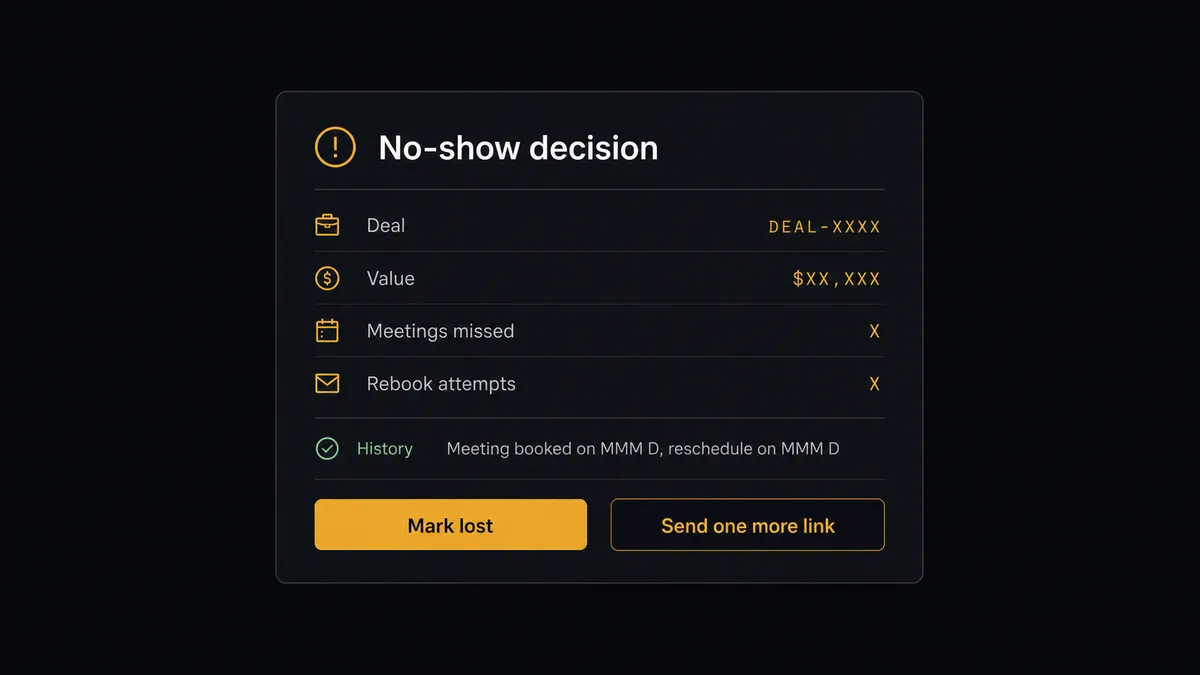
When On Mark Invitee as No-Show fires, the agent looks at the whole picture: the deal value, how the prospect answered the routing form, whether this is the first miss or the third, whether a cancellation preceded it. A first miss on a promising deal gets a fresh Create Single-Use Scheduling Link and a note on the deal. A prospect who has now missed three bookings raises a different question, and that question is the consequential step: marking the deal lost. The agent never answers it alone. It invokes a human-in-loop flow it holds as a callable tool, and the workflow pauses and posts to your channel: “Deal [name], value [amount], has missed [count] scheduled meetings. Rebook attempts sent: [count]. Mark lost or try once more?” A person decides in one click. Only then does Update Deal move the deal, and the note records who made the call and when.
That single pause protects the pipeline from both failure modes: deals that die from neglect and deals that get written off while still warm. Prospects call it the digital andon cord: like Toyota’s quality control pull cord, the workflow stops the line the moment it hits uncertainty, and your team pulls it back into motion.
FlowRunner vs Zapier
Most teams wiring Calendly into a CRM reach for Zapier first, and for good reason. Zapier connects to both Calendly and Bigin, its editor is quick to learn, and its template gallery covers booking-to-CRM patterns you can clone in minutes. For a straight “new booking creates a contact” push, it is a fast, proven path.
The difference shows up in what happens to the meetings that fall through. FlowRunner is built around native human-in-the-loop and AI-agent orchestration, where the agent reasons about each no-show and a person stays on the one decision that removes a deal from play.
| What matters for this pair | FlowRunner | Zapier |
|---|---|---|
| Human-in-the-loop on marking deals lost | Native. The agent invokes an approval flow as a callable tool and pauses before Update Deal closes anything | Available by adding approval steps, not a native agent decision |
| Who runs the flow | An AI agent reads the booking history, reasons, and picks actions as tools | Predefined step sequence you configure per Zap |
| Users included | Unlimited users on every tier | Priced by task volume; seats vary by plan |
| Bring your own AI keys | Yes, BYOK | AI features tied to Zapier’s own AI offering |
| Self-hosted option | Yes, cloud-hosted or self-hosted | Cloud only |
| Pricing model | Transparent workflow-based tiers | Per-task pricing that gets harder to predict as booking volume grows |
If all you need is a contact created per booking, Zapier will do it well. If you want no-shows worked as a pipeline signal with a human on the kill decision, this pairing is the better fit.
Before and after
| Category | Before | After |
|---|---|---|
| Meeting intake | CRM entries created after the call, from memory, if at all | Create Contact and Create Deal run the moment On Invitee Created fires |
| Qualifying data | Routing form answers live in Calendly and never reach the deal | Add Note carries form answers onto the Bigin deal automatically |
| No-show recovery | Missed meetings evaporate with no rebook and no record | Create Single-Use Scheduling Link goes out and the attempt is logged on the deal |
| Lost-deal decisions | Stale deals get closed silently during pipeline scrubs | Update Deal to a lost stage waits for a named approver with the full history in front of them |
| Prep accountability | Account owners walk into meetings cold | Create Task puts dated prep on the owner’s list at booking time |
What you can build
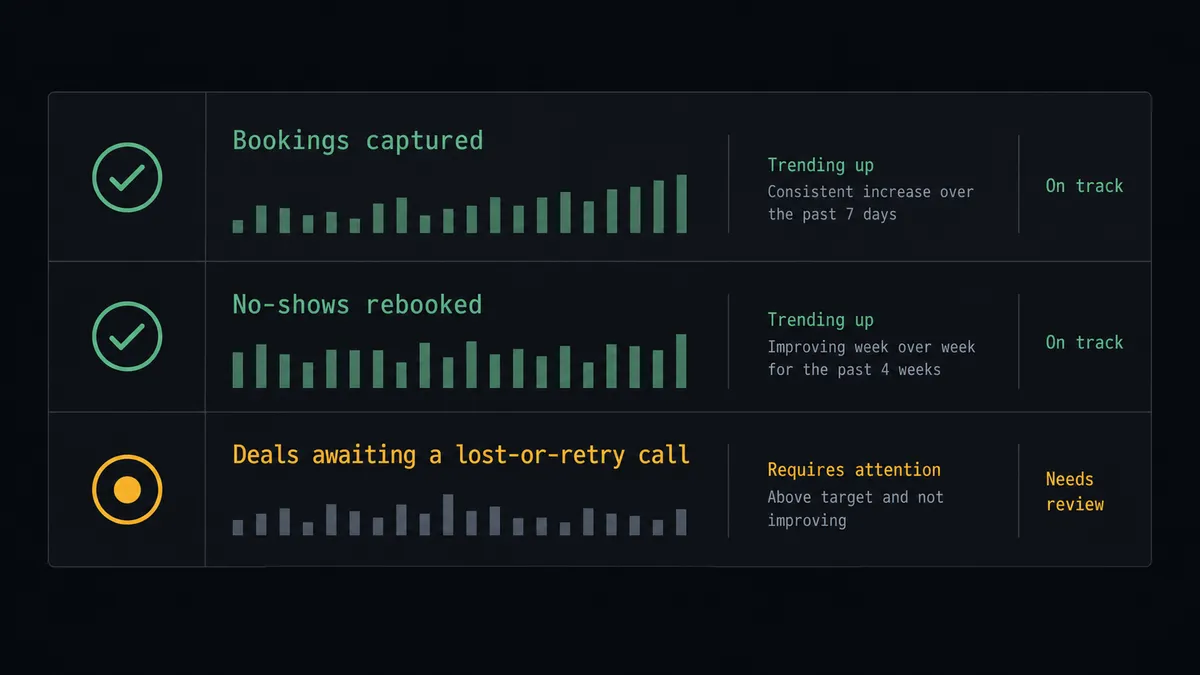
Booking to pipeline, hands off. On Invitee Created fires. The agent checks Search Records, builds the entry with Create Contact and Create Deal, logs context with Add Note, and assigns prep with Create Task. Every booked meeting exists in the pipeline before it happens.
No-show recovery with a fresh link. On Mark Invitee as No-Show fires. The agent weighs the deal, calls Create Single-Use Scheduling Link for the recoverable ones, and logs the attempt with Add Note so the rebook history lives on the deal.
Lost-deal call with named approval. After repeated misses, the agent packages value, history, and attempts, and invokes the human-in-loop tool. Update Deal only moves the deal to lost after a person signs off, and the note records the decision.
Routing form triage. On New Routing Form Submitted fires. The agent reads the answers, creates the deal in the stage that matches how qualified the submission reads, and books the high-intent ones directly with Create One-Off Meeting.
Cancellation save. On Invitee Canceled fires. The agent updates the deal with Update Deal, and when On Unmark Invitee as No-Show later fires for a recovered meeting, it restores the stage and notes the correction, so the pipeline tracks what actually happened.
Getting started
Start on the free plan: 100 executions a month, every integration included, no credit card required, plus 14 days of Professional for new accounts. Both connectors are available on every tier, and every tier includes unlimited users and unlimited workflows.
Explore the integration details:
- Calendly integration (5 triggers and 3 actions covering bookings, no-shows, and scheduling links)
- Bigin by Zoho integration (17 actions covering contacts, companies, deals, and tasks)
Start building free at flowrunner.ai or book a demo to see a live Calendly to Bigin workflow, lost-deal approval and all.
Frequently asked questions
Is it free to connect Calendly and Bigin on FlowRunner?
You can build and run the connection on FlowRunner's free plan, which includes 100 executions a month and every integration with no credit card required, and new accounts also get 14 days of Professional. Both connectors are available on every FlowRunner tier, and every tier includes unlimited users and unlimited workflows.
Can I self-host the Calendly to Bigin workflow?
Yes. FlowRunner offers a cloud-hosted option and a self-hosted option, so the connection can run inside your own environment.
Does the AI agent need my own OpenAI or Claude key?
FlowRunner uses a bring-your-own-keys model, so you connect the AI provider key you already have. You are not locked to one model.
What happens when the agent is unsure whether a no-show deal is worth saving?
The agent stops and invokes a human-in-loop step. It posts the contact, the deal value, the meeting history, and how many rebook attempts have already gone out, then waits for a person to choose rebook one more time or mark the deal lost. It never closes a deal on its own.
Which Calendly events can drive a Bigin action?
Calendly offers five triggers: On Invitee Created, On Invitee Canceled, On Mark Invitee as No-Show, On Unmark Invitee as No-Show, and On New Routing Form Submitted. Bigin has no triggers, so the workflow always starts from the Calendly side.
Can the workflow rebook a no-show automatically?
Yes. When On Mark Invitee as No-Show fires, the agent calls Create Single-Use Scheduling Link and sends the invitee a fresh, one-time booking link, then logs the attempt on the Bigin deal with Add Note so the account owner sees the full history.