How to Connect Airtable with Custify (With or Without an AI Agent)
Connect Airtable records to Custify accounts, optionally as an AI agent that keeps people, companies, and subscription data in sync and pauses for a human before Delete Company erases an account's customer success history.
How do you connect Airtable to Custify?
You connect Airtable to Custify by having Airtable’s On New or Updated Record trigger drive Custify actions: the workflow pulls the row with Find Record, compares it against the account with Get Company, and syncs with Create or Update Company and Create or Update Person, so the base your ops team maintains becomes the data your CS platform scores. FlowRunner is a visual AI-agent orchestration platform where automations run autonomously and pause for human judgment on the steps that carry real consequence. The same connection can run as an AI agent that handles the additive sync on its own and pauses for a named human before Delete Company or Delete Person erases an account’s customer success history.
The problem it solves
Right now account truth is split between two teams’ tools. Ops maintains the Airtable base: plans, owners, contract values, contacts, status. CS works in Custify: health scores, timelines, playbooks, tasks. Keeping them aligned is somebody’s recurring chore, usually a periodic export-and-import or an afternoon of side-by-side checking. Between syncs, Custify scores accounts on data that is days or weeks old, and the playbooks fire accordingly: onboarding sequences for accounts that already expanded, renewal plays keyed to contract values that changed last month.
The edges are quietly destructive. A contact leaves the customer and stays in Custify, so the campaign for their replacement goes to a dead mailbox. A plan upgrade recorded in Airtable never reaches the subscription record, so the health model keeps weighting the account as a smaller customer than it is. Worst of all is cleanup day: someone tidies the base, archives a few rows, and if the sync is naive, those archives become deletions in Custify, taking years of timeline history, NPS responses, and task context with them. A row is cheap to restore. An account’s CS history is not.
How it works: the connection
The connection listens to Airtable and writes to Custify. Here is the plain version, grounded in the real connector actions.
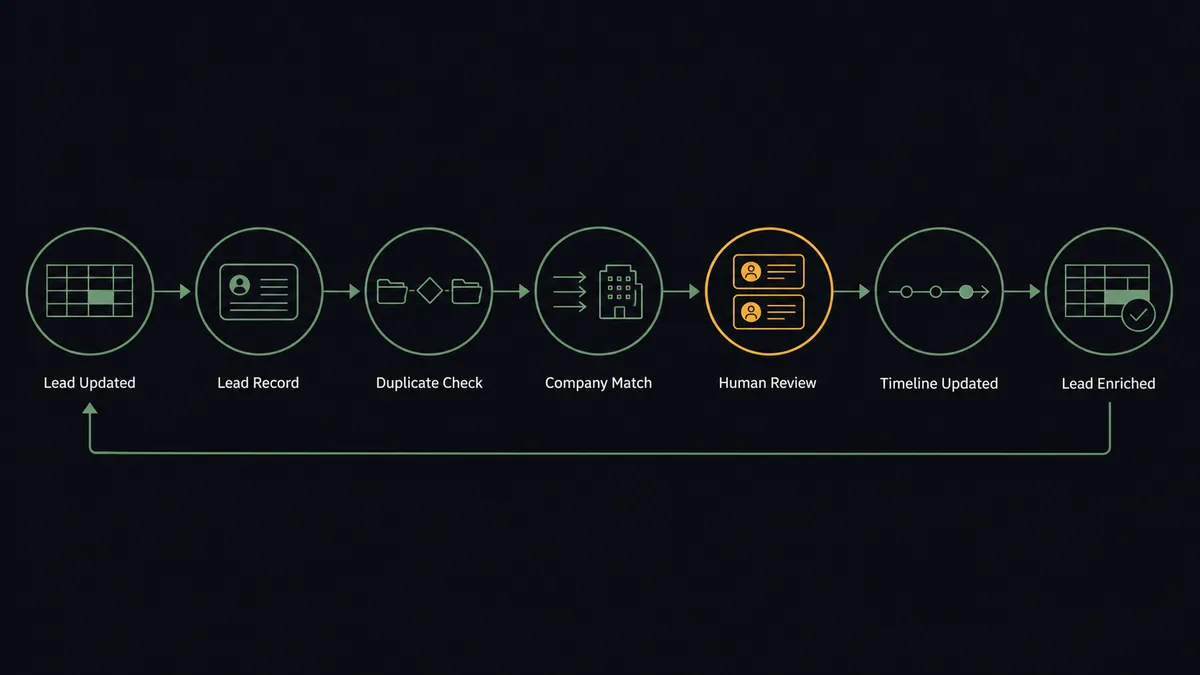
- Trigger: Airtable fires On New or Updated Record when an account row changes.
- Read: The workflow calls Find Record to pull the full row: company, contacts, plan, owner, and status.
- Compare: It calls Get Company and List Companies in Custify to see what the platform currently holds for this account.
- Sync the account: It calls Create or Update Company so plan, owner, and status land on the company profile.
- Sync the people: It calls Create or Update Person for each contact on the record, and List People to spot contacts Custify has that the base does not.
- Log it: It calls Track Event so the change appears on the account timeline, and Create Task when the change warrants a CSM’s attention.
- Close the loop: It calls Create Comment on the Airtable record noting the sync, so the base shows when Custify was last brought current.
That is the “just connect them” answer. One roster, maintained once, scored accurately.
Can an AI agent run it? (and why a human stays in the loop)
Yes, and the agent’s contribution is treating different writes as different risks. Additive sync is safe: Create or Update Company, Create or Update Person, and Track Event never destroy anything, so the agent runs them freely and keeps the rosters in lockstep. Subscription data is heavier: before Create or Update Subscription, the agent verifies the contract value against the record’s history via Find Many Records, and if the number moved in a way the row does not explain, it asks instead of writing. The agent holds Get Person, List People, List Tasks, and Create Task as tools too, so what it learns becomes CSM work items, not just field updates.
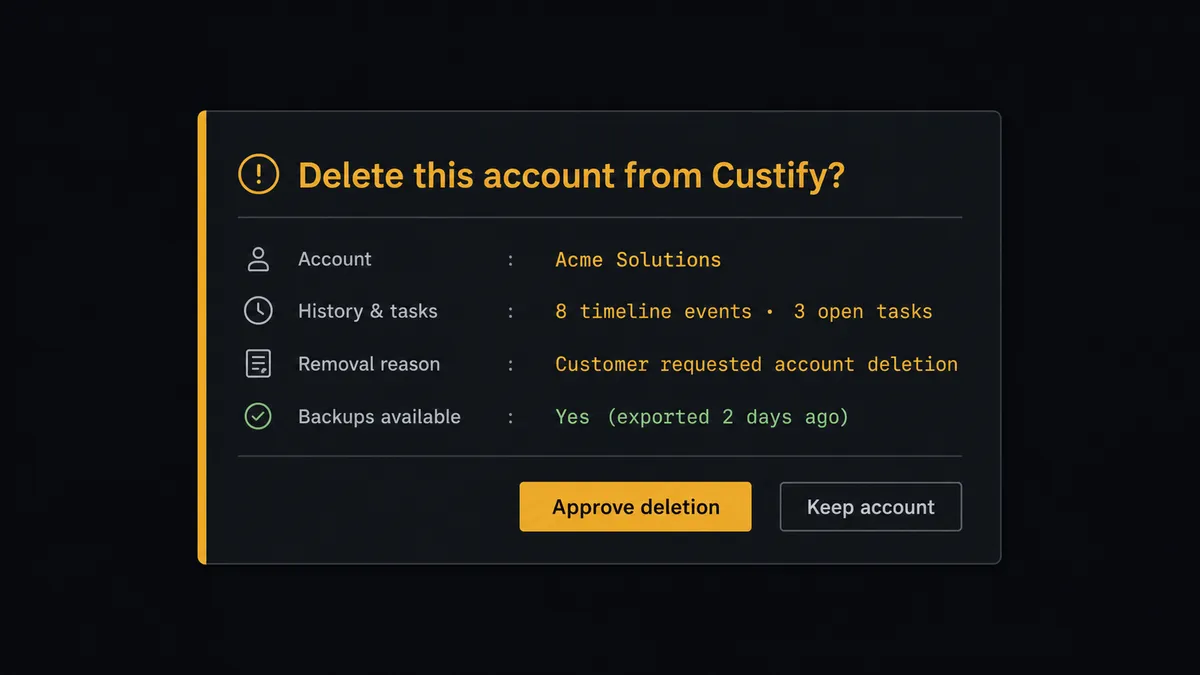
The consequential step is deletion. When a row vanishes from the base or flips to archived, the lazy interpretation is churn, and the lazy action is Delete Company. But Delete Company does not archive; it removes the account’s timeline, its tracked events, its people, the context every future conversation would have drawn on. So the agent never deletes on its own. It invokes a human-in-loop flow it holds as a callable tool. The workflow pauses and posts to the CS lead: “Row for [account] was removed from the base. Custify holds [summary from Get Company]: timeline events, open tasks, subscription record. Approve deletion, or keep the account and mark it inactive instead.” One click decides it, and the decision, approver, and timestamp land in the audit trail. Delete Person and Delete Subscription sit behind the same gate.
Prospects call this pattern a digital andon cord: like Toyota’s quality control pull cord, the workflow stops the line the moment it hits uncertainty, and your team pulls it back into motion. The sync runs itself all day. Nothing irreversible happens without a name attached.
FlowRunner vs Zapier
Zapier is where most teams would first try to wire Airtable into Custify, and its case is legitimate. The Airtable integration is one of Zapier’s strongest, the editor is approachable, and a record-to-record sync Zap can be running the same afternoon. For pushing new rows into another tool, it is a fine answer.
The difference shows up in the asymmetry this pair carries: most writes are harmless, and a few are unrecoverable. FlowRunner is built around native human-in-the-loop and AI-agent orchestration, where the agent classifies each write by consequence and routes only the irreversible ones through a person.
| What matters for this pair | FlowRunner | Zapier |
|---|---|---|
| Human-in-the-loop before Delete Company erases CS history | Native. The agent invokes an approval flow as a callable tool and pauses until the CS lead decides | Available via added approval steps you insert manually, not a native agent decision |
| Who runs the flow | An AI agent classifies each change by risk and picks actions as tools | Predefined step sequence that treats every record change the same |
| Users included | Unlimited users on every tier | Priced by task volume; seats vary by plan |
| Bring your own AI keys | Yes, BYOK. Connect the AI provider key you already have | AI features tied to Zapier’s own AI offering |
| Self-hosted option | Yes, cloud-hosted or self-hosted | Cloud only |
| Pricing model | Transparent workflow-based tiers with clear execution limits | Per-task pricing that is hard to predict as account volume grows |
If all you need is new Airtable rows appearing as Custify companies, Zapier will do it. If the base is going to drive the platform that scores your customers, and deletions should never happen without a named person seeing what gets lost, that is where FlowRunner is the better fit.
Before and after
| Category | Before | After |
|---|---|---|
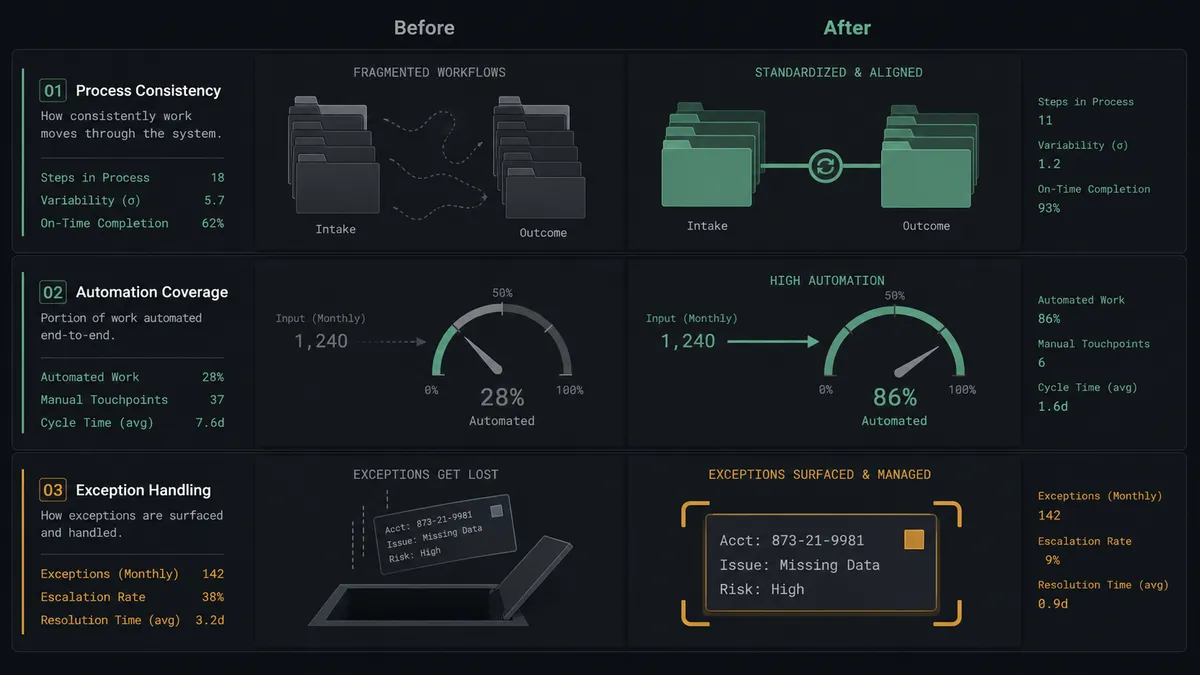
| Roster alignment | Periodic exports leave Custify days or weeks behind the base | Create or Update Company syncs each change as the row changes |
| Health score inputs | Scores and playbooks fire on stale plan and value data | The fields feeding the model reflect the base within moments |
| Contact hygiene | Departed contacts linger; new ones arrive late | Create or Update Person and List People keep both rosters matched |
| Cleanup day | Archived rows silently become deleted accounts and lost history | Every deletion shows the CS lead what would be erased before it runs |
| Change visibility | CSMs discover account changes mid-call | Track Event and Create Task put each change on the timeline with an owner |
What you can build
Lockstep account sync. On New or Updated Record fires. The agent calls Find Record, compares via Get Company, and applies Create or Update Company and Create or Update Person, so CS always scores the account ops actually has.
Deletion with eyes open. When a row is removed or archived, the agent summarizes the account’s history from Get Company and List Tasks, and holds Delete Company at the approval gate so churn cleanup never erases context by accident.
Subscription truth check. When contract value fields change, the agent verifies the movement against the row’s history via Find Many Records, then queues Create or Update Subscription for approval when the change is large or unexplained.
Contact lifecycle management. When contacts change on a record, the agent reconciles via List People, adds new stakeholders with Create or Update Person, and flags departures for approved removal, so campaigns never target dead mailboxes.
Drift audit on a schedule. Nightly, the agent walks List Companies against Find Many Records, writes discrepancies to the base with Create Record in an exceptions table, and files a morning Create Task for the owner of each mismatch.
Getting started
Start on the free plan: 100 executions a month, every integration included, no credit card required, plus 14 days of Professional for new accounts. Both connectors are available on every tier, and every tier includes unlimited users and unlimited workflows.
Explore the integration details:
- Airtable integration (2 triggers and 17 actions covering full record CRUD, comments, and base schemas)
- Custify integration (18 actions covering people, companies, events, subscriptions, NPS, and tasks)
Start building free at flowrunner.ai or book a demo to see a live Airtable to Custify workflow, deletion approval and all.
Frequently asked questions
Is it free to connect Airtable and Custify on FlowRunner?
You can build and run the connection on FlowRunner's free plan, which includes 100 executions a month and every integration with no credit card required, and new accounts also get 14 days of Professional. Both connectors are available on every FlowRunner tier, and every tier includes unlimited users and unlimited workflows.
Can I self-host the Airtable to Custify workflow?
Yes. FlowRunner offers a cloud-hosted option and a self-hosted option, so the connection can run inside your own environment.
Does the AI agent need my own OpenAI or Claude key?
FlowRunner uses a bring-your-own-keys model, so you connect the AI provider key you already have. You are not locked to one model.
What happens when a record is removed from the Airtable base?
Nothing is deleted automatically. The agent invokes a human-in-loop step that posts the account, its Custify history summary from Get Company, and the reason the row disappeared, then waits for a named approver. Delete Company runs only after that sign-off, because a deleted row is often an archive, not a churn.
Which Airtable events can trigger a Custify action?
Airtable offers two triggers: On New Record and On New or Updated Record. On New or Updated Record drives the ongoing sync, firing whenever plan, owner, or status fields change on an account row.
Does every Custify write need human approval?
No. The agent runs Create or Update Person, Create or Update Company, and Track Event on its own; those writes are additive and reversible. It escalates Delete Person, Delete Company, and Delete Subscription, plus subscription changes it cannot verify against the record. Those wait for a named approver.