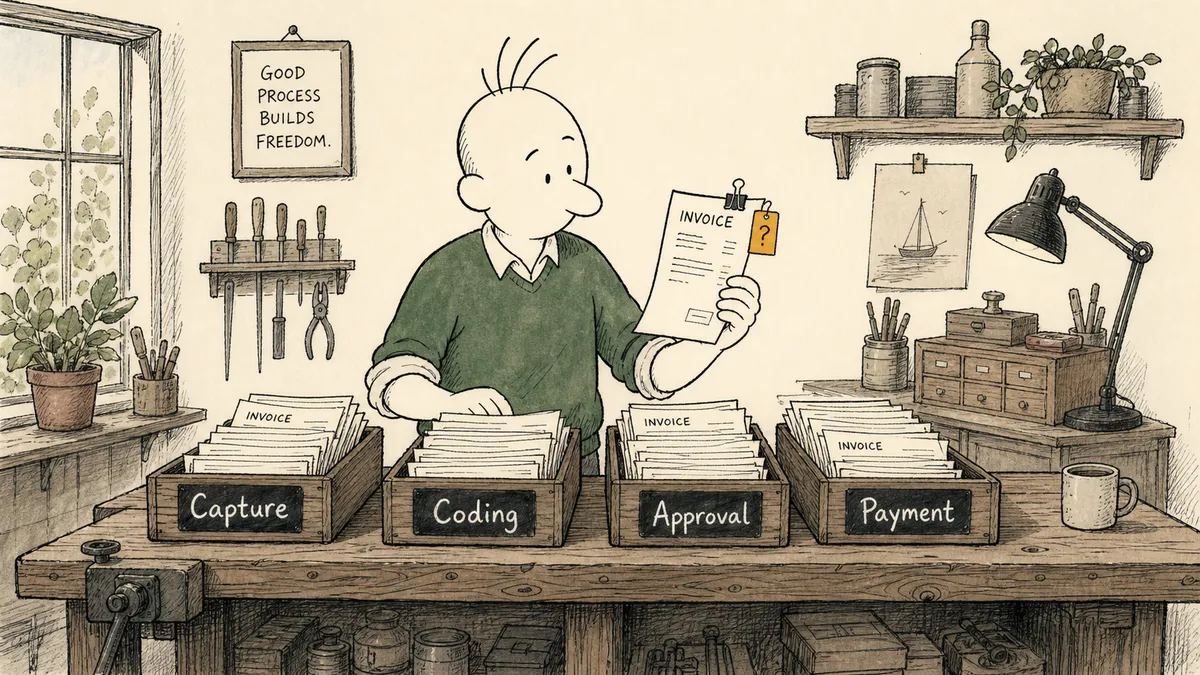
The honest reason most accounts payable automation projects produce a “black box” feeling six months in is that the project picked a tool before deciding which of four sequential decisions it was actually automating. AP looks like one process from the outside. From the inside, it is four: capture, coding, approval, and payment. Sequence them in the wrong order, and each one quietly inherits the mess of the one before it.
This article is for the finance leader weighing whether to commit, not the AP clerk picking software. The argument is that AP automation is a sequencing problem and an exception-handling problem, in that order, and that the tool conversation is the last one to have, not the first.
Why AP automation stalls for most finance teams
The pattern is recognizable across roughly a dozen conversations with CFOs and finance leaders at mid-market companies. Invoices get captured by an OCR product. Structured data lands somewhere. Everything downstream is still manual coding, chasing approvals, and Friday payment runs in the ERP. One finance leader described his own AP day this way: “if someone’s out, I might even enter a bill into the system.” When a senior finance person is the backup AP clerk, the automation that exists is doing capture and capture only.
The honest baseline this article assumes is real, not strawmanned:
- Invoices arrive by email and PDF, sometimes by EDI for the bigger vendors.
- Approval routing happens informally, over email and Slack, with thresholds that exist in policy memos but not in any system.
- Reconciliation happens at month-end, in spreadsheets, against the bank feed and the GL.
That is not a broken process. It is the process most ten-to-two-hundred-person companies actually run, and it works for a while. It stops working when transaction volume rises faster than headcount, or when a duplicate payment slips through against a distributor who also paid, or when the audit asks who approved a specific bill on what basis and the answer requires three months of inbox archaeology.
The “black box” framing one CFO used to describe a prior AI engagement is exactly what happens when piecemeal point tools get stitched together without a sequencing decision underneath. A scanner here, a payment portal there, an approval app over there, no unified audit trail across the three. The finance team can no longer reconstruct what happened to any given bill without opening four systems.
The four decisions that make up AP, and which ones to automate first
Treat each of these as a discrete decision with its own automation question. The sequencing matters because the output of each step is the input to the next.
1. Capture. Getting invoice data out of email, PDF, and EDI into structured fields: vendor, invoice number, date, line items, totals, GL hints. This is the highest-volume, lowest-judgment step in the chain. Automate it first. Document parsing into a structured ERP record is the workable starting point for AP automation; the email-to-payment workflow we publish for QuickBooks shows the shape, with parallel patterns published for parsed invoices into Acumatica and vendor documents into NetSuite. The mechanics are similar; the ERP-specific quirks live in the field mapping.
2. Coding. Assigning GL account, cost center, and project to each line item. This is partial-automation territory. Most invoices from recurring vendors will code identically every month; rules and history can suggest the right code with high confidence. Some invoices will not. Automate the suggestion with a confidence threshold, route low-confidence items to a human, and let the human’s correction feed back into the rule. Coding is where AI assistance pays for itself, not where it should run unattended.
3. Approval. Routing by amount, vendor, department, or category, with named approvers and a written delegation rule. Automate the routing. Keep the judgment human. The approver is committing company funds; that signature is the point of the workflow, not a step to be removed. A bill approval routed through Slack with named approvers is the right shape: the system handles the routing and the audit capture, the human handles the actual approval decision, and the result writes back against the bill record in the ERP.
4. Payment. Scheduling and executing payment through the ERP or the bank. Automate the mechanics, including duplicate-payment checks at the moment of payment release. Keep cutoff and release as explicit human actions, especially for any payment above a tier threshold or to a vendor flagged as new or stale. This is the step where automation that runs unattended generates real money loss, fast. The cost of a single duplicate payment to a major distributor will outweigh the labor cost of every AP clerk hour you would have saved in a quarter.
The sequencing rule that follows from this: do not automate step N until step N-1 produces output you trust. Automating approval routing before coding is reliable means routing miscoded bills to approvers. Automating payment before approval is reliable means paying bills with broken approval evidence.
Where exceptions belong, and why this is the actual ROI
Here is what most articles on AP automation will not say plainly: automation exceptions are the work. The automation handles what is not the work. The five percent of bills that need a human eye is where the controller earns the title; the ninety-five percent that flow through is overhead the automation should make invisible.
What that means in practice is that the design conversation should center on the exception queue, not on the throughput rate. The four exception types every AP automation worth committing to should handle:
- Duplicate invoice detection. Match on vendor identity, amount, invoice number, and date before the bill ever reaches an approver. One CFO put the underlying concern this way: “I feel that it would be very easy to double pay on something like that if both we and the distributor made a payment.” The risk is real, the math is straightforward, and the check belongs at the moment of capture, not at month-end reconciliation when the money is already out.
- Three-way match against PO and receipt. When those records exist, the bill matches against them automatically and clears. When they do not, the bill pauses and waits for a human to either find the missing record or override the match with a written reason that the audit trail captures. (Three-way match against invoice, PO, and receipt is standard AP control practice in the IOFM and AICPA guidance most controllers know. The automation question is whether your tooling will enforce it before approval, or pretend the bill cleared.)
- Distributor and vendor billback validation. Billbacks are notoriously a back-and-forth between what the vendor charged and what the contract says they could charge. Compare claimed amounts against contract terms before the payment goes out, not after the AR team raises a credit memo three months later.
- Mismatch flags everywhere else. Vendor name doesn’t match the master file. Amount differs from the PO by more than a tolerance. GL code suggested by the rule sits below the confidence threshold. The flag fires, the bill pauses, the human gets the full context attached: original invoice, vendor history, PO reference, what failed validation, what the system would have done.
The ROI framing follows from the exception design, not from the throughput rate. One CFO described the actual value driver this way: “it doesn’t feel like it would probably strip out a significant amount of costs, but it would help drive efficiency and productivity and enable us to scale.” The honest version of AP automation ROI for a mid-market company is not labor reduction; it is the ability to absorb the next twelve months of transaction volume without adding an AP clerk, while catching the duplicate payments and billing errors that would have hit the bank before anyone noticed. The financial framing for that decision is laid out in how to know what’s worth automating.
What a working AP automation stack actually looks like
A working stack has four layers that map cleanly onto the four decisions. Naming them helps because vendor pitches conflate them constantly.
- System of record. The ERP or accounting platform that owns the bill: QuickBooks, NetSuite, Acumatica, Sage Intacct, or a higher-end equivalent. This is where the bill, the approval evidence, and the payment posting all need to land, in one place, reconstructible.
- Document parsing layer. Whatever extracts invoice data from email and PDF into structured fields. Parseur is one option; the ERP-native capture modules are another. The choice matters less than getting the structured data into the ERP cleanly.
- Approval routing layer. Where the rule lives that says this bill goes to that approver, with that threshold, in that channel, with that delegation rule. Slack and email are the channels; the rule itself sits above them. ERP-native approval modules handle the simple cases. Anything that branches on category, vendor risk, or cross-system context needs something on top of the module.
- Exception queue. The pile of bills that did not clear automatically, with the context attached for the human who has to resolve them. The exception queue is where the AP team’s day actually happens once the rest is automated. If the queue is not designed deliberately, it becomes another inbox, with all the same problems an inbox has.
What you see in the Acumatica capability catalog is the same architecture applied to one ERP: the ERP holds the system of record, the parsing layer feeds it, and the rules above it handle the routing and the exception cases.
That seam, between what the ERP can do natively and what the AP team actually does between the ERP, the inbox, the approver, and the bank, is where an orchestration layer lives. We call this category Orchestration as a Service: a platform category that coordinates, governs, and supervises multi-agent environments while keeping humans in control of the decisions that require judgment. It sits above the systems of record and listens for what they emit: a new bill arrived, a PO closed, a vendor was flagged. It gathers the context the ERP’s native rule did not have at fire time. It brings the right human in with the full bill framed and the validation result attached, in the human-in-the-loop pattern that pauses, assembles context, routes to a person via the right channel, and resumes on response. It writes the answer back against the ERP record so the audit trail stays in one place. FlowRunner is built for that layer. It does not replace the ERP’s bill table or the parsing tool’s extraction; it makes their outputs reconstructible and their exceptions handlable without inbox archaeology.
How a CFO should evaluate AP automation before committing
The evaluation conversation should start from your bill volume and your exception rate, not from the vendor’s feature list. The vendor’s feature list always looks impressive; the question is whether the features map onto the four decisions you actually need automated, in the order you can absorb.
Things to ask, in roughly this order:
- What is my current monthly bill volume, and what is my realistic projection over the next eighteen months? If the answer is roughly flat, the ROI from automation comes mostly from exception detection. If the answer is growing meaningfully, the ROI comes from absorbing the growth without adding headcount.
- Where do my current exceptions go? If the answer is “they get figured out informally,” that is what is at risk of falling through the cracks as volume rises. The exception queue is what you are buying.
- What does my approval routing look like today, honestly? If thresholds live in a policy memo and approvers are picked by who answers Slack first, the workflow rule does not exist yet, regardless of what the tool can support.
- What is the relationship between my AP process and my ERP? Bills that get captured outside the ERP and reconciled back later are fundamentally different from bills that live in the ERP from the moment they arrive. The first arrangement creates two sources of truth that need to be kept in sync; the second creates one. Aim for one.
Red flags during a vendor evaluation, in declining order of severity:
- Opaque AI with no audit trail. If you cannot reconstruct why a specific bill cleared or got flagged, the tool is a control gap, not a control.
- No human-in-the-loop on payment release. Anything that releases payments unattended above a low threshold will eventually pay a duplicate or a fraudulent bill, and the cost of that one event is most of the value the tool would have delivered.
- No exception queue, or one that lives outside the ERP. Exceptions handled in a separate app create exactly the piecemeal feeling that the project was supposed to fix.
- No way for the finance team to own the routing logic without a consultant. If every rule change requires a vendor ticket, the workflow is rented, not owned.
A practical sequencing plan for the first 90 days
The pattern that actually works is layered, not parallel. Build trust at each layer before adding the next one.
Weeks 1-3. Capture only. Get invoices flowing from email into structured data in the ERP. Keep coding and approval manual to establish a baseline of how the AP team actually moves bills today. The point of these three weeks is not to save labor; it is to make sure the structured data is right, and to give the AP team time to notice what the capture step gets wrong on the edges.
Weeks 4-7. Add coding suggestions with a confidence threshold. Suggested GL coding shows up alongside the bill; the AP coder either accepts or corrects. Measure the acceptance rate per vendor; tune the rules where the acceptance rate is low. Do not bypass the human on coding yet, even for high-confidence vendors. The acceptance-rate data is what tells you when bypassing is safe.
Weeks 8-10. Add approval routing in Slack or email with named approvers. The routing follows the rule set you wrote during weeks 1-3, with the delegation rule built in from the start. Keep payment release manual. The approval routing is the step most likely to surface organizational issues (approvers who do not actually want the responsibility, thresholds that no one believes in); surface them before you wire payment release to anything.
Weeks 11-12. Add duplicate detection and exception flagging. Run the queue weekly with the AP team to tune the flag rules. Expect the first week’s queue to be noisy; expect the third week’s queue to be the actual signal.
What not to automate in the first 90 days: payment release at any meaningful threshold, new vendor onboarding, anything that touches tax filings, anything tied to a vendor where the contract terms are still being negotiated. Each of these is a thing where the cost of a wrong automated action is high and the labor cost of keeping a human in the seat is low. The math works against automating them in the first quarter.
The standard advice on AP automation is to pick a vendor and migrate the team. The honest version is the opposite: define the sequencing, define the exceptions you care about, design the queue, and the vendor is whatever survives those three decisions intact. The work is in the design, not in the demo.
That work is the part that decides whether a year from now your AP looks like one connected system with a small, well-handled exception queue, or like a black box that everyone has stopped trusting and no one has the time to rebuild.