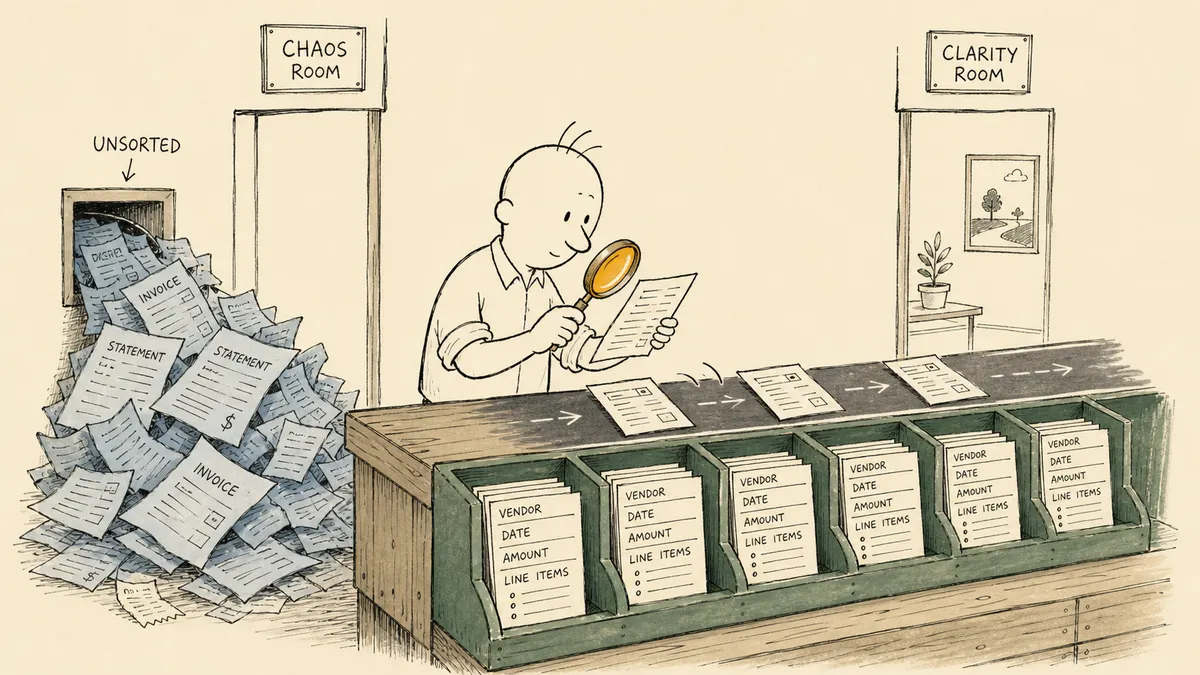
Automated data extraction is the bridge step that turns unstructured documents into structured records, and on its own it does not eliminate a single hour of senior finance time. The leverage is on either side of the bridge: what the extraction triggers off, what validates the output, what catches the cases the model got wrong, and what posts the clean records to the system of record. Finance leaders evaluating extraction tools tend to read the vendor pitch and assume the bridge is the whole road. It is not. The bridge is one stage in a six-stage workflow, and the other five stages decide whether the automation is a control or a liability.
This article is for the CFO or VP of Finance trying to figure out where extraction fits in the AP and reconciliation stack before committing budget to a tool. The argument is structural: extraction by itself produces a list of fields, the workflow around extraction produces a useful business outcome, and the standard accuracy conversation skips the part that actually matters.
What automated data extraction actually means
In plain finance terms, automated data extraction pulls fields out of documents and converts them into structured records. The fields look like this: vendor name, invoice number, invoice date, line items with descriptions and amounts, subtotal, tax, freight, total, payment terms, due date. The inputs are usually emails with PDF attachments, scanned paper forwarded from the field, statements pushed from vendor portals, or images shared by an AP coordinator from a phone.
The outputs are structured records routed somewhere a system can act on them: an ERP (Acumatica, NetSuite, Sage, Dynamics), an accounting platform (QuickBooks Online, Xero), a database or data warehouse, or in the lighter-weight cases a spreadsheet. The shape of that destination matters more than the extraction itself. A row in a QuickBooks bill has different required fields than a row in NetSuite’s vendor bill, which differs from a row in a freight cost allocation model that lands in an Excel workbook. The destination defines the schema; the schema defines what the extraction needs to produce.
Finance leaders are searching for this now because document volume is climbing without proportional headcount, and the document mix is widening. A growing distributor base means new vendor formats each quarter. A new freight provider means a new invoice layout. A new payment processor pushes statements in its own template. The historical answer was a junior staffer rekeying. That answer stops working when document volume crosses some threshold and the rekeying drifts from “manageable chore” into “the reason we can’t close the month on time.”
Where extraction fits in the workflow
Extraction is one stage in a six-stage chain. The chain is the unit of value, not the stage:
- Capture. Documents arrive: email attachments, portal pushes, scans, drive-folder drops.
- Extract. Field-level extraction with a confidence score per field.
- Validate. Totals, tax math, PO match, vendor match, dollar-threshold check.
- Route. Clean records continue; low-confidence or flagged records pause and ask.
- Post. Structured records land in the ERP, accounting system, or warehouse.
- Reconcile. The downstream system’s truth gets compared against the source.
Extraction alone produces a list of fields. The list does not know whether the line items sum to the invoice total. It does not know whether this vendor has been paid for this invoice number already. It does not know whether the dollar amount crosses an approval threshold. The other five stages are where those questions get answered. A useful extraction workflow does not stop at the bridge; it owns the chain.
The structuring step that follows extraction is where the fields get reshaped into the schema the downstream system actually wants. A vendor invoice extraction produces fields; the bill record in the ERP needs those fields mapped to specific accounts, departments, and projects. That mapping is its own discipline. See the deeper write-up on structuring extracted data for downstream systems for how that stage works in practice.
Why extraction without exception handling falls short
The honest read on automated data extraction, which most “what is data extraction” guides won’t say, is that the accuracy conversation everyone has is the wrong conversation. Extraction vendors compete on accuracy percentages. Finance leaders evaluate vendors on accuracy percentages. The percentage tells you almost nothing about whether the workflow is safe to operate.
Two reasons. First, accuracy varies by vendor format. A new distributor invoice template that the model hasn’t seen drops the accuracy on that vendor’s invoices from whatever the marketing pages claim down to something materially worse, and you do not find out until the bill is wrong. Second, OCR confidence varies field by field within a single document. The vendor name might come back at high confidence, the invoice number at moderate confidence, and one line-item amount at low confidence. A workflow that treats the document as one accept-or-reject decision wastes the per-field signal that would actually let you act on it.
Without a pause-and-ask step, errors flow straight into the ERP and surface later as duplicate payments or reconciliation breaks. Finance leaders consistently raise duplicate-payment risk as top-of-mind when extraction is wired directly into payment systems without validation steps. The cost of catching a bad bill three weeks after it posted, after the payment has gone out and the vendor has cashed it, is materially higher than the cost of pausing on a low-confidence line item at the moment of extraction.
The honest baseline at most mid-market finance teams: a junior staffer rekeys or spot-checks the extraction output, fixes the obvious mistakes, and posts the cleaned records. That is not no-process. That is informal review. The contrast worth drawing is between informal review and structured review, not between informal review and no review at all.
Human in the loop is the design pattern that makes extraction safe to automate. Confident records post automatically. Low-confidence records get flagged with the source document attached, the field that triggered the flag highlighted, and the reviewer pinged where they already work. That is the pattern in the workflow that routes extraction exceptions to a human reviewer in Slack. The reviewer sees the field, the document, and the suggested value; one click decides whether the value passes through or gets corrected.
The category-level point this article is making is the one most extraction guides skip. Extraction is a bridge step. Capture, validate, route, post, and reconcile sit on either side of it. The work between the extraction tool and the system of record, and the human judgment that has to live somewhere in that work, is not the failure case for the automation. It is the work. An orchestration layer is what owns that seam: a system above the extraction tool, the ERP, and the inbox, that listens for documents arriving, gathers the validation context the extraction tool doesn’t have, and pulls a human in at the moments that need judgment. FlowRunner is built for that layer.
What the workflow looks like in practice
Take an AP example. An invoice arrives in a shared AP inbox. The orchestration picks it up, sends it to the extraction tool (Parseur, in most of the patterns published on this site), receives back a structured field set with per-field confidence scores. The vendor gets matched against the vendor master in the ERP. The total gets validated against the line-item sum. The invoice number gets checked against open and recently-posted bills for that vendor (the duplicate-payment guard). If a PO is referenced, the line items get matched against the PO. If every check passes and every field is above confidence threshold, the bill posts to the ERP. The audit trail gets written: source document, extracted fields, validation results, the timestamp, the workflow run ID.
If any check fails, the workflow pauses. The reviewer gets a Slack message with the document attached, the offending field highlighted, and a one-click approve or correct affordance. On approval, the workflow resumes and posts. On correction, the corrected value is what gets posted, and the override is logged.
That shape is implemented across ERPs that finance leaders evaluating extraction actually use:
- Automated invoice extraction into Acumatica with the Slack exception path for distributors and direct vendors.
- Vendor document extraction into NetSuite for the same pattern in NetSuite environments.
- Extract invoice data from email into QuickBooks for mid-market companies on QuickBooks Online.
- The capability summary in everything you can automate with Acumatica for a broader view of where extraction fits among the other Acumatica automation patterns.
For documents going to a workbook rather than an ERP (freight allocation tables, reconciliation worksheets, distributor billback summaries), the same pattern routes to Excel instead of an accounting system; see the PDF data extraction to Excel pattern for the workbook variant.
The audit trail in this pattern is not something you build separately. It accumulates as a byproduct of the orchestration. Every document captured, every field extracted, every validation result, every override, every approval is logged with timestamp and actor. When an audit asks “who approved this bill on what basis,” the answer is in the workflow run record, not in someone’s email archive.
What to evaluate before committing to automated extraction
Five questions that hold up across every finance-leader conversation on this topic:
- Volume and variance. How many documents per month, and how many distinct vendor formats? Volume justifies the investment; variance determines how often the extraction tool has to learn a new layout and how often format drift will trigger exceptions. A low-variance, high-volume workflow (one freight provider, ten thousand invoices a month) is the easy case. A high-variance workflow (a thousand vendors, hundred-document months) needs more reviewer capacity per document and a longer training curve.
- Where the extracted data has to land. ERP, accounting system, data warehouse, spreadsheet, or all of the above. The destination shapes the schema. Multi-destination workflows need a structuring step in between that maps fields to each target.
- Who owns the exceptions and how they get notified. Slack is the dominant answer for mid-market companies because that is where the reviewer already lives. Email is workable but slower. The choice matters because reviewer latency is the rate-limiting factor on the workflow’s throughput.
- Which validations matter. Total math, PO match, vendor match, dollar threshold, duplicate check, compliance-sensitive accounts. Each is a separate validation rule. The honest scoping question for a finance leader is which subset is actually material to your business, not which subset the vendor’s marketing page brags about.
- What gets logged and where the log lives. The audit trail is the deliverable. If the extraction tool’s logs do not include the validation context, the routing decisions, and the human approvals, the audit story is incomplete. The orchestration layer is where the complete log lives.
The honest scoping question that closes most evaluations: which document type, posted into which system, with which exception path. Pick one. Prove the audit trail in a real month-end. Expand to the next document type from there.
From extraction to a finance workflow that scales
The end state worth working toward is not a higher accuracy number on the extraction vendor’s dashboard. It is fewer senior finance hours on rekeying and faster catch of mismatches before they cost money. Extraction is the starting point. Routing, validation, exception handling, and ERP posting are what turn the starting point into a finance workflow that scales.
The CFOs who succeed with automated data extraction are not the ones who picked the highest-accuracy tool. They are the ones who defined the validation rules, owned the exception list, and made sure the audit trail wrote itself as a byproduct of the workflow. The accuracy number is a feature of the bridge. The exception list is the asset.
Frequently asked questions
What does it mean to automate data extraction in a finance context?
Pulling fields like vendor name, invoice number, line items, totals, and dates out of documents (PDFs, emails, scans) and converting them into structured records a downstream system can act on. The records land in an ERP, accounting system, database, or spreadsheet.
Does automated extraction eliminate the need for a human reviewer?
No. Vendor formats drift, OCR confidence varies, and line items do not always sum cleanly. The viable pattern is confident records post automatically and low-confidence records get flagged to a reviewer with the source document attached. The reviewer is the control that makes extraction safe to scale.
What gets extracted today, and where does the data land?
AP invoices, vendor statements, distributor billbacks, freight invoices, and bank confirmations are the most common starting points. Destinations are typically QuickBooks, Acumatica, NetSuite, or a data warehouse. The destination shapes the schema; the schema shapes everything that comes before it.