How to Connect Xero with Canva (With or Without an AI Agent)
Connect Xero's financial reports to Canva brand templates, with an AI agent that autofills the monthly report pack and pauses for a controller's sign-off before Export Design and Wait produces the files anyone sees.
How do you connect Xero to Canva?
You connect Xero to Canva by having a monthly scheduled workflow pull the closed month’s figures with Get Profit and Loss and Get Balance Sheet, map your report template’s fields with Get Brand Template Dataset, and populate the branded design with Autofill Design and Wait, so the monthly report pack assembles itself instead of consuming a finance afternoon in a design tool. FlowRunner is a visual AI-agent orchestration platform where automations run autonomously and pause for human judgment on the steps that carry real consequence. The same connection can run as an AI agent that screens the figures, verifies every filled field against its source, and pauses for a controller’s sign-off before Export Design and Wait produces anything a board member will read.
The problem it solves
Today, the monthly report pack is a copy-paste relay. Finance closes the month in Xero and exports the P&L. Then someone, often the same person who did the close, opens last month’s deck, retypes revenue, costs, margin, cash position, and the AR summary into text boxes, nudges a chart, and hopes nothing was fat-fingered. The prettier the company wants its reporting, the more manual the relay becomes, and the later the pack ships. Numbers that were final on the first of the month reach the leadership team a week stale.
The edge case is the one everyone fears: the beautiful report with the wrong number. A transposed digit in the cash position, last month’s revenue left in a text box the template reused, a margin that no longer matches its own components. Nobody audits a designed slide the way they audit a ledger, so the error sails through, gets quoted in a board meeting, and finance spends the next cycle explaining a discrepancy that never existed in Xero. The design step is where verified numbers go to get unverified.
How it works: the connection
The connection reads from Xero and fills Canva. Here is the plain version, grounded in the real connector actions.
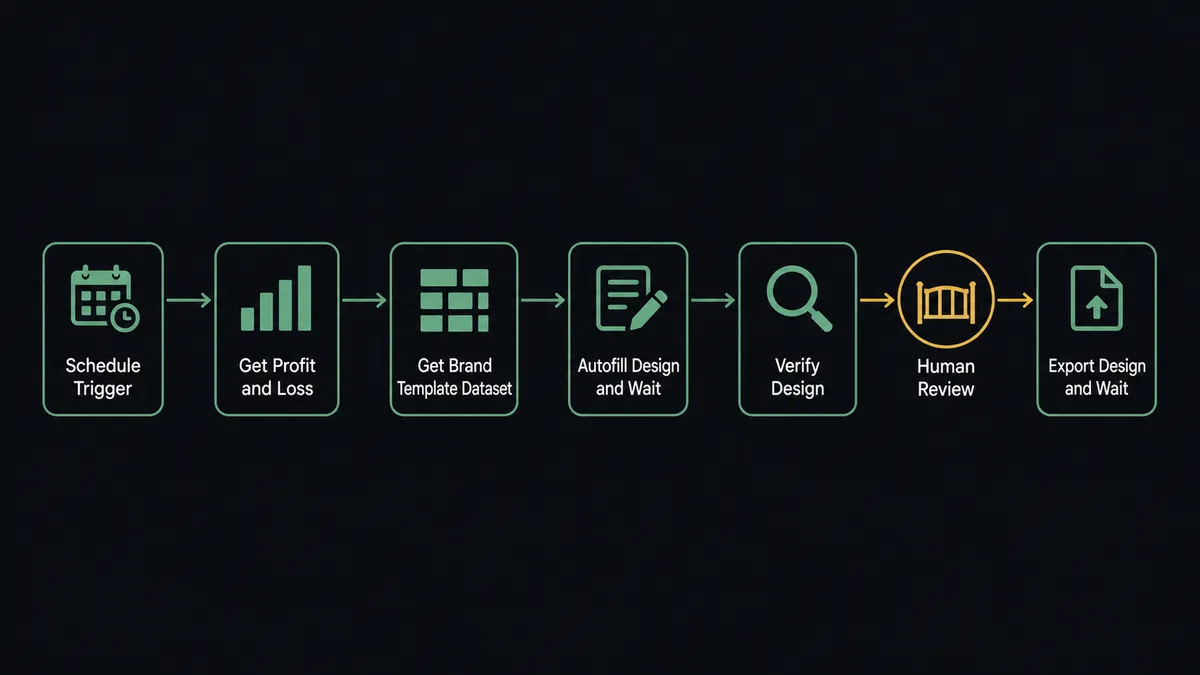
- Trigger: A monthly schedule fires on the first morning of the month, once the prior period is closed.
- Read: The workflow calls Get Profit and Loss and Get Balance Sheet for the closed month, and Get Aged Receivables for the collections summary.
- Map: It calls Get Brand Template Dataset to fetch the named autofill fields your report template exposes.
- Fill: It calls Autofill Design and Wait, writing each Xero figure into its matching template field.
- Verify: It reads the populated design back and compares every field against the source figure it came from.
- Export: It calls Export Design and Wait to produce the final files, ready for the board pack and the team update.
That is the “just connect them” answer. The close in Xero becomes a branded, current report pack the same morning, and the design never touches a keyboard.
Can an AI agent run it? (and why a human stays in the loop)
Yes, and the agent’s value here is that it reads the numbers before it typesets them. The agent holds the pair’s real actions as tools: Get Profit and Loss, Get Balance Sheet, Get Trial Balance, Get Aged Receivables, Get Brand Template Dataset, Autofill Design and Wait, Export Design and Wait, Upload Asset. Before filling anything, it screens the month: does the margin move in line with its components, does the balance sheet tie, does a line swing in a way that smells like a coding error rather than a business change? A suspicious month gets queried against Get Trial Balance and, if the doubt survives, routed to finance before a single field is filled.
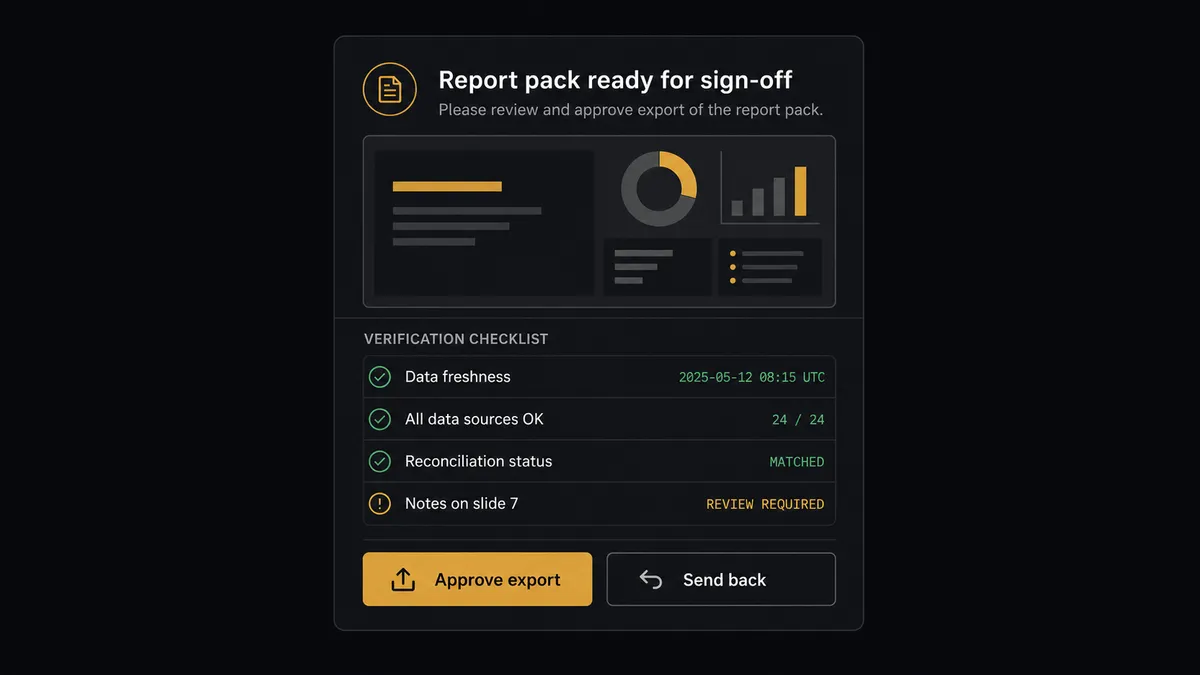
The consequential step is Export Design and Wait, because export is the moment the numbers stop being finance’s draft and start being the company’s story. A wrong figure in Xero is a bookkeeping fix; the same figure exported into a board pack is a credibility problem. So the agent never exports on its own. It invokes a human-in-loop flow it holds as a callable tool, and the workflow pauses and posts to the finance channel: “Monthly report pack filled from the closed month. Every field cross-checked against its Xero source, one item flagged for review. Draft preview and source figures attached. Approve export?” The controller reviews the flagged item, approves, and only then do the final files exist. Approver and timestamp land in the audit trail.
This order of operations is the point: verification happens between the fill and the export, not after distribution. Prospects call it the digital andon cord, and it is FlowRunner’s core design: like Toyota’s production line, the workflow stops the line the moment it hits uncertainty, because the cost of stopping is minutes and the cost of shipping the defect is a board meeting.
FlowRunner vs n8n
n8n has earned its standing with technical teams: a huge node library, an active community full of shared workflows, and a fair-code self-hosting model that developers genuinely value. Someone comfortable in n8n can call Xero’s reporting endpoints and Canva’s autofill API and assemble this pipeline, and they would own every detail of how it runs.
Owning every detail is the trade. This workflow’s hard parts are not API calls, they are the anomaly screen, the field-by-field verification, and the controller’s gate, and those arrive built in FlowRunner rather than assembled from primitives.
| What matters for this pair | FlowRunner | n8n |
|---|---|---|
| Human-in-the-loop before Export Design and Wait | Native. The agent invokes the controller’s approval as a callable tool and waits | Approval patterns you assemble yourself from wait and webhook nodes |
| Who runs the flow | An AI agent screens figures, reasons, picks actions as tools; finance can read the flow | A node graph a developer builds and maintains; AI available as added nodes |
| Users included | Unlimited users on every tier | Seat and plan limits vary on cloud; self-host is yours to manage |
| Bring your own AI keys | Yes, BYOK | Yes, n8n also supports your own provider keys |
| Self-hosted option | Yes, cloud-hosted or self-hosted | Yes, fair-code self-hosting is a genuine n8n strength |
| Pricing model | Transparent workflow-based tiers | Execution-based cloud pricing that takes work to predict at volume |
If your team wants a developer-owned pipeline with node-level control, n8n can build this. If you want finance to own its own reporting automation, with the verification and sign-off gate as first-class parts of the flow rather than custom work, that is what this pairing delivers.
Before and after
| Category | Before | After |
|---|---|---|
| Pack assembly | A finance afternoon of exporting, retyping, and nudging text boxes | Autofill Design and Wait fills the template the morning the month closes |
| Number integrity | Designed slides audited by no one, typos included | Every field cross-checked against its Get Profit and Loss source before export |
| Timeliness | Final numbers reach leadership a week after the close | The approved pack exists the same morning, held only by the sign-off |
| Consistency | Each month’s deck drifts from the template as people edit in place | The brand template is filled fresh each month via Get Brand Template Dataset |
| Accountability | Nobody can say who checked the pack before it went out | Export runs only after a named controller approves, captured in the audit trail |
What you can build
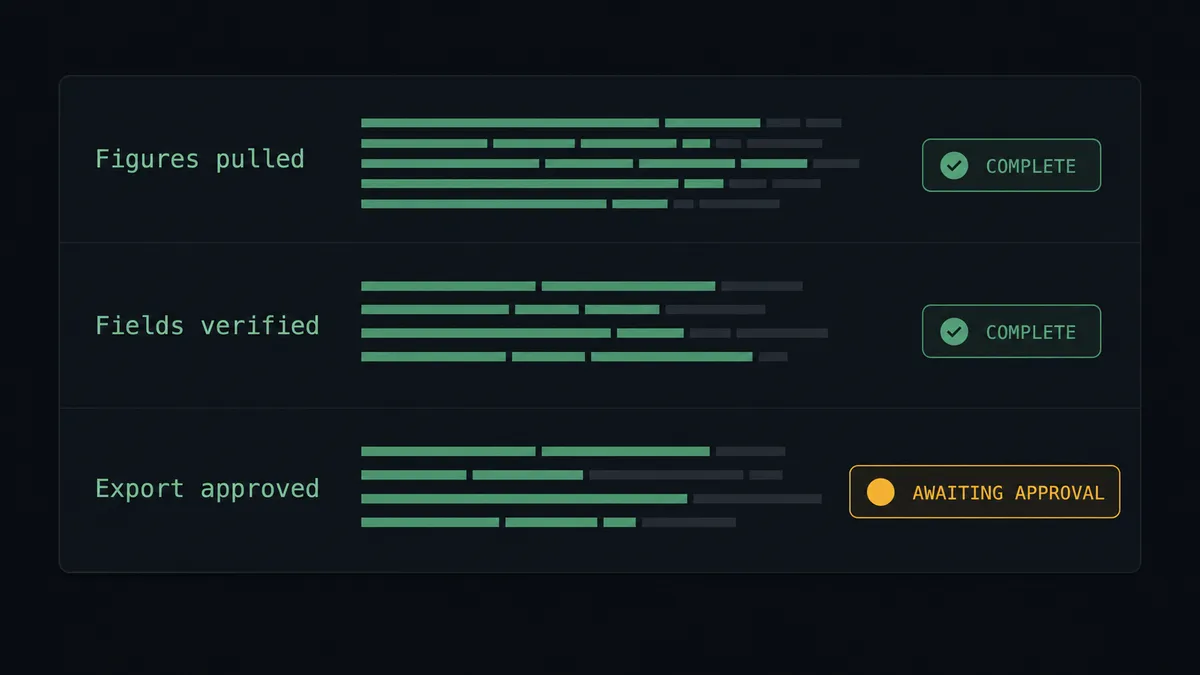
The monthly board pack. The schedule fires, Get Profit and Loss and Get Balance Sheet feed the brand template through Autofill Design and Wait, the agent verifies every field, and the controller’s approval releases Export Design and Wait. The pack ships the morning the month closes.
A weekly cash and AR snapshot. A lighter template fed by Get Balance Sheet and Get Aged Receivables gives leadership a one-page cash position every Monday, through the same fill, verify, and approve path.
Quarter-end investor update. For the quarterly version, the agent assembles the quarter from Get Profit and Loss across the period, fills the investor template, and routes the draft through both the controller and the CEO before export, two named approvals on one flow.
Client-facing financial summaries. Firms that report to clients fill a per-client template from each entity’s Xero figures, with the account lead approving each export, so every client gets a branded, verified summary instead of a raw ledger export.
Anomaly-first close review. Before any design work, the agent compares the month against Get Trial Balance and prior periods and posts a short exceptions note to finance. The report pack only proceeds once the books explain themselves.
Getting started
Start on the free plan: 100 executions a month, every integration included, no credit card required, plus 14 days of Professional for new accounts. Both connectors are available on every tier, and every tier includes unlimited users and unlimited workflows.
Explore the integration details:
- Xero integration (8 triggers and 38 actions covering invoices, payments, contacts, and financial reports)
- Canva integration (26 actions covering designs, brand templates, autofill, and exports)
Start building free at flowrunner.ai or book a demo to see a live Xero to Canva workflow, controller sign-off and all.
Frequently asked questions
Is it free to connect Xero and Canva on FlowRunner?
You can build and run the connection on FlowRunner's free plan, which includes 100 executions a month and every integration with no credit card required, and new accounts also get 14 days of Professional. Both connectors are available on every FlowRunner tier, and every tier includes unlimited users and unlimited workflows.
Can I self-host the Xero to Canva workflow?
Yes. FlowRunner offers a cloud-hosted option and a self-hosted option, so the connection can run inside your own environment. Self-hosting is available for teams that need the workflow to run on their own infrastructure.
Does the AI agent need my own OpenAI or Claude key?
FlowRunner uses a bring-your-own-keys model, so you connect the AI provider key you already have. You are not locked to one model, and you control which provider runs the agent.
What happens when the agent spots a figure that looks wrong before the report goes out?
The export never runs. When a populated field fails the cross-check against the Xero source, or a swing between months looks like a bookkeeping gap rather than a business change, the agent halts and routes the draft with the flagged figures to the controller. The branded report waits until the books are right.
Which triggers and actions does the Xero to Canva workflow use?
Neither side needs a webhook to start: the workflow runs on a monthly schedule. It reads figures with Xero's Get Profit and Loss, Get Balance Sheet, and Get Aged Receivables, maps the template with Get Brand Template Dataset, fills it with Autofill Design and Wait, and produces the final files with Export Design and Wait after approval.
Do I have to rebuild my report design every month?
No. You design the report once as a Canva brand template with named autofill fields. Each month the workflow pulls the template's field map with Get Brand Template Dataset and fills it with the current figures, so the design stays fixed while the numbers change.