How to Connect Stripe with Deskera (With or Without an AI Agent)
Connect Stripe payments to Deskera so every charge becomes a posted invoice and payment record, with an AI agent that pauses for a human before a credit note reverses revenue in the books.
How do you connect Stripe to Deskera?
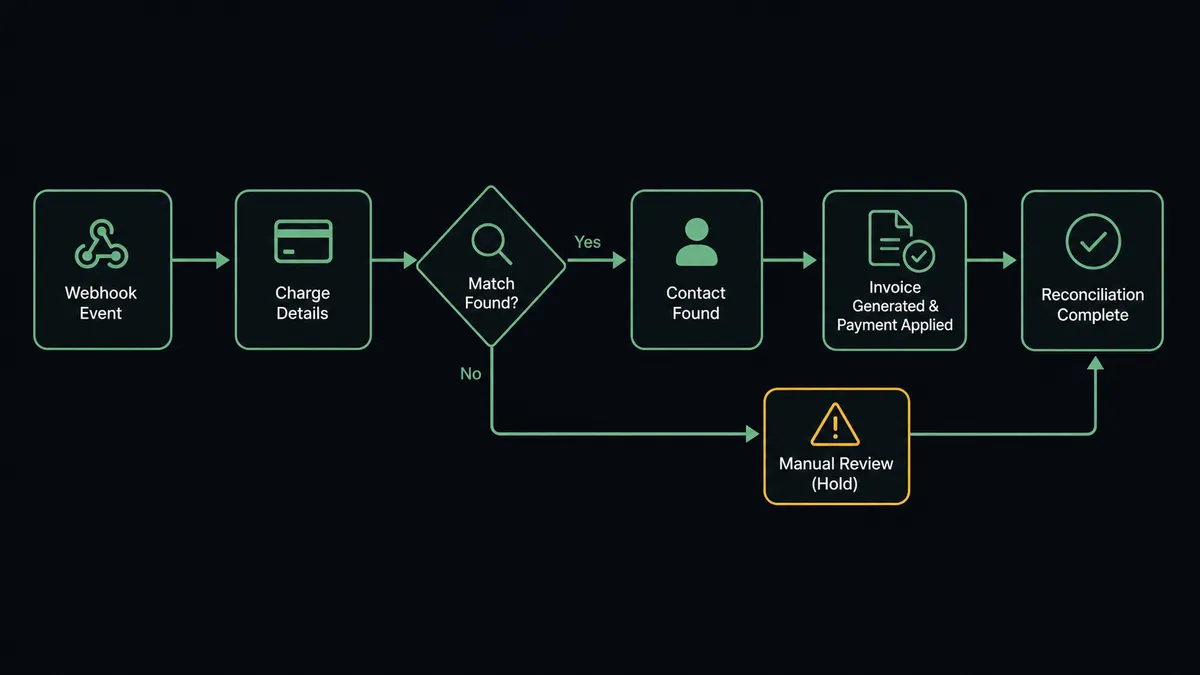
You connect Stripe to Deskera by having Stripe’s Parse Webhook Event trigger drive Deskera’s posting actions: when a payment succeeds, the workflow matches the payer with List Contacts or provisions them with Create Contact, posts the sale with Create Invoice, and closes it with Record Payment Received, so a charge in Stripe becomes a paid, posted entry in your books without a bookkeeper touching either system. FlowRunner is a visual AI-agent orchestration platform where automations run autonomously and pause for human judgment on the steps that carry real consequence. Run as an AI agent, the same connection posts revenue on its own and stops for a named person before the one move that rewrites the books: a credit note reversing recorded revenue after a refund or dispute.
The problem it solves
Today the bridge between Stripe and your books is an export and an evening. Charges pile up in Stripe all week. Someone in finance downloads the payout report, reshapes it in a spreadsheet, and keys invoices and payments into Deskera in a batch, matching payers to contacts by eye. AR is perpetually behind, the books describe last week, and month-end close starts with a reconciliation hunt for the charges that never made it across.
Refunds are where the process actually bites. A refund goes out through Stripe and the corresponding credit note in Deskera depends on someone remembering. Half the time it posts late, sometimes twice, occasionally never, and revenue is overstated until the variance surfaces at close. Disputes are worse: money is pulled back by the card network while the books still show a healthy paid invoice. When an auditor or your accountant asks who authorized a given reversal, the honest answer is usually a shrug, because the decision lived in a chat thread and the posting happened whenever it happened.
How it works: the connection
The connection listens to Stripe and writes to Deskera. Here is the plain version, grounded in the real connector actions.
- Trigger: Stripe fires Parse Webhook Event when a payment succeeds.
- Read: The workflow calls Get Payment Intent and Get Customer in Stripe to pull the amount, description, and payer.
- Match: It calls List Contacts in Deskera to find the payer by email, and List Invoices to make sure this charge has not already posted.
- Provision: When the payer is new, it calls Create Contact so the sale has a real counterparty in the books.
- Post the sale: It calls Create Invoice with the charge amount, lines, and the applicable rate from List Tax Codes.
- Close it: It calls Record Payment Received against that invoice, so AR reflects reality within moments of the charge.
That is the “just connect them” answer. Charges become posted, paid invoices as they happen, and close starts from books that already match Stripe instead of a spreadsheet archaeology project.
Can an AI agent run it? (and why a human stays in the loop)
Yes, and the split it enforces is the one your accountant would insist on: recording revenue is routine, reversing it is a decision. An AI agent holds the real actions as tools: Get Payment Intent, List Contacts, Create Contact, Create Invoice, Record Payment Received, Create Credit Note, Create Journal Entry. On the posting side it works unattended, matching payers, skipping duplicates, and posting sales as fast as Stripe reports them.
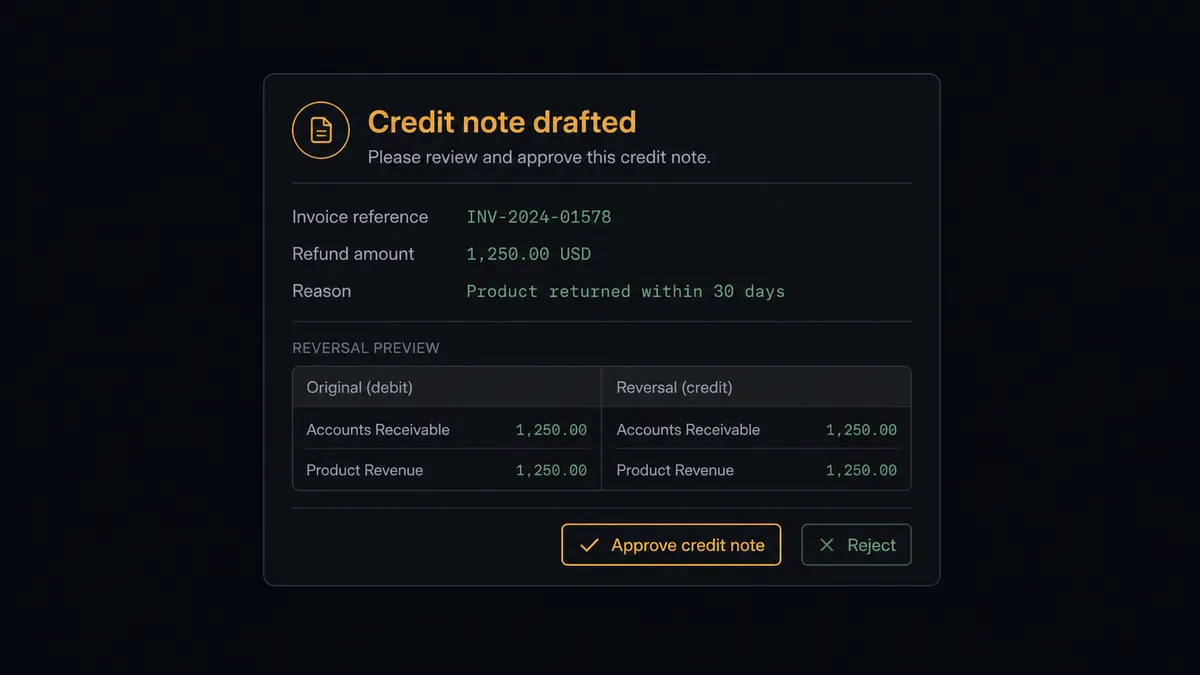
The consequential step is Create Credit Note, because a credit note reduces recorded revenue, and once it posts, your financial statements have changed. When a refund or dispute event arrives, the agent does the preparation a person would: it pulls the original invoice with Get Invoice, matches the refund amount, reads the reason, and drafts the reversal. Then it invokes a human-in-loop flow it holds as a callable tool. The workflow pauses and posts to your finance channel: “Refund of [amount] against invoice [number] for [contact]. Reason: [reason]. Credit note drafted. Post it?” A named person approves or rejects. Only then does Create Credit Note run, and the decision, the approver, and the timestamp land in the audit trail your accountant will actually enjoy reading.
Prospects describe the pattern as a digital andon cord. Like Toyota’s production line, where pulling the cord stops everything the moment a defect appears, the workflow stops the line the moment the next entry would rewrite the books, and a human restarts it with a signature.
FlowRunner vs Zapier
Zapier earns its place here: it connects Stripe deeply, its editor is friendly enough for a finance ops person to build alone, and a “new Stripe payment creates a Deskera invoice” Zap can go live the same afternoon. For straightforward one-way posting at modest volume, it works.
The difference is what happens on the reversal path, where the entries change your financial statements. FlowRunner treats the human approval as a native step the agent invokes, with the draft already prepared, rather than a pattern you assemble from extra steps.
| What matters for this pair | FlowRunner | Zapier |
|---|---|---|
| Human-in-the-loop on Create Credit Note | Native. The agent drafts the reversal and a named person posts it | Approval steps exist as add-ons, not a native agent decision |
| Who runs the flow | An AI agent reads each event, matches records, and picks actions as tools | Predefined step sequence per Zap |
| Users included | Unlimited users on every tier, so finance and ops can both approve | Priced by task volume; seats vary by plan |
| Bring your own AI keys | Yes, BYOK | AI features tied to Zapier’s own AI offering |
| Self-hosted option | Yes, cloud-hosted or self-hosted, useful when the books must stay inside your environment | Cloud only |
| Pricing model | Transparent workflow-based tiers | Per-task pricing that scales with charge volume |
If you need simple one-way posting and refunds are rare enough to handle by hand, Zapier is a reasonable pick. If reversals need a named approver and the books need to survive an audit, that is what this pairing is built for.
Before and after
| Category | Before | After |
|---|---|---|
| Revenue posting | Weekly export from Stripe, batch-keyed into Deskera | Create Invoice and Record Payment Received post each charge as it happens |
| Contact hygiene | Payers matched by eye, duplicates accumulate | List Contacts matches first; only unmatched payers get Create Contact |
| Refund handling | Credit notes posted late, twice, or never | Drafted instantly, posted only on a named approval |
| Dispute visibility | Books show paid invoices while the network claws money back | Dispute events surface to finance the moment they fire |
| Month-end close | Starts with a reconciliation hunt | Starts from books that already match Stripe |
What you can build
Charge to closed invoice. Parse Webhook Event fires, the agent matches the payer via List Contacts, posts with Create Invoice, and settles with Record Payment Received. AR is current all day, every day.
Gated refund reversal. A refund event arrives, the agent pulls the original with Get Invoice, drafts the credit note, and a named person approves before Create Credit Note touches the books.
Dispute alarm with context. On a dispute event, the agent packages the charge, the invoice, and the payer history from List Payments, and routes the bundle to finance so the response decision starts with the full picture instead of a dashboard surprise.
Subscription revenue ledger. Recurring Stripe subscription charges post automatically against the same contact, so MRR in the books tracks MRR in Stripe without a monthly true-up spreadsheet.
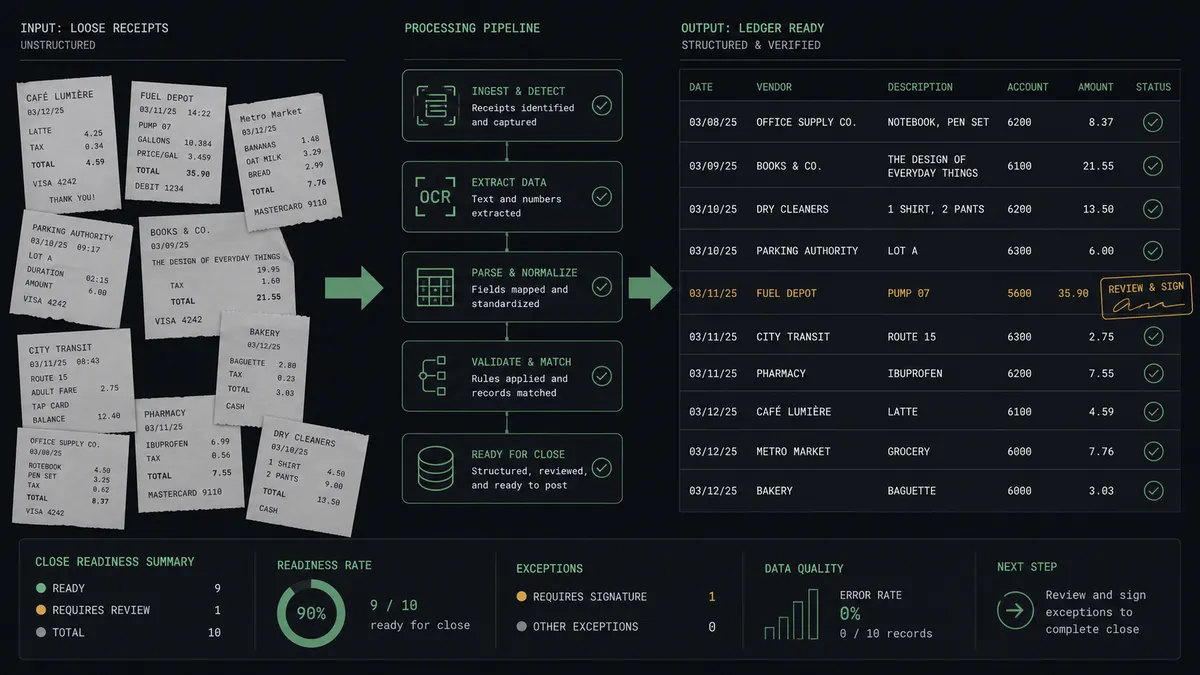
Payout reconciliation sweep. On a schedule, the agent compares List Payouts in Stripe against List Payments and List Invoices in Deskera and flags any charge that never posted, so nothing falls between the systems silently. The sweep summary lands in your finance channel with anything unmatched listed first, which turns close-week reconciliation from a hunt into a review of a short list someone already prepared.
Getting started
Start on the free plan: 100 executions a month, every integration included, no credit card required, plus 14 days of Professional for new accounts. Both connectors are available on every tier, and every tier includes unlimited users and unlimited workflows.
Explore the integration details:
- Stripe integration (1 trigger and 67 actions covering payments, customers, refunds, and invoicing)
- Deskera integration (35 actions covering contacts, invoices, bills, payments, and journal entries)
Start building free at flowrunner.ai or book a demo to see a live Stripe to Deskera workflow, credit-note approval and all.
Frequently asked questions
Is it free to connect Stripe and Deskera on FlowRunner?
You can build and run the connection on FlowRunner's free plan, which includes 100 executions a month and every integration with no credit card required, and new accounts also get 14 days of Professional. Both connectors are available on every FlowRunner tier, and every tier includes unlimited users and unlimited workflows.
Can I self-host the Stripe to Deskera workflow?
Yes. FlowRunner offers a cloud-hosted option and a self-hosted option, so the connection can run inside your own environment.
Does the AI agent need my own OpenAI or Claude key?
FlowRunner uses a bring-your-own-keys model, so you connect the AI provider key you already have. You are not locked to one model.
What happens when a Stripe refund needs to hit the books?
The agent drafts the reversal but does not post it. It packages the original invoice, the refund amount, and the reason, and posts the draft to your finance channel. Create Credit Note only runs after a named person approves, so revenue never reverses in Deskera without a human signature behind it.
Which Stripe events can start the Deskera workflow?
Stripe's Parse Webhook Event trigger fires on the events you subscribe to, such as a successful payment, a refund, or a dispute. Payments run the posting path with Create Invoice and Record Payment Received; refunds and disputes run the gated reversal path.
How does the connection avoid duplicate contacts and invoices in Deskera?
It matches before it creates. List Contacts finds the payer by email, and List Invoices checks for an existing record against the same charge, so retries and replays never double-post. Only unmatched payers get Create Contact.