Can an AI Agent Vet Google Sheets Leads Before SendGrid Sends?
Connect SendGrid and Google Sheets so new rows become validated, deduplicated sends, with an AI agent that pauses for a human before a large segment goes out.
How do you connect SendGrid to Google Sheets?
Google Sheets’ On New Row trigger fires when a lead or mailing address lands in your tracking sheet, and that trigger runs SendGrid’s Validate Email action on the address before Upsert Contacts adds it to a list and Send Templated Email delivers the message. FlowRunner is a visual AI-agent orchestration platform where automations run autonomously and pause for human judgment on the steps that carry real consequence. The same connection can run as an AI agent that reads each row, decides whether the address is safe to send to, and stops to ask a person before it queues a send to a large segment.
The problem it solves
A marketing owner or ops lead keeps the working mailing list in a spreadsheet, because that is where forms, exports, and event sign-ups all land before anyone touches SendGrid. Someone has to open the sheet, copy each new address into SendGrid’s contact list by hand, and remember to check it against the unsubscribe and bounce lists first. A mistyped address goes straight into the next send, and a lead who already exists on the list gets added a second time because nobody checked before pasting.
The cost shows up after the send, not before it. A batch of bad addresses drives up the bounce rate and puts the sender’s deliverability at risk. A duplicated contact receives the welcome sequence twice, which reads as spam even when the content is correct. And a large campaign that goes out to the wrong segment, or with the wrong template, reaches thousands of people before anyone in marketing notices. None of this is a skills problem. It is a spreadsheet doing the job of a system that should validate and route the moment a row lands, and a marketing owner spending their morning on list hygiene instead of the campaign that actually needs their judgment.
How it works: the connection
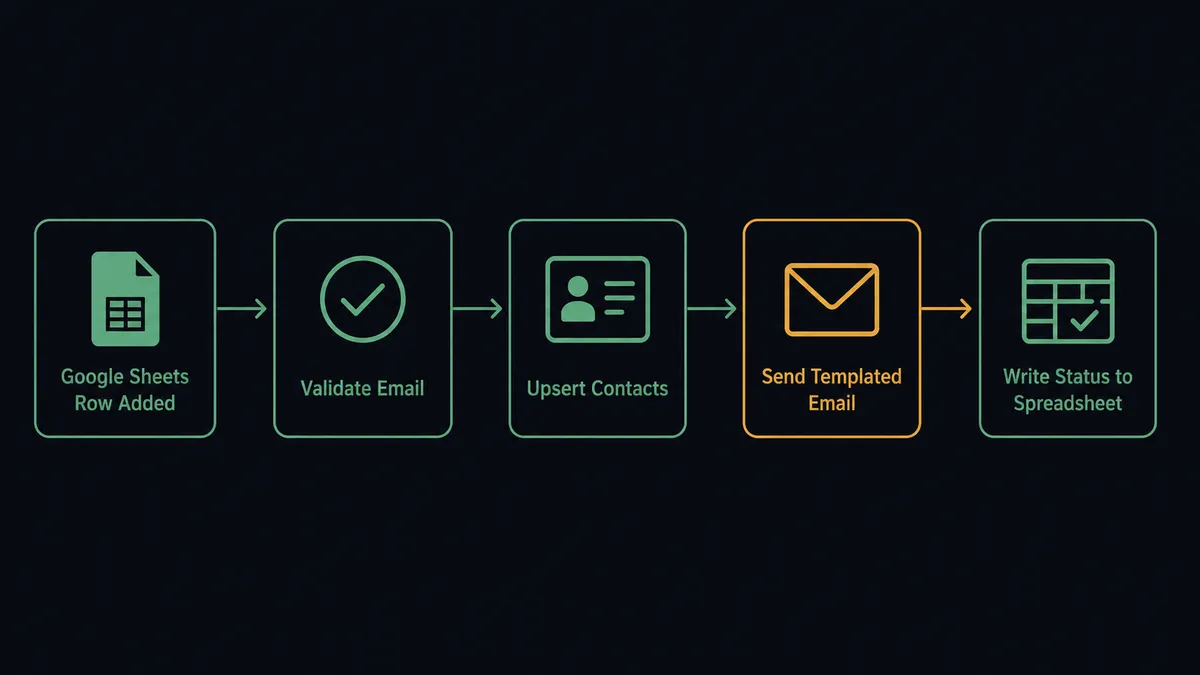
The flow starts on Google Sheets’ On New Row trigger, which fires the moment a lead or mailing address is added to the watched sheet. The agent reads the row against the mapped header columns and calls Validate Email on the address, which returns a validity verdict, a score, and checks for known bounces, role addresses, and disposable domains before anything else happens.
Only an address that passes moves forward. The agent calls Upsert Contacts, which matches on email and updates the existing contact instead of creating a duplicate, optionally adding it to one or more Marketing Campaigns lists. From there, Send Templated Email delivers the message using a SendGrid dynamic template, with the row’s data supplied as the Handlebars substitution values. Because SendGrid queues sends asynchronously, the agent works from the returned job status rather than assuming instant delivery. Finally, the agent writes the outcome back to the sheet with Update Row, so anyone looking at the spreadsheet can see, at a glance, which addresses were sent to, skipped, or are waiting on approval.
Can an AI agent run it? (and why a human stays in the loop)
A fixed sync tool would run Validate Email, Upsert Contacts, and Send Templated Email in the same order every time, with no judgment about what any individual row means or how many people a send actually reaches. FlowRunner’s agent reads the row, reasons about it, and calls those same SendGrid and Google Sheets actions as tools it chooses to use, in the order the situation calls for. This is not a sync tool. The agent knows when to stop and ask.
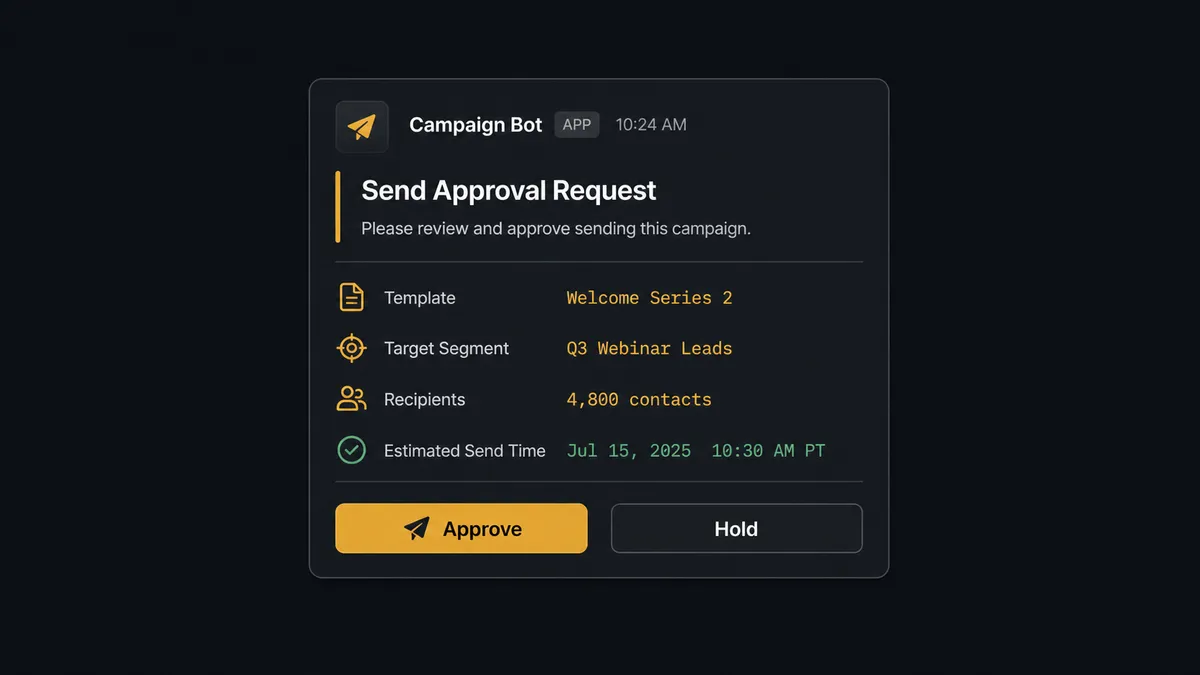
The moment that matters is the send itself, once it crosses a size threshold. Reach is the whole point of a campaign, and it is also the whole risk: a wrong template or a wrong segment reaches thousands of people before anyone notices. When the agent finds that queuing a send would push the target segment above the size you set, it does not send. It packages the template name, the target list, and the recipient count, and routes the decision to a marketing owner on Slack: “This send targets the ‘Q3 Webinar Leads’ segment, 4,800 contacts, using the ‘Welcome Series 2’ template. Approve to queue, or hold.” The owner approves, and the agent queues the send. The owner holds, and nothing goes out, with the decision, the decider’s identity, and the timestamp captured in the audit trail.
The same discipline runs on the Google Sheets side. When a row is missing a required field, or Validate Email flags an address as invalid, the agent does not guess and does not send. It flags the row in the sheet and routes it to the data owner: “Row 22 in ‘Webinar Signups’ has an address that failed validation. Correct the row and I will reprocess it, or tell me to skip it.” Clean, valid addresses flow through without anyone touching them. The rows that are ambiguous, or the sends that reach a crowd, get a person first.
FlowRunner vs Zapier
Zapier connects SendGrid and Google Sheets natively, and for a marketing owner who just wants new rows turning into sent emails, it is genuinely quick to wire up. Where the two diverge is what happens on the step that carries risk, the large send, and what the connection costs once list volume grows.
| Capability | Zapier | FlowRunner |
|---|---|---|
| Human-in-loop on the risky step | A manual review app or a delay step you build and wire yourself | Native: the agent invokes a human-in-loop flow as a callable tool at the step that carries weight |
| Reasoning over each row | Filter and formatter steps follow fixed rules you define in advance | The agent reads the row, validates it, and decides whether to send, skip, or escalate |
| Users included | Paid seats on the tiers with the automation depth this flow needs | Unlimited users on every tier |
| Pricing model | Per-task pricing that gets harder to predict as send volume grows | Transparent workflow-based tiers with clear execution limits |
| Self-hosting | Not available | Self-hosted Community Edition free, self-hosted Enterprise for full compliance |
Before and after
| Category | Before | After |
|---|---|---|
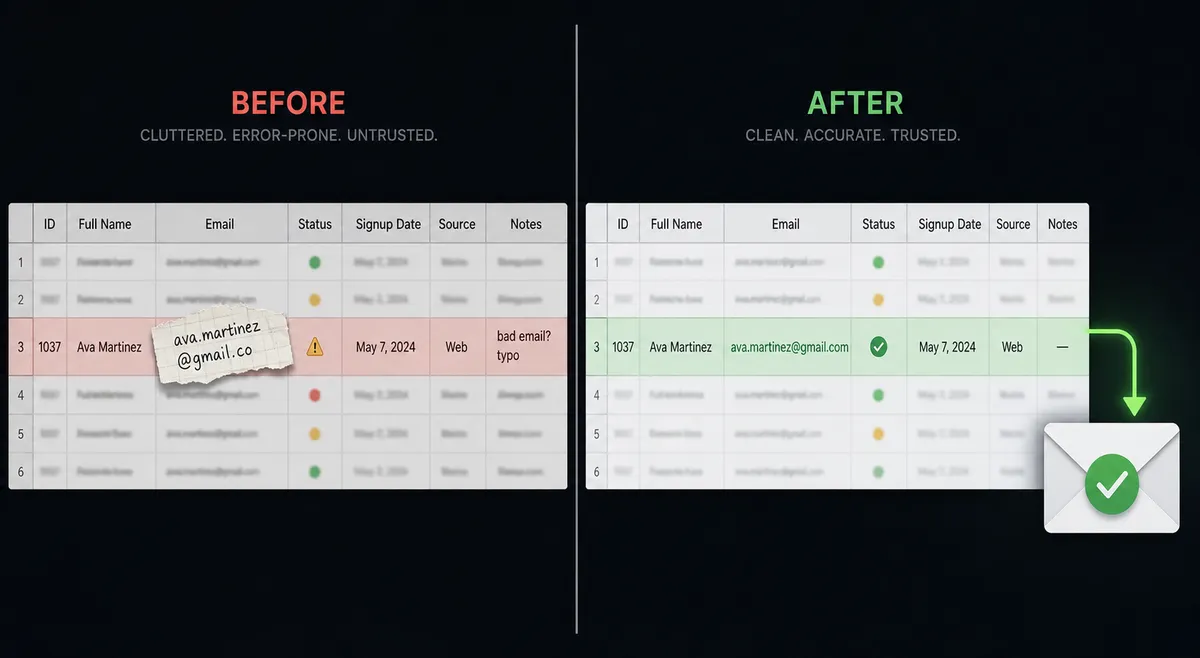
| Address quality | Bad addresses go out to unverified emails and drive up the bounce rate | Validate Email screens every address before the agent queues anything |
| Duplicate contacts | The same lead lands on a list twice because no lookup runs first | Upsert Contacts matches on email and updates instead of duplicating |
| List hygiene | Unsubscribed recipients still receive mail because the list is stale | The agent maintains global unsubscribes and bounces so opt-outs hold |
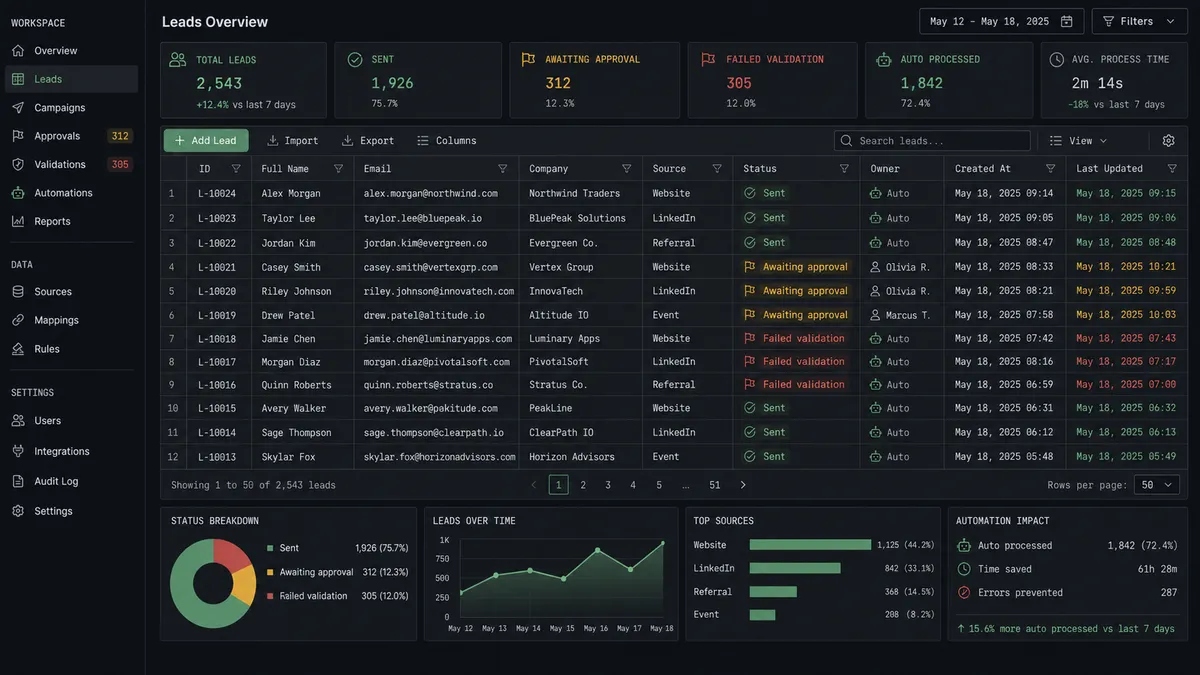
| Row status | A new row sits until someone notices it and pastes it into SendGrid | A new row triggers validation and send immediately, and the sheet shows a status back |
| Large sends | A campaign goes out to whatever segment was selected, with no second check | Sends above the size you set pause for a marketing owner’s approval first |
What you can build
Validated welcome sequence from a lead sheet. A new row triggers Validate Email, then Upsert Contacts and Send Templated Email, so a mistyped address never becomes a hard bounce and a returning lead never gets the welcome message twice.
Clean roster before a campaign. The agent calls Get Rows to read a mailing roster from Google Sheets, runs Validate Email on each address, and upserts only the ones that pass, so the list feeding the next campaign is verified before a single message queues.
Campaign performance logged automatically. On a schedule, the agent calls Get Email Stats and writes the delivered, open, and click figures to a sheet with Add Row, building a running performance log without anyone opening the SendGrid dashboard.
Suppression list audit. The agent reads List Bounces and List Global Unsubscribes and writes the results to a sheet with Add Rows, giving the marketing team a standing view of who is blocked from future sends and why.
Common questions
Is it free to connect SendGrid and Google Sheets on FlowRunner? FlowRunner has a free plan with 100 executions a month, every integration included, and no credit card required, and new accounts get 14 days of Professional on top. Beyond the free plan, Growth starts at $45/mo for 12,000 executions.
Can I self-host the SendGrid and Google Sheets connection? Yes. The Community Edition is free for a single self-hosted instance, and the self-hosted Enterprise tier adds multi-instance clustering and the full compliance suite for teams that need the data to stay on their own infrastructure.
Does the agent need my own OpenAI key? FlowRunner uses a bring-your-own-key model, so you connect the AI provider you already use and the agent runs on your key rather than a shared pool.
What happens when the agent isn’t sure an email address is valid? The agent does not queue a send to an address that fails Validate Email. It skips the contact, leaves the row flagged, and only Upserts and sends to addresses that pass.
Why does the agent pause before a large send instead of just sending it? Reach is the risk. A wrong template or a wrong segment reaches thousands of people before anyone notices, so the agent treats any send above the size you set as a step that needs a person’s approval first.
Can this run in reverse, logging SendGrid activity into Google Sheets? Yes. The agent can call Get Email Stats on a schedule and write the delivered, open, and click figures to a sheet with Add Row, so campaign performance has a running log without anyone opening the SendGrid dashboard.
Getting started
FlowRunner has a free plan with 100 executions a month, every integration included, and no credit card required, and new accounts get 14 days of Professional on top. Start at flowrunner.ai to build the flow yourself, or book time at calendly.com/flowrunner/intro to walk through the send-approval threshold and list-hygiene rules with the team.
Frequently asked questions
Is it free to connect SendGrid and Google Sheets on FlowRunner?
FlowRunner has a free plan with 100 executions a month, every integration included, and no credit card required, and new accounts get 14 days of Professional on top. Beyond the free plan, Growth starts at $45/mo for 12,000 executions.
Can I self-host the SendGrid and Google Sheets connection?
Yes. The Community Edition is free for a single self-hosted instance, and the self-hosted Enterprise tier adds multi-instance clustering and the full compliance suite for teams that need the data to stay on their own infrastructure.
Does the agent need my own OpenAI key?
FlowRunner uses a bring-your-own-key model, so you connect the AI provider you already use and the agent runs on your key rather than a shared pool.
What happens when the agent isn't sure an email address is valid?
The agent does not queue a send to an address that fails Validate Email. It skips the contact, leaves the row flagged, and only Upserts and sends to addresses that pass.
Why does the agent pause before a large send instead of just sending it?
Reach is the risk. A wrong template or a wrong segment reaches thousands of people before anyone notices, so the agent treats any send above the size you set as a step that needs a person's approval first.
Can this run in reverse, logging SendGrid activity into Google Sheets?
Yes. The agent can call Get Email Stats on a schedule and write the delivered, open, and click figures to a sheet with Add Row, so campaign performance has a running log without anyone opening the SendGrid dashboard.