Invoice Ninja Google Sheets Integration: Rows Become Invoices
Connect Invoice Ninja and Google Sheets so a new billing request row creates the client and sends the invoice automatically, with an AI agent pausing for a person before an oversized or unfamiliar invoice goes out.
How do you connect Invoice Ninja to Google Sheets?
Connect Invoice Ninja to Google Sheets by triggering off On New Row in a billing tracker sheet, then running Create Client and Create Invoice in Invoice Ninja, and writing the outcome back to the same row with Update Row. FlowRunner is a visual AI-agent orchestration platform where automations run autonomously and pause for human judgment on the steps that carry real consequence. The same connection can run as an AI agent that reads each row, builds the invoice, and pauses for a person before an invoice that is unusually large or from an unfamiliar client goes out.
What manual work does this replace?
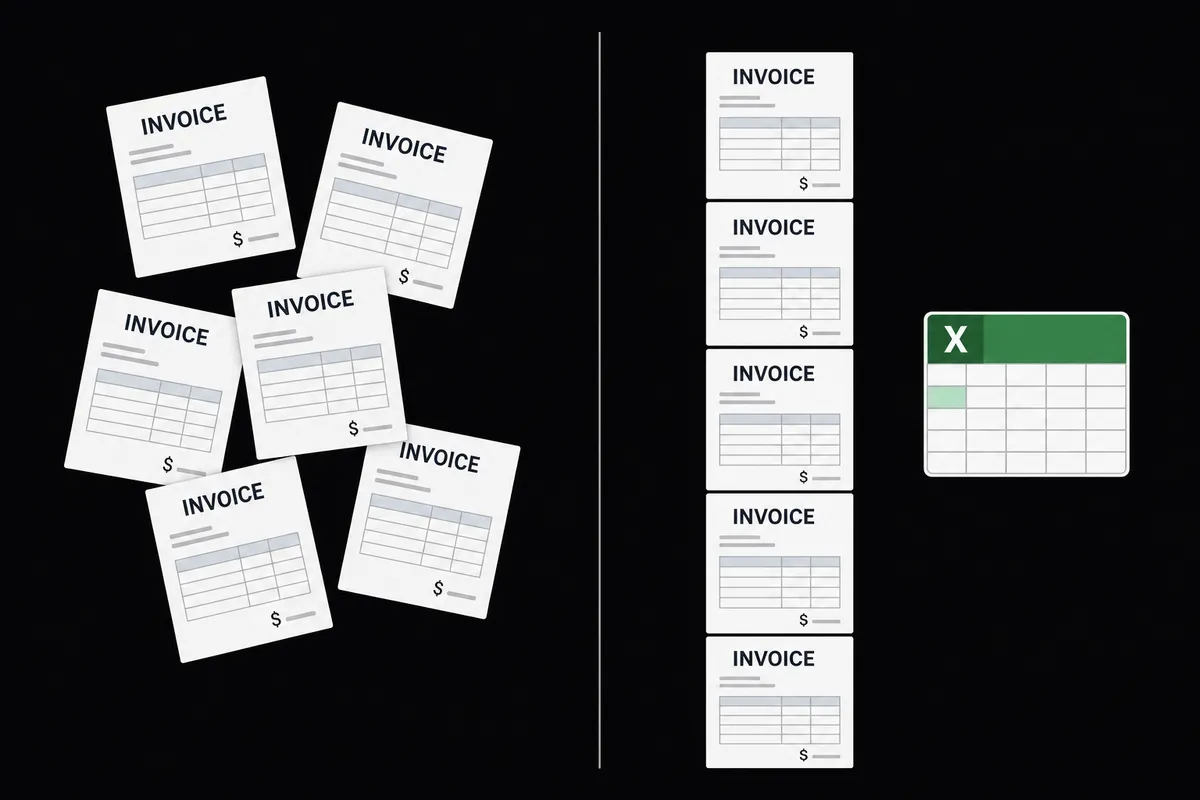
Right now, someone on the billing team keeps a spreadsheet of who needs to be invoiced. A sales rep drops a row in when a deal closes, a customer success manager adds one when a renewal is due, an ops lead adds one for a one-off project. Every row sits there until someone with time opens the sheet, cross-checks it against the CRM, and keys the client and invoice into Invoice Ninja by hand, line item by line item. Quotes that were accepted last week and never billed fall through the cracks because nothing in the sheet flags them as overdue.
The spreadsheet was never the problem. It’s a reasonable place to track what needs billing. The problem is that nothing happens when a row lands. A new row doesn’t trigger anything, and a billing manager only gets time back once that gap closes.
How does the connection actually work?
The flow starts where the request already lives: the tracker sheet. On New Row fires the moment a row is added, and the agent reads the row’s values against the mapped header columns loaded with Load Header Row, so it knows which cell is the client name, which is the email, and which are the line items to bill.
From there the agent works Invoice Ninja’s billing cycle directly. It calls Create Client if the client doesn’t exist yet, or resolves the existing one, then calls Create Invoice to build the invoice from the row’s line items. Once the invoice is ready, Invoice Action sends it, marking it sent in the same call. The last step closes the loop back on the sheet: Update Row writes the invoice number and status into the row, so the tracker shows exactly what happened without anyone opening Invoice Ninja to check.
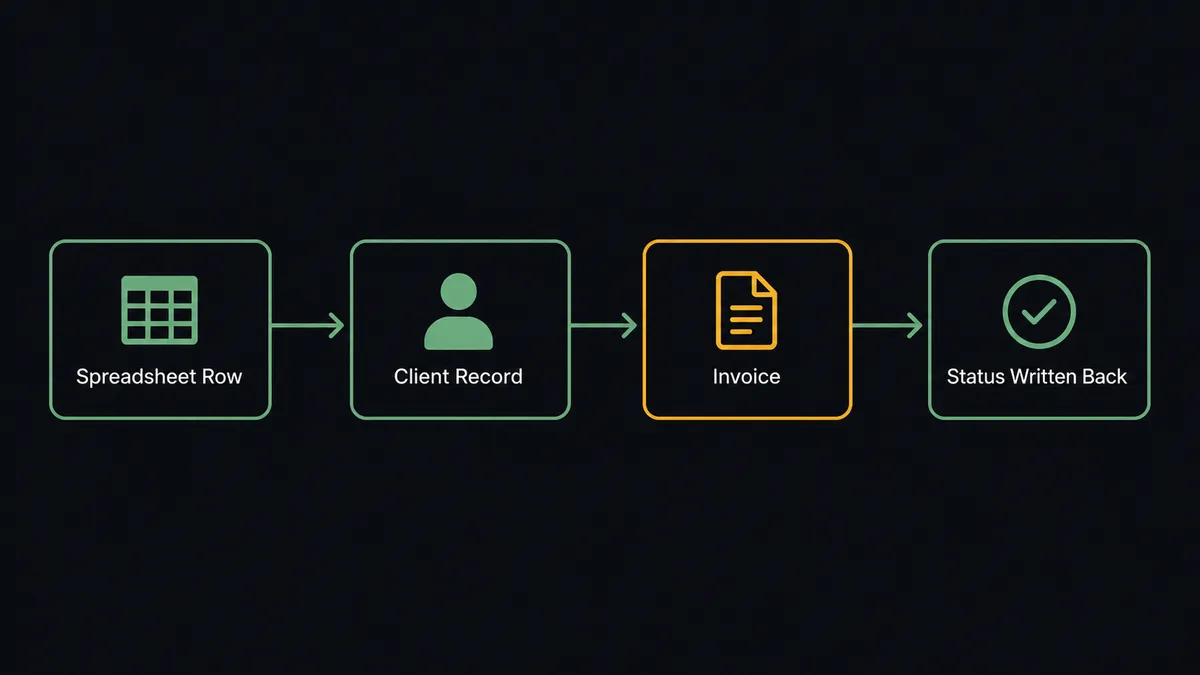
That’s the full plain connection: a row becomes a client and a sent invoice, and the sheet reflects the result. It’s already a meaningful upgrade over re-keying by hand. The upgrade that matters more is what happens before that invoice goes out.
Can an AI agent run this, and why does a human stay in the loop?
Yes, and this is where the flow stops being a sync tool and starts being an agent. A plain “row in, invoice out” automation sends every invoice the moment the row lands, at whatever amount is in the sheet. That’s fine for a $200 recurring bill to a client of five years. It’s not fine for a $40,000 invoice going to a client the agent has never billed before, built from a row someone filled in during a rushed Friday afternoon.
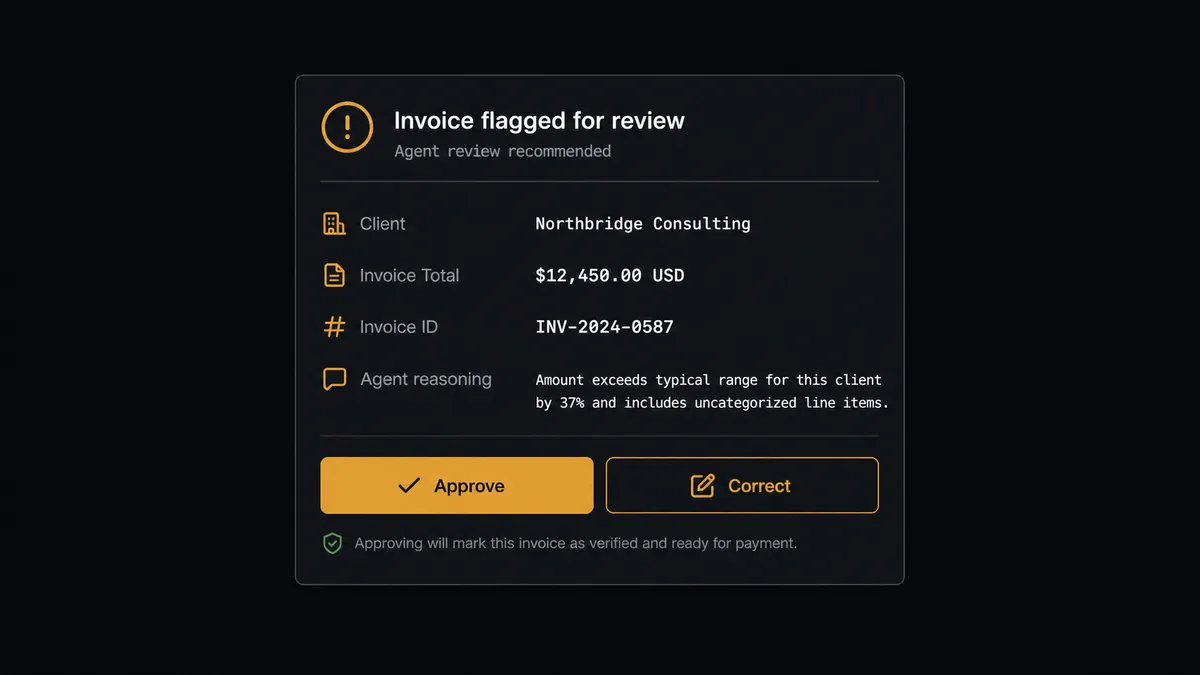
The agent reads each row the same way, but it doesn’t stop at building the invoice. It checks the total against a configured review threshold and checks whether the client has billing history in Invoice Ninja. When an invoice clears the routine checks, the agent sends it with Invoice Action and moves on; no one needs to look at a $200 renewal. When an invoice is above the threshold, or the client is unfamiliar, the agent stops before sending and invokes a human-in-loop flow as a callable tool, the same way it calls any other action.
The person doing the review gets full context, not a bare notification. The agent routes the invoice to a person through Slack with the client, the total, and the line items attached, and asks a direct question: “This invoice is ready to send to the client shown. Send it?” A person confirms or corrects it, and the agent sends exactly what was approved. Nothing goes to a client unreviewed, and nothing routine waits on a person either. The approver’s identity, decision, and timestamp are written to the audit trail.
The same judgment applies on the Google Sheets side of the flow. If a row is missing a required field, a blank amount or an unrecognized status, the agent doesn’t push it into Invoice Ninja at all. It flags the row, holds it, and routes it to the sheet owner: “Row [N] in the tracker is missing a required value in the [column] column. Correct the row and I will reprocess it, or tell me to skip it.” Clean rows keep moving without anyone watching them. This is not a sync tool that fires blindly on every row. It’s an agent that knows when to stop and ask.
How does FlowRunner compare to Zapier for this workflow?
Zapier is a reasonable default for a non-technical billing team, and it can absolutely connect a new sheet row to an Invoice Ninja action. Where it runs out of road is the review step: Zapier doesn’t have a native way to pause a run, package the full invoice context, send it to a person, and resume on their answer. Most Zapier setups either send every invoice unreviewed or route everything through a manual check that defeats the point of automating it.
| Capability | Zapier | FlowRunner |
|---|---|---|
| Human-in-the-loop on the review step | Needs a separate app or a manual check-in bolted on; no native pause-and-resume with full context | Native: the agent pauses, packages the invoice and client for a person, and resumes on their answer |
| Users included | Team and Company plans price by seat | Unlimited users on every tier |
| AI model access | Built-in AI credits bundled into Zapier’s plans | BYOK: bring your own OpenAI or Anthropic key |
| FlowRunner has a free plan with 100 executions a month, every integration included, and no credit card required, and new accounts get 14 days of Professional on top. | ||
| Audit trail on decisions | Run history logs that a step executed | Captures the approver’s identity, decision, and timestamp on every human-in-loop step |
What changes before and after?
| Category | Before | After |
|---|---|---|
| Billing requests | A closed deal or new customer is re-entered into Invoice Ninja line by line | A new row in the tracker sheet becomes a client and a sent invoice without re-keying |
| Row activity | A new row sits until someone notices it and acts | On New Row starts the invoice flow the moment the row lands |
| Invoice review | Every invoice is either reviewed by hand or none are | Only invoices above the threshold, or from an unfamiliar client, pause for approval |
| Status tracking | The sheet and Invoice Ninja drift out of sync; someone checks both to find out what shipped | Update Row writes the invoice number and status back as part of the flow |
| Quote follow-up | Accepted quotes sit unbilled until someone notices | Approve Quote and Create Invoice turn an accepted quote into billing in the same flow |
| Reporting | Reports are manual exports, opening the sheet and downloading a file | Export Sheet delivers the current tracker as a file without anyone opening it |
What else can you build with Invoice Ninja and Google Sheets?
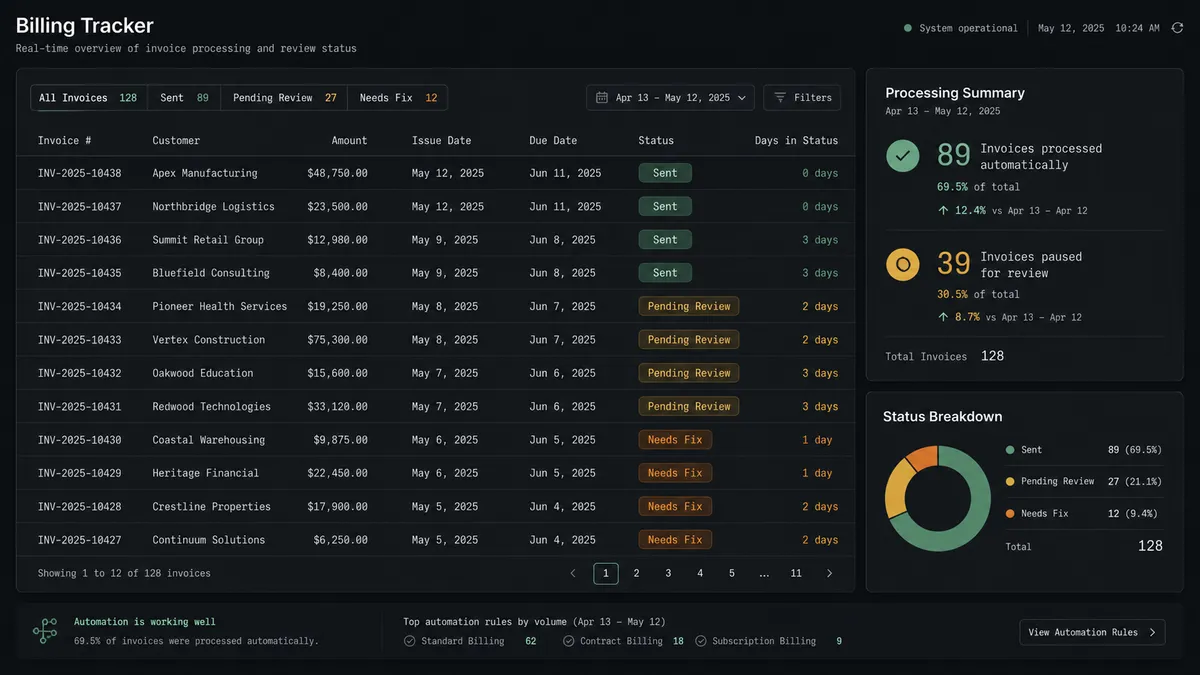
Billing request tracker. On New Row triggers Create Client and Create Invoice from a sales or ops-managed sheet, with Update Row logging the invoice number and status back to the same row.
Payment reconciliation ledger. When a charge confirms elsewhere, the agent records it with Create Payment against the matching invoice, then appends the confirmation to a reconciliation sheet with Add Row so finance has one place to see what cleared.
Product catalog sync. Get Rows reads catalog changes maintained in a sheet, and the agent keeps Invoice Ninja’s catalog matching with Create Product and Update Product, so pricing only needs to be edited in one place.
Scheduled billing report. On a schedule, Export Sheet generates the current tracker as an Excel file, and the agent delivers it to finance as an attachment, no one opens the spreadsheet to pull a report.
Quote-to-invoice pipeline. A new row in a leads sheet triggers Create Quote; once the client accepts, Approve Quote and Create Invoice bill them, and Update Row marks the row billed.
Common questions
Is it free to connect Invoice Ninja and Google Sheets on FlowRunner? Yes to start. FlowRunner has a free plan with 100 executions a month, every integration included, and no credit card required, and new accounts get 14 days of Professional on top.
Can I use a self-hosted Invoice Ninja install? Yes. FlowRunner connects through the Invoice Ninja v5 API, which works the same whether your instance is hosted by Invoice Ninja or self-hosted.
Does the agent need my own OpenAI key? FlowRunner uses BYOK, bring your own key, for the AI provider behind the agent, so you connect the model account you already use rather than paying through a bundled credit system.
What happens when the agent isn’t sure about a row or an invoice? It stops. A row missing a required field is flagged and routed to the sheet owner in Slack, and an invoice above the review threshold or from an unfamiliar client pauses for approval before it sends, with the decision recorded in the audit trail.
Can a new row create a quote instead of an invoice? Yes. The agent can call Create Quote from a row just as easily as Create Invoice, and Approve Quote turns an accepted quote into billing later in the same flow.
Does the sheet need to be the only trigger? No. The same Invoice Ninja actions can be triggered from other systems too, like a closed deal in a CRM or a confirmed charge in Stripe, with Google Sheets staying the shared tracker across all of them.
Getting started
Connecting Invoice Ninja and Google Sheets takes a working trial, not a sales call. FlowRunner has a free plan with 100 executions a month, every integration included, and no credit card required, and new accounts get 14 days of Professional on top.
Set up your accounts on the Invoice Ninja integration page and the Google Sheets integration page, then build the flow with the trigger, the actions, and the human-in-loop step above. Start at flowrunner.ai, or book time with the team if you’d rather walk through the setup with someone first.
Frequently asked questions
Is it free to connect Invoice Ninja and Google Sheets on FlowRunner?
Yes to start. FlowRunner has a free plan with 100 executions a month, every integration included, and no credit card required, and new accounts get 14 days of Professional on top.
Can I use a self-hosted Invoice Ninja install?
Yes. FlowRunner connects through the Invoice Ninja v5 API, which works the same whether your instance is hosted by Invoice Ninja or self-hosted.
Does the agent need my own OpenAI key?
FlowRunner uses BYOK, bring your own key, for the AI provider behind the agent, so you connect the model account you already use rather than paying through a bundled credit system.
What happens when the agent isn't sure about a row or an invoice?
It stops. A row missing a required field is flagged and routed to the sheet owner in Slack, and an invoice above the review threshold or from an unfamiliar client pauses for approval before it sends, with the decision recorded in the audit trail.
Can a new row create a quote instead of an invoice?
Yes. The agent can call Create Quote from a row just as easily as Create Invoice, and Approve Quote turns an accepted quote into billing later in the same flow.
Does the sheet need to be the only trigger?
No. The same Invoice Ninja actions can be triggered from other systems too, like a closed deal in a CRM or a confirmed charge in Stripe, with Google Sheets staying the shared tracker across all of them.