The Pipedrive Typeform Integration That Turns Forms Into Deals
Connect Pipedrive and Typeform so every form submission becomes a deduped Pipedrive deal, with an AI agent that pauses for compliance review on sensitive responses.
How do you connect Pipedrive to Typeform?
Connecting Pipedrive to Typeform means having a flow poll Get Form Responses on your Typeform intake form and, for each new submission, run Search Persons and Search Organizations in Pipedrive before calling Create Person, Create Organization, and Create Deal to turn the response into a qualified record in the right pipeline. FlowRunner is a visual AI-agent orchestration platform where automations run autonomously and pause for human judgment on the steps that carry real consequence. The same connection can run as an AI agent that reads each response, decides whether it needs a human before proceeding, and only then writes to Pipedrive.
A basic sync tool can move fields from a form into a CRM. It cannot look at what’s inside those fields and decide that one submission needs a compliance review before anyone touches it. That distinction is the whole story of this pair.
The problem it solves
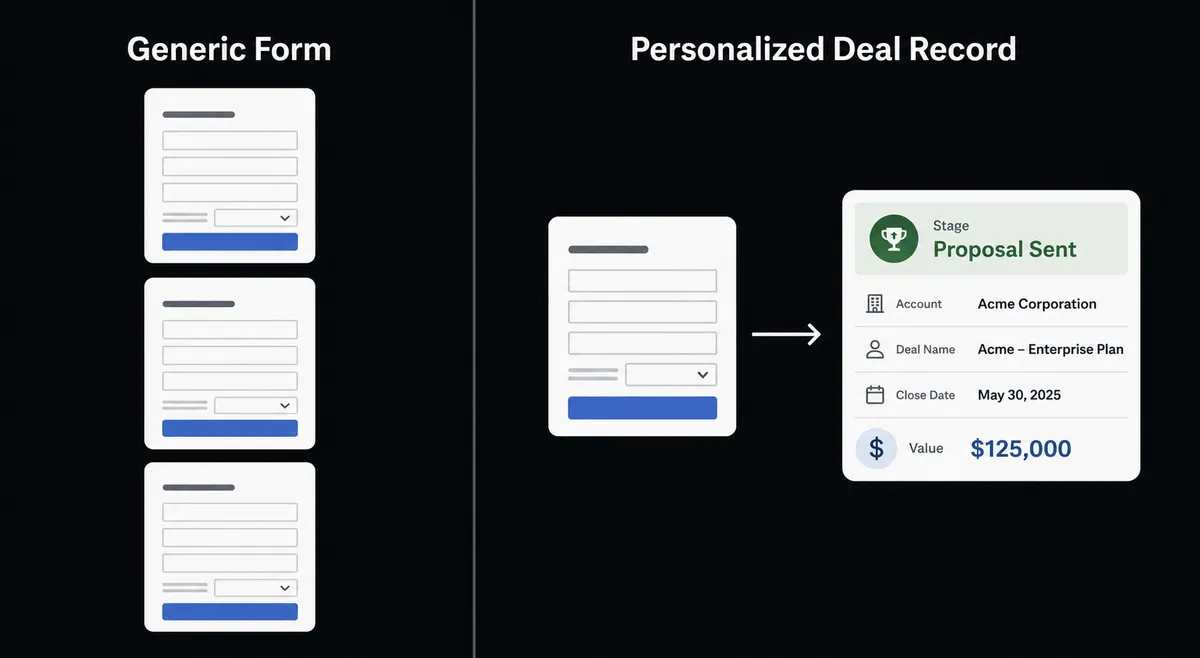
An ops lead or a sales development rep watches a Typeform intake form fill up and manually creates the matching person, organization, and deal in Pipedrive by hand. Every new client gets the same generic form with no personalization, and every submission means someone exports the response, checks whether the contact already exists, and types the record in. On a busy week, submissions stack up in a spreadsheet or an inbox and get processed in batches on Friday instead of the moment they arrive, so a hot lead cools off waiting for a rep to get to it.
The dedupe problem compounds it. Without a systematic check before creating new records, the same prospect who fills out the form twice, once from an ad and once from a referral link, becomes two Pipedrive persons with two separate histories. And when a submission includes something sensitive (a health detail on an intake form, financial information on a qualification form), someone still has to notice that and route it to the right reviewer before it goes anywhere. That step falls through the cracks more often than teams want to admit.
How it works: the connection
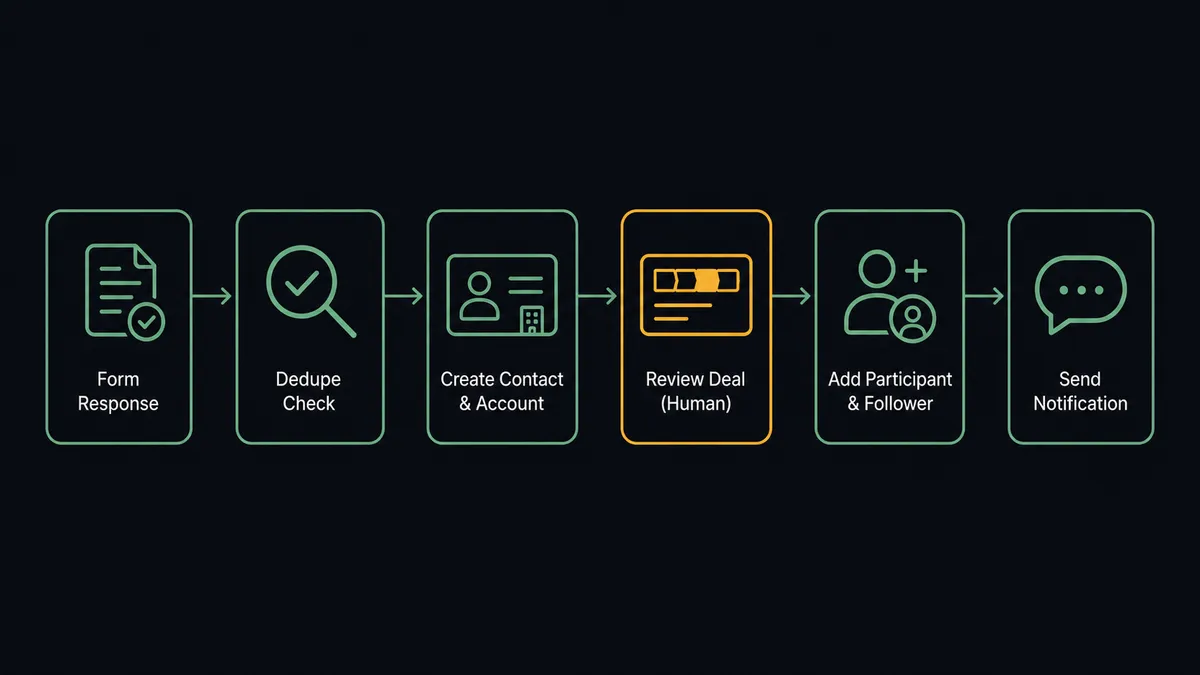
The flow starts with Get Form Responses. Typeform does not currently expose a native trigger through the FlowRunner connector, so the agent polls the endpoint on a schedule and treats each new response as a work item. For every new submission, it does three things in Pipedrive: Search Persons to check for an existing contact by email, Search Organizations to check for an existing account, and only then Create Person (or Update Person if a match came back) and Create Organization (or Update Organization).
With the person and organization in place, the agent calls Create Deal in the right pipeline with the value and stage set from the form data, Add Deal Participant to bring in the buying-committee contacts named in the response, and Add Deal Follower to assign the rep. Create Activity schedules the first call so the deal doesn’t sit untouched. The rep gets notified in chat with the deal context and the next step, and the whole sequence runs in under a minute per submission instead of whenever someone gets around to it.
Can an AI agent run it? (and why a human stays in the loop)
A plain sync tool moves the data. An agent reasons about it. Here, the agent reads each Typeform response before it does anything else and checks it against the categories that matter: does this contain healthcare details, financial information, or anything legally significant. That’s not a keyword rule bolted onto a sync step. It’s the agent evaluating the actual content of the answer and deciding whether Pipedrive should see it yet.
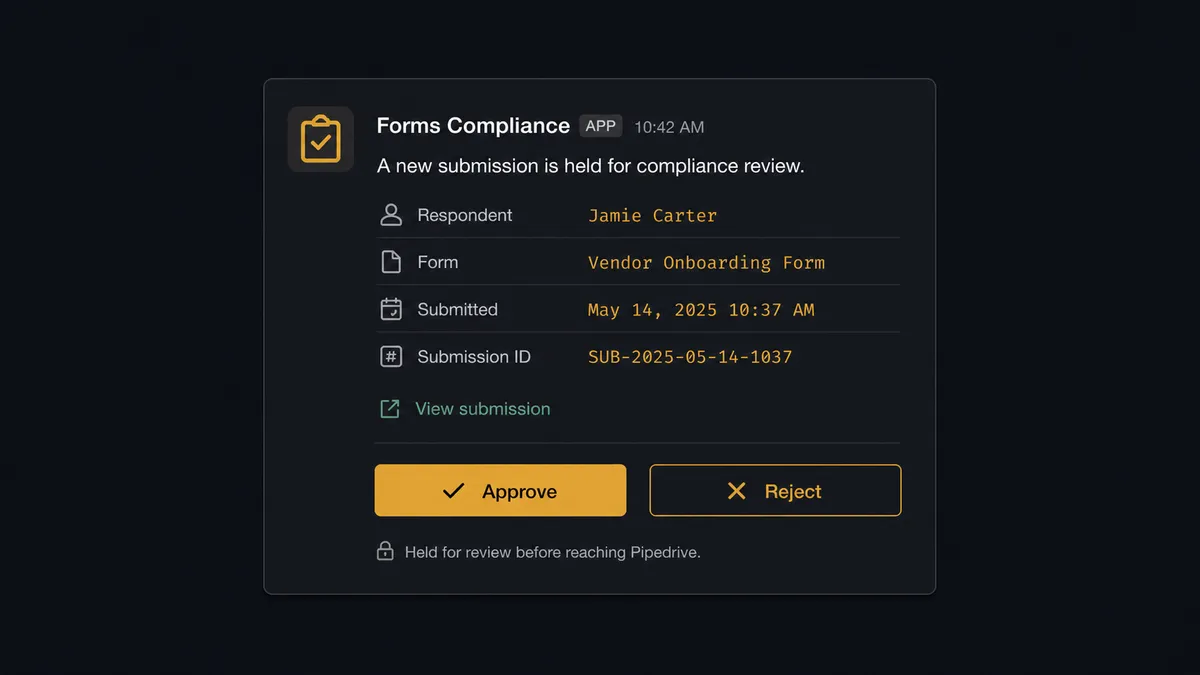
When the agent finds a submission that qualifies, it does not push the data downstream. It packages the submission (the respondent’s name, the form, a link to the full response, and why it flagged it) and sends it to the designated reviewer over Slack: “New intake form submission from [Name] contains information that may require legal/compliance review before processing. View submission here: [link]. Approve forwarding to the next step.” The reviewer approves, modifies, or rejects. On approval, the agent resumes and runs the Search Persons, Search Organizations, and Create Deal sequence with the decision, the reviewer’s identity, and the timestamp recorded in the audit trail.
Most submissions never hit that gate. A standard sales inquiry with no sensitive content flows straight through to a deal. This is not a sync tool. The agent knows when to stop and ask, and every other response moves at the speed the form was submitted.
FlowRunner vs Zapier
Zapier is a reasonable choice for a straightforward Typeform-to-Pipedrive zap, and it’s genuinely fast to set up for a non-technical team that just wants a form field to land in a CRM field. Where it runs out of road is the moment a submission needs judgment instead of mapping: Zapier has no native concept of an agent that reads the content of a response and decides whether it needs a human before proceeding. Filters and paths can branch on a value, but they can’t reason about whether a free-text answer describes a health condition.
| FlowRunner | Zapier | |
|---|---|---|
| Human-in-loop on sensitive submissions | Native: the agent evaluates content and routes to a reviewer as a callable tool | Not available: filters branch on field values, not on reasoning about content |
| Dedupe before create | Agent runs Search Persons and Search Organizations before every write | Requires a separate lookup step configured manually per zap |
| Users included | Unlimited on every tier | Priced per user on paid plans |
| AI provider | Bring your own key | Built-in AI credits metered separately |
| Pricing model | Transparent workflow-based tiers with a fixed execution ceiling | Per-task pricing that scales with volume in ways that are hard to forecast |
Before and after
| Metric | Before | After |
|---|---|---|
| CRM record creation | Reps create persons, organizations, and deals by hand from inbound notifications | Person, organization, and deal created automatically from each qualified Typeform response |
| Duplicate records | No systematic dedupe check before creating new records | Search Persons and Search Organizations run before every create |
| Form personalization | Every new client gets the same generic form | Intake form is client-specific where the flow calls for it |
| Response processing | Staff export responses and manually build records in each downstream system | CRM contact, deal, and kickoff activity created from a single form submission |
| Sensitive data handling | Someone has to notice and route sensitive answers manually | Agent flags sensitive content and holds it in Slack for reviewer approval before Pipedrive ever sees it |
| Activity logging | Calls, notes, and tasks entered when the rep gets to it | Note and activity created from the workflow that generated them |
What you can build
New client intake to kickoff. A deal closes, the agent creates a client-specific Typeform intake form with Create Empty Form, sends the URL, and once Get Form Responses returns the submission it creates the Pipedrive person, organization, and deal, then sends a kickoff meeting invite.
Deduped lead capture from an inbound form. Every submission runs through Search Persons and Search Organizations first, so a prospect who fills out the form more than once from different channels updates one record instead of creating three.
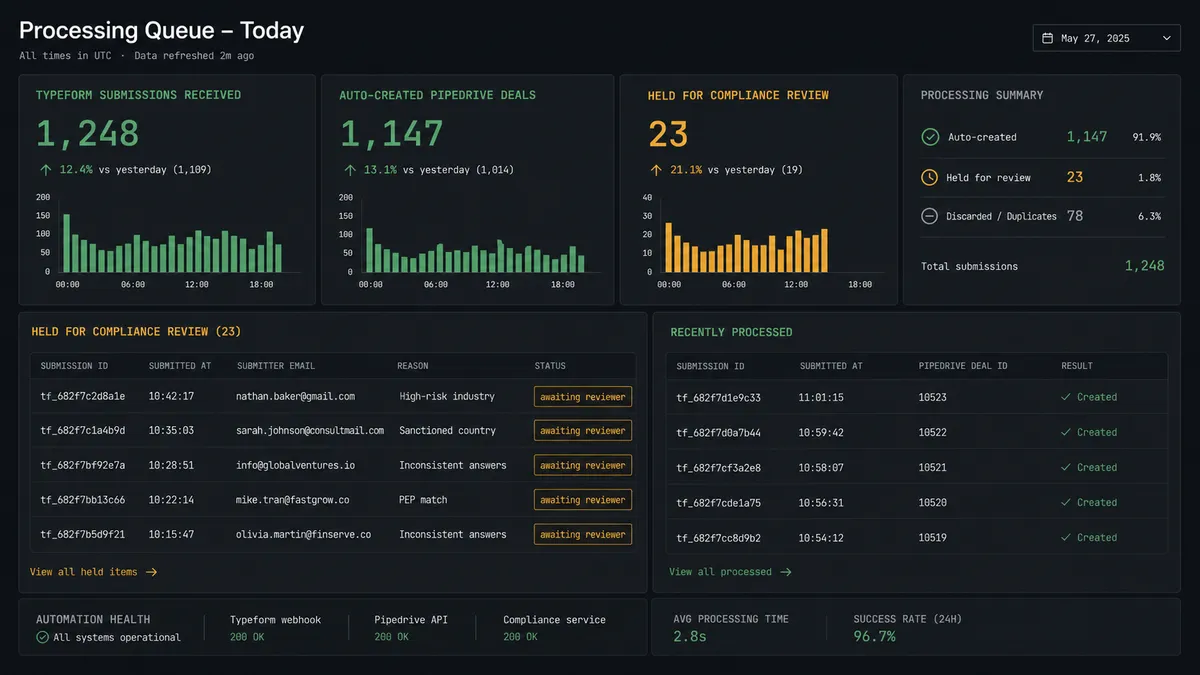
Compliance-gated qualification form. A qualification form that asks about financial or health details routes any submission containing that content to a reviewer over Slack before the agent creates the deal, with the approval recorded in the audit trail.
Multi-language survey to regional pipelines. The agent creates the form once, calls Auto-Translate Form for each target language, and routes responses from every language variant into the same dedupe-and-create sequence in Pipedrive.
Getting started
FlowRunner has a free plan with 100 executions a month, every integration included, and no credit card required, and new accounts get 14 days of Professional on top. Start with the Pipedrive integration and the Typeform integration, build the dedupe-and-create flow above, and add the compliance review step when your intake forms touch sensitive data.
Start at flowrunner.ai or book a walkthrough at calendly.com/flowrunner/intro.
Frequently asked questions
Is it free to connect Pipedrive and Typeform on FlowRunner?
Yes. FlowRunner has a free plan with 100 executions a month, every integration included, and no credit card required, and new accounts get 14 days of Professional on top.
Can I self-host the Pipedrive Typeform connection?
Yes. FlowRunner offers a free Community Edition for self-hosting a single instance, and an Enterprise self-hosted tier with multi-instance clustering and the full compliance suite for teams that need it.
Does the agent need my own OpenAI key?
FlowRunner runs on a bring-your-own-key model for AI providers, so you connect the model you already use rather than paying a markup on tokens routed through FlowRunner.
What happens when the agent isn't sure whether a Typeform submission is sensitive?
The agent does not guess. It routes the submission to a designated reviewer over Slack with the response attached and waits for an approve or reject decision before any data reaches Pipedrive.
Does FlowRunner poll Typeform or use a webhook?
Typeform does not currently expose a native trigger through the FlowRunner connector, so the flow polls Get Form Responses on a schedule and processes new submissions as they arrive.
Can the agent dedupe existing Pipedrive contacts before creating new ones?
Yes. The agent runs Search Persons and Search Organizations before every create call, so a form response from an existing contact updates that record instead of spawning a duplicate.