How to Connect Attio to Typeform: Route Submissions to Your CRM
Connect Typeform submissions to Attio records automatically, and run it as an AI agent that pauses for a compliance reviewer before sensitive answers ever reach the CRM.
How do you connect Attio to Typeform?
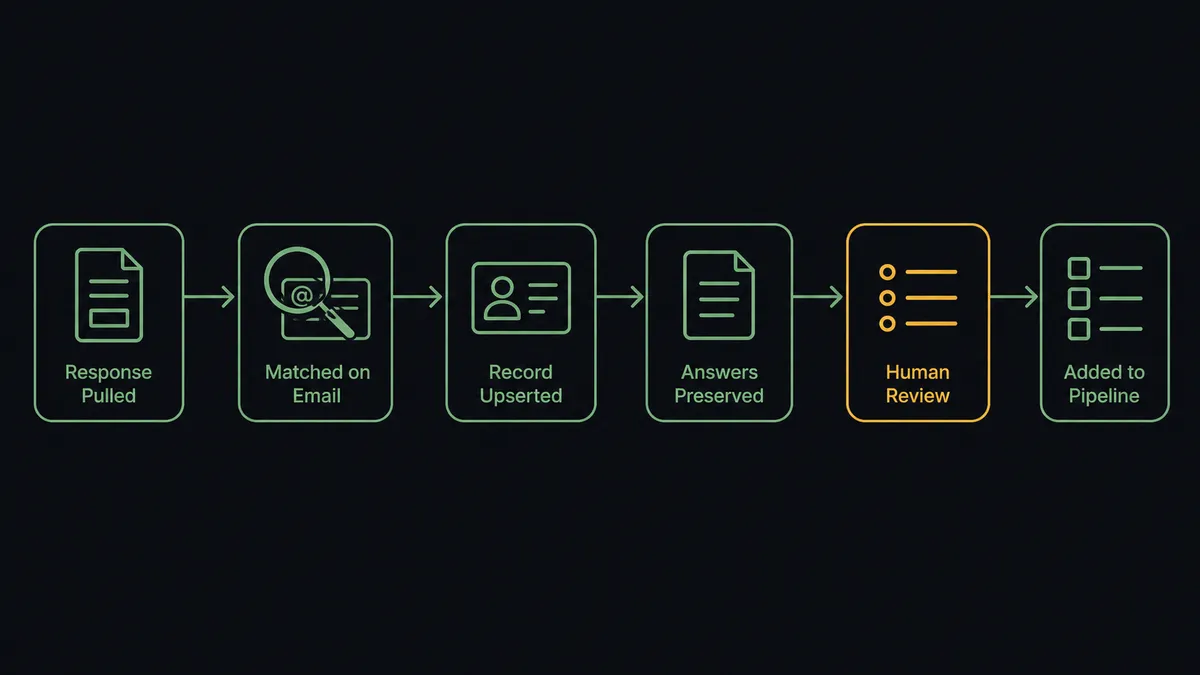
You connect Attio to Typeform with a scheduled FlowRunner workflow: Get Form Responses pulls each new Typeform submission, Query Records checks Attio for an existing Person or Company by email and domain, and Assert Record (Upsert) writes the record, with Create Note preserving the raw answers and Add List Entry placing the account on a pipeline list. FlowRunner is a visual AI-agent orchestration platform where automations run autonomously and pause for human judgment on the steps that carry real consequence. Run as an agent, the same connection also reads what the submitter actually wrote and pauses for a compliance reviewer before a healthcare or financial answer ever lands in Attio.
The problem it solves
Right now, someone owns the intake form the way they own a chore. A demo request, a client onboarding questionnaire, or a partner application lands as a row in Typeform’s response list, and an ops coordinator or account manager copies the name, company, and answers into Attio between meetings. Submissions from a Friday afternoon get entered Monday, by which point the prospect has already talked to someone else. Response speed is one of the few variables an inbound team fully controls, and manual entry gives it away for free.
The exceptions are worse than the delay. A client fills out an onboarding form and mentions a health condition or a financial detail that should never move downstream without someone reading it first, but the export-and-paste process doesn’t stop to notice. A company already exists in Attio under its legal name, so the coordinator creates a second record under the brand name, and two people start working the same account without knowing it. None of this is a Typeform problem or an Attio problem on its own. It’s the gap between the form and the CRM, and right now a person is the bridge, working through a spreadsheet-shaped queue that never actually goes to zero.
How it works: the connection
Here is the deterministic version, grounded in the real connector actions.
- Trigger: On a schedule, the workflow calls Get Form Responses to pull submissions it hasn’t processed yet. Neither connector exposes a native trigger, so polling is the honest starting point.
- Read: For each submission, the agent reads the full answer data, and calls Get Form when it needs the field structure to interpret them correctly.
- Check: It calls Query Records in Attio to look for an existing Person or Company matched on email and domain, so the write never blindly creates a twin.
- Upsert: It calls Assert Record (Upsert) to create the record or refresh the existing one, keyed on that unique attribute.
- Preserve: It calls Create Note to store the raw submission on the record, so nothing the client wrote gets lost in field mapping.
- Route: It calls Add List Entry to place the account on the right pipeline list, and Create Task to assign the follow-up to the owner.
That’s the plain answer. A Typeform submission becomes a current, deduplicated Attio record with the original answers attached, minutes after it arrives, and nobody exports a response sheet to make it happen.
Can an AI agent run it? (and why a human stays in the loop)
Yes, and the agent version is what keeps a single intake form safe to run unattended. The agent holds the actions as tools: Get Form Responses and Get Form on the Typeform side; Query Records, Assert Record (Upsert), Add List Entry, Create Note, and Create Task on the Attio side. It reads the free-text answers a field mapping would just copy through. “We’re looking for a vendor for our Q3 rollout” and “my insurance claim was denied and I need this handled” are both form submissions, but only one of them is safe for the agent to process on its own.
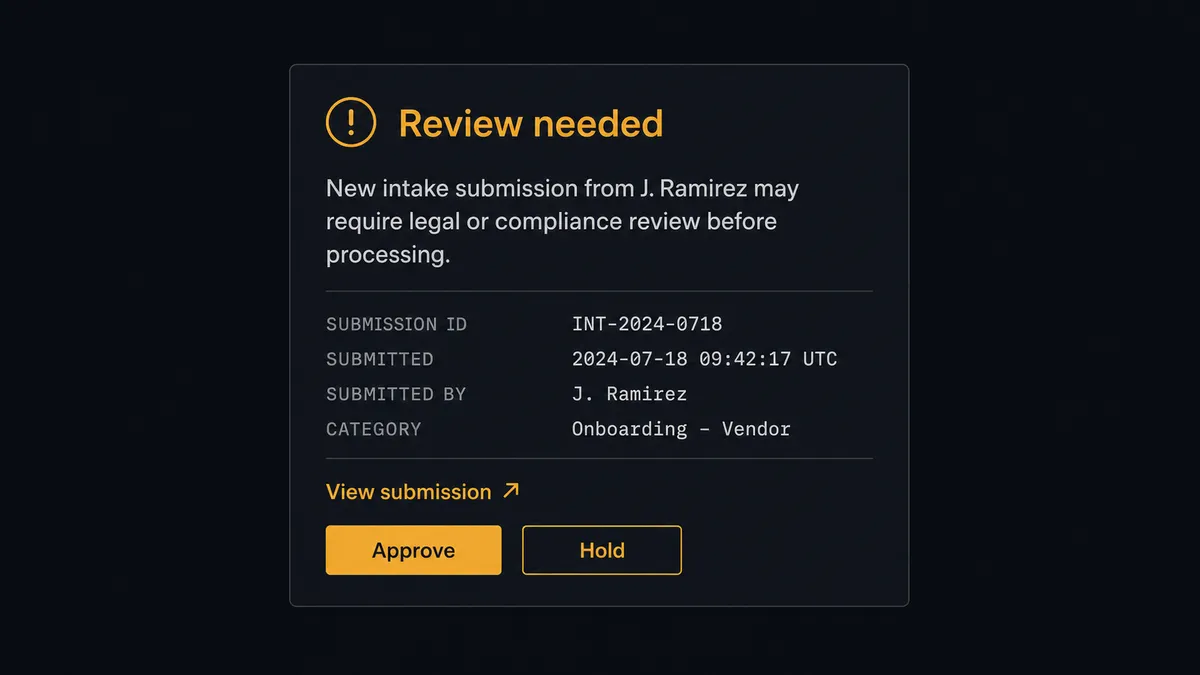
The consequential step is what happens to that second kind of answer. When Get Form Responses returns a submission with healthcare details, financial data, or anything legally significant, the agent doesn’t push it into Attio and hope someone notices later. It invokes a human-review flow it holds as a callable tool, and the workflow pauses. It posts to the designated reviewer in Slack: “New intake submission from [name] contains information that may require legal or compliance review before processing. View submission here: [link]. Approve forwarding to the next step.” The reviewer opens the link, reads the actual answer, and clicks approve or hold. Only on approval does the agent go on to call Query Records and Assert Record (Upsert). The decision, the reviewer’s identity, and the timestamp all land in the audit trail.
This isn’t a rule that says “always review healthcare answers.” It’s the agent evaluating the specific content of the submission and deciding, on its own, that this one carries weight the rest don’t. That’s the digital andon cord for intake: the agent keeps processing routine submissions on its own, and it stops the line the moment one of them needs a person to read it first.
FlowRunner vs Zapier
Zapier is a genuinely fast way to turn a new Typeform response into a CRM record, and for a low-volume form where every answer is safe to process immediately, that simplicity is real and worth acknowledging. Where it runs out of road is the submission that shouldn’t move automatically at all, because a fixed Zap doesn’t read what’s actually in the answer before acting on it.
| What matters for this pair | FlowRunner | Zapier |
|---|---|---|
| Human-in-the-loop on sensitive answers | Native: the agent reads the submission content and decides when to route it to a reviewer | Not built in; requires a separate manual approval app bolted on |
| Who runs the flow | An AI agent reads the answers, checks for duplicates, and picks actions as tools | A predefined step sequence you configure per Zap |
| Users included | Unlimited on every tier | Priced per user on most plans |
| Bring your own AI keys | Yes, BYOK | AI features tied to Zapier’s own AI offering |
| Self-hosted option | Yes, cloud-hosted or self-hosted | Cloud only |
| Pricing model | Transparent workflow-based tiers with a clear execution ceiling | Per-task pricing that scales with every submission |
If your form is low-stakes and every answer is safe to process the moment it arrives, Zapier will serve you fine. If the form ever collects something that shouldn’t move without a person reading it, the agent with a review gate is the better fit.
Before and after
| Category | Before | After |
|---|---|---|
| Intake processing | Staff export Typeform responses and manually create records in Attio | Get Form Responses feeds Assert Record (Upsert) automatically, no export step |
| CRM hygiene | The same company exists under three spellings, and reports quietly disagree | Records upsert on a unique attribute, so hygiene runs continuously instead of piling up |
| Sensitive answers | Healthcare or financial details move downstream with everything else | Submissions with sensitive content hold for a reviewer before Assert Record ever runs |
| Context | Free-text answers get truncated or lost between the export and the record | Create Note preserves the full submission on the Attio record |
| Accountability | Nobody can say who approved forwarding a sensitive submission, or when | Every approval carries the reviewer’s identity and a timestamp in the audit trail |
What you can build
Client intake to CRM in one pass. A deal closes and the agent provisions a personalized intake form with Create Empty Form; when the client responds, Get Form Responses feeds Assert Record (Upsert), Create Note, and Add List Entry so the client is a live Attio record before the kickoff call is scheduled.
Compliance-gated intake. Any submission with healthcare, financial, or legally sensitive answers holds for a designated reviewer in Slack before Assert Record ever runs, so sensitive data never reaches the CRM unreviewed.
Multi-language survey to a segmented pipeline. Auto-Translate Form deploys the same survey in Spanish, French, and German, and every regional response routes through the same Query Records and Add List Entry logic into the matching regional list.
Event registration to a warm pipeline. Every hour, Get Form Responses pulls new webinar registrants, the agent upserts each one into Attio, adds them to a dedicated list with Add List Entry, and creates a follow-up task for the account owner.
Combined intake and pipeline reporting. Get Form Insights supplies form-side engagement numbers, and a scheduled Query Records pull supplies Attio pipeline movement, so a single digest tells the revenue team both sides of the story.
Common questions
Is it free to connect Attio and Typeform on FlowRunner? You can build and run the connection on FlowRunner’s free plan, which includes 100 executions a month and every integration with no credit card required, and new accounts also get 14 days of Professional. Both connectors are available on every tier, and every tier includes unlimited users and unlimited workflows.
Can I self-host the Attio and Typeform workflow? Yes. FlowRunner’s Community Edition runs self-hosted for free on a single instance, and the Enterprise tier adds multi-instance clustering and full audit retention for teams that need compliance guarantees on top of self-hosting.
Does the AI agent need my own OpenAI or Claude key? FlowRunner uses a bring-your-own-key model for AI providers, so you connect the provider and model you already use instead of routing through a shared key you don’t control.
What happens when a Typeform submission contains sensitive information? The agent doesn’t forward it. It routes the submission to a designated reviewer in Slack with a link to view it, and only calls Assert Record (Upsert) in Attio after that person approves forwarding it.
Which triggers and actions does this pair use? Neither connector exposes a trigger, so the workflow polls Get Form Responses on a schedule. It calls Query Records, Assert Record (Upsert), Create Note, Add List Entry, and Create Task in Attio.
Can one Typeform form feed different Attio lists? Yes. The agent reads the answers, classifies the submission, and calls Add List Entry against the matching list, so one intake form can route to sales, support, or partner pipelines without manual sorting.
Getting started
Start on the free plan: 100 executions a month, every integration included, no credit card required, plus 14 days of Professional for new accounts. Both connectors are available on every tier, and every tier includes unlimited users and unlimited workflows.
Explore the integration details:
- Attio integration (26 actions covering records, lists, notes, tasks, and comments)
- Typeform integration (36 actions covering form creation, response retrieval, translations, and workspace administration)
Start building free at flowrunner.ai or book a demo to see a live Attio to Typeform workflow, review gate and all.
Frequently asked questions
Is it free to connect Attio and Typeform on FlowRunner?
You can build and run the connection on FlowRunner's free plan, which includes 100 executions a month and every integration with no credit card required, and new accounts also get 14 days of Professional. Both connectors are available on every tier, and every tier includes unlimited users and unlimited workflows.
Can I self-host the Attio and Typeform workflow?
Yes. FlowRunner's Community Edition runs self-hosted for free on a single instance, and the Enterprise tier adds multi-instance clustering and full audit retention for teams that need compliance guarantees on top of self-hosting.
Does the AI agent need my own OpenAI or Claude key?
FlowRunner uses a bring-your-own-key model for AI providers, so you connect the provider and model you already use instead of routing through a shared key you don't control.
What happens when a Typeform submission contains sensitive information?
The agent doesn't forward it. It routes the submission to a designated reviewer in Slack with a link to view it, and only calls Assert Record (Upsert) in Attio after that person approves forwarding it.
Which triggers and actions does this pair use?
Neither connector exposes a trigger, so the workflow polls Get Form Responses on a schedule. It calls Query Records, Assert Record (Upsert), Create Note, Add List Entry, and Create Task in Attio.
Can one Typeform form feed different Attio lists?
Yes. The agent reads the answers, classifies the submission, and calls Add List Entry against the matching list, so one intake form can route to sales, support, or partner pipelines without manual sorting.