Sync Pipedrive Deals to Mailchimp Marketing Audiences
Connect Pipedrive and Mailchimp Marketing so a deal stage change syncs the contact into the right audience, with an AI agent that pauses for approval before large campaign sends.
How do you connect Pipedrive to Mailchimp Marketing?
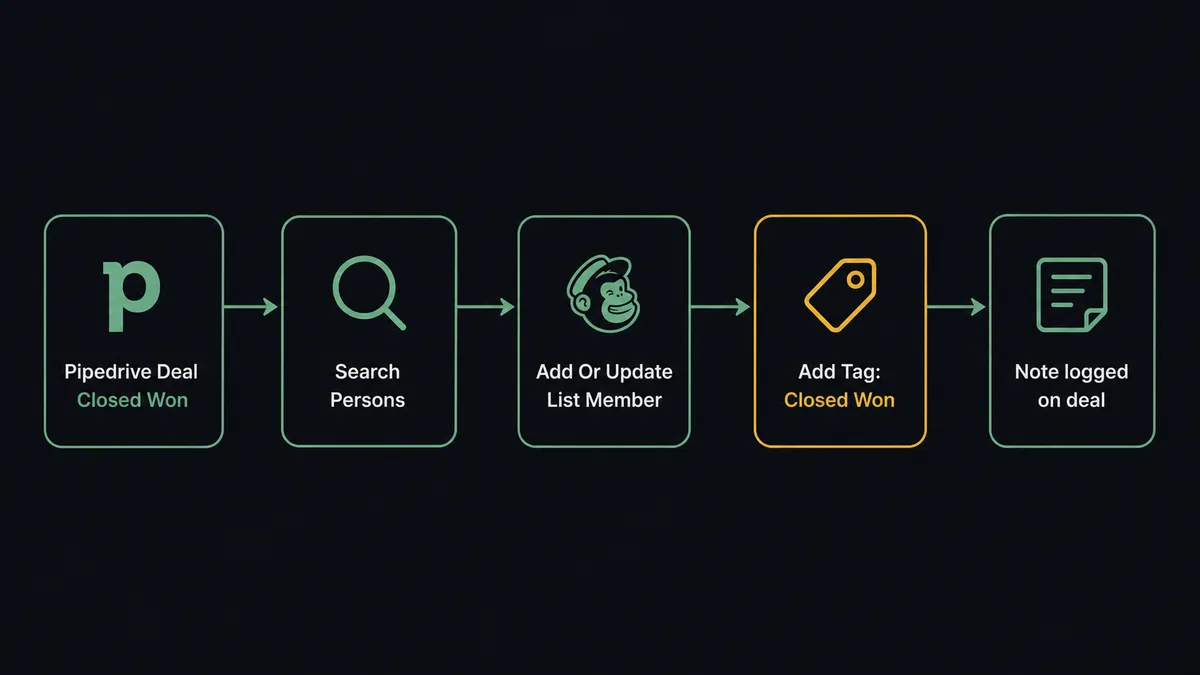
When a deal in Pipedrive moves to a stage like Closed Won, or a new Person record is created and qualified, FlowRunner calls Add Or Update List Member in Mailchimp Marketing to sync that contact into the right audience, then calls Add Tag to segment them into the matching nurture track. FlowRunner is a visual AI-agent orchestration platform where automations run autonomously and pause for human judgment on the steps that carry real consequence. The same connection can run as an AI agent that reads the deal context, decides which audience and tag apply, and pauses for a marketing manager’s approval before a campaign goes out to a large list. No manual export from Pipedrive and manual import into Mailchimp required.
The problem it solves
A sales rep closes a deal in Pipedrive on a Tuesday afternoon. The customer should move into a post-sale onboarding sequence in Mailchimp that day. In most teams, that handoff depends on the rep remembering to flag it, or the marketing coordinator running a weekly CRM export and manually matching rows against the Mailchimp audience. New inbound leads have the same gap in reverse: a Person record gets created in Pipedrive, but nobody adds them to the awareness list in Mailchimp until someone gets around to the import.
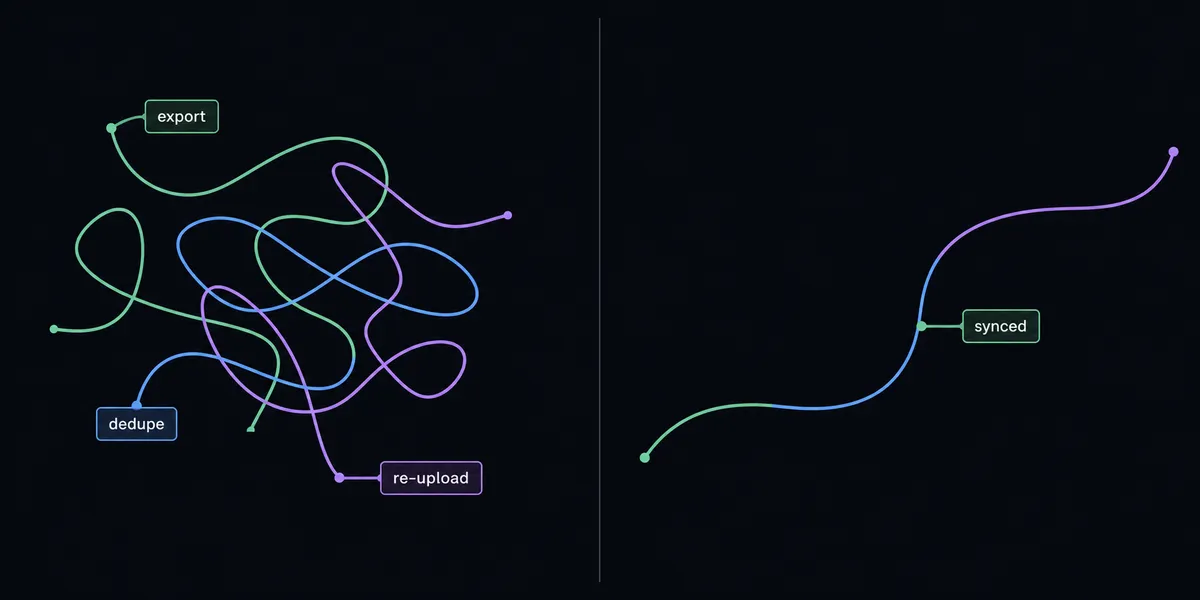
The result is stale audience data. Mailchimp reflects last week’s CRM state, not today’s. Contacts who should be getting a nurture sequence sit untagged. Deals that were lost never make it into a win-back list. The marketing coordinator spends a chunk of every Monday exporting Pipedrive segments, deduping them by hand, and re-uploading to Mailchimp, and any contact that falls through the cracks in that process doesn’t get a campaign at all.
How it works: the connection
The flow starts on a Pipedrive event, most commonly Update Deal moving a deal into a stage like Closed Won, or Create Person landing a new inbound contact. The agent first runs Search Persons and Search Organizations to confirm it has the right record and to pull the enriched fields it needs (deal value, stage, source, company).
From there it calls Add Or Update List Member in Mailchimp Marketing. That action checks for an existing subscriber by email and updates the record if found, or creates it if not, so the sync stays idempotent even if the same deal event fires twice. The agent then calls Add Tag to apply a segmentation tag based on what it read from Pipedrive, deal stage, deal value tier, or lead source, so the subscriber lands in the nurture track that matches where they actually are in the pipeline rather than a generic list.
For reporting, the connection runs in the other direction too. On a schedule, the agent calls Get Campaign Report and Get Clicks Report in Mailchimp Marketing, then writes a Create Note back onto the relevant Pipedrive deal or logs a Create Activity so the sales rep sees campaign engagement without leaving Pipedrive.
Can an AI agent run it? (and why a human stays in the loop)
A sync tool moves data on a schedule. An agent reads the data first. When a deal closes, the agent looks at the deal value, the source, and whether the contact already has an active nurture tag, and decides which Mailchimp audience and tag actually fit, rather than following one hardcoded mapping for every deal. It calls Search Persons, Add Or Update List Member, and Add Tag as tools in whatever order the situation calls for.
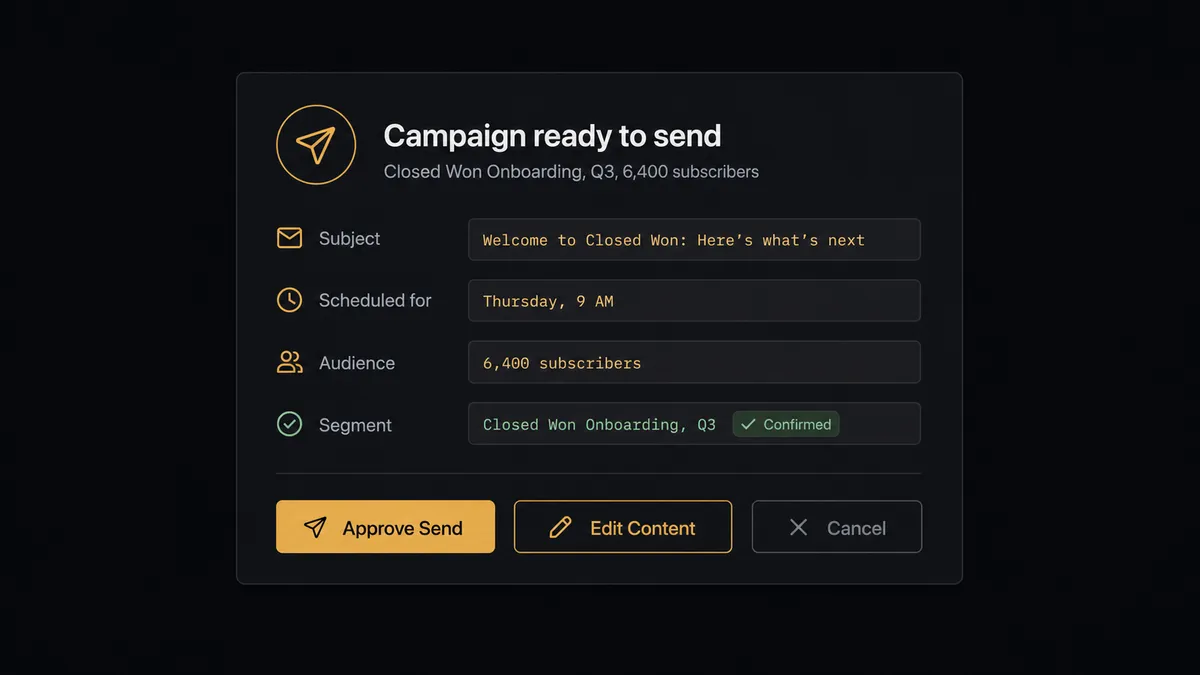
The moment that matters most is the campaign send. Sending an email to a handful of subscribers carries little risk. Sending to a large audience is a different decision, wrong subject line, wrong segment, or bad timing reaches thousands of people at once and cannot be undone. So the agent does not send on its own past a certain scale. It packages the context, the campaign name, the audience size, the subject line, and the scheduled send time, and posts it to Slack: “Campaign ‘Closed Won Onboarding, Q3’ is ready to send to 6,400 subscribers. Subject line: ‘Welcome aboard, let’s get you set up.’ Scheduled send: Thursday 9am. Approve send, edit content, or cancel?”
The marketing manager approves, edits, or cancels from that message. Only then does the agent call Send Campaign, and it records the approver, the decision, and the timestamp in the audit trail. This is not a sync tool. The agent knows when to stop and ask, and that decision is based on what it found in the data, not a rule that fires the same way every time. Prospects call this a digital andon cord: FlowRunner stops the line the moment the AI hits a decision that carries real consequence.
FlowRunner vs Zapier
Zapier is genuinely easy to get started with for a simple Pipedrive-to-Mailchimp field sync, and its Pipedrive and Mailchimp triggers are mature and well documented. For a straight “new person, add to list” Zap, it works well.
Where it runs out of room is exactly the part of this workflow that carries risk: deciding which audience and tag fit a given deal, and holding a large send for a human before it goes out. Zapier’s Paths can branch on simple conditions, but there is no agent reading the deal context and no native way to pause a multi-thousand-subscriber send for approval inside the same flow.
| Capability | FlowRunner | Zapier |
|---|---|---|
| Human-in-loop on large campaign sends | Native: agent pauses and routes to Slack with full context before Send Campaign runs | Not built in; requires a manual review step outside the Zap |
| Deciding the tag/audience per deal | Agent reasons over deal stage, value, and source | Fixed field mapping per Zap, no judgment |
| Users included | Unlimited on every tier | Priced per user on higher tiers |
| Pricing model | Transparent workflow-based execution tiers | Per-task pricing that scales with volume and can surprise teams |
| Self-host option | Community Edition and Enterprise self-hosted | Cloud only |
| BYOK for AI | Bring your own model and API key | No native agent layer to key against |
Before and after
| Metric | Before | After |
|---|---|---|
| Audience updates | Marketers manually export CRM segments and import into Mailchimp lists | Pipedrive deal and person changes sync into the matching Mailchimp audience automatically |
| Duplicate contacts | No systematic dedupe check before creating new records | Search Persons runs before any write, and Add Or Update List Member keeps the Mailchimp sync idempotent |
| Segmentation | Pricing signals and deal stage go untagged in the audience | Add Tag applies the right segment automatically from what the agent reads in the deal |
| Large sends | Campaigns go out on the coordinator’s judgment alone | Agent holds sends over the audience-size threshold for Slack approval before Send Campaign runs |
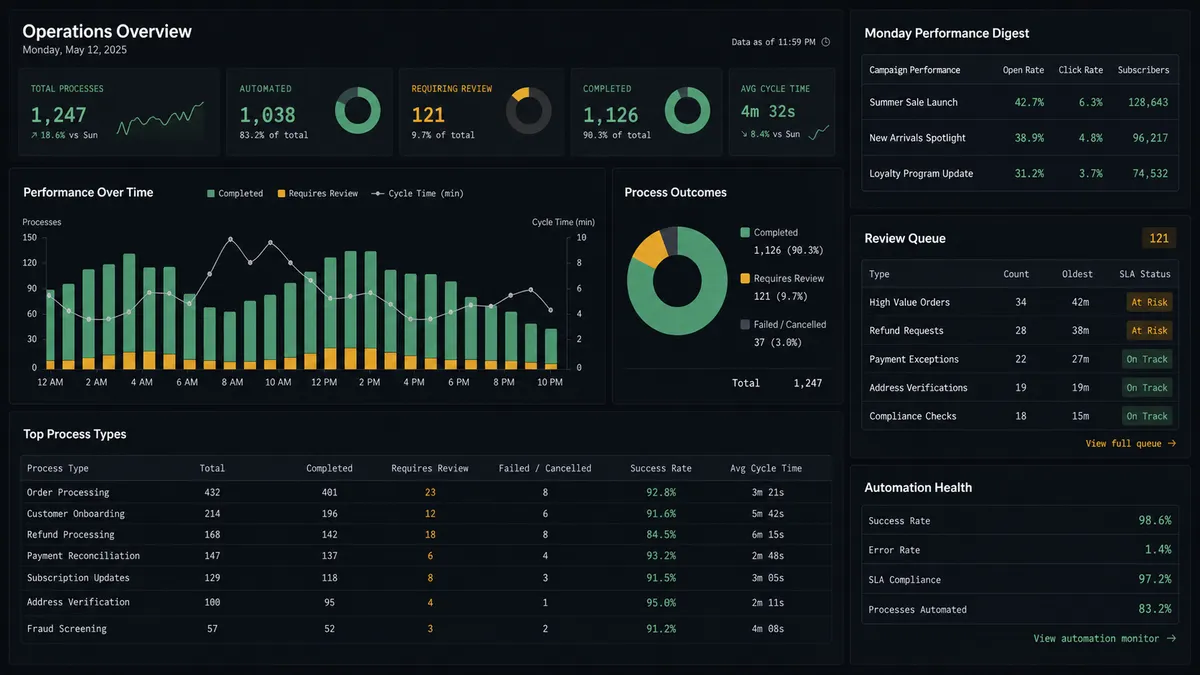
| Reporting | Marketing leadership pulls Mailchimp reports manually each week | A performance digest posts to Slack before the team starts the week |
What you can build
Closed-Won to Onboarding Handoff. When Update Deal moves a deal to Closed Won, the agent calls Add Or Update List Member and Add Tag to enroll the buyer in a post-sale onboarding campaign the same day the deal closes.
Lost-Deal Win-Back List. When a deal is marked lost, the agent tags the contact “Re-engage” with Add Tag and holds them in a separate audience, so a future win-back campaign only reaches contacts who are actually eligible.
Weekly Pipeline and Campaign Digest. The agent pulls Get Deals Summary from Pipedrive and Get Campaign Report from Mailchimp Marketing, combines them into one Monday digest, and posts it to a shared sales-and-marketing Slack channel.
Post-Send Deal Notes. After Send Campaign fires for a segment, the agent writes a Create Note back onto every matching Pipedrive deal, so reps can see which campaign a customer received without opening Mailchimp.
New Organization Welcome Track. When Create Organization runs for a new account, the agent adds the primary contact to a Mailchimp welcome audience with Add Member to List and schedules a Create Activity welcome call task in Pipedrive.
Common questions
Is it free to connect Pipedrive and Mailchimp Marketing on FlowRunner? Yes to start. FlowRunner has a free plan with 100 executions a month, every integration included, and no credit card required, and new accounts get 14 days of Professional on top.
Which Pipedrive event can trigger the Mailchimp Marketing sync? Any Pipedrive action can start the flow, most commonly a deal reaching a specific stage like Closed Won, or a new Person or Organization being created. FlowRunner reads the field values from that record and passes them into the Mailchimp Marketing actions.
Can I self-host this Pipedrive and Mailchimp Marketing connection? Yes. FlowRunner offers a self-hosted Community Edition for a single instance and a self-hosted Enterprise tier with multi-instance clustering and full compliance retention for teams that need the workflow to run on their own infrastructure.
Does the AI agent need my own OpenAI key? FlowRunner uses a bring-your-own-key model for AI providers, so the agent runs on the model and API key you connect rather than a shared FlowRunner-owned key.
What happens when the agent isn’t sure whether to send a campaign? The agent does not guess. It pauses the flow, posts the campaign name, audience size, subject line, and scheduled send time to Slack, and waits for a marketing manager to approve, edit, or cancel before Send Campaign runs.
Do I need to build separate flows for new leads and for closed deals? No. One flow can branch on the Pipedrive stage or record type the agent sees, so a new inbound Person and a Closed Won Deal can route to different Mailchimp audiences and tags from the same connection.
Getting started
FlowRunner has a free plan with 100 executions a month, every integration included, and no credit card required, and new accounts get 14 days of Professional on top. Set the trigger, map the sync, add the human-in-loop approval on large sends, and turn it on.
Start free at flowrunner.ai or book time to walk through your specific pipeline at calendly.com/flowrunner/intro.
Frequently asked questions
Is it free to connect Pipedrive and Mailchimp Marketing on FlowRunner?
Yes to start. FlowRunner has a free plan with 100 executions a month, every integration included, and no credit card required, and new accounts get 14 days of Professional on top.
Which Pipedrive event can trigger the Mailchimp Marketing sync?
Any Pipedrive action can start the flow, most commonly a deal reaching a specific stage like Closed Won, or a new Person or Organization being created. FlowRunner reads the field values from that record and passes them into the Mailchimp Marketing actions.
Can I self-host this Pipedrive and Mailchimp Marketing connection?
Yes. FlowRunner offers a self-hosted Community Edition for a single instance and a self-hosted Enterprise tier with multi-instance clustering and full compliance retention for teams that need the workflow to run on their own infrastructure.
Does the AI agent need my own OpenAI key?
FlowRunner uses a bring-your-own-key model for AI providers, so the agent runs on the model and API key you connect rather than a shared FlowRunner-owned key.
What happens when the agent isn't sure whether to send a campaign?
The agent does not guess. It pauses the flow, posts the campaign name, audience size, subject line, and scheduled send time to Slack, and waits for a marketing manager to approve, edit, or cancel before Send Campaign runs.
Do I need to build separate flows for new leads and for closed deals?
No. One flow can branch on the Pipedrive stage or record type the agent sees, so a new inbound Person and a Closed Won Deal can route to different Mailchimp audiences and tags from the same connection.