How to Connect Mailchimp Marketing with Meta Ads (With or Without an AI Agent)
Sync Mailchimp audiences into Meta Ads custom audiences on a schedule, optionally as an AI agent that builds campaigns paused and waits for a named human before anything starts to spend.
How do you connect Mailchimp Marketing to Meta Ads?
You connect Mailchimp Marketing to Meta Ads by syncing your email audience into ad targeting: on a schedule, the workflow reads list members with Get Lists Info and Search Member, then pushes them into a Meta Ads custom audience with Create Custom Audience and Add Users to Audience, which normalizes and SHA256-hashes every email before it reaches Meta. Neither connector exposes an event trigger, so the schedule is the heartbeat. FlowRunner is a visual AI-agent orchestration platform where automations run autonomously and pause for human judgment on the steps that carry real consequence. The same connection can run as an AI agent that keeps the audience fresh, drafts the campaign in Paused status, and waits for a named human before Update Campaign sets it live and budget starts to spend.
The problem it solves
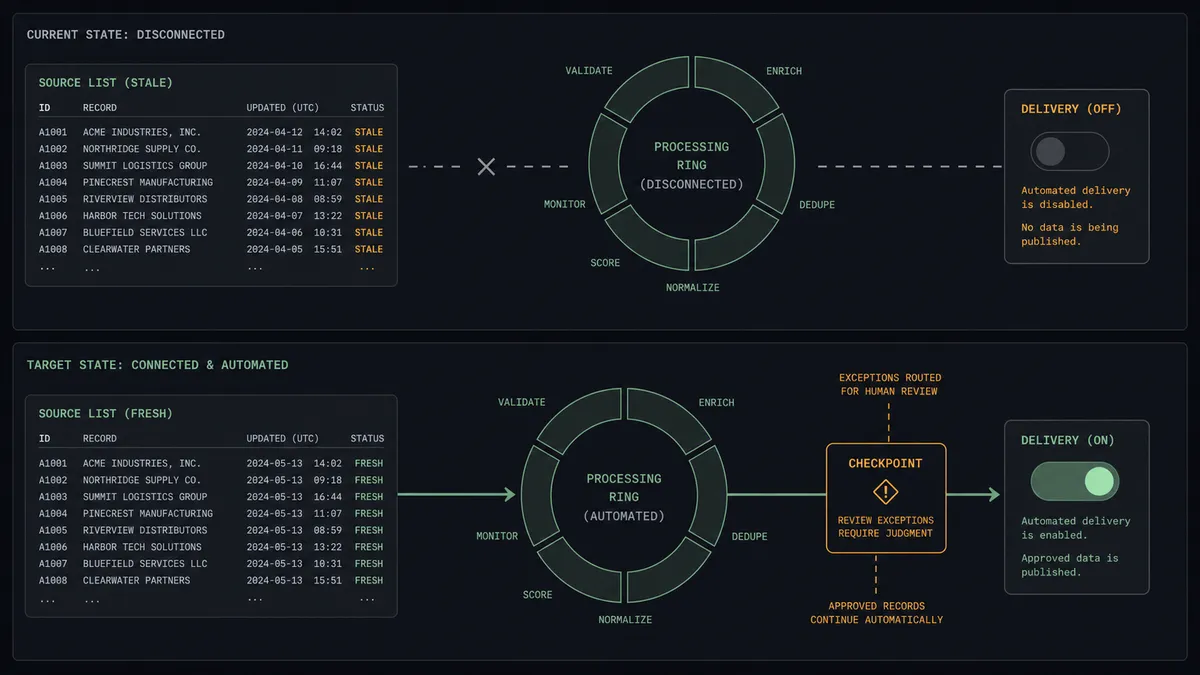
Right now the bridge between your email list and your ad account is a CSV file. Someone on the marketing team exports subscribers from Mailchimp, opens Ads Manager, uploads the customer file, waits for it to process, and repeats the whole ritual whenever the list changes enough to matter. In practice that means the custom audience Meta is targeting is weeks old, new subscribers are missing from the retargeting pool, and the lookalike audiences seeded from that stale file inherit the staleness.
The edges are worse than the lag. People who unsubscribed in Mailchimp keep seeing your ads because nobody re-uploads the suppression side. A campaign gets duplicated for a new audience and someone activates the wrong copy, and budget burns against last quarter’s segment. An intern cleans up the audience library and deletes one that live ad sets still target. This is what happens when two systems that both change daily are reconciled by hand once a month.
How it works: the connection
The connection reads from Mailchimp Marketing and writes to Meta Ads. Here is the plain version, grounded in the real connector actions.
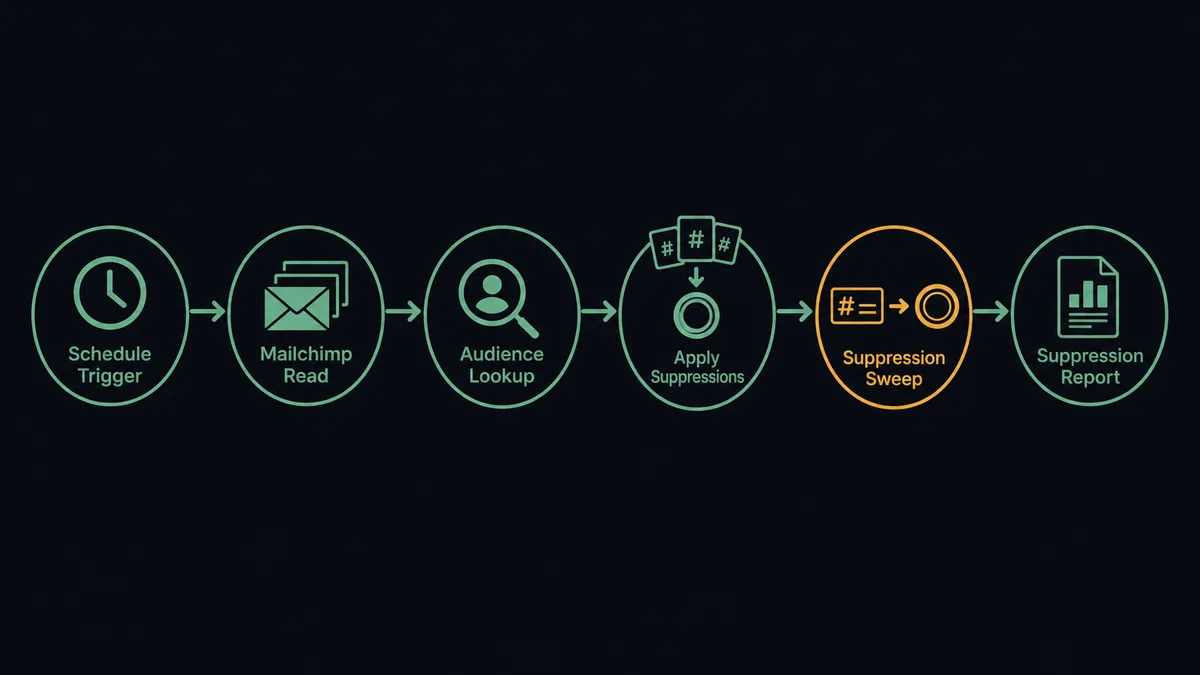
- Trigger: On a schedule, every morning, the workflow checks Mailchimp Marketing for changes.
- Read: It calls Get Lists Info for list state, then Search Member to pull members added, tagged, or unsubscribed since the last run.
- Find the audience: It calls List Custom Audiences in Meta Ads to locate the synced audience. If none exists, Create Custom Audience builds one with a declared customer file source.
- Add: It calls Add Users to Audience with the new subscriber emails. The connector normalizes each address and SHA256-hashes it before sending, as Meta requires.
- Suppress: It calls Remove Users from Audience for everyone who unsubscribed, so paid targeting respects the same opt-out the email channel does.
- Report: It calls Get Insights for spend, reach, and clicks on the campaigns targeting that audience, and tags synced members in Mailchimp with Add Member Tag so the list carries its own sync state.
That is the “just connect them” answer. The email list and the ad audience stop drifting apart, and the suppression side stays as current as the addition side.
Can an AI agent run it? (and why a human stays in the loop)
Yes, and this is where the connection stops being a sync job and starts being an operator. The agent holds the real actions as tools: Search Member, Add Users to Audience, Remove Users from Audience, Create Campaign, Create Ad Set, Create Link Ad Creative, Update Campaign, Get Insights. Instead of running a fixed sequence, it reads the state of the list and the account and decides what the day’s run needs: a routine refresh, a suppression sweep, or a full campaign draft against a segment worth paid support.
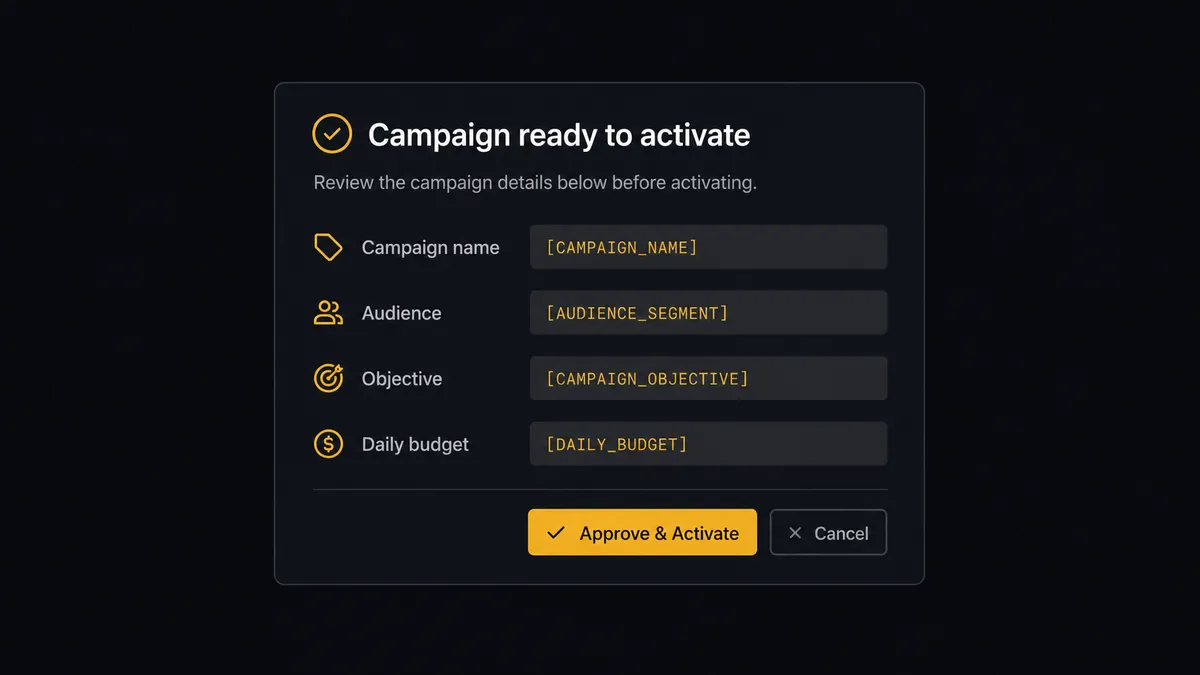
The consequential step is delivery. Create Campaign, Create Ad Set, and Create Ad all default to Paused in the Meta Ads connector, which means the agent can assemble an entire campaign without spending a cent. The moment that matters is Update Campaign flipping the status to Active. Before that call, the agent invokes a human-in-loop flow it holds as a callable tool. The workflow pauses and posts to the marketing channel: “Campaign [name] is drafted against the [audience] custom audience with objective [objective] and daily budget [budget]. Creative and targeting attached. Approve to activate?” One click, and only then does Update Campaign run. The same gate sits in front of Delete Custom Audience and Delete Campaign, because both are permanent and deleting a campaign takes every ad set and ad under it.
The agent also escalates on judgment, not just on category. An audience refresh that removes a large share of the list in one run looks like a data problem, not a normal day, so the agent holds the Remove Users from Audience call and asks. Prospects call this pattern a digital andon cord: like Toyota’s production line pull cord, the workflow stops the line the moment it hits uncertainty, and a person pulls it back into motion.
FlowRunner vs Zapier
Most marketing teams wiring Mailchimp to Meta reach for Zapier first, and the instinct is reasonable. Zapier’s connector library is enormous, its template gallery covers list-to-audience syncs out of the box, and a “new subscriber, add to audience” Zap is live in minutes. For a one-way contact push, it does the job.
The difference shows up at the step that spends money. FlowRunner is built around native human-in-the-loop and AI-agent orchestration, where the agent decides when a person needs to see something before it happens. Here is the honest side-by-side.
| What matters for this pair | FlowRunner | Zapier |
|---|---|---|
| Human-in-the-loop on campaign activation | Native. The agent invokes an approval flow as a callable tool and pauses before Update Campaign goes Active | Available via added approval steps, not a native agent decision |
| Who runs the flow | An AI agent reads list and account state, reasons, picks actions as tools | Predefined step sequence you configure per Zap |
| Users included | Unlimited users on every tier | Priced by task volume; seats vary by plan |
| Bring your own AI keys | Yes, BYOK. Connect the AI provider key you already have | AI features tied to Zapier’s own AI offering |
| Self-hosted option | Yes, cloud-hosted or self-hosted | Cloud only |
| Pricing model | Transparent workflow-based tiers | Per-task pricing that scales with every synced contact |
If all you need is new subscribers landing in one custom audience, Zapier is a fine answer. If you want the audience, the suppression list, and the campaign lifecycle managed together, with a named human on every activation and every deletion, this pairing is where FlowRunner is the better fit.
Before and after
| Category | Before | After |
|---|---|---|
| Audience freshness | Custom audiences rebuilt from manual CSV exports whenever someone remembers | List changes flow into the audience on every scheduled run |
| Unsubscribe handling | Opt-outs honored in email but still targeted by paid until the next upload | Remove Users from Audience sweeps unsubscribes on the same schedule as additions |
| Campaign launch | Anyone with Ads Manager access can set a campaign live | Campaigns draft in Paused status and go Active only after a named approval |
| Spend visibility | Performance checked ad hoc inside Ads Manager | Get Insights pulls spend, reach, and clicks into the channel where the team already works |
| Cleanup risk | Deleting an audience or campaign is one click with no record of who or why | Deletions are proposed with context and executed only after sign-off, logged in the audit trail |
What you can build
Nightly audience sync. The schedule fires, Search Member pulls the day’s list changes, and the agent applies them with Add Users to Audience and Remove Users from Audience. The retargeting pool and the email list agree every morning, no exports.
Suppression sweep with a safety check. The agent compares unsubscribe volume against the list’s normal pattern before calling Remove Users from Audience. A routine day runs unattended; a spike that looks like a data problem gets held for a human before the audience shrinks.
Campaign-in-a-box with approval. The agent calls Upload Ad Image, Create Link Ad Creative, Create Ad Set, and Create Ad to assemble a full campaign in Paused status against a Mailchimp segment, then invokes the approval tool. A person reviews creative, audience, and budget in one card and activates with one click.
Engagement-to-retargeting loop. Get Clicks Report identifies members who clicked a campaign, Add Member Tag marks them in Mailchimp, and the tagged segment feeds a custom audience so paid spend concentrates on people already leaning in.
Weekly cross-channel digest. The agent calls Get Campaign Report on the email side and Get Insights on the paid side, then posts one summary comparing the two channels for the same audience, one system instead of two dashboards.
Getting started
Start on the free plan: 100 executions a month, every integration included, no credit card required, plus 14 days of Professional for new accounts. Both connectors are available on every tier, and every tier includes unlimited users and unlimited workflows.
Explore the integration details:
- Mailchimp Marketing integration (20 actions covering audiences, members, tags, campaigns, and reports)
- Meta Ads integration (28 actions covering campaigns, ad sets, creatives, custom audiences, and Insights)
Start building free at flowrunner.ai or book a demo to see a live Mailchimp Marketing to Meta Ads workflow, campaign activation approval and all.
Frequently asked questions
Is it free to connect Mailchimp Marketing and Meta Ads on FlowRunner?
You can build and run the connection on FlowRunner's free plan, which includes 100 executions a month and every integration with no credit card required, and new accounts also get 14 days of Professional. Both connectors are available on every FlowRunner tier, and every tier includes unlimited users and unlimited workflows.
Can I self-host the Mailchimp Marketing to Meta Ads workflow?
Yes. FlowRunner offers a cloud-hosted option and a self-hosted option, so the connection can run inside your own environment. Self-hosting is available for teams that need the workflow to run on their own infrastructure.
Does the AI agent need my own OpenAI or Claude key?
FlowRunner uses a bring-your-own-keys model, so you connect the AI provider key you already have. You are not locked to one model, and you control which provider runs the agent.
What happens when the agent is unsure a campaign is ready to go live?
The agent stops and invokes a human-in-loop step. It posts the campaign name, objective, audience, and budget to the channel your team already uses, then waits for an approve or reject decision. Nothing delivers and nothing spends until a named approver signs off.
Which triggers does this connection use if neither service has one?
Neither Mailchimp Marketing nor Meta Ads exposes an event trigger in the FlowRunner catalog, so the workflow runs on a schedule you set. Each run reads list changes with Search Member and Get Lists Info, then updates the audience with Add Users to Audience and Remove Users from Audience.
Can the agent delete a custom audience or campaign on its own?
Not in this design. Delete Custom Audience and Delete Campaign are permanent in Meta Ads, and deleting a campaign removes every ad set and ad under it. The agent proposes the cleanup with full context and a named human approves before either action runs.