How to Connect HubSpot with Aha! (With or Without an AI Agent)
Route feature requests and deal-blocking gaps from HubSpot into Aha! as ideas, optionally as an AI agent that dedupes and files them automatically and pauses for a product lead before anything is promoted onto the roadmap.
How do you connect HubSpot to Aha!?
You connect HubSpot to Aha! by having a scheduled workflow poll deals with Get All Deals, pull the feature requests and loss reasons your reps record with Get Deal By ID, and file each one into the product portal: Create Idea logs the request in the right Aha! product, attributed to the account from Get Company By ID, and Update Deal writes the idea’s reference number back onto the deal so sales can quote it. FlowRunner is a visual AI-agent orchestration platform where automations run autonomously and pause for human judgment on the steps that carry real consequence. The same connection can run as an AI agent that dedupes every request against the existing portal, tracks which gaps keep blocking pipeline, and pauses for the product lead before Create Feature turns any of it into a roadmap commitment.
The problem it solves
Every sales team generates product feedback, and almost none of it survives the trip. A rep hears “we would buy this if it integrated with our billing system,” types it into a deal note, and moves on. Multiply that across the team and the real signal, which gaps actually cost revenue, lives scattered in hundreds of deal records nobody rereads. Meanwhile the product team runs quarterly “voice of sales” meetings where whoever speaks loudest gets their request remembered, and the Aha! portal fills with duplicates because nobody checks whether “billing sync,” “invoice integration,” and “connect to our accounting tool” are the same idea filed three times.
The edge cases cut deepest. A deal is lost for a product gap, the loss reason is filled in, and the information dies there; six months later the feature ships and nobody tells the rep to reopen the conversation. Or the opposite failure: one large, loud prospect gets a feature promised on the roadmap because their request arrived in an escalation thread, while five quieter deals blocked by a different gap never add up to a visible pattern. Sales pressure reaches the roadmap through volume of noise, not weight of evidence.
How it works: the connection
The connection polls HubSpot and writes to Aha!. Here is the plain version, grounded in the real connector actions.
- Trigger: On a schedule, the workflow calls Get All Deals and picks up deals whose feature-request or loss-reason fields changed since the last run.
- Read: It calls Get Deal By ID for the request text, amount, and stage, and Get Company By ID via Get Associations for the account behind it.
- Check for duplicates: It calls List Ideas with a full-text query, and List Features for anything already promoted, to find whether this request already exists.
- File the idea: For new requests, it calls Create Idea in the right product, located with List Products, with the request text and account attribution in the description.
- Close the loop: It calls Update Deal to write the idea’s reference number onto the deal, so the rep can track it and the pattern is queryable from both sides.
- Enrich the matches: When the request matches an existing idea, the agent notes the additional account and deal value against it instead of filing a duplicate.
That is the “just connect them” answer. Every request your reps capture lands in one deduplicated portal, attributed and linked, with none of it depending on someone rereading deal notes.
Can an AI agent run it? (and why a human stays in the loop)
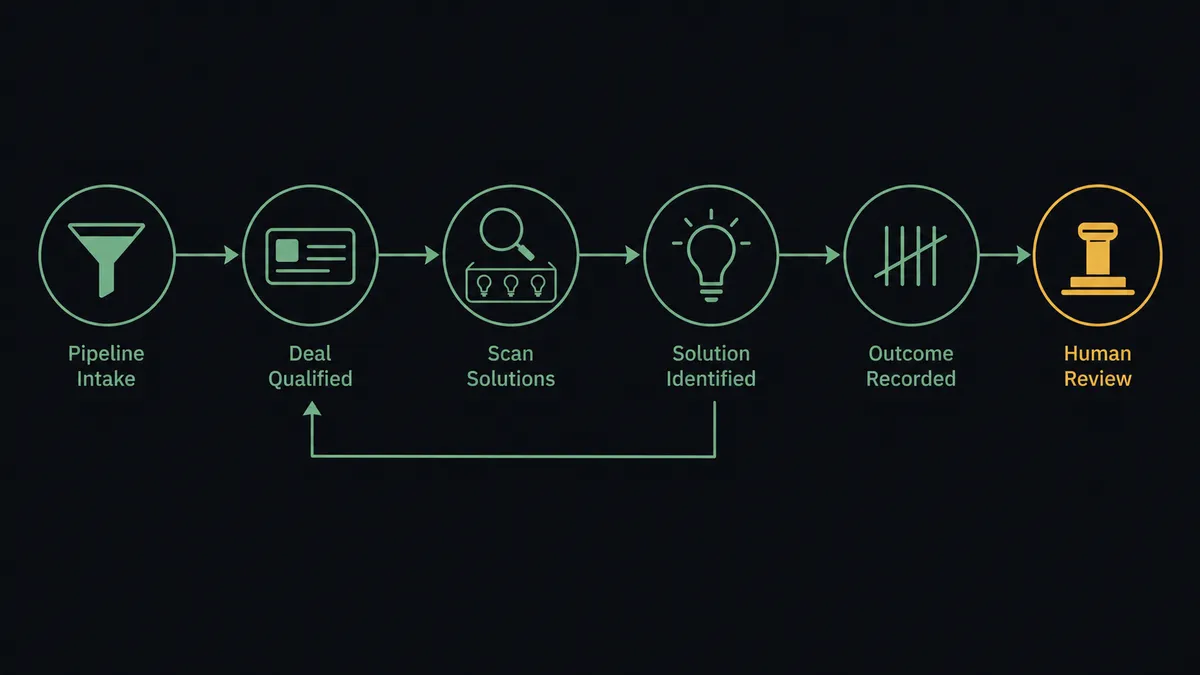
Yes, and the agent’s judgment matters most at the two places rules fail: matching and promotion. Matching first. “Billing sync” and “connect to our accounting tool” share no keywords, but they are the same gap. The agent holds List Ideas, Get Feature, List Features, and Create Idea as tools, reads the request the way a product manager would, and decides whether it matches an existing idea, extends one, or is genuinely new. When it cannot tell, it asks a person rather than filing a duplicate or merging two distinct requests.
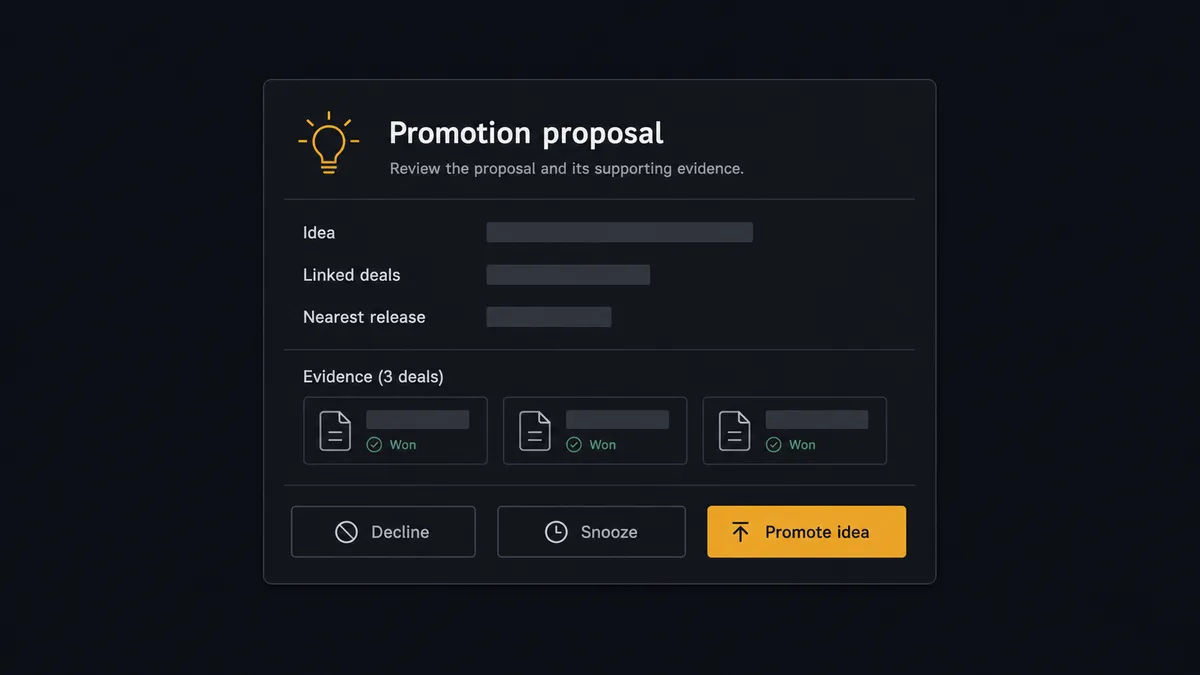
Promotion is the consequential step. Create Feature is not a record-keeping action; in a roadmap tool it is a signal to engineering, to leadership, and eventually to customers that this is getting built. The agent never takes that step alone. Instead it watches the pattern: when the same idea keeps accumulating deals, it assembles the case, the idea, every linked deal with its amount and stage from Get Deal By ID, and where it would land given the current release plan from List Releases and List Initiatives. Then it invokes a human-in-loop flow it holds as a callable tool and pauses. The product lead sees: “This gap now appears across [affected deals] in open pipeline. Closest initiative: [initiative]. Promote to a feature, keep watching, or decline?” Only after a named person approves does Create Feature run, and the sign-off is captured in the audit trail.
That is the digital andon cord for the roadmap: like Toyota’s line, the workflow stops the line at the moment where automation ends and product strategy begins. Ideas flow in without friction. Nothing reaches the roadmap without a human fingerprint.
FlowRunner vs n8n
Developer teams evaluating this pair will find n8n capable of it. It self-hosts under a fair-code license, its integration library and community templates are vast, and both HubSpot and Aha! expose APIs a developer can orchestrate from n8n nodes with full control. If your product ops function includes an engineer who wants to own that graph, it is a workable path.
The distance between the two shows up in who maintains the judgment logic, and where the human sits.
| What matters for this pair | FlowRunner | n8n |
|---|---|---|
| Human-in-the-loop on Create Feature | Native. The agent invokes an approval flow as a callable tool before anything reaches the roadmap | Approval patterns exist as wait and form nodes a developer wires into the graph |
| Who runs the flow | An AI agent reads requests, matches meaning not keywords, picks actions as tools | A node graph you design and maintain; AI runs inside nodes you configure |
| Users included | Unlimited users on every tier | Cloud plans meter by executions and plan level; unlimited on self-hosted |
| Bring your own AI keys | Yes, BYOK | Yes, n8n also connects your own model keys |
| Self-hosted option | Yes, cloud-hosted or self-hosted | Yes, self-hosting is a genuine n8n strength |
| Pricing model | Transparent workflow-based tiers with clear execution limits | Execution-based cloud pricing that teams find hard to predict; full cloud compliance sits in custom-priced Enterprise |
If you want a hand-tuned pipeline maintained by engineers and your matching rules are stable, n8n can carry it. If product operations should own the flow, semantic deduplication should improve without code changes, and the product lead’s approval should sit in front of every roadmap promotion with an audit trail behind it, this pairing is the better fit.
Before and after
| Category | Before | After |
|---|---|---|
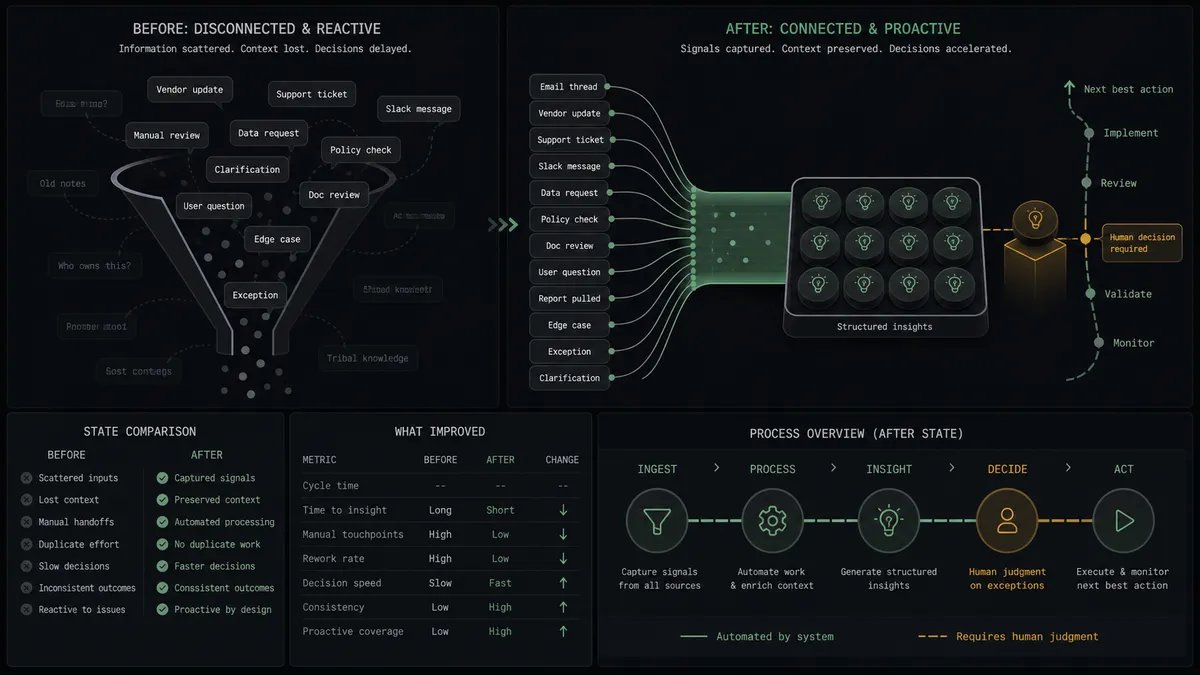
| Request capture | Feature requests die in deal notes nobody rereads | Every captured request lands in Aha! as an attributed idea within minutes |
| Deduplication | The portal fills with restatements of the same gap | The agent matches meaning across List Ideas and folds duplicates together |
| Evidence | The loudest request wins the roadmap conversation | Each idea carries its linked deals and pipeline weight, queryable from both systems |
| Promotion discipline | Features get promised in escalation threads | Create Feature runs only after the product lead approves the documented case |
| Closing the loop | Shipped features never reach the reps who lost deals over them | The idea reference on each deal makes affected deals findable when status changes |
What you can build
Deal note to portal idea, hands off. Get All Deals surfaces the new request, the agent pulls context with Get Deal By ID and Get Company By ID, checks List Ideas for a match, files it with Create Idea, and links it back via Update Deal.
Evidence-gated roadmap promotion. The agent watches recurrence across open pipeline and brings the product lead a documented case before Create Feature runs, with the affected deals and nearest release from List Releases attached.
Loss-reason mining. On a weekly schedule the agent sweeps closed-lost deals via Get All Deals, extracts product-gap loss reasons, and files or reinforces ideas so lost revenue shows up as portal evidence instead of vanishing.
Win-back trigger list. When a feature’s status changes, the agent reads it with Get Feature, follows the idea’s linked deals back into HubSpot, and hands sales a list of accounts that were blocked by exactly that gap, ready for re-engagement.
Initiative-aligned digest. The agent maps fresh ideas against List Initiatives and posts a periodic digest showing which strategic bets the incoming requests support and which arrive orphaned, giving product a live read on strategy versus demand.
Getting started
Start on the free plan: 100 executions a month, every integration included, no credit card required, plus 14 days of Professional for new accounts. Both connectors are available on every tier, and every tier includes unlimited users and unlimited workflows.
Explore the integration details:
- HubSpot integration (21 actions covering contacts, companies, deals, and associations)
- Aha! integration (10 actions covering products, features, ideas, releases, and initiatives)
Start building free at flowrunner.ai or book a demo to see a live HubSpot to Aha! workflow, roadmap promotion gate and all.
Frequently asked questions
Is it free to connect HubSpot and Aha! on FlowRunner?
You can build and run the connection on FlowRunner's free plan, which includes 100 executions a month and every integration with no credit card required, and new accounts also get 14 days of Professional. Both connectors are available on every FlowRunner tier, and every tier includes unlimited users and unlimited workflows.
Can I self-host the HubSpot to Aha! workflow?
Yes. FlowRunner offers a cloud-hosted option and a self-hosted option, so the connection can run inside your own environment.
Does the AI agent need my own OpenAI or Claude key?
FlowRunner uses a bring-your-own-keys model, so you connect the AI provider key you already have. You are not locked to one model.
What happens when the agent is unsure whether a request matches an existing idea?
It stops before creating anything. The agent posts the request text alongside the closest matches it found through List Ideas and List Features, and a person decides whether to merge, link, or file it as new. Nothing duplicates silently.
Which events start the HubSpot to Aha! workflow?
Neither connector publishes a catalog trigger, so the workflow runs on a schedule. It polls HubSpot with Get All Deals, picks up deals whose feature-request or loss-reason fields changed since the last run, and pulls detail with Get Deal By ID.
Does every idea from sales require product approval?
No, and that is the point. Ideas file automatically through Create Idea with no human involved. The human gate sits only at promotion: before Create Feature puts something on the roadmap, the product lead reviews the evidence and signs off.