How to Connect Google Forms with Aha! (With or Without an AI Agent)
Turn Google Forms feedback submissions into deduplicated Aha! ideas, optionally as an AI agent that clusters raw responses by meaning and pauses for the product lead before any cluster is promoted onto the roadmap with Create Feature.
How do you connect Google Forms to Aha!?
You connect Google Forms to Aha! by having a scheduled workflow poll the feedback form with Get Form Responses List, pull each new submission with Get Form Response by ID, and file it into the product portal: Create Idea logs genuinely new feedback in the right Aha! product, located with List Products, while submissions that restate an existing idea reinforce it instead of duplicating it. FlowRunner is a visual AI-agent orchestration platform where automations run autonomously and pause for human judgment on the steps that carry real consequence. The same connection can run as an AI agent that clusters raw form text by meaning, keeps the portal clean without anyone reading a spreadsheet, and pauses for the product lead before Create Feature promotes any accumulated idea onto the roadmap.
The problem it solves
Feedback forms are easy to launch and brutal to maintain. A team ships a Google Form to beta users, a customer advisory board, or the whole company, and the responses land in a sheet that someone on product ops is supposed to review “weekly.” In practice the review happens before planning meetings, in a single caffeinated pass over hundreds of rows of free text. The reviewer skims, tags a few themes, copies the memorable quotes into a doc, and files maybe a tenth of it into Aha! by hand. The rest of the signal, the quiet repetition that shows what users actually keep hitting, never makes it out of the spreadsheet.
The edges compound the loss. Fifteen people describe the same friction in fifteen different vocabularies, and a keyword-based skim counts them as fifteen one-offs instead of one fifteen-vote problem. A submission that is really a bug report gets filed as an idea and dies in the portal. And because submitters never see anything happen, response rates decay with every survey wave, which teaches leadership the false lesson that users have nothing to say.
How it works: the connection
The connection polls Google Forms and writes to Aha!. Here is the plain version, grounded in the real connector actions.
- Trigger: On a schedule, the workflow calls Get Form Responses List and picks up submissions received since the last run.
- Read: It calls Get Form Response by ID for each submission’s full answers, using Get Form Details to interpret the question structure when needed.
- Check for duplicates: It calls List Ideas with a full-text query against the submission’s theme, plus List Features for anything already promoted.
- File the idea: For new feedback, it calls Create Idea in the right product from List Products, with the submission text and submitter noted in the description.
- Reinforce the matches: Submissions that restate an existing idea are added as evidence on that idea rather than filed as duplicates.
- Keep the form honest: When product areas change, the workflow reads the form via Get Form Details and updates its choice fields with Update Form Advanced so responses keep routing correctly.
That is the “just connect them” answer. Every submission is read, matched, and filed within minutes, and the spreadsheet stops being a graveyard.
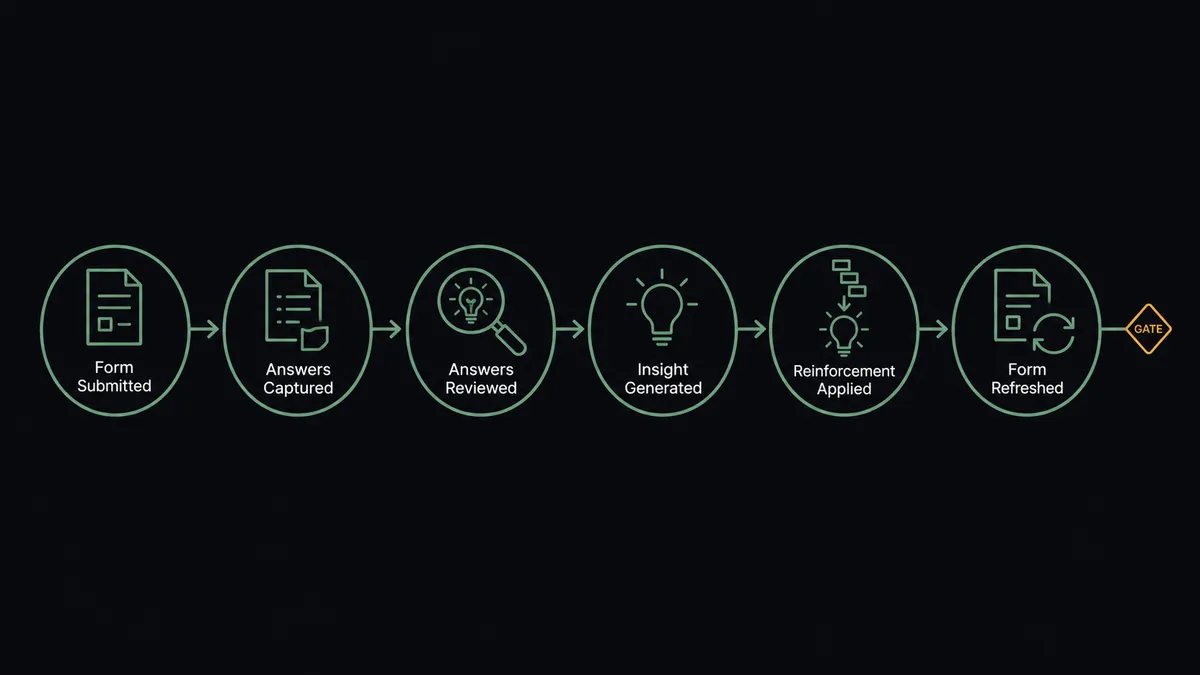
Can an AI agent run it? (and why a human stays in the loop)
Yes, and clustering free text by meaning is precisely where an agent outruns any rule you could write. The agent holds Get Form Response by ID, Get Form Details, List Ideas, List Features, Get Feature, Create Idea, and Create Feature as tools. It reads each submission the way a patient product ops person would on their best day: “make the export faster,” “downloads take forever,” and “why does generating the report lock up my browser” get recognized as one theme, not three. When a submission is genuinely ambiguous, the agent does not guess; it brings the text and its closest candidate matches to a person and asks for a ruling.
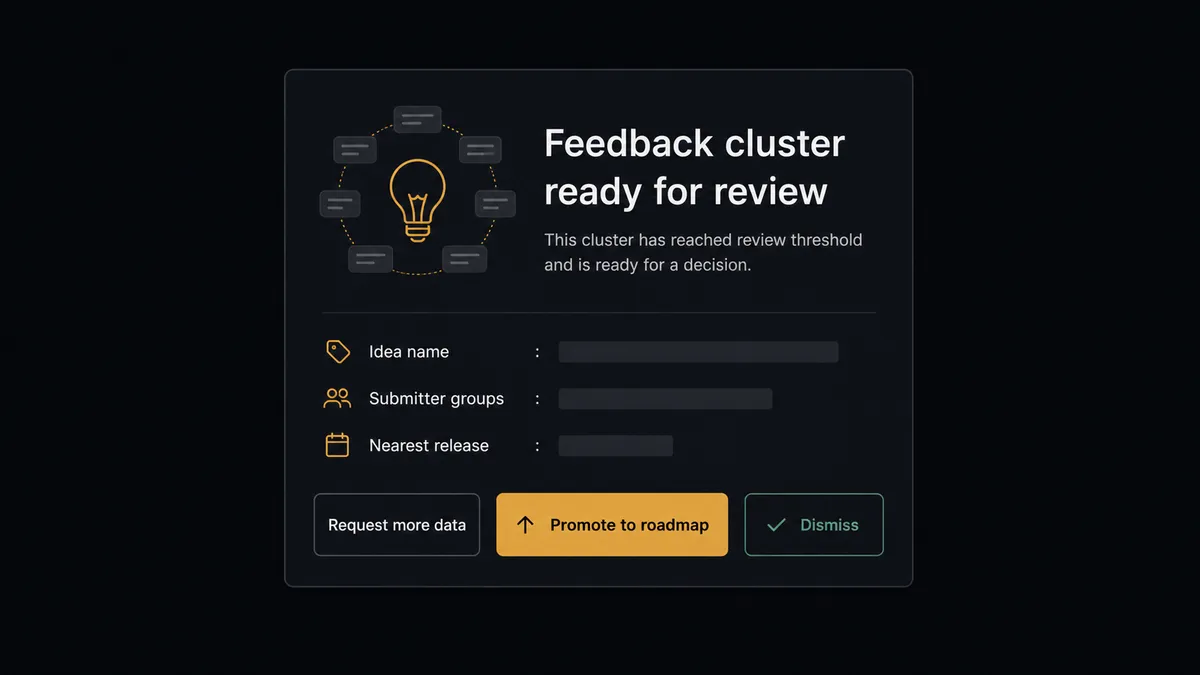
The consequential step is Create Feature. In Aha!, a feature is a public commitment inside your own company: engineering sees it, leadership plans around it, and reversing it costs credibility. So promotion is never automatic. As submissions accumulate behind an idea, the agent tracks the weight. When a cluster deserves the roadmap conversation, it assembles the case: the idea, the submissions behind it in their original words, and where the work could land based on List Releases and List Initiatives. Then it invokes a human-in-loop flow it holds as a callable tool and the workflow pauses. The product lead gets: “This idea has been accumulating submissions since [first submission date], from [submitter groups]. Nearest release: [release]. Promote to a feature, keep collecting, or decline?” Only after a named person approves does Create Feature run, and the decision with its evidence is written to the audit trail.
That is the digital andon cord for the feedback pipeline: like Toyota’s line, the workflow stops the line at the exact point where pattern recognition ends and product judgment begins. Feedback flows in without friction. The roadmap moves only by human hands.
FlowRunner vs n8n
An engineering-minded team could stand this up in n8n, and honestly, parts of it would go fast. n8n self-hosts under a fair-code license, its integration library and community template gallery are among the largest available, and polling a form API to post into Aha! is well inside its comfort zone for anyone fluent in its node model.
The hard part of this pair is not moving data. It is judgment at two points: clustering messy human text, and deciding what earns the roadmap. That is where the platforms diverge.
| What matters for this pair | FlowRunner | n8n |
|---|---|---|
| Human-in-the-loop on Create Feature | Native. The agent invokes an approval flow as a callable tool before any cluster reaches the roadmap | Approval patterns exist as wait and form nodes a developer wires into the graph |
| Who runs the flow | An AI agent clusters submissions by meaning and picks actions as tools | A node graph you design and maintain; AI runs inside nodes you configure |
| Users included | Unlimited users on every tier | Cloud plans meter by executions and plan level; unlimited on self-hosted |
| Bring your own AI keys | Yes, BYOK | Yes, n8n also connects your own model keys |
| Self-hosted option | Yes, cloud-hosted or self-hosted | Yes, self-hosting is a genuine n8n strength |
| Pricing model | Transparent workflow-based tiers with clear execution limits | Execution-based cloud pricing that teams find hard to predict; full cloud compliance sits in custom-priced Enterprise |
If you have a developer who wants to own the pipeline and your feedback volume is light enough that clustering can stay manual, n8n will move the data faithfully. If product ops should own the whole loop, clustering should happen by meaning without code, and every roadmap promotion should carry a product lead’s recorded approval, this pairing is the better fit.
Before and after
| Category | Before | After |
|---|---|---|
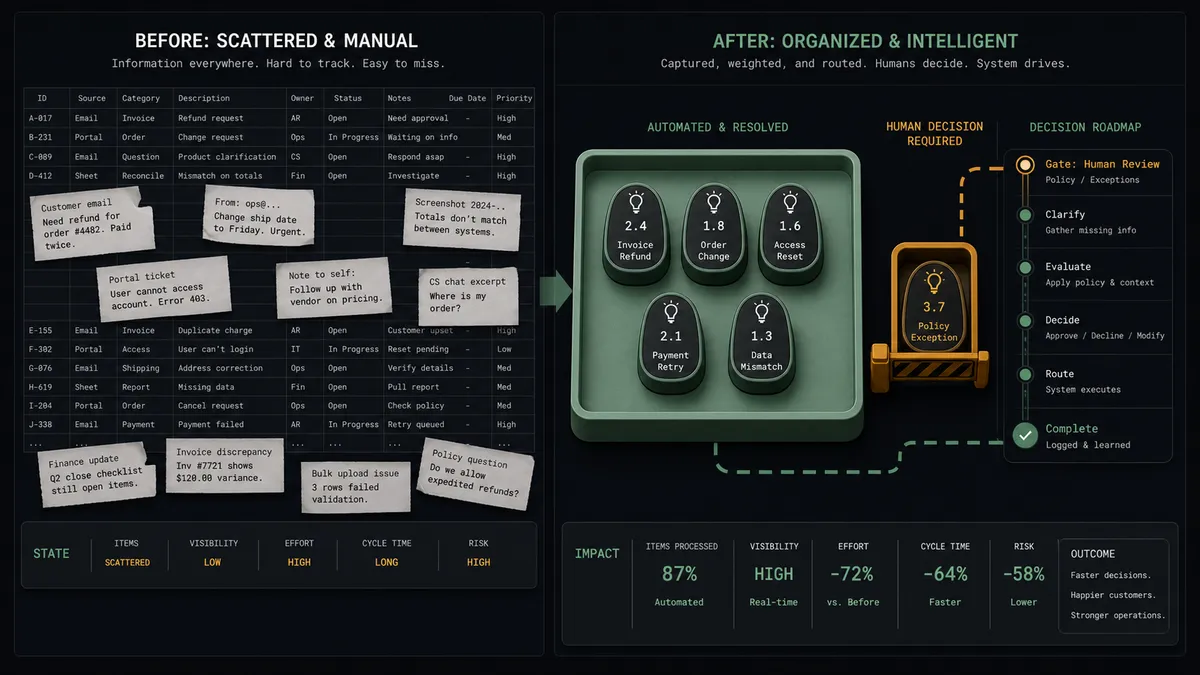
| Feedback review | A single pre-planning skim over hundreds of spreadsheet rows | Every submission is read, matched, and filed within minutes of arriving |
| Duplicate handling | The same friction counted as many unrelated one-offs | Submissions cluster by meaning into single ideas that accumulate weight |
| Signal quality | Memorable quotes beat quiet repetition | Ideas carry their full submission evidence in the portal |
| Roadmap discipline | Themes jump to the roadmap based on the loudest advocate in the room | Create Feature runs only after the product lead approves the documented cluster |
| Submitter trust | Feedback disappears into a void and response rates decay | Submissions visibly become tracked ideas, and follow-up is possible from the recorded emails |
What you can build
Raw submission to clean idea, hands off. Get Form Responses List picks up the submission, the agent reads it with Get Form Response by ID, matches meaning against List Ideas, and files or reinforces through Create Idea, keeping the portal deduplicated without human effort.
Evidence-gated promotion. As clusters accumulate, the agent brings the product lead a documented case before Create Feature runs, with the original submission texts and release context from List Releases attached.
Bug-versus-idea triage. The agent recognizes submissions that describe defects rather than requests and routes them to your engineering intake instead of the ideas portal, so Aha! stays a roadmap tool, not a bug tracker.
Advisory-board digest. After each feedback wave, the agent summarizes what changed: new ideas filed, existing ideas reinforced, and clusters approaching promotion weight, giving product a review that once took an afternoon.
Self-updating feedback form. When products or categories change in Aha!, the agent reads the form with Get Form Details and adjusts its choice fields through Update Form Advanced, so routing never silently breaks after a reorg.
Getting started
Start on the free plan: 100 executions a month, every integration included, no credit card required, plus 14 days of Professional for new accounts. Both connectors are available on every tier, and every tier includes unlimited users and unlimited workflows.
Explore the integration details:
- Google Forms integration (9 actions covering forms, responses, and field management)
- Aha! integration (10 actions covering products, features, ideas, releases, and initiatives)
Start building free at flowrunner.ai or book a demo to see a live Google Forms to Aha! workflow, promotion gate and all.
Frequently asked questions
Is it free to connect Google Forms and Aha! on FlowRunner?
You can build and run the connection on FlowRunner's free plan, which includes 100 executions a month and every integration with no credit card required, and new accounts also get 14 days of Professional. Both connectors are available on every FlowRunner tier, and every tier includes unlimited users and unlimited workflows.
Can I self-host the Google Forms to Aha! workflow?
Yes. FlowRunner offers a cloud-hosted option and a self-hosted option, so the connection can run inside your own environment.
Does the AI agent need my own OpenAI or Claude key?
FlowRunner uses a bring-your-own-keys model, so you connect the AI provider key you already have. You are not locked to one model.
What happens when a submission does not clearly match any existing idea?
The agent stops before filing. It posts the submission text next to the closest candidates it found through List Ideas and lets a person rule: merge into an existing idea, or create new with Create Idea. Ambiguity goes to a human instead of into the portal as noise.
Which events start the Google Forms to Aha! workflow?
Neither connector publishes a catalog trigger, so the workflow runs on a schedule. It polls the form with Get Form Responses List, picks up new submissions since the last run, and pulls each one's full answers with Get Form Response by ID.
Does every piece of feedback need product team review?
No. Submissions file into the ideas portal through Create Idea without anyone touching them. The product lead is involved at exactly one point: before Create Feature promotes an accumulated idea onto the roadmap, they review the submission evidence and approve or decline.