How to Connect DocuSign with Copilot (With or Without an AI Agent)
Connect DocuSign envelope events to the Copilot client portal, optionally as an AI agent that onboards the signed client automatically and pauses for a human before Create Invoice sends the first bill.
How do you connect DocuSign to Copilot?
You connect DocuSign to Copilot by having DocuSign’s On Envelope Completed trigger drive Copilot actions: the workflow reads the signers with Get Envelope Recipients, checks for existing records with List Clients and List Companies, then stands up the workspace with Create Company and Create Client, so a signed contract becomes a live client portal without anyone retyping a name. FlowRunner is a visual AI-agent orchestration platform where automations run autonomously and pause for human judgment on the steps that carry real consequence. The same connection can run as an AI agent that onboards the client on its own and pauses for a named human before Create Invoice puts the first bill in front of them.
The problem it solves
Today the gap between “they signed” and “they are onboarded” is a person with a checklist. The envelope completes in DocuSign, someone gets the notification, and at some point that day or the next they open Copilot, create the company, create the client, file the signed agreement somewhere findable, and set up the first invoice. Every field is retyped from the contract. The client’s first experience of working with you is the lag between their signature and their welcome.
The edges are where trust gets spent. A signer’s email is typed with one wrong character and the portal invite goes nowhere. The company already exists in Copilot from an earlier engagement and now there are two records with different histories. The first invoice gets drafted from memory instead of the contract and bills the wrong amount, which is a painful first conversation with a brand-new client. And when an envelope is declined, nothing happens at all: the deal just stops moving and nobody is assigned to find out why.
How it works: the connection
The connection listens to DocuSign and writes to Copilot. Here is the plain version, grounded in the real connector actions.
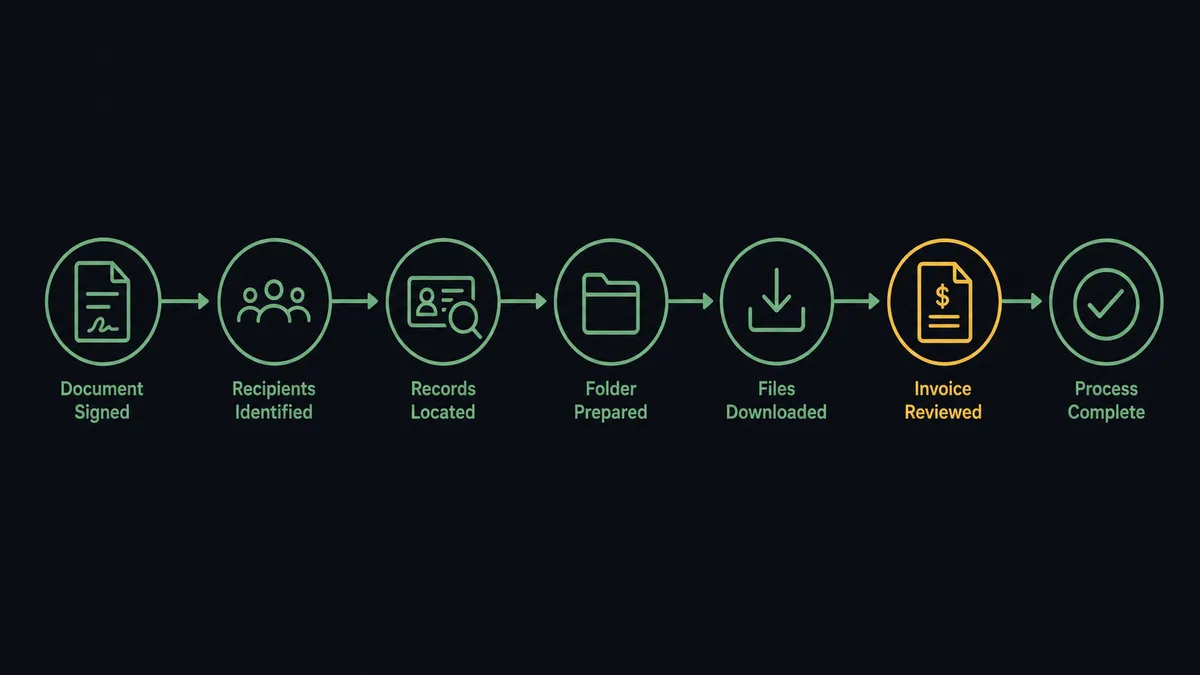
- Trigger: DocuSign fires On Envelope Completed when the last signer finishes.
- Read: The workflow calls Get Envelope Recipients to pull the signer names, emails, and roles from the envelope.
- Check: It calls List Clients and List Companies in Copilot to see whether the signer or their organization already has a record.
- Create: For a new organization, it calls Create Company, then Create Client for each signer who needs portal access.
- File: It calls Download Document to pull the signed agreement so it can be attached to the engagement record.
- Bill: It calls Create Invoice with the amount and terms from the contract, so the first bill appears in the portal the client just gained access to.
- Verify: It calls Get Client to confirm the record is complete before the workflow closes out.
That is the “just connect them” answer. Signature to workspace to first invoice, with no retyping in between.
Can an AI agent run it? (and why a human stays in the loop)
Yes, and the agent earns its place at the edges the checklist version cannot handle. Instead of a fixed sequence that fires the same steps for every envelope, an AI agent reads what was actually signed and reasons about it. List Clients, List Companies, Create Client, Create Company, Create Invoice, List Contracts, Download Document: these are the agent’s tools, and it picks among them based on the situation. A returning client gets attached to their existing company record instead of duplicated. A three-signer envelope produces three client records under one company. A declined envelope, caught by On Envelope Declined, gets routed to the account owner with the recipient’s status instead of vanishing.
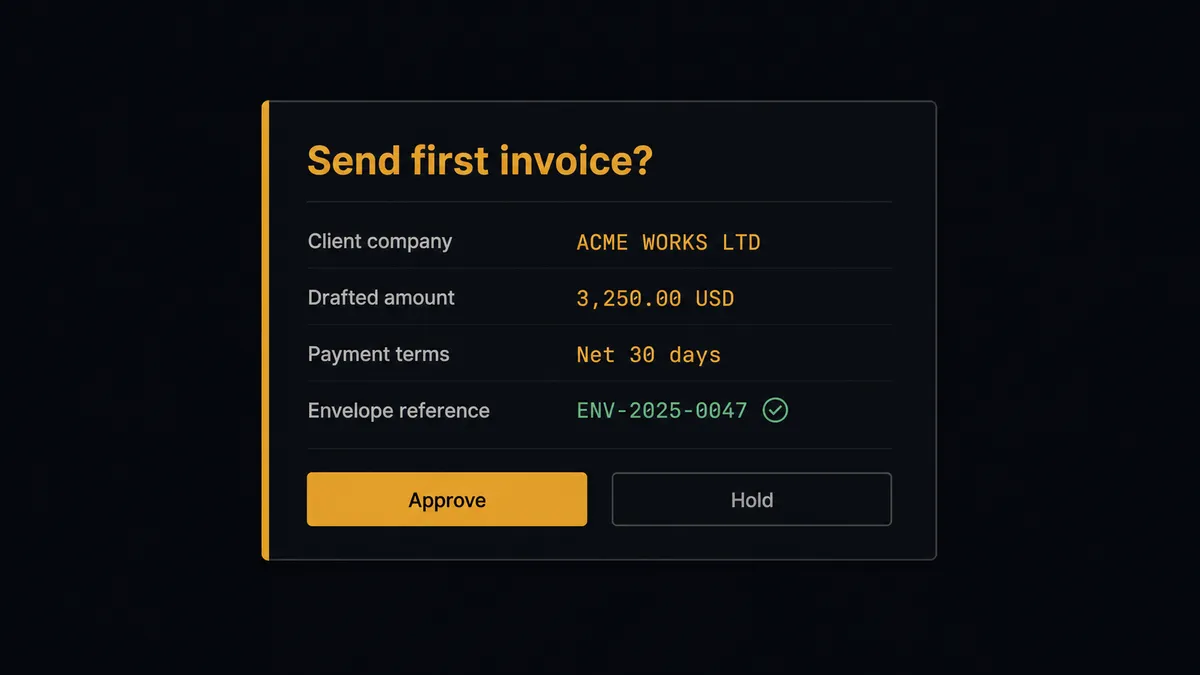
The consequential step is the first bill. Create Invoice is not an internal record: it puts a payable amount in front of a client who signed hours ago and is still deciding how they feel about you. Before that step, the agent invokes a human-in-loop flow it holds as a callable tool. The workflow pauses and posts to the billing channel: “Envelope completed for [company]. Client workspace is live. First invoice drafted at [amount] per the signed agreement, terms [terms]. Approve to send to their portal?” The approver clicks once. Only then does Create Invoice run. If the contract’s terms are nonstandard, the agent says so in the same message instead of guessing.
Prospects call this pattern a digital andon cord: like Toyota’s quality control pull cord, the workflow stops the line the moment it hits uncertainty, and your team pulls it back into motion. The onboarding runs itself. The first impression of your billing stays a human decision.
FlowRunner vs Zapier
Most service businesses connecting DocuSign to a client portal try Zapier first, and with cause. Zapier’s DocuSign support is long-established, setup is genuinely quick, and its template gallery covers plenty of signature-triggered patterns. If you want a completed envelope to fire off a simple notification or create one record, a Zap does the job.
The difference shows up when the workflow touches money and a new client relationship at the same time. FlowRunner is built around native human-in-the-loop and AI-agent orchestration, where the agent decides when a bill needs sign-off rather than firing every step unconditionally.
| What matters for this pair | FlowRunner | Zapier |
|---|---|---|
| Human-in-the-loop before Create Invoice bills a new client | Native. The agent invokes an approval flow as a callable tool and pauses until a person approves the amount | Available via added approval steps you insert manually, not a native agent decision |
| Who runs the flow | An AI agent reads the envelope, reasons, and picks actions as tools | Predefined step sequence you configure per Zap |
| Users included | Unlimited users on every tier | Priced by task volume; seats vary by plan |
| Bring your own AI keys | Yes, BYOK. Connect the AI provider key you already have | AI features tied to Zapier’s own AI offering |
| Self-hosted option | Yes, cloud-hosted or self-hosted | Cloud only |
| Pricing model | Transparent workflow-based tiers with clear execution limits | Per-task pricing that is hard to predict as signing volume grows |
If all you need is a completed envelope creating a single record, Zapier will do it. If a signature should stand up the whole client workspace and a person should approve the first invoice before it lands in the portal, with an audit trail behind it, that is where FlowRunner is the better fit.
Before and after
| Category | Before | After |
|---|---|---|
| Onboarding lag | The client waits while someone finds time to build their portal workspace | The workspace exists moments after the last signature |
| Data entry | Names, emails, and terms retyped from the contract into Copilot | Get Envelope Recipients feeds every field; nothing is retyped |
| Duplicate records | Returning clients get second records with split histories | List Clients and List Companies run before anything is created |
| First invoice | Drafted from memory, sometimes with the wrong amount or terms | Derived from the signed agreement and sent only after a named approver signs off |
| Declined envelopes | The deal silently stalls with no owner | On Envelope Declined routes the envelope and recipient status to the account owner |
What you can build
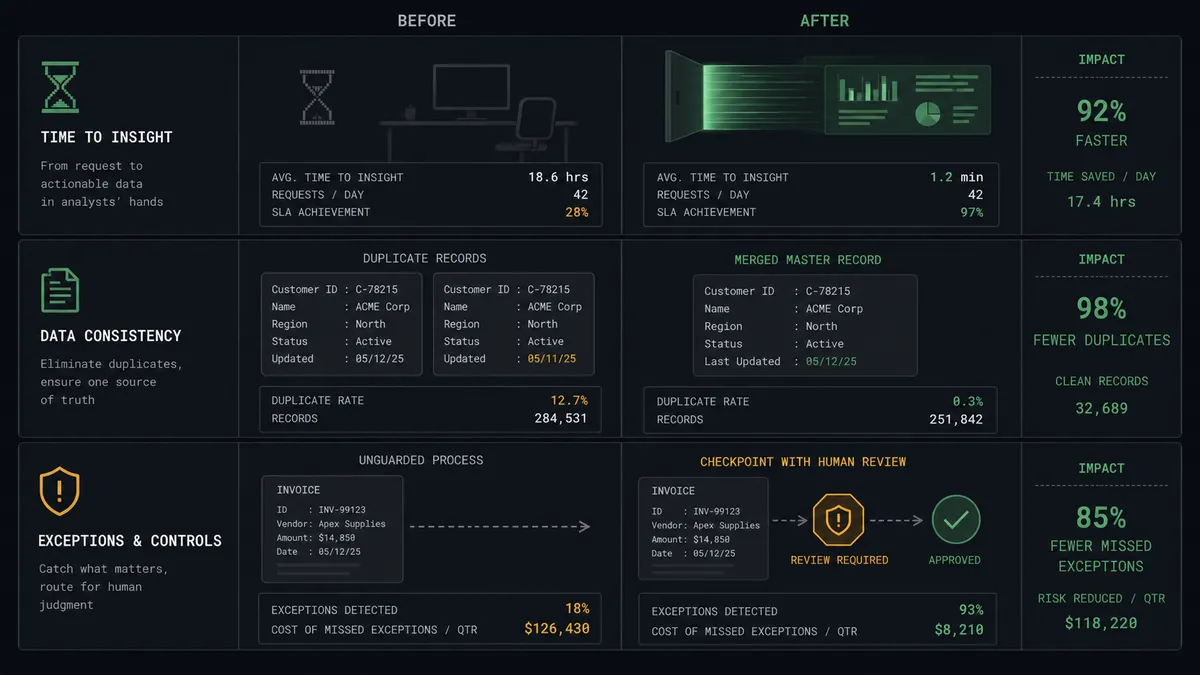
Signature to live workspace. On Envelope Completed fires. The agent calls Get Envelope Recipients, checks List Companies, then runs Create Company and Create Client so the client’s portal exists before their confirmation email goes stale.
First invoice with a named approver. The agent derives the first bill from the signed agreement, invokes the human-in-loop tool with the amount and terms, and calls Create Invoice only after billing approves. The client’s first invoice is never a guess.
Declined envelope escalation. On Envelope Declined fires. The agent calls Get Envelope Status and Get Envelope Recipients to see who declined and at which step, then routes the context to the account owner so a person re-engages while the deal is still warm.
Signed document filing. After onboarding, the agent calls Download Document and List Envelope Documents so the executed agreement and its attachments are captured with the engagement, and Get Envelope Status confirms nothing is still pending.
Renewal envelope from the portal side. When a Copilot contract nears its end via List Contracts, the agent drafts the renewal, a person approves, and Send Envelope from Template goes out through DocuSign, closing the loop in the other direction.
Getting started
Start on the free plan: 100 executions a month, every integration included, no credit card required, plus 14 days of Professional for new accounts. Both connectors are available on every tier, and every tier includes unlimited users and unlimited workflows.
Explore the integration details:
- DocuSign integration (4 triggers and 9 actions covering envelopes, recipients, documents, and signing status)
- Copilot integration (9 actions covering clients, companies, invoices, and contracts)
Start building free at flowrunner.ai or book a demo to see a live DocuSign to Copilot workflow, first-invoice approval and all.
Frequently asked questions
Is it free to connect DocuSign and Copilot on FlowRunner?
You can build and run the connection on FlowRunner's free plan, which includes 100 executions a month and every integration with no credit card required, and new accounts also get 14 days of Professional. Both connectors are available on every FlowRunner tier, and every tier includes unlimited users and unlimited workflows.
Can I self-host the DocuSign to Copilot workflow?
Yes. FlowRunner offers a cloud-hosted option and a self-hosted option, so the connection can run inside your own environment.
Does the AI agent need my own OpenAI or Claude key?
FlowRunner uses a bring-your-own-keys model, so you connect the AI provider key you already have. You are not locked to one model.
What happens when the agent is unsure how to bill the new client?
The agent stops and invokes a human-in-loop step. It posts the client name, the envelope reference, and the invoice amount it derived from the contract to your billing channel, then waits for approval before it calls Create Invoice. Nothing reaches the client's portal until a person signs off.
Which DocuSign events can trigger a Copilot action?
DocuSign offers four triggers: On Envelope Completed, On Envelope Sent, On Envelope Declined, and On Envelope Voided. On Envelope Completed is the one that drives client onboarding, since it fires the moment every signer has finished.
Does the agent create duplicate clients if the company already exists?
No. Before creating anything, the agent calls List Clients and List Companies to check for an existing record. If the signer already has a portal presence, the agent attaches the new engagement to it instead of creating a duplicate.