How to Connect Airtable with Copilot (With or Without an AI Agent)
Connect Airtable records to the Copilot client portal, optionally as an AI agent that provisions companies and clients from your pipeline base and pauses for a human before a new client gets portal access or an invoice.
How do you connect Airtable to Copilot?
You connect Airtable to Copilot by having Airtable’s On New or Updated Record trigger drive Copilot actions: when a deal’s status flips to won, the workflow pulls the row with Find Record, checks the portal roster with List Companies and List Clients, and provisions the account with Create Company and Create Client, so the base where you work deals becomes the portal your client logs into. FlowRunner is a visual AI-agent orchestration platform where automations run autonomously and pause for human judgment on the steps that carry real consequence. The same connection can run as an AI agent that prepares the whole workspace on its own and pauses for a named human before Create Client opens the portal door or Create Invoice sends a bill.
The problem it solves
Right now your pipeline lives in Airtable because that is where your team actually works: statuses, owners, engagement values, next steps, all one keystroke away. Copilot is the polished face the client sees. Between them sits a person who, every time a deal closes, opens the portal and rebuilds by hand what the base already knows: the company, the contacts, the engagement details, the first invoice. It is the same information typed twice, and the second typing is the one the client sees.
The edges are what make it costly. A deal closes on Friday afternoon and the client’s portal invite goes out Tuesday, so their first taste of working with you is silence. A contact’s email is transposed during retyping and the invite bounces without anyone noticing. The engagement value in Airtable says one thing and the invoice drafted from memory says another. And when a record is only half-filled in, that half-configured state is exactly what gets mirrored into the workspace a paying customer is about to explore.
How it works: the connection
The connection listens to Airtable and writes to Copilot. Here is the plain version, grounded in the real connector actions.
- Trigger: Airtable fires On New or Updated Record when the deal’s status field flips to won.
- Read: The workflow calls Find Record to pull the full row: company, contact names and emails, engagement value, and billing terms.
- Check: It calls List Companies and List Clients in Copilot to see whether this account already exists in the portal.
- Provision: For a new account, it calls Create Company, then Create Client for each contact who needs portal access.
- Bill: It calls Create Invoice with the engagement value and terms from the record, so the first bill is drawn from the base, not from memory.
- Link back: It calls Update Record in Airtable to write the Copilot references onto the row, and Create Comment to note when provisioning ran.
That is the “just connect them” answer. Won deals become live portal accounts, invoices match the base, and nothing is typed twice.
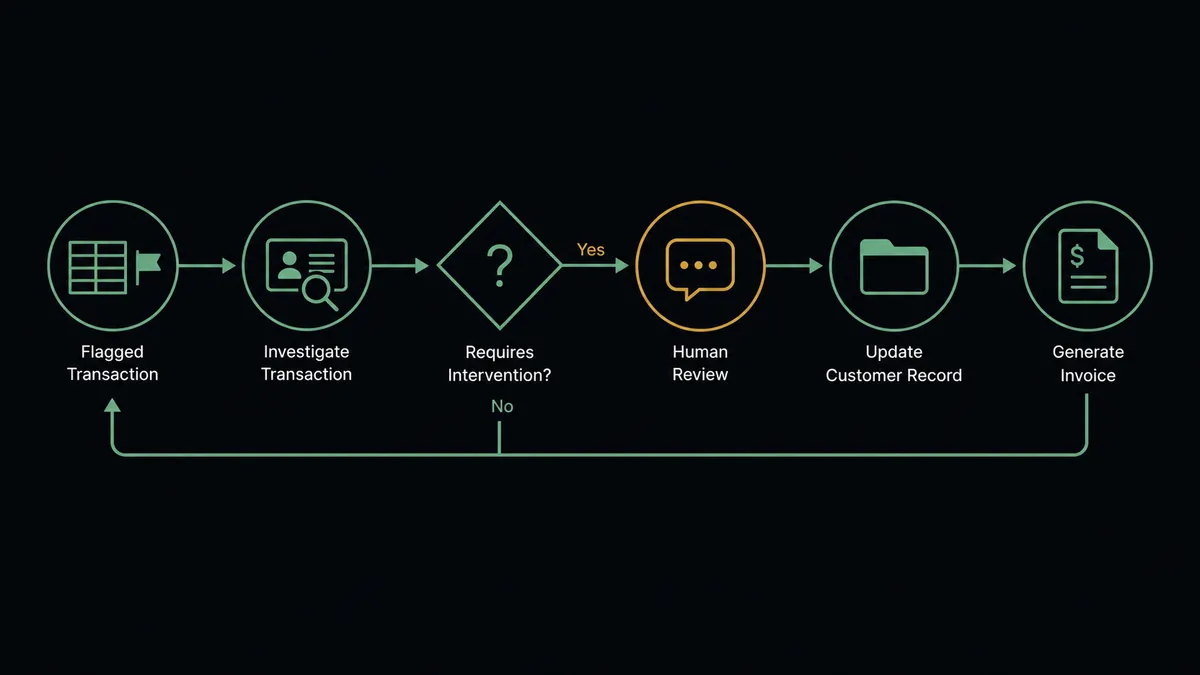
Can an AI agent run it? (and why a human stays in the loop)
Yes, and the agent is what makes the connection safe to trust with a customer-facing system. Instead of mirroring whatever state the row happens to be in, an AI agent reads the record and reasons about readiness. Find Record, Find Many Records, List Companies, List Clients, Create Company, Create Client, Create Invoice, Update Record: these are its tools, and it picks among them per situation. A record with a missing billing contact gets flagged instead of provisioned. An account that already exists via List Companies gets the new engagement attached rather than a duplicate created. A row edited by two people in conflicting ways gets reconciled before anything faces the client.
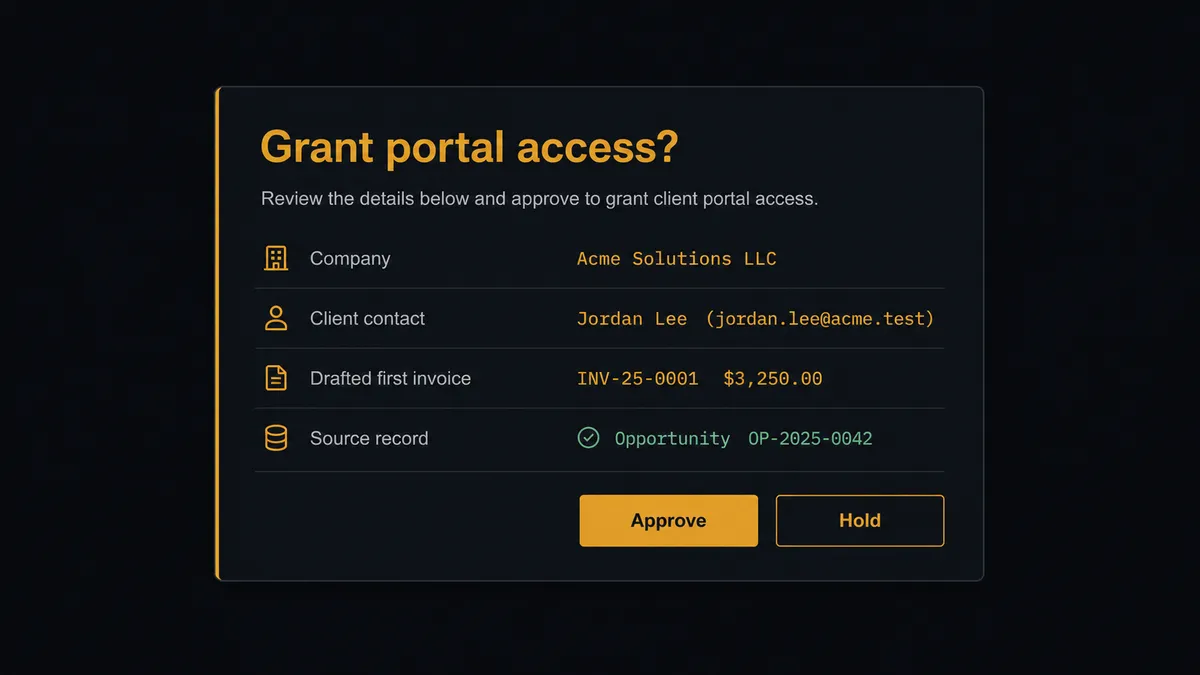
The consequential step is opening the door. Create Client is not an internal write: it grants a real customer access to a workspace with your company’s name on it, and Create Invoice puts a payable amount inside it. Before those steps, the agent invokes a human-in-loop flow it holds as a callable tool. The workflow pauses and posts to the account owner: “Deal [record name] marked won. Portal workspace prepared for [company] with [contact] as client. First invoice drafted at the engagement value on the record. Approve to grant access and send, or hold.” One click. Only then do Create Client and Create Invoice run. If the agent found gaps, the same message says exactly which fields stopped it.
Prospects call this pattern a digital andon cord: like Toyota’s quality control pull cord, the workflow stops the line the moment it hits uncertainty, and your team pulls it back into motion. The base drives everything. A person still decides when the client walks in.
FlowRunner vs Zapier
Most teams connecting Airtable to a client portal reach for Zapier first, and reasonably. Zapier’s Airtable integration is one of its most used, the setup is fast, and the template gallery has record-triggered patterns ready to go. For pushing a new row into another system as a one-way copy, a Zap is quick and it works.
The difference shows up because this pair is customer-facing. A wrong sync into an internal tool is a cleanup task; a wrong sync into Copilot is something your client screenshots. FlowRunner is built around native human-in-the-loop and AI-agent orchestration, where the agent decides when a person needs to look before the client does.
| What matters for this pair | FlowRunner | Zapier |
|---|---|---|
| Human-in-the-loop before Create Client opens portal access | Native. The agent invokes an approval flow as a callable tool and pauses until the account owner decides | Available via added approval steps you insert manually, not a native agent decision |
| Who runs the flow | An AI agent reads the record, reasons, and picks actions as tools | Predefined step sequence you configure per Zap |
| Users included | Unlimited users on every tier | Priced by task volume; seats vary by plan |
| Bring your own AI keys | Yes, BYOK. Connect the AI provider key you already have | AI features tied to Zapier’s own AI offering |
| Self-hosted option | Yes, cloud-hosted or self-hosted | Cloud only |
| Pricing model | Transparent workflow-based tiers with clear execution limits | Per-task pricing that is hard to predict as pipeline volume grows |
If all you need is new Airtable rows copied into Copilot as records, Zapier will do it. If a won deal should provision a client-facing workspace only after a person confirms it is ready to be seen, with an audit trail behind every grant of access, that is where FlowRunner is the better fit.
Before and after
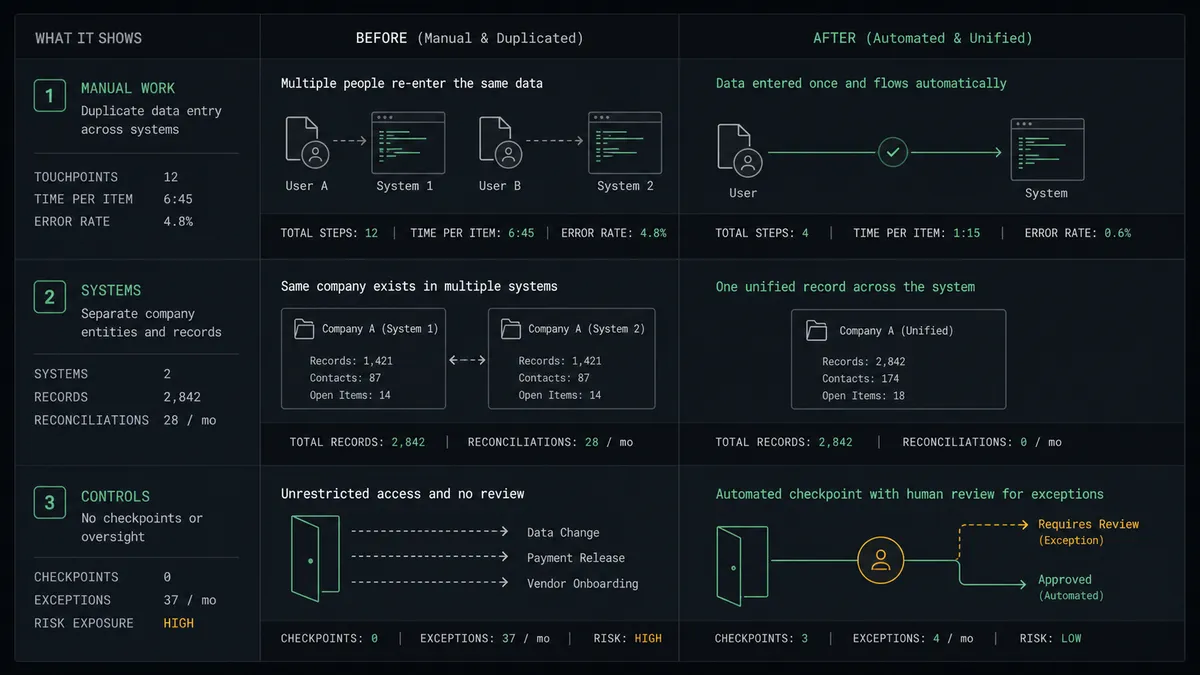
| Category | Before | After |
|---|---|---|
| Time to portal | The client waits days between signing and receiving workspace access | The workspace is prepared the moment the status flips, and access goes out on one approval |
| Double entry | Company, contacts, and billing retyped from the base into Copilot | Find Record feeds every field; nothing is typed twice |
| Duplicate accounts | Repeat clients get second company records with split histories | List Companies and List Clients run before anything is created |
| Invoice accuracy | First invoices drafted from memory drift from the engagement value | Create Invoice draws the amount from the record, and an approver confirms it |
| Readiness | Half-filled records get mirrored into client-visible workspaces | The agent flags incomplete records to a person instead of provisioning them |
What you can build
Won deal to waiting workspace. On New or Updated Record fires when the status flips. The agent calls Find Record, provisions Create Company, drafts the invoice, and parks everything at the approval gate so the account owner launches the client with one click.
Roster reconciliation. On a schedule, the agent calls List Companies and List Clients in Copilot and Find Many Records in Airtable, compares the two, and files discrepancies as record comments so the base and the portal never drift apart.
Engagement value sync with a gate. When the record’s billing fields change mid-engagement, the agent drafts the revised invoice with Create Invoice and waits for approval before the client sees a new number, attaching the field history that explains the change.
Contact adds without IT. When a new contact is added to a won record, the agent verifies the email against the existing roster via List Clients and queues Create Client for approval, so account teams grant access from the base they already use.
Contract-aware onboarding. Before provisioning, the agent calls List Contracts in Copilot to check for an existing agreement with the company, and includes what it found in the approval message so the owner decides with the paper trail in view.
Getting started
Start on the free plan: 100 executions a month, every integration included, no credit card required, plus 14 days of Professional for new accounts. Both connectors are available on every tier, and every tier includes unlimited users and unlimited workflows.
Explore the integration details:
- Airtable integration (2 triggers and 17 actions covering full record CRUD, comments, and base schemas)
- Copilot integration (9 actions covering clients, companies, invoices, and contracts)
Start building free at flowrunner.ai or book a demo to see a live Airtable to Copilot workflow, portal-access approval and all.
Frequently asked questions
Is it free to connect Airtable and Copilot on FlowRunner?
You can build and run the connection on FlowRunner's free plan, which includes 100 executions a month and every integration with no credit card required, and new accounts also get 14 days of Professional. Both connectors are available on every FlowRunner tier, and every tier includes unlimited users and unlimited workflows.
Can I self-host the Airtable to Copilot workflow?
Yes. FlowRunner offers a cloud-hosted option and a self-hosted option, so the connection can run inside your own environment.
Does the AI agent need my own OpenAI or Claude key?
FlowRunner uses a bring-your-own-keys model, so you connect the AI provider key you already have. You are not locked to one model.
What happens when the agent is unsure whether a record is ready to become a client?
The agent stops and invokes a human-in-loop step. It posts the record, the fields it finds incomplete or inconsistent, and its proposed portal setup to your ops channel, then waits for a decision before it calls Create Client. No customer sees a half-configured workspace.
Which Airtable events can trigger a Copilot action?
Airtable offers two triggers: On New Record and On New or Updated Record. Most teams use On New or Updated Record so provisioning fires when a deal's status field flips to won, not merely when the row is created.
Does every Copilot action need human approval?
No. The agent creates companies, syncs record data, and drafts invoices on its own. It escalates the two steps a client actually experiences: Create Client, which opens portal access, and Create Invoice, which bills them. Both wait for a named approver, and the approval lands in the audit trail.