How to Connect DocuSign with Capsule CRM (With or Without an AI Agent)
Connect DocuSign envelope events to Capsule CRM opportunities and tasks, with an AI agent that closes won deals automatically and pauses for a human before Resend Envelope re-approaches a customer or a deal is marked lost.
How do you connect DocuSign to Capsule CRM?
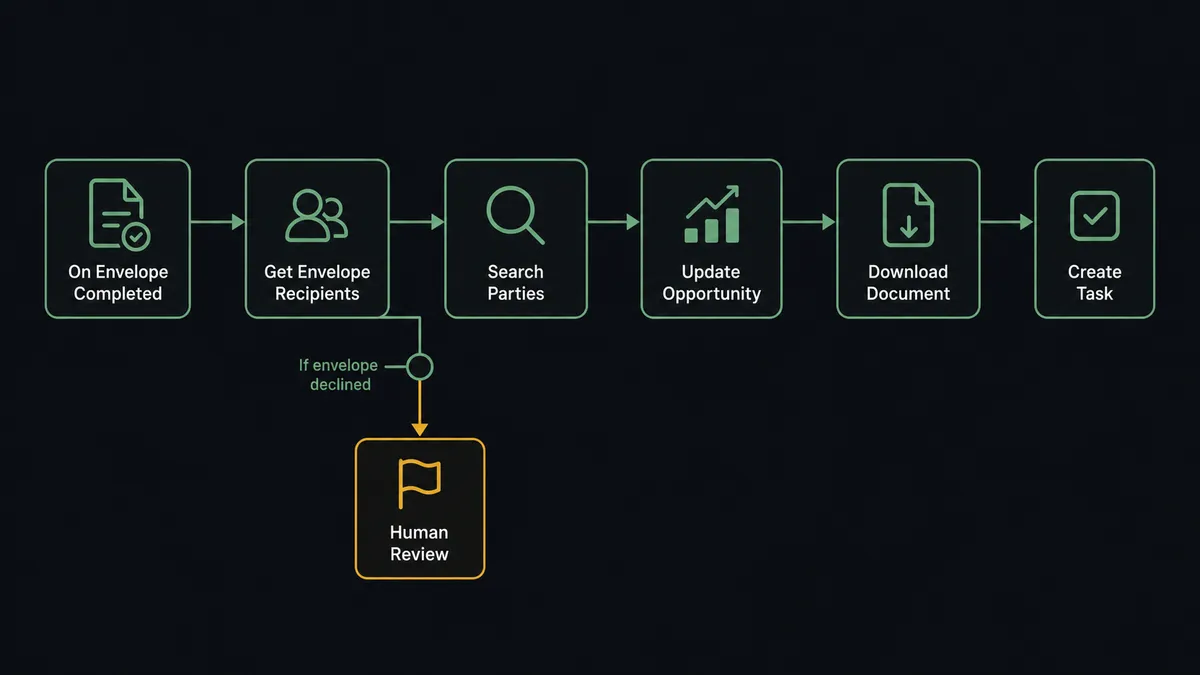
You connect DocuSign to Capsule CRM by having DocuSign’s On Envelope Completed trigger fire when the last signer finishes, matching the signers to CRM records with Search Parties, advancing the deal with Update Opportunity, and archiving the executed agreement with Download Document, so a signed contract updates the pipeline the minute the ink is dry instead of whenever the rep remembers. FlowRunner is a visual AI-agent orchestration platform where automations run autonomously and pause for human judgment on the steps that carry real consequence. The same connection can run as an AI agent that handles the happy path end to end and pauses for a named person when an envelope is declined, before anyone re-approaches the customer or writes the deal off.
The problem it solves
Right now, the distance between “customer signed” and “CRM knows” is measured in rep discipline. The envelope completes, DocuSign sends its email, and the update to Capsule waits until the rep is back at a desk: move the opportunity, save the PDF somewhere findable, create the kickoff task, tell the delivery team. Some reps do all four the same hour. Most do some of them eventually. The pipeline report that leadership reads on Monday reflects last week’s diligence, not this week’s deals.
Declines and voids are handled even worse, because they are uncomfortable. On Envelope Declined fires and the news lands in one inbox, where it competes with everything else a rep would rather do than confront a deal going sideways. Nobody diagnoses whether the decline was a wrong signer, an expired quote, or a genuine no. The envelope sits, the opportunity stays optimistically open, and the forecast quietly inflates with deals that already died.
How it works: the connection
The connection listens to DocuSign and writes to Capsule CRM. Here is the plain version, grounded in the real connector actions.
- Trigger: DocuSign fires On Envelope Completed when the final signer finishes the agreement.
- Read: The workflow calls Get Envelope Status and Get Envelope Recipients to pull the outcome, the signers, and the timestamps.
- Match: It calls Search Parties in Capsule CRM to find the person and organisation the envelope belongs to.
- Advance: It calls Update Opportunity to move the deal to its signed milestone, so the pipeline is current the same minute.
- Archive: It calls Download Document to store the executed agreement, and List Envelope Documents when the envelope carries attachments.
- Hand off: It calls Create Task to queue the kickoff for the delivery owner, with the signed date and envelope reference on the task.
That is the “just connect them” answer. On Envelope Sent can also stamp the out-for-signature stage, and On Envelope Declined and On Envelope Voided drive the exception paths below.
Can an AI agent run it? (and why a human stays in the loop)
Yes, and the split between the two paths is exactly where an agent earns its place. The agent holds the pair’s real actions as tools: Get Envelope Status, Get Envelope Recipients, Download Document, Resend Envelope, Void Envelope, Search Parties, Update Opportunity, Create Task, Create Case, Create Person. The completed path is deterministic and safe, so the agent runs it without ceremony: match, advance, archive, hand off. Where it reasons is the exceptions: a signer who matches nothing in Search Parties, an envelope completed against an opportunity that was already closed, and above all, the declines.
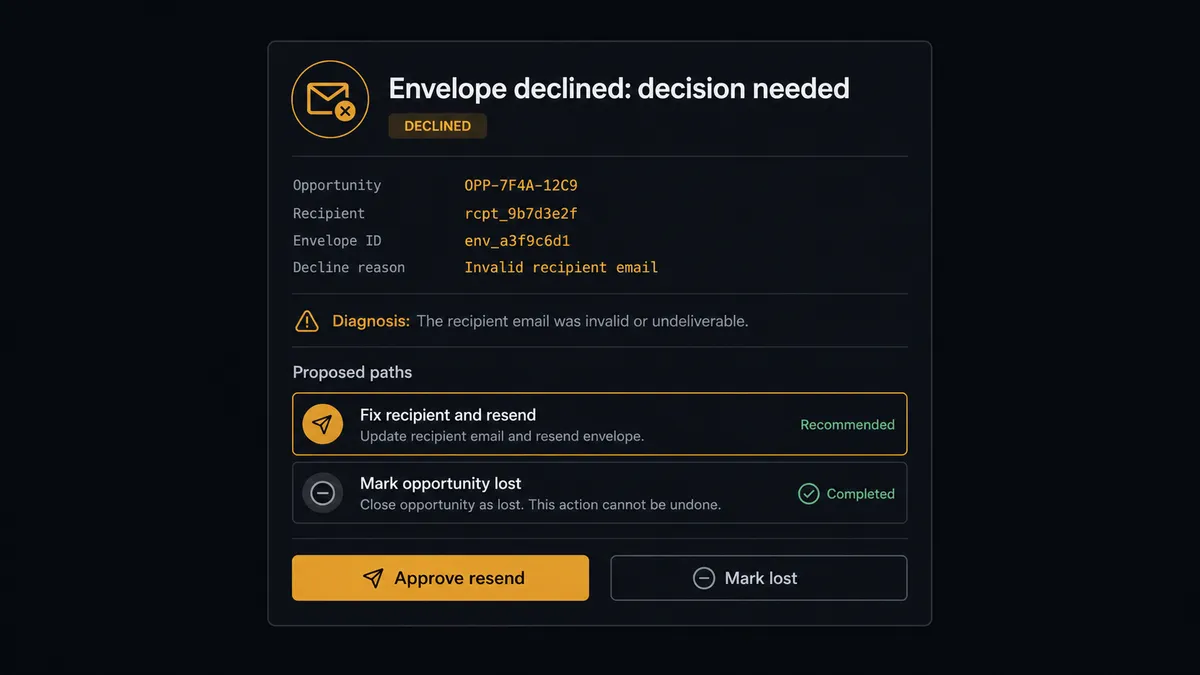
The consequential step is Resend Envelope, because it re-approaches a customer who just said no. Sent at the wrong moment or without fixing what caused the decline, it reads as pressure and can finish off a rescuable deal. So when On Envelope Declined fires, the agent diagnoses first: was the declining recipient the wrong signer while the real buyer never saw it, did the envelope sit past quote validity, or does the recipient history suggest genuine cold feet? Then it invokes a human-in-loop flow it holds as a callable tool. The workflow pauses and posts to the sales channel: “Envelope declined on [opportunity]: declined by [role], envelope open since [sent date]. Diagnosis: likely wrong signer. Propose correcting the recipient and resending. Approve?” Only after a named person approves does Resend Envelope fire, or Update Opportunity mark the deal lost, with Create Task assigning the human follow-up either way.
The same discipline covers Void Envelope, which kills a live agreement, and unknown signers, which threaten CRM hygiene. Prospects call this the digital andon cord: like Toyota’s production line, the workflow stops the line the moment it hits uncertainty, and the deal-saving judgment stays with the people paid to have it.
FlowRunner vs Zapier
Zapier’s DocuSign and Capsule support covers the standard motions, and its strength is real: the template gallery has envelope-to-CRM patterns ready to go, and a “completed envelope updates the opportunity” Zap is quick to build and dependable to run. For teams that only need the happy path mirrored into the CRM, Zapier gets them there fast.
The declined path is where the pairing outgrows a trigger-action tool. A decline needs a diagnosis and a judgment call, and re-approaching a customer is not something a fixed step sequence should decide. FlowRunner is built around native human-in-the-loop and AI-agent orchestration, where that pause is the design, not a workaround.
| What matters for this pair | FlowRunner | Zapier |
|---|---|---|
| Human-in-the-loop before Resend Envelope or a lost-marking | Native. The agent invokes an approval flow as a callable tool and waits | Available via added approval steps, not a native agent decision |
| Who runs the flow | An AI agent diagnoses each envelope outcome, reasons, picks actions as tools | Predefined step sequence you configure per Zap |
| Users included | Unlimited users on every tier | Priced by task volume; seats vary by plan |
| Bring your own AI keys | Yes, BYOK. Connect the AI provider key you already have | AI features tied to Zapier’s own AI offering |
| Self-hosted option | Yes, cloud-hosted or self-hosted | Cloud only |
| Pricing model | Transparent workflow-based tiers | Per-task pricing that can be hard to predict as volume grows |
If mirroring completed envelopes into Capsule is the whole job, Zapier does it well. If you want the declines diagnosed, the resends approved by a person, and the forecast kept honest with an audit trail, that is what this pairing is built for.
Before and after
| Category | Before | After |
|---|---|---|
| Pipeline accuracy | Opportunities advance when reps remember to update them | Update Opportunity fires the minute On Envelope Completed does |
| Executed documents | Signed PDFs scattered across inboxes and personal folders | Download Document archives every executed agreement in one place |
| Declined envelopes | A decline sits in one rep’s inbox while the deal stays open | Every decline is diagnosed and forced to a decision with a named approver |
| Handoff to delivery | Kickoffs start when someone forwards the signed contract | Create Task queues the kickoff with the envelope reference the same minute |
| Forecast honesty | Dead deals linger open and inflate the pipeline | Lost-markings happen promptly, but only after a person approves each one |
What you can build
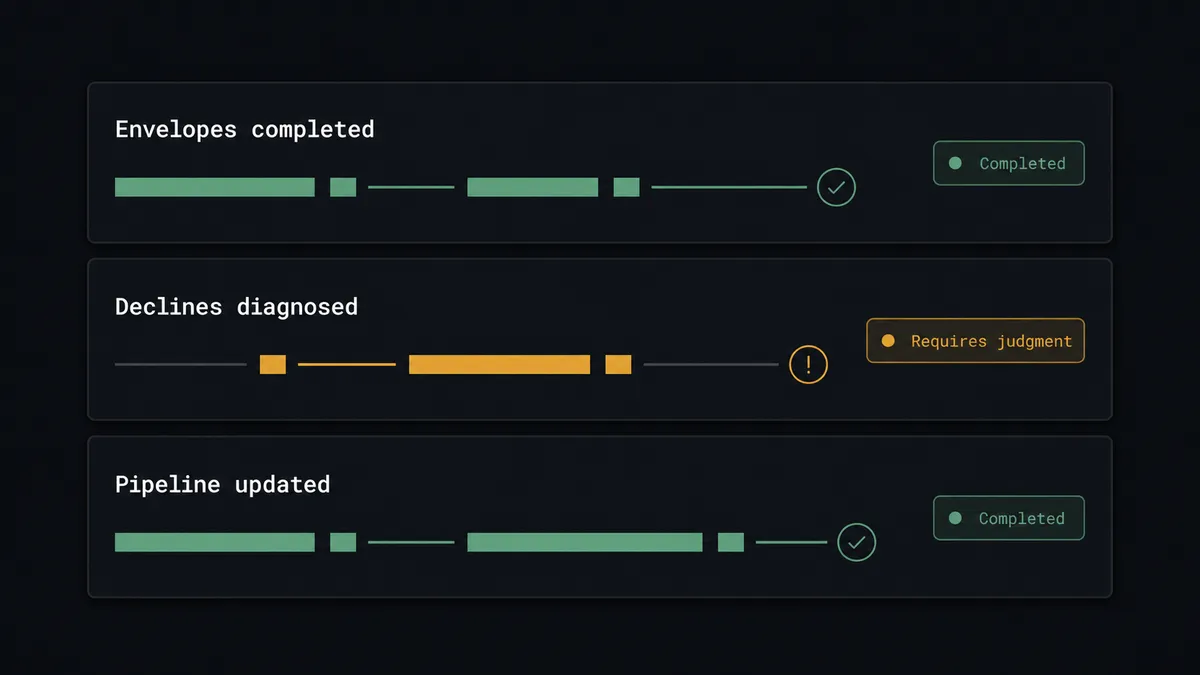
Signed-to-kickoff, hands free. On Envelope Completed fires, Search Parties matches the account, Update Opportunity advances the deal, Download Document archives the contract, and Create Task hands delivery a kickoff with the envelope reference attached.
Decline triage with a rescue path. On Envelope Declined fires, the agent diagnoses the cause from Get Envelope Recipients and the deal history, and proposes either a corrected Resend Envelope or a lost-marking. A person approves the path; the follow-up lands as a Create Task.
Stale envelope patrol. On a schedule, the agent runs List Envelopes and Get Envelope Status for agreements out past your signing window, and proposes a gated Resend Envelope nudge or a rep task, so envelopes stop dying of old age unnoticed.
Void with a paper trail. When terms change mid-signature, the agent stages Void Envelope behind approval, then creates the replacement with Send Envelope from Template and logs the sequence on the opportunity, so the CRM shows why the first envelope disappeared.
Unknown signer intake. When a completed envelope’s recipient matches nothing in Search Parties, the agent proposes Create Person and the organisation link with the envelope as evidence, and a person approves before the CRM gains a new record.
Getting started
Start on the free plan: 100 executions a month, every integration included, no credit card required, plus 14 days of Professional for new accounts. Both connectors are available on every tier, and every tier includes unlimited users and unlimited workflows.
Explore the integration details:
- DocuSign integration (4 triggers and 9 actions covering envelopes, recipients, and documents)
- Capsule CRM integration (31 actions covering parties, opportunities, tasks, and cases)
Start building free at flowrunner.ai or book a demo to see a live DocuSign to Capsule CRM workflow, decline triage and all.
Frequently asked questions
Is it free to connect DocuSign and Capsule CRM on FlowRunner?
You can build and run the connection on FlowRunner's free plan, which includes 100 executions a month and every integration with no credit card required, and new accounts also get 14 days of Professional. Both connectors are available on every FlowRunner tier, and every tier includes unlimited users and unlimited workflows.
Can I self-host the DocuSign to Capsule CRM workflow?
Yes. FlowRunner offers a cloud-hosted option and a self-hosted option, so the connection can run inside your own environment. Self-hosting is available for teams that need the workflow to run on their own infrastructure.
Does the AI agent need my own OpenAI or Claude key?
FlowRunner uses a bring-your-own-keys model, so you connect the AI provider key you already have. You are not locked to one model, and you control which provider runs the agent.
What happens when a signer does not match anyone in Capsule CRM?
The agent does not create records blind. When Search Parties finds no match for an envelope recipient, the agent packages the signer details and the envelope context and asks a person whether to Create Person, link to an existing organisation, or investigate. CRM hygiene stays intact because unknowns are decisions, not auto-inserts.
Which triggers and actions does the DocuSign to Capsule CRM workflow use?
DocuSign provides the triggers: On Envelope Completed, On Envelope Sent, On Envelope Declined, and On Envelope Voided. The workflow reads context with Get Envelope Status and Get Envelope Recipients, archives with Download Document, and updates Capsule CRM with Search Parties, Update Opportunity, Create Task, and Create Case. Capsule CRM has no triggers, so DocuSign always starts the flow.
Does the workflow resend a declined envelope automatically?
No. A declined envelope is a signal from a real customer, and re-approaching them is a judgment call. The agent diagnoses the likely reason, wrong signer, stale terms, or genuine cold feet, and proposes a path. Resend Envelope only fires after a named person approves it.