Anthropic Claude + Pinecone: Documents Become Searchable Memory
Connect Anthropic Claude and Pinecone so extracted document content becomes a searchable, self-updating knowledge base, run as an AI agent with a human approving anything that deletes memory.
How do you connect Anthropic Claude to Pinecone?
Connect Anthropic Claude to Pinecone by using Claude’s On Session Idle trigger to catch a finished document analysis run, then calling Pinecone’s Upsert Records action to write the extracted text into a searchable namespace, no separate embedding step required because the index uses integrated embedding. FlowRunner is a visual AI-agent orchestration platform where automations run autonomously and pause for human judgment on the steps that carry real consequence. The same connection can run as an AI agent that reads a document with Analyze Document, decides how to chunk and store it, retrieves it later with Query Vectors and Rerank Documents to answer questions, and pauses for a human before anything gets deleted from memory.
The problem it solves
Reference material piles up in inboxes, shared drives, and PDF attachments faster than anyone can organize it. An ops lead or research analyst who needs a quick answer has to remember which folder holds the current version, open the document, and read it end to end to find the one clause or figure that matters. Multiply that across a support team, a deal desk, or a compliance function, and the same documents get re-read by different people every week. Nothing is technically lost, but useful knowledge falls through the cracks because retrieval depends on someone’s memory of where they filed it.
Standing up a real fix has historically meant a project: pick an embedding model, provision a vector database, write the chunking and indexing code, and keep it in sync as documents change. Most teams don’t have the engineering time back to build that, so they either skip it or let a data team build a one-off pipeline that nobody outside engineering can touch. The spreadsheet-and-folder workaround survives because the alternative looked like months of infrastructure work, not because anyone believes it’s a good system.
How it works: the connection
The connection starts on the Claude side. A document, contract, or report gets analyzed with Analyze Document, with citations enabled so every extracted point links back to the exact passage it came from. When that work runs inside a Managed Agents session, FlowRunner’s On Session Idle trigger fires the moment the session finishes or pauses, so nothing has to be polled.
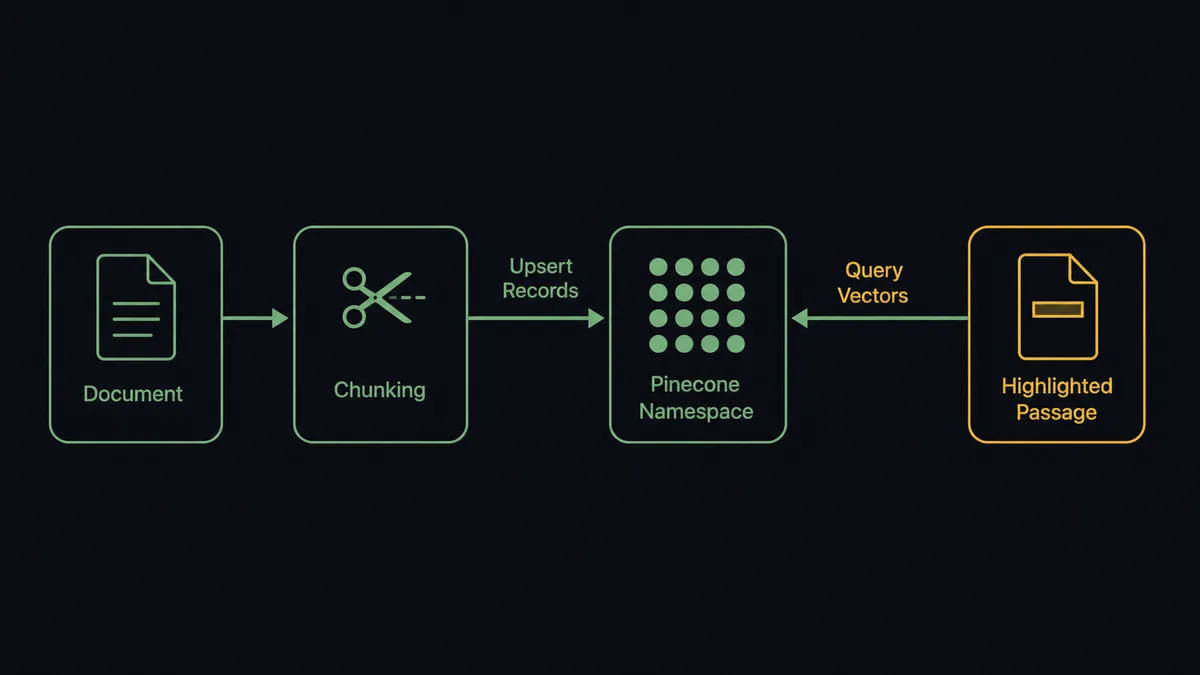
From there, Get Session Result reads the agent’s answer. The flow chunks the extracted text and calls Upsert Records to write it into a Pinecone namespace. Because the index uses integrated embedding, that single call embeds the text with a Pinecone-hosted model and stores it, no separate Create Embeddings step in between. Describe Index Stats and Query Vectors follow immediately after, confirming the write landed and the new content is actually retrievable, not just accepted.
Retrieval runs the same pattern in reverse. When a question comes in, the flow calls Query Vectors to pull the nearest matches from the namespace, then Rerank Documents to reorder those matches by relevance to the exact wording of the question. The top passages get handed to Claude through Send Messages, which returns a grounded answer built from Pinecone’s stored citations rather than the model’s general training. The knowledge base updates itself as documents change, and every answer traces back to a real passage in a real document.
Can an AI agent run it? (and why a human stays in the loop)
Yes, and this is where it stops being a sync tool. Instead of a fixed sequence of calls, the agent reads what’s in front of it, chooses which Pinecone and Claude actions to invoke as tools, and decides when to stop and ask a person. That decision is not a hardcoded threshold buried in a conditional branch. It’s the agent evaluating context the same way a careful analyst would.
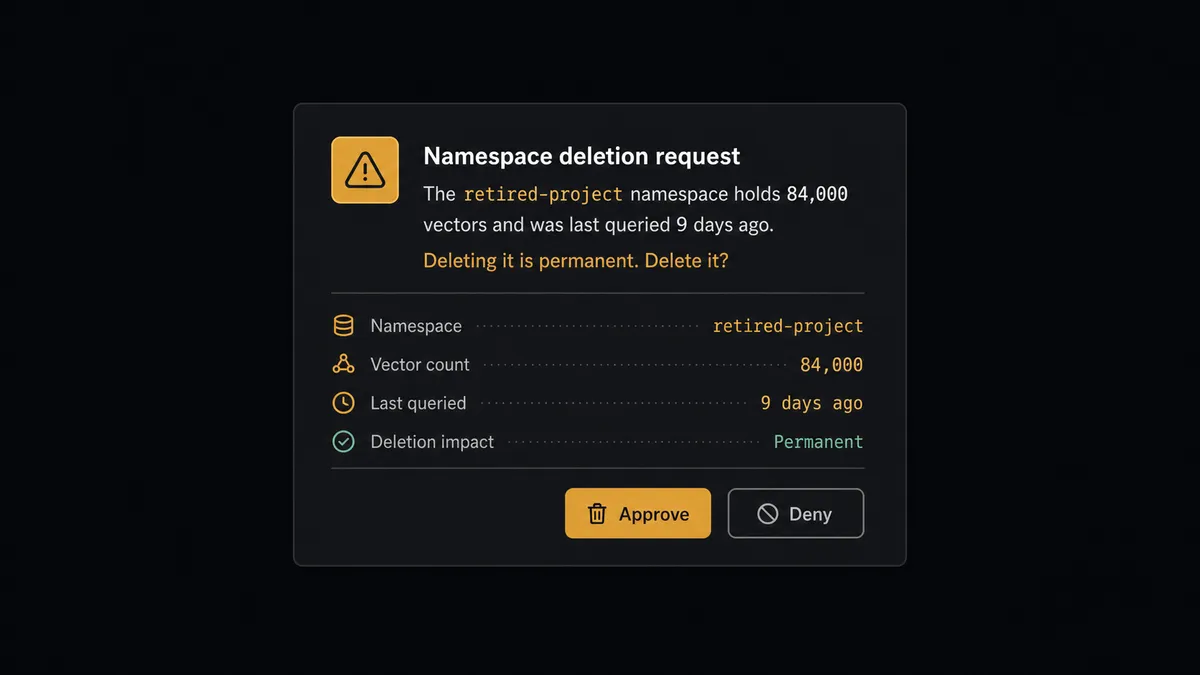
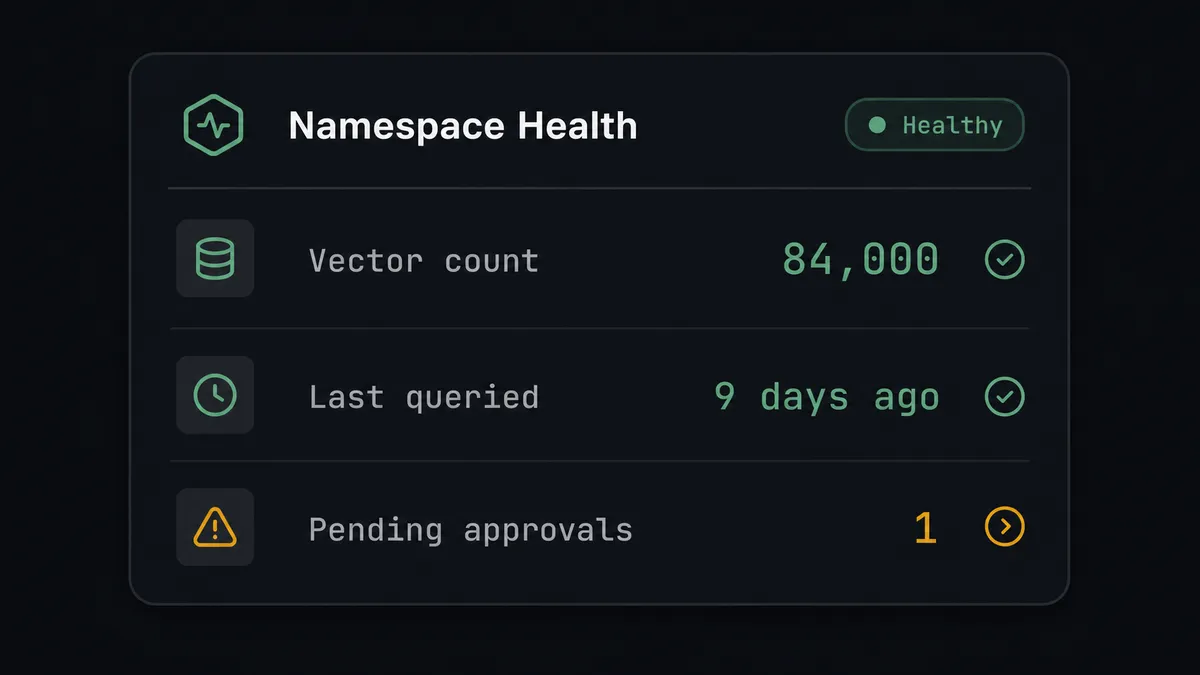
Reading and writing to a vector store is low-risk; the agent runs those steps on its own. Deleting part of one is not, so that’s where the gate sits. When a flow reaches a point where a namespace or index would be cleared, the agent does not run Delete Namespace or Delete Index silently. It gathers what the index actually holds using Describe Index Stats and checks recent query activity, then routes the decision to the data owner through Slack or email with the specific numbers attached: “The retired-project namespace holds 84,000 vectors and was last queried nine days ago. Deleting it is permanent. Delete it?” The owner approves or denies with a reason. Only after an explicit approve does the agent execute the delete; a denial sends it back to wait or escalate further. This is not a sync tool. The agent knows when to stop and ask, which is the same andon-cord pattern that shows up on the Claude side: a Managed Agents session configured with an always-ask tool policy goes idle with a stop reason of requires_action and waits for Send Tool Confirmation before it takes the next step, whether that next step is publishing a summary or approving a contract clause that doesn’t match the template.
FlowRunner vs n8n
n8n is a strong choice for technical teams that want to self-host and wire together Claude and Pinecone with full control over every node. It has a mature community, deep customization, and a large library of integrations, and a developer comfortable with its editor can build a working RAG pipeline in it.
The differences that matter for this specific pair show up once the pipeline needs to run unattended and something in it needs a human decision.
| What matters here | FlowRunner | n8n |
|---|---|---|
| Human-in-loop on the delete step | Native: the agent invokes a human-in-loop flow as a callable tool before Delete Namespace or Delete Index | Requires custom-built approval logic; not a native agent capability |
| Users on the plan | Unlimited users on every tier, including Growth | Free and Pro tiers are usage-capped; team seats scale with plan |
| AI provider access | BYOK for Claude, same key across every AI action in the flow | Also supports bring-your-own-key, comparable on this point |
| Self-hosting | Enterprise self-hosted option with the full compliance suite | Fair-code self-hosting; full SSO and audit retention sit in the €667/mo Business tier |
| Pricing model | Transparent workflow-based tiers with a clear execution ceiling | Execution-based pricing in EUR across Starter, Pro, and Business tiers |
Before and after
| Category | Before | After |
|---|---|---|
| Document review | Someone reads every page to find the clauses that actually matter | Claude reads the full document and surfaces only what needs a decision |
| Answer provenance | Summaries with no link back to the source passage they came from | Citations point to the exact passage each answer is based on |
| Knowledge base upkeep | Someone stands up embeddings and search infrastructure per project | Upsert and query are workflow actions, not a project |
| Content freshness | Agents answer from a snapshot that nobody keeps current | New content is embedded and indexed as it arrives |
| Deletion risk | Cleanup happens ad hoc, with no record of who approved it | Every namespace or index deletion routes to an owner with vector count and last-query context before it runs |
What you can build
A self-updating contract knowledge base. Every vendor contract that lands in the inbox gets analyzed with Analyze Document, chunked, and written into Pinecone with Upsert Records, so the deal team can query prior terms without opening a single PDF.
Grounded support answers with sources attached. Support documentation gets embedded once with Upsert Records; incoming questions run through Query Vectors and Rerank Documents before Claude drafts an answer, so every response cites the passage it came from.
A research agent with a memory that doesn’t go stale. A Managed Agents session researches a topic, and each finding gets upserted into a namespace as it’s produced, so the next research task starts from what’s already known instead of starting over.
Governed namespace cleanup. Retired projects get flagged automatically, but Delete Namespace only fires after an owner sees the vector count and last activity and approves it.
Common questions
Is it free to connect Anthropic Claude and Pinecone on FlowRunner? Yes. FlowRunner has a free plan with 100 executions a month, every integration included, and no credit card required, and new accounts get 14 days of Professional on top.
Do I need my own Anthropic and Pinecone accounts? Yes. FlowRunner uses a bring-your-own-key model, so you connect your own Anthropic API key and your own Pinecone project. FlowRunner never resells model or vector database access.
Can the agent embed documents without a separate embedding step? Yes, if the Pinecone index uses integrated embedding. Upsert Records and Search Records embed the text automatically with a Pinecone-hosted model, so the agent skips a separate Create Embeddings call for that path.
What happens when the agent isn’t sure whether to delete something? It stops and asks. Before Delete Index or Delete Namespace runs, the agent gathers the vector count and last query activity and routes the decision to a person through Slack or email instead of executing it.
Can I self-host this integration? FlowRunner offers a self-hosted Enterprise option with the full compliance suite; the free Community Edition supports a single instance without audit trails, SLA tracking, or RBAC.
How is this different from wiring Claude and Pinecone together with scripts? FlowRunner replaces custom glue code with a visual flow that both systems’ actions plug into directly, plus an audit trail, retry handling, and a native human-in-loop step that scripts don’t give you for free.
Getting started
Start on the free plan: 100 executions a month, every integration included, no credit card required, plus 14 days of Professional for new accounts. Connect Anthropic Claude and Pinecone, pick the On Session Idle trigger, and wire in Upsert Records to turn your first analyzed document into searchable memory. Build it yourself at flowrunner.ai, or book time with the team to walk through the human-in-loop step together.
Frequently asked questions
Is it free to connect Anthropic Claude and Pinecone on FlowRunner?
Yes. FlowRunner has a free plan with 100 executions a month, every integration included, and no credit card required, and new accounts get 14 days of Professional on top.
Do I need my own Anthropic and Pinecone accounts?
Yes. FlowRunner uses a bring-your-own-key model, so you connect your own Anthropic API key and your own Pinecone project. FlowRunner never resells model or vector database access.
Can the agent embed documents without a separate embedding step?
Yes, if the Pinecone index uses integrated embedding. Upsert Records and Search Records embed the text automatically with a Pinecone-hosted model, so the agent skips a separate Create Embeddings call for that path.
What happens when the agent isn't sure whether to delete something?
It stops and asks. Before Delete Index or Delete Namespace runs, the agent gathers the vector count and last query activity and routes the decision to a person through Slack or email instead of executing it.
Can I self-host this integration?
FlowRunner offers a self-hosted Enterprise option with the full compliance suite; the free Community Edition supports a single instance without audit trails, SLA tracking, or RBAC.
How is this different from wiring Claude and Pinecone together with scripts?
FlowRunner replaces custom glue code with a visual flow that both systems' actions plug into directly, plus an audit trail, retry handling, and a native human-in-loop step that scripts don't give you for free.