How to Connect Airtable with Confluence (With or Without an AI Agent)
Connect Airtable records to Confluence pages, optionally as an AI agent that drafts and publishes documentation automatically and pauses for a human before Update Page overwrites a live published page.
How do you connect Airtable to Confluence?
You connect Airtable to Confluence by having Airtable’s On New or Updated Record trigger drive Confluence actions: the workflow pulls the full row with Find Record, checks for an existing page with Search Content (CQL), then publishes with Create Page or revises with Update Page, so the tracker your team actually maintains becomes the documentation everyone else reads. FlowRunner is a visual AI-agent orchestration platform where automations run autonomously and pause for human judgment on the steps that carry real consequence. The same connection can run as an AI agent that drafts and publishes new pages on its own, and pauses for a named human before Update Page overwrites a live page or Delete Page removes one.
The problem it solves
Right now your operational truth lives in Airtable and your published truth lives in Confluence, and a person is the sync between them. The vendor register, the launch checklist, the policy tracker, the team directory: the base is current because people update it as they work. The wiki page built from it is current as of whenever someone last had an afternoon to copy fields into Confluence by hand. Everyone quietly knows which one to trust, which defeats the point of having a wiki.
The edges are where it bites. A record changes on Thursday and the page still shows the old owner when an incident hits on Saturday. Someone rewrites a page by hand, then the next manual sync pastes over their edits. A retired process gets deleted from the base but its page keeps ranking first in Confluence search, so new hires follow instructions that no longer apply. Stale documentation does not look broken. It looks fine right up until someone acts on it.
How it works: the connection
The connection listens to Airtable and writes to Confluence. Here is the plain version, grounded in the real connector actions.
- Trigger: Airtable fires On New or Updated Record when a row is added or a field changes.
- Read: The workflow calls Find Record to pull the complete row, including the long-text fields that become page content.
- Check: It calls Search Content (CQL) in Confluence to see whether a page for this record already exists in the target space.
- Publish: For a new record, it calls Create Page in the right space, with the record’s name as the title and its fields as the body.
- Tag: It calls Add Labels to Page so the record’s category and status fields become labels that keep the page findable.
- Revise: For an existing page, it calls Update Page with the changed content, and Create Footer Comment noting which record and fields drove the revision.
- Close the loop: It calls Create Comment back on the Airtable record with a link to the published page, so the base and the wiki reference each other.
That is the “just connect them” answer. Records become pages, changes become revisions, and the wiki stops drifting behind the tracker.
Can an AI agent run it? (and why a human stays in the loop)
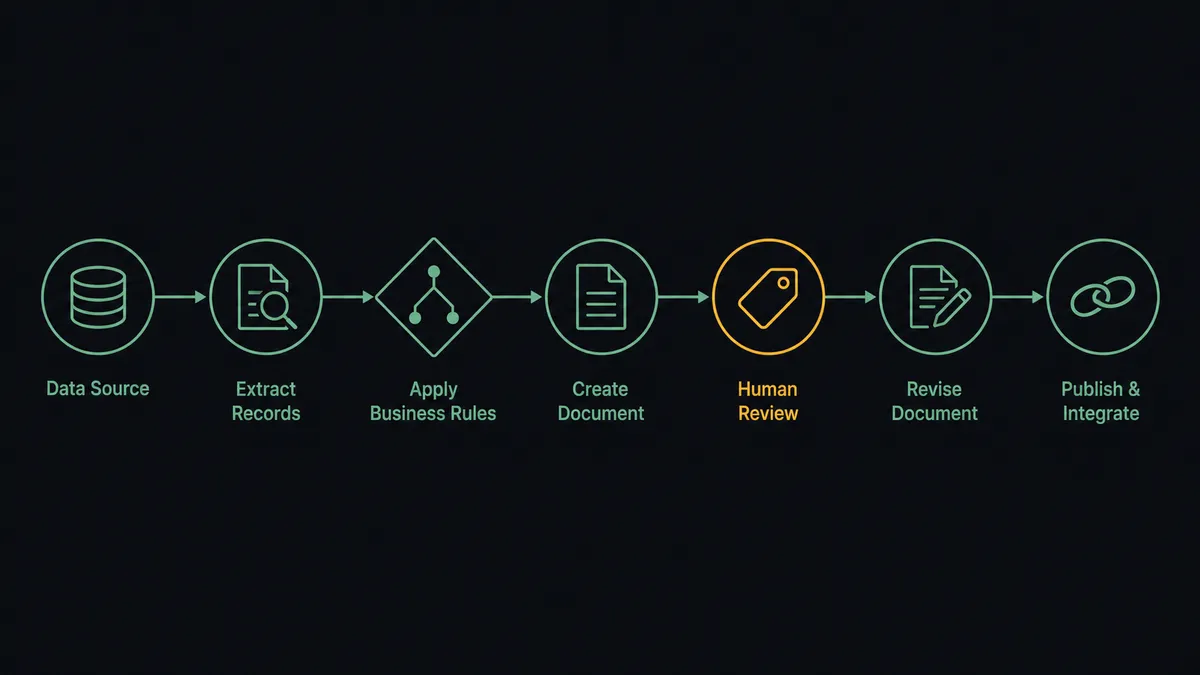
Yes, and the difference matters more here than in most pairs, because a page is not a database row. A blind field-to-page sync produces wiki entries that read like exported spreadsheets. An AI agent reads the record, reasons about what changed, and writes the revision the way a person would: it summarizes the change, preserves the page structure, and keeps prose that is still accurate. Find Record, Search Content (CQL), Create Page, Update Page, Add Labels to Page, Create Footer Comment: these are the agent’s tools, and it chooses among them based on what the record change actually means.
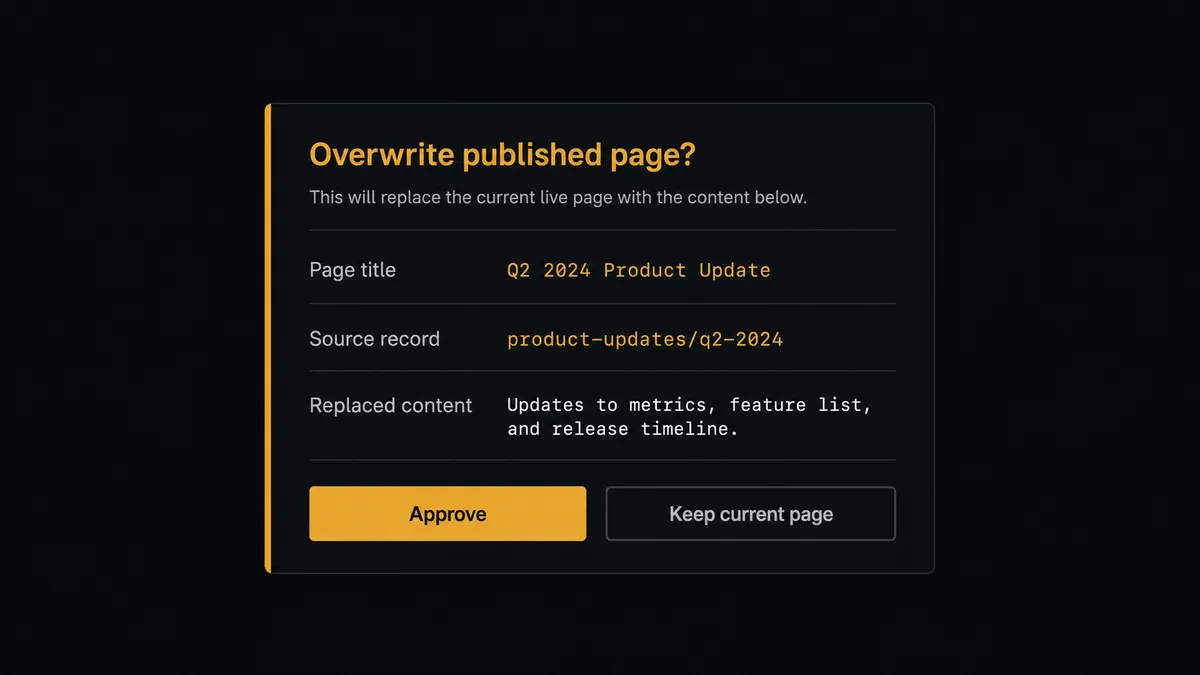
The consequential step is replacing content people already trust. Update Page overwrites the live version of a page that other teams read, link to, and act on. Before the agent takes that step on a published page, it invokes a human-in-loop flow it holds as a callable tool. The workflow pauses and posts to the page owner: “Record [name] changed in [base]. The page [title] in [space] would be revised: [summary of what changes and what it replaces]. Approve to publish, or reject to leave the live page untouched.” The owner clicks once. Only then does Update Page run. Delete Page sits behind the same gate, always, because removing documentation is the one edit readers cannot notice.
Prospects call this pattern a digital andon cord: like Toyota’s quality control pull cord, the workflow stops the line the moment it hits uncertainty, and your team pulls it back into motion. Drafts flow freely. The published record of how your company works changes only when a person says so.
FlowRunner vs Zapier
Most teams connecting Airtable to Confluence look at Zapier first, and fairly so. Zapier’s Airtable support is mature, its template gallery covers common record-to-page patterns, and a simple “new record creates a page” Zap is quick to stand up without help from IT. For one-way page creation, it works.
The difference shows up when the target page already exists and someone is about to overwrite it. FlowRunner is built around native human-in-the-loop and AI-agent orchestration, where the agent decides when a revision needs an owner’s sign-off rather than firing every step every time.
| What matters for this pair | FlowRunner | Zapier |
|---|---|---|
| Human-in-the-loop before Update Page overwrites live content | Native. The agent invokes an approval flow as a callable tool and pauses until the page owner decides | Available via added approval steps you insert manually, not a native agent decision |
| Who runs the flow | An AI agent reads the record, reasons, and picks actions as tools | Predefined step sequence you configure per Zap |
| Users included | Unlimited users on every tier | Priced by task volume; seats vary by plan |
| Bring your own AI keys | Yes, BYOK. Connect the AI provider key you already have | AI features tied to Zapier’s own AI offering |
| Self-hosted option | Yes, cloud-hosted or self-hosted | Cloud only |
| Pricing model | Transparent workflow-based tiers with clear execution limits | Per-task pricing that is hard to predict as record volume grows |
If all you need is new Airtable rows appearing as new Confluence pages, Zapier will do it. If your base drives revisions to documentation the whole company reads, and you want an owner approving every overwrite with a full audit trail, that is where FlowRunner is the better fit.
Before and after
| Category | Before | After |
|---|---|---|
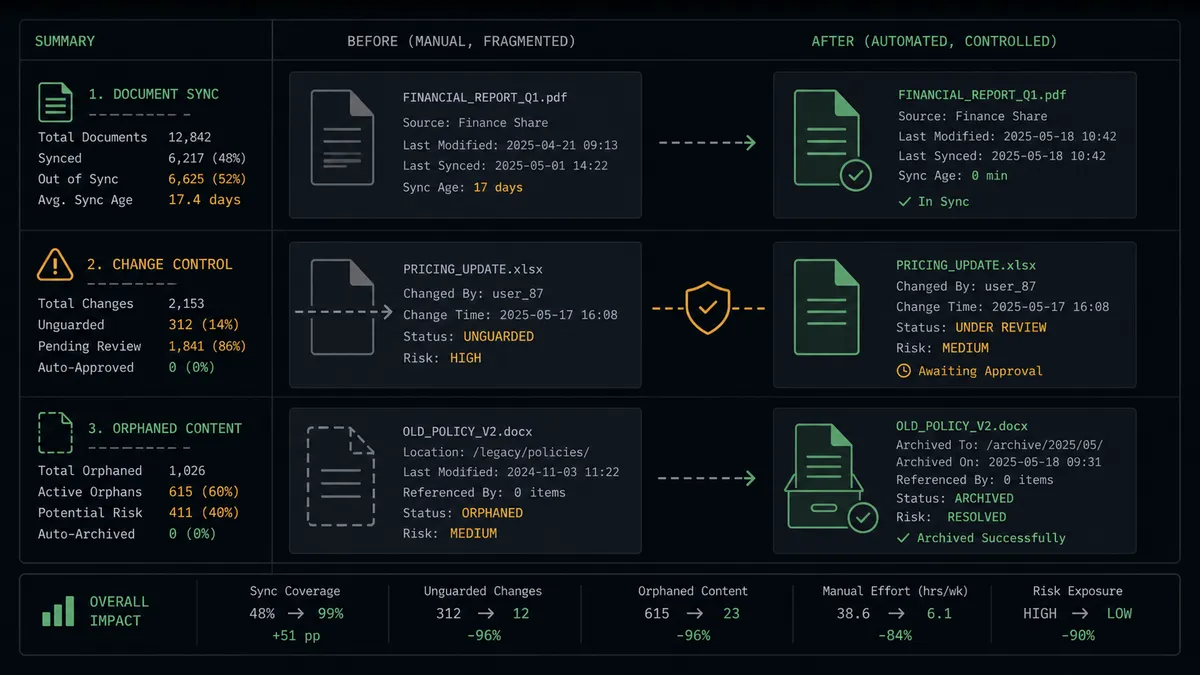
| Documentation freshness | Pages reflect the base as of the last manual copy-paste session | Pages revise within moments of the record changing |
| Overwrite safety | A manual sync pastes over hand-made edits with no warning | Update Page on live content waits for the page owner’s approval |
| Findability | Pages are titled inconsistently and unlabeled, so search returns stale results | Add Labels to Page applies the record’s category and status on every publish |
| Traceability | Nobody knows which record a page came from or why it changed | Every revision carries a footer comment naming the source record and fields |
| Retired content | Deleted records leave orphan pages that keep ranking in wiki search | Delete Page runs only after a named approver confirms the retirement |
What you can build
Vendor register to living wiki. On New Record fires when procurement adds a vendor. The agent calls Find Record, publishes the page with Create Page in the vendor space, and tags it with Add Labels to Page so compliance can find every active vendor in one search.
Runbook revision with an owner’s gate. On New or Updated Record fires when an on-call procedure changes in the base. The agent drafts the revision, invokes the human-in-loop tool, and calls Update Page only after the runbook owner approves what replaces the live steps.
Launch checklist broadcast. When a launch record’s status field flips, the agent calls Create Blog Post in Confluence announcing the milestone, linking the launch page so the wider org reads the update without anyone writing it.
Record-to-page backlink. After every publish, the agent calls Create Comment on the Airtable record with the page link, and Create Footer Comment on the page with the record reference, so auditors can walk from either system to the other.
Retirement with proof. When a record is marked retired, the agent packages the page, its labels, and its child pages via Get Child Pages, and waits for approval before Delete Page runs. The wiki sheds dead content without ever losing something someone still needed.
Getting started
Start on the free plan: 100 executions a month, every integration included, no credit card required, plus 14 days of Professional for new accounts. Both connectors are available on every tier, and every tier includes unlimited users and unlimited workflows.
Explore the integration details:
- Airtable integration (2 triggers and 17 actions covering full record CRUD, comments, and base schemas)
- Confluence integration (27 actions covering pages, blog posts, comments, labels, attachments, and CQL search)
Start building free at flowrunner.ai or book a demo to see a live Airtable to Confluence workflow, overwrite approval and all.
Frequently asked questions
Is it free to connect Airtable and Confluence on FlowRunner?
You can build and run the connection on FlowRunner's free plan, which includes 100 executions a month and every integration with no credit card required, and new accounts also get 14 days of Professional. Both connectors are available on every FlowRunner tier, and every tier includes unlimited users and unlimited workflows.
Can I self-host the Airtable to Confluence workflow?
Yes. FlowRunner offers a cloud-hosted option and a self-hosted option, so the connection can run inside your own environment.
Does the AI agent need my own OpenAI or Claude key?
FlowRunner uses a bring-your-own-keys model, so you connect the AI provider key you already have. You are not locked to one model.
What happens when the agent is unsure whether a page should be overwritten?
The agent stops and invokes a human-in-loop step. It posts the page title, the changed Airtable fields, and a summary of what the rewrite replaces to the page owner, then waits for approval before it calls Update Page. Until then, the live page stays untouched.
Which Airtable events can trigger a Confluence action?
Airtable offers two triggers: On New Record and On New or Updated Record. On New Record drives page creation with Create Page, and On New or Updated Record drives revisions through Update Page.
Does every page edit need human approval?
No. The agent creates new pages and drafts on its own. It escalates when the target already exists and is live: Update Page on a page other teams rely on, or Delete Page on anything. Those wait for the page owner, and the approval is captured in the audit trail.