Procurement Automation
Run PO approvals, vendor onboarding, contract renewals, and matching as orchestrated flows across the ERP, contract, and AP systems procurement already uses.
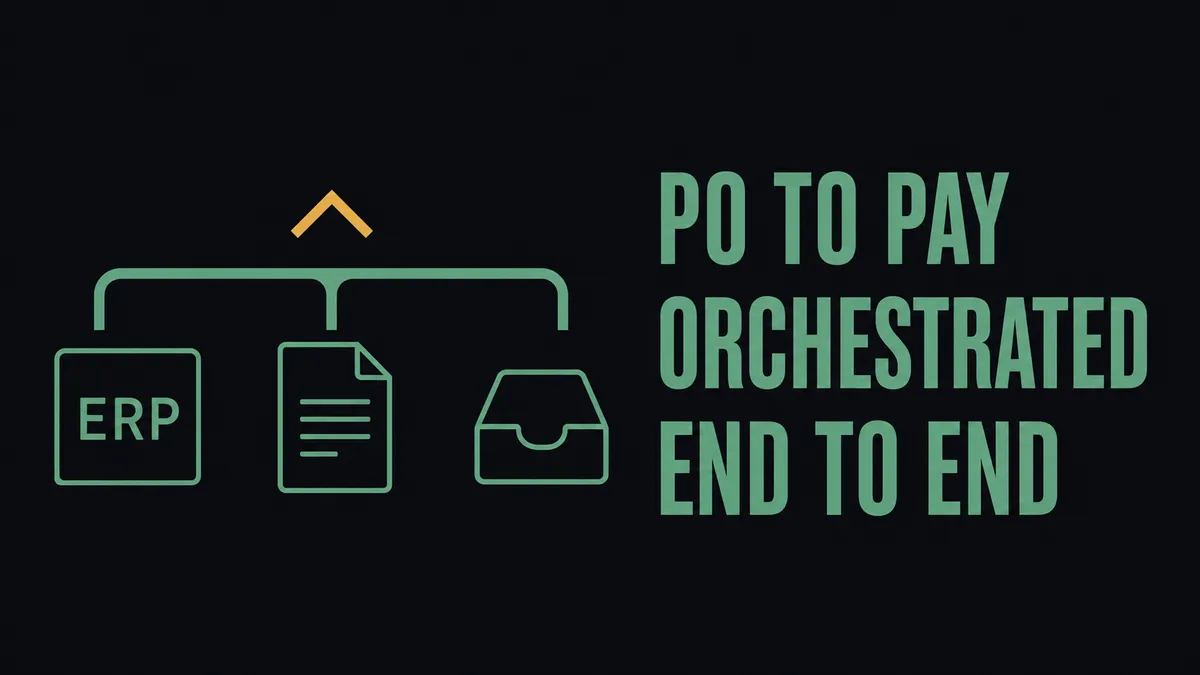
Procurement automation is sold as a software category and bought as a coordination problem. The vendor pitch is a single platform that absorbs the procurement function. The reality on the buyer side is that PO approvals, vendor onboarding, contract renewals, and three-way matching already happen across the ERP, a contract repository, a sourcing tool, an AP system, and a few Slack channels. The gap procurement leaders feel is not the absence of a procurement tool. It is the inconsistency of execution between the tools already in place.
This page describes that coordination problem and how FlowRunner runs procurement processes across the procurement stack instead of asking the team to consolidate into a new one. It is written for procurement operators who run the process, separate from finance buyers picking a procure-to-pay platform.
What procurement automation actually means for a procurement team
Procurement automation, used precisely, is the structured execution of four recurring jobs across whichever systems the company runs:
- PO approval routing with thresholds, category logic, and escalation
- Vendor onboarding with documentation tracking (W-9, COI, banking details, compliance attestations)
- Contract lifecycle, especially renewal surfacing before the auto-renew clause fires
- Three-way matching across PO, receipt, and invoice when the data lives in different systems
The value is not in digitizing forms. Forms have been digital for fifteen years. The value is in connecting the sourcing tool, the ERP, the contract repository, and the finance approvals into one flow that runs the same way every time, with one audit trail across the whole motion.
The procurement processes most worth automating
Procurement teams that run this exercise honestly almost always surface the same set of candidates. The candidates differ in volume from team to team; the list is consistent:
- PO approval routing with consistent thresholds, category-owner review, and escalation when an approver is out. The PO approval workflow failure modes are the recurring source of audit findings in this category.
- Vendor onboarding with structured document collection and validation against the ERP’s existing vendor list before any record is created.
- Contract renewal surfacing so renewals reach the contract owner weeks before auto-renew, with renewal context (spend, dispute history, scorecard) attached.
- Three-way matching across PO, receipt, and invoice when those three records live in three different systems and reconciliation is currently a spreadsheet.
- Supplier scorecard data collection pulled from operational events (invoice timing, dispute counts, on-time delivery) instead of compiled in an end-of-quarter pivot table.
A team that automates one of these well usually finds the next two adjacent.
Where procurement automation usually breaks
The standard advice on procurement automation is to pick a procurement application. The honest version, which most posts on this topic will not say, is that picking one solves a slice of the problem and leaves the handoffs intact. The breakage pattern is consistent:
- Approvals stall because routing rules live in one person’s head, not in a system. The audit trail loses the step where the request was nudged through informally.
- Vendor records drift between the sourcing tool, the ERP, and the contract repository. A vendor name spelled three different ways becomes three vendor records.
- Contract renewals get tracked in a spreadsheet that nobody opens until after the auto-renew has already fired.
- Matching exceptions get emailed around with no link back to the PO record. Months later, an auditor asks who reconciled the freight line on PO 4421 and the answer requires inbox archaeology.
The honest baseline is that most mid-market procurement teams have these processes documented somewhere. The documentation describes the rule. The execution diverges, quietly, across buyers, business units, and the time of the month.
How FlowRunner runs procurement processes across the stack
FlowRunner treats procurement automation as a coordination problem across the systems already in place. It does not become the procurement system of record. It coordinates the ones that already are.
The shape of that coordination:
- Approval routing runs with structured logic, including amount thresholds, category, cost center, and vendor risk. Slack or email is the human interface; the routing engine, the audit capture, and the system-of-record updates run inside the flow.
- Vendor record alignment happens by triggering on changes in one system and updating the others, with a human checkpoint when fields conflict. A banking detail change in the ERP triggers a verification step before the AP system honors it.
- Contract renewals surface on a defined cadence and route to the contract owner with renewal context attached: spend over the term, dispute history, scorecard data. The trigger is the date, not someone remembering to look.
- Three-way matching pulls PO, receipt, and invoice data into one comparison step and flags exceptions to a named reviewer. Matched documents flow through; exceptions pause for judgment with the full extract attached.
- An audit trail captures every decision, including who approved, when, and on what data. The trail is the artifact that turns the workflow into a control rather than a habit.
The category that owns this work is orchestration as a service: a layer above the procurement tools that listens for what they emit, gathers context the procurement tool did not have on its own, and pulls a human in only at moments that require judgment. FlowRunner is built for that layer. It complements the procurement application or the ERP procurement module already in place rather than replacing either one. The distinction is intentional and worth keeping straight when scoping the work.
Example procurement workflows already running on FlowRunner
These are documented patterns procurement and finance teams adapt to their own stack:
- Automating vendor invoices into Acumatica with duplicate checks, where matched invoices flow through and duplicates pause for a named reviewer with the suspected match attached.
- Processing vendor documents into NetSuite, with vendor lookup and outlier checks happening before a bill is created.
- Invoice processing from email to payment through QuickBooks Online, where the inbox is the trigger and the audit trail spans the parser, the ERP, and the Slack approval.
- Everything you can automate with Acumatica as a broader reference for the downstream finance leg of the procurement-to-pay motion.
Each pattern is the AP-side mirror or the downstream leg of a procurement decision. They are useful as concrete proof of the shape an orchestrated procurement workflow takes when the system of record is the ERP and the coordination layer runs above it.
How to decide what to automate first
The most common mistake on a first procurement-automation initiative is to start with the most visible process rather than the most leveraged one. Three sequencing heuristics that hold up:
- Start with the process that has the highest volume of recurring exceptions. Not the most visible one, the one that generates the most repeat work for the team. Recurring exceptions are where the orchestration earns its keep.
- Look for steps where the same data is rekeyed across two or more systems. Rekeying is a tax. Each instance is small; the aggregate is what the team feels.
- Prioritize processes where a missed step has financial or compliance consequences. Contract renewals, vendor compliance documents, and matching are the candidates with the sharpest downside if execution lapses.
The framework on how to know what is worth automating handles this as a financial calculation rather than a gut call. For teams choosing between an end-to-end procurement application and an orchestration layer, the FlowRunner vs Procurify scope comparison walks the trade-off explicitly. The two questions usually need to be answered in that order.
How this fits with the systems you already run
The integrations procurement teams ask about most:
- ERP and accounting: NetSuite, Acumatica, QuickBooks Online. Vendor validation and three-way match patterns run on top of the existing data model rather than against a parallel one.
- Contracts and signatures: DocuSign for supplier agreements, with signed PDFs attached to the vendor or PO record on completion.
- AP: Bill.com for accounts payable, when the procurement flow continues into the payment leg.
- Internal coordination: Slack for approval requests, exception escalations, and renewal alerts. The human-in-the-loop step lives here for most teams.
- Document intake: Parseur for parsing supplier-submitted PDFs and forms when intake comes through email.
The flow is built once around the team’s actual approval matrix and actual systems. It does not require ripping out the procurement application, the ERP, or the contract repository to install a new one.
Getting started
The fastest evaluation path is a demo built against the team’s real procurement stack rather than a generic walkthrough. The conversation usually covers three things: which process to automate first, where the human checkpoints have to stay for control reasons, and what the audit trail needs to capture per execution. The first build typically targets the highest-volume exception path, because that is the one that produces the cleanest near-term result, and the rest of the procurement-automation roadmap is sequenced from there.
See how this would work on your stack
A 30-minute walkthrough against your actual setup, or a quick message to scope the fit. No slides, no signup.