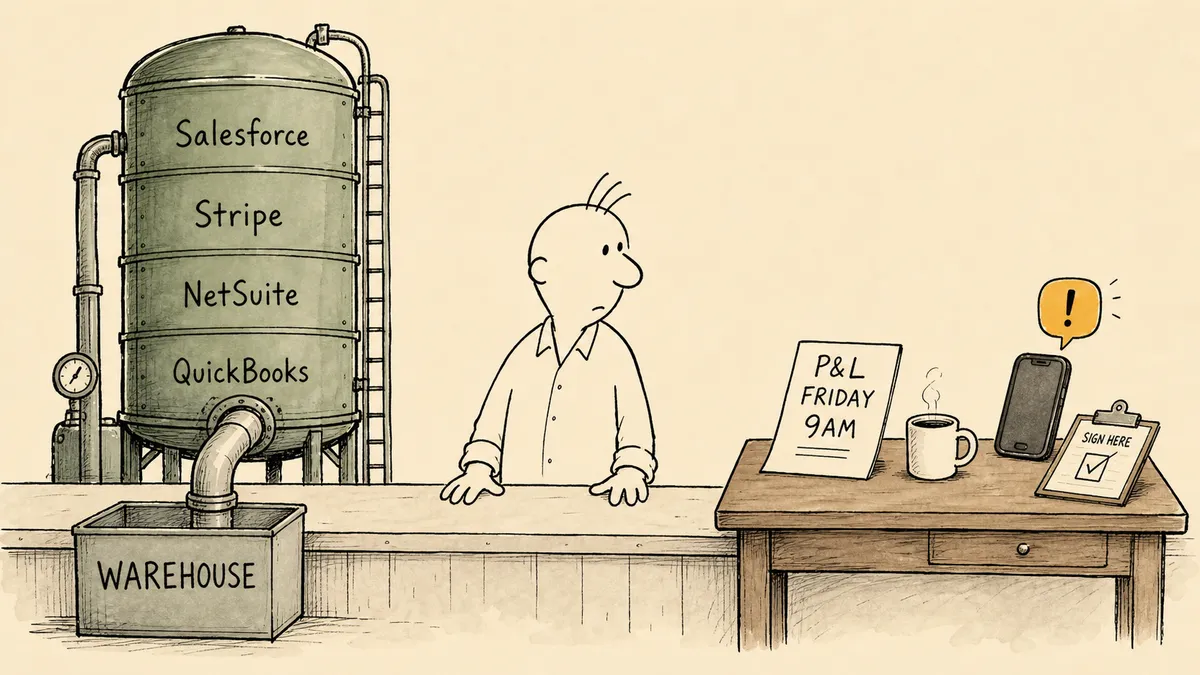
When a finance buyer types “automate report generation” into a search bar and lands on a Fivetran page, something subtle goes wrong on the way to the demo. Fivetran is one of the strongest pure-play data movement platforms on the market, but it does not generate reports. It moves the data that reports are eventually built from. The mistake is not Fivetran’s, and it is not the buyer’s. It is the consequence of “report generation” sitting on top of a stack where every layer claims it, and most of them only own a slice.
The honest version of the FlowRunner versus Fivetran comparison starts there. If the actual problem is centralizing data from hundreds of SaaS and database sources into a warehouse, this article will not change your evaluation. Buy Fivetran. If the actual problem is that the controller is still copy-pasting a weekly P&L into an email at 4:30 on Friday, the comparison is not even close. That work lives on an entirely different layer of the stack.
What you are actually comparing
| Fivetran | FlowRunner | |
|---|---|---|
| Category | Automated data movement platform | Orchestration layer for work and AI agents across tools |
| Primary job | Replicate data from sources into warehouses and lakes | Generate reports, route approvals, escalate exceptions, coordinate handoffs |
| Built for | Data and analytics engineers feeding a warehouse | Finance, operations, and ops-led report owners |
| Source connectors | 700+ fully managed connectors including SaaS, databases, SAP, streaming, files | Operational integrations to QuickBooks, NetSuite, Acumatica, Stripe, Slack, email, plus MCP-extensible custom connectors |
| What lands where | Source rows land in Snowflake, BigQuery, Databricks, S3, Iceberg, Delta Lake | Reports land in Slack channels, email inboxes, ERP entries, approval queues |
| Replication features | Log-based CDC, history mode (Type 2 SCD), column hashing for PII, row filtering, schema drift handling | Not offered, not in scope |
| Pricing model | Monthly Active Rows (MAR) per connection, capacity-tiered | Execution-tiered subscription, Free / $5 / $45 / $299 / $999 / Enterprise |
| Enterprise reliability | Regional failover, private networking, customer-managed keys, PCI DSS Level 1 (Business Critical plan only) | Single-region cloud or self-hosted; RBAC, SSO, audit trails on Professional plan |
| Human-in-the-loop | Not a Fivetran capability | Callable action: pause, route to a named approver via Slack, email, WhatsApp, or phone, resume on response |
| AI agent orchestration | Not in scope | Native: agents as first-class workflow nodes with human escalation as a callable tool |
| Free trial | 14 days per connection | Permanent Free plan (100 executions/mo), plus 14 days of Professional on signup, no card |
Below the table is what no comparison checklist captures.
What Fivetran does, in Fivetran’s words
Fivetran positions itself as “the data foundation for AI”, an automated data movement platform built to “securely move, manage, and transform data to power analytics, operations, and AI at scale.” That positioning is accurate, and the product backs it.
The depth is real. Fivetran offers 700+ fully managed connectors spanning SaaS applications, databases, SAP, streaming sources, and file sources, with log-based CDC, history mode for Type 2 slowly changing dimensions, column hashing for PII, row filtering, and automated schema drift handling. The pipelines are idempotent, retried automatically, and managed end-to-end with zero customer-side maintenance. On the Business Critical plan, regional failover, private networking options (AWS PrivateLink, Azure Private Link, Google Cloud PSC), customer-managed keys for encryption, and PCI DSS Level 1 certification become available. Enterprise customers can purchase through Snowflake, AWS, Azure, or Google Cloud marketplaces with commitment burn-down.
This is data engineering infrastructure at a level of maturity that FlowRunner does not attempt to compete with. Finance teams centralizing data from Salesforce, Workday, NetSuite, Marketo, Stripe, and a long tail of SaaS sources into Snowflake or BigQuery should evaluate Fivetran the same way they would evaluate Airbyte or Stitch. FlowRunner does not belong on that shortlist.
What Fivetran is honestly not built for is the moment after the data lands. The warehouse is full. The dbt models have run. And now somebody still has to assemble the weekly P&L, post it to a Slack channel, flag the AR aging anomaly, and route a duplicate-payment risk to a named approver before the AP run on Tuesday. None of that is data movement. Fivetran does not claim it is.
What automate report generation actually means for a CFO
Here is what most posts on automated report generation will not say plainly. For a large slice of mid-market finance teams, the report-generation problem is not solved by getting the data into the warehouse. It is solved by getting the right summary, with the right context, into the right person’s hands, at the right time, with a place to escalate when something looks wrong.
The pattern is recognizable from conversations with finance leaders running on operational systems like QuickBooks, NetSuite, and Acumatica:
- A weekly P&L digest needs to land in the CFO’s Slack DM by 9am Monday, pulled from QuickBooks, with a one-line variance comment against last week
- An AR aging summary needs to land in the controller’s inbox every Friday afternoon, with anything aged past 60 days flagged for a follow-up
- A monthly board pack needs the operational KPIs assembled from the ERP, the payment processor, and a parsed inbox of vendor invoices, with the CFO reviewing variance commentary before it ships to investors
- An exception report needs to flag any vendor invoice paid twice (or any distributor billback that does not tie to the bank) and pause for human judgment before it gets posted
None of those workflows are “queries against a warehouse.” They are operational events: a Friday clock tick, a Stripe webhook, an email landing in a shared inbox, an ERP transaction crossing a threshold. The report is the output of the workflow, not a SELECT statement.
A finance team building this on a warehouse-and-BI stack ends up with three problems. Dashboards are not reports; they are explored, not received. Scheduled BI emails are brittle, ungoverned, and do not handle exceptions. And nothing in the warehouse layer pauses and asks a human for input when something looks off. That last gap is the one that costs money. A duplicate-payment risk does not need a dashboard. It needs a workflow that stops, routes to the CFO, captures the response, and writes the decision to the audit trail.
Where FlowRunner fits: the layer that generates the report
FlowRunner is an orchestration layer. It coordinates work and AI agents across the tools a finance team already runs. Report generation, in that frame, is one pattern among many, and the one that most directly answers the “automate report generation” query for an operational finance team.
The pattern looks like this:
- A trigger fires (a scheduled time, an ERP transaction, a Stripe webhook, an inbox message)
- A workflow pulls the right context from the right systems (QuickBooks, NetSuite, Acumatica, Stripe, parsed documents)
- The workflow assembles the report (a digest, a variance summary, an exception list, a board-pack section)
- The workflow distributes the report (Slack channel, email, an ERP entry, a shared drive)
- If something looks off, the workflow pauses and calls a human as an action, not a status gate
- The human receives the report and the flagged item with the context already attached, responds with a structured decision, and the workflow resumes with the decision captured in the audit trail
Concretely, this is the pattern behind automated P&L digests delivered to finance teams, where the report assembles from QuickBooks and lands in a Slack channel at a scheduled time. It is the pattern in what CFOs can automate with Acumatica, where ERP-level reporting, exception flagging, and notification all happen in one governed workflow. It is the pattern in financial data extraction into the ERP with human-in-the-loop, extracting vendor documents into NetSuite, and invoice extraction from email to QuickBooks, where extracted figures feed downstream reports and exceptions route to a named reviewer.
The category that owns this layer is orchestration as a service. The seam it covers is the gap between data landing somewhere and a decision happening somewhere. A warehouse is built to store rows. A BI tool is built to explore them. Neither is built to fire when an operational event happens, assemble a report from the systems of record, deliver it to a named person, and pause for human judgment when an exception comes through. That work is its own category, and FlowRunner is built for it.
Where Fivetran is the better fit
Buy Fivetran when:
- The actual problem is data centralization from many SaaS and database sources into a warehouse or lake
- Your analytics team builds reports inside a BI tool (Looker, Power BI, Tableau, Sigma) and the bottleneck is data freshness or replication coverage, not report distribution
- You need enterprise data engineering features: log-based CDC, history mode, column hashing for PII, row filtering, regional failover, private networking
- You are building a data-foundation-for-AI architecture where downstream agents read from a governed warehouse and Fivetran owns the ingest
- Your data team is large enough to operate the warehouse and the BI layer, and the report-generation work happens inside that stack rather than in operational tools
That set of conditions describes a real and common architecture for companies past a certain scale. If it describes yours, FlowRunner is the wrong evaluation, and Fivetran is genuinely good at what it does. We are not the better product for data movement; we are not the product for it at all.
Where FlowRunner is the better fit
Choose FlowRunner when:
- The report you want generated comes from operational systems (QuickBooks, NetSuite, Acumatica, Stripe, inboxes) and goes to operational channels (Slack, email, an ERP, an approval queue), without needing to land in a warehouse first
- The workflow needs to pause and ask a human when an exception shows up (duplicate-payment risk, an AR anomaly, a vendor invoice that does not tie), not just write a row to a table
- Non-developers in finance ops are the people who should configure new reports, schedules, and escalation logic without filing a data-engineering ticket
- You need audit trails, RBAC, and SSO on a mid-market budget, governance infrastructure without a top-tier procurement cycle
- AI agents are starting to appear in your stack (a forecasting agent, an AP coding agent, a variance commentary agent), and you need a coordination layer above them that keeps humans in control on the calls that matter
- The reports your team actually needs are received, not explored, and a dashboard is not the right answer
For most mid-market finance teams, the two products are complementary, not competing. Fivetran lands the data, if a warehouse is in the picture. FlowRunner generates the reports, routes the approvals, and escalates the exceptions, regardless of where the source data lives.
How to decide
One question, asked the right way: what fires the workflow?
If the answer is “a scheduled query against the warehouse, run by an analytics team,” and the warehouse is the system of record for everything downstream, your problem is data movement. Fivetran (or an equivalent ELT platform) is the layer to evaluate. The report is a BI artifact.
If the answer is “a Friday clock tick, a Stripe charge, an email landing in shared inbox, an ERP transaction crossing a threshold,” and the report is something a person receives and acts on, your problem is workflow orchestration. The category to evaluate is orchestration as a service. The report is the output of a coordinated workflow across operational systems, with a human pulled in when judgment is required, and an audit trail recording who decided what.
Most mid-market finance teams will end up running both layers over time, used for different work. That is not a hedged answer. It is the architecture the work actually has. How we think about evaluating what is worth automating in the first place is a useful adjacent read for finance leaders sequencing the two investments.
Frequently asked questions
Is FlowRunner a replacement for Fivetran?
No. Fivetran is a data movement platform that replicates data from hundreds of sources into a warehouse or lake. FlowRunner is an orchestration layer for coordinating work and AI agents across the tools a finance team already runs. If the actual problem is data centralization into Snowflake or BigQuery, Fivetran is the right product. FlowRunner is not.
Where does FlowRunner fit if we already use Fivetran?
FlowRunner sits on the operational side of the data. It pulls report-ready figures from the warehouse Fivetran feeds, formats the Friday P&L, posts it to Slack, escalates an unexpected variance to a named CFO approver, and writes an audit trail of the conversation. The two are complementary. Fivetran lands the data; FlowRunner turns it into the report, the approval, and the exception.
Can we automate report generation directly from QuickBooks or NetSuite without a warehouse?
Yes, that is the use case FlowRunner is built for. Most mid-market finance teams want a weekly P&L digest, an AR aging summary, or an exception flag delivered to their inbox or Slack channel from the operational systems themselves. FlowRunner connects to QuickBooks, NetSuite, Acumatica, Stripe, and ERPs directly, generates the report, distributes it, and pauses for human input when something looks off.