Sync Todoist Task Deadlines to Google Calendar Automatically
Connect Todoist and Google Calendar so tasks with due dates get blocked time on the calendar automatically, and a human confirms before a task is assigned to a teammate whose calendar it will affect.
How do you connect Todoist to Google Calendar?
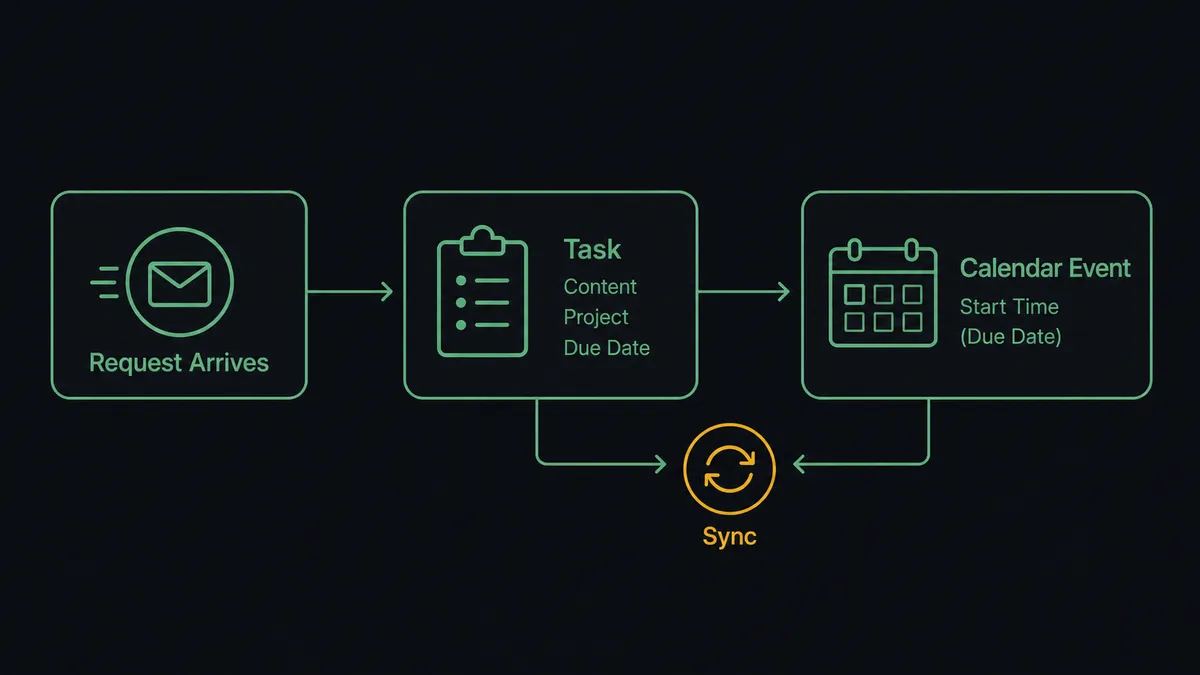
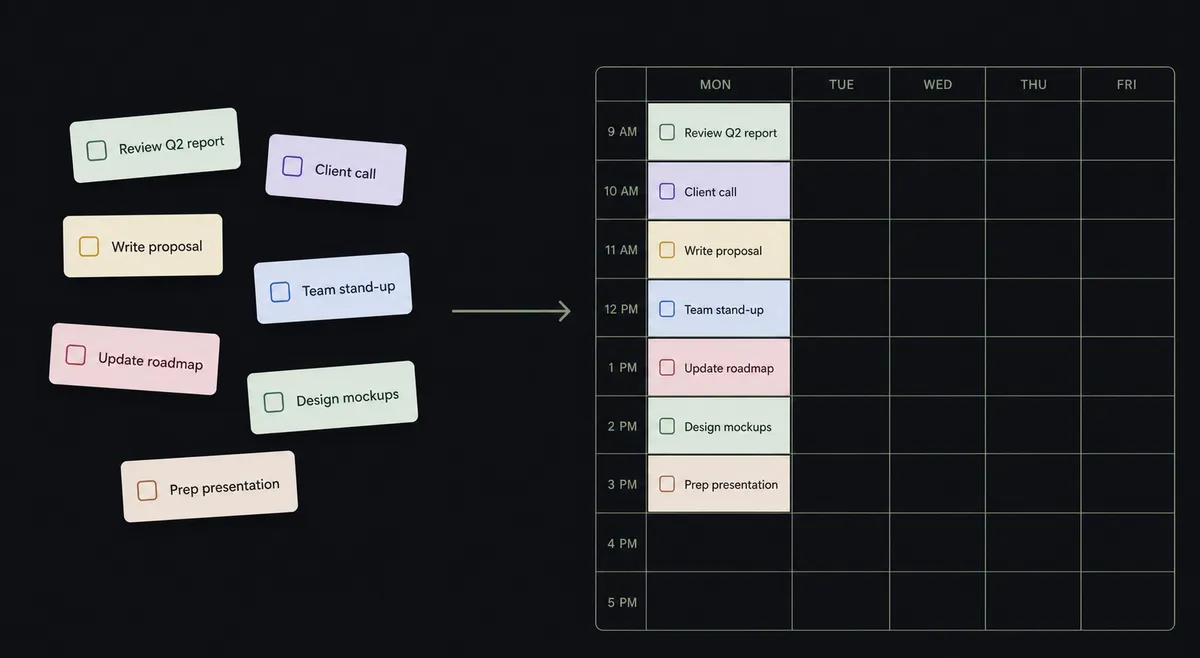
Connect Todoist to Google Calendar by having an agent call Create Task in Todoist when an actionable request arrives, then call Create Event in Google Calendar with the task’s due date mapped to the event’s start time, so the deadline shows up as blocked time on the calendar without a second manual entry. FlowRunner is a visual AI-agent orchestration platform where automations run autonomously and pause for human judgment on the steps that carry real consequence. The same connection can run as an AI agent that reasons about each request, and it invokes a human-in-loop step before assigning a task to a teammate whose calendar the assignment will affect.
The problem it solves
An operations lead or admin assistant gets a request by email or Slack. It gets typed into Todoist as a task, if someone remembers, with a due date set from memory rather than the actual deadline. What almost never happens is the follow-up step: nobody blocks time on the calendar for it. The task sits in a list, the calendar sits empty, and the person responsible finds out the deadline is today when Todoist reminds them, or worse, doesn’t.
The spreadsheet version of this is familiar to anyone who has run a shared project. A tracker gets updated by hand, due dates drift because nobody copies changes both places, and requests that should go to a specific teammate get assigned by whoever happens to see them first, sometimes without asking. None of this is a discipline problem. It’s a plumbing problem: a task list and a calendar that don’t talk to each other, and a manual bridge standing in for what should be automatic.
How it works: the connection
The flow starts wherever the request enters: an inbound email, a form submission, a chat message, or, for existing tasks, a scheduled List Tasks poll using a filter query like “today | overdue” to catch anything that changed. From there, Create Task builds the task itself: content, project, section, labels, priority, and a due date the agent sets as natural language, “tomorrow at 5pm” or “every Monday,” rather than a fixed timestamp someone has to interpret later.
The Google Calendar side follows immediately. Create Event takes the same due date and maps it to the event’s start time, the task content becomes the title, and the source message or request becomes the description, so anyone looking at the calendar sees why the block exists, not just that it does. If the due date changes later, Update Task and Update Event run together, so the task in Todoist and the blocked time in Google Calendar never fall out of sync. List Events can also check the target time window before the agent commits to it, so a deadline doesn’t land directly on top of an existing meeting without anyone noticing.
Can an AI agent run it? (and why a human stays in the loop)
A rule like “every task gets a calendar block” treats every request the same. An AI agent doesn’t. It reads the request, decides the project, priority, and due date the way a person would, and separately evaluates whether the task belongs on a shared project where assigning it to a specific person is itself a decision that affects someone else’s day, not just a data entry.
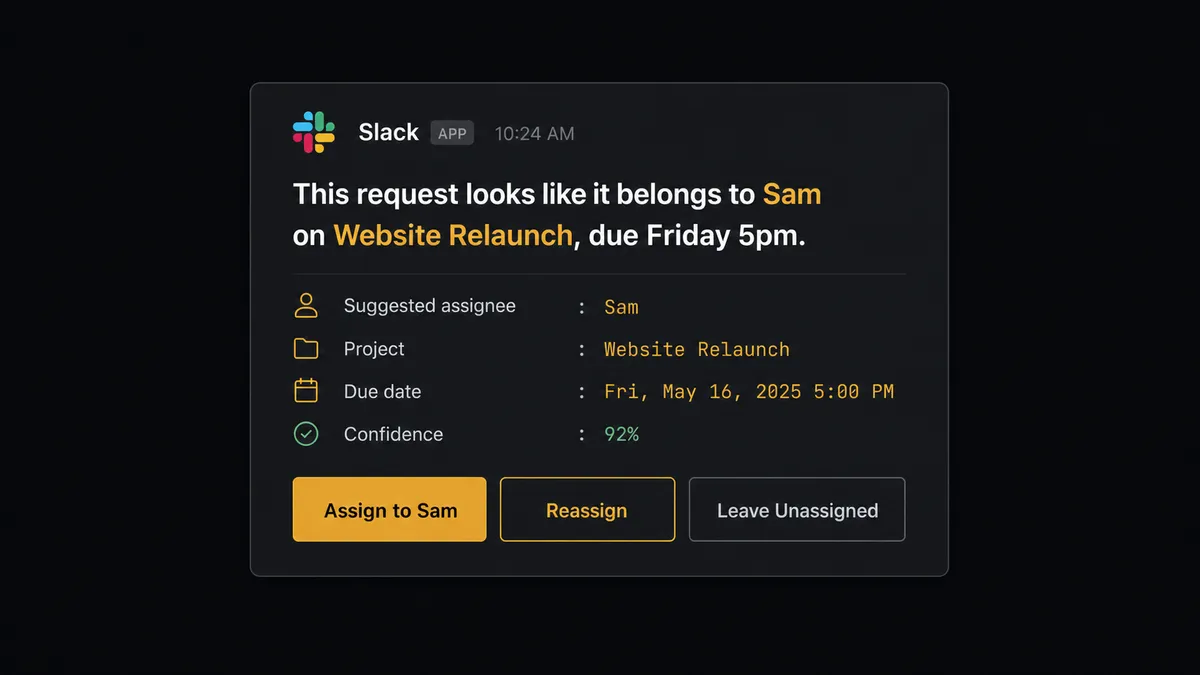
When the agent drafts a task on a shared project and the natural next step is assigning it to a teammate, it doesn’t just hand the work over. It calls Get Collaborators to see who’s on the project, picks the likely owner based on the request and prior task history, and then invokes a human-in-loop step as a tool, the same way it would call Create Task or Create Event. It packages the context: “This request looks like it belongs to [collaborator] on [project], due [date]. Assign the task to them, pick someone else, or leave it unassigned?” That message goes to the project lead over Slack. The lead decides. The agent resumes with Update Task to set the assignee, and only then adds that teammate as an attendee on the Google Calendar event, so a person’s calendar never gets blocked by an assignment nobody confirmed.
This is not a sync tool quietly copying due dates onto a calendar. The agent knows the difference between capturing a task, which it does on its own, and putting work on someone’s schedule, which it stops to ask about. That’s the digital andon cord: the routine work runs without anyone watching it, and the step that touches a person’s time gets a person’s answer first.
FlowRunner vs Zapier
Zapier is a fast way to build a simple version of this connection. A team that just wants “new Todoist task with a due date creates a Google Calendar event” can wire that Zap in a few minutes, and for a one-way, no-decision sync, that’s a genuine strength worth acknowledging. Where it stops is the assignment step: Zapier can copy a due date onto a calendar, but deciding whether a task should go to a specific teammate, and pausing to confirm before that teammate’s calendar gets touched, isn’t something a Zap reasons about on its own.
| Capability | Zapier | FlowRunner |
|---|---|---|
| Human-in-loop decisions | Notifications are simple triggers; approval logic needs separate add-ons | Native tool the agent invokes mid-workflow; the decision resumes the exact step |
| Who decides task assignment | A hardcoded field match or the first collaborator in a list | The agent reads project collaborators and request context, then drafts a recommendation |
| Users included | Paid tiers gate how many people can build and edit Zaps | Unlimited users on every tier, cloud or self-hosted |
| AI provider | Uses Zapier’s own AI credits | BYOK: bring your own Claude or OpenAI key |
| Self-hosting | Cloud only | Enterprise tier includes a self-hosted option |
| Pricing model | Per-task pricing that’s easy to misjudge at scale | Transparent workflow-based execution tiers |
Before and after
| Category | Before | After |
|---|---|---|
| Task capture | Actionable requests live in an inbox until someone copies them into Todoist by hand | Actionable messages become Todoist tasks the moment they arrive |
| Calendar visibility | Deadlines exist only in Todoist; no time is ever blocked on the calendar | Every task with a due date gets a matching Google Calendar event automatically |
| Missed follow-ups | Requests slip because no task, and no calendar block, was ever created | Nothing slips; every request gets a task and a blocked time in the same run |
| Due date drift | A changed deadline gets updated in one system and forgotten in the other | Update Task and Update Event run together, so the two never fall out of sync |
| Assignment | Tasks get handed to a teammate without anyone confirming, sometimes blocking their calendar by surprise | The project lead confirms the assignee before the task or the calendar event is touched |
What you can build
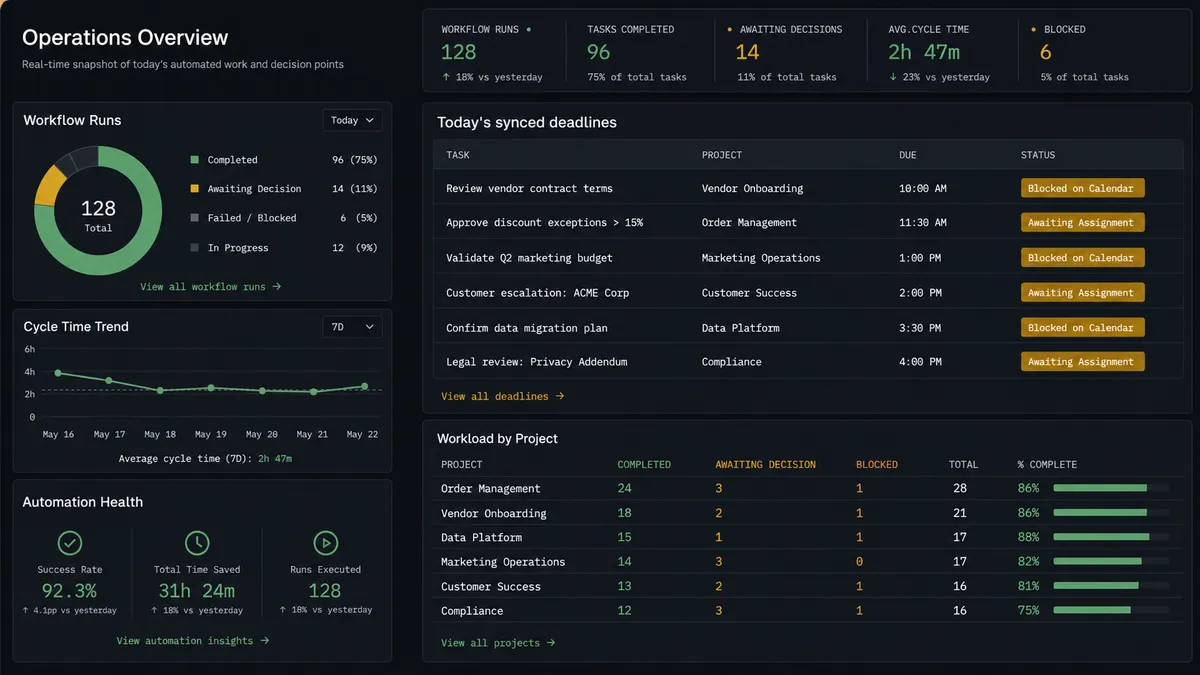
Deadline blocking from inbound requests. An email or form submission becomes a Todoist task with Create Task, and the agent immediately calls Create Event so the deadline is blocked time on the calendar, not just a line in a list.
Assignment confirmation for shared projects. Before a task on a shared project gets a specific owner, the agent calls Get Collaborators, drafts a recommendation, and waits for the project lead to confirm in Slack before running Update Task and adding the teammate to the calendar event.
Due date sync on change. When a deadline moves, whether from a follow-up email or a manual edit, the agent runs Update Task and Update Event in the same pass so the task and the calendar block stay matched.
Weekly overdue sweep. A scheduled run calls List Tasks with a filter like “overdue” and creates a calendar review block with Create Event for anything still open, so overdue work gets a visible slot instead of staying buried in a list.
Conflict check before scheduling. Before creating an event for a task’s due date, the agent calls List Events to check the target window, and flags a genuine double-booking to a person instead of silently stacking a deadline on top of an existing meeting.
Common questions
Is it free to connect Todoist and Google Calendar on FlowRunner? FlowRunner has a free plan with 100 executions a month, every integration included, and no credit card required, and new accounts get 14 days of Professional on top.
Can I self-host the Todoist and Google Calendar workflow? Yes. The Enterprise tier includes a self-hosted option with multi-instance clustering, on top of the cloud-hosted tiers most teams start on.
Does the agent need my own OpenAI key? FlowRunner runs on a bring-your-own-key model for AI providers, so you connect your own Claude or OpenAI key rather than paying FlowRunner’s markup on model usage.
What happens when the agent isn’t sure who should own a task? It stops and asks. The agent reads the shared project’s collaborators, drafts a recommendation, and routes the assignment decision to the project lead before touching anyone’s calendar or task list.
Does Todoist have triggers in FlowRunner? Todoist currently has 0 native triggers in FlowRunner. Workflows typically start from an inbound email, a form submission, a chat message, or a schedule, and then call Todoist actions to capture and route the work.
Can the agent keep a task’s due date and its calendar event in sync if the deadline changes? Yes. When a due date changes, the agent calls Update Task in Todoist and Update Event in Google Calendar in the same run, so the task and the blocked time never drift apart.
Getting started
FlowRunner has a free plan with 100 executions a month, every integration included, and no credit card required, and new accounts get 14 days of Professional on top. Connect Todoist and Google Calendar, build the deadline-blocking flow above in the visual editor, and add the human-in-loop step where task assignment actually needs a person.
Start free at flowrunner.ai, or book time to walk through your task and calendar workflow at calendly.com/flowrunner/intro.
Frequently asked questions
Is it free to connect Todoist and Google Calendar on FlowRunner?
FlowRunner has a free plan with 100 executions a month, every integration included, and no credit card required, and new accounts get 14 days of Professional on top.
Can I self-host the Todoist and Google Calendar workflow?
Yes. The Enterprise tier includes a self-hosted option with multi-instance clustering, on top of the cloud-hosted tiers most teams start on.
Does the agent need my own OpenAI key?
FlowRunner runs on a bring-your-own-key model for AI providers, so you connect your own Claude or OpenAI key rather than paying FlowRunner's markup on model usage.
What happens when the agent isn't sure who should own a task?
It stops and asks. The agent reads the shared project's collaborators, drafts a recommendation, and routes the assignment decision to the project lead before touching anyone's calendar or task list.
Does Todoist have triggers in FlowRunner?
Todoist currently has 0 native triggers in FlowRunner. Workflows typically start from an inbound email, a form submission, a chat message, or a schedule, and then call Todoist actions to capture and route the work.
Can the agent keep a task's due date and its calendar event in sync if the deadline changes?
Yes. When a due date changes, the agent calls Update Task in Todoist and Update Event in Google Calendar in the same run, so the task and the blocked time never drift apart.