How to Connect Amazon S3 / Cloud Storage with Slack (With or Without an AI Agent)
Connect Amazon S3 to Slack so file uploads automatically notify your team, and optionally run the flow as an AI agent that pauses for human approval before bulk deletions or sensitive file operations.
How do you connect Amazon S3 / Cloud Storage to Slack?
You connect Amazon S3 to Slack by using FlowRunner’s On File Shared trigger to detect when a team member uploads a document to a Slack channel, then using the Upload Object action to store the file in S3 and Send Message to Channel to post a confirmation with the storage path. FlowRunner is a visual AI-agent orchestration platform where automations run autonomously and pause for human judgment on the steps that carry real consequence. The same connection can run as an AI agent that reads the file, evaluates its content, chooses the right storage path, and invokes a human on any operation that should not run silently.
The problem with S3 and Slack today
Most teams that use both S3 and Slack manage the gap between them manually. A team member shares a contract PDF in the #legal channel. Someone else downloads it, renames it according to whatever folder convention they remember, and uploads it to the right S3 bucket. The structured path convention exists in a wiki somewhere. The file lands in the wrong folder half the time. When an auditor asks for the signed contract from 14 months ago, someone spends an afternoon searching shared drives.
The same gap exists going the other direction. An agent or script uploads a batch of processed reports to S3 and your team has no idea it happened. Storage costs accumulate. Old files sit in buckets past any reasonable retention period. When someone finally runs a cleanup script, it deletes things nobody reviewed. The two systems move data, but the team has no visibility and no oversight on what matters.
How it works: the connection
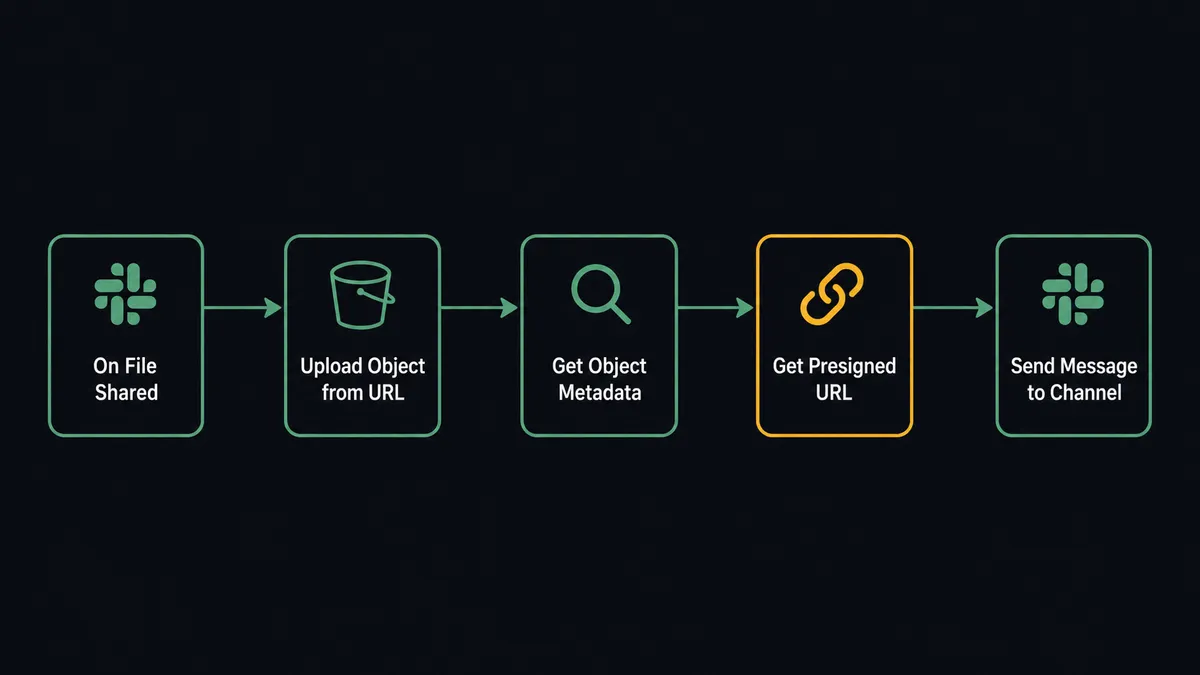
The most direct version of this connection starts with Slack’s On File Shared trigger. When a team member uploads a file to a designated channel, the trigger fires and the flow begins.
The agent uses Upload Object from URL to transfer the file directly from Slack’s file storage into your S3 bucket. It builds the storage path programmatically: documents/[channel-name]/[date]/[filename] keeps files organized without anyone thinking about it. After the upload, the agent runs Get Object Metadata to confirm the upload completed and capture the file’s size and content type.
For delivery, Get Presigned URL generates a time-limited secure link to the stored file. The agent posts the link back to the Slack thread using Send Message to Channel, so the original poster has a permanent, auditable reference to exactly where their document landed. The link expires in 7 days. The file stays in S3 as long as your retention policy requires.
The reverse flow runs on a schedule. Every night, the agent uses List Objects to scan a designated bucket path. It checks ages and sizes, compiles a summary, and posts it to a Slack channel using Send Message to Channel. Your team sees what landed in storage without pulling up the S3 console.
Can an AI agent run it? (And why a human stays in the loop)
A basic Zapier-style connection moves the file and sends the message. An AI agent in FlowRunner reads the file first.
When the On File Shared trigger fires, the agent does not immediately upload the file. It reads the context: which channel did this come from, who shared it, what is the file type, what is the file size, has a file with this name been uploaded before? The agent checks Check Object Exists before uploading to avoid silent overwrites. If a file with the same path already exists, the agent evaluates whether to overwrite it or store it under a versioned name. It makes that call based on the channel context and its instructions, not a hardcoded rule.
The agent’s tools include the full S3 action set: Upload Object, Get Object Metadata, Copy Object, Delete Object, Get Presigned URL. It chooses which ones to call based on what the file needs. A contract PDF goes into the deal folder with a 30-day presigned URL. A report CSV goes into the monthly archive with metadata tagging the quarter. The agent reads the file context and routes it appropriately.
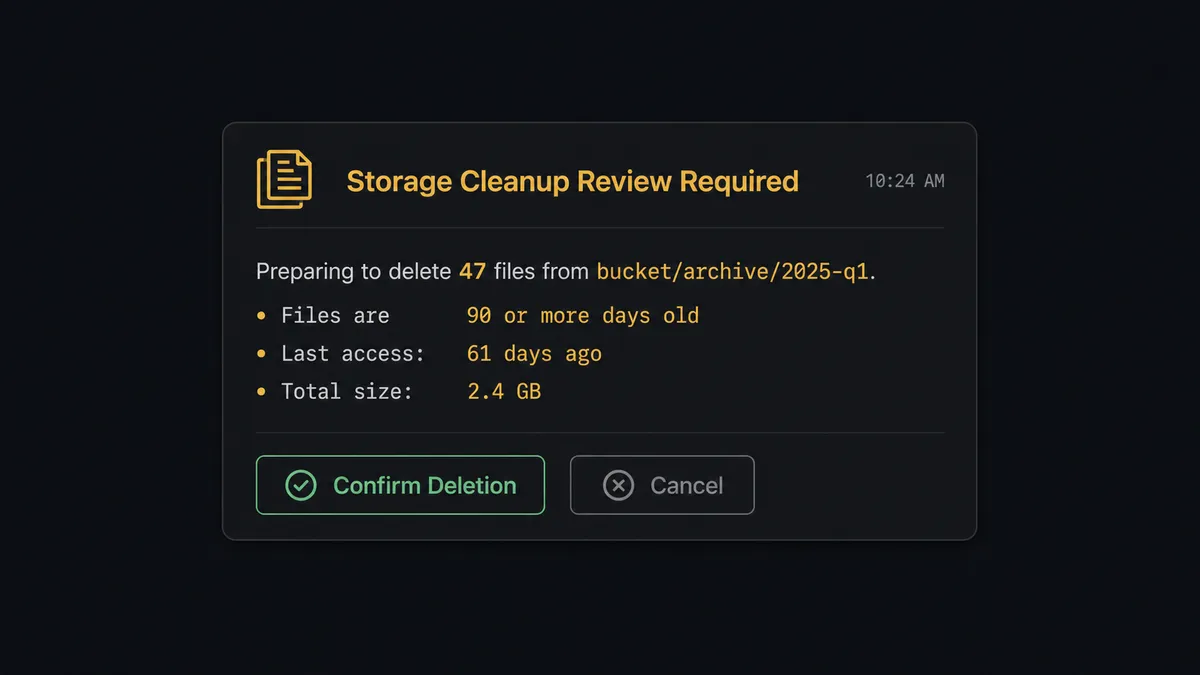
The human-in-loop moment is bulk deletion. When the agent identifies files in a bucket that match a cleanup policy (90 days old, in a designated archive path, past retention), it does not delete them. It pauses and invokes a human-in-loop subflow as a callable tool. This is not a threshold check. The agent evaluates whether the files match the policy, whether any have been accessed recently, and whether the volume of the deletion is outside the normal range. If anything looks unusual, it escalates even if the files technically meet the criteria.
The human-in-loop subflow sends a Slack message to the storage administrator using Send Message to Channel: “Preparing to delete 47 files from [bucket/archive/2025-q1]. These files are 90+ days old and match the cleanup policy.Review the list and confirm or cancel.” The message includes interactive buttons powered by On Block Action. The administrator reviews, approves, and the agent executes. The approval is logged with the approver’s identity and timestamp.
This is the digital andon cord. The agent stops the line when a bulk file operation is large enough to be irreversible. The human makes the call. The agent resumes.
FlowRunner vs Zapier
Zapier is the right comparison here. Most teams connecting S3 and Slack are using Zapier or considering it because it is familiar, the setup is fast, and the S3 and Slack integrations exist out of the box.
Zapier handles the simple case well. If you need “when file uploaded to S3, post a Slack message,” Zapier does that with a few clicks. For teams where that is the entire use case, Zapier is a reasonable choice.
The difference surfaces when the workflow needs judgment. Zapier cannot check whether a file already exists before overwriting it. It cannot evaluate whether a bulk deletion is within normal range before executing. It does not pause for human approval and resume with the human’s decision captured. Multi-step reasoning across S3 and Slack, where the agent chooses its tools based on what it finds, is not what Zapier was built for.
| Capability | Zapier | FlowRunner |
|---|---|---|
| Basic S3 to Slack notification | Yes | Yes |
| Agent reads file context before acting | No | Yes |
| Human-in-loop with Slack buttons and audit trail | No | Yes (native, not a plugin) |
| Check Object Exists before overwriting | No | Yes |
| Unlimited users on every tier | No (per-seat pricing) | Yes |
| BYOK for AI model (OpenAI, Anthropic) | No | Yes |
| Self-hosted deployment option | No | Yes |
Before and after
| Category | Before | After |
|---|---|---|
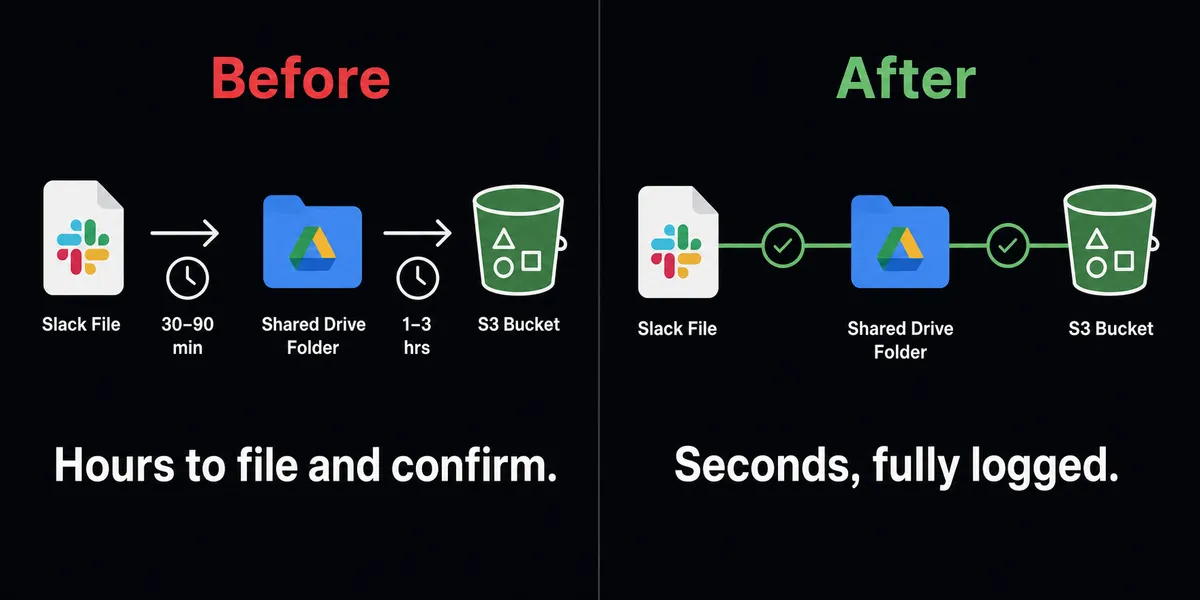
| Document filing | AP staff download from Slack, rename manually, upload to shared drives with inconsistent folder structures | Every file uploaded to S3 with a structured path tied to channel and date automatically |
| Audit retrieval | Retrieving an 18-month-old invoice requires searching multiple locations over hours | Any historical file retrieved in seconds using the storage path logged at upload |
| Secure delivery | Signed contracts emailed as attachments with no expiry or access control | Recipients get 7-day expiring presigned URLs with no S3 credentials required |
| Bulk cleanup oversight | Scripts delete old files with no visibility or approval | Agent pauses before bulk deletions, sends Slack review with file list and interactive approval |
| Team visibility | Storage changes happen silently, team learns about them after the fact | Scheduled digest posted to Slack channel with what landed in storage and when |
What you can build
Vendor document intake pipeline. When a vendor drops a PDF in your #vendor-docs channel, On File Shared fires. The agent downloads the file, runs it through a document parser, validates fields, uploads the processed version to S3 under the vendor’s folder, and posts a structured summary back to the thread. If fields are missing, it posts the discrepancy with context for your team to resolve.
Automated contract archiving after signature. After a contract is signed, the agent uploads the executed PDF to S3 under the deal ID, generates a Get Presigned URL valid for 7 days, and sends the link to the signer via Send Direct Message. The client downloads their document without needing S3 credentials. The link expires. The file stays.
Monthly report distribution. Every month-end, the agent generates reports from your business systems, uploads them to S3 under reports/[year]/[month]/, and posts presigned links for each report to the appropriate stakeholders using Send Message to Channel. No one emails spreadsheets. Reports land in a consistent location with a logged delivery record.
Storage cleanup with Slack-based approval. On a weekly schedule, the agent runs List Objects against archive buckets, identifies files past their retention period, and posts a review message to #storage-ops using Send Message to Channel with the file list and a delete count. The storage admin approves via interactive button. Delete Multiple Objects runs only after confirmation. The approval and the approver’s identity are captured in the audit trail.
Project workspace provisioning. When a new project channel is created in Slack (On Channel Created trigger), the agent runs Create Bucket to provision a dedicated S3 storage bucket for that project, sets up the folder structure, and posts a confirmation to the new channel using Send Message to Channel. Project storage is ready before the first file is shared.
Common questions
Is it free to connect Amazon S3 and Slack on FlowRunner?
FlowRunner has a free plan with 100 executions a month, every integration included, and no credit card required, and new accounts get 14 days of Professional on top. After that, Growth is $45 per month. All tiers include unlimited users and unlimited workflows.
Can I self-host the S3 and Slack integration?
Yes. FlowRunner offers a self-hosted Community Edition at no cost and an Enterprise self-hosted tier for organizations that need multi-instance clustering and compliance features. The S3 and Slack integrations work identically in both hosted and self-hosted deployments.
Does the AI agent need my own API keys for S3 and Slack?
FlowRunner uses a BYOK (Bring Your Own Keys) model for AI providers like OpenAI and Anthropic. Your S3 credentials and Slack OAuth connection are stored in your own FlowRunner account. You control the keys.
What happens when the agent is not sure about a file operation?
The agent invokes a human-in-loop flow as a callable tool. It sends a Slack message to the designated administrator with full context: what files are affected, why the agent is pausing, and what options are available. The workflow holds until the human responds. The decision is logged in the audit trail.
Does FlowRunner’s S3 integration work with providers other than Amazon?
Yes. The S3 integration supports 13+ cloud storage providers through the same action set, including Cloudflare R2, DigitalOcean Spaces, Backblaze B2, MinIO, Wasabi, and more. You connect once and the agent works across providers.
Can I trigger a workflow when a file is shared in Slack?
Yes. The On File Shared trigger fires when a team member uploads a document to a monitored Slack channel. The agent can download the file, process it, upload it to S3, and post a structured summary back to the thread automatically.
Getting started
FlowRunner has a free plan with 100 executions a month, every integration included, and no credit card required, and new accounts get 14 days of Professional on top.
Start at flowrunner.ai to create your account. Connect both integrations from the Integrations page: Amazon S3 / Cloud Storage and Slack. Your first flow can be live in under 15 minutes.
If you want to walk through a document intake or storage cleanup workflow with someone who has built this before, book time at calendly.com/flowrunner/intro.
Frequently asked questions
Is it free to connect Amazon S3 and Slack on FlowRunner?
FlowRunner has a free plan with 100 executions a month, every integration included, and no credit card required, and new accounts get 14 days of Professional on top. After that, Growth is $45 per month. All tiers include unlimited users and unlimited workflows.
Can I self-host the S3 and Slack integration?
Yes. FlowRunner offers a self-hosted Community Edition at no cost and an Enterprise self-hosted tier for organizations that need multi-instance clustering and compliance features. The S3 and Slack integrations work identically in both hosted and self-hosted deployments.
Does the AI agent need my own API keys for S3 and Slack?
FlowRunner uses a BYOK (Bring Your Own Keys) model for AI providers like OpenAI and Anthropic. Your S3 credentials and Slack OAuth connection are stored in your own FlowRunner account. You control the keys.
What happens when the agent is not sure about a file operation?
The agent invokes a human-in-loop flow as a callable tool. It sends a Slack message to the designated administrator with full context: what files are affected, why the agent is pausing, and what options are available. The workflow holds until the human responds. The decision is logged in the audit trail.
Does FlowRunner's S3 integration work with providers other than Amazon?
Yes. The S3 integration supports 13+ cloud storage providers through the same action set, including Cloudflare R2, DigitalOcean Spaces, Backblaze B2, MinIO, Wasabi, and more. You connect once and the agent works across providers.
Can I trigger a workflow when a file is shared in Slack?
Yes. The On File Shared trigger fires when a team member uploads a document to a monitored Slack channel. The agent can download the file, process it, upload it to S3, and post a structured summary back to the thread automatically.