Personio + Slack: Onboard New Hires With Compliance Sign-Off
Connect Personio and Slack so new hires are provisioned and welcomed automatically, with an AI agent that pauses in Slack for a human before a compliance step or an employment change runs.
How do you connect Personio to Slack?
Connect Personio to Slack by pointing Personio’s On People Change trigger at Slack’s Send Message to Channel action: the moment a new hire, offboarding, or document change happens in Personio, FlowRunner posts the update, checklist, or approval request straight into the right Slack channel or a manager’s DM. FlowRunner is a visual AI-agent orchestration platform where automations run autonomously and pause for human judgment on the steps that carry real consequence. The same connection can run as an AI agent that reads the HR event, provisions what it can on its own, and pauses in Slack for a human only on the step that actually matters, like a country-specific compliance sign-off or the decision to end someone’s employment.
The problem it solves
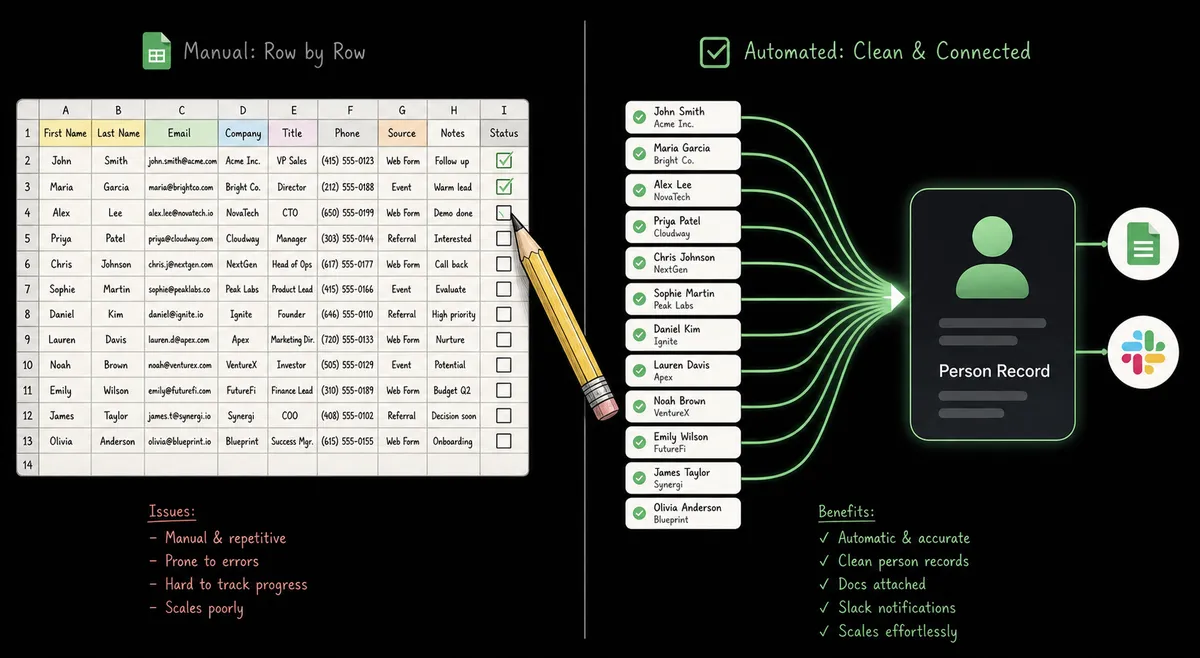
Right now, a new hire shows up in Personio and an HR coordinator manually pings IT, the hiring manager, and whoever owns badge access. The checklist for onboarding documents, department routing, and country-specific paperwork lives in whatever the coordinator remembers to check that day. Time-off requests are worse: an employee submits a request, the manager finds it buried in an email digest, and nobody checks the actual balance before approving it. Offboarding runs the same way, one person remembering to loop in payroll and IT before someone’s access should stop working.
None of this scales past a handful of changes a month. A team of two or three in People Ops can track five hires by memory. At twenty a month across a few countries, something falls through the cracks: a compliance step skipped, a manager who approves time off without checking the balance, an onboarding document that never gets filed under the right employee. The fix isn’t more headcount in HR. It’s giving the team their time back on the routine changes, so the humans only touch the ones that carry a real decision.
How it works: the connection
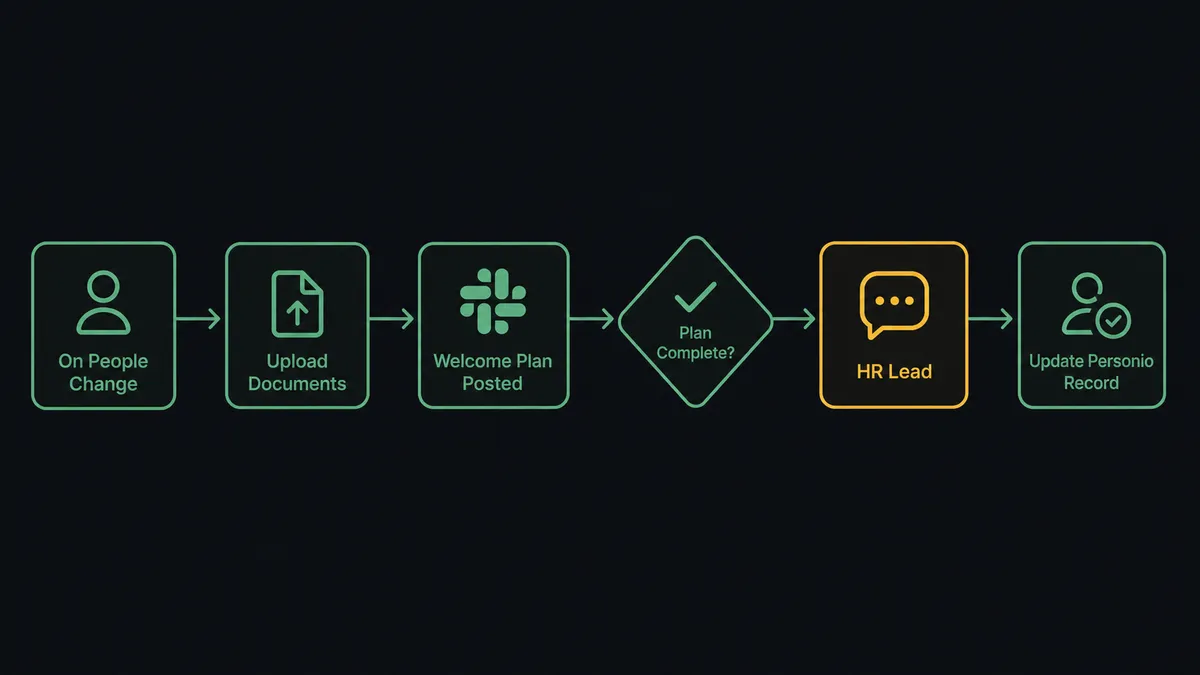
The flow starts on Personio’s On People Change trigger, which fires when a person record is created, updated, or removed. On a new hire, the agent calls Get Person to pull the full record: department, start date, office, and manager. It uploads the onboarding documents and signed agreements with Upload Document, so they attach to the right employee record instead of landing in a shared folder. It then calls Send Message to Channel in Slack to post the welcome plan and document checklist directly to the hiring manager, with the start date and department already filled in.
The same connection runs on time off. On Time Off Change fires when an employee submits a request. The agent calls Get Time Off Balance to confirm the days are actually available, then sends the approval context to the manager with Slack’s Send Direct Message action, including interactive buttons built on Block Kit. The manager’s click fires Slack’s On Block Action trigger, and the agent calls Update Time Off in Personio to record the decision. The balance gets checked before the manager ever sees the request, not after.
Can an AI agent run it? (and why a human stays in the loop)
A fixed sync tool would run Get Person, Upload Document, and Send Message to Channel in the same order for every record, with no judgment about what any individual change means. FlowRunner’s agent reads the HR event, reasons about it, and calls those same Personio and Slack actions as tools it chooses to use, in the order the situation calls for. This is not a sync tool. The agent knows when to stop and ask.
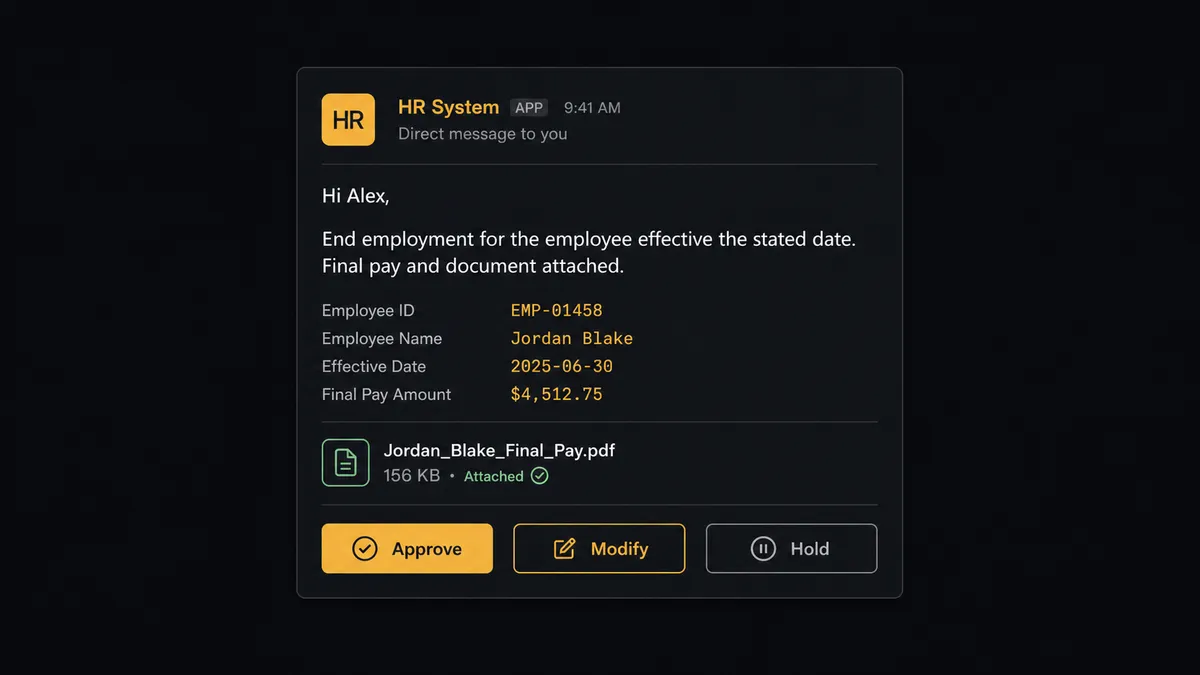
The moment that matters is anything that ends an employment or changes pay. When End Employment, Add Compensation, or Delete Person is about to run, the agent does not execute it on its own. It stages the change, attaches the relevant document, and routes it to the HR lead over Slack: “End employment for the employee effective the stated date. Final pay and document attached. Approve, modify, or hold?” The HR lead decides from their phone. On approval, the agent calls the action and records the decision, the approver’s identity, and the timestamp in the audit trail. Routine people-data updates, like a department change or a new time entry, flow through without anyone touching them. Anything that changes employment status or pay gets a person first.
FlowRunner vs Zapier
Zapier connects Personio and Slack natively, and for an HR coordinator who just wants a Slack ping when a person record changes, it is genuinely quick to wire up. Where the two diverge is what happens on the steps that carry consequence, like ending an employment or approving pay, and what the connection costs once the team and the country count grow.
| Capability | Zapier | FlowRunner |
|---|---|---|
| Human-in-loop on the risky step | A manual review step you build and wire yourself | Native: the agent invokes a human-in-loop flow as a callable tool at the step that carries weight |
| Reasoning over each HR event | Filter steps follow fixed rules you define in advance | The agent reads the event and decides whether to provision, notify, or escalate |
| Users included | Paid seats on the tiers with the automation depth this flow needs | Unlimited users on every tier |
| Pricing model | Per-task pricing that gets harder to predict as headcount grows | Transparent workflow-based tiers with clear execution limits |
| Self-hosting | Not available | Self-hosted Community Edition free, self-hosted Enterprise for full compliance |
Before and after
| Category | Before | After |
|---|---|---|
| New hire visibility | HR exports a CSV weekly for IT and managers to review | On People Change fires provisioning and the Slack welcome post the same day |
| Time-off approvals | A manager approves from an email digest with no balance check | The agent validates the balance before the manager sees the request in Slack |
| Onboarding documents | Signed agreements end up in a shared drive folder | Documents attach to the employee record automatically |
| Compliance sign-off | Country-specific steps tracked in a shared doc, easy to miss | The agent stages the change and routes only the compliance step to the HR lead in Slack |
| Decision audit trail | Approvals live in inboxes, hard to reconstruct later | Every Slack approval captures the approver’s identity and timestamp automatically |
What you can build
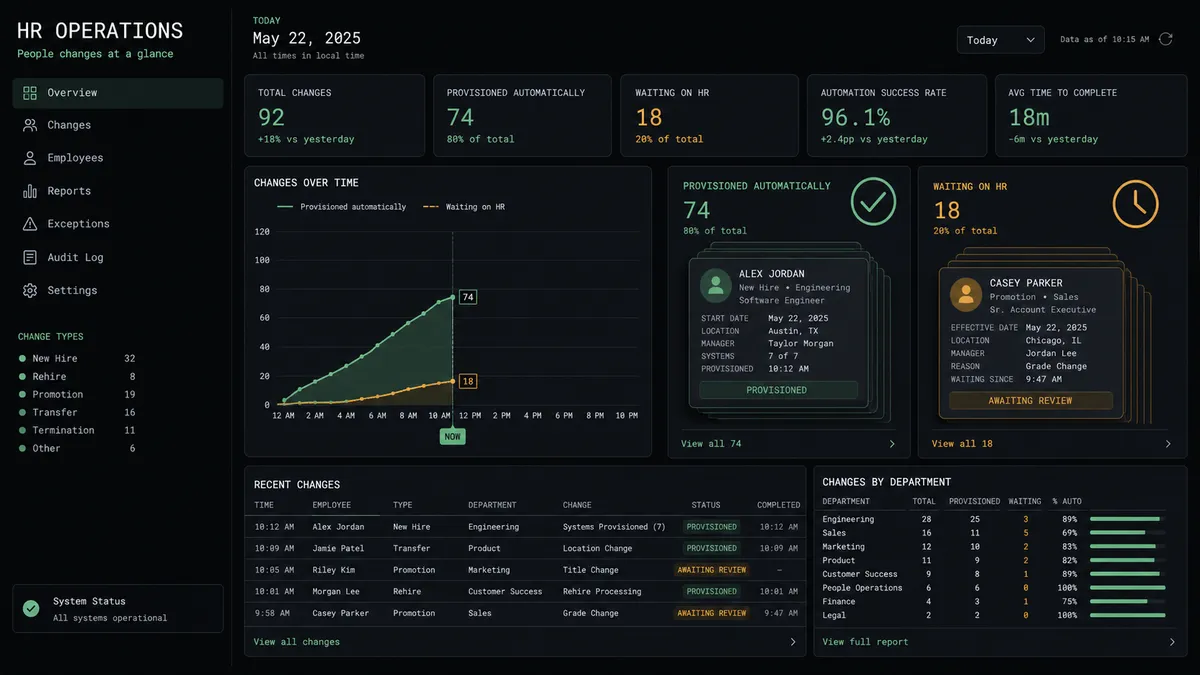
New hire, provisioned and welcomed. On People Change triggers Get Person and Upload Document, then Send Message to Channel posts the welcome plan to the manager, while any country-specific compliance step routes to the HR lead over Slack first.
Time-off requests validated before they reach a manager. On Time Off Change fires, Get Time Off Balance confirms availability, and Send Direct Message puts an Approve or Escalate decision in front of the manager, with Update Time Off recording the outcome.
Offboarding with a human on the final sign-off. End Employment is staged, not run automatically. The agent routes it to the HR lead in Slack with Approve, Modify, or Hold, and only executes End Employment once the person responds.
Weekly headcount report in Slack. On a schedule, the agent calls Run Report against the headcount report, enriches it with Find People and Find Departments, and posts the summary to the People Ops channel with Send Message to Channel.
Document filing off a Slack drop. When someone drops a signed PDF into a designated Slack channel, On File Shared fires, the agent retrieves it with Get File Info, and files it against the right employee with Upload Document in Personio.
Common questions
Is it free to connect Personio and Slack on FlowRunner? FlowRunner has a free plan with 100 executions a month, every integration included, and no credit card required, and new accounts get 14 days of Professional on top. Beyond the free plan, Growth starts at $45/mo for 12,000 executions.
Can I self-host the Personio and Slack connection? Yes. The Community Edition is free for a single self-hosted instance, and the self-hosted Enterprise tier adds multi-instance clustering and the full compliance suite for teams that need HR data to stay on their own infrastructure.
Does the agent need my own OpenAI key? FlowRunner uses a bring-your-own-key model, so you connect the AI provider you already use and the agent runs on your key rather than a shared pool.
What happens when the agent isn’t sure about an HR change? It does not guess and it does not skip the step. It stages the change, for example an employment end date or a compensation update, attaches the relevant document, and sends the HR lead a Slack message asking to approve, modify, or hold; the workflow resumes once the person responds.
Do I need Personio’s Recruiting Token to connect Slack? No. The Recruiting Token is only needed for candidate and applicant-document actions. The people, time-off, time-tracking, and document actions that drive most Personio-to-Slack flows work with the standard API credentials.
Can time-off approvals happen without leaving Slack? Yes. The agent checks the balance in Personio first, then sends the approval request to the manager in Slack with Approve and Escalate buttons; the decision fires Slack’s On Block Action trigger and the agent records it back in Personio automatically.
Getting started
FlowRunner has a free plan with 100 executions a month, every integration included, and no credit card required, and new accounts get 14 days of Professional on top. Start at flowrunner.ai to build the flow yourself, or book time at calendly.com/flowrunner/intro to walk through the compliance sign-off and time-off approval rules with the team.
Frequently asked questions
Is it free to connect Personio and Slack on FlowRunner?
FlowRunner has a free plan with 100 executions a month, every integration included, and no credit card required, and new accounts get 14 days of Professional on top. Beyond the free plan, Growth starts at $45/mo for 12,000 executions.
Can I self-host the Personio and Slack connection?
Yes. The Community Edition is free for a single self-hosted instance, and the self-hosted Enterprise tier adds multi-instance clustering and the full compliance suite for teams that need HR data to stay on their own infrastructure.
Does the agent need my own OpenAI key?
FlowRunner uses a bring-your-own-key model, so you connect the AI provider you already use and the agent runs on your key rather than a shared pool.
What happens when the agent isn't sure about an HR change?
It does not guess and it does not skip the step. It stages the change, for example an employment end date or a compensation update, attaches the relevant document, and sends the HR lead a Slack message asking to approve, modify, or hold; the workflow resumes once the person responds.
Do I need Personio's Recruiting Token to connect Slack?
No. The Recruiting Token is only needed for candidate and applicant-document actions. The people, time-off, time-tracking, and document actions that drive most Personio-to-Slack flows work with the standard API credentials.
Can time-off approvals happen without leaving Slack?
Yes. The agent checks the balance in Personio first, then sends the approval request to the manager in Slack with Approve and Escalate buttons; the decision fires Slack's On Block Action trigger and the agent records it back in Personio automatically.