Instantly + HubSpot: Positive Replies Become Deals
Connect Instantly and HubSpot so every campaign reply routes itself, and run it as an AI agent that pauses for a sales manager on ambiguous replies.
How do you connect Instantly to HubSpot?
FlowRunner connects Instantly’s On Email Replied trigger to HubSpot’s Create Contact and Create Deal actions, so a prospect’s reply to a cold email campaign becomes a CRM record without anyone touching a keyboard. FlowRunner is a visual AI-agent orchestration platform where automations run autonomously and pause for human judgment on the steps that carry real consequence. The same connection can run as a plain sync, or as an AI agent that reads each reply, decides how to route it, and pauses for a sales manager when the reply is genuinely ambiguous.
The problem it solves
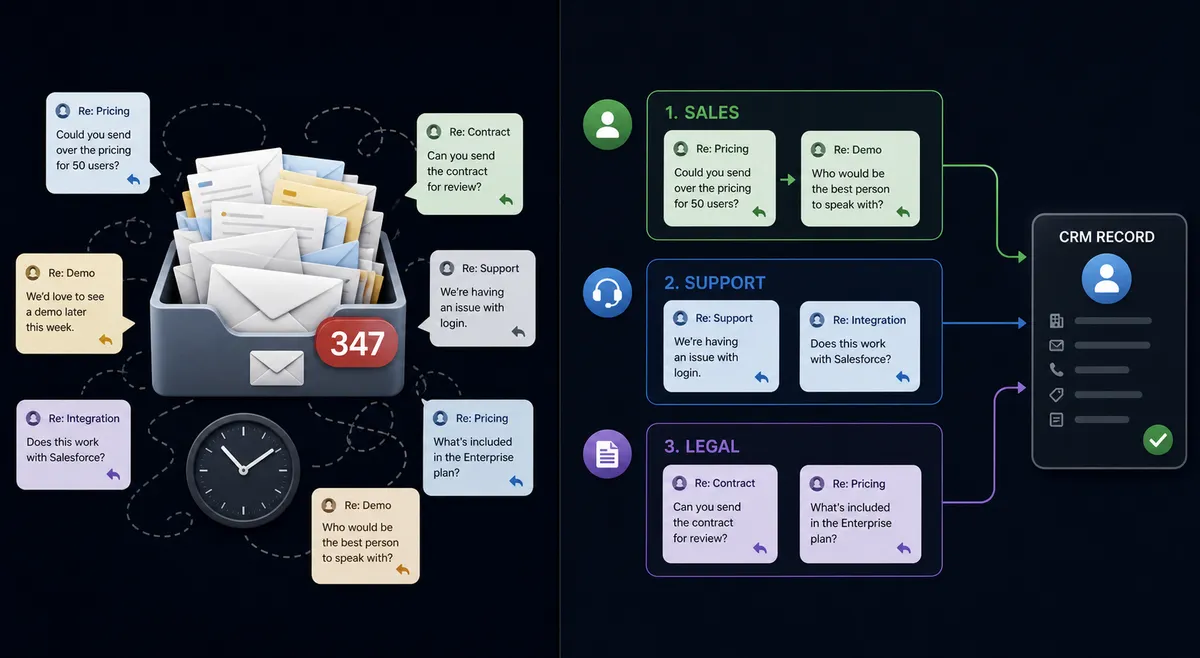
An SDR running Instantly campaigns generates replies all day, and every one of them needs a human decision: interested, not interested, has a question, or out of office. In most teams, someone checks the campaign dashboard on a schedule, reads each reply, and manually creates the HubSpot contact and deal for anything that looks promising. That works fine at ten replies a day. At fifty or a hundred, replies sit in the inbox for hours while the SDR is on calls, and interested leads cool off waiting for a follow-up that should have gone out in minutes.
Bounces make it worse. An invalid email address stays enrolled in the sequence, burning send reputation and skewing campaign metrics, because nobody has time to audit the lead list line by line. And even when a rep does catch a positive reply, the manual handoff, creating the contact, checking for a duplicate, opening the deal, sending a Calendly link, takes several minutes per lead. Multiply that across a team and it’s hours a week spent on data entry instead of selling.
How it works: the connection
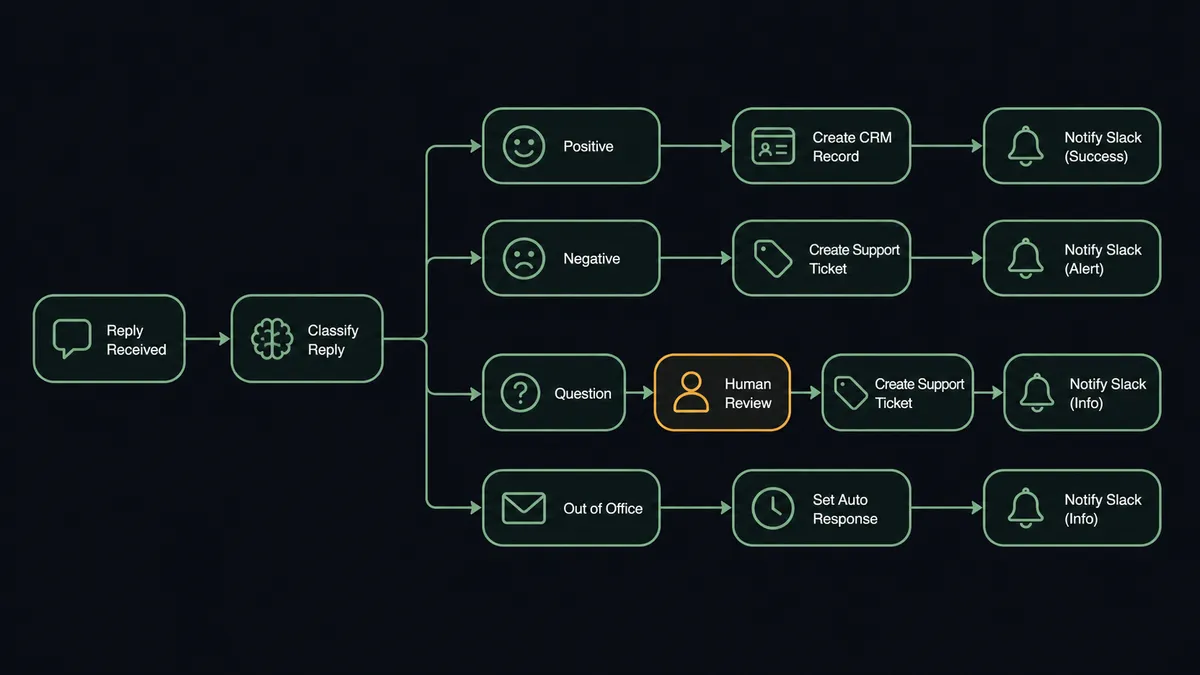
On Email Replied fires the moment a prospect responds to any active Instantly sequence. The reply content passes to an AI model for classification: positive interest, negative or not interested, a question requiring a personal response, or an out-of-office auto-reply.
For a positive reply, the workflow calls Get Contact by Email in HubSpot first, so it never creates a duplicate record. If no match exists, it runs Create Contact, associates the record with the right company using Associate Objects, and opens a deal in the inbound pipeline with Create Deal. Back in Instantly, Modify Lead Status marks the lead Interested and removes them from the active sequence. The sales rep gets a Slack notification with the actual reply text and a Calendly link, so the deal is already open and waiting by the time the rep sees it.
Negative replies update the lead status and pull the contact out of future sends automatically. Bounced addresses get marked invalid, searched against Apollo for a corrected email, and either re-enrolled or flagged in HubSpot, so bad data doesn’t sit there quietly wasting send volume.
Can an AI agent run it? (and why a human stays in the loop)
A fixed rule can route a reply that clearly says “yes, let’s talk.” It cannot handle the reply that says “maybe next quarter, depends on budget” or the one that mixes a compliment with a hard pass. That’s where a script and an agent diverge. The FlowRunner agent reads the actual reply text, reasons about intent using the same context a human rep would use, and picks its next action from the full set of Instantly and HubSpot tools available to it: create the deal, update the lead status, search Apollo for a corrected address, or stop and ask.
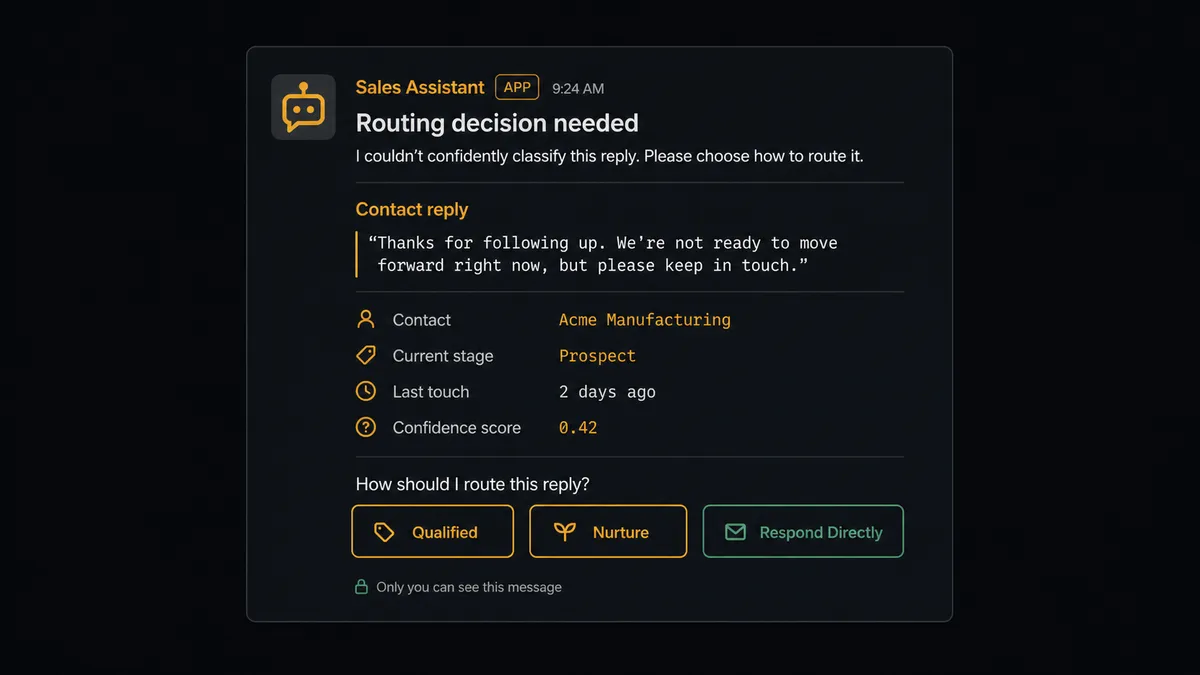
When the classification comes back mixed, a vague expression of interest, or a conditional yes, the agent does not force it down the positive or negative path. It invokes a human-in-loop flow as a callable tool, the same way it calls any other action. The sales manager gets a Slack message: “Reply from [Lead Name] at [Company] is classified as ambiguous. Here is the reply: [text]. Route to sales as qualified, continue nurture, or respond directly?” The manager reads the real reply and picks an option. The agent resumes with that decision, takes the corresponding action in HubSpot and Instantly, and logs the decision, the decider, and the timestamp to the audit trail.
This is not a sync tool. The agent knows when to stop and ask, and it only asks when the data genuinely warrants a human read, not on a hardcoded keyword list.
FlowRunner vs Zapier for this connection
Zapier is a reasonable starting point for a simple Instantly-to-HubSpot sync, and its trigger and action library for both tools is mature and easy to wire up for a non-technical team. Where it runs out of road is the judgment calls: Zapier moves data on the rule you wrote, and every ambiguous reply either gets forced through that rule wrong or requires a human checking the dashboard anyway, which is the exact manual step you were trying to remove.
| Capability | Zapier | FlowRunner |
|---|---|---|
| Human-in-loop on ambiguous replies | Not native; requires a separate manual review step | Built in: agent pauses and routes to a sales manager as a callable tool |
| Reply classification | Rule-based filters (keyword match) | AI agent reasons about the full reply text and context |
| Users included | Paid per-user on higher tiers | Unlimited users on every tier |
| AI provider | Not applicable | Bring-your-own-key, you control model and cost |
| Pricing model | Per-task pricing that scales with volume | Transparent workflow-based tiers with clear execution limits |
| Self-hosting | Not available | Available on Enterprise |
Before and after
| Metric | Before | After |
|---|---|---|
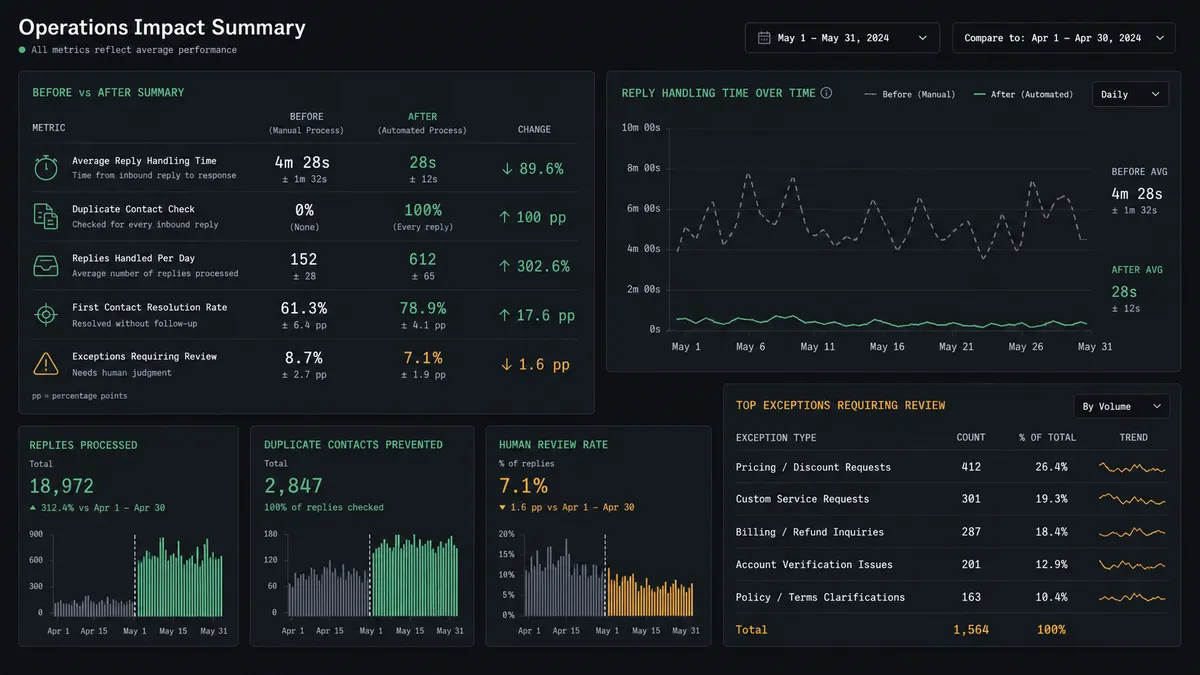
| Reply monitoring | SDRs check campaign dashboards throughout the day for new replies | Every reply classified by intent within seconds of arrival |
| Lead handoff speed | Interested replies sit until a rep manually creates the CRM deal | CRM deal created and Calendly link sent before the rep knows the lead replied |
| Time to CRM record | Several minutes of manual entry per positive reply | Under 30 seconds from reply to contact, association, and deal |
| Duplicate contacts | No systematic check before creating a new record | Agent checks Get Contact by Email before every new contact |
| Bounced addresses | Stay in sequences, continue wasting send volume | Searched in Apollo and re-enrolled or flagged automatically |
What you can build
Reply-to-deal handoff. On Email Replied fires, the agent classifies intent, and a positive reply becomes a HubSpot contact, company association, and deal, with a Calendly link sent from the rep’s own account.
Bounce-driven list hygiene. On Email Bounced fires, the agent marks the address invalid, checks Apollo for a corrected email, and either re-enrolls the lead in Instantly or flags the HubSpot contact for review.
Stalled deal follow-up. A weekly check queries HubSpot for deals sitting in Negotiation past 14 days and prompts the owner in Slack to update the stage or flag it, with unresponded deals escalating to the sales manager after 48 hours.
Ambiguous reply escalation. Any reply the classifier can’t confidently sort routes straight to the sales manager with the full text attached, so the borderline cases get a human read instead of a wrong guess.
Common questions
Is it free to connect Instantly and HubSpot on FlowRunner? FlowRunner has a free plan with 100 executions a month, every integration included, and no credit card required, and new accounts get 14 days of Professional on top. You can build and run the Instantly to HubSpot connection during that window at no cost.
Can I self-host the Instantly and HubSpot connection? Yes. FlowRunner’s Enterprise tier supports self-hosted deployment for teams that need the workflow running on their own infrastructure, with the same human-in-loop logic and audit trail as the cloud version.
Does the agent need my own OpenAI key? FlowRunner uses a bring-your-own-key model for AI providers, so you connect your own key for whichever model classifies replies. You control the provider and the cost, not FlowRunner.
What happens when the agent can’t tell if a reply is positive or negative? The agent does not guess. It pauses the workflow, sends the sales manager the full reply text over Slack, and waits for a routing decision before touching the CRM or the sequence status.
Does FlowRunner check for duplicate contacts before creating one in HubSpot? Yes. The agent calls Get Contact by Email first on every inbound reply. It only creates a new contact and deal when no existing record matches, which keeps the CRM clean without a rep double checking.
How is this different from a native Instantly-HubSpot connector or Zapier? A native sync moves data on a fixed rule. FlowRunner’s agent reads the reply, reasons about intent, and decides whether to route, escalate, or take no action, with a human brought in only on the replies that are genuinely ambiguous.
Getting started
Start on the free plan: 100 executions a month, every integration included, no credit card required, plus 14 days of Professional for new accounts. Connect your Instantly account and your HubSpot account, choose On Email Replied as the trigger, and let the agent handle the clear replies while your sales manager handles the ones that need a human read.
Ready to see it running on your own campaigns? Start free at flowrunner.ai or book time with the team at calendly.com/flowrunner/intro.
Frequently asked questions
Is it free to connect Instantly and HubSpot on FlowRunner?
FlowRunner has a free plan with 100 executions a month, every integration included, and no credit card required, and new accounts get 14 days of Professional on top. You can build and run the Instantly to HubSpot connection during that window at no cost.
Can I self-host the Instantly and HubSpot connection?
Yes. FlowRunner's Enterprise tier supports self-hosted deployment for teams that need the workflow running on their own infrastructure, with the same human-in-loop logic and audit trail as the cloud version.
Does the agent need my own OpenAI key?
FlowRunner uses a bring-your-own-key model for AI providers, so you connect your own key for whichever model classifies replies. You control the provider and the cost, not FlowRunner.
What happens when the agent can't tell if a reply is positive or negative?
The agent does not guess. It pauses the workflow, sends the sales manager the full reply text over Slack, and waits for a routing decision before touching the CRM or the sequence status.
Does FlowRunner check for duplicate contacts before creating one in HubSpot?
Yes. The agent calls Get Contact by Email first on every inbound reply. It only creates a new contact and deal when no existing record matches, which keeps the CRM clean without a rep double checking.
How is this different from a native Instantly-HubSpot connector or Zapier?
A native sync moves data on a fixed rule. FlowRunner's agent reads the reply, reasons about intent, and decides whether to route, escalate, or take no action, with a human brought in only on the replies that are genuinely ambiguous.